School year 2026–2027 requirements

iPad® 7+
Description: 1024 x 788 or higher, 32GB or higher
Operating system: iPadOS 18+
Browser: Safari 18+
PC
Description: 1.4 GHz dual core or greater, 1024 x 768 or higher, 4GB of RAM or higher
Operating system: Windows: 10+
Browser: Chrome (latest 2 versions)
Chromebook
Description: 1.4 GHz dual core or greater, 1024 x 768 or higher, 4GB of RAM or higher
Operating system: Chrome OS
Browser: Chrome (latest 2 versions)
Mac®
Description: 1.4 GHz dual core or greater, 1024 x 768 or higher, 4GB of RAM or higher
Operating system: macOS 15+
Browser: Safari 15+, Chrome (latest 2 versions)
iPadiPad Air® 4
iPad 8+
Chromebook™Acer Chromebook 314
Samsung Chromebook 4
Dell™ Chromebook 3120
HP Chromebook x360
MacMacBook Pro®
MacBook Air®
Interactive BoardA Google certified EDLA device, such as the SMART RX Series

The following devices are not supported due to known sub-optimal performance from older hardware or complicated settings:

MicrosoftSurface Tablet®

School year 2025–2026 requirements

iPad® 7+
Description: 1024 x 788 or higher, 32GB or higher
Operating system: iPadOS 17+
Browser: Safari 17+
PC
Description: 1.4 GHz dual core or greater, 1024 x 768 or higher, 4GB of RAM or higher
Operating system: Windows: 10+
Browser: Chrome (latest 2 versions)
Chromebook
Description: 1.4 GHz dual core or greater, 1024 x 768 or higher, 4GB of RAM or higher
Operating system: Chrome OS
Browser: Chrome (latest 2 versions)
Mac®
Description: 1.4 GHz dual core or greater, 1024 x 768 or higher, 4GB of RAM or higher
Operating system: macOS 14+
Browser: Safari 15+, Chrome (latest 2 versions)
iPadiPad Air® 4
iPad 8+
Chromebook™Acer Chromebook 314
Samsung Chromebook 4
Dell™ Chromebook 3120
HP Chromebook x360
MacMacBook Pro®
MacBook Air®
iMac®
Interactive BoardA Google certified EDLA device, such as the SMART RX Series

The following devices are not supported due to known sub-optimal performance from older hardware or complicated settings:

MicrosoftSurface Tablet®

We will provide active support of our applications on the following devices for the full school year listed below.

Device final support year

iPad 62024–2025
iPad Air 32025–2026
iPad 52022–2023
iPad Air 22021–2022
iPad 22018/2019
iPad 32018/2019
iPad 42018/2019

Network environment

MINIMUM

REQUIREMENTS
User devices:Connect to Amplify servers via ports 80 and 443.
Latency:No more than 165 ms during peak utilization.
Connection speed:2 mbps per device during peak usage (10 mbps recommended). Boost Reading requires a connection speed of 10 mbps per user for optimal performance.
URLs:For the complete list of URLs to allow, please visit https://amplify.com/allowlist/.

Requirements

mCLASS assessments are optimized for most touchscreen devices using Chrome™ or Safari® web browsers. The teacher-led, observational assessments are best conducted using touchscreen but will function using a laptop and mouse as well. Please check our device support lifecycles and purchase recommendations lists below prior to purchasing.

Boost Close Reading is currently not supported on iPads.

Due to its smaller screen, the iPad Mini is not supported.

Amplify curriculum applications require the ability to project from the teacher’s device.

Boost Reading Benchmark uses speech recognition software to analyze students’ oral reading. For the most accurate results, use a wired dual-ear headset with a boom microphone that extends in front of the student’s mouth. Avoid headsets with active noise cancellation (ANC) unless that feature can be disabled. Bluetooth headsets are currently incompatible with our speech recognition technology and should not be used.

iPhone 13 and later running iOS 17+ and Safari
Galaxy 11 and later running Android 15+ and Chrome

What’s new

The Tech User Manual has been updated for EOY.

About mCLASS in Louisiana

The Louisiana Department of Education is committed to providing literacy instruction for all by:

  • Aligning core curriculum, instruction, and assessments with the Science of Reading.
  • Providing appropriate literacy interventions to address difficulty with reading development.
  • Implementing practices based on the Science of Reading in every classroom, every day.
  • Offering aligned resources to parents, guardians, and family members.

Built on decades of research at the Center on Teaching and Learning at the University of Oregon (a national center for early childhood assessment and instruction), the mCLASS suite meets Louisiana’s early literacy goals for its students with a robust core curriculum and a suite of reporting, grouping, lesson, and caregiver support features.

DIBELS measures at each grade level 
Measure Grade K Grade 1 Grade 2 Grade 3
Letter naming fluency A large, light peach-colored checkmark on a transparent background. A large, light peach-colored checkmark on a transparent background.    
Phonemic segmentation fluency A large, light peach-colored checkmark on a transparent background. A large, light peach-colored checkmark on a transparent background.    
Nonsense word fluency A large, light peach-colored checkmark on a transparent background. A large, light peach-colored checkmark on a transparent background. A large, light peach-colored checkmark on a transparent background. A large, light peach-colored checkmark on a transparent background.
Word reading fluency A large, light peach-colored checkmark on a transparent background. A large, light peach-colored checkmark on a transparent background. A large, light peach-colored checkmark on a transparent background. A large, light peach-colored checkmark on a transparent background.
Oral reading fluency   A large, light peach-colored checkmark on a transparent background. A large, light peach-colored checkmark on a transparent background. A large, light peach-colored checkmark on a transparent background.
Maze (basic comprehension)     A large, light peach-colored checkmark on a transparent background. A large, light peach-colored checkmark on a transparent background.

Enrollment resources

EOY enrollment timeline: 

  • 3/3- 3/17: Admin Portal closed 
    • Students and staff are still able to log into mCLASS
    • Students are still able to assess Progress Monitoring
    • No EOY assessments taking place at this time 
    • Data Reporting (classroom and aggregate reports) is still available
  • 3/18: Admin Portal reopens 
  • 4/1: EOY begins

Student Transfers:

For instructions on transferring students into a district from a different district within the state, see the Transferring Students section of the Test Coordinator Manual: K–3 EOY.

To add students to your district who are transferring to your school from outside of LDOE, please follow the process in the Enrolling Students section of this article.

End of Year and G3 Summer window resources

  • Test Coordinator Manual (District and School Test Coordinators only): This manual provides instructions for administrative tasks for DTCs and STCs.
  • Test Administrator Manual for the Secure K–2 End of Year Literacy Assessment: This manual for Test Administrators provides instructions for administering the secure EOY assessment.
  • Test Administration Manual: Grade 3 End of Year Literacy Assessment:  This manual for Test Administrators provides instructions for administering EOY assessment to Grade 3 students.
  • Tech User Guide: This manual for District and School Technology Coordinators provides instructions for installing the safe browser (Windows/Mac) or kiosk mode applications (Chromebook) needed for secure EOY assessment.
  • Accessibility and Accommodations Manual: This manual includes information about the accessibility features offered for secure EOY assessment, as well as the standard DIBELS 8th Edition Accommodations.
  • For information about student demographics in the Admin Portal, see LDOE Admin Portal: Demographics.
  • New Troubleshooting for ChromeOS Kiosk Mode guide is available for Technology Coordinators supporting Test Administrators who encounter an error message when launching the Chrome kiosk mode applications.

How to: Install the Safe Exam Browser

This section provides instructions for installing the Safe Exam Browser (SEB), which is needed to assess K-2 students during EOY in Louisiana. Depending on your device type, download the SEB app from the Apple App Store or this site.

If you are using a Chromebook, you will use kiosk mode instead of the SEB. The Tech User Guide includes instructions for installing the applications needed to use kiosk mode, as well as instructions for installing the SEB and additional information to set up devices for secure End of Year (EOY) assessment.

Windows

Browser: Chrome (latest 2 versions)

iPad

  • Navigate to Safe Exam Browser in the App Store on your iPad.
  • Tap the Safe Exam Browser app icon to open the app page.
  • Tap Get to download and install the app.
  • For instructions on installing the SEB, see the Tech User Manual.

macOS

  • Download the DMG file.
  • Depending on your browser, a download page may open in a new tab, displaying the download progress. When the download is complete, close the tab. 
  • For instructions on installing the SEB, see the Tech User Manual.

Progress Monitoring

This guide provides instructions for administering progress monitoring (PM) assessments in Louisiana schools. 

Please note that the steps for accessing and administering PM assessments are different for schools with an mCLASS Intervention license than for schools that do not have an mCLASS Intervention license.

Amplify Tutoring: HDT driven by mCLASS data

An adult and child sit at a table, smiling and giving each other a high five. The child wears blue headphones and a laptop is on the table. The background is light blue.

Grounded in evidence-based practices and taught by caring, consistent tutors, our high-impact tutoring programs use high-quality instructional materials and data-driven mCLASS® products to empower students.

  • Data-driven, personalized instruction
  • Research-backed solutions tailored to support your MTSS framework
  • Customizable–before, during or after school year-long, semester-long and summer programming
  • Comprehensive program management and staffing support

Professional development

Amplify professional development (PD) provides learning experiences that intentionally develop the knowledge and skills you need for effective and self-sustaining implementation.

Go to the PD Library to access self-paced online courses, webinar recordings, videos, and more to help you learn how to administer and score the assessment and develop a deeper understanding of reporting and instruction.

If you are interested in purchasing additional PD for your school or district, please reach out to your account executive.

Additional mCLASS information

mCLASS gives you instant results and clear next steps for each student. Quick and actionable reports provide detailed insight into students’ reading development across foundational literacy skills for teachers, specialists, administrators, and caregivers.

View the EOY mCLASS Reporting Guide to learn more.

View the BOY/MOY mCLASS Reporting Guide to learn more.

Additional resources around mCLASS reporting can be found by navigating to the Programs & Apps section and then selecting PD Library

Graph showing emma ashley's progress in letter sounds from august to may, starting well below benchmark at 20, reaching 74 by december, and surpassing the benchmark with 90 in may.

To continue your own professional learning around the Science of Reading, join your colleagues who’ve subscribed to our podcasts and communities!

Science of Reading: The Podcast delivers the latest insights from researchers and practitioners in early reading. Further your professional development with each episode by subscribing and downloading now.

Science of Reading: The Community is built for those committed to fostering conversation around the Science of Reading and implementing best practices in the classroom (including the virtual classroom).

What does classroom instruction look like when it is based on Science of Reading practices? We’ve outlined a Science of Reading action plan to guide your evaluation in our new FREE ebook, Science of Reading: Making the shift.

A presentation slide titled "Science of Reading: Making the shift" with subtitle "Surveying classroom instruction" and colorful ribbon graphics.

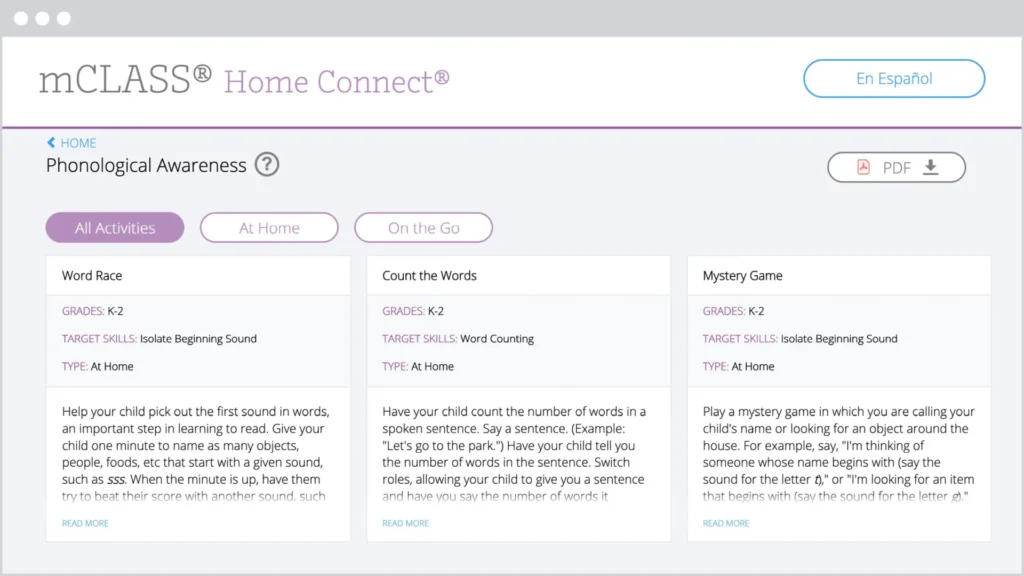
The mCLASS Home Connect website houses literacy resources for parents and caregivers, including at-home lessons organized by skill to help students at home during remote learning. Our mCLASS parent/caregiver letters in English and Spanish ensure that families know how to best support their students.

Screenshot of the mclass home connect website showing educational activities in three categories: word race, count the ways, and mystery game, with navigation options at the top.

mCLASS support

Our chat agents are standing by to assist you!
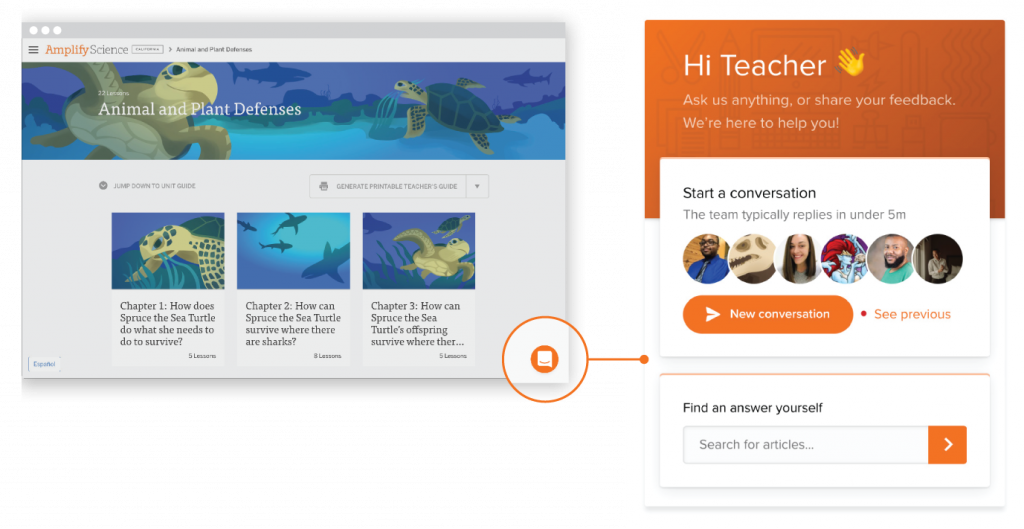
Simply log in at my.amplify.com/login/louisiana and select the orange button in the lower right corner to chat live with our support team.

Important note:
Our support hours are Monday through Friday, 7 a.m. to 6 p.m. CT.

Check out the DIBELS 8 LDOE Help Center for more help at any point during implementation.

A laptop screen displaying the AmplifyELA program with sections for different grade levels and core units, featuring colorful icons and a menu on the left side.

Additional Amplify products

Get in touch with us to learn more about bringing other high-quality Amplify programs to your school or district.

Oregon Enhanced ELA State Review for K–5

To view this protected page, enter the password below:


Students take on the role of a scientist or engineer every day.

Amplify Science is a blended curriculum developed to align with the New York City PK–8 Science Scope and Sequence that meets the New York State Science Learning Standards.

Amplify Science for grades K–8 has been rated all-green by EdReports.

Read the review on EdReports.

Check out the New York City Resource Site for supporting resources designed for the New York City Department of Education Amplify Science adoption for grades K–8.

An illustration of a whale with jellyfish and turtles from Amplify Science

Begin your review

What sets Amplify Science apart?

  • Aligned to the New York City PK–8 Science Scope and Sequence, and meets New York State Science Learning Standards.
  • State-of-the-art, highly-engaging curriculum that invites students to take on the role of a scientist or engineer in every unit to solve relevant real-world problems.
  • Flexible, truly blended program that combines comprehensive print components and compelling online content with hands-on learning in every unit.
  • Robust teacher support for ease of use by a wide range of teachers in diverse classroom contexts, with carefully crafted lessons, standards alignment, differentiation strategies, and ELL supports throughout the program.
  • Embedded assessments throughout the program, including both formative and summative assessments for every grade level.
  • Authored by the industry-leading science curriculum team at U.C. Berkeley’s Lawrence Hall of Science, who have 50 years of experience in K–12 science education and who will continue to enhance and update the program for years to come. To learn more about how the Lawrence Hall of Science collected research, designed the curriculum, and field tested the program with teachers, download our research base document.

The Amplify Science approach

The scope and sequence of the program is designed to show that scientific concepts are interconnected and multifaceted. Each unit focuses on a specific learning goal in the form of an overarching unit question. Rather than following linear steps in an experiment, the program leaves room for students to make connections across concepts and make their own discoveries. In this way, Amplify Science replicates the realities and ambiguities of scientific research and thinking.

Each course in Amplify Science K–5 consists of 3–4 units, with each unit containing 22 lessons. Each lesson in grades K and 1 is written for a 45-minute session, while lessons in grades 2–5 are written for 60-minute sessions. Teachers can always expand or contract the timing to fit their needs.

Each course in Amplify Science 6–8 consists of 7-9 units, with each core unit containing 19 lessons, each launch unit containing 11 lessons, and each engineering internship containing 10 lessons. Each lesson in grades 6–8 is written for a 45-minute session. Teachers can always expand or contract the timing to fit their needs..

Download the K–5 unit sequence

Download the 6–8 unit sequence

Components overview

Amplify Science blends physical materials with a suite of digital tools, presenting students with the resources they need to investigate real-world problems, and empowering and supporting teachers as they lead instruction and gain insight into student growth and progress.

Grades K–5

  • Student Investigation Notebooks (K–2) for every unit allow students to interact with content while taking notes, answering questions, and conducting investigations. Review a sample from the Grade 2 Plant and Animal Relationships unit.
  • Student Books enhance science topics and allow students to practice reading within the science content area.
  • Instructional materials for teachers. The Amplify Science curriculum website hosts all lesson content, media, digital simulations, and more, and is the primary tool “open” for teachers during class time. Print Teacher’s Guides are included. You can view complete unit samples by accessing the curriculum at the bottom of this page.
  • Robust digital simulations and digital applications, developed exclusively for the Amplify Science program. Supported devices include: iPad 3+, Chromebook, Windows PC, and MacBook.
  • Unit Kits for each unit in the program including consumable and nonconsumable hands-on materials, printed classroom display materials, and the students books.
  • Embedded formative and summative assessments are meant to support and guide student instruction.
  • Pacing guides have been developed for teachers to support the implementation of the program.

Grades 6–8

  • New York City Student Editions enhance science topics and allow students to practice reading within the science content area.
  • Special “NYC Companion Lessons” directly target the additional standards in NYSSLS not found in the NGSS.
  • Instructional materials for teachers. The Amplify Science curriculum website hosts all lesson content, media, digital simulations, and more, and is the primary tool “open” for teachers during class time. Print Teacher’s Guides are included. You can view complete unit samples by accessing the curriculum at the bottom of this page.
  • Robust digital simulations and digital applications, developed exclusively for the Amplify Science program. Supported devices include: iPad 3+, Chromebook, Windows PC, and MacBook.
  • Unit Kits for each unit in the program including consumable and nonconsumable hands-on materials and printed classroom display materials for 5 uses of a class of 40 students.
  • Embedded formative and summative assessments are meant to support and guide student instruction.
  • Pacing guides have been developed for teachers to support the implementation of the program.

Review grades K–5

Amplify Science K-5 is an elementary science curriculum that provides teachers with the tools and practices necessary to meet the expectations of the NYSED P–12 Science Learning Standards. The program also aligns to the new NYCDOE PK–8 Science Scope and Sequence. Learn more about Amplify Science K-5 by reviewing the following::

Click the orange button below to access the digital Teacher’s Guide and begin your review.

Review grades 6–8

Amplify Science 6–8 New York City Edition is a new blended curriculum developed to align to 100 percent of the New York City PK–8 Science Scope and Sequence 2018 that meets 100 percent of the New York State Science Learning Standards. Learn more about Amplify Science 6-8 New York City Edition by reviewing the following:

Click the orange button below to access the digital Teacher’s Guide and begin your review.

Watch an overview

Watch curriculum experts walk through the Amplify Science K–5 and 6–8 programs and share information on how you can start to make the shifts to the NGSS with a literacy-rich approach to science instruction.

Ready to order?

When you are ready to place an order for Amplify Science, please reference the ordering checklist on the Core Curriculum Ordering Guide, and then head to:

Welcome, Iowa reviewers!

Designed from the ground up for the NGSS to teach students to think, read, write, and argue like real scientists and engineers, Amplify Science combines literacy-rich activities with hands-on learning and digital tools to engage students in exploring compelling phenomena in every unit.

A badge for EdReports Review Year 2023, two students at a computer, two students discussing with a tablet, and an educational diagram of a spider on a screen.

A powerful partnership

Amplify Science was developed by the science education experts at UC Berkeley’s Lawrence Hall of Science and the digital learning team at Amplify.

Learn more about the Lawrence Hall of Science.

Grades K–5 overview

Each unit focuses on a specific learning goal in the form of an overarching unit question. Rather than following linear steps in an experiment, the program leaves room for students to make connections across concepts and make their own discoveries. In this way, Amplify Science replicates the realities and ambiguities of scientific research and thinking.

Amplify Science blends physical materials with a suite of digital tools, presenting students with the resources they need to investigate real-world problems, and empowering and supporting teachers as they lead instruction and gain insight into student growth and progress.

Student Investigation Notebooks for every unit allow students to interact with content while taking notes, answering questions, and conducting investigations. Review a sample from the Grade 2 Plant and Animal Relationships unit.

Student Books enhance science topics and allow students to practice reading within the science content area.

Instructional materials for teachers. The Amplify Science curriculum website hosts all lesson content, media, digital simulations, and more, and is the primary tool “open” for teachers during class time. You can view complete unit samples by accessing the curriculum at the bottom of this page.

Robust digital simulations (grades 4–5) and digital applications, developed exclusively for the Amplify Science program. Supported devices include: iPad 3+, Chromebook, Windows PC, and MacBook.

Unit kits for each unit in the program including consumable and nonconsumable hands-on materials, printed classroom display materials, and the students books.

Embedded formative and summative assessments are meant to support and guide student instruction.

Grades 6–8 overview

Each unit focuses on a specific learning goal in the form of an overarching unit question. Rather than following linear steps in an experiment, the program leaves room for students to make connections across concepts and make their own discoveries. In this way, Amplify Science replicates the realities and ambiguities of scientific research and thinking.

Amplify Science blends physical materials with a suite of digital tools, presenting students with the resources they need to investigate real-world problems, and empowering and supporting teachers as they lead instruction and gain insight into student growth and progress.

Student Investigation Notebooks for every unit allow students to interact with content while taking notes, answering questions, and conducting investigations. Review a sample from Metabolism.

Instructional materials for teachers. The Amplify Science curriculum website hosts all lesson content, media, digital simulations, and more, and is the primary tool “open” for teachers during class time. You can view complete unit samples by accessing the curriculum at the bottom of this page.

Robust digital simulations and digital applications, developed exclusively for the Amplify Science program. Supported devices include: iPad 3+, Chromebook, Windows PC, and MacBook.

Unit kits for each unit in the program including consumable and non-consumable hands-on materials, and printed classroom display materials.

Embedded formative and summative assessments are meant to support and guide student instruction.

Ready to look inside Amplify Science?

Contact

Tammy Tvetene
District Manager

Email: ttvetene@amplify.com
Phone: (314) 619-8846

Amplify Science

Amplify Science is Chicago Public Schools’ recommended K–8 core science instructional material. Looking for support ordering? Contact ScienceCPS@amplify.com or (855) 559-5757.

A powerful partnership

Amplify Science was developed by the science education experts at UC Berkeley’s Lawrence Hall of Science and the digital learning team at Amplify.

Learn more about the Lawrence Hall of Science.

Looking for pricing or ordering support? Email scienceCPS@amplify.com or call (855) 559-5757.

What sets Amplify Science apart?

  • Authored by the industry-leading science curriculum team at U.C. Berkeley’s Lawrence Hall of Science, who have 50 years of experience in K–12 science education and who will continue to enhance and update the program for years to come
  • New curriculum built to meet 100% of the Next Generation Science Standards
  • State-of-the-art, highly engaging curriculum that invites students to take on the role of a scientist or engineer in every unit to solve relevant real-world problems
  • Flexible, truly blended program that combines comprehensive print components and compelling online content with hands-on learning in every unit
  • Robust teacher support for ease of use by a wide range of teachers in diverse classroom contexts, with carefully crafted lessons, standards alignment, differentiation strategies, and ELL supports throughout the program
  • Embedded assessments throughout the program, including both formative and summative assessments for every grade level

Grades K–5 overview

Each unit focuses on a specific learning goal in the form of an overarching unit question. Rather than following linear steps in an experiment, the program leaves room for students to make connections across concepts and make their own discoveries. In this way, Amplify Science replicates the realities and ambiguities of scientific research and thinking.

Learn more about the program structure
Download the K–5 unit sequence
NGSS correlations
Hear from K–5 teachers

Amplify Science blends physical materials with a suite of digital tools, presenting students with the resources they need to investigate real-world problems, and empowering and supporting teachers as they lead instruction and gain insight into student growth and progress.

  • Student Investigation Notebooks for every unit allow students to interact with content while taking notes, answering questions, and conducting investigations. Review a sample from the Grade 2 Plant and Animal Relationships unit.
  • Student Books enhance science topics and allow students to practice reading within the science content area.
  • Instructional materials for teachers. The Amplify Science curriculum website hosts all lesson content, media, digital simulations, and more, and is the primary tool “open” for teachers during class time. You can view complete unit samples by accessing the curriculum at the bottom of this page.
  • Robust digital simulations (grades 4–5) and digital applications, developed exclusively for the Amplify Science program. Supported devices include: iPad 3+, Chromebook, Windows PC, and MacBook.
  • Unit kits for each unit in the program including consumable and nonconsumable hands-on materials, printed classroom display materials, and the students books.
  • Embedded formative and summative assessments are meant to support and guide student instruction.

View an on-demand webinar.

Grades 6–8 overview

Each unit focuses on a specific learning goal in the form of an overarching unit question. Rather than following linear steps in an experiment, the program leaves room for students to make connections across concepts and make their own discoveries. In this way, Amplify Science replicates the realities and ambiguities of scientific research and thinking.

Beginning in school year 2018-19, Chicago Public Schools recommends that schools follow the integrated scope and sequence for middle school science. The decision to shift from discipline-specific to integrated science was informed by a group of 30 CPS middle school science teachers who served on an Advisory Team during school year 2017-18 as well as guidance from other state and national committees with expertise in implementing the Next Generation Science Standards. Amplify’s 6–8 curriculum and CPS’ 2018-19 REACH Performance Tasks align to the integrated scope and sequence.

Learn about the program structure
Download the 6–8 unit sequence
NGSS correlations
Learn about the flexible, blended program

Amplify Science blends physical materials with a suite of digital tools, presenting students with the resources they need to investigate real-world problems, and empowering and supporting teachers as they lead instruction and gain insight into student growth and progress.

  • Student Investigation Notebooks for every unit allow students to interact with content while taking notes, answering questions, and conducting investigations. Review a sample from Metabolism.
  • Instructional materials for teachers. The Amplify Science curriculum website hosts all lesson content, media, digital simulations, and more, and is the primary tool “open” for teachers during class time. You can view complete unit samples by accessing the curriculum at the bottom of this page.
  • Robust digital simulations and digital applications, developed exclusively for the Amplify Science program. Supported devices include: iPad 3+, Chromebook, Windows PC, and MacBook.
  • Unit kits for each unit in the program including consumable and nonconsumable hands-on materials, and printed classroom display materials.
  • Embedded formative and summative assessments are meant to support and guide student instruction.

View an on-demand webinar.

Science and literacy

The Amplify Science program capitalizes on the wealth of opportunities provided by science to learn about the world via reading and writing, and on the strong link between science and literacy practices. It is a core science program designed for three-dimensional learning and can also be considered a supplementary literacy program because it addresses the Common Core Standards for English Language Arts (ELA) related to disciplinary literacy.

Through its integration of literacy practices authentic to science, Amplify Science addresses the ELA Anchor Standards as well as the standards for Reading Informational Text, Writing, Listening/Speaking, and Language that are related to acquiring and using academic vocabulary. (Less discipline-specific reading standards, such as the “Reading: Foundational Skills” and “Reading: Literature,” fall outside the purview of the Amplify Science program. Please see each unit’s Overview of Standards and Goals for a list of which Common Core ELA standards are addressed in the program.)

The focus of literacy instruction in Amplify Science is on increasing students’ facility with reading informational text, engaging in scientific discussions, and writing scientific explanations and arguments. The program takes into account the specific needs of young students as they are learning to read, write, and discuss science concepts, but does not take full responsibility for teaching basic skills such as phonemic awareness, phonics, reading fluency, or writing mechanics.

Learn more

Access and equity

Diversity in the science and engineering classroom is an asset. It offers countless opportunities for creativity and innovation and opens the door to multiple perspectives and cross-cultural understanding. Historically, however, certain groups of students — including ethnically diverse students, English learners, standard English learners, students with disabilities, girls and young women, foster children and youth, and students experiencing poverty — have not had equitable opportunities for intellectually stimulating, language-rich, and culturally relevant science and engineering education. The vision of the new standards is “all standards, all students.” Amplify Science is designed to fulfill this vision by providing quality and supportive materials for teachers so that every student — regardless of their background, where they live, the language they speak at home, or their learning characteristics — has access to and benefits from deep and engaging science and engineering learning opportunities. Two overarching conceptual frameworks informed Amplify Science’s approach to ensuring access and equity for all students: Universal Design for Learning and Culturally and Linguistically Responsive Teaching.

Learn more

Start your review

Amplify Science is not a textbook. Each lesson in the program consists of a sequence of activities that engage students with a variety of materials, including scientific texts, hands-on materials, digital simulations, engaging media, formative and summative assessments, and so much more. Learn more about the grades K–8 program by reviewing the following pages:

Looking for support ordering?
ScienceCPS@amplify.com
(855) 559-5757

Winter Professional Learning Schedule for Chicago Public Schools

Ready to look inside Amplify Science?

S3-04: Using AI and ChatGPT in the science classroom

A graphic with the text "Science Connections" and "Amplify" features colorful circles and curved lines on a dark gray background.

In the latest episode of the Science Connections podcast, we explore AI in education and its impact on students. Listen as I sit down with teachers Donnie Piercey and Jennifer Roberts to discuss ChatGPT and how we can use it to build science and literacy skills in K–12 classrooms while preparing students for the real world.

And don’t forget to grab your Science Connections study guide to track your learning and find additional resources!

We hope you enjoy this episode and explore more from Science Connections by visiting our main page!

DOWNLOAD TRANSCRIPT

Jennifer Roberts (00:00:00):

If a kid graduates from school without knowing that AI exists, they’re not gonna be prepared for what they face out in the world.

Eric Cross (00:00:07):

Welcome to Science Connections. I’m your host, Eric Cross.

Eric Cross (00:00:12):

This season of the podcast, we’re making the case for everyone’s favorite underdog, science. Recently we’ve been highlighting the magic that can come from integrating science and literacy. So if you haven’t checked out those recent episodes, definitely go back in your feed after you’re done with this one. This time around, we’re going to deep dive into what artificial intelligence means for literacy instruction, and how science can be a force for good, in responsibly exposing students to AI. To help me out, I’m joined by two extremely accomplished educators. Jen Roberts, a veteran high-school English teacher from San Diego, who among many things runs the website LitAndTech.com. And I’m also joined by fifth-grade teacher Donnie Piercey. In addition to being Kentucky’s 2021 Teacher of the Year, Donnie also has an upcoming book about bringing AI into the classroom. Whether you’ve never heard of ChatGPT or whether you’re already using it every day, I think you’ll find this a valuable discussion about the intersection of science, English, and technology. Here’s Jen and Donnie.

Eric Cross (00:01:17):

So first off, welcome to the show. It’s good to see you all. What I wanna do is kind of start off by introducing both of you. And so we’ll just go K–12. So <laugh>, Donnie.

Jennifer Roberts (00:01:30):

Donnie goes first.

Eric Cross (00:01:31):

Donnie’s gonna go first. Donnie out in Kentucky. Just a little background. What do you teach; how long you’ve been in the classroom; and what are you having fun with right now?

Donnie Piercey (00:01:38):

Yeah, so my name is Donnie Piercey. I’m a fifth-grade teacher from Kentucky. Live and teach right here in Lexington, Kentucky, right in the center of the state. I’m the 2021 Kentucky Teacher of the Year. But I’ve been teaching elementary school for the past … I think this is year 16 or 17. It’s long enough where I’ve lost count, and I can’t even count on fingers anymore. My friends like to joke that I’ve taught long enough where now I can count down. You know, it’s like, “All right, only so many more years left.” But yeah, teach all subjects. Science definitely is one of the subjects that I don’t just try to squeeze into my day, but make sure that … it’s not even a devoted subject, but one that I definitely try to — don’t just have that set time, but also try to do some cross-curricular stuff with it. So definitely the rise of AI in these past few months, which feels like years by this point, has definitely played quite the role, in not just changing the way that I’ve been teaching science, but really all my subjects. So, excited to chat with y’all about it.

Eric Cross (00:02:47):

Nice. I’m excited that you’re here. And Jen?

Jennifer Roberts (00:02:51):

Hi, I’m Jen Roberts. I teach ninth-grade English at Point Loma High School, and that’s where I usually stop when I introduce myself. But for your sake—

Eric Cross (00:03:00):

I will keep introducing you if you stop there. <laugh>

Jennifer Roberts (00:03:04):

I am nationally board-certified in English Language Arts for early adolescence. I am the co-author of a book called Power Up: Making the Shift to 1:1 Teaching and Learning, from Stenhouse, with my fabulous co-author Diana Neebe. Shout out to Diana. I blog at LitAndTech.com about teaching and technology and literacy and the intersection of those things. And I’m looking forward to talking about how AI is showing up in my classroom and the fun things I’m doing with it.

Donnie Piercey (00:03:31):

And one of us is actually secretly a robot, and you have to guess which one.

Jennifer Roberts (00:03:35):

Have to guess which one. Yes. <laugh>

Eric Cross (00:03:37):

That would be super-meta. And you were the CUE — Computer-Using Educator — outstanding teacher or educator? Whatever. Either one. Of the year.

Jennifer Roberts (00:03:45):

I was the CUE ’22 Outstanding Educator. Yes. And I’ve won a few other things as well.

Eric Cross (00:03:53):

The gaming backpack.

Jennifer Roberts (00:03:54):

I’ve won a gaming backpack recently! Yes. I once won an iPad in a Twitter chat.

Eric Cross (00:03:58):

What?

Donnie Piercey (00:03:58):

What’s a gaming backpack? Hold on. We need to talk about that.

Jennifer Roberts (00:04:01):

We will talk about that. <laugh> And then, I was once a finalist for county Teacher of the Year. That’s as close as I got to Donnie. Donnie was the Kentucky Teacher of the Year. He got to go to the White House and stuff. That was exciting.

Donnie Piercey (00:04:13):

<laugh> I mean, to be fair, there’s only three million people in Kentucky, and about what, 50 million people that live in California? <Laugh> So odds are definitely stacked in my favor, I think.

Jennifer Roberts (00:04:23):

So you’re saying we’re even there? Is that, is that what you’re going for?

Donnie Piercey (00:04:25):

Yeah, evens out. Evens out.

Eric Cross (00:04:27):

So I’ve been looking forward to talking to you both for a while now, and talking about artificial intelligence. It’s like the big thing. And both of you, at different ends of the spectrum and in my life, have contributed to this. Donnie, you’ve been sharing so much great information online about how you’re using AI in elementary. Jen, you are the reason I got into education technology years ago, right when I was becoming a teacher. And so being able to talk with you both about it excites me a lot. So first off, for the listeners who may not have any experience with it — and there’s still a lot of people out there who have not been exposed to it, haven’t got their feet wet with it yet — I’m hoping we could start off maybe with an explanation of … we could do AI, ChatGPT, I know that’s the big one. But simply explaining what it is, just for the new person. And whoever wants to start off can tell us about it. Or maybe we’ll start … we’ll, let’s actually, let’s do this: Let’s continue going like K–12? So Donnie, maybe you could … what’s your pitch to the new person of, “Hey, this is what it is”?

Donnie Piercey (00:05:31):

All right. So, AI, artificial intelligence, probably the way that most people are exposed to it, at least since November when it launched, is through ChatGPT. Where if you Google it, you know it’s made by a company called OpenAI. The best way to describe what it is … when you go there for the first time, make an account, it’s free. You have like a little search window, looks like a Google search bar. And instead of searching for information, you can ask it to create stuff for you. So for example, like on Google search, you might type in a question like, “Who was the 19th president of the United States?” Where on ChatGPT, instead of just searching for information, it creates stuff for you. So you could say, you could ask it to, “Hey, write a poem about the 19th president of the United States.” Or, “Write a short little essay comparing, I don’t know, Frederick Douglass to Martin Luther King Jr.” And it would do that for you. You know, that’s most people’s first exposure to AI, at least in these past few months. Instead of … you know, it’s artificial intelligence, but it’s not just chatbots. There’s lots of other AI that exist out there.

Jennifer Roberts (00:06:47):

And I think that’s the thing: that people don’t realize how much AI is already in their lives.

Donnie Piercey (00:06:51):

For sure. Yeah.

Jennifer Roberts (00:06:52):

You know, they just haven’t seen … the term that I see being used a lot now is “generative AI.” AI that can produce something. It can produce writing, it can produce art, it can produce a script, it can produce a character. But the AI that has been helping you pick what to watch next on Netflix and the AI that’s helping Google help you get where you wanna go on Google Maps faster, those are forms of artificial intelligence as well.

Donnie Piercey (00:07:21):

Yeah. I mean, even those, when you get that that message in Gmail, and instead of having to type out that response that says, “Yeah, that sounds great,” you can just click the little button that says, “Yeah, that sounds great.” I mean, that’s been in Gmail for years, but that’s artificial intelligence too.

Eric Cross (00:07:39):

Absolutely. So why is it important, do you think, for educators to, to be familiar with it? Like, why are we all so excited about it?

Jennifer Roberts (00:07:47):

So, educators need to know what kids are into, and kids are obviously into ChatGPT. And anyone who’s an educator right now has probably already had something cross their desk — or more likely their computer screen — that was written by AI and passed off as a student’s own work. And that is, of course, the great fear among teachers everywhere, that this is what kids are just gonna do these days and they won’t be able to catch it and children won’t be doing their own work and this and this. But I think the big reason teachers need to know what’s going on is because teachers need to be futurists. Our clientele will live in the future. We teach kids, kids will become adults, adults will live in the world. And so if we’re not thinking about and trying to predict on some level what’s gonna happen 5, 10, 15 years from now … we might be wrong, but what if we’re right?

Jennifer Roberts (00:08:38):

And if we’re not at least trying to think about what is their future world gonna look like, then we’re not serving our students well. I did a whole night talk on that. So I think ChatGPT is part of that. I teach seniors. I had this moment of realization I felt a few months ago. I’m like, “This is gonna be the world they graduate into. They need to know what this is before they leave me.” If I don’t teach them how to use this well, and not the way they’re using it — which is to copy and paste the teacher’s assignment and drop it into ChatGPT and take whatever it spits out and turning that in without even looking at it — if I don’t teach ’em how to use it critically, if I don’t teach them how to write effective prompts, if I don’t teach them how to use the AI as a tool, as a collaborator, then they’re gonna graduate into a world where they lose out to people who do know how to do that. And I think the advantage goes to kids who have access and knowledge of what’s in front of them and what’s available, and can use all of the tools at their disposal. Because when you’re writing in school and you write with a collaborator, that could be considered cheating. But when you do that out in the adult world, that’s considered doing a good job. <Laugh> Being a team player. <Laugh> You know, adults don’t work alone for the most part. And adults are expected to churn out beautiful, perfect content no matter how they got there. So if I’m not teaching my kids how to use this, they’re not being ready. They’re not gonna be ready to be the adults that I want them to be.

Donnie Piercey (00:10:07):

A hundred percent agree. And I also believe … as you know, I teach elementary school. I also don’t think anybody is saying that on the first day of kindergarten, you hand a kid a Chromebook and load up an AI chatbot or ChatGPT and say, Hey, this thing’s gonna do all your work for you for the next 12 years; just coast through life. You don’t have to think creatively. You don’t have to learn how to develop a paragraph or learn how to write a speech or develop an idea. Like, I don’t think anybody’s saying that, because as an elementary school teacher, there’s many days when I’m like, “Y’all, we’re just putting the Chromebooks away today and we’re just gonna go old-school. We’re just gonna maybe just jot down five quick ideas and stand up and present those ideas to the class.”

Donnie Piercey (00:10:54):

Because while AI definitely will, like you were saying, Jen, play a significant role in the lives of our students who are, not just graduating, but the 10- and 11-year-olds in my classroom this year. A significant role in their lives. It’s also really important to recognize that we’re not saying that this means that “Hey, kids don’t have to work anymore.” They still have to put forth that effort. There’s still — one of the ways that you become a good writer is by trial and error. And sometimes that trial and error comes through talking to a teacher or talking like you were saying to a peer or collaborating with a peer and saying to them, “Well, this sentence here, this paragraph here, really doesn’t make sense.” And I do believe one of the ways — especially as AI starts to become more fine-tuned and starts to be embedded more and more in tools like Google Docs and Microsoft Word — is it’s almost going to be a tutor to students.

Donnie Piercey (00:11:56):

Mm-hmm. <affirmative> Where I could very easily see in a few years, or maybe a few months, who knows what Google or any of these other big companies has rolling out, where a student could highlight a paragraph that they wrote simply, and then say, “Hey, proofread this for me,” or “Check for coherence.” Or even just ask a simple question: “Does this paragraph make sense?” Because you can already do that. You can copy a paragraph over into a chatbot and say, “Hey, does this make sense?” You know, “Rate my idea from one to 10,” and it’ll do that for ’em.

Jennifer Roberts (00:12:26):

We did that last week <laugh>.

Donnie Piercey (00:12:28):

Yeah. Right. I mean, that’s the thing. That technology exists now. It’s just not totally embedded yet. But based on what I’ve read and what I’ve seen, that’s gonna happen sooner rather than later. And it’s really, really important that we teach our students that, “No, you’re not just gonna use this, this tool to cheat, but you can use this tool to help you become a more creative student.”

Jennifer Roberts (00:12:50):

This is the use case in my classroom. Can I talk about that? You ready for that?

Eric Cross (00:12:53):

Please.

Jennifer Roberts (00:12:54):

OK.

Eric Cross (00:12:54):

Please.

Jennifer Roberts (00:12:55):

So my ninth graders are writing a comparative analysis essay, where I took them to the student art gallery and I made them pick two pieces of completely unknown student art and take notes on it, so they could go back and write this essay. And as soon as we got back to class, I said, can ChatGPT write this for you? And they all kind of froze ’cause I didn’t tell them what ChatGPT was. And they weren’t sure if they were allowed to know or not. And finally one of them kind of bravely raised his hand and said, “No.” And I said, “Why not?” And he said, “Well, the AI hasn’t seen the art. How can it write an essay about art when the art is completely original that we just went and looked at?” I said, “It’s almost like I planned it that way, isn’t it?” And they laughed nervously. And then I said, “Does that mean it can’t help us with this assignment?” And they said, “Well, no — of course it can’t help us, because it has not seen the art.” And I said, “Well. …” And I open ChatGPT, and I typed in what they were trying to do: “I need to write a comparative analysis essay comparing two pieces of student art on these reasons. And I need to choose which one did it better, basically. Can you help me with an outline?” and ChatGPT produced a lovely outline. And I looked at that with my students and we looked at it together and I said, “This is what it gave us. Would this be helpful to you?” And they’re like, “Yeah, that would be helpful to us.” So we — to be clear here, I was the only one using ChatGPT in the room. They were not actually using it. We were using it together. I copied and pasted the outline that it gave us and put it in their learning management system where they could access it so they could use the outline that the robot provided, and then they could use that to make their own writing better. So then I let them write for a little while, and, after they’d written for a little while, I said, “Does anybody wanna let me share your first paragraph with ChatGPT and see what it thinks of how you’re doing?” And a brave student raised his hand and we took his paragraph and we put it in ChatGPT, and it spit back advice. We said, “This is what I have so far for my first paragraph. Do you have any advice for me?” And we gave it the writing, and the first piece of advice it gave back was very generic, you know, “Add a hook,” you know, like kind of thing. But after that, it started to get more specific about things he was actually doing in his writing. And it started to give him some feedback. And we looked at that together as a class. And I said, “Does any of that feedback help you?” And he said, “Oh yeah, absolutely. I’m gonna go add some revisions to my paragraph.” And other students did too. They looked at the feedback he got and used that to improve their writing. And so everybody went and revised. And I said, “Look, if you take what the robot gives you and you copy and paste it, and you turn it in as your own work, it’s gonna get flagged for plagiarism. And that’s not gonna go well. But if it gives you writing advice the same way I would give you writing advice, and you decide that advice is good, and you take that advice and you incorporate it into your own writing yourself, then the robot’s making you better, but you’re still the one doing your own writing.” And the writing they turned in from that assignment was, was better. It wasn’t written by ChatGPT; it was still about the student art that they found in the gallery. But I showed them a path. Like, it can help you with an outline, it can help you with feedback. Right? These are fair ways to use it that’s gonna make you better. And they really liked that. They really liked — no one had shown them that before. The idea that you don’t just take the teacher’s prompt and give it to it … like, these are new uses to students and worked well.

Eric Cross (00:16:17):

So right now, you both just laid out these ways that you’re using it. And I do this with people that I’m trying to introduce to ChatGPT or AI. ‘Cause I get excited. Anyone could write a 500-word persuasive essay on the use of color in The Great Gatsby or The Outsiders, and they can get something back within seconds. But for a lot of educators, it might feel like the sky is falling.

Donnie Piercey (00:16:43):

Oh, understandably! Understandably. I mean, that totally makes sense.

Eric Cross (00:16:49):

What would you say to them? Donnie, go ahead.

Donnie Piercey (00:16:51):

Yeah. Well, I feel like every teacher kind of goes through the same experience when they see like a generative chatbot. I mean, all these major companies are gonna start incorporating AI, the generative AI piece. And a lot of times, when they see it for the first time, two things. First they’ll say “Oh, but I’ll know that that’s not my students’ writing.” Which, frankly, I think is a good thing, because that tells me that the teachers know their students’ writing. They’ve seen them write in person. They’ve conferenced with them one-on-one. And if a student were to turn something in to me, who I know might be a struggling writer, maybe it’s not their strength, and all of a sudden they’re turning in this10-page dissertation-worthy thesis written at a PhD level, I’m like, “All right, man, you’re nine. Can we talk about where this came from?” <laugh> But I also don’t think that at like the heart, I don’t feel like kids want to cheat. I really don’t. I feel like sometimes like kids are in a situation where they’re like, “OK, I’ve got nothing left. I gotta get this assignment done.” And when those kind of things happen, that’s when we as teachers, we have those one-on-one conversations. Even when I showed my students ChatGPT and even some of the AI image-generating stuff for the first time, and I talked to them about, “What do y’all think about this?” Because, you know, they’re under 13. In my district, ChatGPT is blocked for students. Staff, we have access to it. And that’s just because one, it’s so new, and at the same time, we need to figure out, “What’s the best way they can go about using this tool?” But when we were talking about it as a class, you know, I didn’t want to ignore the elephant in the room. So I asked them, I said, “Hey, do you feel like this is something that you all would use to. …” I mean, I used the word. I said “cheat.” And to be honest, the majority of the students in my class, they were taken aback. They’re like, “What? You think we just would cheat all the time?” Right? <Laugh> And I’m like, “Oh, well good. I’m glad to know that integrity is still alive and well.” But yeah, that’s definitely my thoughts on it, as far as not only the student integrity piece — I think that that’s the big thing that you need to just bring up with your students. Because again, I like to think that I’ve seen my students write enough that if they were going to turn something in that wasn’t their voice, or it didn’t sound like them, like I could have that conversation. And don’t be surprised, too, if in the next … I don’t know, one month to a year, there’s lots of AI detectors that exist. A lot of them are these like third-party things. You can go ahead, but I would not be surprised if in the next year or so, like you start to see those AI detectors be built into Google Docs, into Microsoft Word, into even Canva. And honestly, it’s almost like a fail-safe button for teachers, that we could say “All right, this is telling me that this is 99% probably written by AI.” So you can have that conversation with a student that way.

Jennifer Roberts (00:20:03):

I mean, if you’re worried about it, Formative, right now, will even tell you if something is copy-and-pasted into the boxes that they give you for students to write in. I find that kids who cheat are desperate, you know. Especially at the high school level. They’re panic mode. And, and usually their panic comes from, “I have no idea how to even start this assignment.” And so part of what I wanna use ChatGPT for is to lower that barrier for them. Like, you’ve got an assignment, you don’t know where to start. Tell the robot, tell ChatGPT, about the assignment and ask it for a list of steps. You know, ask it for an outline. Ask it for a time management plan. I see so much tremendous potential for this to help many of my students with IEPs who have executive functioning issues.

Donnie Piercey (00:20:49):

Oh, a hundred percent, right?

Jennifer Roberts (00:20:51):

Yes, a hundred percent. This can be their personal assistant who, you know, instead of me sitting with them one-on-one and saying, you know, “This is the task you need to do, let’s break it down into these six discrete chunks,” the artificial intelligence can do that for them. And it can do that for teachers too. <laugh>

Donnie Piercey (00:21:09):

Jen, I was just thinking about, how long until we see like the phrase artificial intelligence written onto a student’s IEP? I could see that happening very, very soon.

Jennifer Roberts (00:21:20):

Right? They should be able to use that. And then, also, of course, all of its amazing beneficials for teachers. I had to completely rewrite a unit of my curriculum. I knew what I wanted to do. I had some ideas of things I wanted to put in there. And I resorted to, I went to EducationCopilot.com and typed in my stuff that I had: You know, what standards I wanted to cover, what outcomes I was hoping for mm-hmm. <affirmative>. And it generated an eight-week unit for me. And I actually told it then to go back and do it as a 12-week unit so that I’d have more stuff in there to go and cherry-pick to decide what I really wanted to do. But it gave me ideas. It gave me places to start. It saved me an hour of just brainstorming. And I don’t think that was cheating. I still got to go in and decide which ideas were valid. And I still got to … you know, I mean, I’m a teacher. Can I get accused of cheating? I don’t think that’s a thing. It’s—

Eric Cross (00:22:18):

That’s collaborating! It’s collaborating!

Donnie Piercey (00:22:20):

Collaborating! It’s a feature! It’s a feature.

Jennifer Roberts (00:22:22):

It’s Tony Stark talking to Jarvis. You know, they’re figuring it out together.

Donnie Piercey (00:22:26):

Oh, when you use the AI, Jennifer, do you call yours Jarvis? In my class we call him Jeeves. ‘Cause remember Ask Jeeves?

Jennifer Roberts (00:22:33):

I think Eric calls it Jarvis.

Eric Cross (00:22:35):

Yeah. Jarvis is gonna be the AI’s name when, when I can get that fully functioning. There are some things that you had said, I just wanna circle back on. Donnie, Jen — so what I heard was like, best intentions. The part you said about integrity and students wanting to cheat … even the mindset that we go in assuming our students, what they would want to do and assuming best intentions, really kind of frames how you look at this kind of technology. And then Jen, you kind of brought up why students cheat, and realizing that either they don’t feel equipped, or maybe it’s time management, or something else. But most people — and I believe this as an educator — most students want to learn, and they want to be able to perform and achieve. And when they cheat, it’s because they didn’t feel like they could, for whatever reason. Whether it’s it’s outside factors, whether it’s something internal, motivation, whatever it is.

Jennifer Roberts (00:23:24):

Or they were very disconnected and just didn’t care.

Eric Cross (00:23:27):

Sure.

Jennifer Roberts (00:23:27):

This is just busy work the teacher’s giving me, so I’m gonna give it very little of my time and energy. But I think, yeah, it can be that. But if the kid cares about it, if they wanna learn, they wanna learn, you know?

Eric Cross (00:23:40):

Right.

Jennifer Roberts (00:23:40):

This is the day of the internet. Any kid can learn anything they really want to learn. And we see that all the time in our classes. The kid who has zero interest in what I’m teaching in English, but he is an expert coder, and that’s what he wants to spend his time learning. He’s like, “Can I read this C++ book as my independent reading book?” And I’m like, “You know, actually, you can. Go ahead.” <Laugh>

Eric Cross (00:24:01):

Yeah. And for both of you, saying that this makes content more accessible … and I think Donnie, or Jen, you said something about IEPs. I actually put in having it write an IEP to see what would happen. I gave it a prompt for a student’s ability level and I asked it to create a plan. And then I asked it to create a rationale. And it did! And it was good! I went through and vetted it. And right now … you know, a lot of it is funny, ’cause the conversation I’m having with different teachers is kind of like the Wikipedia one. Remember when Wikipedia first got out and everyone was like trying to discourage everybody from using it, because, well, it could be changed by anybody? And now everyone’s like, “Oh, check Wikipedia, and then steal the sources, ’cause they’re already done for you.” Like, the mindset has shifted since then. And I was talking to someone and they said, “Well. …” And I said, “We can use AI, it could be a tutor, these other things. …” And they said, “Yeah, but what happens?” And then insert apocalyptic scenario. Like, what happens if you don’t have access to wifi? And it reminded me of, for some reason, cooking classes. So in the 1700s you probably had to be able to farm to be able to generate your food. Right? Like, you had to get it from somewhere. But if you take a culinary class now, you just go to the grocery store. And someone might say, “Well, but you should know how to farm, ’cause what if there was this worldwide apocalypse and nobody could go to the grocery stores?” <Laugh> And you’re like, “Well, balance of probability though.” You know, it’s like we’ve been really been living in these iterations of life, and I think this next step for some folks … like, we don’t even realize, even like something like bank statements, right? So many folks are paperless. And there’s always a what-if scenario. What if you need it and the internet goes down. But we get so used to to to technology advancing and making our lives different. This kind of seems like that next iteration. And I wanna ask you this question: Are we looking at like the next calculator? The next internet, with this tech? Or do you think it’s too early to say?

Donnie Piercey (00:26:01):

Well, I’ve seen a lot of people compare ChatGPT to a calculator. I’ve seen that pop up on social media. There’s, “Oh well, no, this is like when the calculator was invented. Everyone was up in arms about how ‘that’s not what math students should do.’ Math should be pencil and paper, math should be this.’” However, you can give a kid a calculator and you can give ’em a word problem and they can punch in all the numbers, but they could do the wrong operation or they could put the decimal point in the wrong place, ’cause the student is still the one who’s controlling what’s on the calculator. Where with AI, all you gotta do is just copy it and then paste it into the bot and it’ll spit out whatever the question asked it for. Whether it was, you know, a 500-word rationale or proof for something in geometry, or if it’s analyzing data on a chart, it’ll do all that.

Jennifer Roberts (00:27:00):

Yes. But it’s not that magical. It’s back to what Eric did with the IEP. He put in a prompt and then he knew enough to ask for a rationale and then he knew enough about IEPs to critically read the results he got and make sure they actually worked for what he needed. He had to know all that. He was an expert using it to do an expert thing. My husband’s a computer scientist; he got ChatGPT to help him write an app, and it was a new programming language to him, and he could put in the data and he could ask for things that I would’ve never thought to ask for. But because he knows the language of computer science, he knew what to ask for. And when it gave him results that were bad, he could see that, and he could say, “Yes, but do it again, but without this,” or “make this part more efficient.” He, again, knew what to ask for. So I think the generative AI is, as a partner with humans, a powerful thing. But if the human doesn’t know what they’re doing, yeah. You’re still not gonna get great results.

Donnie Piercey (00:28:03):

<laugh> And I think that’s why I’m coming at this from the elementary school perspective, right? Because in K–5 students are still learning, like, “Hey, where does the decimal point go?” They’re still learning, you know, if you’re dividing by a two-digit number, where does the first digit go, if you go in the old long-division algorithm? And so they’re still acquiring that base-level knowledge that … I don’t know, maybe this is similar to in Jurassic Park when Jeff Goldblum says, “It didn’t take any knowledge to attain,” you know, “they stood on the shoulders of geniuses,” that whole thing. Like they had to acquire the knowledge for themselves, was his whole point. And so that’s why I don’t think it’s exactly the same as the calculator. It is definitely going to change things, in a similar way that the calculator did. But to me it’s just a whole new animal. And I don’t know if it’s going to be like the next internet, Eric — if you’re gonna get little devices that have AI built into it, like a Star Wars kind of thing, like a droid or something that follows you around — all that would be kind of cool, not gonna lie. But whether it’s something that you’ll access through the internet, something that’s built into your TV, that part I don’t know. But I do know that there’s a reason why all of these apps and all these companies are investing so much — not just energy, but time and money into it. Because they’re recognizing. “OK, this really has the potential to change things.” But if used well, and used safely, to change people’s lives for the better.

Eric Cross (00:29:41):

So I definitely hear that you both agree with the statement that if AI ChatGPT was used in the classroom, it could be a force for good. And literacy development. And I wanna shift gears a bit and then come back to the AI. So with that said — and we’re gonna get into some best practices in a minute — in Science Connections right now in this season, we’re making the case for how science can do more in classrooms and in schools. And so I’m I’m curious about what both of you think about the role in science fostering a better future when it comes to AI and education. And this season we’re really talking a lot about literacy. You know, in schools, so often it’s taught in a siloed way. And Donnie, you’re doing multi-subject. Jen, you’re single-subject: English. And we’ve really been trying to make this case for how science can actually support literacy, and these skills that students are trying to develop. So we’re going a little old-school, kind of diving into your content specialty, but maybe even pre-AI, or maybe AI has a component in this. But Don, maybe we’ll start with you. How has science been a way that has been helpful for your own literacy instruction? I know you do a lot of science, because I see your Google Earth stuff and the thing you did with the solar systems back in the day. And I think —.

Donnie Piercey (00:30:54):

Oh my gosh! You remember my <laugh> … wow.

Eric Cross (00:30:58):

That was amazing!

Donnie Piercey (00:31:00):

We haven’t done that since the pandemic. But I had my students go out, and using Google Earth, we built a scale model. Each of the students partnered up and they planned out on Google Earth a scale model of the solar system. They picked an object from around their house and we talked about like, “Don’t pick something bigger than a beach ball, or else, you know, your Neptune’s gonna end up like 10 miles away.” But you know, they just picked like a small ball, like a basketball, soccer ball, something like that. Or football, for international friends. And then we calculated the size of every other planet. And then on Google Earth, using their front lawn as where the sun was, then we went and we calculated where other planets would be, and then we actually drove to those locations and like held up the objects that would represent Neptune, Jupiter, Saturn, and all that. But it was a lot of fun.

Eric Cross (00:31:59):

And is that still accessible? ‘Cause I know you have some websites that you put resources out there.

Donnie Piercey (00:32:03):

Yeah. Yeah, I can … I wanna say on my Resources page — Resources.MrPiercey.com — I’ve got a link on there to a couple of student examples that I can share. And if not, when we get off this call, I’m gonna go on and put them on there <laugh> so people can find it. I’ll even throw on there just the assignment itself. So if you wanted to copy that and do that with your students, you could.

Eric Cross (00:32:27):

Donnie, the reason why I brought that up is because I saw that you had posted that or shared it a long time ago, and I just thought it was the coolest thing that you could totally do with middle-school students or high-school students. Jen, when I became a teacher, you said, “We’re all teachers of literacy.”

Jennifer Roberts (00:32:43):

<laugh> Yeah. I think we forgot to tell them that I was one of your professors.

Eric Cross (00:32:47):

Yes. <Jennifer laughs> One of the people who’ve definitely influenced and shaped my teaching. And that statement has never left my mind: that we’re all teachers of literacy. And I want to ask you, at the high-school level, how can science educators, or how can science — how have you seen it, or how does it, support literacy, when it’s done right?

Jennifer Roberts (00:33:09):

Like I said, I think we’re all teachers of literacy, but I think literacy is bigger than just reading and writing. I don’t think someone is literate if they can’t talk somewhat knowledgeably about what’s happening with climate change. I don’t think someone’s literate if they don’t know what’s going on in the world. And I think so much of what’s going on in the world has to do with science. We’re doing that all the time. If I could teach English just by giving kids articles about science, things to read, that would make my day. Right? We would never read another piece of fiction again. It would all be, you know, what’s happening to the ice sheet in Greenland. My students thrive on reading non-fiction. And then whenever that non-fiction touches on science is even more interesting. And whenever I can get them writing about data, particularly their own data that they collected, I think that’s building those science literacy skills as well. So I think science and English blend together very, very well. I think the literacy aspects of that are fantastic. There are more subject-specific vocabulary words, advanced vocabulary words, in science than any other discipline. And I don’t see why those shouldn’t come up in English as well. You know, my seniors will do a unit at the end of the year on the new space race. Unless I replace it with a unit about generative AI, which I’m seriously considering doing, ’cause I think they really need to learn about bias in AI algorithms and things like that. And I would like to have them read a whole bunch about that stuff. And I wanna give them the open letter that all those CEOs signed that said that AI research should slow down, and make them part of that live conversation about what’s happening in that field. So science comes into that. You know, when we read Into the Wild, we start talking about a whole bunch of scientific concepts. And when it rains in Southern California, we pull up weather maps and look at radar and talk about that and how that works.

Donnie Piercey (00:34:59):

That’s like once every 10 years, Jen? <Laugh>

Jennifer Roberts (00:35:02):

Well, actually, this year it rained a lot. It rained a lot in San Diego. Which is actually very high-interest for them. ‘Cause they wanna know, is it gonna be raining at lunchtime?

Eric Cross (00:35:12):

Jen, you said something … you have your students writing about data?

Jennifer Roberts (00:35:16):

Oh yeah.

Eric Cross (00:35:17):

Can you tell me more about that?

Jennifer Roberts (00:35:19):

So, this is something we’ve done with the ninth grade team for a long time now, is writing about their own data. So it started with a unit about stereotypes and stereotype threat. And they would collect data individually and then they would enter that data into a Google form and then we would give them the spreadsheet of the aggregate data from the whole ninth grade. And then we morphed that unit into one about academic honesty, and they filled out a survey at the beginning of the unit about their feelings about academic honesty and about experiences with academic honesty and cheating and homework and things like that. And then we would do the unit. We’d do all the readings in the unit. And they’d have these “aha” moments about things that were happening at other schools. And then at the end of the unit, we would give them back their own aggregate data and ask them to write about whether or not academic honesty was an issue at our school. And then to support that answer with evidence from their own dataset. So they had that spreadsheet to comb through and figure out, you know, where am I gonna stand on this? We give them the multiple-choice questions we gave them as the graphs, in Google Slides, so that they could write about them and talk about them, too. So yeah, getting kids to write about data. And the the sentence frames we gave them were sentence frames out of, They Say, I Say, from the chapter on writing about science. And <laugh> as they write this stuff, they’re like, “I feel so smart writing this way.” And I’m like, “I know, ’cause you’re writing about big important topics!” Right? And writing about their own data come to think of it is another great way to make an assignment both very personal to them, but also make it ChatGPT-proof, you know, if you’re looking for something that kids can’t just hand to the robot, the robot doesn’t have that data set.

Eric Cross (00:37:08):

Absolutely. And Donnie, at the elementary level, do you, do you make connections between science and literacy? In your class? You talked about with math, definitely with the solar system, but now, I’m curious, what are your newer projects? What have you been working on lately?

Jennifer Roberts (00:37:23):

What’s up now, Donnie?

Eric Cross (00:37:24):

Yeah, what are you doing?

Donnie Piercey (00:37:25):

Oh, man. Well, let me think. I’m just trying to think of some fun projects that we’ve done this year. Science that we can tie in Literacy and also some student creation. Just recently we had a … so I’ve wanted to expose my students to famous scientists that weren’t just white dudes from Europe. So for this year, what I did — and I actually used AI for this — I went into ChatGPT and I asked for 64 famous scientists and it listed them all off. And then I asked it, like, how many of these were white? And I think it said like 61 of them. You know, it had like Neil DeGrasse Tyson, and a couple of other … I didn’t know who they were. So I’m like, “All right, so we need to make this more diverse and make this more equitable.” ‘Cause you know, with the student population in my classroom, try to find equal representation to make sure they can see themselves in some of these scientists. So, eventually got it narrowed down to where I had about 64 scientists. Half are women, half are men from all continents except Antarctica. I assigned these scientists to my students. Some got two; some got three. And their assignment was to go and one, do some individual research on this person, find out what they were famous for, what they were most well-known for, turn it actually into a persuasive piece, where I said, “Hey, you’re gonna have one slide.” And I’ll tell you why I gave him one slide in a minute. On that one slide, you’ve gotta convince the person who sees it that this scientist is the most important scientist since the dawn of creation. I said, “You could use images, text — I don’t care if they were famous for something that you didn’t even understand what it was. It’s a persuasive piece. You’re 10. Go all out. Add gifs, do that whole thing.

Eric Cross (00:39:21):

This is awesome.

Jennifer Roberts (00:39:21):

I wanna do this project.

Donnie Piercey (00:39:23):

And if you picked up on the number 64, and I did this in March, so what we did was throughout the weeks of March Madness of the women’s and men’s NCAA tournament, whenever a game was going on, we had another round of voting. I just paired ’em up. I was gonna like seed them, like 1 to 64 — that’s just way too much work for me <laugh>. So I just kind of did random kind of thing. But all the students had to do — they just saw the slides side-by-side, and the only question they had was, “Based on what you see here, who is the most important scientist? This person or this person?” And it eventually came down to Carl Sagan going up against Marie Curie.

Eric Cross (00:40:04):

OK, that’s a good matchup.

Donnie Piercey (00:40:06):

Yeah, well, the Marie Curie slide, they just liked the radium piece. So they added like some green glowing gifs. And I said, “Guys, it doesn’t always grow glow green.” But whatever. Anyway, eventually Carl Sagan, in case you wanted to know, according to the 10-year-olds in my classroom, is the most important scientist in the history of the world. So I don’t know if I agree with that per se — I think maybe Newton or somebody else might have had something else to say about it — but fun assignment. It was a unique way to expose my students to a bunch of ideas. I remember the student that I assigned Newton, the only thing that that she knew about Isaac Newton was “Didn’t he get hit in the head with an apple?” And I said, “Well, not exactly, I think you might have read or maybe seen too many like old-school cartoons or whatever.” But she ended up doing some research. She’s like, “Oh, I’ve heard of that before! That equal and opposite reaction thing.” Didn’t know what it meant. I had another student that just got really … you know, if you’ve ever been on one of those YouTube kicks where it’s just, you go like nine levels deep onto like, “What does this theorem mean?” Student sits in back of my classroom, I walked by one day and he’s just watching something on like the fifth dimension and what it might be. And I said, “Oh, your scientist got you started on that.” So definitely was a lot of fun. Unique way to combine reading, writing, but also expose my students to some ideas. And we’re definitely gonna do it again. I’ve actually done this assignment before. I picked 64 random elements on the periodic table. But their only slide that they have to make is “What’s your element? What is it used for? And then, why is this the most important element since the dawn of creation?” <Laugh> And, you know, there’s always that student that gets hydrogen. They’re just like “Sweet!” Right? They get excited about that one. <laugh>

Eric Cross (00:41:59):

Explosions.

Donnie Piercey (00:42:00):

Yeah. But then, for that kid who likes a challenge, or that student with the “gifted” label, you give them, like, einsteinium or palladium. Some of the more challenging ones. And they go all out with this. I didn’t use AI for that one, but it was kind of fun, and I figured it’d be neat to share an idea that another teacher could try.

Eric Cross (00:42:20):

Well you probably have at least two teachers right now that are gonna go and try that. And we’re both looking at you. So.

Donnie Piercey (00:42:24):

Go for it.

Eric Cross (00:42:25):

Thanks for that idea. I’m imagining my students coming in with jerseys with “neon.”

Donnie Piercey (00:42:29):

Oh yeah. <laugh>

Eric Cross (00:42:30):

“Neon” on it. Just all ’80s out.

Donnie Piercey (00:42:33):

The game behind it, too, is you tell kids — again, this is just so the 10-year-olds in my class don’t get their feelings hurt — but I say, “Hey, and if your element gets knocked out, you just have to start cheering for whoever beats you in the tournament.” So by the end, you kind of got half the class cheering for one and half the class cheering for whatever.

Jennifer Roberts (00:42:53):

So the only thing I got outta that whole story that I’ve got for you is, as a child I met Carl Sagan. That’s all I got.

Donnie Piercey (00:43:02):

For real?

Jennifer Roberts (00:43:02):

For real.

Donnie Piercey (00:43:03):

So did he talk with that cadence and tone?

Jennifer Roberts (00:43:06):

Yes.

Donnie Piercey (00:43:06):

Like in real life? Wow.

Jennifer Roberts (00:43:07):

Yes. My father was one of the cinematographers on the original Cosmos. And I got to go to the set a few times.

Donnie Piercey (00:43:14):

That’s incredible!

Jennifer Roberts (00:43:15):

I did not appreciate what I was seeing as a child. But as an adult, I’m like, “That was cool. I was there.”

Donnie Piercey (00:43:20):

“You can see my shadow off in the distance.”

Jennifer Roberts (00:43:23):

I mean, maybe that’s part of why I’ve always had an interest in science. I’ve always had fantastic science teachers. Every science teacher I ever had was amazing.

Donnie Piercey (00:43:31):

I credit mine to Mr. Wizard. I don’t know if you ever watched Mr. Wizard and Beakman’s World?

Eric Cross (00:43:35):

I remember Mr. Wizard. Yep. Yep. I definitely remember Mr. Wizard, Beakman’s World, all those. That was on Nickelodeon back in the day. I had to get up early to watch that one. But there’s a YouTube video—

Donnie Piercey (00:43:44):

Six am!

Eric Cross (00:43:44):

<laugh> It was! It was super-early! But there was one, Don, I don’t know if you’ve seen this on YouTube, but it said “Mr. Wizard Is Mean,” and it’s just clips of when he’s—

Donnie Piercey (00:43:56):

Yelling at kids!

Eric Cross (00:43:56):

Chastising. Or being really direct. It’s just one after another.

Donnie Piercey (00:44:02):

He always asked ’em a question and if the kid, you know, didn’t answer it right, he’d be like, “Well, you’re not right, but you’re wrong.” You know, whatever. <Laugh>

Eric Cross (00:44:14):

I have to make sure I’m not subconsciously saying Mr. Wizard quotes when I’m talking in the classroom, when things are happening. But yeah, that video’s hilarious. So I just want to bring us back to AI, and ask this question: Do you think science has a special role to play when it comes to teaching kids about AI responsibly? Does science have a special role in that?

Jennifer Roberts (00:44:36):

I think the responsible piece of AI I wanna teach my students about is the part about the bias in the algorithms and the bias in the training. And I want them to understand how it works, well enough to make informed decisions about how it impacts their lives.

Donnie Piercey (00:44:56):

Hmm.

Jennifer Roberts (00:44:57):

Because I do have concerns about a tool that was trained on the internet. And the answers it gives you is the average of the internet. And do we trust the internet? And the answer from kids is always, “Well sorta, no.” <Laugh> So I want them to understand the social science behind that.

Donnie Piercey (00:45:18):

Yeah. And just along that same point, having the students recognize that just because, you know, you copy-and-paste a question in, the answer it spits out might not always be correct. So, teaching them that just like you would with a source that you find about a topic that you’re researching, you’ve gotta fact-check.

Jennifer Roberts (00:45:44):

It’s just like being a good scientist. A good scientist wouldn’t always accept a single result or the first result. You know, you would look at multiple angles. You would try things different ways. Last week I took the article my seniors were reading about victim compensation after 9-11, and in front of them, I gave ChatGPT, I said, “Are you familiar with this article by Amanda Ripley? And ChatGPT came back and said, “Oh yes, this was written in the Atlantic in 2020 and it’s about these things, blah, blah blah.” And my students looked at that and went, “That’s not the article we read.” And I said, “I know. It got it wrong. That’s amazing!” Yeah. And I was so happy that it got it wrong! ‘Cause I wanted them to see that happen.

Donnie Piercey (00:46:21):

And I guess one of the big science questions there, or one of the big science components there, is that idea of inquiry. Right? It’s almost like you have to teach students how to ask those deep questions about what AI spits out.

Eric Cross (00:46:35):

All of those tips are great. And it leads me to this last question I want to ask. New teachers that are out there — it actually doesn’t even matter; new teachers, experienced teachers, all of us are kind of new at different levels of this race. We’re all kind of starting it together. I mean, it hit mainstream. We’re all getting exposed to it. You all really dive into it. When tech comes out, I know you two really like, “OK, how can we use this to transform education and do awesome things for kids?”

Donnie Piercey (00:47:04):

Usually, when new tech comes out, “How can this make my life easier?” is usually the question. Yeah.

Jennifer Roberts (00:47:09):

“How can I save myself time with this?” Yes.

Donnie Piercey (00:47:11):

“How can this result in me watching more TV and you know, less grading,” sometimes.

Eric Cross (00:47:16):

And I start there like you, but then I end up more time that I fill with another project. And I need to learn how to stop doing that. I’m like, “Oh! I got more free time! … to go take on this other task.”

Jennifer Roberts (00:47:28):

Oh, all of my tech adoption is driven by “how can I work less?”

Eric Cross (00:47:32):

So you’re you’re talking to a new teacher, teacher’s getting exposed to this, they’re starting the school year or they’re just getting their feet wet with it. What advice would you give them about AI, incorporated into content or even just best practices? Where you’re at right now in your own journey, and someone’s asking you about it —what would you share with ’em? And Jen, I want to start with you.

Jennifer Roberts (00:47:53):

So, the first thing I did is I was in the middle of grading, you know, 62 essays from my seniors about Into the Wild, when ChatGPT became a thing last November. And I wanted to see what would happen. So the first thing I did was take the prompt that I had given my students and gave it to ChatGPT, ’cause I had just graded a whole bunch of those essays and my brain was very attuned to what my rubric was doing and what I was expecting as the outcome. So I could take what ChatGPT gave me as that quote unquote “essay” and evaluate it critically. And I was ready to do that. So my first advice is take something you’re already asking students to do and ask ChatGPT to do the same thing. So that as you look at the student results, you can compare that to what ChatGPTgives you. If what you’re finding is that ChatGPT can generate something that would earn a decent grade from you, you might need to change that assignment. And it doesn’t need to be a big change, but it might need a tweak or something, so that it, it does rely on the student voice, the students to do something more personal. I’m finding very helpful in my classroom is having my kids do projects where they are recording themselves on — I like Flip. So they’re writing a scene together and they’re having to record the scene together. And I’m emphasizing more of the speaking roles than the writing roles necessarily. So yes, first, take something you’re already doing, paste in to ChatGPT, see what the results are, see how that fits with what your students are doing, and then do that for every assignment you give and just sort of see what comes out of that, and see which assignments are failing and which assignments are working. ‘Cause that’s gonna give you a sense, when you do see one of those results from your students, you’ll be able to recognize it. But it’ll also help you tweak your assignments and decide, “How can I make this a little more original or a little bit more authentic for my students?” And if the robot, if the AI, can’t generate a response, what could the AI do that would be helpful to your students? Would be my next question. So can you use the AI to help them generate an outline? Can you use the AI to help them generate a list of steps to help them get started? And when you’re comfortable enough doing that by yourself, then don’t be afraid to open it in front of your class. If it’s not blocked at your school site, which I hope it’s not. Because I think the advantage goes to kids who have access to this in the long run, or at least see what it is and know what it is. Right? Because if a kid graduates from school without knowing that AI exists, they’re not gonna be prepared for what they face out in the world. So give them a chance to see you using it. Model effectively using it. I have a blog post about that. I just wrote it. LitAndTech.com. You can check that out. “Introducing 9th graders to ChatGPT.” How it went, right? There’s a chart there you can have. It’s my very first draft of this, but it seems to be very popular. So, you know, show students how it can be used as their mentor. If I can’t come read your paragraph because I have 36 kids in my classroom and I cannot stop and read everybody’s first paragraph, can you, if you want to, give your first paragraph to ChatGPT and ask for advice? And will that advice be helpful to you? So showing students how it can be used responsibly is, I think, something every teacher should be doing right now. And don’t hold back just because you’re afraid you’re gonna be teaching them what this is. They know what this is. Right?

Donnie Piercey (00:51:13):

They know what it is.

Jennifer Roberts (00:51:13):

Especially if you teach high school. They know what it is. I’ve had parents thank me for showing them how to use it responsibly. You know, this can actually be a really useful tool, but if you’re trying to make it do your work for you, it will probably fail you. If you’re trying to use it to help you do your work, it will probably be helpful. Sort of the way I’m breaking it down for them at this point. You want the great metaphor? The great metaphor is if you build a robot and send it to the top of a mountain, did you climb that mountain? No. If you build a robot and ask it to help you get to the top of the mountain, and you and the robot go together, did you climb that mountain? Yes.

Eric Cross (00:51:53):

I like that. I’m thinking through this. I’m processing that now.

Donnie Piercey (00:51:57):

Me too.

Eric Cross (00:51:59):

Yeah. I just imagine a robot holding my hand climbing Mount Everest and I’m like, “Yeah, I did it.”

Donnie Piercey (00:52:04):

If I got a robot though, like I would have to dress it like Arnold Schwarzenegger in Terminator 2. Like I would just have to.

Eric Cross (00:52:10):

Of course.

Donnie Piercey (00:52:10):

Of course.

Eric Cross (00:52:13):

Donnie, same question. Advice. Teachers getting immersed into it. Tips. What would you say?

Donnie Piercey (00:52:20):

So, I would definitely agree with everything that Jen said. Just, if anything else, to familiarize yourself with it. Almost like pretend like it’s a student in your classroom and it’s answering questions, just so that way you can see what it can do. And you’re kind of training yourself, like, “Oh, well, if I ever need examples, exemplars.” If you’re in a writing piece and you don’t wanna sit there and write out four different types of student responses — you know, advanced writer, beginning writer, whatever — great way to to do that is you just—

Jennifer Roberts (00:52:48):

Oh yeah. We did that.

Donnie Piercey (00:52:48):

—copy the prompt in and give a beautifully written piece that a fifth grader would be impressed with. Boom. It’ll do it for you. In my classroom, the way that I approach it is I kinda look at AI as almost like this butler that I don’t have to pay. That if I need it to do something for me, it’s just bookmarked. I can click it. And I mean, sometimes I just talk to it like it’s a person. And it’s almost like, in the chat window, I’m just rambling at it, what I’m trying to do. And it’s almost like I’m talking to a coworker, and I’m trying to hedge out some ideas for a lesson. Simple example: For a science lesson, if you’re trying to come up with … let’s say you’re a fifth-grade — or, sorry, I teach fifth grade. Say you’re a seventh-grade science teacher. And you’re trying to teach the students in your class about Newton’s third law of motion. You know, every action [has an ] equal and opposite reaction. Look around your room. See what you have. Maybe look around and you’re like, “All right, I got a whiteboard, microscope, I’ve got magnets, a cylinder. …” And you just copy all this stuff into ChatGPT. Say, like, “Hey, I have all of these items. Cotton balls, peanut butter, whatever.” And say, “I’m trying to teach students Newton’s third law of motion. Give me some ideas of some ways I could teach it using some of these materials.” And it’ll do it! It’ll give you like five to 10 ideas!

Jennifer Roberts (00:54:15):

And then tell it what your students are into. Like, my students are really into basketball. Can you work that into this lesson?

Donnie Piercey (00:54:21):

Yeah! They’re into the Avengers! Hey, find some way to tie Spider-Man into this. You know, that was a pun that didn’t go so well. But, you know <laugh> figure out some way that you could incorporate this and it’ll do it. And Eric, like you said, it won’t be perfect. Right? But if anything else, if you’re a starting teacher and you’re trying to brainstorm ideas — try it.

Eric Cross (00:54:44):

And Donnie, as you were saying that, I was thinking — first, I imagined Spider-Man shooting cotton balls with peanut butter all over them — and then my mind went to having students have these items, like you were saying. And then they create labs, working alongside AI. To do inquiry. To create a lab about something, and then going and performing and collecting data. OK, that’s — now I wanna go do that tomorrow!

Donnie Piercey (00:55:10):

Listen, it is so easy to do. If you have an extra computer in your classroom. … We were talking about Jarvis and Iron Man and Tony Stark earlier. Make a new chat in ChatGPT. Tell it, “I want you to pretend that you are Tony Stark. Only answer questions as if you are Tony Stark.” Or “Pretend you’re Jarvis.” Whatever. “Stay in character the whole time. I’m going to have sixth grade students come up to you and ask you questions about science or forces of nature, and only answer questions like you’re Iron Man.” And guess what? You keep that station in your classroom. Students are working on a project — you know, in elementary school, a lot of times we’ll have that, “ask three before me” — you’re supposed to ask three friends before you go and bug the teacher. Well, maybe one of those “three before me” can be that little computer station, where they go up and ask Tony Stark a question, and then it answers them as Jarvis or Iron Man. I mean, we’re really just scratching the surface with all this AI stuff. And as more and more companies and more and more creatives are gonna start to realize everything that it can do, we’re gonna start to see it more and more. And hopefully we as teachers can really figure out how to use this tool to, of course, help students, but also help them be creative and explore and learn on their own.

Eric Cross (00:56:35):

That’s amazing. And just both of you are just dropping gems right now. And I wanna wrap up by saying — and I’ve said this before on earlier podcasts I’ve done — but at this phase in my life, the people that I’m the biggest fans of are teachers. And it’s true. I don’t mean that in a cliche way. When I watch celebrities and things like that, when I watch professional sports, that doesn’t fill me the way it used to when I was a kid. At this point, as a professional, I get inspired by other educators who are just doing awesome things. And when I think about educators who are doing that, you two are on that list of people that make me better. And when I get better, I can do better things for my kids. And so, one, I want to thank you for staying in the classroom and continue to support students. They’re so lucky to have you both. The second thing I wanted to say is, Jen, I wanna start with you. Where can people — and I know we said at the beginning — but where can people find the stuff that you put out? You got blogs, your social, your book.

Jennifer Roberts (00:57:28):

I got lots of social. Twitter, I’m JenRoberts1 on Twitter. And then my blog is LitAndTech.com. And then I’m on lots of the new social too, the Mastodons, the Spoutables, the Posts — those kinds of things — as just Jen Roberts, because I got in early and I got my real name without a 1. And there was some other one I’m on recently that I’ve forgotten about. But there’s lots of ’em. They’re fun. And I’m Jen Roberts. You can find me there.

Donnie Piercey (00:57:56):

And I’m SergeantPepperD on AOL, if anyone’s interested.

Eric Cross (00:58:00):

If you wanna hit Donnie up on AIM. <Laugh>

Donnie Piercey (00:58:03):

SergeantPepperD.

Jennifer Roberts (00:58:04):

You know, speaking of rock stars and people who do amazing things, I did write a blog post about using ChatGPT in the classroom, but I hear Donnie wrote a whole book.

Eric Cross (00:58:13):

Oh yeah. So, Donnie! Donnie, that’s a great segue. Thanks Jen. Donnie, how do people find out more? And can you tell us about this book you wrote, that’s coming out in the summer?

Donnie Piercey (00:58:22):

Yeah, so the book I wrote is called 50 Strategies for Integrating AI Into the Classroom. It’s published by Teacher Created Materials. They reached out to me. They had seen some of the stuff that I was doing, not just with ChatGPT, but also some image-generating AI stuff. You know, I got featured on Good Morning America, which was kind of cool. And they saw that and they said, ‘Hey, that looks really neat.” Reached out to me and asked me to write a book. And the idea behind the book, that launches this summer, it’s just 50 ideas, 50 prompts, different things that, as a classroom teacher, that you can do. So, you know, I think there’s so many AI books that are out there now. A lot of them are big ideas, which I think are important. Definitely important discussions that need to be, have around, the ethics of AI. What’s the role that AI should play in the classroom. But I just wanted to write a book, kind of like the discussion that, that Jen and I were just having, which is like, “Can we just share a whole bunch of ideas, different things that we could try with our students?” So definitely check it out. And I appreciate you giving me a shout-out too. That was cool, Eric. Thank you.

Eric Cross (00:59:35):

Of course. Definitely. And Donnie, your Twitter is again. …

Donnie Piercey (00:59:39):

Oh, @MrPiercey, M R P I E R C E Y.

Eric Cross (00:59:44):

Follow Donnie. Follow Jen. Tons of stuff on there. Both of you, thank you so much. For your time, for talking about students and how we can take care of them, science, literacy, AI. I hope we can talk about this again. I feel like even if in just six months, we might be saying different things. In a year, the landscape might completely change. And that makes it really fun. But thank you both for being on the show.

Jennifer Roberts (01:00:04):

Thank you for having us, Eric.

Donnie Piercey (01:00:05):

Thank you so much, Eric. We appreciate it, bud.

Eric Cross (01:00:10):

Thanks so much for listening to my conversation with Jen Roberts and Donnie Piercey. Jen Roberts is a veteran English teacher at San Diego’s Point Loma High School and author of the book Power Up: Making the Shift to 1:1 Teaching and Learning. You can keep up with her at LitAndTech.com. And Donnie Piercey is a fifth-grade teacher from Lexington, Kentucky. He hosts the podcast Teachers Passing Notes. Stay up-to-date with him at Resources.MrPiercey.com. And let us know what you think of this episode in our Facebook discussion group, Science Connections: The Community. Make sure you don’t miss any new episodes of Science Connections by subscribing to the show, wherever you get podcasts. And as always, we’d really appreciate it if you can leave us a review. It’ll help more people and AI robots find the show. You can find more information on all of Amplify’s shows on our podcast hub, Amplify.com/hub. Thanks again for listening.

Stay connected!

Join our community and get new episodes every other Wednesday!

We’ll also share new and exciting free resources for your classroom every month!

What Jennifer Roberts says about science

“If I’m not teaching my students how to use this, then they’re not going to turn into the adults we need them to be… If we’re not at least trying to think about what our future world is going to look like, then we’re not serving our students well.”

– Jennifer Roberts

High School English Teacher

Meet the guests

Jen Roberts is a Nationally Board Certified high school English teacher with 25+ years of experience teaching Social Science and English Language Arts in grades 7-12. She has had 1:1 laptops for her students since 2008 and is the co-author of Power Up: Making the Shift to 1:1 Teaching and Learning. A Google for Education Certified Innovator since 2011, Jen was named the CUE Outstanding Educator in 2022. Her interests include literacy instruction, standards based grading, and leveraging Google tools to make her teaching more efficient and effective.

A woman with light skin and blond hair stands outdoors, framed by illustrated graphics including a blue flask and curved lines. Green foliage is visible in the background.

Donnie Piercey, the 2021 Kentucky Teacher of the Year, is a fifth-grade teacher in Lexington, Kentucky.  With a passion for utilizing technology to promote student inquiry, learning, and engagement, he has been teaching since 2007. In addition to being in the classroom, he runs a podcast, Teachers Passing Notes that is produced by the Peabody Award winning GZMShows, and holds several recognitions, including a National Geographic Fellowship to Antarctica in 2018. His most recent work in Artificial Intelligence has not gone unnoticed, earning him multiple appearances on Good Morning America, the Associated Press, and PBS. His upcoming book, “50 Strategies for Integrating AI in the Classroom” published by Teacher Created Materials, is written for educators looking for practical classroom approaches to using AI. All told, Donnie has been invited to keynote and present at schools in thirty-three states and on five continents.

A man with short brown hair and a beard smiles at the camera, wearing a red shirt, framed by a circular graphic with a blue flask icon.
A laptop screen displays the “Science Connections: The Community” private group page, with science-themed icons decorating the background and edges.

About Science Connections

Welcome to Science Connections! Science is changing before our eyes, now more than ever. So…how do we help kids figure that out? We will bring on educators, scientists, and more to discuss the importance of high-quality science instruction. In this episode, hear from our host Eric Cross about his work engaging students as a K-8 science teacher. 

S2-01: How teachers are really feeling this school year

science connections S02-01 Episode Cover

In this special solo episode, Eric Cross starts the season by sharing his personal journey as an educator, and how the difficulties of the last few years have shaped his mindset going into the upcoming school year. Eric also addresses teacher burnout and what inspires him to continue working as a classroom educator. Explore more from Science Connections by visiting our main page.

Download Transcript

Eric Cross (00:02):

Welcome to Science Connection, Season Two. As we begin the next season, I thought it would be a good time to share my story. As the host, I get to ask people questions about their journey, but I’ve actually never shared much about my own. So I’ve taken some of my most frequently asked questions to guests and asked them to myself. I hope you enjoy.

Eric Cross (00:23):

So the origin story question, I think really gets to the heart of why a person does what they do, because so much of who we are, especially as adults and teachers, is a result of experiences that we had in our lives when we were kids or in school with other teachers. And my life’s no different. I was born to a 19-year-old single mom. And when you’re a young boy growing up, especially with a young single mom, you often look to older men in different positions as kinda like a surrogate or like a mentor. And you may not even tell them that they are that to you. You kind of keep it close to the chest. And that’s what I did growing up. One of the ones that really stood out to me is, in seventh grade, I went to a middle school here in San Diego that was called Keiller Middle School. And we were a magnet program that specialized in science. And they had this program that brought professors from the local universities and they did this high-level enrichment. They would even take us to the college campus and we would work in these labs as seventh graders. It was amazing. And one of the people there, his name was Dr. Tress, and he was a professor. And Dr. Tress took a liking to me. I reminded him of his son. We were doing this great embryology experiment. We would take purple sea urchins. And we would inject them with potassium chloride, which would cause them to spawn. And we would fertilize these eggs, and then we would run different experiments using them. And these were things that I had never done before. I had always loved science. I’d always loved tinkering and building things. But this was my introduction, really, to high-level biology and to higher levels of education. I didn’t—I didn’t have many figures like that in my life growing up. I mean, I’m a first-generation, you know, high school, college graduate. Many of these are first generations for me. So, this was a new experience. And so Dr. Tress really unlocked a core memory and was one of my first mentors, as far as academics are concerned. And during my seventh-grade year, I entered the science fair and won first place, which was a huge deal. They took us out to Balboa Park. We got to miss school for a week. We got to go to all the museums for free. It was the best. And I think at that point in time, it really solidified something in me that would lay dormant until later on in my adult life. High school, I was really fortunate: the high school I went to was Morse High School, not too far from Keiller, and they had an aeronautics program. So I was able to enroll in that aeronautics program. And I learned how to fly before I learned how to drive. And I had this great instructor named Mr. Klon, who was this like 6′ 4″, 250-pound hippie guy. And he—we would get in the plane and we would have these like philosophical conversations. And through that, especially looking back now as a teacher, I realized that he was making connections with me and investing into who I was as a person. And it was something that I so needed at the time. Because at home I didn’t have that. You know, my safe place, a lot of time, was school. It was my only structure. It was where I knew I would get encouragement. It was where I knew things were reliable and consistent. For a lot of people, and a lot of kids, their home life isn’t like that. School was that for me. So Mr. Klon, I mean, he was this authentic, you know, consistent person in my life and made a huge difference at this time.

Eric Cross (03:23):

After I graduated high school, I left home just to get away from a difficult environment. And I was homeless for a little while and that was a huge moment in my life. And around that time, an aunt found out and she said, “You’re gonna come stay with us.” And this was like this three-year process of me living with them in this, like, functional family that ate dinner together. And they went to the zoo. They had family passes. And they took family photos at Christmastime. This was all weird stuff. Like, I didn’t know—I didn’t know who did these things. It was—I felt like a puppy that like lived in a home that was like…it was a home that was just always kind of like violent or like just really toxic. And then it gets put into a healthy home and doesn’t know how to act. That’s how it felt. And this was around like 19, 20 years old. During that time I started putting myself through school. So I went to community college and I was broke as a joke. And so I couldn’t afford the textbooks while I was going. So I would just go to the bookstore, the Barnes and Noble bookstore in Mira Mesa here in San Diego. And I would stay there all night using the textbooks or using the books there for doing my work. And then I would just put the books back on the shelves. Because let’s just face it. Textbooks are expensive, brother wasn’t trying to pay for all that. So I really had to earn that time. So I was working full-time. I was going to school. And, eventually I got a job in working in finance with a really great friend who mentored me during my younger twenties. And I didn’t wanna be broke and finance made sense.

Eric Cross (04:44):

And so I did that for a little while, until I got to a point in my career where I was watching an episode of The Office, the UK version, the Ricky Gervais version, and a character said, “I’d rather be at the bottom of a ladder I want to climb than halfway up one I don’t.” And I realized, working in finance, that I was halfway up a ladder I never wanted to climb. So I wanted to move into something that, if I was gonna spend eight hours a day or 10 hours a day doing something, I wanted it to be something that actually filled me up inside. And this is how I got into teaching. So I had always been working with young people, specifically 12- to 18-year-olds, like a non-profit or volunteering, mentoring, after-school programs. And I’ve always managed to rationalize my job in the finance world as meaningful because it let me do the real work that fulfilled me. So the real work was working with the kids. But my day job, my, like, Clark Kent-type job, was just, you know, doing the finance thing of like helping people that have a lot of money make more money. Which at the end of my life, I look back and I said, “That’s not what I want my legacy to be.”

Eric Cross (05:43):

And when the finance crash happened in 2008, that’s when I think I started looking back on it and said, “If I’m gonna spend all my time doing something and spending 40 or 60 or 80 hours of my day of my week doing things, I want it to matter. And that’s when I decided to pivot and leave that field and go and get my master’s in education and get my teaching credential, teaching science specifically. Now, one of the questions we get asked a lot and I’ve been asked is, is “How has teaching changed as a result of the pandemic?” And I feel like this could be several podcasts in and of itself, and it’s also regional, because everybody’s experienced it differently, And we’re still experiencing it! That’s the crazy thing! It’s like, it’s not over, we’re still in it. And some places have innovated and pivoted and some places just did what they needed to and they are trying to go back to business as usual. But if anything has happened, the pandemic revealed how much more, how much schools are more than places of just content learning. For many students it’s where they have their only community, their structure, their emotional wellness. They get regular meals, access to tech, and adults that care about them that are outside of their family. The schools are so much more than that. I mean, my school, they were a place, like a hub, that was giving out food every single day during the pandemic to families that would kind of drive by. So for a lot of schools, they became places like that. It also…the pandemic revealed the intensity of the educator workload. I mean, being able to manage your family, having the capacity, to be a content expert, you need to be a counselor, a trauma-care specialist, a coach, an encourager, a tech expert.

Eric Cross (07:23):

I mean, the term mental health is now more common and starting to become prioritized. Now we’re focusing so much more on the whole child. And we know from research that how a child feels about themselves and their safety and their security impacts their ability to learn. So the more comfortable and safe a student feels in the classroom with teachers and with friends, the better they’re gonna be able to learn. And ultimately the higher they’re gonna be able to achieve. You can’t, you can’t have one without the other. In addition, I think less teachers, see themselves teaching into retirement. I think that’s a big thing. I read these articles about teacher shortages and I think the reality is it’s actually teacher exodus. It’s teachers leaving. And that’s been really difficult. I’ve had many friends who’ve left for the private sector. And I get it, especially if you’re one that has—if you’re the first in your family to graduate from college, with a STEM degree, to them taking a teaching position can mean walking away from a salary in the private sector that pays two or three times more.

Eric Cross (08:23):

And in many places around the country, in order to be a teacher and maintain a median standard of living, you need either dual income, multiple jobs, or a multi-generational household. For a lot of people it just doesn’t make sense. And even right now, today, as I’m recording this, I’m reading articles and getting text messages…and I received a text message three days ago from a teacher that said, “My goal this year is to just not resign.” And that’s where a lot of teachers are feeling right now: isolated, challenged, and under-appreciated. And Plato said, “What’s honored in a country is cultivated there.” And I’ve been looking at how teachers are honored and one of the ways is just, like, practical. Like, look, I gotta pay my bills. You know, love the Starbucks gift card. Love the CPK, the gift card. The cards, all those other things…but brother got a car payment. And at the end of the day, if we care about our kids, we need to take care of the people that take care of them. And there’s very practical ways for that to happen. And everybody in different sectors around the country is dealing with that in different ways. I think the pandemic also revealed, now the public can see how our kids don’t receive the same quality of education. And once you’re aware of that, you can’t put the genie back in the bottle. So once you see on Zoom or once you see in a meeting, or once you see on the news, that students in different areas, whether it’s the rural South or a suburb in Seattle, are not getting equitable educations, well, ultimately that impacts all of us. Now. It’s not all doom and gloom. Good things have come from, as a result of, the pandemic. Many schools have made progress towards narrowing the technology gap, ’cause they had to! ‘Cause you can’t do Zoom and you can’t do Google Meet and all that stuff with a packet! You gotta get those Chromebooks. And Chromebooks and the internet and access to tech is not a new thing. It’s been out for a long time. The technology gap is not a new thing. It’s been written about extensively, but all of a sudden districts and schools started figuring out how to close that gap. And that’s awesome. We didn’t want a pandemic to be the catalyst for that to happen. But at the end of the day, we started closing it. A lot of schools did an amazing job and districts did an amazing job with deploying the hardware, sending out buses with wifi, putting lessons and videos on USB sticks and dropping them off to parents who live in sparsely populated areas. I mean, there were so many stories that I’ve heard about schools and teachers just doing amazing things, going above and beyond what they needed to on behalf of kids.

Eric Cross (10:51):

I think in addition to that, there’s also been students and families are now having more options to personalize their learning. So we have this in-person model, we have this Zoom or kind of online model, and this hybrid model, and it hasn’t all been perfect, you know, at all. But some families have come out and said, you know what actually doing this hybrid model is better for my son or better for my daughter or better for my student, because they’re able to get the socialization, but also able to focus better at home than they are in a classroom of 36. And that’s legitimate. You know, we talk about personalized learning, but it’s not exactly personalized when everybody has to wake up at the same time, same schedule, go to the same, the same classroom of, you know, up to 40 kids, and do the same lesson. I mean, we have to be honest about our limitations with personalizing learning for students. And when we can provide more options and we give teachers the infrastructure to be able to use different platforms, then we’re able to personalize learning a lot more.

Eric Cross (11:51):

There’s also been an emphasis on the whole-child wellness. I think the spotlight on mental well-being heavily impacts their academic success, but counseling teams, social workers, school psychologists—I think more than ever we’ve realized the value that they bring to the schools. And unfortunately many of them have caseloads of 200 students or more. And they’re seeing students most often that are in crisis. And especially after the pandemic, we’re realizing how valuable they are and how much we need to, one, honor them and give them the support that they need, and also recruit more. Because as we start recognizing how our brains are impacted by the things that we’re dealing with, we’re also gonna see how that’s gonna impact our students’ performance. And we need the specialists in those positions to be able to support our kids. I think, last, I think more innovation and lesson design and how we assess students. And so we’ve been talking about in education just kind of critiquing: how do we assess what a student knows? How do we make what a student actually does at school relevant to real life? I mean, so many times I have students who’ve graduated that are like, “I feel like the things I learned in school, like, they’re not always transferable to real life. It helped me on a test, but like, I don’t know how to do my taxes.” Or “I memorized these facts, but I don’t really apply it in my job.” Or “The facts that I learned I could have actually learned on the fly in my job. I wish I would’ve actually focused on the skills or had an earlier opportunity to get some experience because when I’m trying to apply for a job, <laugh> they ask for experience and I’m 22 years old.”

Eric Cross (13:28):

And so all these things kind of come up. And so I think there’s been some great conversations around “how do we rethink what education looks like?” And there’s different pockets around the country that have been doing that, I think, really well. And I think it’s important for us as teachers to stay connected to those people who are kind of pushing the boundaries and thinking outside the box, because when we get siloed, it’s really easy to get calcified and cynical. I get it. And it impacts me too. But when we’re around those people who have those fresh ideas, who are really pushing the limits, it inspires us. And that’s something I think during the pandemic that I’m grateful that I was intentional about, is staying connected with other teachers. There’s a big question; Why do you continue your work in the classroom and what keeps you motivated? And I was thinking really hard about this question, because depending on <laugh>, depending on my day, I feel like my answer’s gonna be a little bit different. So I’ve had to step back from this 30-foot, thousand-foot perspective and answer the question. And my answer is this: I think because I still feel like I can be effective to influence positive change in my classroom with my students and within the larger education system as a whole. I think if I lost either of those two, then I’d rethink my profession. Look, I’m an innovator. I like asking “why” questions and things like that. And I’m not always the most popular person when you do that. But education is like just a huge ship. It doesn’t pivot on a dime. And asking why questions and pushing for change on behalf of kids isn’t easy, fun, or glamorous, but it’s it’s necessary. And I feel like over the last few years, I’ve been able to see these kind of glimmers of a trajectory change, at least where I am locally. And that’s something that has given me a lot of hope. I’m very fortunate to be connected to educators and people in leadership that are really about making a difference beyond just kind of the cliched platitudes. They actually wanna make systemic change, in a way that’s positive. And that’s been really helpful for me. So as long as I feel like I’m useful in the classroom for students, and as long as I feel like I’m bringing, I think change, on behalf of teachers and students and administrators and our community in a way that moves the ball down the field, that’s what keeps me motivated. And what I like to ask teachers when I close in the podcast is. “What teacher or teachers have inspired you?”

Eric Cross (15:54):

And for me, I think it would start off with the teachers who cared about me when they didn’t have to, in elementary school all the way through college. And there are numerous teachers. My science-teacher community of practice. For the last two years, I’ve been fortunate to spend every month, once a month, meeting with just a core group of science teachers that really care about some of the things that we are impacted by in the classroom. And when the pandemic was going on, we still met regularly. And because we’re not all teaching in the same place, we kind of were able to bring different perspectives to the table. I think the current classroom teachers and former classroom teachers that I have in my community really inspire me. The ones who are dedicated to opening doors for students. The graduate students that I teach at the University of San Diego, they keep me fresh. I love leaving teaching my 12- and 13-year-olds, and then driving down the street to the university and teaching 20somethings who are all about to be in the classroom. They come with new ideas, they’re asking questions, and I get to actually share things that I just did three hours ago. I think that’s one thing that continues to inspire me. And it’s one of the reasons why I love teaching at the University of San Diego. Their energy and enthusiasm is super-refreshing. And then all the teachers that are willing to take risks and fail forward, to try things different, to ask hard questions, to push the envelope. Teaching’s hard. It’s easy to point out the problems in education as a whole. But after we do that, it’s important to figure out the practical ways we can make the changes that we wanna see.

Eric Cross (17:23):

Now, that’s to say that if you have the capacity for it and the resources and the support. Some of us, we don’t. Some of us, we are on an island, and that’s a really, really difficult place to be, especially when you have family and kids to take care of. And you have to make decisions on what’s best for you and for your own students. We do this work on behalf of kids. And it’s one of the most honorable services a person can provide to our community. But one area for growth that I think we have kind of as a society, is teachers spend their lives, daily, on behalf of the future of our country. For other people’s children. They fall asleep at night worrying about other people’s kids. They spend their own money to create opportunities and experiences that students might not otherwise have. And it’s important that we collectively, and I know I’m preaching the choir when I say this, but this is one of my messages, is that we honor them in turn. We create programs that allow them to be able to afford housing. We create opportunities for them to be able to generate wealth. We create ways for them to be able to find rest, to get connection. And then internally we create systems where they can just work on themselves, fill themselves, get trained, and be whole, so they can bring their best self to the kids in front of them. That’s one of my personal platforms. It’s something that I think is vital. We gotta take care of the people that take care of our kids. So there’s a saying that says, “It’s better to light a candle than to curse the darkness.” And it takes one person to blow out a candle, but one candle can light thousands of other candles, without diminishing its own light. And that’s what we have to be. So my encouragement, teachers, as you’re going into this new school year, and you’re thinking about what’s going on, you’re thinking about all the challenges—and they’re there, and they’re real, and trust me, it’s not like some Pollyanna, like, “Hey, just be positive!” mindset and everything’s gonna be great—no, no, no, no, no. It’s not that. But my encouragement…if I can tell you one thing that’s helped me more than anything else, it’s being connected to other people who are candle-lighters. Because there are a lot of places that are gonna blow out the candle. It could be the staff lounge. It could be Twitter, it could be Reddit. It could be Instagram. It could be TikTok. It could be, you know, anybody. Someone next door to you. There’s a lot of folks that are gonna be willing to point out and say, “Look, this is what’s wrong.” But find the helpers. Find the people that are candle-lighters. And stay connected with them. Find that community. I can tell you for me, that’s been the thing that’s been able to help me sojourn through all of this—I couldn’t do this by myself—is being able to share my story with other teachers and knowing that I’m doing this work alongside of other folks who are doing this work, and I can share my story with them and listen to their stories, is something that’s been able to fill my cup. And so I hope I can do the same for you and for other people listening to other people I come in contact with.

Eric Cross (20:08):

Teachers, I wish you a great school year. Hang in there. Be those candle-lighters and bring your best self on behalf of the students. Thanks so much for listening. Now, we wanna hear more about you. If you have any stories you wanna share about the classroom, please email stem@amplify.com. That’s STEM at amplifycom.wpengine.com. And make sure to click subscribe wherever you listen to podcasts. And join our Facebook group, Science Connections: The Community. Until next time.

Stay connected!

Join our community and get new episodes every other Tuesday!

We’ll also share new and exciting free resources for your classroom every month.

What Eric Cross says about science

“We do this work on behalf of kids, and it’s one of the most honorable services a person can provide to our community.”

– Eric Cross

K–8 Science teacher, Host of Science Connections: The Podcast

Meet the guest

Eric Cross is a 7th grade science/technology teacher, grade level lead, and digital learning innovator for Albert Einstein Academies, International Baccalaureate schools. He is also an adjunct professor of learning and technology at the University of San Diego and a Google certified innovator. Eric earned a bachelor’s degree from Azusa Pacific University and a Master of Education from the University of San Diego. He had 17 years of experience working with at-risk youth and underserved populations before becoming a middle school teacher. By building relationships with students, colleagues, and the community, he has become an empowered leader in and out of the classroom. Through meaningful learning experiences centered around student agency, STEM has become accessible to students through highly engaging lesson design, thoughtful integration of digital tools, and culturally relevant pedagogy.

Smiling person with short hair and a beard, wearing a collared shirt and sweater, against a dark background. Small star icon on the top left of the circular frame.

About Science Connections

Welcome to Science Connections! Science is changing before our eyes, now more than ever. So…how do we help kids figure that out? We will bring on educators, scientists, and more to discuss the importance of high-quality science instruction. In this episode, hear from our host Eric Cross about his work engaging students as a K-8 science teacher. Listen here!

Welcome to Boost Reading: Remote Learning Edition!

Amplify is committed to helping school and district partners make instructional resources like Boost Reading: Remote Edition available to students who may be unable to attend school. 

This site contains all the resources you’ll need to get started using Boost Reading: Remote Edition with your students as soon as possible. We’re confident that as a community, we can continue to support learning to read remotely.

Are you an mCLASS® user? Click here to get started.

Colorful cartoon animals and objects surround a circular portal with a purple glowing ring, featuring silhouetted figures in its center.

Getting started

What you need to know about Boost Reading

Boost Reading is a student-driven, digital literacy program that provides students with differentiated and adaptive practice in all key areas of literacy instruction. Teachers have access to rich data insights into student usage and progress they can use to inform remote instruction.


How does it work with other programs?

Boost Reading is a great complement to any core or assessment program, especially Amplify Core Knowledge Language Arts (CKLA) and mCLASS.


When and how to use Boost Reading

We recommend students use the program independently for 30-45 minutes a week. This implementation model has led to student growth, especially for dual language learners.


Students will need access to one of the following devices: Windows Devices with Windows 7+, Chromebooks with Chrome OS, and Mac devices with OS 10.11+ or iOS 11+.


How do I get started with Amplify Reading?

Good news! Amplify Reading has already been enabled within your mCLASS and Acadience Reading accounts. To get started with the program, you’ve got only two steps left: creating your class code and setting up your devices.


  • [Video] How to access Amplify Reading from within mCLASS and Acadience Reading
  • [Video] How to enable class login
  • [Video] How to create shortcuts on devices
  • [PDF] Amplify Reading launch packet


Note: Amplify Reading works on most classroom devices, including Windows Devices with Windows 7+, Chromebooks with Chrome OS, and Mac devices with OS 10.11+ or iOS 11+.

What else can you tell me about Amplify Reading?

As students engage in skill practice, their paths through the game world adapt to meet their unique learning needs. Amplify Reading includes more than 40 standards-aligned games that build language, foundational skills, and comprehension skills, while also developing:

  • Phonological awareness
  • Phonics
  • Vocabulary
  • Text analysis
  • Comprehension
  • Microcomprehension (i.e., the smaller aspects of comprehension that make up the reader’s mental model of a text)


Some additional resources that you might find helpful:


How do I get started with Boost Reading?

Good news! You and your students now have access to Boost Reading. To get started, you’ll need to sign in with your Amplify credentials at mclass.devamplify.wpengine.com. Next, you’ll want to distribute Boost Reading credentials to your students.


Where do I find my credentials?

You should have received an email from noreply@devamplify.wpengine.com with your new account information. If you do not see it in your inbox, please check your spam folder.


How to download and distribute student credentials:


How to support login at home:

You can direct parents to the following videos for an overview of the program and how to get started.


After students start playing, you can check in on their progress via your teacher dashboard. 


Printable extension activities

Consider sending the following activities home with your students as part of their weekly Boost Reading routine. Each printable activity has instructions in both English and Spanish.

Packet 1

Access support

Intercom chat

Our Intercom feature gives you the ability to chat with customer support, technical support, and pedagogical support teams in real time directly from the digital platform. This ensures that issues that arise in the classroom can be addressed as quickly as possible. Support teams can be reached from 7 a.m. to 7 p.m. EDT, Monday through Friday.

Email

Our customer support, technical support, and pedagogical support teams can be reached by email at help@devamplify.wpengine.com from 7 a.m. to 7 p.m. EDT, Monday through Friday.

Amplify Tutor Hiring

To view this protected page, enter the password below:


Welcome, New York City families!

We’re excited to welcome you and your student to the Amplify Caminos Lectoescritura program for the new school year, and to provide your student with exceptional learning opportunities through our program. We’ve assembled the following resources and guides to help you support your student and enable them to have the most productive experience with our platform throughout the year.

Para la versión en español, haga clic aquí.

What is Amplify Caminos Lectoescritura?

Amplify Caminos Lectoescritura is a comprehensive K–2 foundational skills program that empowers young learners to become confident, fluent readers.

Rooted in the Science of Reading, the program is built from the ground up to honor the authentic structures and nuances of the language. Rather than simply translating English phonics rules, Amplify Caminos Lectoescritura provides a culturally authentic, research-based progression designed to set early learners on the path to lifelong reading success.

Getting started

There are a few ways you can support the student in your care:

  • If possible, read with them daily; even 15 minutes of reading together each day can create a huge impact.
  • Read sections of the text aloud together. If your student struggles, you might try reading the text to them with expression, and then have them read it aloud back to you.
  • Find moments to discuss what they are reading and discovering in class. Examples of questions you could ask: What stood out to you from what you read today? Were any sentences or words confusing? What was your takeaway from the author’s passage? What do you think the writer was trying to communicate? Do you agree with the writer’s ideas or descriptions? What connections can you make between what you are reading and your own life or other issues you’ve heard about?
  • Listen to your student read their written responses or have them share with a friend over video chat.
  • Review this Protecting Kids Online article by the Federal Trade Commission addressing digital safety.

Logging in

Grade K–2 students

K–2 students will be able to log in with Shared Credentials created and provided by the teacher.

On each student device, go to learning.amplify.com.

Select “Log in,” then enter shared login credentials or select “Scan QR code” for QR code login. Students will be directed to Student Home, where they’ll be able to change their avatar and click on a mood emoji of the day! At Student Home, there will be an easy redirect link to the Student Hub.

Note: Shared student logins provide K–2 students using the Amplify Caminos Hub and students who aren’t yet enrolled by their school or district a way to access Amplify’s digital programs.

Materials overview

Some of Amplify Caminos Lectoescritura’s digital curriculum may be accessible to your student at home, if internet access is available. Contact your student’s teacher for login information.

Student Readers

Amplify Caminos is a Spanish Language Arts (SLA) program, so the student readers are in Spanish and align to the Spanish code that is taught in Amplify Caminos Lectoescritura. Those readers would only be available to teachers and students who are implementing Caminos Lectoescritura in their SLA or Dual Language classroom.

Student Readers are uniquely designed to provide students with intensive practice while they read simple but authentic stories.

Student Readers are chapter books designed for kindergarten to second grade students to practice the sounds and spelling patterns they’ve just learned, along with commonly used Spanish words. This helps them understand what they read while enjoying engaging stories with interesting characters.

alt="Three book covers in Spanish, featuring colorful illustrations of children with animals in varied settings: a llama, a dog, and both rural and urban backgrounds, ideal for the Core Knowledge Language Arts curriculum."

Student Activity Books

As part of the daily lessons, these activity pages ask students to respond to the text they’ve read and apply skills and knowledge. They also include assessments (to which teachers have access) that track students’ skills development.

Illustration of a llama and desert elements on an orange background in the Amplify CKLA educational material, adjacent to a page teaching letter formation and number writing.

Caminos Hub for students

Students access multimedia resources and engage in a new digital experience on the Caminos Hub. They can access the Hub at home, in the classroom, and on the go, making it ideal for remote learning. It’s also compatible with laptops, Chromebooks, tablets, and desktops—we’ve even optimized it for mobile devices.

A digital educational interface shows two options: "sonidos" with a saxophone icon and "biblioteca" an open book icon, under the label "caminos" for grade 2.

Sonidos for Grades K–2

The Sonidos Library contains audio recordings of phonemes. Teachers can incorporate the Sonidos Library materials at any point into existing activities, at the start of skills lessons, or as a review to bring a sense of fun into the classroom.
The sounds in the library are organized by unit, and you can find the sounds for each unit by going through the tabs at the top of the screen. Each tab contains cards for each sound, on which you can play a recording of the sound by selecting the speaker icon.

Screenshot of an Amplify CKLA language learning app displaying vowel sounds with corresponding images: tree, ring, and sheep, labeled in Spanish, with a

Biblioteca

The Hub eReader is an easy way for kids to connect to the entire Caminos Lectoescritura library of readers. A simple table of contents makes it easy to navigate longer books. Amplify Caminos Lectoescritura e-books include the full set of Grade K–2 Student Readers.

Grid of eight illustrated book covers titled "caminos biblioteca de 2º grado," each depicting children in various settings, with "leer" buttons below each cover, part of the Core

Have a question about Amplify Caminos Lectoescritura? 

Visit our help library to search for articles with answers to your program questions. 

For additional curriculum support, please contact your student’s teacher.

¡El programa de Amplify CKLA da la bienvenida a las familias!

Nos complace dar la bienvenida a usted y a su estudiante al programa CKLA en el nuevo año escolar y brindar a su estudiante excelentes oportunidades educativas a través de nuestro programa. A continuación incluimos una serie de recursos y guías útiles para ayudar a que su estudiante aproveche al máximo nuestra plataforma a lo largo del año. For English version, please click here.

¿Qué es Amplify CKLA?

CKLA, o Conocimientos esenciales de Artes del Lenguaje de Amplify, es un programa de lenguaje para los grados PreK a 5 que combina un enfoque multisensorial de la fonética con textos enriquecidos y cuidadosamente secuenciados para desarrollar conocimientos sobre los contenidos. De esta manera, los estudiantes aprenden a leer y leen para aprender.

Todos los días, los estudiantes de los grados PreK a 2 completan una lección que les permite desarrollar sus destrezas básicas de lectura y otra lección que refuerza los conocimientos previos. En los grados 3 a 5, los estudiantes comienzan a dominar las destrezas de lectura y continúan ampliando su mundo.

Primeros pasos

Cómo apoyar a su niño/a en casa:

  • Si es posible, lea con su niño o niña a diario. Aun 15 minutos de lectura compartida todos los días pueden producir grandes resultados.
  • Pueden leer secciones del texto en voz alta y de forma conjunta. Si su niño o niña tiene dificultad para leer, intente leerle el texto con expresividad y pídale que se lo lea a usted después.
  • Como práctica adicional, mire las grabaciones de lectura en voz alta de los grados K a 2, o pida a su estudiante de grado 3 a 5 que use la aplicación de Vocabulario.
  • Busque oportunidades para conversar sobre lo que lee y descubre. Ejemplos de preguntas que usted podría hacerle: ¿Qué te llamó más la atención en lo que leíste hoy? ¿Hubo alguna oración o palabra que te resultó confusa? ¿Qué conclusiones sacaste de este pasaje del autor o la autora? ¿Qué crees que el autor o la autora estaba tratando de comunicar? ¿Estás de acuerdo con las ideas o descripciones del autor o la autora? ¿Qué conexiones puedes hacer entre lo que estás leyendo y tu propia vida u otros temas?
  • Escuche a su niño o niña leer sus respuestas escritas o pídale que las comparta con un amigo o una amiga en una videollamada.
  • En esta página encontrará material para ayudar a su estudiante a desarrollar destrezas básicas, como Refuerzo de las destrezas básicas y Las destrezas en casa.
  • Recomendamos que lea el artículo Proteja a los niños en internet de la Comisión Federal de Comercio sobre seguridad digital.

Inicio de sesión

Una vez que el estudiante inicia sesión, el sistema mostrará automáticamente solo los contenidos del grado correspondiente.

Estudiantes de los grados K a 2

Los estudiantes de los grados K a 2 podrán iniciar sesión con las Credenciales Compartidas que proporcionó el maestro/la maestra.

Cada estudiante ingresa en su dispositivo a learning.amplify.com.

Se hace clic en Log in y luego se introducen las credenciales de inicio de sesión o se hace clic en «Scan QR code» para iniciar sesión con un código QR. Los estudiantes ingresarán a su página de inicio, ¡donde podrán cambiar su avatar y hacer clic en un emoji para definir su estado de ánimo del día! En la página de inicio del estudiante habrá un vínculo de acceso rápido al Hub.

Nota: Los inicios de sesión compartidos son una forma de iniciar sesión en los programas digitales de Amplify para los estudiantes de los grados K a 2 de Amplify CKLA y los estudiantes que aún no han sido matriculados por su escuela o distrito. Hay un inicio de sesión compartido para los estudiantes en cada programa.

Estudiantes de los grados 3 a 5

Ir a learning.amplify.com.

Se hace clic en Log in y luego se introducen las credenciales de inicio de sesión o se hace clic en Scan QR code para iniciar sesión con un código QR. Los estudiantes ingresarán a su página de inicio, donde podrán cambiar su avatar y hacer clic en un emoji para definir su estado de ánimo del día. En la página de inicio del estudiante habrá un vínculo de acceso rápido al Hub.

Nota: Los estudiantes deben estar matriculados y tener una licencia adecuada.

Vistazo general a los materiales

Su niño o niña puede acceder al currículo digital de Amplify CKLA en casa si no puede asistir a la escuela y si tiene acceso a internet. El maestro o la maestra le dará los datos para iniciar sesión.

Libros de lectura

Estos libros de lectura han sido específicamente diseñados para que los estudiantes practiquen de manera intensiva mientras leen cuentos sencillos, pero auténticos.

En los grados K a 2, estos libros de lectura son libros de capítulos que permiten a su estudiante practicar los sonidos que acaba de aprender, aplicándolos a una experiencia de lectura auténtica que incorpora tramas convincentes y personajes interesantes.

En los grados 3 a 5, los lectores desarrollan destrezas de lectura atenta y otras destrezas de alfabetización mediante una selección de textos literarios e informativos diversos y de contenido variado.

Amplify CKLA tiene traducciones al español de lectores selectos de CKLA para los grados 3 a 5 únicamente, y están disponibles digitalmente en la Biblioteca de Amplify Hub.

Libros de actividades

En estas páginas de actividades, que son parte de las lecciones diarias, los estudiantes responden al texto que han leído, aplicando sus destrezas y conocimientos. Las páginas también incluyen evaluaciones que permiten seguir el desarrollo de las destrezas del o la estudiante. El maestro o la maestra tiene acceso a estas evaluaciones.

CKLA Hub para estudiantes

Los estudiantes acceden e interactúan con recursos multimedia en el CKLA Hub. Los estudiantes pueden emplear estos recursos digitales de forma independiente desde cualquier lugar, aprovechando por completo las experiencias educativas con multimedia que Amplify CKLA ofrece. Es compatible con laptops, Chromebooks, tabletas y computadoras de escritorio; incluso lo hemos optimizado para dispositivos móviles.

Videos de desarrollo de los conocimientos para los grados K a 2

Cada componente de Conocimiento comienza con un video de Desarrollo del Conocimiento: un cuento corto, entretenido y animado que enriquece la lección y motiva a los estudiantes con personajes, lugares y conceptos nuevos.

Biblioteca de sonidos para los grados K a 2

La Biblioteca de sonidos incluye sonidos grabados, canciones pegadizas y videos animados de articulación para ayudar a los estudiantes a aprender y dominar los sonidos.

Aplicación de vocabulario para los grados 3 a 5

La aplicación de vocabulario fue diseñada para practicar de forma independiente el vocabulario. Los estudiantes pueden usarla en actividades similares a juegos, las cuales presentan retos para fomentar su aprendizaje.

Grabaciones de lectura diaria en voz alta

El maestro o la maestra, así como cada estudiante, tendrán acceso a grabaciones en video de todas las lecturas en voz alta de los conocimientos de los grados K a 2 con ilustraciones de los Rotafolios.

Quests

Cada uno de los grados 3 a 5 contiene un componente llamado Core Quest. En estas unidades especiales, todas las reglas habituales del salón de clases cambian y cada estudiante practica el lenguaje de maneras inesperadas. Por ejemplo, en el grado 5, aprenden a disfrutar del complejo lenguaje empleado por Shakespeare en “Sueño de una noche de verano” mediante imágenes, lectura atenta y actuación.

Resúmenes de unidades

A continuación se presentan descripciones generales rápidas de las unidades (en inglés) en las que trabajarán sus estudiantes en su grado durante todo el año. Al lado de cada unidad hay guías descargables que brindan una visión más profunda del contenido cubierto y cómo puede ayudar a sus estudiantes a mejorar su comprensión de los temas.

Contacte con nosotros

¡Estamos aquí para ayudarle!

¿Tiene alguna pregunta sobre Amplify CKLA?

Visite nuestra biblioteca de ayuda (en inglés) para buscar artículos con respuestas a sus preguntas sobre el programa.

Para obtener apoyo curricular adicional, comuníquese con el maestro de su estudiante.

Amplify CKLA Community Review Site

Welcome to the Amplify CKLA community review site for Idaho Falls School District. This site is designed to help you learn about Amplify CKLA—a core English Language Arts curriculum for Grades K–5.

Your district leaders want to hear from you! Please share your thoughts by completing this district survey.

Looking for 6th grade material? Click here.

What is Amplify CKLA?

Amplify Core Knowledge Language Arts (CKLA) is a core English language arts program for Grades K-5 that combines phonics with rich texts designed to build content knowledge—so that students learn to read and read to learn at the same time. It is also a blended program, which means your student will be interacting with both print and digital materials.

  • In Grades K–2, students complete one full lesson each day that builds foundational reading skills, as well as one full lesson that builds background knowledge.
  • In Grades 3–5, foundational reading skills and background knowledge are taught together through one integrated lesson each day.

Looking for 6th grade material? Click here.

There’s no better way to understand the power of Amplify CKLA than seeing it in action. Watch Ms. Lehman’s second-graders in the video below as they learn how to decode and spell words with the long /ā/ sound.

What do students learn?

Amplify CKLA is an evidence-based program built on research about how students learn to read. This collection of research is often referred to as the Science of Reading or The Simple View of Reading. It tells us that:

  • Students learn to read best when they are taught foundational reading skills (like phonics) and comprehension skills (like vocabulary and background knowledge) at the same time. That’s why Amplify includes a combination of skills and concepts in every unit.
  • The more students know about a particular topic, the better they are able to comprehend what they read. That’s why Amplify CKLA incorporates rich stories, texts, and articles about a variety of topics throughout the program.

Because students learn so much with Amplify CKLA, it can be hard to review it all at once. To make it easier for you to review the program, we’ve provided links to a variety of resources below, including unit overviews and text lists by grade.

Important note:
Amplify believes in empowering teachers to make the best instructional decisions for their students. For that reason, we include a variety of optional materials for teachers to use at their own discretion. For example: Trade Books are an optional tool that teachers can choose to use to extend a lesson. These books do not come with the program and only serve as a suggestion to assist teachers in finding additional material that ties to the unit topic.

Print materials

Student Readers

These readers are uniquely designed to provide intensive practice while reading simple but authentic stories. All readers are also available as ebooks and audiobooks on the teacher resource site.

In grades K-2, these readers are chapter books that allow students to practice just-learned sound-spellings within an authentic reading experience that incorporates compelling plots and interesting characters.

In grades 3-5, readers develop close reading and other literacy skills through a selection of diverse, content-rich literary and informational texts.

Student Activity Books

Part of the daily lessons, these activity pages ask students to respond to the text they’ve read and apply skills and knowledge. They also include assessments that track students’ skills development, to which teachers have access.

Digital materials

We are excited to announce that students will be able to access multimedia resources and engage in a new digital experience on the CKLA Hub. Unlike ever before, students can access digital resources independently from anywhere, taking full advantage of the instructional multimedia experiences that Amplify CKLA has to offer. Students can access the Hub at home, in the classroom, and on the go, making it ideal for remote learning. It’s compatible with laptops, Chromebooks, tablets, and desktops—we’ve also optimized it for mobile devices.

Knowledge Builder videos for grades K–2

Each Knowledge Domain starts with a Knowledge Builder video: a short, fun, animated story that enriches the lesson and motivates students with new characters, places, and concepts.

Recorded daily read-alouds for grades K–2

Teachers and students will have access to video recordings of all K–2 Knowledge Read-Alouds with pictures from the Flip Books.

Sound Library for grades K-2

The Sound Library uses audio sounds, catchy songs, and animated articulation videos to help students learn and master sounds.

Foundational Skills Boost for grades 1–3

Designed for grades 1–3, these video-based, self-guided lessons target critical foundational skills from the previous year’s instruction in order to fill in any gaps. They offer approximately nine weeks of instruction organized as daily lessons, with additional teacher-led small-group activities and family resources.

Vocab App for grades 3-5

The Vocabulary App is designed for independent practice with vocabulary. Students can use the Vocabulary App for game-like activities that challenge them.

Quests for grades 3–5

Each of the grade levels in 3–5 contains a Core Quest. In these special units, all the normal rules of the classroom change, and students engage with language in surprising new ways. For example, in grade 5, they learn to love the dense Shakespearian language of A Midsummer Night’s Dream through imagery, close reading, and performance.

Support your child at home

Read and talk at home

  • If possible, read with your child daily; even 15 minutes of reading together each day can make a huge impact. 
  • You can read sections of the text aloud together. If your child struggles, you might try reading the text to them with expression, and then have them read it aloud back to you. 
  • For additional practice, watch the recorded read-alouds with your K-2 student or have your grade 3-5 student use the Vocabulary App. 
  • Find moments to discuss what they are reading and discovering. Examples of questions you could ask: What stood out to you from what you read today? Were any sentences or words confusing? What was most surprising? What do you think the writer was trying to communicate? Do you agree with the writer’s ideas or descriptions? What connections can you make between what you are reading and your own life or other issues?
  • Listen to your child read their written responses or have them share with a friend over video chat. 
  • We recommend reviewing this Protecting Kids Online article by the Federal Trade Commission addressing digital safety.

Skills practice at home

We’ve developed a set of resources for families to use with their students that includes instructions and materials to teach and practice grade-level phonics at home. Resources include sound videos, Readers, and a how-to video with editable instructions that family members can customize to meet individual student needs.

Program access

Before accessing the program, watch the below video to learn even more about Amplify CKLA! Then scroll down and follow the login instructions provided.

Take a closer look at the program with the Idaho Falls Community demo account! Follow these simple instructions to access our program digitally.

  • Click the CKLA Teacher Resource Site button.
  • Select Log in with Amplify.
  • Enter this username: t1.ifckla@demo.tryamplify.net
  • Enter this password: Amplify1-ifckla
  • Select the desired grade level.

Where to go for help

Whether you have questions about your technology or want to know more about the program, Amplify’s Support Team is here to help!

Contact Support via telephone at (833) 97-Care-8 (833-972-2738) or caregiver@amplify.com.

Our support hours are Monday – Friday, 7 am – 9 PM ET, and Sunday, 10 – 6 ET.

Tulsa, exciting updates in CKLA 2nd Edition!

To view this protected page, enter the password below:


Puyallup families, welcome to Amplify CKLA!

Welcome to the Amplify CKLA Caregiver Hub for Puyallup School District. This site is designed to help you learn about Amplify CKLA—a core English Language Arts curriculum.

We want to hear from you! Please share your thoughts by completing this district survey.

Illustration showing a man with a tree, colorful abstract shapes, and various scientific and nature-related icons including a laboratory setup, an animal skeleton, and marine life.

What is Amplify CKLA?

Amplify Core Knowledge Language Arts (CKLA) is a language arts program for Grades PreK-5 that combines a multi-sensory approach to phonics with rich texts carefully sequenced to build content knowledge—so that students learn to read and read to learn at the same time. 

Every day in Grades PreK–2, students complete one full lesson that builds foundational reading skills, as well as one full lesson that builds background knowledge. In Grades 3–5, students start to master the skills of reading, further opening up their worlds.

Illustrative circles depicting educational stages from prek to grade 5, each showing children engaged in age-appropriate activities or learning themes.

CKLA in Action

There’s no better way to understand the power of Amplify CKLA than seeing it in action. Watch Ms. Lehman’s second graders in the video below as they learn how to decode and spell words with the long /ā/ sound.

Unit Overviews

Below are quick overviews of the units your student will be working through in their grade throughout the year. Next to each unit are downloadable guides which provide a more in-depth look at the content covered and how you can help your student advance their understanding of the topics.

Materials overview

Amplify CKLA is a blended program, which means your student will be interacting with both print and digital materials.

Print materials

Student Readers

These readers are uniquely designed to provide intensive practice while reading simple but authentic stories. All readers are also available as ebooks and audiobooks on the teacher resource site, which caregivers can now access.

In grades K-2, these readers are chapter books that allow students to practice just-learned sound-spellings within an authentic reading experience that incorporates compelling plots and interesting characters.

In grades 3-5, readers develop close reading and other literacy skills through a selection of diverse, content-rich literary and informational texts.

A collage of kindergarten-level reading books titled Kit and Seth, with illustrated pages showing children, plants, and scenes of reading and eating grapes and cake.
Grade 1 reading materials featuring illustrated children, a Snapshots cover, two open storybooks showing kids and activities, and a page about a holiday with text and drawings.
Open educational book for grade 2, showing illustrations and text about a chicken nugget story and the war of 1812.

Student Activity Books

Part of the daily lessons, these activity pages ask students to respond to the text they’ve read and apply skills and knowledge. They also include assessments that track students’ skills development, to which teachers have access.

Two illustrated pages titled Knowledge 1-6 and Knowledge 7-12, each showing colorful scenes representing different educational topics in numbered circles.

Digital materials

CKLA Hub for grades K–5

We are excited to announce that students will be able to access multimedia resources and engage in a new digital experience on the CKLA Hub. Unlike ever before, students can access digital resources independently from anywhere, taking full advantage of the instructional multimedia experiences that Amplify CKLA has to offer. Students can access the Hub at home, in the classroom, and on the go, making it ideal for remote learning. It’s compatible with laptops, Chromebooks, tablets, and desktops—we’ve also optimized it for mobile devices.

Knowledge Builder videos for grades K–2

Each Knowledge Domain starts with a Knowledge Builder video: a short, fun, animated story that enriches the lesson and motivates students with new characters, places, and concepts.

A cartoon scientist stands next to a sparking robot in a laboratory, displayed on a laptop screen with purple-themed laboratory equipment in the background.

Recorded daily read-alouds for grades K–2

Teachers and students will have access to video recordings of all K–2 Knowledge Read-Alouds with pictures from the Flip Books.

Cover image for Cycles in Nature by Amplify CKLA. Features illustrations of a dinosaur, plant, wagon, book, fish, cat on desk, and various nature-related items against a pink background.

Sound Library for grades K-2

The Sound Library uses audio sounds, catchy songs, and animated articulation videos to help students learn and master sounds.

A webpage titled Sound Library displays search bar and sound cards for different phonemes, each with example words and buttons for sound, video, and song.

Foundational Skills Boost for grades 1–3

Designed for grades 1–3, these video-based, self-guided lessons target critical foundational skills from the previous year’s instruction in order to fill in any gaps. They offer approximately nine weeks of instruction organized as daily lessons, with additional teacher-led small-group activities and family resources.

A chocolate chip cookie in a glass of milk, a person speaking, a speech bubble saying Let's say it together!, and two illustrated eyes on a green background.

Vocab App for grades 3-5

The Vocabulary App is designed for independent practice with vocabulary. Students can use the Vocabulary App for game-like activities that challenge them.

Screenshot of the Amplify Vocab App webpage, showing interactive vocabulary tools for students in grades 3-5, with a Launch App button and navigation menu at the top.

Quests for grades 3–5

Each of the grade levels in 3–5 contains a Core Quest. In these special units, all the normal rules of the classroom change, and students engage with language in surprising new ways. For example, in grade 5, they learn to love the dense Shakespearian language of A Midsummer Night’s Dream through imagery, close reading, and performance.

A collage showing illustrated cards of Titania, Puck, and Athens, a lesson on performing Shakespeare, and two photos of actors performing on stage.

Support your child at home

Read and talk at home

  • If possible, read with your child daily; even 15 minutes of reading together each day can make a huge impact. 
  • You can read sections of the text aloud together. If your child struggles, you might try reading the text to them with expression, and then have them read it aloud back to you. 
  • For additional practice, watch the recorded read-alouds with your K-2 student or have your grade 3-5 student use the Vocabulary App. 
  • Find moments to discuss what they are reading and discovering. Examples of questions you could ask: What stood out to you from what you read today? Were any sentences or words confusing? What was most surprising? What do you think the writer was trying to communicate? Do you agree with the writer’s ideas or descriptions? What connections can you make between what you are reading and your own life or other issues?
  • Listen to your child read their written responses or have them share with a friend over video chat. 
  • We recommend reviewing this Protecting Kids Online article by the Federal Trade Commission addressing digital safety.

Skills practice at home

We’ve developed a set of resources for caregivers to use with their students that includes instructions and materials to teach and practice grade-level phonics at home. Resources include sound videos, Readers, and a how-to video with editable instructions that caregivers can customize to meet individual student needs.

Parent and child at home working on sofa

Where to go for help

Whether you have questions about your technology or want to know more about the program, Amplify’s Support Team is here to help!

Contact Support via telephone at (833) 97-Care-8 (833-972-2738) or caregiver@amplify.com.

Our support hours are Monday – Friday, 7 am – 9 PM ET, and Sunday, 10 – 6 ET.

Tulsa, exciting updates in CKLA 2nd Edition!

As part of our commitment to creating even richer and more wide-ranging curricula, we have built on the foundation of 1st Edition to release a new edition of Amplify CKLA with a collection of program enhancements that save you time and help you reach every student.

Explore the 2nd Edition Program Guide to learn more.

A couple gazes at three circular vignettes showing an astronaut, a president at a podium with an american flag, and a person breaking a wall with a hammer.

Amplify Caminos for Spanish literacy

Amplify Core Knowledge Language Arts® (CKLA) is proud to introduce Amplify Caminos al Conocimiento Esencial, a Spanish language arts program that will inspire and engage your students to become confident readers, writers, and thinkers.

Three colorful book covers featuring artistic styles: a bird in flight, a bicycle near a vine-covered wall, and a vibrant portrait of a woman with flowing hair.

Like Amplify CKLA, Amplify Caminos is designed to spark curiosity through content-rich instruction. Amplify Caminos features complex interactive Read-Alouds and authentic Spanish literature to develop reading and writing skills and build bridges across Spanish and English.

Explore the Amplify Caminos Program Guide.

Research units to inspire inquiry and curiosity

Our brand-new Knowledge Research units carry forward Amplify CKLA’s powerful and proven instructional approach while also:

  • Adding more content for students from all walks of life. The rich topics and highly visual components featured in these units provide students with even more “windows and mirrors” and perspectives as they work to build knowledge.
  • Adding more authentic literature. Each new research unit revolves around a collection of high-interest authentic trade books that will spark more curiosity and inspire more inquiry.
  • Adding more flexibility. Units can be implemented for extended core instruction during flex periods, district-designated Pausing Points, or enrichment periods.

Units cover a variety of rich and relevant topics:

Three illustrations: one shows people at a gaming session, the middle depicts a diverse group standing together, and the third portrays a group gardening outdoors.

With these new units, students will soar to new heights with Dr. Ellen Ochoa, Amelia Earhart, and the Tuskegee Airmen. They’ll feel the rhythm as they learn about Jazz legends Miles Davis, Tito Puente, and Duke Ellington. And they’ll explore the far reaches of the world with Jacques Cousteau, Matthew Henson, and Eugenie Clark.

  • Grade K: Art and the World Around Us
  • Grade 1: Adventure Stories: Tales from the Edge of the World
  • Grade 2: Up, Up, and Away: The Age of Aviation
  • Grade 3: All That Jazz
  • Grade 4: Energy: Past, Present, and Future
  • Grade 5: Beyond Juneteenth: 1865 to present

Watch the overview webinar to learn more.

Units will be made available in English and Spanish, and will include the following components:

A collage of educational materials including comic panels, illustrated worksheets, and classroom posters featuring diverse characters.
  • Teacher Guide
  • Student Activity Books
  • Image Cards
  • Trade Book Collection
  • Digital Components (grades K–3 and 5)

Richly illustrated Skills Readers

Student Readers in grades K–2 are newly redesigned with gorgeous illustrations that celebrate students’ diverse experiences. The new readers feature individuals with a broad range of identities and culture, providing students with more windows and mirrors. Each reimagined reader has a unique illustration style to draw students into the engaging stories, characters, and plots.
Review the new readers.

New digital platform with presentation slides

Amplify CKLA 2nd Edition is on Interactive Classroom, a new digital platform, that makes it easier and more engaging than ever to plan lessons, present digital content, and review and assign student work online.

A person navigating through the curved, narrow sandstone walls of antelope canyon. the natural rock formation casts pink and orange hues.

Interactive Classroom provides ready-to-use, customizable lesson slides, complete with all the prompts from the Teacher Guide embedded in the teacher view. As teachers deliver each lesson, students engage with the content through slides that include digital activities, digital components, multimedia, Student Readers, and more. Students can complete work in the platform through digital Activity Pages that allow them to type, draw, record audio, and more.

Explore the Interactive Classroom overview brochure.

Improved layout, more focused lessons, new content & more

From 1st Edition to 2nd Edition, we made updates to make it easier to plan and deliver Amplify CKLA lessons, including a variety of ways to differentiate instruction to meet the needs of all students.

Key enhancements include:

  • Scaffolds for English Language Learners added to all lessons
  • In-the-moment differentiation opportunities added to support and challenge all students
  • Integrated Grade 3 into one instructional strand to better match students’ learning trajectories
  • New layout to make Teacher Guides easier to scan and use.

New content at the beginning of each lesson:

  • Primary Focus Objectives identify the goals of each lesson. Each objective is standards-aligned and corresponds to a formative assessment.
  • Formative Assessment opportunities are explicitly called out in a chart at the beginning of each lesson. Formative assessments are aligned to the Primary Focus Objectives.
  • Universal Access suggests modifications to the lesson to support a diversity of learning styles.

New content within each lesson:

  • Support and Challenge sidebars added throughout for extensions, support, and enrichment.
  • Access Supports provide scaffolds to support English Language Learners across five proficiency levels.

New content in each Skills Strand lesson:

  • Additional Support section at the end of every Skills lesson provides opportunities for re-teaching and reinforcing skills taught in the lesson. Specific activities and extensions are provided to meet the needs of all learners.

New content in all grades, including:

  • Grade K: Picture Reader with supporting instruction
  • Grade 3: Content integrated into one instructional strand to improve pacing and closely match students’ learning trajectories; excerpts of read-aloud text now appear in select student readers; added new Vikings Quest (problem-based interactive learning).
  • Grade 4: Updated the Personal Narratives unit, added The Contraption Quest (writing across the year).
  • Grade 5: Updated Personal Narratives unit, added Chemical Matter unit, added The Robot Quest (writing across the year).
  • Moved Contemporary Fiction unit from Grade 5 to Grade 4.
  • Supplemental cursive instruction and activity book added for Grades 3 and 4.

Take a deeper look at the enhancements.

Language Studio for English Language Learners

Language Studio is a companion English Language Development program to 2nd Edition designed to support students learning English at all proficiency levels. Aligned to WIDA, the program helps students strengthen vocabulary and academic language skills while deepening the background knowledge developed in the core program. This unique approach provides an effective structure for moving English Language Learners students towards English proficiency.

View sample lessons to see how it works.

Multimedia Hub for teachers and students

Students will be able to access multimedia resources and engage in a new way on the Amplify CKLA Hub. Students can access digital resources independently from anywhere, taking full advantage of the instructional multimedia experiences that Amplify CKLA has to offer. Students can access the Hub at home, in the classroom, and on the go, making it ideal for remote learning. It’s compatible with laptops, Chromebooks, tablets, and desktops.

Grades K–2

Grades K–2 students will have access to Knowledge Builder videos to introduce each domainSound Library videos and songs for each sound in the English language; and audio-enabled eBooks of grade-level Student Readers.

Grades 3–5

Grades 3–5 students will have access to the Vocab App for independent practice with domain vocabulary and audio-enabled eBooks of grade-level Student Readers in English and Spanish.

Northshore families, welcome to Amplify CKLA!

Welcome to the Amplify CKLA Caregiver hub for Northshore School District. We are here to support you and your child with all things Amplify!

CKLA in Action

There’s no better way to understand the power of Amplify CKLA than seeing it in action. Watch Ms. Lehman’s second graders in the video below as they learn how to decode and spell words with the long /ā/ sound.

What is Amplify CKLA?

Amplify Core Knowledge Language Arts (CKLA) is a language arts program for Grades PreK-5 that combines a multi-sensory approach to phonics with rich texts carefully sequenced to build content knowledge—so that students learn to read and read to learn at the same time. 

Every day in Grades PreK–2, students complete one full lesson that builds foundational reading skills, as well as one full lesson that builds background knowledge. In Grades 3–5, students start to master the skills of reading, further opening up their worlds.

Equitable Spanish instruction

Our equivalent Spanish language arts program, Amplify Caminos, ensures our native Spanish-speaking students are equally inspired to become confident readers, writers, and thinkers.

Like Amplify CKLA, Amplify Caminos is designed to spark curiosity through content-rich instruction. Amplify Caminos features complex interactive Read-Alouds and authentic Spanish literature to develop reading and writing skills and build bridges across Spanish and English.

Most importantly, Amplify Caminos is more than just a translation. It includes transadaptations and authentic texts written by Latin American and Spanish authors across a diversity of topics and genres.

Unit Overviews

Below are quick overviews of the units your student will be working through in their grade throughout the year. Next to each unit are downloadable guides which provide a more in-depth look at the content covered and how you can help your student advance their understanding of the topics.

Materials overview

Amplify CKLA is a blended program, which means your student will be interacting with both print and digital materials.

Print materials

Student Readers

These readers are uniquely designed to provide intensive practice while reading simple but authentic stories. All readers are also available as ebooks and audiobooks on the teacher resource site, which caregivers can now access.

In grades K-2, these readers are chapter books that allow students to practice just-learned sound-spellings within an authentic reading experience that incorporates compelling plots and interesting characters.

In grades 3-5, readers develop close reading and other literacy skills through a selection of diverse, content-rich literary and informational texts.

Student Activity Books

Part of the daily lessons, these activity pages ask students to respond to the text they’ve read and apply skills and knowledge. They also include assessments that track students’ skills development, to which teachers have access.

Digital materials

CKLA Hub for grades K–5

We are excited to announce that students will be able to access multimedia resources and engage in a new digital experience on the CKLA Hub. Unlike ever before, students can access digital resources independently from anywhere, taking full advantage of the instructional multimedia experiences that Amplify CKLA has to offer. Students can access the Hub at home, in the classroom, and on the go, making it ideal for remote learning. It’s compatible with laptops, Chromebooks, tablets, and desktops—we’ve also optimized it for mobile devices.

Knowledge Builder videos for grades K–2

Each Knowledge Domain starts with a Knowledge Builder video: a short, fun, animated story that enriches the lesson and motivates students with new characters, places, and concepts.

Recorded daily read-alouds for grades K–2

Teachers and students will have access to video recordings of all K–2 Knowledge Read-Alouds with pictures from the Flip Books.

Sound Library for grades K-2

The Sound Library uses audio sounds, catchy songs, and animated articulation videos to help students learn and master sounds.

Foundational Skills Boost for grades 1–3

Designed for grades 1–3, these video-based, self-guided lessons target critical foundational skills from the previous year’s instruction in order to fill in any gaps. They offer approximately nine weeks of instruction organized as daily lessons, with additional teacher-led small-group activities and family resources.

Vocab App for grades 3-5

The Vocabulary App is designed for independent practice with vocabulary. Students can use the Vocabulary App for game-like activities that challenge them.

Quests for grades 3–5

Each of the grade levels in 3–5 contains a Core Quest. In these special units, all the normal rules of the classroom change, and students engage with language in surprising new ways. For example, in grade 5, they learn to love the dense Shakespearian language of A Midsummer Night’s Dream through imagery, close reading, and performance.

Support your child at home

Read and talk at home

  • If possible, read with your child daily; even 15 minutes of reading together each day can make a huge impact. 
  • You can read sections of the text aloud together. If your child struggles, you might try reading the text to them with expression, and then have them read it aloud back to you. 
  • For additional practice, watch the recorded read-alouds with your K-2 student or have your grade 3-5 student use the Vocabulary App. 
  • Find moments to discuss what they are reading and discovering. Examples of questions you could ask: What stood out to you from what you read today? Were any sentences or words confusing? What was most surprising? What do you think the writer was trying to communicate? Do you agree with the writer’s ideas or descriptions? What connections can you make between what you are reading and your own life or other issues?
  • Listen to your child read their written responses or have them share with a friend over video chat. 
  • We recommend reviewing this Protecting Kids Online article by the Federal Trade Commission addressing digital safety.

Skills practice at home

We’ve developed a set of resources for caregivers to use with their students that includes instructions and materials to teach and practice grade-level phonics at home. Resources include sound videos, Readers, and a how-to video with editable instructions that caregivers can customize to meet individual student needs.

Explore the program

Watch the below video to learn even more about Amplify CKLA!

Take a closer look at the program with our demo account! Follow these simple instructions to access our program digitally.

  • Click the CKLA Teacher Resource Site button.
  • Select Log in with Amplify.
  • Enter this username: t1.northshoreckla@demo.tryamplify.net
  • Enter this password: Amplify1-northshoreckla
  • Select the desired grade level.

Where to go for help

Whether you have questions about your technology or want to know more about the program, Amplify’s Support Team is here to help!

Contact Support via telephone at (833) 97-Care-8 (833-972-2738) or caregiver@amplify.com.

Our support hours are Monday – Friday, 7 am – 9 PM ET, and Sunday, 10 – 6 ET.

Oregon Math State Review for 9–12

To view this protected page, enter the password below:


Oregon Math State Review for 6–8

To view this protected page, enter the password below:


Oregon ELA State Review for 6–8

To view this protected page, enter the password below:


Oregon ELA Review for Elementary (K–5)

To view this protected page, enter the password below:


Amplify CKLA Review Site for Bonneville Joint School District #93

Welcome to the Amplify CKLA community review site for Bonneville Joint School District #93. This site is designed to help you learn about Amplify CKLA—a core English Language Arts curriculum.

What is Amplify CKLA?

Amplify Core Knowledge Language Arts (CKLA) is a core English language arts program for Grades K-5 that combines phonics with rich texts designed to build content knowledge—so that students learn to read and read to learn at the same time. It is also a blended program, which means your student will be interacting with both print and digital materials.

  • In Grades K–2, students complete one full lesson each day that builds foundational reading skills, as well as one full lesson that builds background knowledge.

There’s no better way to understand the power of Amplify CKLA than seeing it in action. Watch Ms. Lehman’s second-graders in the video below as they learn how to decode and spell words with the long /ā/ sound.

What do students learn?

Amplify CKLA is an evidence-based program built on research about how students learn to read. This collection of research is often referred to as the Science of Reading or The Simple View of Reading. It tells us that:

  • Students learn to read best when they are taught foundational reading skills (like phonics) and comprehension skills (like vocabulary and background knowledge) at the same time. That’s why Amplify includes a combination of skills and concepts in every unit.
  • The more students know about a particular topic, the better they are able to comprehend what they read. That’s why Amplify CKLA incorporates rich stories, texts, and articles about a variety of topics throughout the program.

Because students learn so much with Amplify CKLA, it can be hard to review it all at once. To make it easier for you to review the program, we’ve provided links to a variety of resources below, including unit overviews and text lists by grade.

Print materials

Student Readers

These readers are uniquely designed to provide intensive practice while reading simple but authentic stories. All readers are also available as ebooks and audiobooks on the teacher resource site.

In grades K-2, these readers are chapter books that allow students to practice just-learned sound-spellings within an authentic reading experience that incorporates compelling plots and interesting characters.

Student Activity Books

Part of the daily lessons, these activity pages ask students to respond to the text they’ve read and apply skills and knowledge. They also include assessments that track students’ skills development, to which teachers have access.

Digital materials

We are excited to announce that students will be able to access multimedia resources and engage in a new digital experience on the CKLA Hub. Unlike ever before, students can access digital resources independently from anywhere, taking full advantage of the instructional multimedia experiences that Amplify CKLA has to offer. Students can access the Hub at home, in the classroom, and on the go, making it ideal for remote learning. It’s compatible with laptops, Chromebooks, tablets, and desktops—we’ve also optimized it for mobile devices.

Knowledge Builder videos for grades K–2

Each Knowledge Domain starts with a Knowledge Builder video: a short, fun, animated story that enriches the lesson and motivates students with new characters, places, and concepts.

Recorded daily read-alouds for grades K–2

Teachers and students will have access to video recordings of all K–2 Knowledge Read-Alouds with pictures from the Flip Books.

Sound Library for grades K-2

The Sound Library uses audio sounds, catchy songs, and animated articulation videos to help students learn and master sounds.

Foundational Skills Boost for grades 1–3

Designed for grades 1–3, these video-based, self-guided lessons target critical foundational skills from the previous year’s instruction in order to fill in any gaps. They offer approximately nine weeks of instruction organized as daily lessons, with additional teacher-led small-group activities and family resources.

Support your child at home

Read and talk at home

  • If possible, read with your child daily; even 15 minutes of reading together each day can make a huge impact. 
  • You can read sections of the text aloud together. If your child struggles, you might try reading the text to them with expression, and then have them read it aloud back to you. 
  • For additional practice, watch the recorded read-alouds with your K-2 student. 
  • Find moments to discuss what they are reading and discovering. Examples of questions you could ask: What stood out to you from what you read today? Were any sentences or words confusing? What was most surprising? What do you think the writer was trying to communicate? Do you agree with the writer’s ideas or descriptions? What connections can you make between what you are reading and your own life or other issues?
  • Listen to your child read their written responses or have them share with a friend over video chat. 
  • We recommend reviewing this Protecting Kids Online article by the Federal Trade Commission addressing digital safety.

Skills practice at home

We’ve developed a set of resources for families to use with their students that includes instructions and materials to teach and practice grade-level phonics at home. Resources include sound videos, Readers, and a how-to video with editable instructions that family members can customize to meet individual student needs.

Program access

Watch the below video to learn even more about Amplify CKLA digital!

Where to go for help

Whether you have questions about your technology or want to know more about the program, Amplify’s Support Team is here to help!

Contact Support via telephone at (833) 97-Care-8 (833-972-2738) or caregiver@amplify.com.

Our support hours are Monday – Friday, 7 am – 9 PM ET, and Sunday, 10 – 6 ET.

Program introduction

Professional learning

What will you find in the Professional Learning section?

Whether you’re launching into a new program or looking to strengthen your skills, Amplify’s professional learning sessions will support your needs.

  • Register now to join new and upcoming learning sessions.
  • On-demand sessions offer timely insights to support your mCLASS implementation.
  • Webinar recordings from 2020-2021 or 2021-2022 ensure you don’t miss a thing.

Amplify is working in partnership with the Kindergarten Assessment Support (KAS) Initiative to provide virtual professional development trainings to teacher, specialists, and campus/district leader users of mCLASS Texas Kindergarten across the state of Texas. These trainings are funded by the KAS Grant and will be provided at no charge to participants. Please note that all content will be focused on kindergarten only.

You will find a list of sessions below that you can register for. Sessions will be updated on an ongoing basis. To register, educators can enter the Session ID number into the Region 4 ESC search bar (https://www.escweb.net/tx_esc_04/) to sign up for the session(s) and to secure a spot or type ‘mclass’ into the search bar; all virtual sessions are capped at 30 participants.

For more information about the KAS Initiative, please visit https://tea.texas.gov/academics/early-childhood-education/data-driven-instruction-best-practices.

All mCLASS Texas Edition users will have access to free online modules. Contact your district for details about accessing these modules.

For those districts that want to support teachers in a more comprehensive approach we will work to ensure that the professional learning section supporting each mCLASS Texas Edition rollout meets each district’s unique needs. Here is a professional learning catalog to show the breadth and depth of what we offer.

Remote assessment

mCLASS Texas Edition can be administered in many ways, including remotely. This site will give guidance on the various ways to administer mCLASS Texas Edition to best support your students in any learning environment.

Watch the Remote Assessment Guidance Office Hours recording here.
Documents referenced during Office Hours are linked below.

Administrators, welcome to mCLASS Texas Edition!

Here you’ll find information about enrollment and licensing, technical requirements, professional learning resources, and more.

Onboarding: What to expect

Welcome to mCLASS Texas Edition! To help you know what’s coming next, we created the following visual that outlines the steps of the onboarding process. You can use it as a reference.

Illustration depicting a step-by-step process for professional learning and enrollment, featuring icons for requests, calls, enrollment, emails, online modules, and classroom applications.

Enrollment and licensing

Amplify provides services to fit the different types of enrollment needs for various times of year:

  •  Self-Service Enrollment (SSE) is a batch enrollment tool that you can use to import large amounts of student, staff, and class information into the Amplify system at the beginning of the school year or any time you need to update your enrollment data.
  • Auto Self-Service Enrollment (Auto SSE) is a service for automatically sending enrollment data from your computer to Amplify, which does not require intervention after you initiate the process, and which can be run at any time of year. You must have the ability to run scripts in order to use Auto SSE.
  • Amplify also offers the Manual Enrollment tools on the Amplify Administration page, which you can use at any time of year to add or update enrollment information by entering the information directly into Amplify, rather than uploading spreadsheets.

Preparing your materials

Click here to access a list of the print materials included in each mCLASS Texas Edition kit.

Image of a promotional flyer for mclass® texas, detailing educational materials for teaching literacy to students from kindergarten through 6th grade, with various text sections and an image of a child studying.

Technology requirements and guidelines

To ensure that your hardware and network meet the minimum technical requirements for optimal performance and support of your digital curriculum products, please see Amplify’s customer requirements page.

To ensure access to mCLASS, add the URLs on this page to your corresponding district or school-level filters.

Teachers, welcome to mCLASS Texas Edition!

Here you’ll learn about the program, how to set up your device, and how to get help when using mCLASS Texas Edition.

Onboarding: What to expect

A step-by-step guide for mCLASS preparation: review launch email, watch training module, log in to mCLASS, set up assessment device, prepare to teach mCLASS in the classroom.

Logging in to mCLASS Home

mCLASS Home is where you access mCLASS reporting, instruction, and other helpful resources. Follow these steps to log in:
1. Navigate to mclass.amplify.com.
2. You will need your Amplify user name and password to log in. If you forget your password, you can follow the instructions below to generate a new one.

  • Click “Forgot Password”
  • Enter your Amplify username and your district or school email address. Click Send. Then follow the instructions in the email you receive to reset your password.

If you have not received an Amplify username and password, please contact your
school or district administrator.

Setting up your assessment device

Assessments are administered using the mCLASS app. The mCLASS app is installed by creating a shortcut from Chrome™ (Safari for iPads) on your device’s desktop or home screen. Click the link for your device for installation instructions:
iPad
Chromebook
Windows device

Note that you need your Amplify username and password to install the mCLASS app. If you have not received it, please contact your school or district administrator.

Dyslexia screening

mCLASS® Texas DIBELS® 8 and IDEL assess the updated skills required for dyslexia screening. We’ve got you covered!

Click here to learn more about the Texas Dyslexia handbook updates.

Looking for help?

Our technical and pedagogical support teams are available from 7 a.m. to 7 p.m. ET, Monday through Friday.

For your most urgent questions

  • Use our live chat within your program
  • Call our toll-free number: (800) 823-1969

For less urgent questions, send us an email!

Welcome, Amplify Caminos families!

We’re excited to welcome you and your student to the Amplify Caminos program for the new school year, and to provide your student with exceptional learning opportunities through our program. We’ve assembled the following resources and guides to help you support your student and enable them to have the most productive experience with our platform throughout the year.

Para la versión en español, haga clic aquí.

What is Amplify Caminos?

Amplify Caminos is an authentic elementary Spanish language arts program for Grades K–5, grounded in the Science of Reading and built from the ground up for the Spanish language.

We’ve designed Amplify Caminos around topics that interest kids, from science to world history to great literature and art. Students connect what they learn across units and grades, deepening their understanding and engagement each year.

Getting started

There are a few ways you can support the student in your care:

  • If possible, read with them daily; even 15 minutes of reading together each day can create a huge impact.
  • Read sections of the text aloud together. If your student struggles, you might try reading the text to them with expression, and then have them read it aloud back to you.
  • Find moments to discuss what they are reading and discovering in class. Examples of questions you could ask: What stood out to you from what you read today? Were any sentences or words confusing? What was your takeaway from the author’s passage? What do you think the writer was trying to communicate? Do you agree with the writer’s ideas or descriptions? What connections can you make between what you are reading and your own life or other issues you’ve heard about?
  • Listen to your student read their written responses or have them share with a friend over video chat.
  • Review this Protecting Kids Online article by the Federal Trade Commission addressing digital safety.

Logging in

Grade K–2 students

K–2 students will be able to log in with Shared Credentials created and provided by the teacher.

On each student device, go to learning.amplify.com.

Select “Log in,” then enter shared login credentials or select “Scan QR code” for QR code login. Students will be directed to Student Home, where they’ll be able to change their avatar and click on a mood emoji of the day! At Student Home, there will be an easy redirect link to the Student Hub.

Note: Shared student logins provide K–2 students using the Amplify Caminos Hub and students who aren’t yet enrolled by their school or district a way to access Amplify’s digital programs.

Grade 3–5 students

Go to learning.amplify.com.

Select “Log in,” then enter shared login credentials or select “Scan QR code” for QR code login. Students will be directed to Student Home, where they’ll be able to change their avatar and click on a mood emoji of the day! At Student Home, there will be an easy redirect link to the Student Hub.

Note: Students in this grade band must be enrolled and have an appropriate license to access Student Home. Contact your student’s teacher for login information.

Materials overview

Some of Amplify Caminos’ digital curriculum may be accessible to your student at home, if internet access is available. Contact your student’s teacher for login information.

Student Readers

Amplify Caminos is a Spanish Language Arts (SLA) program, so the student readers are in Spanish and align to the Spanish code that is taught in Amplify Caminos. Those readers would only be available to teachers and students who are implementing Caminos in their SLA or Dual Language classroom.

Student Readers are uniquely designed to provide students with intensive practice while they read simple but authentic stories.

Student Readers are chapter books designed for kindergarten to second grade students to practice the sounds and spelling patterns they’ve just learned, along with commonly used Spanish words. This helps them understand what they read while enjoying engaging stories with interesting characters. For students in Grades 3–5, the Student Readers help improve close reading and other literacy skills by offering a range of content-rich stories and informative texts.

alt="Three book covers in Spanish, featuring colorful illustrations of children with animals in varied settings: a llama, a dog, and both rural and urban backgrounds, ideal for the Core Knowledge Language Arts curriculum."

Student Activity Books

As part of the daily lessons, these activity pages ask students to respond to the text they’ve read and apply skills and knowledge. They also include assessments (to which teachers have access) that track students’ skills development.

Illustration of a llama and desert elements on an orange background in the Amplify CKLA educational material, adjacent to a page teaching letter formation and number writing.

Caminos Hub for students

Students access multimedia resources and engage in a new digital experience on the Caminos Hub. They can access the Hub at home, in the classroom, and on the go, making it ideal for remote learning. It’s also compatible with laptops, Chromebooks, tablets, and desktops—we’ve even optimized it for mobile devices.

A digital educational interface shows two options: "sonidos" with a saxophone icon and "biblioteca" an open book icon, under the label "caminos" for grade 2.

Sonidos for Grades K–2

The Sonidos Library contains audio recordings of phonemes. Teachers can incorporate the Sonidos Library materials at any point into existing activities, at the start of skills lessons, or as a review to bring a sense of fun into the classroom.
The sounds in the library are organized by unit, and you can find the sounds for each unit by going through the tabs at the top of the screen. Each tab contains cards for each sound, on which you can play a recording of the sound by selecting the speaker icon.

Screenshot of an Amplify CKLA language learning app displaying vowel sounds with corresponding images: tree, ring, and sheep, labeled in Spanish, with a

Biblioteca

The Hub eReader is an easy way for kids to connect to the entire Caminos library of readers. A simple table of contents makes it easy to navigate longer books. Amplify Caminos e-books include the full set of Grade K–5 Student Readers.

Grid of eight illustrated book covers titled "caminos biblioteca de 2º grado," each depicting children in various settings, with "leer" buttons below each cover, part of the Core

Quests

In Grades 3–5, each grade contains a Core Quest. In these special units, all the normal rules of the classroom change, and students engage with language in surprising new ways. For example, in Grade 5, they learn to love the dense Shakespearian language of “A Midsummer Night’s Dream” through imagery, close reading, and performance.

Have a question about Amplify Caminos? 

Visit our help library to search for articles with answers to your program questions. 

For additional curriculum support, please contact your student’s teacher.

Phonological awareness games

In Cut It Out, students isolate individual phonemes by listening to a beginning, middle, or ending sound and choosing a picture of the word containing the sound in that position.

Skills
Phonological awareness

  • Blending at the compound word, syllable, onset-rime, and phoneme level

Standards covered

  • CCSS.ELA-LITERACY.RF.1.2.C — Isolate and pronounce initial, medial vowel, and final sounds (phonemes) in spoken single-syllable words.
  • CCSS.ELA-LITERACY.RF.K.2.D — Isolate and pronounce the initial, medial vowel, and final sounds (phonemes) in three-phoneme (consonant-vowel-consonant, or CVC) words.1 (This does not include CVCs ending with /l/, /r/, or /x/.)

In Gem & Nye, students blend sounds into words, starting with compound words and syllables and then moving to beginning (onset) and ending (rime) sounds and finally individual phonemes, to identify the picture of the word the Soundbots say when blended together.

Skills
Phonological awareness

  • Blending at the compound word, syllable, onset-rime, and phoneme level

Standards covered

  • CCSS.ELA-LITERACY.RF.1.2.B — Orally produce single-syllable words by blending sounds (phonemes), including consonant blends.
  • CCSS.ELA-LITERACY.RF.K.2.B — Count, pronounce, blend, and segment syllables in spoken words.
  • CCSS.ELA-LITERACY.RF.K.2.C — Blend and segment onsets and rimes of single-syllable spoken words.

In Wordbots, students practice segmenting words into their onsets and rimes to determine which Startbots and Endbots form a stimulus word.

Skills
Phonological awareness

  • Segment at the compound-word and onset-rime level

Standards covered

  • CCSS.ELA-LITERACY.RF.K.2.C — Blend and segment onsets and rimes of single-syllable spoken words.
  • CCSS.ELA-LITERACY.RF.K.2.B — Count, pronounce, blend, and segment syllables in spoken words.

In Zoom Boom, students practice rhyming by listening to a word and identifying the picture of the word that rhymes with it.

Skills
Phonological awareness

  • Rhyming

Standards covered

  • CCSS.ELA-LITERACY.RF.K.2.A — Recognize and produce rhyming words.

Phonics Games in Amplify Reading: K–2

In Curioso Crossing, students practice accurate and automatic word recognition by identifying the correct spoken word to guide their Curioso safely throughout the land.

Skills
Phonics – Early Decoding; Advanced Decoding

  • Read high-frequency irregular words, regular words, words with inflected endings, two-syllable words, words with prefixes and suffixes, and multi-syllable words

Standards Covered

  • CCSS.ELA-LITERACY.RF.K.3.B — Associate the long and short sounds with the common spellings (graphemes) for the five major vowels.
  • CCSS.ELA-LITERACY.RF.1.3.B — Decode regularly spelled one-syllable words.
  • CCSS.ELA-LITERACY.RF.1.3.C — Know final -e and common vowel team conventions for representing long vowel sounds.
  • CCSS.ELA-LITERACY.RF.1.3.E — Decode two-syllable words following basic patterns by breaking the words into syllables.
  • CCSS.ELA-LITERACY.RF.1.3.F — Read words with inflectional endings.
  • CCSS.ELA-LITERACY.RF.2.3.A — Distinguish long and short vowels when reading regularly spelled one-syllable words.
  • CCSS.ELA-LITERACY.RF.2.3.C — Decode regularly spelled two-syllable words with long vowels.
  • CCSS.ELA-LITERACY.RF.2.3.D — Decode words with common prefixes and suffixes.
  • CCSS.ELA-LITERACY.RF.2.3.F — Recognize and read grade-appropriate irregularly spelled words.
  • CCSS.ELA-LITERACY.RF.K.3.C — Read common high-frequency words by sight (e.g., the, of, to, you, she, my, is, are, do, does).
  • CCSS.ELA-LITERACY.RF.1.3.G — Recognize and read grade-appropriate irregularly spelled words.

In Food Truck, students practice “chopping” blends, ending sounds (rimes), and whole words into beginning sounds (onsets), ending sounds, and individual letters to create orders for their hungry goblin customers. The difficulty of words and segmenting tasks increases with each level as customers order more sophisticated “dishes.”

Skills
Phonics – Early Decoding

  • Decode and spell words with common rime families

Standards Covered

  • CCSS.ELA-LITERACY.RF.K.3.A — Demonstrate basic knowledge of one-to-one letter-sound correspondences by producing the primary sound or many of the most frequent sounds for each consonant.
  • CCSS.ELA-LITERACY.RF.K.3.B — Associate the long and short sounds with the common spellings (graphemes) for the five major vowels.
  • CCSS.ELA-LITERACY.RF.K.3.D — Distinguish between similarly spelled words by identifying the sounds of the letters that differ.
  • CCSS.ELA-LITERACY.RF.K.2.E — Add or substitute individual sounds (phonemes) in simple, one-syllable words to make new words.
  • CCSS.ELA-LITERACY.RF.1.3.B — Decode regularly spelled one-syllable words.

In Grumpy Goblins, students learn sound-spelling correspondences for consonant digraphs and vowel teams by listening to a sound from a goblin and feeding it the piece of toast with the corresponding letter or combination.

Skills
Phonics – Letter Combinations

  • Sound-spelling correspondences for consonant digraphs and vowel teams

Standards Covered

  • CCSS.ELA-LITERACY.RF.K.3.B — Associate the long and short sounds with the common spellings (graphemes) for the five major vowels.
  • CCSS.ELA-LITERACY.RF.1.3.A — Know the spelling-sound correspondences for common consonant digraphs.
  • CCSS.ELA-LITERACY.RF.2.3.B — Know spelling-sound correspondences for additional common vowel teams.

In Hangry Goblins, students practice letter-sound combinations by feeding individual letter sounds, consonant digraphs, blends, and vowel teams to goblins that become more and more “hangry” until they are given the letters that match their demands.

Skills
Phonics – Letter Sound Correspondence

  • Sound-spelling correspondences for individual letters and letter combinations

Standards covered

  • CCSS.ELA-LITERACY.RF.K.3.A — Demonstrate basic knowledge of one-to-one letter-sound correspondences by producing the primary sound or many of the most frequent sounds for each consonant.
  • CCSS.ELA-LITERACY.RF.K.3.B — Associate the long and short sounds with the common spellings (graphemes) for the five major vowels.
  • CCSS.ELA-LITERACY.RF.1.3.A — Know the spelling-sound correspondences for common consonant digraphs.
  • CCSS.ELA-LITERACY.RF.2.3.B — Know spelling-sound correspondences for additional common vowel teams.

In Picky Goblins, students practice sound-spelling correspondences for individual letters by listening to a sound from a goblin and feeding it the piece of toast with the corresponding.

Skills
Phonics – Letter-Sound Correspondence

  • Sound-Spelling Correspondences for single letters

Standards Covered

  • CCSS.ELA-LITERACY.RF.K.3.A — Demonstrate basic knowledge of one-to-one letter-sound correspondences by producing the primary sound or many of the most frequent sounds for each consonant.
  • CCSS.ELA-LITERACY.RF.K.3.B — Associate the long and short sounds with the common spellings (graphemes) for the five major vowels.

In Read All About It, students practice reading sentences with words that include the sound-spelling correspondences, word features (e.g., prefixes/suffixes), and phonics rules (e.g., vowel consonant long e, syllable patterns) they learned and practiced in other games.

Skills
Phonics – Early Decoding; Advanced Decoding

  • Read grade level text accurately

Standards Covered

  • CCSS.ELA-LITERACY.RF.K.3 — Know and apply grade-level phonics and word analysis skills in decoding words.
  • CCSS.ELA-LITERACY.RF.K.4 — Read emergent-reader texts with purpose and understanding.
  • CCSS.ELA-LITERACY.RF.1.3 — Know and apply grade-level phonics and word analysis skills in decoding words.
  • CCSS.ELA-LITERACY.RF.1.4 — Read with sufficient accuracy and fluency to support comprehension.
  • CCSS.ELA-LITERACY.RF.2.3 — Know and apply grade-level phonics and word analysis skills in decoding words.
  • CCSS.ELA-LITERACY.RF.2.4 — Read with sufficient accuracy and fluency to support comprehension.

In Rhyme Time, students practice with different rime families (words that end with the same sounds and rhyme) and decode words in these families by swapping the first letter sounds of words while the ending sounds remain constant.

Skills
Phonics – Early Decoding

  • Decode words with common rime families

Standards Covered

  • CCSS.ELA-LITERACY.RF.K.3.A — Demonstrate basic knowledge of one-to-one letter-sound correspondences by producing the primary sound or many of the most frequent sounds for each consonant.
  • CCSS.ELA-LITERACY.RF.K.3.B — Associate the long and short sounds with the common spellings (graphemes) for the five major vowels.
  • CCSS.ELA-LITERACY.RF.K.3.D — Distinguish between similarly spelled words by identifying the sounds of the letters that differ.
  • CCSS.ELA-LITERACY.RF.K.2.E — Add or substitute individual sounds (phonemes) in simple, one-syllable words to make new words.
  • CCSS.ELA-LITERACY.RF.1.3.B — Decode regularly spelled one-syllable words.

In Tongue Twist, students practice with different rime families (words that end with the same sounds and rhyme) and build words by changing the ending sound (rime) while the beginning (onset) sounds, consonant blends, and consonant digraphs remain constant.

Skills
Phonics – Early Decoding

  • Decode words with common rime families

Standards covered

  • CCSS.ELA-LITERACY.RF.K.3.A — Demonstrate basic knowledge of one-to-one letter-sound correspondences by producing the primary sound or many of the most frequent sounds for each consonant.
  • CCSS.ELA-LITERACY.RF.K.3.B — Associate the long and short sounds with the common spellings (graphemes) for the five major vowels.
  • CCSS.ELA-LITERACY.RF.K.3.D — Distinguish between similarly spelled words by identifying the sounds of the letters that differ.
  • CCSS.ELA-LITERACY.RF.K.2.E — Add or substitute individual sounds (phonemes) in simple, one-syllable words to make new words.
  • CCSS.ELA-LITERACY.RF.1.3.B — Decode regularly spelled one-syllable words.

In Word City, students identify and manipulate beginning, middle, and ending letter sounds to assemble word chains that form buildings.

Skills
Phonics – Early Decoding

  • Letter-sound correspondence
  • Decoding and spelling regular words

Standards Covered

  • CCSS.ELA-LITERACYRF.K.3.A — Demonstrate basic knowledge of one-to-one letter-sound correspondences by producing the primary sound or many of the most frequent sounds for each consonant.
  • CCSS.ELA-LITERACYRF.1.3.A — Know the spelling-sound correspondences for common consonant digraphs.
  • CCSS.ELA-LITERACYRF.1.3.B — Decode regularly spelled one-syllable words.
  • CCSS.ELA-LITERACYRF.1.3.C — Know final -e and common vowel team conventions for representing long vowel sounds.
  • CCSS.ELA-LITERACYRF.2.3.B — Know spelling-sound correspondences for additional common vowel teams.

Microcomprehension Games in Amplify Reading: K–2

In Because This, That, students learn how common text structures give clues to meaning by rearranging sentences to identify cause and effect or problem and solution.

Skills
Microcomprehension

  • Text Structure: Organize sentences using sequence/chronological order

Standards covered

  • CCSS.ELA-LITERACY.RI.1.3 — Describe the connection between two individuals, events, ideas, or pieces of information in a text.
  • CCSS.ELA-LITERACY.RI.1.8 — Identify the reasons an author gives to support points in a text.
  • CCSS.ELA-LITERACY.RI.2.3 — Describe the connection between a series of historical events, scientific ideas or concepts, or steps in technical procedures in a text.
  • CCSS.ELA-LITERACY.RI.2.8 — Describe how reasons support specific points the author makes in a text.

In Connect It!, students practice using different types of conjunctions (temporal and causal, for example) to combine two clauses into a coherent sentence.

Skills
Microcomprehension

  • Syntactic awareness – connectives

Standards covered

  • CCSS.ELA-LITERACY.L.2.3 — Use knowledge of language and its conventions when writing, speaking, reading, or listening.

In Message in a Bottle, students build their awareness of syntax and the impact word order has on meaning by unscrambling scraps of lost messages to reconstruct sentences.

Skills
Microcomprehension

  • Syntactic awareness

Standards covered

  • CCSS.ELA-LITERACY.L.1.1 — Demonstrate command of the conventions of standard English grammar and usage when writing or speaking.
  • CCSS.ELA-LITERACY.L.2.1 — Demonstrate command of the conventions of standard English grammar and usage when writing or speaking.

In Mind the Gap, comprehension levels are assessed through a modified cloze exercise in which students make selections to fill in the blanks of a text where approximately every seventh word has been omitted.

Skills
Microcomprehension

  • Reading fluency
  • Syntactic awareness
  • Inference
  • Comprehension monitoring

Standards covered

  • CCSS.ELA-LITERACY.CCRA.R.1 — Read closely to determine what the text says explicitly and to make logical inferences from it; cite specific textual evidence when writing or speaking to support conclusions drawn from the text.
  • CCSS.ELA-LITERACY.CCRA.R.10 — Read and comprehend complex literary and informational texts independently and proficiently.

In Show Off, students learn how common text structures give clues to meaning, using cues from illustrations to rearrange sentences in the correct sequential or chronological order.
Skills
Microcomprehension

  • Text structure: Organize sentences using problem/solution and cause/effect

Standards covered

  • CCSS.ELA-LITERACY.RI.1.3 — Describe the connection between two individuals, events, ideas, or pieces of information in a text.
  • CCSS.ELA-LITERACY.RI.1.8 — Identify the reasons an author gives to support points in a text.
  • CCSS.ELA-LITERACY.RI.2.3 — Describe the connection between a series of historical events, scientific ideas or concepts, or steps in technical procedures in a text.
  • CCSS.ELA-LITERACY.RI.2.8 — Describe how reasons support specific points the author makes in a text.knowledge of one-to-one letter-sound correspondences by producing the primary sound or many of the most frequent sounds for each consonant.

In Sloppy Scrolls, students practice the art of comprehension monitoring, or ensuring that they continually build and check a mental model of what they read. In the game, students are introduced to a world of enchanted scrolls that have lost their magic: they contain inconsistencies, and no longer make sense. The students must attempt to identify the inconsistencies by tapping the sentences that don’t match the rest of the passage. To increase the challenge of the game, some of the passages are presented without errors.

Skills
Microcomprehension

  • Comprehension Monitoring

Standards Covered

  • CCSS.ELA-LITERACY.RL.2.10 — By the end of the year, read and comprehend literature, including stories and poetry, in the grades 2-3 text complexity band proficiently, with scaffolding as needed at the high end of the range.

In Storyboard, students practice making inferences by completing a storyboard that integrates relevant background knowledge missing from a given sentence.

Skills
Microcomprehension

  • Inference

Standards covered

  • CCSS.ELA-LITERACY.RL.K.1 — With prompting and support, ask and answer questions about key details in a text.
  • CCSS.ELA-LITERACY.RI.K.1 — With prompting and support, ask and answer questions about key details in a text.
  • CCSS.ELA-LITERACY.RL.1.1 — Ask and answer questions about key details in a text.
  • CCSS.ELA-LITERACY.RI.1.1 — Ask and answer questions about key details in a text.

In Super Match, students work on developing cognitive flexibility, or the ability to track multiple elements simultaneously, by completing interactive puzzles that associate pictures and words across multiple dimensions (e.g., color and category, or starting sounds and category).

Skills
Microcomprehension

  • Cognitive flexibility

Standards covered

  • CCSS.ELA-LITERACY.L.1.5.A — Sort words into categories (e.g., colors, clothing) to gain a sense of the concepts the categories represent.
  • CCSS.ELA-LITERACY.L.1.5.B — Define words by category and by one or more key attributes (e.g., a duck is a bird that swims; a tiger is a large cat with stripes).
  • CCSS.ELA-LITERACY.RF.1.3 — Know and apply grade-level phonics and word analysis skills in decoding words.

In Unmask That, students build their understanding of anaphora, a tool authors use to avoid repetition, by linking pronouns to their antecedents in text.

Skills
Microcomprehension

  • Syntactic awareness – anaphora

Standards covered

  • CCSS.ELA-LITERACY.L.1.1 — Demonstrate command of the conventions of standard English grammar and usage when writing or speaking.
  • CCSS.ELA-LITERACY.L.2.1 — Demonstrate command of the conventions of standard English grammar and usage when writing or speaking.

Comprehension Games in Amplify Reading: K–2

In Best Buddy, students examine character traits to determine which school club provides the best fit for their fictional friends.

Skills
Comprehension – Key Ideas and Details

  • Character Traits

Standards Covered

  • CCSS.ELA-LITERACY.RL.1.3 — Describe characters, settings, and major events in a story, using key details.
  • CCSS.ELA-LITERACY.RL.2.3 — Describe how characters in a story respond to major events and challenges.

In Book Club, students compare and contrast two books on the same topic or theme to determine which book best meets the needs of a character in the game.

Skills
Comprehension – Integration of Knowledge and Ideas

  • Compare and Contrast Texts

Standards covered

  • CCSS.ELA-LITERACY.RI.1.9 — Identify basic similarities in and differences between two texts on the same topic (e.g., in illustrations, descriptions, or procedures).
  • CCSS.ELA-LITERACY.Rl.2.9 — Compare and contrast the most important points presented by two texts on the same topic.
  • CCSS.ELA-LITERACY.RL.2.9 — Compare and contrast two or more versions of the same story (e.g., Cinderella stories) by different authors or from different cultures.

In Debate-a-Ball, students practice identifying the best evidence to support a claim. Students pick an animal avatar to compete with an automated opponent in debates on familiar topics. To win, students must put forward the best evidence to support each claim more frequently than their opponents. They are taught to identify evidence that is factual and strongly related to the claim.

Skills
Comprehension – Integration of Knowledge and Ideas

  • Evaluate evidence

Standards covered

  • CSS.ELA-LITERACY.RI.2.8 — Describe how reasons support specific points the author makes in a text.

In Picture This, students complete the illustrations for a story by identifying words that describe its setting, characters, problems, and solutions.

Skills
Comprehension – Key Ideas and Details

  • Story Elements/Plot

Standards covered

  • CCSS.ELA-LITERACY.RL.1.1 — Ask and answer questions about key details in a text.
  • CCSS.ELA-LITERACY.RL.1.3 — Describe characters, settings, and major events in a story, using key details.
  • CCSS.ELA-LITERACY.RL.2.1 — Ask and answer such questions as who, what, where, when, why, and how to demonstrate understanding of key details in a text.
  • CCSS.ELA-LITERACY.RL.2.3 — Describe how characters in a story respond to major events and challenges.

In Storybox, students choose settings, situations, and solutions to send characters on different adventures, using details and context to help them resolve problems and complete the story.

Skills
Comprehension – Key Ideas and Details

  • Story Elements/Plot

Standards covered

  • CCSS.ELA-LITERACY.RL.K.3 — With prompting and support, identify characters, settings, and major events in a story.

In Tube Tales, students learn the attributes of different genres and practice identifying them in brief texts.

Skills
Comprehension – Craft and Structure

  • Text schema

Standards covered

  • CCSS.ELA-LITERACY.RL.2.10 — By the end of the year, read and comprehend literature, including stories and poetry, in the grades 2-3 text complexity band proficiently, with scaffolding as needed at the high end of the range.
  • CCSS.ELA-LITERACY.RI.2.5 — Know and use various text features (e.g., captions, bold print, subheadings, glossaries, indexes, electronic menus, icons) to locate key facts or information in a text efficiently.
  • CCSS.ELA-LITERACY.RI.2.10 — By the end of year, read and comprehend informational texts, including history/social studies, science, and technical texts, in the grades 2-3 text complexity band proficiently, with scaffolding as needed at the high end of the range.

In What’s the Big Idea, students examine pictures, picture sequences, and short passages to practice differentiating the main idea from story details.

Skills
Comprehension – Key Ideas and Details

  • Main idea

Standards covered

  • CCSS.ELA-LITERACY.RI.K.2 — With prompting and support, identify the main topic and retell key details of a text.
  • CCSS.ELA-LITERACY.RI.1.2 — Identify the main topic and retell key details of a text.
  • CCSS.ELA-LITERACY.RI.2.2 — Identify the main topic of a multiparagraph text as well as the focus of specific paragraphs within the text.

Vocabulary Games in Amplify Reading: K–2

In Punchline!, students learn how words can have multiple meanings by channeling their inner comedian to crack homonym-based jokes.

Skills
Vocabulary

  • Multiple-meaning words

Standards covered

  • CCSS.ELA-LITERACY.L.2.4.A — Use sentence-level context as a clue to the meaning of a word or phrase.

In Shades of Meaning, students differentiate the nuances in similar words — first by ordering them from weakest to strongest, largest to smallest, or least to greatest; then by putting them into sentences that further clarify their meaning.

Skills
Vocabulary

  • Shades of meaning

Standards covered

  • CCSS.ELA-LITERACY.L.1.5.D — Distinguish shades of meaning among verbs differing in manner (e.g., look, peek, glance, stare, glare, scowl) and adjectives differing in intensity (e.g., large, gigantic) by defining or choosing them or by acting out the meanings.
  • CCSS.ELA-LITERACY.L.2.5.B — Distinguish shades of meaning among closely related verbs (e.g., toss, throw, hurl) and closely related adjectives (e.g., thin, slender, skinny, scrawny).

Amplify Reading: K–2’s Integrated eReader

eReader Overview

Amplify Reading: K–2 has a new library of over 25 fiction and non-fiction ebooks and an adaptive algorithm that unlocks each book at the exact right point in a reader’s development. Moreover, they contain familiar interactions from the games so that students move seamlessly from text-embedded-in-games to games-embedded-in-text, maximizing their sense of growing competency.

The eReader also provides optional supports for its readers. From the settings icon on the title page of each book, students can turn on sentence numbering, read aloud functionality, and reveal words, as well as adjust the text size.

Student Experience
When students are ready for a text, it will appear as one of their quest steps.

When readers first unlock a new book, they read through it without interruption (with read-aloud support if appropriate).

In the second read, students discover embedded activities that repeat the familiar iconography of a game they previously mastered.

At the end of the book, additional activities evaluate students’ comprehension.

Achievements in books are part of the same overall reward system: helping your Curioso grow, just like achievement in skill-building games. Mastery of the content is reflected in the teacher dashboard within the given skill.

How teachers are using Amplify Reading

Independent study/rotation stations
Amplify Reading is a personalized, differentiated program designed to keep students engaged and on task in independent study. The program is most effective when used for a minimum of 45 minutes per week.

Other common uses
We designed the program to be flexible enough to fit any classroom model. Amplify Reading is browser-based, so it works on Chromebooks, iPads, laptops, desktops, and even iPhones. It can also be used at home to extend learning beyond the classroom.

Amplify Reading for international partners

We’re thrilled you’re considering giving Amplify Reading a try! This site contains all the resources you’ll need to learn more about the program and to get started using it to support remote learning or classroom instruction. We’re confident you’re going to love how Amplify Reading provides targeted support for every student.

Colorful illustrated animals surround a futuristic portal with silhouettes, while books, dice, and a card deck are arranged in the foreground.

Getting started

What you need to know about Amplify Reading

Amplify Reading is a student-driven, digital literacy program that provides students with differentiated and adaptive practice in all key areas of literacy instruction. Teachers have access to rich data insights into student usage and progress they can use to inform remote instruction.

How does it work with other programs?

Amplify Reading is a great complement to any core or assessment program, especially Amplify Core Knowledge Language Arts (CKLA) and mCLASS.

When and how to use Amplify Reading

We recommend students use the program independently for 30-45 minutes a week. This implementation model has led to student growth, especially for dual language learners.

Students will need access to one of the following devices: Windows Devices with Windows 7+, Chromebooks with Chrome OS, and Mac devices with OS 10.11+ or iOS 11+.

How do I get started with Amplify Reading?

Good news! You and your students now have access to Amplify Reading. To get started, you’ll need to sign in with your Amplify credentials at mclass.amplify.com. Next, you’ll want to distribute Amplify Reading credentials to your students.

Where do I find my credentials?

You should have received an email from noreply@amplify.com with your new account information. If you do not see it in your inbox, please check your spam folder.

How to download and distribute student credentials:

How to support login at home:

You can direct parents to the following videos for an overview of the program and how to get started.

After students start playing, you can check in on their progress via your teacher dashboard. 

Amplify Reading Dashboard Tour

Printable extension activities

Consider sending the following activities home with your students as part of their weekly Amplify Reading routine. Each printable activity has instructions in both English and Spanish.
Packet 1
Activity Packet: Grade K | Grade 1 | Grade 2 | Grade 3 | Grade 4 | Grade 5
Answer Key: Grade 3 | Grade 4 | Grade 5

A young boy in a red shirt focuses on writing in a notebook with a pen at a desk, with a bright background.

Access support

A science education website features animal and plant defense topics with turtle illustrations; a chat support window for teachers appears on the right side.

Intercom chat

Our Intercom feature gives you the ability to chat with customer support, technical support, and pedagogical support teams in real time directly from the digital platform. This ensures that issues that arise in the classroom can be addressed as quickly as possible. Support teams can be reached from 7 a.m. to 7 p.m. EDT, Monday through Friday.

Email

Our customer support, technical support, and pedagogical support teams can be reached by email at help@amplify.com from 7 a.m. to 7 p.m. EDT, Monday through Friday.

Open-plan office with multiple people working at desks with computers, plants by windows, and bright overhead lighting.

Welcome, Nebraska educators!

Designed from the ground up for the NGSS to teach students to think, read, write, and argue like real scientists and engineers, Amplify Science combines literacy-rich activities with hands-on learning and digital tools to engage students in exploring compelling phenomena in every unit.

Students in a classroom interact with educational technology, featuring a diagram and charts on a screen, while working collaboratively on a laptop.

Overview

Developed by UC Berkeley’s Lawrence Hall of Science, our program features:

  • phenomena-based approach where students construct a more complex understanding of each unit’s anchor phenomenon.
  • A blend of cohesive storylines, hands-on investigations, rich discussions, literacy-rich activities, and digital tools.
  • Newly crafted units, chapters, lessons, and activities designed to deliver true 3-dimensional learning.
  • An instructional design that supports all learners in accessing all standards.

Explore your grade level

Then select your grade level below to learn more about how we make this type of rich learning accessible to all students at every grade.

Elementary school

When you’re ready:

  1. Find a summary of each unit below including each unit’s student role and anchor phenomenon.
  2. Download some helpful resources to support your review.
  3. Explore the digital Teacher’s Guide by clicking the orange “Review now” button.
A boy reads a book with an illustrated background featuring a dinosaur skull, the Earth, trees, clouds, and water.
An illustration from Needs of Plants and Animals unit

Unit 1

Needs of Plants and Animals

Student role: Scientists

Phenomenon: There are no monarch caterpillars in the Mariposa Grove community garden ever since vegetables were planted.

An illustration from the Pushes and Pulls unit

Unit 2

Pushes and Pulls

Student role: Pinball engineers

Phenomenon: Pinball machines allow people to control the direction and strength of forces on a ball.

Silueta de una estructura de parque infantil contra un cielo azul con nubes y tres soles amarillos.

Unit 3

Sunlight and Weather

Student role: Weather scientists

Phenomenon: Students at one school are too cold during morning recess, while students at another are too hot during afternoon recess.

Illustration of sea turtles swimming among seaweed in the ocean, with a large shark in the background.

Unit 1

Animal and Plant Defenses

Student role: Marine scientists

Phenomenon: Spruce the Sea Turtle will soon be released back into the ocean, where she will survive despite predators.

An illustration from the Light and Sound unit

Unit 2

Light and Sound

Student role: Light and sound engineers

Phenomenon: A puppet show company uses light and sound to depict realistic scenes in puppet shows.

An illustration from the Spinning Earth unit

Unit 3

Spinning Earth

Student role: Sky scientists

Phenomenon: The sky looks different to Sai and his grandma when they talk on the phone at night.

An elephant standing next to a tree uses its trunk to pick a fruit from a branch while more fruit hangs above.

Unit 1

Plant and Animal Relationships

Student role: Plant scientists

Phenomenon: No new chalta trees are growing in the fictional Bengal Tiger Reserve in India.

A hand holds a red bean on a table, while a wooden stick spreads white glue and scattered beans. Also on the table are a white cup and a yellow pen.

Unit 2

Properties of Materials

Student role: Glue engineers

Phenomenon: Different glue recipes result in glues that have different properties.

Ilustración de una costa con acantilados, un edificio de centro recreativo con un techo rojo y un letrero, árboles de hoja perenne, una bandera azul y una playa de arena debajo.

Unit 3

Changing Landforms

Student role: Geologists

Phenomenon: The cliff on which Oceanside Recreation Center is situated appears to be receding.

Una ilustración de un tren de alta velocidad moderno y aerodinámico que viaja por una vía elevada con un paisaje verde de fondo.

Unit 1

Balancing Forces

Student role: Engineers

Phenomenon: The fictional town of Faraday is getting a new train. Unlike typical trains, this one floats, which is causing some concern among the town’s citizens.

An illustration from the Inheritance and Traits unit

Unit 2

Inheritance and Traits

Student role: Wildlife biologists

Phenomenon: An adopted wolf in Graystone National Park has some traits in common with one wolf pack in the park and other traits in common with a different pack.

An illustration from the Environments and Survival unit

Unit 3

Environments and Survival

Student role: Biomimicry engineers

Phenomenon: Over 10 years, a population of grove snails has changed. Populations with yellow shells have decreased, while those with banded shells have increased.

An illustration from the Weather and Climate unit

Unit 4

Weather and Climate

Student role: Meteorologists

Phenomenon: Three different islands, each a contender for becoming an orangutan reserve, experience different weather patterns.

An illustration from the Energy Conversions unit

Unit 1

Energy Conversions

Student role: System engineers

Phenomenon: The fictional town of Ergstown experiences frequent blackouts. Their electrical system seems to be failing.

An illustration from the Vision and Light unit

Unit 2

Vision and Light

Student role: Conservation biologists

Phenomenon: The population of Tokay geckos in a rain forest in the Philippines has decreased since the installation of new highway lights.

An illustration from the Earth's Features unit

Unit 3

Earth’s Features

Student role: Geologists


Phenomenon: A mysterious fossil is discovered in a canyon within the fictional Desert Rocks National Park.

An illustration from the Waves, Energy, and Information unit

Unit 4

Waves, Energy, and Information

Student role: Marine scientists

Phenomenon: Mother dolphins in the fictional Blue Bay National Park communicate with their calves despite the distance between them.

An illustration from the Patterns of Earth and Sky unit

Unit 1

Patterns of Earth and Sky

Student role: Astronomers

Phenomenon: An ancient artifact depicts what we see in the sky at different times of the day, but it appears to be missing a piece.

An illustration from the Modeling Matter unit

Unit 2

Modeling Matter

Student role: Food scientists

Phenomenon: Some ingredients dissolve in a salad dressing while others, like oil and vinegar, appear to separate

Illustration of a pixelated green mountain cliff deconstructing into a digital grid, with red dots floating over a tranquil sea and flying white birds.

Unit 3

The Earth System

Student role: Water resource engineers

Phenomenon: East Ferris, a city on one side of the fictional Ferris Island, is experiencing a water shortage, while West Ferris is not.

An illustration from the Ecosystem Restoration unit

Unit 4

Ecosystem Restoration

Student role: Ecologists

Phenomenon: The jaguars, sloths, and cecropia trees in a reforested section of a Costa Rican rain forest are not growing or thriving.

Middle school

When you’re ready:

  1. Find a summary of each unit below including each unit’s student role and anchor phenomenon.
  2. Download some helpful resources to support your review.
  3. Explore the digital Teacher’s Guide by clicking the orange “Review now” button.
A person in a black hoodie smiles while working on a laptop, surrounded by illustrations of rockets, satellites, popsicles, and the Earth.
Abstract art with vibrant colors featuring a yellow silhouette of a person holding a book against a background of geometric shapes, swirling patterns, and bold textures.

LAUNCH

Microbiome

Domain: Life Science

Unit type: Launch

Student role: Microbiological researchers

Phenomenon: The presence of 100 trillion microorganisms living on and in the human body may keep the body healthy.  

Abstract artwork of a person's side profile with geometric shapes and colorful patterns flowing from the head, holding a small sledgehammer. A vision chart is visible in the corner.

CORE

Metabolism

Domain: Life Science

Unit type: Core

Student role: Medical researchers

Phenomenon: Elisa, a young patient, feels tired all the time.  

Orange abstract background with hexagonal shapes featuring icons of a bar chart, plant, safety vest, test tube, peach, and stethoscope.

ENGINEERING INTERNSHIP

Metabolism Engineering Internship

Domains: Life Science, Engineering Design

Unit type: Engineering internship

Student role: Food engineers

Phenomenon: Designing health bars with different molecular compositions can effectively meet the metabolic needs of patients or rescue workers.  

Imagen que muestra un gráfico de arañas de diferentes colores con patrones distintos de patas y cuerpo, incluidas variaciones de color marrón, amarillo y azul. El fondo es una superficie oscura y texturizada.

CORE

Traits and Reproduction

Domain: Life Science

Unit type: Core

Student role: Biomedical students

Phenomenon: Darwin’s bark spider offspring have different silk flexibility traits, even though they have the same parents.  

Illustration of a person in a red hat and fur-lined coat with eyes closed, surrounded by large orange circles on a dark background.

CORE

Thermal Energy

Domain: Physical Science

Unit type: Core

Student role: Thermal scientists

Phenomenon: One of two proposed heating systems for Riverdale School will best heat the school.  

Abstract artwork depicting a bright sun with blue and orange swirling patterns next to green hills under a sky with shades of blue, orange, and red.

CORE

Ocean, Atmosphere, and Climate

Domains: Earth and Space Science, Physical Science

Unit type: Core

Student role: Climatologists

Phenomenon: During El Niño years, the air temperature in Christchurch, New Zealand is cooler than usual.  

An illustration from the Weather Patterns unit

CORE

Weather Patterns

Domains: Earth and Space Science, Physical Science

Unit type: Core

Student role: Forensic meteorologists

Phenomenon: In recent years, rainstorms in Galetown have been unusually severe.  

An illustration from the Earth's Changing Climate unit

CORE

Earth’s Changing Climate

Domains: Earth and Space Science, Life Science

Unit type: Core

Student role: Climatologists

Phenomenon: The ice on Earth’s surface is melting.  

Abstract geometric design in shades of blue and purple featuring a hexagon with icons of a building, wrench, molecules, sun, paint can, and screwdriver.

Engineering Internship

Earth’s Changing Climate Engineering Internship

Domains: Earth and Space Science, Engineering Design

Unit type: Engineering internship

Student role: Civil engineers

Phenomenon: Designing rooftops with different modifications can reduce a city’s impact on climate change.  

A barren, rocky desert landscape with rover tracks leading to a distant vehicle on a hill under a hazy sky.

LAUNCH

Geology on Mars

Domain: Earth and Space Science

Unit type: Launch

Student role: Planetary geologists

Phenomenon: Analyzing data about landforms on Mars can provide evidence that Mars may have once been habitable.  

Two prehistoric reptiles with long snouts and tails are near the shore, one on land and one in water, with plants, rocks, and an island in the background.

CORE

Plate Motion

Domain: Earth and Space Science

Unit type: Core

Student role: Geologists

Phenomenon: Mesosaurus fossils have been found on continents separated by thousands of kilometers of ocean, even though the Mesosaurus species once lived all together.   

Geometric design featuring a telescope, mountain, sound waves, and cosmic elements on a purple hexagonal background.

ENGINEERING INTERNSHIP

Plate Motion Engineering Internship

Domains: Earth and Space Science, Engineering Design

Unit type: Engineering internship

Student role: Mechanical engineering interns

Phenomenon: Patterns in earthquake data can be used to design an effective tsunami warning system.  

Illustration of a cross-section of Earth showing a volcano near the ocean. Trees, mountains, and clouds are visible above, with subterranean layers below.

CORE

Rock Transformations

Domain: Earth and Space Science

Unit type: Core

Student role: Geologists

Phenomenon: Rock samples from the Great Plains and from the Rocky Mountains — regions hundreds of miles apart — look very different, but have surprisingly similar mineral compositions.  

Ilustración que muestra las etapas de fusión de una paleta de naranja: entera, parcialmente derretida, más derretida y casi derretida por completo, con palitos de madera, sobre un fondo morado.

CORE

Phase Change

Domains: Physical Science, Earth and Space Science

Unit type: Core

Student role: Chemists

Phenomenon: A methane lake on Titan no longer appears in images taken by a space probe two years apart.  

Green geometric graphic featuring icons: a baby, thermometer, layers, medical alert, and a flame.

ENGINEERING INTERNSHIP

Phase Change Engineering Internship

Domains: Engineering Design, Physical Science

Unit type: Engineering internship

Student role: Chemical engineering interns

Phenomenon: Designing portable baby incubators with different combinations of phase change materials can keep babies at a healthy temperature.  

An illustration from the Chemical Reactions unit

CORE

Chemical Reactions

Domains: Physical Science, Life Science, Earth and Space Science

Unit type: Core

Student role: Forensic chemists

Phenomenon: A mysterious brown substance has been detected in the tap water of Westfield.   

An illustration of a whale with jellyfish and turtles from Amplify Science

CORE

Populations and Resources

Domains: Life Science, Earth and Space Science

Unit type: Core

Student role: Biologists

Phenomenon: The size of the moon jelly population in Glacier Sea has increased.  

Low-poly landscape with trees and mushrooms. A fox sniffs the ground, a rabbit sits nearby, and mountains and sun are in the background.

CORE

Matter and Energy in Ecosystems

Domains: Life Science, Earth and Space Science, Physical Science

Unit type: Core

Student role: Ecologists

Phenomenon: The biodome ecosystem has collapsed.  

Two people climbing rocky terrain; illustrations show a hiking boot and a belt with gear.

LAUNCH

Harnessing Human Energy

Domains: Physical Science, Earth and Space Science, Engineering Design

Unit type: Launch

Student role: Energy scientists

Phenomenon: Rescue workers can use their own human kinetic energy to power the electrical devices they use during rescue missions.  

Illustration of a futuristic space station with large solar panels, orbiting in deep space, emitting a blue glow from its propulsion system.

CORE

Force and Motion

Domain: Physical Science

Unit type: Core

Student role: Physicists

Phenomenon: The asteroid sample-collecting pod failed to dock at the space station as planned.   

Green geometric background with a hexagonal emblem containing a parachute icon, ruler, bandage, and stacked layers on a gradient pattern.

ENGINEERING INTERNSHIP

Force and Motion Engineering Internship

Domains: Engineering Design, Physical Science

Unit type: Engineering internship

Student role: Mechanical engineering interns

Phenomenon: Designing emergency supply delivery pods with different structures can maintain the integrity of the supply pods and their contents.  

Illustration of a roller coaster filled with people, hands raised, going down a steep track against a bright blue sky with clouds.

CORE

Magnetic Fields

Domain: Physical Science

Unit type: Core

Student role: Physicists

Phenomenon: During a test launch, a spacecraft traveled much faster than expected.  

An illustration from the Light Waves unit

CORE

Light Waves

Domains: Physical Science, Life Science, Earth and Space Science

Unit type: Core

Student role: Spectroscopists

Phenomenon: The rate of skin cancer is higher in Australia than in other parts of the world.   

A city skyline at night with a prominent full moon, stars in the sky, and a bridge silhouette on the left.

CORE

Earth, Moon, and Sun

Domains: Earth and Space Science, Physical Science

Unit type: Core

Student role: Astronomers

Phenomenon: An astrophotographer can only take pictures of specific features on the Moon at certain times.  

Four low-poly dinosaurs with missing body sections are standing in a row; one is yellow, and the others are green. They have purple spikes and red patches on their bodies.

CORE

Natural Selection

Domains: Life Science, Earth and Space Science

Unit type: Core

Student role: Biologists

Phenomenon: The newt population in Oregon State Park has become more poisonous over time.  

Red geometric background with icons including a mosquito, DNA strand, bar chart, and world map inside a hexagon.

ENGINEERING INTERNSHIP

Natural Selection Engineering Internship

Domains: Engineering Design, Life Science

Unit type: Engineering internship

Student role: Clinical engineers

Phenomenon: Designing malaria treatment plans that use different combinations of drugs can reduce drug resistance development while helping malaria patients.   

Two giant tortoises with long necks stand near water; one tortoise feeds on leaves from a tree while the other is near dense vegetation.

CORE

Evolutionary History

Domains: Life Science, Earth and Space Science

Unit type: Core

Student role: Paleontologists

Phenomenon: A mystery fossil at the Natural History Museum has similarities with both wolves and whales.    

Resources to support your review

Select a topic below to explore helpful resources with more information about Amplify Science, the program’s development, and pedagogy.

Dos niñas están sentadas en una mesa, mirando juntas la pantalla de una computadora portátil en un salón de clases. Al fondo se ven estanterías con libros y materiales de clase.
Two children engaged in an animated conversation while sitting at a school desk with laptops and books.
Phenomena and storylines (K–5)

Read more about the real-world phenomena featured in each unit.

Children doing schoolwork at home
Phenomena and storylines (6–8)

Read more about the real-world phenomena featured in each unit.

Four-step educational infographic depicting problem-solving process: engaging with real-world problems, exploring multiple sources, constructing explanations, and applying knowledge to new problems.
Integrated 5e model

Learn how the 5E elements are integrated throughout every unit.

A woman smiling and gesturing while speaking, seated in a classroom with computers and educational materials around her, with a paused video screen featuring text about "amplify science.
[Video] Planning in action (K–5)

Watch how easy it is for Amplify Science teachers to prep their 3-D instruction.

A screenshot from a video titled "amplify science in action: a week in the..." featuring a smiling woman sitting in a classroom setting.
[Video] Planning in action (6–8)

Watch how easy it is for Amplify Science teachers to prep their 3-D instruction.

Two children sitting at a table, one in a yellow shirt and the other in pink, smiling and looking forward.
[Video] Hands-on in action (K–5)

Watch Amplify Science students conduct hands-on investigations.

A boy in a science classroom observes a reaction in a clear cup. Other students and lab materials are in the background.
[Video] Hands-on in action (6–8)

Watch Amplify Science students conduct hands-on investigations.

Two children in school uniforms work together on laptops in a classroom setting, with focus on learning and collaboration.
[Video] Simulations and modeling tools (K–5)

Watch how students investigate phenomena with the help of digital tools.

Students sitting at a table using laptops, engaging in a classroom activity.
[Video] Simulations and modeling tools (6–8)

Watch how students investigate phenomena with the help of digital tools.

A young girl wearing safety goggles stretches a gooey substance from a cup in a kitchen or classroom setting.
Summary of Investigations (K–5)

Explore the types of investigations that students conduct.

A young person wearing gloves looks through a microscope at a table with laboratory supplies, including bottles, slides, and a tray, against a plain blue background.
Summary of Investigations (6–8)

Explore the types of investigations that students conduct.

A young boy and girl sitting in a classroom, reading a book together with focused expressions.
Program structure and components (K–5)

Take a closer look at how the program is organized.

Teacher assisting two students working on laptops in a classroom; other students are in the background.
Program structure and components (6–8)

Take a closer look at how the program is organized.

Digital collage of various devices displaying educational content about earth’s energy system, including graphs and text explanations.
[Video] New! Classroom Slides

Learn more about our customizable PowerPoints for every lesson.

A laptop screen displays a writing lesson with prompts and a student's response in Amplify Classwork. The student's answer discusses dangers related to a specific scenario involving a sick child.
Classwork (6–8)

A new, intuitive approach to reviewing student work online.

students collaborating and using laptops
English Learners

Learn how we make learning accessible for English learners.

Amplify Science California supports you every step of the way on your journey to the California NGSS.
Students needing support

Learn how we make learning accessible for students who need more support.

Teacher using a tablet while conducting an mCLASS reading intervention with three young students seated around a table in a classroom.
Students ready for more

Learn how we make learning more rigorous for students ready for a challenge.

Two young children sit at a table looking at an open book, with other books placed in front of them. A play button is visible over the image.
[Video] Literacy in action (K–5)

Watch students use scientific text to obtain information and practice reading skills, while using writing prompts to create arguments using evidence

A student writes in a notebook, holding a pencil, focused on the task.
[Video] Literacy in action (6–8)

Watch students use scientific text to obtain information and practice reading skills, while using writing prompts to create arguments using evidence.

A teacher in a green shirt helps a young student with writing at a classroom table, with other students and large numbers visible on the wall in the background.
Literacy-rich science instruction (K–5)

Immersing young students in reading, writing, and arguing like real scientists and engineers.

Two students sit at a table in a classroom, working on an assignment together. Other students are also seated and appear to be engaged in their work. Papers and books are spread out on the tables.
Active Reading in grades 6–8

Engaging middle school students in complex science texts.

Two boys work together on a laptop while a woman—likely one of their middle school teachers—sits beside them, observing and smiling in a classroom setting.
Accessibility

Read more about text design and accessibility, including embedded Read-Aloud audio.

A teacher discusses educational content in front of a whiteboard while students in the classroom raise their hands eagerly.
Approach to assessment (K–5)

Learn about our embedded formative and summative assessments.

Two students sit at desks writing in notebooks and using laptops in a classroom setting.
Approach to assessment (6–8)

Learn about our embedded formative and summative assessments.

A teacher and a young student looking at a laptop together in a colorful classroom decorated with children's artwork.
NGSS Benchmark assessments

Learn more about the Next Generation Science Standards Benchmark assessments created by Amplify.

A young girl in a classroom gives a thumbs up with both hands, smiling broadly, while other students look on in the background.
NGSS alignment (K–5)

NGSS alignment by performance expectation.

Two students in a classroom, one looking at the camera and the other listening intently, with a whiteboard displaying educational content in the background.
NGSS alignment (6–8)

NGSS alignment by performance expectation.

Two children sit at a table with Chromebooks, facing each other and talking, in a classroom with books and storage bins in the background.
Remote and hybrid learning guide

Amplify is here to help! Amplify Science will soon feature product enhancements and new resources that will help manage the new landscape of back-to-school 2020.

Educational presentation slides from grade 8 amplify science materials spanish kit, displaying various science topics like geology and biology.
Spanish-language supports

Learn more about the Spanish-language supports in Amplify Science.

Ready to start exploring with digital access?

A woman sits at a desk in a classroom, working on a laptop with an open binder and papers in front of her.

Contact an Amplify representative

Laina Armbruster
larmbruster@amplify.com
(602) 791-4135

Bob McCarty
rmccarty@amplify.com
(435) 655-1731

Kristin McDonald
kmcdonald@amplify.com
(515) 240-0244

S2-04: Gamification in the K–8 classroom

Podcast episode graphic featuring guest Fabian Hofmann, titled "Gamification in the K–8 classroom," from Science Connections Season 2, Episode 4, with an illustration of a planet.

In this episode, Eric Cross sits down with his colleague and friend Fabian Hofmann to talk through gamification in the K–8 classroom. They discuss Fabian’s experience teaching outside of the United States, and the differences in classrooms outside of the country. Fabian explains the integration of game mechanisms in the classroom, standard-based grading, and shifting student thinking about learning by forming strong relationships. Fabian also shares how he created a new STEM course at his school revolving around his own passion for Star Wars. Explore more from Science Connections by visiting our main page.

DOWNLOAD TRANSCRIPT >

Fabian Hofmann (00:00):

In Mr. Hofmann’s class, I get to earn points and I get to be a Jedi. I can suspend my disbelief and I’m learning history, but at the same time, I’m traveling through the galaxy.

Eric Cross (00:13):

Welcome to Science Connections. I’m your host, Eric Cross. My guest today is Fabian Hofmann. Fabian is a middle school IB educator, currently teaching seventh grade multimedia design and history at Albert Einstein Academy’s middle school here in San Diego, California. He also hosts the podcast Rebel Teacher Alliance, a podcast dedicated to encouraging and supporting teachers to rethink student engagement. Fabian’s one of the most innovative teachers that I’ve ever met. His use of technology and gamification makes learning fun and accessible for our students. And I have firsthand experience with these students because we teach on the same team and have worked alongside each other during my entire career as a teacher. In this episode, we discuss gamification of the classroom, how he approaches grading from an innovator’s mindset, and his newest STEM class, Immersive Design, where his students are working with former Disney Imagineers to completely renovate their classroom into an interactive Star Wars-themed learning environment. And now, please enjoy my conversation with my good friend and colleague, Fabian Hofmann. We’ve worked together for how many years now? How many years have you been at Einstein?

Fabian Hofmann (01:23):

Well, I started when you started, like after you were student teaching, so 2014.

Eric Cross (01:28):

OK, so it’s been a while.

Fabian Hofmann (01:30):

Yeah. And then I took two years off and I went to Hawaii. I couldn’t handle the pressure. And then I came back. So we’ve worked together for six years but known each other for eight.

Eric Cross (01:39):

What’s your origin story? We’re gonna talk about your origin story. I told you.

Fabian Hofmann (01:42):

All right, cool. Right. So when I was a little boy…no. <Laugh>

Eric Cross (01:46):

This podcast is not that long!

Fabian Hofmann (01:49):

So no, I started out, teaching in 2009. I started student teaching in Germany and was teaching history and English. Did this two-year student-teaching program there. And then, when I was done, my wife and I, she’s American, we got married and we decided to move to the States. And then I started teaching at a German cultural center called the Goethe-Institut in San Francisco. We lived in the Bay Area. And from there, after a year we moved down to San Diego; I started subbing; I worked for a year at High Tech High. I taught humanities there. And then, after that year, I ended up at Einstein teaching German because that was what was available. I didn’t want to teach German. That wasn’t like, on the top of my list. But it made sense because I had taught German in San Francisco and it kind of was like, “Well, I can do that, I guess.” And then, yeah, and then I went back to—we went to Hawaii for a couple of years and then I came back here to start teaching history. So I’ve taught like a million things essentially.

Eric Cross (02:52):

And then during that time, what’s your evolution been like in the classroom? Kind of like your view of education? And how does that play out in your day-to-day with kids?

Fabian Hofmann (02:59):

So when I started teaching here in the States, I noticed that it’s very different. Technology was much further along here than it was in Germany. So when I got here and we had like an iPad cart; I helped setting up the iPad carts. And I worked with the Chromebooks and I was like, holy, holy crap, this is so cool. Like, kids can like actually do things with this technology. And then, I mean, I love technology. I’ve had an iPad when it came out and stuff like that. And so I was like, “Oh, so how about we use this in our classroom?” And so I always moved—I moved very quickly to having students create on the iPad. And at first it was like, “Oh, we use the Apple apps and stuff.” And then I went to an ed-tech teacher summit here in San Diego and my eyes were like opened to, “Oh my God, there’s so much more than just the Apple apps.” And ever since then I was like, “OK, we’re gonna use this; we’re gonna do that.” It’s just crazy stuff that I thought was cool and that students really seemed to enjoy, because it wasn’t like a typical language class; it was more like, “Well, what can we do to create, and how can we somehow still use the language but we are learning coding at the same time, or we are creating something in 3D at the same time?” Like, I was always trying to make it have two angles: the language angle, obviously, and then also the technology angle.

Eric Cross (04:25):

What was it that kept you kind of pushing? ‘Cause I remember the beginning in the Classcraft days to where you are now, I feel like you’re like light-years ahead of where you started.

Fabian Hofmann (04:37):

So you were actually the one who showed me Classcraft, which is like a gamification portal, kind of off-the-shelf thing that you can subscribe to. It has some free features and it’s like a gamification platform where students can create characters. And then these characters go on adventures. That’s like their avatar, and they get experience points in the classroom game and stuff happens. You can create, like, adventure paths for them. So if you have an assignment that you want students to do that has different steps, so, that could be an adventure path. That’s what I liked about Classcraft, is like this idea of like, “OK, we’re taking a game and applying it.” But it wasn’t enough for me. And so I started developing my own classroom game. I did some reading. I met online with John Meehan, worked with him. I read the book by Michael Matera, Explore Like a Pirate. And so it just broadened my whole world to, or just opened the world of gamification to me.

Eric Cross (05:38):

You present on gamification; you mentor other teachers on gamification. You host a podcast where you talk about it. But for those people who haven’t done it or gotten into it or maybe have a perception of it maybe that’s not quite accurate, can you talk a little bit about like what gamification is and what it’s not?

Fabian Hofmann (05:54):

  1. So the biggest difference…we all know game-based learning, because we all do it. We use Quizlet; we use quizzes; we use Gimkit, Blookit, Jeopardy, anything like that. Those are game based. That’s game-based learning. So using a game to facilitate learning. Which is great. I love game-based learning too. But the difference is with gamification, in the pure definition of gamification, is that you’re using game mechanics and elements and apply them to a non-game setting. A couple of smart educators were like, “Why don’t we just do that in our classroom?” And so we borrow these elements, these mechanics, these game mechanics, like getting experience points, and applying them to the classroom. So anything that students do, they earn points. So they turn in an assignment, that gets you a hundred points. They go and do something extra for the class, they get 50 points. Whatever it is, whatever your value is. That’s one aspect, like a leaderboard, virtual money, stuff like that that just in reality is not necessary, but you’re putting it somewhere where it doesn’t exist. And all of a sudden students have this weird shift in their view where it’s like, “Well, school is school, but in Mr. Hofmann’s class, I get to earn points and I get to be a Jedi and I can suspend my disbelief and I’m learning history, but at the same time I’m like traveling through the galaxy.” And it’s just amazing how that shift happens just because we’re changing the language a little bit.

Eric Cross (07:29):

Yeah. You seem to have like tapped into something that is already kind of in that zeitgeist culture thing. We’re gaming and it appeals to—I know it appeals to our students regardless of how they feel about even the subject that’s being taught, the fact that they’re immersed into this environment where they’re taking on this character role and they’re part of this bigger narrative. And you’ve so dynamically constructed this whole storyline and these experiences, and they’re learning experiences, like, they’re learning, but they’re enjoying it in a different way. But I wanted to ask you about something that I really admire that you do, and it’s how you grade. And I remember the first time you said this, we were in a parent-teacher conference and we’re all talking on Zoom with these parents and we’re all sharing our spiel. And you go, I don’t grade kids. They grade themselves. Can you talk a little bit about your conferencing with students? The rubric you use like that that, I’ve really been paying close attention to lately.

Fabian Hofmann (08:24):

Yeah. So, when I was working in Hawaii, I noticed I was teaching English, and grading papers in English is really not fun. Like, that is like my least favorite thing. Some teachers are like, “Yeah, it’s grading! Awesome! I can read stuff!” For me, it’s like, yes, I like to read stuff, but I—and it was the same in German class. I gave them feedback. Sometimes I would use oral feedback, I would, like, record stuff for them, and they would listen to it, and then they would work on it. And so I noticed when I’m giving them feedback and its oral feedback, they’re more inclined to actually work on the stuff that I was critiquing, versus when I sat down and I wrote something. They would never read it. Or some would, and most of them would not. And so I was like, this sucks. <Laughs> And I encountered this book called Hacking Assessment, because it’s such a waste of time, right? You spend so much time, because you wanna do the due diligence. And for those few kids who actually do care, that benefits them. But I want this to benefit everybody. And so I read this book called Hacking Assessment, by Starr Sackstein. And she talks about how she put the onus of grading into the student hands, essentially. And so she did standard-based grading and essentially said, “You know what? Here’s the thing. I am not going to grade you anymore. You are going to get a rubric that we are going to dissect and explain and make sure that you understand. And then you sit down and you give yourself a grade based on this rubric.” And I was like, “Wow, what? That is….I can do that? And the cool thing about this book is that she covers all the roadblocks that we as teachers have. And she explains, like, she gives examples on what we can do to convince parents, to convince admin, to convince the community, convince other teachers why what we’re doing is much, much better for a student than the previous system is. If you think about it, when a student comes into school, they start at a hundred, they start the year at a hundred, and all they’re doing is just lose points. And they’re just trying to keep up. Right? And it kind of flips this on its head, because not only with the gamification, I’m changing the name of the game, literally, but I’m also now with ungrading, I’m giving them the responsibility and the accountability to really look at their stuff and really be critical about how they’re doing. And I taught like normal in my first year in Hawaii when I was teaching English, by me grading everything and turning it and giving it to them. And I used peer grade and I did all that kind of stuff. But in the end, I was always the one responsible for the grade. But then I started to do the ungrading move and I just started to conference with kids and started giving them feedback, with the help of gamification, because there’s like a bunch of rubrics you can use to make it more fun. But all of a sudden, kids that in the year before would’ve failed my class in English, because they were English learners; they were just not into it; they didn’t care as much…all of a sudden that flipped completely. I did the exact same content again. We had to write an essay and all of a sudden, the essays were all like, up there, because we sat down, we talked about it, we went through this review process, gave them feedback. In the end, they could say, “Hey, I want this grade. And then I still have the last say. I would say, say, “Yep, sounds good.” Or “If you wanna get an A on this, or whatever it was, a 4, then here are the things you still need to do.” And because I did that, all of a sudden, the students are like, “Oh, that’s all I need to do?” And then they did it and turned it in, and all of a sudden, they got a 4. It’s, it’s amazing how that the conferencing with students, how that shifted their attitude. And I got to know my students way better than I ever had.

Eric Cross (12:20):

Yeah. That’s, that’s one of the things that I’ve noticed. And I watch you get so much more facetime with students having conferences than I do. I find myself grading…and, you know, at our school, it’s mastery-based instruction, so students can retake assessments, but you’re absolutely right: I give a grade; they get a score; and some of ’em score lower, but in their minds it’s like, OK, I’m done with that. And even though they can retake it, such a small percentage actually do. But the information that I give them in the feedback is often not read. But you’re sitting down and having a conversation and really listening and there’s so much more of a connection that you have. I just think it’s so rich. But the question I have now is how do you make the time for those conversations with those kids in your class?

Fabian Hofmann (13:01):

Yeah, it’s definitely a learning curve. Like the first year I did it, it was horrible. Like <laugh>, it cost so much time. Because kids came, because when it was time to grading, because I had not figured it out yet, I had not streamlined it. And I’m still learning. I’m still trying to figure this out and do it even better. But the idea is that you do something, you check in with me really quick. That doesn’t have to be like a full-on conference. It’s—I walk around or I call them up and say, “Hey, I saw you working on this. How did, how are you doing there? How many—” Like, let’s say I use a rubric that gives them crystals for different parts. They write the introduction; they write a bibliography; whatever, so I can bring them up and say, “Hey, how is the bibliography looking?” And they’re like, “Oh yeah, I’m missing…like, I only have like one or two sources.” And then we say, “OK, so right now you would get two crystals out of three because you have something. When you come back, you get all the crystals.” And so that’s a gamified aspect again, right? They’re coming back to get more crystals, not because they wanna do better necessarily. But because they’re like, “Hey, I wanna get those crystals because it gives me points in the game.” They are very good about like grading themselves and kind of like, they’re really hard on themselves sometimes too. And I have students who are like—

Eric Cross (14:08):

Yeah, they are.

Fabian Hofmann (14:09):

“Well, how can you make sure that people don’t just give themselves an eight?” And I’m like, “Because there’s a system in place that that does not happen. Like, there is a rubric, and if they cannot back up what they want, then it’s not gonna happen. They can write an eight all day long. I’m still the person entering it into the grade book!” <Laugh>

Eric Cross (14:27):

And let me premise this for listeners who don’t teach at IB schools, which is probably like most people.

Fabian Hofmann (14:31):

Yeah.

Eric Cross (14:32):

So IB, we teach zero through eight on a rubric system. And seven-eight is kind of like the A, kind of, quote-unquote. I know IB people are probably cringing when I say that, but <laugh>, you know, when you transfer it to like a high school? Seven, eight would be the highest score, you know. Four, five, six. So when we say eight, we’re talking about the highest score.

Fabian Hofmann (14:49):

Yeah. And so it’s really interesting because I can call them out on stuff, and it’s a one-on-one conversation, right? And if, especially if they turn something in that is not great, and they give themselves like a—I don’t know, like a C, let’s say, or a four, or whatever it is—and they’re like, “And you’re happy with that?” And then they’re standing there and they’re like, like, “No…?” <Laugh> And all of a sudden there’s a conversation. Where it’s like, and then I can be very intentionally like, “Hey man, I know you can do better. I would not—I’m not gonna accept this. I’m gonna push you to turn this in again.” And most of them actually sit down and do more. It’s a process. It takes a while. It’s not pretty in the beginning. But the payout is, so it’s incredible. Just like the amount of time that I get to spend with students, like specifically talking to them about things that they still need to work on, celebrating stuff they do, it’s incredible. Like the relationships are just so different than what I had years ago.

Eric Cross (15:50):

And you’ve also created a system where we preach—and schools always talk about this Dweck growth mindset and not having a fixed mindset, but I wonder how many opportunities or how systems are set up that are actually fixed, where it’s like one and done, OK, you did this exam and then that’s it, but there’s no opportunities to grow until the next exam! Which is gonna be….or whatever the assessment is, which is a whole different area of content or different topic or whatever. But here, you’re actually able to facilitate this growth mindset and push back if a student says, like, “Well that’s—I just got a four,” and you can actually pour into them and talk to them. And do you ever hear more about a student’s story as to why they were where they’re at, as you’re having these conferences?

Fabian Hofmann (16:29):

Oh, absolutely. Like for some kids who, who are just like not getting the work done or whatever, there’s always something where it’s not because they’re not smart or because they’re lazy. It’s like, sometimes, literally they tell you, well, ’cause I ask them, “Hey, can you work on this at home?” Or “Can you come in during lunch, after school, whatever? I’m always here.” And then they drop some bombs on you, like, “Hey, my parents, like, divorced. My mom lives in Mexico.” ‘Cause we live in San Diego. So some students live in Mexico and come to school here in San Diego and they get stuck at the border or, even though they have internet at home, they have to share. It’s like kind of what we experienced during the pandemic, where it’s like, there’s like three kids at home and one computer. Stuff like that. Right? And it’s these stories where you’re like, first of all, it’s very humbling ’cause they’re going through stuff that I never had to go through. I mean, my childhood was not amazing, but compared to what they’re going through, it’s like, “Oh yeah, that exists.” And it kind of like puts you in your place a little bit. It’s also because of the system that I use. There’s no late, really, in my class. Some of the students are like, “I need to subtract points from my grade because I turned it in late.” And I’m like, “No, no, no, no, no. The fact that you’re doing it is quote-unquote punishment enough ’cause you have to do it outside of class, you have to do it at home; you have to do it during lunch. Like, that is, that is not comfortable. You’re still doing it. So why would I punish you by taking a grade away? That doesn’t make sense. You got the work done. That’s all that matters.” I try to be that person that like is understanding. It’s still pushing them to do their best and reminding them and harping on them. And with the spark that I threw in there and fanning that flame of them becoming a better student because I’m supporting them. You’re supporting them. We’re all—our seventh-grade team is incredibly supportive. And then some people might push back, like “That’s not preparing them for the real world.” This is the real world.

Eric Cross (18:20):

There’s a lot of life skills that they’re gonna need…but like, they’re 12 right now! Or 11 or six, you know, whatever it is! Let’s—we can hold off on taxes and the crushing weight of adult reality later on. You got it done! Well-done! I do wanna talk about this thing that is your baby lately, this embryonic thing that you’ve been growing and I’ve been fortunate to be able to watch it since its inception. But you have this class that you created from scratch that’s essentially a STEM class. Two questions: Why did you create the class? And you’ve done some uncommon things. I’m gonna leave it wide open just for you to talk about it because it’s your baby and I’ve been fortunate to be able to watch it from the start. So can you talk about that?

Fabian Hofmann (19:01):

So yeah, so I’m obsessed with Star Wars. I think that’s putting it mildly. I love Star Wars. Always have. My classroom game is called Jedi Academy. And I’ve been playing around with this idea of creating a room that is more immersive. So I put a space, like a window to space, on my wall. I have the Millennium Falcon in my room. I have like a bunch of Resistance stuff or whatever. Anything Star Wars, you can find in my classroom. It’s not like overloaded, but I was very intentional in the things that I put in there, because I want my students to come in and feel like they are playing the game. And one of those things that I used was like smells; I used sounds to try to immerse them more. And then so one day I was like, wouldn’t it be cool to create a classroom that looks literally like a Star Wars set? Like you walked onto a set. Onto a spaceship, onto a rebel base, onto whatever it is. And how can I, how can I make that happen? And then we talked about it and you were like, “Yeah, how about you let the kids do it?” And that’s kind of how the course was born. And now I have students in my classroom who are in the process of designing a classroom based on Star Wars. And they’re gonna build everything. And we’re all learning at the same time. I’ve never done anything like this. I do like STEM, but I’ve never like actually made it a class. And so I contacted a bunch of people on LinkedIn ’cause I was like, it would be cool to talk to an Imagineer and to get like my foot in the door at Disney and then have an Imagineer come in and tell us about what they did. I have this book called The Art of Galaxy’s Edge, which is like the Star Wars land in Disneyland. And I just looked at the list and was like, “Who could be a good person to contact here?” And it said one of them was Eric Baker, and it said, “Executive Creative Director.” And I googled him or I looked for him on LinkedIn and I found him and I was like, “I’m just gonna send him a message. I’m just gonna tell him what I do in my class in history, gamification and all that, and they’re Jedi, and blah, blah, blah.” And he wrote back! Like, he was the only person that wrote back. I wrote a bunch of people and he was like, “Yeah, I’d be super-interested. I don’t know what you want me to do, but I’m down.” And so it created this relationship between me and Eric Baker who used to work for Imagineering, who are like the people at Disney who create the rides in the park and all that. And I talked to him and he gave me some feedback on the room. And then he was like, “Oh, so if you ever want me to talk to students, I’m down.” I was like, “Uh, yes!” And so we had him Zoom in. He talked about his life and how he became one of the people to look for when it comes to theme park design and to create immersive experiences. And I contacted other people on YouTube, like somebody who is like a Star Wars room builder. He’s willing to chat with us about this project. And then, I discovered that there is this thing called Imagination Campus at Disneyland, which they offer workshops on immersive storytelling. And I was like, “Oh, that’s what I want! I want my students to tell a story with my room!” And so I wrote up a proposal. Took a long time, but they signed—our admin signed it off. We kind of financed it. And then, about two weeks ago, you came along, another teacher, and we took 30something students to Disneyland and they did this workshop where they learned all about like how the Imagineers design story elements and put them in the parks. And then we took all of the kids to Galaxy’s Edge. And we took a bunch of photos. We went on the rides together. We had this collective experience. And it was life-changing for a lot of students. Because, I mean, we’re a Title One school; there’s like, we have about 60% free or reduced lunch. And a lot of them had never been to Disneyland. About half of them had never been. Some of them went when they were little. And so just watching their faces, going to Disneyland, watching them walk into Galaxy’s Edge, experiencing all these things, it was just, my mind was just blown. And I like literally, I don’t know if you noticed, but I was just smiling. Literally.

Eric Cross (23:19):

You were loving it.

Fabian Hofmann (23:20):

Yeah. Then we come back and we have these amazing conversations about design and what they noticed and how they created this immersive experience in their world. And we talk about how we can bring this back to our classroom. And parents are sending emails saying, “Oh my God, we’re so happy that you did this for our kids and you’re the coolest teacher.”

Eric Cross (23:39):

You touched on something that I wanted to ask you about. So you stay connected to people that inspire you, I feel like, or you have a pretty broad network of educators and professionals. Like, how much does that play into what you do in the classroom and the ideas that you have, as your network or your community of people?

Fabian Hofmann (23:57):

So the one network that helped me the most is Twitter. And I know people have opinions about Twitter, for good reason. But when I started to gamify, I just started to follow specific hashtags for areas that interested me. And that was gamification; eXPdup, which is like Explore like a Pirate—it’s an acronym. And it just opened up all these people, all these people, all these educators who are out there just like doing cool stuff and sharing it on Twitter. And I started connecting with them. And one of them is on my podcast. We met through Twitter; we started sharing stuff. We started talking about the things that we do. We both happened to have a gamified classroom. And so we connected over this thing Twitter, and now we’re like friends and we’re presenting together at Q and all those places. Teacher Twitter is incredibly supportive and people want to show you the stuff that they work on, just like I do. Like when I have stuff that I worked out, I shared it on there. And it’s so fun to hear back from teachers saying, “Hey, this looks awesome.” It’s just, it makes you feel good and it makes you feel like, “Oh, what I’m doing is not a total waste of time.” <Laugh>

Eric Cross (25:10):

<laugh> Those thoughts do creep in, right? Like, even though you’re doing something awesome and you might think so, we become our own worst critic sometimes, or we always see the things that we can improve and we overlook the things that we’re doing well. Fabian, where can people hear more about you, about gamification, about what you’re doing in the classroom, about how you’re innovating? I know you talk about this stuff with some—and you talk about it with some pretty legit people in the education industry. So can you tell some folks where they can hear more about it?

Fabian Hofmann (25:37):

So you can find me on Twitter at Hofmann edu—one F, two Ns—edu, and then I also host a podcast called Rebel Teacher Alliance. There’s three of us, where we talk all things gamification. But we also talk to teachers who don’t gamify at all. And we just, we just invite people who are interesting, who have stuff to share, who do cool stuff. You can find the podcast on the internet at Rebel Teacher Alliance dot com. Follow us there. If you wanna be a guest, just send a message and we’ll get you on.

Eric Cross (26:10):

Fabian, I’m gonna gush on you right now, but when you came back to Einstein, I was so happy because I knew that you sharpened me; you make me a better science teacher. Your innovation, your passion for kids, your sense of humor, your outside-the-box thinking, all of that. And when you got onto the seventh-grade team and you were here, I just knew that it was going to be awesome. And it has been. And so as a teaching colleague, as a friend, dude, you just rock, man. I’m super proud of you. And thank you for making me better.

Fabian Hofmann (26:40):

Aw, now I’m starting to cry. It’s like, don’t…

Eric Cross (26:43):

<laugh>. All true, dude. All true, my brother.

Fabian Hofmann (26:46):

Thank you.

Eric Cross (26:46):

All true. And thank you for letting me be part of the journey and I will definitely be walking down the hall asking you questions as I try to implement some of these great ideas that you’re doing with kids. Thanks so much for listening. And now we wanna hear more about you. Do you know any inspiring educators? Nominate them as a future guest on Science Connections by emailing STEM at amplifycom.wpengine.com. That’s S T E M at amplifycom.wpengine.com. Make sure to click subscribe wherever you listen to podcasts and join our Facebook group, Science Connections: The Community. Until next time.
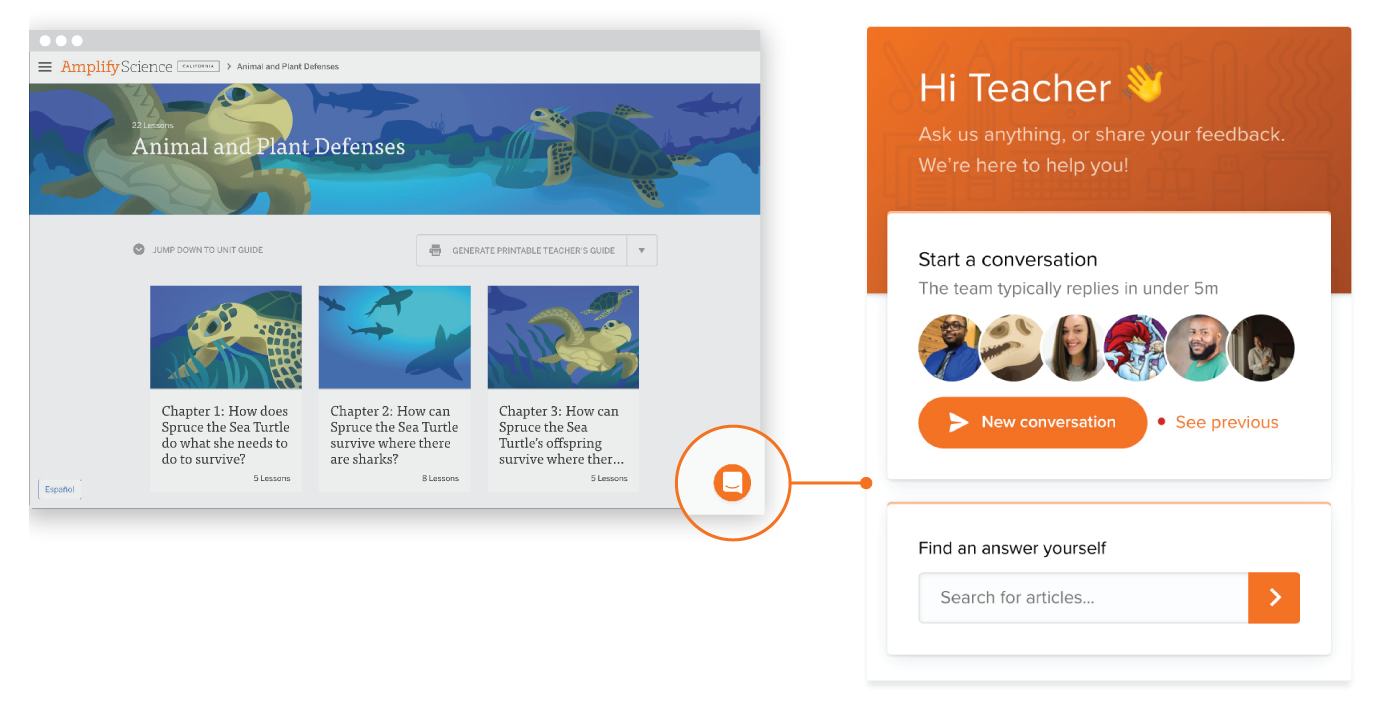
Stay connected!

Join our community and get new episodes every other Wednesday!

We’ll also share new and exciting free resources for your classroom every month!

What Fabian Hofmann says about science

“I want my students to come in and feel like they are playing the game. I used smells. I used sounds to try to immerse them more. And then so one day I was like, wouldn’t it be cool to create a classroom that looks literally like a set?”

– Fabian Hofmann

Middle School Educator, Albert Einstein Academies Middle School

Meet the guest

Fabian Hofmann is a middle school International Baccalaureate teacher and host of the Podcast, Rebel Teacher Alliance. He is currently teaching 7th grade History and Multimedia Design just down the hall from Eric Cross at Albert Einstein Academies Middle School in San Diego. To engage students, he uses technology and gamification. Students embark on a year-long journey through a galaxy far, far away to learn the ways of the “Force” and some world history along the way. Follow him on Twitter and check out the Rebel Teacher Alliance podcast.

A man with short gray hair and a beard is smiling at the camera, photographed against a neutral background inside a circular frame with a small yellow sparkle accent, evoking the playful spirit of gamification.

About Science Connections

Welcome to Science Connections! Science is changing before our eyes, now more than ever. So…how do we help kids figure that out? We will bring on educators, scientists, and more to discuss the importance of high-quality science instruction. In this episode, hear from our host Eric Cross about his work engaging students as a K-8 science teacher.

S1-06: Supporting students with a creative twist: A conversation with Kentucky Science Teacher of the Year, Shad Lacefield

In this episode, Eric sits down with the Kentucky Science Teacher of the Year, Shad Lacefield. Shad shares his experience teaching during the first year of the pandemic, where Shad dressed up in over 100 costumes to create a unique and engaging online learning experience for his students. Shad also explains ways he connects with his students to celebrate student success, as well as large-scale efforts he leads within his school to cultivate the love of learning science content. Explore more from Science Connections by visiting our main page.

Download Transcript

Shad Lacefield (00:00):
When you stay relevant, it’s being engaged with your students and figuring out, or what are, what are they liking? And every year it’s gonna be different. And that helps you stay relevant. When you have conversations and you build relationships with your kids,Eric Cross (00:13):
Welcome to science connections. I’m your host. Eric Cross. My guest today is Shad Layfield. Shad is a teacher at garden Springs elementary and a part-time professor at Asbury University in Kentucky during the first year of the pandemic, Mr. Layfield dressed up in over a hundred costumes to create a unique and engaging online learning experience for his students. He also created Vader visits, where he visited students at their homes, dressed as Darth Vader to celebrate their online successes and keep them encouraged. During a challenging time. In this episode, we discuss how creativity impacts engagement, transferring lessons learned from distance teaching back to in-person instruction, and how upper grades can apply the same principles to improve student learning. I hope you enjoy this discussion with shad lays field. So you’ve been in fourth grade for four years, and then you were in second grade and fifth grade. And so like how long have you been teaching for like total?

Shad Lacefield (01:09):
So this is my 15th year teaching.

Eric Cross (01:12):
Really? Yeah. You’ve been in the game for a while.

Shad Lacefield (01:15):
Yeah. Yep. It, it doesn’t, and it’s always surprising to parents too during that, that first like, come in and meet your teacher. And I walk in, I’m like, yeah, I’ve been teaching for 15 years and every time it gets ’em, they’re like no way. And I’m like, yeah,

Eric Cross (01:28):
That’s, that’s a good thing though. That’s a good thing. Right?

Eric Cross (01:31):
You know? So like, well the energy and then, and you’re just how you’re perceived. Like you’re, they’re just, I don’t know. It’s something about work with young people. Like it keeps you young.

Shad Lacefield (01:39):
That’s what it is. Absolutely.

Eric Cross (01:41):
So how did, how, like, what’s your origin story? Like, how did you become a teacher? Like what, what was it? Was it something like you knew second career, like right outta school? Like how did you end up in the classroom?

Shad Lacefield (01:53):
Yeah. No, and I love this question cause I’m a big Marvel and, and superhero. So origin stories are all, I love a good origin story. So I grew up on a 13 acre farm in a little bitty town called Gustin, Kentucky, and very early on, like we were instilled my parents, amazing, amazing parents. But they really instilled like a, a super important work ethic in our lives of like, it’s, it’s all about hard work and it’s important that you’re working hard in whatever it is that you do. And I’m one of six kids as well in my family.

Eric Cross (02:24):
Where are you in the–

Shad Lacefield (02:25):
I’m second to last.

Eric Cross (02:26):
Second to last. Okay. So you’re the second youngest.

Shad Lacefield (02:29):
Yes. Okay. And and so, and so growing up, like with that, like, you know, I worked in tobacco, I worked in hay, you know, we did things being on the farm and stuff like that. And within my family as well, there’s four boys. And so when I decided to go to college I was the first guy in my family to go to college. And the first and only boy that ended up going to college. And so it was like this big deal, like, oh, you know, we got one of our boys gonna go to college. So what is he gonna be? And I was like, well, if I’m gonna put forth the, the time and effort and then the financial strain that it would cause cuz we were not poor at all. My dad worked two jobs to make sure, but I really felt the responsibility of like, if I’m gonna go, I’m gonna work in a profession.

Shad Lacefield (03:09):
That’s gonna make a lot of money. And here I am as a teacher now. So I didn’t go to college to be a teacher. I actually was pre dentistry. I thought, now here’s a profession. You can, a lot of money. You don’t work weekends or holidays, you know, I can still be the doctor thing. And so I’m gonna be pre dentistry. But like all good origin stories. There was a, there was a flip. So in my first year I started working at the most majestic place that you will ever go. It’s called Squire, boon, caverns. It’s a cave in Southern Indiana. And it’s an amazingly beautiful little place. You have to like one lane highway, like road to go back there up and down. Like you, you think you’re never gonna make it. And if it rains too much, the bridge will flood and you actually can’t even get back there.

Shad Lacefield (03:52):
So that’s how we’re talking like way back in the sticks. But once you get back, back there totally worth it. And as part of the job you were a tour I also did grist mill demonstrations and gym mining adventures, or, you know, as they’re gym mining and stuff like that. And within that, I started working with school aged kids and on very large tours and stuff. And my manager at the time, Claudia, I’m still great friends with and we still take our kids back there. Every summer she, to me, you’re really good with kids. Like you’re really good with kids. We have this scout program that’s on the weekends. And then during the summers and you would be teaching kindergarten through eighth grade kids, geology and forestry. What do you think about doing that? And I said, well, right, let’s try that out. And then I got the teaching bug and it hit and I was like, oh my gosh, like I don’t wanna spend my life doing something that is all about money or, or that is like, this is where it’s at. Like, I love this, I enjoy this. I enjoy the response that I get when I’m talking. And kids are excited about learning and getting new information and learning new stuff. And so then I change my major and here I am now, all these years later teaching instead of being a dentist,

Eric Cross (05:04):
Are there, are there days, do you ever have days where you’re like, you know, dentistry, it’s still an option. Like I can, I can go back.

Shad Lacefield (05:12):
Oh, rare, rare occasions. Rarely. Yeah.

Eric Cross (05:16):
Okay. Yeah. All right. All right. Fair enough. I, I, I always joke and say that like we have, you know, sometimes I have my, my alternate job on the hard days, which is for me, it’s working at the gap where I just want to fold clothes and go home at the end of the day, you know, on those really rough days. And you know, it’s never the kids, right. It’s always other things. The kids are like the great part. And then there’s all these other things. And I just wanna work at the gap. I just wanna work at the gap. Fold some clothes. Yes, sir. Yes. Ma’am absolutely. I can find that size for you. And then I just go home cause about their job when they go home at the end of the day, when you work at the gap, at least sorry, gap workers. I’m sure hard of that, but my perception in my mind is that you close up shop and then you’re done. Yeah,

Shad Lacefield (05:52):
Absolutely. Like you said, they can turn it, like it’s a turnoff at the end. Exactly. As teachers we know, like you don’t ever turn it off, it’s always there.

Eric Cross (06:00):
Yeah. So one of the things that I was super excited about when I, when I first heard about you is I went on your website and there’s so many things I feel like I can just talk about your website and just the, the content that you’ve produced. I, I, there’s so many directions I can go. But one, one of the things I want to ask you is, is about that. Now, one of the things that’s on there, and this is coming from a fellow star wars, Fisha who finished Bobba FET and the Mandalorian recently and is Jones in four OB one to come out.

Shad Lacefield (06:33):
Oh, so yes,

Eric Cross (06:35):
I live in Southern California next to Disneyland visited Galaxy’s edge star wars. You have these things called VA Vader visits. And so what do you do in those? And like, where did you get the idea for these Vader visits?

Shad Lacefield (06:50):
So the costumes were bringing the kids into the classroom. But when they left my room because you would, we only had them for a certain amount of time. There was still a lot of extra work that they needed to get done. And what I was seeing was I could get them to come in and they were really engaged during my lesson. But then afterwards, when it came to work completion or getting things done, there was, it was starting to fall off. As you know, we were experiencing, you know, more and more craziness of what’s going on. So then as an incentive, I decided if you have everything turned in, by the end of the day, I’m gonna dress up in my Darth Vader outfit, full costume, the, you know, the, the full helmet, like everything. And I’m gonna show up to your house and we’re gonna hang out and play any game at all that you wanna play.

Shad Lacefield (07:34):
So then it was a way of rewarding. My kids for getting everything turned in. But same time I felt like it would also help me build a relationship with them. That was a very challenging part of online learning. Like, again, I want you to feel like you’re a part of my classroom. I wanna feel like I’m invested in you and wanna learn about you. And it was a commitment because some of those kids put me through the ringer, whether it was we’re gonna do gymnastics on a trampoline. And again, I’m in full costume doing gymnast on the trampoline, or we’re doing soccer drills with their soccer coach at their house playing football games. I mean, all kinds of stuff. I made a Yachty game for a kid that loves Harry Potter. And it was really a big part of getting work turned in because, and it’s the crazy thought they wanted to spend time with me. Like that’s what it was. And so it was like, yeah, absolutely. I’ll keep dressing up. I did over 50 plus Vater visits. It wasn’t just for my homeroom. It was for all of fourth grade. So I went over 50 visits and it was cool to see kids in their home and talk to them and meet their parents. It was a great opportunity for me to engage with parents as well. How is online learning, going, what can I do to support you? Do you guys have any questions and stuff like that? So

Eric Cross (08:39):
This thing of relationships is like leading to work completion, which isn’t, which isn’t always the, the thing that we think to as educators of like how, you know, work completion. A lot of times we think of like structures or you know, certain protocols that you do in class get work completion, but here you are addressing as Darth Vader. And, and you said students were turning in more work because they’re connected to, you saw an increase in, in yeah. Engagement.

Shad Lacefield (09:07):
And absolutely. And, and I remember even saying that to myself, like this is, this is what’s getting them. But it, it was, and as part of the Vader visit as well with the videos we recorded all of them and I said, I’m gonna make you a YouTube star. And so I would, I, I recorded them. I put ’em on my YouTube channel. And so a lot of the videos that are on my website, all those Vader visits are like the kids showing off and playing against the teacher. And I promise you, I didn’t take it easy on any one of those kids. Like when it was like a verse match, I went all out and I told ’em. I was like, if you beat me, you know, it’s gonna be like, you earned it.

Eric Cross (09:38):
What a great way to leverage, just what, what is relevant to our students? Like you used your platform and then now you’re showcasing them on your, you know, your platform or what you were using. And then they’re seeing each other. And I could just see, regardless of the grade level, like just students, like beam from, from getting that kind of positive praise through, through, you know a medium that doesn’t, that tends to be more of a, just content consumption, but you’re kind of watching other folks do stuff, but now it’s about them. Like, and they’re, they’re getting that attention directly. Now I have to ask about the Vader costume. Did you, did you buy it for this event or did you already have that Darth Vader costume in your closet?

Shad Lacefield (10:19):
I had parts of the costume, but not the complete costume. And honestly, the very first Vader visit I had, I had the Vader mask that makes sounds, and like you could talk and it makes you sound like Vader.

Eric Cross (10:29):
My dark saber is on order. Yes. And it keeps getting delayed from best buy. It’s supposed to arrive in April, but I do have dark staple and order that I ordered back in November. So the best to your point, I don’t know who doesn’t have one, I’m waiting for mine though.

Shad Lacefield (10:42):
There you go, come on. Best buy come through for us. So

Eric Cross (10:44):
You, you did all this investment in time and, and you created all this content, but then we went back in person. Were, were you able to bring this back into the classroom or any of the things that you had generated during distance learning back in the classroom? Or are you, are you using some of the things that you learned? Like what, or is it just completely separate and you’re just doing something completely different. Now

Shad Lacefield (11:04):
That’s a great question. So I still try to dress up at least once every week, if not once every other week just to make whatever we’re doing fun, cuz I already have costumes that were connected to the content that I was doing. So had I had made a character called captain Soundwave that will use when I’m teaching my amplify lessons over sound. And so then I, you know, I have that or I would have, you know, specific characters that were designed for certain lessons that I would do. And so I still

Eric Cross (11:32):
Lemme interrupt you real quick. Where did you get these character ideas from? Cause they are super creative. I clicked on one random one. And you have had like a, a knitted like skull cap and like some blue shiny like cloak and I like who is this guy? I think, is that him? Is that captain sound wave? That’s

Shad Lacefield (11:48):
That’s hilarious. That was, that was my attempted Elsa. Oh, that was yeah. Started buying more and more costumes and and making characters and putting costumes together. And so yeah, it just ends up being this thing where you never know when I’m gonna show up in a completely random costume and be like today, we’re getting ready to learn about how sedimentary rocks form. And I dressed in my rock outfit, which is the old school rock with the turtleneck and the gold chain with,

Eric Cross (12:16):
Wait, do you have a Fanny pack too?

Shad Lacefield (12:17):
I have a Fanny pack. Yes you have. Yep. You nailed it. And they’re like, what does this guy

Eric Cross (12:22):
Do? He raise the one eyebrow. Can you do the, the rock eyebrow? Oh yeah, you got this. Oh, people on the podcast. Can’t see. Chad’s got it down. He’s got it down. He’s got the, he’s got the eyebrow going. Okay, so you, so I feel like I can go on a tangent and talk about all your costumes that you have, but the thinking about this. So tons of engagement, younger people now taking like some of the principles that you’ve learned from this, how can, how can upper grades like bring this joy to their classroom? Like middle school students, you know, older kids sometimes, you know, they can, they’re still kids, but you know, they might not be the same thing as fourth graders. Like would you, do you have any ideas of like how teachers and upper grades can kind of take these elements that you’ve done and, and apply them?

Shad Lacefield (13:04):
Absolutely. So some of the things that you had talked about, like with YouTube can also be applied to like TikTok videos and things like that, that kids are, are willing to watch and, and be engaged in. And so those things, I feel like I’ve seen other middle and high school teachers really utilize in their classroom. But honestly, and this is a new initiative that we’ve started in our district. Minecraft has been something that a lot of kids play and are really engaged in and has shown an amazing engagement for all of our kids when it comes to science engagement, particularly. And so with that, so there’s 126 million active Minecraft players right now in the world. And Minecraft is one of the largest selling video games. The average age, cuz they’re always like, oh, Minecraft is for kids who actually the average age is like 24.

Shad Lacefield (13:51):
So a lot of the older kids are playing Minecraft as well with the younger kids. And with that in mind, it was a way when I looked at Minecraft and specifically like Minecraft educational edition came out and it was during COVID and it was free. So if you had a school email or it’s like the, what the go 365 account, you could get it for free and all of our kids got it for free. And so then, then we went from playing Minecraft on the computer as like a fun game to me looking at it and saying like, wait a minute. I feel like when I’m doing energy conversions, we can take Redstone and Minecraft and kids can now show how a simple system using different parts and devices can work and understand even more con creates how energy is converted from one form to another.

Shad Lacefield (14:39):
And so let’s make this a, a, a, an actual activity. Let’s take what I’m teaching in the classroom. And if they get done early as an enrichment piece, because there’s not a ton of science and enrichment activities at times for kids to be able to do, like, what do I do when I’m done, Minecraft ended up being that. And so I could have these elaborate worlds that I would build for them that they could then go and play and be super engaged in and show me way more on this Minecraft world, what they knew than what they were writing on paper sometimes, cuz I, you know, you’d get like a sentences out of them on paper, but then all of a sudden when they would build this elaborate system and you just had them record and talk, it was like, oh my gosh, you understand way more than I was thinking that you did with that last exit slip, an assessment that we did.

Shad Lacefield (15:25):
And so like, this is awesome. So then I went to my district and I actually proposed an idea what if we did tire Minecraft build challenges for the whole district? So our district has 37 elementary schools and I was like, I think this could be something that, you know, as we’re looking for science, curriculum engagement and making kids excited about learning science and stuff again, cuz that was always the hard part. I feel like sometimes with COVID everything kids lost this love of, of being in the classroom and, and, and learning and that it was like, you know, getting them to come back into the classroom and, and finding, learning fun again. It was like this, this started to get ’em excited and like, yeah, I get to play in Minecraft and I’m learning at the same time. And it was working for all kinds of content areas.

Shad Lacefield (16:07):
We’re doing a blast off to, to Mars. We it’s called blast off to us. We’re partnering with CLO of the future. They’re working with SpaceX. Our kids will actually get to send postcards to space and yes, it’s, it’s a super cool thing. And I love my district and all of the office of technology, individuals, Ashley Josh and Kelly for putting this together. And so it asks this question if you could a community in space, what would it be like? And the goal is that kids will write on the back what they want. And then we send this postcard off to space, they stamp it saying it’s been in space and the kids get to have it back and, and be able to use it. But what, what we decided, what we could do with Minecraft is what if they actually built the colony on Mars, like really research put time and effort into reading scientific articles about plants and how plants would grow and, and water and, and structures and apply all of that in a massive build challenge. And then that be, you know what we’re doing? That can be the answer to the question. And so it’s not just a couple sentences on a postcard, but it’s like a week or two week unit that pulls all this scientific content and standards that we’re working with and really allows kids to show so much creativity like on my Twitter I’ve been posting like pictures and stuff like that of some of the students builds. And I’m gonna continue to do that throughout the build challenge.

Eric Cross (17:26):
Now, are you using Minecraft EDU?

Shad Lacefield (17:28):
Yes. That is correct.

Eric Cross (17:29):
I love Minecraft EDU. Like it, it, you talking about it inspires me to, to try to dive back into it. One of the things sometimes I feel limited by is the time that I have and the things that we’re trying to cover. And it’s almost, it almost feels like we’re doing something wrong using a video game to teach, but it’s such a great educational tool. Like you said, you just said that students are able to show what they know in, in a way by creating something that’s different than if they would’ve just written it, but they’re actually creating, and this is one of the things, I guess you kind of hit on this, but I wanted to probe it a little more. Is do you have your students creating content like you do? Cause I kind of heard that they, you were, did you say that they were explaining or doing a video recording or describing it? How are they, how are they, how are they doing that work?

Shad Lacefield (18:17):
Yeah. So what they actually do is they’ll write a script and they will use Screencastify to record and then upload to Flipgrid. And then that way they can actually show their build to all of fourth grade. Since we weren’t allowed to be in the same class, like we were all departmentalized, so then we will have voting challenges. So after you record, you get to see everyone’s videos, you get to like and comment and leave feedback on their builds. So you can see what the other kids created. And then then from those initial videos and voting, we selected a certain of kids that then go on to the district level for our Minecraft build challenge. And then those videos are viewed by administration and other teachers to vote again. And then you end up having grade level winners and then an overall winner, which shout out to my boy in fourth grade, who was our overall winner, Eli, super proud of him.

Shad Lacefield (19:07):
He, he made this really, really space saving system, which was hidden stairs that ran off of Redstone and used motion, energy. And again, in his video, he talks about like how motion energy has changed to electrical energy and then back into motion through the process of how this hidden staircase would be in the wall. And then you’d be able to use this lever to then release that staircase. So you could go up and down but it was just, and again, when you, when you let kids talk about energy conversions and you let them build all of a sudden, you have kids making security systems for banks. Another kid that made a feeding system for kids for animals at the zoo, and it was just like, oh my gosh, I had no idea that this was what you guys could run out and do. When I, when I taught you how energy conversions work, that this is what you could produce and come over, like this is mind blowing. I love it,

Eric Cross (19:56):
What our kids can do and what they can create always kind of blows us away when we give them an opportunity to kind of have that freedom to, to create and take their knowledge and actually do something with it versus channel it into what, show me what, you know, but only do it like this. This is, this is the lane that you have to stay in. How do you get these ideas and, and stay, stay relevant? Like so many of the things like you’re touching, like pop culture, you, you have this hand in education technology, you have you’re, you’re doing video editing. Like where are you drawing from? Cause I’m just thinking like, as a teacher listening to this, that might be newer. And they go to the side like, oh my gosh, this, this guy is doing these so many things like where are you drawing from for inspiration or ideas?

Shad Lacefield (20:39):
I think a lot of it is like you say, when, when you stay relevant, it’s being engaged with your students and figuring out, or what are, what are they liking? And every year it’s gonna be different. And that helps you stay relevant. When you have conversations and you build relationships with your kids to figure out, you know, what’s going on. Because I was not a big Minecraft person. It was the group that came in that really challenged me to do Minecraft because it, it showed up on their Chromebooks one day and all of a sudden it’s like, oh, we can play Minecraft all the time. And I said, no, you can’t play Minecraft until that I’ve had training. And I know what’s going on because I’m super nervous about this new thing. And I wanna make sure you guys aren’t doing something that you’re not supposed to.

Shad Lacefield (21:13):
And like, they hounded me hardcore about you better do you need to do that training, Mr. Lacefield, you need to, we wanna play Minecraft. You better be doing this. Right. And so I was like, all right, man, I’ll, I’ll invest. I’ll, I’ll put some time into this training. And I’m so glad that I did yeah, again, that’s it just like building relationships and having those conversations help you realize like, what’s, what’s what are they interested in? What what’s going on and what would be really funny, even connecting that back to the costumes. What would it be really funny if I showed up in you know, today, princess Jasmine.

Eric Cross (21:42):
Yeah.

Shad Lacefield (21:43):
Been yes. Done that. That’s a great one. I,

Eric Cross (21:45):
I, I just went to the social studies page. I, and I stop laughing while you were talking. Cause I saw the princess Jasmine.

Shad Lacefield (21:52):
Oh yeah. Folks.

Eric Cross (21:53):
I’m telling you, you have to go, you have to go to his videos and see what he’s done. I mean, they’re just, they’re just amazing with my middle school students. They, I, I find myself having to be into things that I’m not normally into. And we have these intergenerational relationships, right? Like I think teachers are unique in this I aspect where I can connect with a 12 year old with what 12 year olds are in no matter where this 12 year old’s from. Cuz I get 12 year old culture. But sometimes when I go back into my adult world, like I forget that like, Hey yeah, haven’t watched a new anime you know, or, or whatever, you know, up

Shad Lacefield (22:26):
That. Yeah. No said too. And a kid will show up wearing a, a shirt to school and I’m like, I wasn’t the world’s that like, I’ve never even seen that before. And you’re like, okay, I’m gonna have to learn what that is cuz that yeah.

Eric Cross (22:38):
And then the next student asks you about, Hey, do you like, do you like these this game? I’m like, yeah, yeah, let me go Google that game real quick. Yeah, I’m totally into it. I’m downloading on my phone real quick. And, and now I’m connected to all kinds of obscure random interests, but to your, to what you said, it like, it helps keep us fresh, right? With I, with ideas, there, there is something that is super practical that you’ve done that you’ve created that I’ve encouraged teachers to do. And I think you really nailed it. On your site, you have these video tutorials. When I look at those, I, I think about how much time you must have saved yourself of not having to explain the same exact thing multiple times. Because you’ve created this virtual help section that allows students to log in amplify earth, check, Flipgrid, whatever. Like do you, when you’re, when you’re teaching students, do you, do you use those in direct students there so they can kind of support themselves? Or is that, what, how did that come to be when you, when you made these, these virtual tools? Because I could just imagine these are time savers for you.

Shad Lacefield (23:49):
Absolutely. Cuz again, like you said, it’s it saves on time. So a lot of when you have kids that are already visual learners as well, and they love watching YouTube and they learn stuff from YouTube, why not? I mean, make the video and then attach it to my Google classroom, keeping everything online. Everyone always has access. And by still having those videos, it allows kids to hear the directions multiple time, but on their time and at their pace. So then it’s posted on the assignment. So even though I probably still will give those directions verbally out loud if a kid forgets and maybe they feel a little nervous about asking in front of their peers, like, oh, how do I do this again? Or, oh, I don’t remember how to do that. That video is linked on there. So that way they can go back and watch it.

Eric Cross (24:28):
It’s almost like a little co-teacher that you have like a little aide that’s like, but it’s you, but it’s like a mini you who’s helping you out. I found that putting sometimes those tutorial videos on ed puzzle, where at different points in time, you can set it up so that at a certain timestamp, it asks a question and you can control it. So they can’t move faster past it until they respond to the question and you have the question be about whatever you just said. And then it, it syncs with Google classroom. So you can import all the grades and you can see how far through the video they got. But that was one other layer that I was able to do. So I can have some accountability and make sure that okay, everybody watched it and they answered all five questions of like, how do you do this?

Shad Lacefield (25:07):
Oh, see, now you’re sharing stuff with me, Eric, because I, I’m not as familiar with ed puzzle. I’ve used like near pod and per deck, but I mean just you saying that I’m like, okay, I need to check out ed puzzle and, and see what, what this is all about. Cause that sounds awesome.

Eric Cross (25:20):
Hey, I shared something with Chad and it it’s useful. I’m I’m feeling good right now. I’m feel I’m feeling good. So as we, as we kind of wind down one, couple questions I wanna ask. One of ’em is you’ve been in teaching for, for 15 years and I, I talk to you like right now and I get this energy and this vibe that’s just so upbeat, so positive. How do you stay fresh, fresh. And how did you stay fresh during a time when things have been so hard, you know, and it, and still is for so many educators, how do you stay encouraged? Like what, what have you done and, and to stay in, in education for, for this long,

Shad Lacefield (26:00):
I think it, it even goes back to like when I made my initial decision to switch my major to education, like I, I really felt like I found so thing that I thoroughly loved and enjoyed, and I always feel like you go through seasons. Like, and I definitely, when, when COVID hit, like you went through a season of where you start to feel again, that pressure like do I really like doing this as much as I thought that I like doing this and am I ready for this next thing? And then I just go back to just the, well, why did I do this to begin with? And, and it gets me, you know, excited to be like, I did it for the kids, like, and it’s about the kids. And I get joy when they’re laughing and smiling. So again, with the videos, it’s like, how can I make ’em laugh and smile because if they’re laughing and smiling and having a good time, I’m gonna get, you know, jacked and ready to start teaching again.

Eric Cross (26:48):
And I just hear that so much in what you’re saying is you’re serving your kids is, is being more than that building the relationship, that connection. And then through all that, the learning happens. The last question I wanna ask you is who’s one teacher that created a memorable experience for you or inspired you. Is it someone that you remember when you were in school or learn experience that just, that stands out to you to this day? Cuz as teachers, we remember thi like our kids remember us and it’s weird to be in that position to think that we’re gonna be that person. So is there anybody or anything that stands out to you that you remember from a, a teacher and experience?

Shad Lacefield (27:27):
Gosh, I have, I have a lot that you know, from my fifth grade science teacher, Mr. Goodman, who we did the ecology meet and the ecology team, and we went to OT Creek park and we competed against other schools about science, connected materials to my physics teacher in high school that let us build boats out of cardboard and take it to the only hotel in our town and the pool. And we had like boat races with the cardboard boats that we did. But really I, I go back to Squire boon and Claudia my manager and I remember not only was, she’s such a, a pivotal like getting me into teaching. But I remember the, the curriculum that we were using at the time that I was. And again, it goes back to what if I was to teach that curriculum, I would not still be a teacher because again, as sometimes you experience with curriculum, it can be boring and not engaging. And I was already putting my own flare on it at SQUI boon during the scout lessons. And I said, what if I just completely rewrote this curriculum? What if I made it really fun and put my own, spin on it? And, and she was like, absolutely, absolutely do that. And I feel like that encouragement as teachers, when we encourage kids to be creative when we encourage kids to, to take risk and to try new things we end up getting such amazing results that we didn’t even expect

Eric Cross (28:45):
Thought I out to Mr. Goodman for the ecology meet the physics teacher for the, the boat races, which are hilarious, by the way, if you’ve ever been able to watch students, did you make ’em at a cardboard?

Shad Lacefield (28:53):
We did. Yep.

Eric Cross (28:54):
Yeah. Those are hilarious to watch. And Claudia for giving the freedom to let you be a educational DJ and remix things to make it fun. Thanks for being on the podcast. Thanks for your inspiration and for sharing your stuff like publicly and letting other people see it and, and get ideas. It’s, I’m sure there’s more people than, you know, and more teachers than, you know, that are looking at that and getting their own ideas and coming up with their own. It might not be star wars, but coming up with their own inspiration, maybe it’s like Harry Potter or Lord of the rings or some like that.

Shad Lacefield (29:26):
Yeah. Whatever. You’re passionate about. Pull that in.

Eric Cross (29:31):
Thanks so much for joining me and Shad today. We want to hear more about you. If you have any great lessons or ways to keep student engagement high, please email us at stem@amplify.com. That’s STEM@amplify.com and make sure to click, subscribe wherever you listen to podcasts until next time.

Stay connected!

Join our community and get new episodes every other Tuesday!

We’ll also share new and exciting free resources for your classroom every month.

What Shad Lacefield says about science

“It’s about being engaged with your students and figuring out what are they liking. Every year it’s going to be different…when you have conversations and you build relationships with your kids.”

– Shad Lacefield

4th Grade Science Teacher, District Elementary Science

Meet the guest

Shad Lacefield is a teacher at Garden Springs Elementary and part-time professor at Asbury University in Kentucky. Mr. Lacefield leads professional development in his district, and has been a guest speaker for Eastern Kentucky University, Campbellsville University, and Amplify Education. His topics include classroom managment, integrating techology, and student engagement. He earned his bachelor’s degree in elementary education from Campbellsville University in 2007, and his master’s in science from Southwest Baptist University in 2011. Shad has either taught or coached every grade K-12, and in his 14 years in education he has served as a lead teacher in literacy, math, science, and social studies. He currently coordiantes with the FCPS Office of Instructional Technology to plan Minecraft build challenges for elementary students, and is working on setting up a science field trip that turns a golf course into a STEM lab. During the first year of the pandemic, Shad dressed up in over 100 costumes to create a unique and engaging online learning experience for his students. He also created Vader Visits where he visited students at their homes dressed as Darth Vader to celebrate their online successes, and keep them encouraged during a challenging time. His creative teaching style, and over 50 “Vader Visits” with students, have been featured on WKYT-TV, LEX-18, Spectrum 1 News, and several local and college news publications. Shad lives in Lexington Kentucky with his wife Whitney Lacefield and their three children.

Check out his websiteYouTube channel, and Facebook account!

A person with glasses smiling against a blue background, surrounded by a circular design.

About Science Connections

Welcome to Science Connections! Science is changing before our eyes, now more than ever. So…how do we help kids figure that out? We will bring on educators, scientists, and more to discuss the importance of high-quality science instruction. In this episode, hear from our host Eric Cross about his work engaging students as a K-8 science teacher. Listen here!

S1-08: The importance of risk-taking in the science classroom, a conversation with Valeria Rodriguez

AS_Podcast-S1E08-Valeria-Rodriguez_Cover

In this episode, our host Eric Cross sits down with Miami-based educator Valeria Rodriguez. Valeria shares her journey of serving in the Peace Corps, working a corporate job, and eventually finding her passion as a middle-school science teacher. Listen in as Valeria explains how sketchnoting, a form of note-taking that utilizes illustrations, encourages student choice and creativity in her classroom. Eric and Valeria also discuss the importance of risk-taking within the science classroom, and how their own mistakes can be crucial in modeling resilience for students. Lastly, Valeria shares experiences she had with several teachers who inspired her throughout her career. Explore more from Science Connections by visiting our main page.

Download Transcript

Valeria Rodriguez (00:00):

There’s so many things that drawing to me makes an essential connection to. It tells me no matter what, I can continue placing lines on my paper and creating the image I want. Some people will say they messed up the drawing. You know what? They gave it character.

Eric Cross (00:19):

Welcome to Science Connections. I’m your host, Eric Cross. My guest today is Valeria Rodriguez. Valeria is a science educator, instructional technologist, and illustrator, who is currently part of a steam team where she teaches third through fifth graders in Miami, Florida. Valeria has presented and led workshops at education conferences like NSTA, ISTI, and SXSWEdu. In this episode, we discuss how she uses real-world projects to make lessons more meaningful, and why teaching students how to sketchnote increases their conceptual understanding in science. I hope you enjoy this pun-filled conversation with Valeria Rodriguez.

New Speaker (00:58):

Now you’re in Miami and you have a biology background. We’re like kindred spirits. Like we do the same thing. I teach biology here in San Diego at a middle school called Albert Einstein Academy. So I’m in a seventh grade classroom teaching life science.

Valeria Rodriguez (01:11):

That’s so cool. That’s how I started.

Eric Cross (01:13):

Is it?

Valeria Rodriguez (01:13):

Mm-Hmm <affirmative> I started teaching middle school science for seven years, doing life science in my biology background.

Eric Cross (01:20):

How’d you get started? Like where did you kind of begin?

Valeria Rodriguez (01:22):

Well, I went to UF for undergrad as a runner, and I thought I was gonna go to the Olympics, but you know, running in college is hard. And you quickly like realize a path as a full-time athlete is really hard. And one of the days that I was having one of those, like “come Jesus moments” of what am I gonna do with my life, I walked by a sign that said life is calling. And I’m like, okay, <laugh>

Eric Cross (01:52):

You literally had a sign.

Valeria Rodriguez (01:53):

There was a sign. So I was like, I’m reading the sign. I’m following the arrows. And it was for the Peace Corps. And so I went to this meeting and everything that I’ve ever done student government, athletics school education, my backgroundmy family’s from Columbia–everything in that meeting came together and they’re like, we need all these skills. And I’m like, I have those. Those are my skills. And they’re like every Peace Corps volunteer teaches. And so I went in as an agriculture volunteer to Panama because of my major and my background in biology. And while I was in the Peace Corps doing the work, I was teaching at the local school. And I realized that the most sustainable way to create any change is through education. When I came back, I was like, well, what do you do if your first job in the world is in the Peace Corps? Like my background was, you know, managing a machete in a field and teaching second through eighth grade in one classroom, on a chalkboard, you know, in English and in Spanish, while teaching the teacher and the students. So I found that going into teaching allowed me to put some of those skills, that wide array of skills that I had collected until that moment, into practice. And it allowed me to do the arts, do the running, do the science, do the connecting with the community in one place here in the states.

Eric Cross (03:34):

I don’t know if I’m just romanticizing, but you were in Panama and you were doing this amazing teaching. I don’t know. Do you compare it to teaching now in the classroom? Is there anything that ever like makes you wish that you were kind of in that environment again? Or are you kind of, do you like the more kind of technology side of things?

Valeria Rodriguez (03:48):

I tell my students all the time that I miss it, because when I was in Panama, I was in Licencia. They looked at me like this, all knowing being. If they couldn’t come to class because the kids literally had to work, they would bring me their assignment, like run it to me and then run back to their parents. Like, “I had to turn it in, but I have to go to work.” And I’m like, oh my gosh. And like here, sometimes I feel like, you know, I have to negotiate and convince my students to want to give me their work. And maybe it’s because we take a lot of things for granted. I mean, I didn’t have running water in my community. Here, you know, we have everything. I miss how we appreciated — like, my parents would send suitcases of materials for me to hand out to my students, like color and stuff, notebooks, things like that — and the kids would like, hold that notebook, like pristine and here sometimes my students aren’t as careful with materials. And I’m like, why are you breaking the crayon box? <Laugh>

Eric Cross (04:54):

I’m thinking about that. Just even just bringing pens and crayons and how that’s valued. And then a culture that’s built around esteeming teachers, and you’re this essential member of the community — and you feel that. It’s palpable.

Valeria Rodriguez (05:08):

Yeah. And here, sometimes I ask students like, what do you wanna be when you grow up? And you get all sorts of answers, but in my community, it’s gonna sound funny, but they were like, we wanna be a teacher. Like, that means that we would know a lot of stuff and they would put their hair up in a bun, ‘cause I always have it in a bun, and they would write stuff when they were playing and they would act me out <laugh> and I’m like, do I, do I do that? <Laugh> I genuinely got a very rich experience in the time that I was there. And what I learned the most was how to try to not do as much, it’s like a lesson that I’m still trying to learn because like I’m here with the U.S. Mentality of go, go, go.

Valeria Rodriguez (05:58):

And they’re like, but we already did, you know, two things like now we stop. And I’m like, but, but why? And they’re like, you can do that tomorrow. And I’m like, but no, like we’re gonna run out of time. For me. It was a lot of struggle of like slow down. And as a teacher, I feel like I’m always like on the treadmill at a thousand speed. And sometimes I have to tell myself like slow down, be in this moment, like a parent texted me today that her daughter was walking with her dad and said, daddy, let’s talk about the layers of the soil. And I was like, I need to stop right now and acknowledge that this happened. She’s in third grade and she’s asking her dad, you know, she could ask him about anything, and she’s asking him about soil. That’s essential for everything. And we don’t even think about soil here. Like my community had tons of erosion and every year there were less and less crops being able to be produced. We’re not talking about that here. And yet, my student asked her dad here in Miami, <laugh> about soil. And that conversation happened because of our class.

Eric Cross (07:03):

And you allowed yourself to be present and experience and feel that that communication came to you.

Valeria Rodriguez (07:09):

Yeah. We put so much stuff out there and we don’t know where it lands. If it lands on dirt or soil, <laugh>

Eric Cross (07:16):

There you go. I like it. Yeah. Bringing it back. But you’re, I think you’re what you’re saying. Resonates with a lot of educators that’ll be listening to this is that there’s so much that you do. And there’s even times when we do get the feedback, there might be a letter or a card or something, but like, to your point, like we look to the next thing instead of stopping, being present and allowing yourself to absorb it. I think I need to put that up on my, like on my wall, like this, just be present. Now you came back and then you went into the classroom here and you started off teaching science.

Valeria Rodriguez (07:46):

I didn’t go straight into the classroom. I knew that I wanted to continue teaching. But I wasn’t back here in Miami. When I moved back, I moved to Austin. And I ended up getting married and there, I started teaching Spanish as a second language like corporate classes. And I was kind of like tiptoeing around, like, do you dive into education? ‘Cause The idea of a teacher here is very different than the teacher idea that I had while in the peace Corps. So he, a lot of people were like, you can do so many things. Why would you teach? And I was like insulted <laugh>. I was like, wait, what do you mean? Like even to this day, I’ve started a blog post, maybe 20 times with that statement because people all the time are like, you’re so talented. Why do you teach? And it drives me crazy because it makes me feel like they’re looking down on my choice <laugh> but I came to terms with it that it’s just like a societal thing. Cause of that quote, like those who can’t do teach. And I was like, let me let this go.

Eric Cross (09:01):

I find though that educators who come in as a second career, come in with a, a, a variety of skill sets that I, I think you can only get when you’re outside of academia. I mean, you can, you can develop them, you know, going kind of K12 education college and then into the classroom. But those soft skills, the business skills, a lot of those things you really develop. And it’s funny ‘cause your, your story almost sounds like some of the people that I know that work in big tech firms, they have this eclectic story and then now they’re, you know, working for Google or Facebook or something, but that actually was a as set to them because they are able to see the world through multiple perspectives. And I’m hearing kind of a distinguish between art of teaching and the science of teaching. Like you had the, maybe the art connecting ideas, these things, and then the science, like the quote unquote like formal teaching. Okay. That had to get built on later. Like am I hearing that right?

Valeria Rodriguez (09:55):

Yeah. The that’s what rocks I’m teaching the rock cycle right now. So I’m, I’m under a lot of heat and pressure <laugh>

Eric Cross (10:02):

We got the funds, we got the funds rolling. All right. All right. So bringing in the, so the, the art side or the science side we have, and then we just have this amazing illustrator. Now you mentioned your website and we’re gonna post it somewhere, but just so we have it here to, and you say, what is your website where all your majors and sketch notes can be found,

Valeria Rodriguez (10:21):

Www dot Valia, sketches.com.

Eric Cross (10:23):

Okay. So folks that are listening, if you wanna check out the art, there’s some awesome stuff on there, as well as Twitter and Instagram. And we’ll make sure we have it handles in the, the bio of the podcast and the notes. Your art’s amazing. I looked, I checked it. I saw inauguration. I saw astronauts. I saw all kinds of different things. How do you use that in the classroom

Valeria Rodriguez (10:45):

To draw connections? The ones? So what I do is I airplay my iPad onto the board. And sometimes as I’m talking, I’ll draw things, draw things I’m saying, or assignments I’ll sketch out different ideas, or maybe like the schedule I’ll have an icon of some sort that represents things. I use it for everything and anything, because just the way that I tell my students that science is everywhere. I, we don’t realize how programmed we are to use images to for, for information they’re in the street. Bathroom signs, we see the zoom little link, like the image, the icon of zoom. And we know that it’s a call the apps. You know, our phone doesn’t have the words for everything that we’re opening. We just have a list of images that represent information. So we’re programs for this. And all I’m doing is showing my students how we’re programmed for it because we’re so used to seeing images, to represent things that we’re taking it for granted again.
Valeria Rodriguez (12:03):

And sometimes my students will like, I’ll write something and I ask them, make your own visual vocabulary. So I give them the word of the definition for every unit, the younger ones, I give them the definition they have to plug in the word and an image, the older ones, I give them the word they have to plug in the definition and an image. But I don’t tell them what to draw because they need to create an image that will help them to remember the definition. Not me. I tell them, I wrote the list. I know the words, you’re the one that needs to think of something that’s going to help you to remember this. You need to draw a connection to this information. Like I use it and I mess up all the time. And I, I scratch things out because I feel that my students or the student that I’ve had in general are risk averse.

Valeria Rodriguez (12:57):

They don’t want to make mistakes. And drawing is one of those things that it taught me that it’s okay to make mistakes. Like people won’t buy commit to buying houses or they won’t commit to things because they’re gonna make a, I’m like, you can sell the house. You can move again. I mean, I’ve lived in a lot of cities. I’ve been married, divorce, gone out with people. It’s worked out it hasn’t you know, there’s, there’s so many things that drawing to me makes an essential connection to <affirmative> that it tells me no matter what I can continue placing lines on my paper and creating the image I want. And if a line doesn’t necessarily go in the direction, I want it to, I can continue shaping it so that the overall image is in the direction I want. And I can look past those line here and there that some people will say they messed up the drawing. You know what? They gave it character. I, I cycle and I have scars everywhere. They give me character and I keep writing. The overall image in my head is I’m a cyclist, not I’m banged up. <Laugh>
Eric Cross (14:14):

I feel like there’s so much to mind in what you just said. This was like a mini-Ted talk. And I couldn’t write fast enough because there were so many gems of the things that you said, but let me say something worse. And this is I’m gonna be surface with this because, and it’s your fault because you got me thinking in puns and you said, take it for granted. And I said, take it for granted because you’re talking about the rock cycle. So that’s what I heard way back. Anyways, you have your students creating what, but it’s low tech, which is really cool because a lot of times we think of creating content and it’s kind of high tech, but they’re creating something. And this is for us, like as biology folks, like you’re using kind of like this neuroscience that exists about students, creating an art to help them learn.

Eric Cross (14:55):

And this is something that I, I feel gets missed a lot in. When we talk about the quote unquote, the formal teacher training is the element of how creating an art can actually lead to improved learning in the classroom. It’s something you have to go to like a conference to kind of go and see or something, but it’s not as, it’s not as pervasive everywhere. And that thing about risk averse. I feel like I, you spoke to my own life. What I see ‘cause with my own seventh graders, I see the same fear or anxiety when I ask them to draw. As I do, when I ask them to give me a hypothesis about a phenomenon that I’m gonna teach and I say, it’s okay to be wrong, but I see them drift to the Chromebook and want to Google it. You know what you just said about just try it and you can always change and giving character, I feel like is just a great message for everybody to hear

Valeria Rodriguez (15:48):

Today. Students made fossil, right? ‘Cause They’re learning about rocks and we made using plaster, but then I put the green screen up and not only did they make it and they excavated them, but then we put it on the green screen. And they’re like all of a sudden at a dig site,

Eric Cross (16:04):

What I’m seeing right now for those of you who are listening is, is students who are on, is this on IMO?

Valeria Rodriguez (16:10):

This is on we video

Eric Cross (16:12):

Video and they’re holding up fossils that they made. But in the background, because there was a green screen, there’s an overlay of like a, a rock dig site. So the students legitimately look like they’re paleontologists or something somewhere.

Valeria Rodriguez (16:24):

Exactly. And so it’s, it’s not just creating lines, right? The sketching transfers to so much be because even the want, not wanting to make a mistake with their fossil. One of the kids today, when he took off the, the Plato, ‘cause we put the Plato at the base. Then we put in either a shell or some sort of artifact that they were going to fossilize. And then we put in the plaster when he took off the Plato, a piece broke off and everybody’s like, I can’t believe you broke your fossil. And I’m like, not the first. Okay. Do you know how many of these guys and girls have been out there? And all of a sudden they find a dinosaur bone and they’re walking and they fall. And this fossil that took billions of years is all of a sudden broken. I’m like this selfie, the original selfies, these animals died in commitment to their selfies.

Valeria Rodriguez (17:19):

And here you are dropping the bone. So they were all laughing, but it was to go away from the fact that, oh my God, you broke it. You made a mistake. You drew the wrong line. You asked the wrong question. Like no big deal. Keep digging, shout out to the teachers that try doing the projects that they have. They don’t feel completely comfortable with or you know, that they take risks doing. Because even though in theory, it’s like suggested and schools want that or communities want that when it comes down to it, people also expect us to do things at work. But part of our job is also taking risks. Like we did a tethered weather balloon launch the other day because we couldn’t get approval to release the weather balloon in the atmosphere since we’re near an airport. And it was too short of a time.

Valeria Rodriguez (18:14):

And I remember a parent said, oh, you’re not releasing the balloon. And I was like, well, this is a lot of work too. <Laugh> we, you know, we’re, we’re doing the tethered launch. This is a hard project. So the other day when I heard that comment, like I went back to my class and I was like, you know what? I took a risk to do this project. I could have played it safe with a handout of a weather balloon <laugh> or you know, a YouTube video. It’s it’s the, the fact that we’re continuing to push. And so I wanna like really thank the teachers that keep trying to do the hard things that aren’t like tried and tested because it’s scary. Yeah.

Eric Cross (18:57):

Yeah. There aren’t a lot of opportunities for them to have adults that they see in positions of authority or that they respect or admire model failure. And I don’t mean failure in the, like the negative pejorative sense, but like things just not working out and then seeing how you respond to it, ‘cause you’re modeling, taking a risk. But like with real stakes, it’s authentic. I had students swab the campus and we put it in auger dishes and Petri sealed it up and then let it grow room temperature, but we kept it you know, cool enough at 75 degrees. So it wouldn’t be able to survive any, anything pathogenic. And then students, you know, I took pictures of them and then showed them the results. So the students never interacted with it and some things grew and some things didn’t, it was mostly, you know, fungi and some bacteria, but I showed them like, how come mine didn’t grow? And I was like, well, you know, it could have been how we swabbed. It could have been some things don’t grow the temperature, we kept it at, but some of the experiments didn’t yield the cool results. And that was okay. But I front loaded the expectation so that if everything did go great, sweet, but managing expectation, I found really helps to mitigate the pressure.

Valeria Rodriguez (20:01):

Yeah. Well another project that we’ve participated in is growing beyond earth where we’re planting seeds that contribute to like a huge set of data for cultivars that are being considered for growth on the international space station. And my students are like, well, you know, we just have six little pots, like what is this? And I’m like, yeah, we have two little seeds in each of these pots. And we are one data set in like hundreds of data sets that they’re collecting. But we are contributing two research on the international space station. You don’t have to be the next bill gates or the next, you know, Steve jobs. Like everyone thinks they’re gonna be the next big thing. Like you can also be a seed. That’s part of a really big project and that is okay. Like everyone can’t be the next big thing

Eric Cross (20:48):

And the other. And the other thing, I think what Gladwell talks about this in outliers and there’s another book called bounce, but a lot of the people that we see is successful or famous, we don’t realize that their background and their exposure to things was one of the things that led them there, both jobs and gates had access, you know, gates had access at, at the university of Washington to like one of the first computers and then jobs at, at Hewlett Packard. The story go goes on and on, but we don’t see the lineage of some of these people and where they come from. We just see the end result. You just see LeBron James winning a championship or something. We just want the, the end result the, the glory, but not the sweat that it takes to get there. They don’t, we don’t really see that as much, which leads me to like the next thing I wanted to ask you is how do you, and I kind of saw it just now, but how do you engage your kids in the classroom?

Valeria Rodriguez (21:36):

Well, I think I’m funny. Some of them don’t do

Eric Cross (21:38):

They like the puns

Valeria Rodriguez (21:39):

<Laugh> some of them do. And some of them don’t get them. They get them later. And I see when they get it, I like to engage them by bringing in real people, real examples of things, real research when possible. Right. I can’t put them in a real dig site. So the green screen helps me do that. But one of my students yesterday, other day before was like, you have such cool friends because I’ll say, oh, one of my friends does blah, blah, blah. Or, or, oh, when we go to Kennedy space center, we’re gonna, you know, talk to one of my friends. Who’s doing research on, you know, chilies in space and they’re like, wow, your friends are so cool. And I took that moment to tell them, be mindful of the people that you collect as friends in your life, like make good choices, surround yourself with awesome people, people so that you can share ideas. Like you connect with friends who you inspire you to do more. I try to engage them by giving them examples of things that people around me are doing that connect to what we’re doing. Do

Eric Cross (22:43):

You, do you explicitly or intentionally teach soft skills or is it just something that you just kind of organically do natural or are you mindful about making sure that you’re doing that

Valeria Rodriguez (22:52):

A hundred percent? You have to be explicit about it with amplify? Actually, we, we did a poster for incorporating social, emotional skills and other soft skills into the classroom because sometimes we just like other things like writing and, and reading, you know, we silo all these things in education and the school counselor, can’t be the one to deal with everything. You know, you have to deal with things as they surface. And sometimes my kids ha are frustrated because I ask them to think I don’t have yes or no answers. I have, you know, we are gonna launch a high altitude weather balloon. We don’t know how high it’s gonna go. We don’t know what’s gonna happen. We don’t, we don’t know if we’re gonna find it when the <laugh>, when the balloon bursts and it lands in the ocean, are we gonna find it? Is the GPS tracker gonna work?

Valeria Rodriguez (23:47):

Are we gonna lose all that money? I don’t know, but we have to do all the steps and find out. But with kids, they don’t have the skills yet. And I can’t wait for the counselor to come in and talk about handle the frustration that they’re feeling over. Not knowing the correct question to ask, because by the time they go meet with her, the moments pass, I have to stop and say, Hey, like check in with, with what you’re doing. It’s okay to be frustrated. You can’t take it out on a classmate. You can’t take it out on me.

Eric Cross (24:14):

So you were, you, you were intentional about teaching these skills to your students and you had the relationship. So it makes sense that you were the one to bring it across ‘cause you see them more than anybody does. You know, we’ve, we’ve, we’ve imagined. Teaching is for a long time. It’s been okay, you’re the science content expert. You’re the English expert, but so much as teaching evolves, there are these skills or like EQ emotional intelligence that you kind of have to have kind of coming in. Because like those moments, like no having the presence of mind to stop and why a young person through identifying how they feel, why, where it came from. Those aren’t always covered in those aren’t really covered in your methods classes when you’re in college, getting your, your degree or something. Now when you’re you’re sketch noting and for teachers who are, or one, could you just maybe give like a brief explanation of sketch, noting for somebody who may not be familiar with it, like how I was sketch any different than just drawing a picture randomly or something.

Valeria Rodriguez (25:10):

Okay. So you’re creating visual summaries. You’re using text and images combined in different ways to take notes. And before you know how we had like these shorthand things that the squiggly meant an indent and something else meant something else. And we had these lists of things when they would edit our papers, that represented things. It’s kind of like that for your brain. So you’re making a list of maybe icons or small sketches that represent things for you. So as you’re taking notes, you hear things. And when people talk now and they, they say, you know, I’m on the fence about this. Like I literally see a fence. And when they’re talking, I write the note, it’s almost like a T toe with pointy tops and I put a stick figure on top of it. And so later when I look at it, I think, oh, that’s right. My friend is on the fence about that decision

Eric Cross (26:08):

For a new teacher or even a, a, a experienced teacher. That’s interested in sketch noting, where, where would you recommend? They start like the structurize? Like, do you give creative freedom? Are they doing this paper and pencil vocabulary words? Are they up? Like, what are some just kind of maybe three basic things to kind of get started for someone who was just curious about it.

Valeria Rodriguez (26:29):

So it has to be simple because if it requires a lot of energy to go in, then you’re gonna be more hesitant to do it. For example, I wouldn’t start summarizing a video because it’s moving really fast or a live presentation is really hard. So with students, I would start with here’s a paragraph, make a visual summary of it, or here’s a vocabulary list, make an image to represent each word. Then you would move into, well, you know, here’s a unit summarize the three main topics in unit. Then you can move onto like a little YouTube video. That’s like 10 minutes a Ted talk, make a visual summary of the Ted talk because they can pause it.

Eric Cross (27:11):

Mm. Okay.

Valeria Rodriguez (27:13):

The hardest thing is live presentations, ‘cause in conversations you can say, oh, can you say that again? Sketch, noting. You start seeing how people organize or don’t their thoughts when they speak. Because when you start writing things down and all the information is about one thing and then like two blue ORPS about something else. You’re like, wow, that was really unbalanced. So then when you start teaching, you tell them what you’re gonna tell them, you tell them and then you tell them what you told them. So they can check that they put the notes in the right places and you tell them what you’re gonna tell. So they can prep the pathway that they’re gonna set up their notes and I have to be explicit. And I have to say like, I’m gonna talk about the rock cycle. So if I were you, I would put, you know, these four boxes. Oh, but there’s three types of rocks. See? I’m like, yeah, but magma. So let’s put it in the cycle, you know? And, and then I’m like, if I were you, I would put an arrow from here to here because this is how, you know, after erosion and then, you know, heat and pressure. But then it connects like this. So the arrows are gonna help me to remember the directions

Eric Cross (28:13):

As we wind down. There’s there’s one question I wanna ask you there, you are bringing together this science, the, the art, the social, emotional learning, the relationships with your students outside content, like there’s so many different things that you bring in the classroom that is clearly gonna make you a memorable educator for your kids. It just, it’s just, I’m just listening to your learning environment. And it’s so rich who is one teacher that really expired you. So

Valeria Rodriguez (28:38):

There’s a few people that stand out overall. I had very encouraging teachers. I had that one teacher that didn’t like my drawing <laugh> she also stands out <laugh>

Eric Cross (28:49):

We have those too.

Valeria Rodriguez (28:49):

Yeah. So I have colleagues that stand out to me that inspire me every day to like keep trying. And then I had a teacher in high school who I actually work with her daughter now at the school that I work at. And I didn’t even know her mom would make us write almost the whole class. And it was world history. And I remember hearing her say when she was talking about the Roman empire that it fell because it reached more than it can grab. So it kept extending too far out. And I heard that, like I think about, yes, I can keep reaching for things in education and reaching for things in my classroom. But I have to come back to like, what can I hold? I don’t wanna reach further than what I can hold. And yes, I have to believe in myself. And I tell my students to believe in themselves,

Eric Cross (29:38):

I’m in this, I’m in this sketch noting mindset. Because when you said what Ms. Brown shared with you, I thought of a hand reaching out, but then things kind of slipping through it. And I another hand with like a fist right next to it. So even in our conversation here last hour, I I’m thinking in pictures now. And so I’m like, if I can do it, they can do it. Like if you know, ‘cause I am just not the person who spends a lot of time committing to draw. Because a lot of times when I was that student who tried to draw and we get frustrated and look around and now I feel like this is, I wanna try this again. I wanna share this with my students and encourage them. This is gonna be a lot of fun. I look forward to continuing to see the sketch notes that you do. And maybe I’ll, I’ll show you one of mine. Like eventually I don’t know if you can see that there that’s my stick figures. Those of you who are listening right now, I drew, I was drawing stick figures and taking notes while Blair was dropping all of this, these like gems and wisdom in here. So

Valeria Rodriguez (30:31):

Maybe we can do a challenge that once people hear this podcast, they can tag us somehow in the sketch note that they create I’m in. So we see what they a take from it. Because that’s the other thing about sketch noting, you think you’re emphasizing something and all of a sudden people are walking away with something else that resonated to them. And you’re like, wow. And here I was thinking that this was what we were talking about. And this is what really jumped out at them.

Eric Cross (30:57):

Your kids are lucky that you’re in front of them, not just because of how you teach, but how you access all of these different parts of their creativity and their thinking and apply, integrate all of these soft skills and social, emotional skills and just life skills and your experience connecting them to the outside world. They, and like you said, and how we started, you know, where you started in Panama, the students realized what you represent and what you meant to them. And I feel like your students, when they get older, they may not realize it in the time, but as they get older and reflect back, they’ll be telling stories about you. So yeah. Thanks for making time and thanks for being here.

Valeria Rodriguez (31:34):

Well thank you too, ‘cause I know you’re in the classroom and making time to do other things outside the classroom. Isn’t always easy, but it’s what keeps us going in different ways.

Eric Cross (31:49):

Thanks so much for joining me in Valer today. We wanna hear more about you. If you have any great lessons or ways to keep student engagement high, please email us@stemamplifycom.wpengine.com. That’s TM five.com. Make sure to click, subscribe wherever you listen to podcasts and join our brand new Facebook group science connections, the community for some extra content.

Stay connected!

Join our community and get new episodes every other Tuesday!

We’ll also share new and exciting free resources for your classroom every month.

What Valeria Rodriguez says about science

“I use [sketchnoting] and I mess up all the time…because I feel that my students don’t want to make mistakes, and drawing is one of those things that taught me that it’s okay to make mistakes.”

– Valeria Rodriguez

Educator, Instructional technologist, and Graphic facilitator

Meet the guest

Valeria is an educator, instructional technologist, graphic facilitator, and dreamer. She currently works as a Science teacher as part of a STEAM Team in Miami, Florida teaching third through fifth graders as a free-lance graphic facilitator. She loves to connect with passionate educators she meets around the country. Valeria has presented and led workshops at educational conferences like SXSWEdu, ISTE, NSTA, NSTA STEM Forum, SHIFTinEDU, FAST, FCIS, and SEEC. When she is not teaching or sketching, Valeria can be found adventuring with her family around the world, training for triathlons, and creating opportunities to empower kids in all kinds of communities. 

You can check Valeria’s work on her website and follow her on Twitter & Instagram.

Valeria-Rodriguez_Headshot-LP

About Science Connections

Welcome to Science Connections! Science is changing before our eyes, now more than ever. So…how do we help kids figure that out? We will bring on educators, scientists, and more to discuss the importance of high-quality science instruction. In this episode, hear from our host Eric Cross about his work engaging students as a K-8 science teacher. Listen here!

S1-09: Supporting K–8 science students in the digital world: Ricky Mason

Podcast cover for "Science Connections," Season 1, Episode 9, featuring "Ricky Mason" discussing K–8 science education. Includes a globe illustration and decorative science-themed elements.

In this episode, Eric sits down with Ricky Mason, chief executive officer of BrainSTEM. Ricky shares his passion for inspiring students into science careers, and his path from an engineering career with organizations like the Department of Defense, National Aeronautics and Space Administration, and the Central Intelligence Agency to starting BrainSTEM, an education program that develops creative digital tools to enable all teachers and students to dive deeper into STEM content. Ricky and Eric talk about representation in science classrooms and the importance of embedding fun within K–8 science content! Explore more from Science Connections by visiting our main page.

Download Transcript

Ricky Mason (00:00):

I feel like comfort is where dreams go to die. And I’m still dreaming every night. So I’ll wake up, chasing them.

Eric Cross (00:08):

Welcome to Science Connections. I’m your host, Eric Cross. My guest today is Ricky Mason. Ricky is an engineer whose career included lead roles at the Department of Defense, NASA, and the CIA. Ricky transitioned to education as an adjunct faculty at the University of Kentucky. And while there, he founded BrainSTEM, an edtech company that developed a 3D virtual reality metaverse for STEM education. Today, BrainSTEM serves public school districts, private schools, and nonprofits. And in this episode, we discuss what led Ricky to creating BrainSTEM Metaversity, and how he’s using the metaverse to transform STEM learning for students. And now please enjoy my conversation with Ricky Mason. How did you, so like maybe going back doing your origin story, maybe you can talk about it, but brother, you don’t sleep. Talk about keep making moves, your hashtag, I mean, I was looking at your LinkedIn profiles, looking at your details. You get after it. I was getting tired just reading it. I was like John Hopkins, electrical engineering, real estate, starting companies. You must have that gene where it’s like four hours of sleep and then you’re like, ready to go.

Ricky Mason (01:19):

Yeah, man. My mom told me if I didn’t stay busy, then I’m in trouble. So when I was about 14, she told me that. I said, well, Mama, I guess I’m gonna stay busy then. And yeah, man, that’s just been my life. I feel like if I don’t keep making moves, then I’m in trouble. So, feel like comfort is where dreams go to die and I’m still dreaming every night. So I’ll wake up chasing them.

Eric Cross (01:44):

I feel like a kindred spirit with you. So, were you always interested in STEM like, was there something like a moment or a year where you remember you were like, this is my jam. This is what I’m gonna get into.

Ricky Mason (01:57):

Yeah, man. When it really clicked for me was in the fifth grade. I was at a school assembly and an IBM engineer came in and he brought a robot and he programmed it with punch cards right on the stage. And I got the opportunity to come up andyou know, put one of the punch cards in the robot to program it. And I asked him, I’m like, what is your job? He said, I’m a robotics engineer. And I went home right after that assembly and I said, Mom, that’s what I wanna do, become a robotics engineer. And my mom would take me to the libraries. Well, I felt like I was getting outta bible study on Wednesdays by going to the library. So I went there and I started researching robots.

Ricky Mason (02:39):

And at the time the robots that were popular were all being sent to space. And it was the spiritless. It was being sent to Mars. And I said, Mom, well, I guess I gotta become an astronaut if I’m gonna be a robotics engineer. And that’s kind of what set me out on that dream. And my mom started trying to find outlets for me to get involved in STEM, but it was really tough to find those outlets, you know, especially in that fifth to eighth grade range here in Kentucky. So that was kind of where it started for me man, when I knew that yeah, engineering is what I wanna do.

Eric Cross (03:14):

What does an electrical engineer do? I imagine there’s different types of specialties, but like, was there something that you specialize in that you focused on or was it, is it just kind of like a generalist field?

Ricky Mason (03:23):

Yeah, so I would say, yeah, man, it’s a huge field. So you could be doing anything from, you know, power, like power coming into your house. So those large power systems all the way down to nanotechnology and microchips. I like to tell people I’m a real full stack engineer, so my wheelhouse is kind of from the PCD, the little green computer chips, all the way to the cloud. Over my career, I’ve had some pretty cool jobs. One of those things was I was a test engineer for the army. So I got to test weapons up at Aberdeen Proving Ground for the Army. So I got to drive those weapons and test them before they went to theater there. After that,I worked at United Launch Alliance down at Cape Canaveral where I launched five rockets.

Ricky Mason (04:07):

So I was a part of the electrical ground systems team there where we were responsible for all of the electrical systems on the rocket while it was on the pad. Somonitoring the temperature of the rocket, the fuel, the entire system for safety while it was on that pad. And then finally I worked at the CIA as a computer engineer building data centers and as a data center architect for some of our remote systems and virtualizing our systems. So kind of had a broad spectrum of things there. And then finally coming back to the University of Kentucky as a research engineer and faculty. I developed drone technology for monitoring crops. So flying drones over crops with LIDAR, just like self-driving cars with high-definition cameras to pull in data about those crops, to help farmers determine about pesticides fertilizers, and the overall health of their crops from a remote location.

Eric Cross (05:10):

It’s so neat to hear you talk about it and to see how this is all built up to what you do now with BrainSTEM. How would you explain what BrainSTEM is? I know that’s your, that’s kind of your baby right now and what you’ve been working on a few years.

Ricky Mason (05:23):

Yeah, man, we started BrainSTEM in 2019 officially, but I would say BrainSTEM has been almost 10 years in coming. While I was in undergrad, I played football at the University of Kentucky. But I got hurt going into my sophomore year and that kind of shattered my dreams of football. And that’s when I really got back into engineering. One of my professors asked me to come to a robotics competition and I saw these third graders and sixth graders programming robots. And I’m like, oh my God, they’re programming robots! And I had no idea how to code or what to do with these things. And where was this a when I was a kid? And so I immediately bought one of those robots and taught myself how to program it <laugh> and then we started a robotics team in Lexington,there at a church.

Ricky Mason (06:10):

And we got a sponsorship from Lexmark to start that team. And that was kind of my first leap into STEM and teaching STEM and creating programs for students in STEM. I did that in undergrad and like I said, fast forward 10 years later, I’m teaching at the University of Kentucky and we’re struggling to recruit STEM students. Why aren’t students going into STEM? I hear too many adults tell me, oh man, I wish I would’ve done engineering, or I started out in engineering, but I left engineering or I wish I could go back to school for engineering or learn to code. And I’m like, I asked them like, why didn’t you do this? What happened? And often it’s like, it was the math. It was, oh, I didn’t get into it until I was in college. And I’m like, well, that’s the key.

Ricky Mason (06:52):

I knew I wanted to do this in the fifth grade. And I started with a plan in the fifth grade to achieve these goals and dreams. And I started doing that research and realizing that the same problem existed that I had. There was no outlet for kids to get involved in STEM, and so many kids have an affinity for STEM an early age. So we started BrainSTEM to provide access to STEM education and exposure STEM careers, STEM professionals, and just to STEM fields as a whole, because too often kids may know about the term, engineer, or the term, scientists, but they don’t really know what those people do or have a strong connection with the field or have any hands-on projects that they kind of done around those things or met anyone like me.

Ricky Mason (07:42):

I didn’t meet an engineer until I was in college. So that has really been impactful for some of the students that we’ve been able to touch. I had a family reach out to me. They moved to Lexington from California and they were like, man, I really want my ninth-grade son to get involved in engineering. So we started a weekend program with that one student and it went amazing. Like we competed in science fairs, we applied for different college programs and things like that. So it became an entire like mentorship program. And I’m proud to say that a year ago, he actually graduated with his bachelor’s in electrical engineering from your side of town, UCSB. It was just awesome to actually see this come full circle. And that’s kind of one of the first things that we did before we actually formalized as BrainSTEM University.

Eric Cross (08:34):

What will be like your elevator pitch for a teacher? If you were gonna say, this is what BrainSTEM does. I have the luxury of going through it on the site, but since we’re on a podcast, how would you kind of pitch it to people letting them know, like what, what does it do? Who does it serve?

Ricky Mason (08:47):

Yeah. So BrainSTEM provides STEM curriculum and STEM magnets for schools and nonprofits looking to increase access to STEM for K through 12 students. We also have launched our BrainSTEM Metaversity, a metaverse product for teachers to take their 2D Google classroom and convert it into a 3D metaverse classroom where students can collaborate during a 3D class. So all of your students show up as their avatars that they can select from our inventory of 150 avatars, and enjoy class in a 3D gameified Minecraft like World.

Eric Cross (09:26):

So I made my avatar by the way. It’s kind of tight, I have to say, it’s kind of tight. Hey, I’m gonna share. So those of you in the podcasts I’ll share it so you can see it. You’re not gonna be able to see it right now, but since I have the man himself I gotta share it with him just so I can get a reaction. So can you see that?

Ricky Mason (09:43):

Yeah. <laugh> That’s so good.

Eric Cross (09:44):

I feel like I wanna look like him though. I want him in real life. Like I want be able to switch to looking like my avatar

Ricky Mason (09:52):

<Laugh>

Eric Cross (09:54):

That was the first thing that I jumped on, when I went on your site, was making the avatar and I had so much fun doing it. I actually took longer than I probably wanna admit cause I was like customizing everything

Ricky Mason (10:03):

Yeah, man. It’s so fun. And that’s exactly what, you know, when you can show up as the person you want, it changes your whole being. I’ve seen kids that are quiet in class. They show up as their avatar and they’re talkative, they’re asking questions, they’re moving around the room, interacting with other kids. I feel like it’s almost like a superpower just to put your avatar on.

Eric Cross (10:25):

So what is something that a teacher could have their students go and learn or do if they, if they signed up,

Ricky Mason (10:31):

Let’s kick it off. So how we started with the metaverses, was teaching coding. So our first class was Minecraft and Python coding in the metaverse. So students showed up in the metaverse with our virtual instructor, that instructor led a lecture in the metaverse and then those students could collaborate on their Python games. So, they created and built the game in Python. We shared those games in the metaverse and we have our leaderboards that are in the metaverse, as they’re completing these challenges, including these games, then sharing them back in the metaverse with other students and getting that feedback on their game. So we’ve seen huge excitement from students when I can come back in and see my friend’s work. Like too often, students don’t get to see their work and that’s motivation to do better when I’m like, Jim’s gonna see my work. It’s amazing to see that motivation when students are sharing their work with other kids and not just their parent or just them and the teacher or seeing their grades. It’s been really cool to see.

Eric Cross (11:33):

You have that genuine audience too. Like that real-time feedback. And then like an authentic audience for students that makes everything seem, it takes it up a notch.

Ricky Mason (11:42):

Yeah, man. And then as we have built on this platform, so like you said with that avatar, so think if you created a really cool looking avatar and other students wanted to be that avatar, we have a way of sharing that avatar back into the world and in the inventory so that other students could then be your avatar. Or, if you create a world, we could then share that world back into the inventory, so the teacher could have class in a world that you created.

Eric Cross (12:07):

They’re creating content, not just consuming it. They’re actually creating content that could be shared across like grade levels or students.

Ricky Mason (12:14):

Well, we’re gonna say right now it’s just within your classroom. Eventually yes, we want students to be able to share that across school districts. At least we think that data will be probably limited to those kinds of realms as far as schools go. But you’ll be able to share this across sixth grade. We’ll be able to see what everyone in the sixth grade is doing in their STEM class or their game development class or their history class, per se, even if they’re giving back a presentation or what we have here in JCPS is backpack skills of success, where students are presenting on things that they’re learning that relate back to core competencies that the district is focused on. And I think that sharing those in the metaverse and doing those in the 3D world will be an awesome experience for students.

Eric Cross (12:56):

Are you seeing anything else as far as those skills that we see that are needed in coding? Is there something that the VR adds that was distinct from maybe just a kid with a Chromebook in his class that it’s just him in isolation doing the coding? Was there any like aha moments or surprises when they’re in the VR world doing this?

Ricky Mason (13:13):

I think the biggest thing is we could actually show them real examples of code working in other ways. Sofor example, if we’re working through loops, we can show them something looping. We can relate these functions to real-world things happening in the VR world so that they can see and better relate the actual concept with visuals, if that makes sense. So, you’re in loop Allen the whole time you’re learning about loops. You’re immersed in that kind of world. What we’ve seen is students really start to, you know, they it pick up and it clicks a lot faster because some of these concepts are so abstract for students to understand, when we can relate them to things in that world that they see that are in front of them, that they can grasp before we go to okay, type in “while” “”parentheses” <laugh> they can thenrelate that and pick up on those clues a lot better after they’ve seen those things in the world.

Eric Cross (14:09):

So they can actually visualize it in the metaverse. Whereas outside of it, it’s more just, just text-based coding and they’re not isolated. Like the first thing I’m thinking about is how like, with my own students, when they’re learning Sratch or Python, it’s not easy to share back and forth because they all are on individual accounts and they’d have to go on a different computer, or we’d have to find some way to publish it. And then all the kids would have to access it. But it sounds like in the metaversity classrooms, it’s easy for students in that same class to see each other’s work. Am I getting that right?

Ricky Mason (14:37):

Yeah. So most of our classrooms are limited to 24 students and in some of our breakout classrooms, we limit them to about eight students. Everybody can share their screen, so students can share their screen in the metaverse. They can share their video in the metaverse. They can share documents in the metaverse. They can share their, like I said, their code or anything that they want to share with other students. They can kind of do that. So it’s been a really cool product, I think, for students to almost find independence to work within a group, in an online setting. As they’ve been working through these problems online and remote it’s been really cool to see how they use the metaverse and break out. Even in a class, they can go off into a section because it’s all spacial. If you walk away, I can’t hear your conversation. So they can go into a little section within a metaverse class and have their own breakout. And a teacher can walk over to them. Okay. You guys are working over here. Let me walk to my next group. Just like in class. So it’s been really cool to see those students use the metaverse like that.

Eric Cross (15:41):

Just listening to you talk about this. One of the exciting things about emerging technologies or taking what the private sector does, and someone with a mind like yourself, and go, how do I use this for education? Like, that’s something that like excites me and you’ve run with it. But I just thought about, you’re doing an hour of code, you’ve created this metaverse, and you can bring in somebody, a professional into the metaverse, but they’re in, you know, the Bay area, but they could be a software engineer for Tesla or Google or anybody. Could they move around the metaverse and take a look at different students’ work and interact in that way.

Ricky Mason (16:17):

Yeah, man, we get in there. We make metaverse selfies. I drop Lambos in the metaverse, we take picture with Lambos. We have scavenger hunts in the metaverse. It’s a really awesome experience. And that’s one of the big things I think that is so powerful, is like you said, we could have that engineer, that celebrity, we could have Travis Scott, you know, in the world meeting thousands of kids motivating them because they met their STEM goals. They met their, you know, their testing school goals or whatever. These are things that kids really care about. If I get the Travis Scott avatar or the Elon Musk avatar, because I completed the Elon Musk rocket challenge, like that’s huge for me to show up in class as that avatar, like it’s just like Fortnite and it’s bringing all of those mechanics into the classroom.

Eric Cross (17:07):

When I hear you talk about the metaverse and I hear you talk about the potential of where you want to go with it, I think about my own students, and I think about, how they would really have a genuine interest and desire to want to do this and probably be doing it when they don’t have to, like at home at night wanting to go back into it and interact. And, you’re also building this virtual community. I mean, are you seeing that like, cause I’m hearing that?

Ricky Mason (17:28):

Yeah, man, building that community is huge. And I often tell people all the time, I want the STEM community to be just like the basketball community, the football community. I want students to have that camaraderie built around them for learning STEM and participating in STEM activities and competitions. Because when you see students out there at a robotics, they have the same zeal, the same, you know, everything that you find at a football competition. So we just have to get behind them and back those events with the same enthusiasm that we back sports. And that’s the environment that I want to create for STEM students and for that STEM community, because I longed for that community when I was in school. And like I said, I had it in football, but I wanted both. I wanted the best of both worlds. I wanted my robotics guys and my football guys to show up together here at the competition and have a good time.

Eric Cross (18:23):

You’re absolutely right. Like robotics STEM, these things, community helps fuel like people’s interest and working together. And it brings people from the outside who are seeking that community. Like, hey, my friends are doing this, I wanna kind of check it out. That’s how we recruit a wider swath of our population into it. So it’s not this kind of very narrow channel of folks who are going into STEM.

Ricky Mason (18:45):

If you can’t find that community. I mean for me, I felt like I was the only one playing football who was interested in robotics. So I never told anybody because I didn’t feel like that related to anybody within my vicinity. So I kept that to myself and that’s the biggest thing. I think if we get these kids just talking more about their interests, because a lot of them are interested in robotics and space and these STEM topics, but they don’t have anyone that’s really nudging them or asking them or piquing their interest in those spaces and saying, hey man, it’s okay to, you know, learn about robots. It’s okay to geek out on space. <Laugh> So that’s been my goal and that’s kind of why I felt like this was the time in my career for me to kind of do this, be a face for STEM education and inspire kids to chase their goals and dreams. Over my career, I’ve had some really cool jobs, but I felt like I could keep doing cool jobs, but I’m like at the right age to still connect with those students and inspire them to chase their dreams. And that’s why I feel like right now, man, it’s just an opportune time to get these students involved in STEM.

Eric Cross (20:01):

We don’t get that. Oftentimes, when we’re solely doing the cool job or simply in the private sector, we don’t get those experiences as much as we do when we’re able to actually serve our community or students or take our passion, our skill set, and use it to serve another person. I hear that like, as you describe what you’re doing now is like, there’s something beyond just, you know, the using your skills and doing cool stuff, but there’s something I hear. That’s helping people and actually doing something you believe in that resonates deeply in you. And I can hear it as you talk about it.

Ricky Mason (20:30):

It’s been just amazing to actually chart out that journey. Like I said, and like tell kids, like, no man, I’m from right up the block from you, cause I mean, I’m building this back at home in my hometown. And that’s the reason why I kind of came back to kind of do that in my hometown, because I really want to, you know, relate to those students and inspire, you know, students here. Nobody thinks about technology coming out of Kentucky and that’s been a gift and a curse, I guess, with launching BrainSTEM in Kentucky. When I first started, I said, we’re a STEM education company, people are asking me what is STEM? So, that was where we started out with this in 2019, all the way to, you know, hey, in 2020, we’re gonna launch a metaverse. A metaverse! What is that? It’s been amazing to try to change the minds of not only Kentuckians about STEM and the importance of STEM, but the world that a metaverse company is coming outta Kentucky. <Laugh>

Eric Cross (21:31):

The work that you’re doing and, it exists beyond you and you probably know this, but as a Black science educator out here in San Diego … We don’t see people who look like all of us in this work often, and I saw that you had created something, a network group, network and chill. And that was one of the things, we had touched on community, but I thought that that was so huge because we need each other.

Ricky Mason (21:55):

I feel like that was the biggest thing for us in engineering. Like I showed up to my first internship and I’m like, I mean, my boss was cool. Everything else was cool, but I just didn’t feel like, hey, this is a community for me. And I almost changed my major because of that. But I’m glad that I didn’t, it’s huge to have more of us represented in, in these spaces.

Eric Cross (22:16):

And you know, in engineering, especially when we look at the disproportionate, you know, men versus women. Like it’s not, you know, it’s not just culture, but it’s, you know, gender, all of these different things. And if we’re gonna change it, I think a program like yours that gets exposure to all kids and then giving them choice. What advice would you give to students? Or what advice I should say, do you give to students now? When you see like your younger self in the different kind of K12 grades who are thinking about their futures or they’re thinking about STEM, what do you say to them?

Ricky Mason (22:46):

So my biggest advice, man is start now. Whatever that big thing is, that big dream is that you have, what is that now? You’re thinking about planes. You’re thinking about robots. You’re thinking about RC cars, whatever that is. Let’s start now. Let’s get your hands on an RC car. Let’s take it apart. Let’s start coding. Let’s start thinking about those problems now. But the biggest thing is, is getting kids used to solving tough problems. Typically, most students that have an affinity for, you know, STEM — and you just know that that kid’s gonna go into, STEM — they’re problem solvers. They’re typically looking and seeking those tough problems and seeking opportunities to learn. That’s where I feel like it’s parents’ jobs to provide that environment to foster, that zeal. A five-year-old kid, we started our STEM program with them at the beginning of this month.

Ricky Mason (23:39):

The first day I came in after I told him I was a rocket scientist. And now he’s like, well, I wanna be a pilot. I said, if you pay attention to this class, we’re gonna get you started on your way to being a pilot. And he knows all the parts of a rocket and he knows a rocket needs an oxidizer. And he knows the fuselage, the wings, the wing flaps. He knows all the different parts of the plane and how the forces, the drag, the lift, the weight, he knows how those are working cause we talked about those in class and he has so much more confidence and it came all to fruition when a kid said, wow, I thought it was gonna be really hard to be a robotics engineer. And I’m like, no, that’s not gonna be that hard. That is exactly what we set out to do when we started BrainSTEM, was to break down those barriers and those walls and build that confidence and say, look man, you can do this. It’s easy.

Eric Cross (24:26):

Society doesn’t help much either because one of our terms, right, if something’s really hard, or if something’s not hard, we say it’s not rocket science. That implies that rocket science is really hard and inaccessible. If kids would hear that it kind of instills in their brain, okay. It’s really hard, it’s probably too hard for me. To that point to parents, it sounds like a lot of just exposure, like giving students the opportunity to be able to be exposed to these things and letting them create wonder from it.

Ricky Mason (24:51):

Yeah, man. I often tell parents we’re gonna set kids up to go pro no matter what,

Eric Cross (24:56):

And those skill sets transfer, whether they decide to go into coding or they decide to manage a bank, you’re still gonna be dealing with people. You’re still gonna be problem-solving. You’re still gonna have to come up with creative solutions to things. It sounds like through a program like this, they learn those skills early.

Ricky Mason (25:12):

Yes. And I think that one thing that parents don’t think about … We talk about all the STEM and we want smart kids, but we need those soft skills also within STEM. So those competitions, getting them involved in those communities with STEM students is really huge in presenting their ideas because oftentimes, you know, our STEM guys, we’re in a lab working and that’s where we love and that’s where we wanna be because we haven’t, you know, been prepared to talk and present our ideas. So I think that’s a huge part of what we have to teach our STEM students. And we do that by providing that community and those opportunities for them to, you know, do that.

Eric Cross (25:47):

Thinking about where you are now, looking back on your K-12 education, were there any teachers that stood out to you or that inspired you as I even just say that, can you think of a particular teacher or one or two?

Ricky Mason (26:00):

When I think about my teachers, my teachers really taught me to solve those tough problems and those subjects that you don’t kinda like <laugh>, cause I was always a great student, but my teachers helped me to focus on those subjects that I didn’t so much, you know, enjoy. So I enjoyed math and science, but English social studies, like why do I have to be here? I had two teachers during my high school career that really supported me in that regard, and helping me to be the best student all aroundfrom like I said, STEM to English and social studies, and making me realize that I have to be a well-rounded student if I’m gonna be truly successful. As far as engineering, man, I would say one guy, my teacher, Nick Bazar up at John Hopkins. During my master’s there, I had a really cool project. I got to do data forensics on a real live murder case. <Laugh> That was really inspiring because I’m like, wow, this is real life where my coding skills are being used in a jury trial <laugh>. And so that was a really cool experience to partner with my professor to kind of do that. I mean, that was just mind blowing that I got to help with that and that, I mean, he was using his programming skills to help solve a murder case.

Eric Cross (27:22):

What’s the best way for people to connect with you and follow your journey? And if a teacher’s interested and they’re listening to this and they’re hearing, okay, this metaverse coding thing sounds awesome, I want to get involved, I wanna know more, where can people go? What steps should they take to be able to get connected to you and what you’re doing?

Ricky Mason (27:40):

Yeah. So you can check us out at brainSTEMu.com, that’s brainSTEM, the letter “u” dot com and on all social medias, we’re BrainSTEMu or BrainSTEM University. Teachers, right now, we are doing our free course for teachers. So sign up at brainstemu.com. You can sign up for your class to get into a free metaverse experience, just so you can kind of check it out and get your class into the metaverse and see how your students like the metaverse, how you like teaching in the metaverse and convert one of your 2D lessons from Google classroom into a metaverse classroom. For me, I’m Ricky Mason, 5 0 2 on all social media platforms. So you can just type that in Ricky Mason502 and get with me there.

Eric Cross (28:28):

Nice. Well Ricky, I wanna thank you for sharing your story and creating BrainSTEM. And then for, I know you’re a man of tremendous talents and skills and accomplishments, and you’re focusing all that on not only being back in your community, but also creating something for younger versions of you and opening up opportunities that they might not otherwise have, as you said, folks are like, what is STEM? And that is exactly where we need those seeds planted. So thank you for doing that.

Ricky Mason (28:55):

Oh man, this is awesome. I appreciate you, man for hosting this podcast and providing this platform and sharing the message of, you know, educators and people in the space.

Eric Cross (29:07):

Thanks so much for joining me and Ricky today. Make sure to support Science Connections by subscribing wherever you listen to podcasts. And you could hear more from Ricky in our Facebook group, Science Connections the community, where you can check out all the exclusive content. Until next time.

Stay connected!

Join our community and get new episodes every other Tuesday!

We’ll also share new and exciting free resources for your classroom every month.

What Ricky Mason says about science

“We just have to get behind [students] and back them with the same enthusiasm that we back sports…because I longed for that community when I was in school.”

– Ricky Mason

CEO, BrainSTEM

Meet the guest

Ricky Mason is the dynamic CEO and founder of BrainSTEM, an ed-tech company that developed a metaverse for education. His corporate career included lead engineer roles at the DoD, NASA, and CIA. Ricky transitioned to education as adjunct faculty at the University of Kentucky. While there, he started BrainSTEM to bring innovative technology and an inspirational curriculum to STEM education. Today, BrainSTEM serves public school districts, private schools, and nonprofits.

Follow Ricky on all social media @rickymason502

Portrait of a smiling man with a beard and short hair, wearing a white shirt, against a gray background.

About Science Connections

Welcome to Science Connections! Science is changing before our eyes, now more than ever. So…how do we help kids figure that out? We will bring on educators, scientists, and more to discuss the importance of high-quality science instruction. In this episode, hear from our host Eric Cross about his work engaging students as a K-8 science teacher. Listen here!

Boost Reading pilot for mCLASS® and Acadience™ Reading schools

Hooray! We’re thrilled you’re considering giving Boost Reading a try! This site contains all the resources you’ll need to learn more about the program and get started with your pilot. We’re confident you’re going to love how Boost Reading puts your mCLASS and Acadience Reading data to work.

Colorful cartoon animals and objects surround a circular portal with a purple glowing ring, featuring silhouetted figures in its center.

Resources to support your pilot

What is Boost Reading?

Boost Reading is a digital reading program that complements ELA programs with adaptive and targeted practice in foundational reading skills. While it can be used on its own, Boost Reading also integrates with mCLASS and Acadience Reading, which means that you get extra benefits like automatic rostering and placement in the program based on a student’s mCLASS composite score. From that point forward, the program takes every student on a personalized journey that addresses gaps and bolsters foundational skills at a pace that supports their individual development.

A laptop and tablet displaying mClass with Boost Reading software, featuring fun, colorful graphics of a school and nature scene on the laptop, and a user interface for progress tracking on the tablet.
Digital progress report showing reading skills for Taylor in Grade 2. Trouble spots highlighted for decoding VC and CVC words. Progress bars and teacher options visible.

How do I get started with Boost Reading?

Good news! Boost Reading has already been enabled within your mCLASS and Acadience Reading accounts. To get started with the program, you’ve got only two steps left: adjusting your student login settings and setting up your student devices. The resource below will walk you through how to do both.

Note: Boost Reading works on most classroom devices, including Windows Devices with Windows 7+, Chromebooks with Chrome OS, and Mac devices with OS 10.11+ or iOS 11+.

What else can you tell me about Boost Reading?

As students engage in skill practice, their paths through the game world adapt to meet their unique learning needs. Boost Reading includes more than 40 standards-aligned games that build language, foundational skills, and comprehension skills, while also developing:

  • Phonological awareness
  • Phonics
  • Vocabulary
  • Text analysis
  • Comprehension
  • Microcomprehension (i.e., the smaller aspects of comprehension that make up the reader’s mental model of a text)

Some additional resources that you might find helpful:

Laptop displaying a screen with various colorful educational app icons arranged in a grid on a green chalkboard background.

For questions, please contact your Amplify representative

Robert “Bob” McCarty
Senior Account Executive
Email: rmccarty@amplify.com
Phone: (435) 655-1731

Boost Reading pilot for mCLASS®schools

Hooray! We’re thrilled you’re considering giving Boost Reading a try! This site contains all the resources you’ll need to learn more about the program and get started with your pilot. We’re confident you’re going to love how Boost Reading puts your mCLASS data to work.

Colorful cartoon animals and objects surround a circular portal with a purple glowing ring, featuring silhouetted figures in its center.

Resources to support your pilot

What is Boost Reading?

Boost Reading is a digital reading program that complements ELA programs with adaptive and targeted practice in foundational reading skills. While it can be used on its own, Boost Reading also integrates with mCLASS, which means that you get extra benefits like automatic rostering and placement in the program based on a student’s mCLASS composite score. From that point forward, the program takes every student on a personalized journey that addresses gaps and bolsters foundational skills at a pace that supports their individual development.

A laptop and tablet displaying mClass with Boost Reading software, featuring fun, colorful graphics of a school and nature scene on the laptop, and a user interface for progress tracking on the tablet.
Digital progress report showing reading skills for Taylor in Grade 2. Trouble spots highlighted for decoding VC and CVC words. Progress bars and teacher options visible.

How do I get started with Boost Reading?

Good news! Boost Reading has already been enabled within your mCLASS accounts. To get started with the program, you’ve got only two steps left: adjusting your student login settings and setting up your student devices. The resource below will walk you through how to do both.

Note: Boost Reading works on most classroom devices, including Windows Devices with Windows 7+, Chromebooks with Chrome OS, and Mac devices with OS 10.11+ or iOS 11+.

What else can you tell me about Boost Reading?

As students engage in skill practice, their paths through the game world adapt to meet their unique learning needs. Boost Reading includes more than 40 standards-aligned games that build language, foundational skills, and comprehension skills, while also developing:

  • Phonological awareness
  • Phonics
  • Vocabulary
  • Text analysis
  • Comprehension
  • Microcomprehension (i.e., the smaller aspects of comprehension that make up the reader’s mental model of a text)

Some additional resources that you might find helpful:

Una pantalla de computadora portátil que muestra una cuadrícula de íconos de juegos educativos, incluidos títulos como "Word Slide", "Field Observer", "Grumpy Goblins" y "Curioso Crossing".

For questions, please contact your Amplify representatives:

Dianne Lee
California Sales Director
dilee@amplify.com
(949) 246-2083

Christina Lugo
Pilot Coordinator – Statewide
clugo@amplify.com
(949) 838-7600

JoAnna Chocooj
Pilot Coordinator – Northern California
jchocooj@amplify.com
(707) 290-1728

Brooke Johnson
Pilot Coordinator – Southern California
bjohnson@amplify.com
(858) 349-2134

Boost Reading pilot for mCLASS® schools

Hooray! We’re thrilled you’re considering giving Boost Reading a try! This site contains all the resources you’ll need to learn more about the program and get started with your pilot. We’re confident you’re going to love how Boost Reading puts your mCLASS data to work.

Colorful cartoon animals and objects surround a circular portal with a purple glowing ring, featuring silhouetted figures in its center.

Resources to support your pilot

What is Boost Reading?

Boost Reading is a digital reading program that complements ELA programs with adaptive and targeted practice in foundational reading skills. While it can be used on its own,Boost Reading also integrates with mCLASS, which means that you get extra benefits like automatic rostering and placement in the program based on a student’s mCLASS composite score. From that point forward, the program takes every student on a personalized journey that addresses gaps and bolsters foundational skills at a pace that supports their individual development.

A laptop and tablet displaying mClass with Boost Reading software, featuring fun, colorful graphics of a school and nature scene on the laptop, and a user interface for progress tracking on the tablet.
Digital progress report showing reading skills for Taylor in Grade 2. Trouble spots highlighted for decoding VC and CVC words. Progress bars and teacher options visible.

How do I get started with Boost Reading?

Good news! Boost Reading has already been enabled within your mCLASS account. To get started with the program, you’ve got only two steps left: adjusting your student login settings and setting up your student devices. The resource below will walk you through how to do both.

Note: Boost Reading works on most classroom devices, including Windows Devices with Windows 7+, Chromebooks with Chrome OS, and Mac devices with OS 10.11+ or iOS 11+.

What else can you tell me about Boost Reading?

As students engage in skill practice, their paths through the game world adapt to meet their unique learning needs. Boost Reading includes more than 40 standards-aligned games that build language, foundational skills, and comprehension skills, while also developing:

  • Phonological awareness
  • Phonics
  • Vocabulary
  • Text analysis
  • Comprehension
  • Microcomprehension (i.e., the smaller aspects of comprehension that make up the reader’s mental model of a text)

Some additional resources that you might find helpful:

Laptop displaying a screen with various colorful educational app icons arranged in a grid on a green chalkboard background.

For questions, please contact your Amplify representatives

Monty Lammers
Senior Account Executive
Email: mlammers@amplify.com
Phone: (719) 964-4501

Boost Reading for mCLASS® partners

We’re thrilled you’re considering giving Boost Reading a try! This site contains all the resources you’ll need to learn more about the program and to get started using it to support remote learning or classroom instruction. We’re confident you’re going to love how Boost Reading puts your mCLASS data to work.

Colorful cartoon animals and objects surround a circular portal with a purple glowing ring, featuring silhouetted figures in its center.

Resources to support your use of the program

What is Boost Reading?

Boost Reading is a digital reading program that complements ELA programs with adaptive and targeted practice in foundational reading skills. While it can be used on its own, Boost Reading also integrates with mCLASS, which means that you get extra benefits like automatic rostering and placement in the program based on a student’s mCLASS composite score. From that point forward, the program takes every student on a personalized journey that addresses gaps and bolsters foundational skills at a pace that supports their individual development.

A laptop and tablet displaying mClass with Boost Reading software, featuring fun, colorful graphics of a school and nature scene on the laptop, and a user interface for progress tracking on the tablet.
Digital progress report showing reading skills for Taylor in Grade 2. Trouble spots highlighted for decoding VC and CVC words. Progress bars and teacher options visible.

How do I get started with Boost Reading?

Good news! Boost Reading has already been enabled within your mCLASS account. To get started with the program, you’ve got only two steps left: adjusting your student login settings and setting up your student devices. The resource below will walk you through how to do both.

After students start playing, you can check on their progress via your teacher dashboard.

How do I get families started with Boost Reading?

We will be releasing more resources to support at-home usage of Boost Reading, as well as communication between educators, students and parents/guardians. To start, you can direct parents to the following video and letters for an overview of the program and how to get started.

When and how to use Boost Reading
We recommend students use the program independently for 30-45 minutes a week. This implementation model has led to student growth, especially for dual language learners.

Students will need access to one of the following devices: Windows Devices with Windows 7+, Chromebooks with Chrome OS, and Mac devices with OS 10.11+ or iOS 11+.

Una pantalla de computadora portátil que muestra una cuadrícula de íconos de juegos educativos, incluidos títulos como "Word Slide", "Field Observer", "Grumpy Goblins" y "Curioso Crossing".

What else can you tell me about Boost Reading?

Review the resources below to dive deeper into what makes Boost Reading such a unique and powerful companion to mCLASS.

Join our Facebook group Science of Reading: The Community to discuss the latest in reading research and instructional practices.

Where to get support

Intercom chat

Our Intercom feature gives you the ability to chat with customer support, technical support, and pedagogical support teams in real time directly from the digital platform. This ensures that issues that arise in the classroom can be addressed as quickly as possible. Support teams can be reached from 7 a.m. to 10 p.m. EDT, Monday through Friday.

Interface of an educational website on animal and plant defenses, featuring chapter tiles with illustrations, and a chat support window labeled 'Hi Teacher' offering new conversation options.

Email

Our customer support, technical support, and pedagogical support teams can be reached by email at help@amplify.com from 7 a.m. to 10 p.m. EDT, Monday through Friday.

A brightly lit open office space with people working at desks, using computers. Plants are placed around the room, and a large screen is visible on the wall.

Program

Each grade includes six core text-based units, two to three immersive Learning Experiences called Quests, and a dedicated Story Writing unit, all of which account for 180 days of instruction.

Carefully selected for their adherence to the CCSS ELA/Literacy, the texts in the Amplify ELA curriculum balance literary and informational text, and include a rich representation of genres: novels, plays, poetry, memoirs, and other full-length texts. This English Language Arts resource will allow students to grow and develop their literacy skills.

Quests are not graded. These week-long narrative lesson plans build on the literacy skills students have been developing in traditional lessons. They also shake up classroom routines and allow students to take the lead—driving engagement and enabling students to explore new ideas.

In Amplify ELA, text selections have been carefully curated to engage students in the study of complex texts at each grade level. Lexile levels are included for each core text. The Amplify ELA program has sequenced core texts, creating a “staircase” of steadily increasing complexity as measured by quantitative measures, qualitative measures, and task consideration.

Amplify’s core middle school ELA lessons expose students to a diverse array of text types, genres, authors, and time periods. By representing a wide range of student interests and perspectives, these texts develop student curiosity while also building skills and content knowledge.

No. Access to all 650+ full length titles in the Amplify Library is included in the student license. Students can download the texts from the library onto their device and access them offline, as well.

Technology

Amplify ELA 2nd edition is a blended instructional model and can be used in classrooms with limited access to devices. Teachers can make strategic choices about when their students use devices without compromising learning, while still providing 100% standards coverage.

Our curriculum offers a hybrid approach to instruction. We have developed a robust digital platform and tools for students to interact with text in unique ways and for teachers to track and support student progress. When students are using our rich print materials, teachers can share those digital experiences through classroom projection.

Amplify ELA is a web-based, device-agnostic program, meaning that it works across any device. PCs, Chromebooks, Macs, and iPads are all compliant.