S1-05: How does coding fit in the science classroom? A conversation with Aryanna Trejo of Code.org
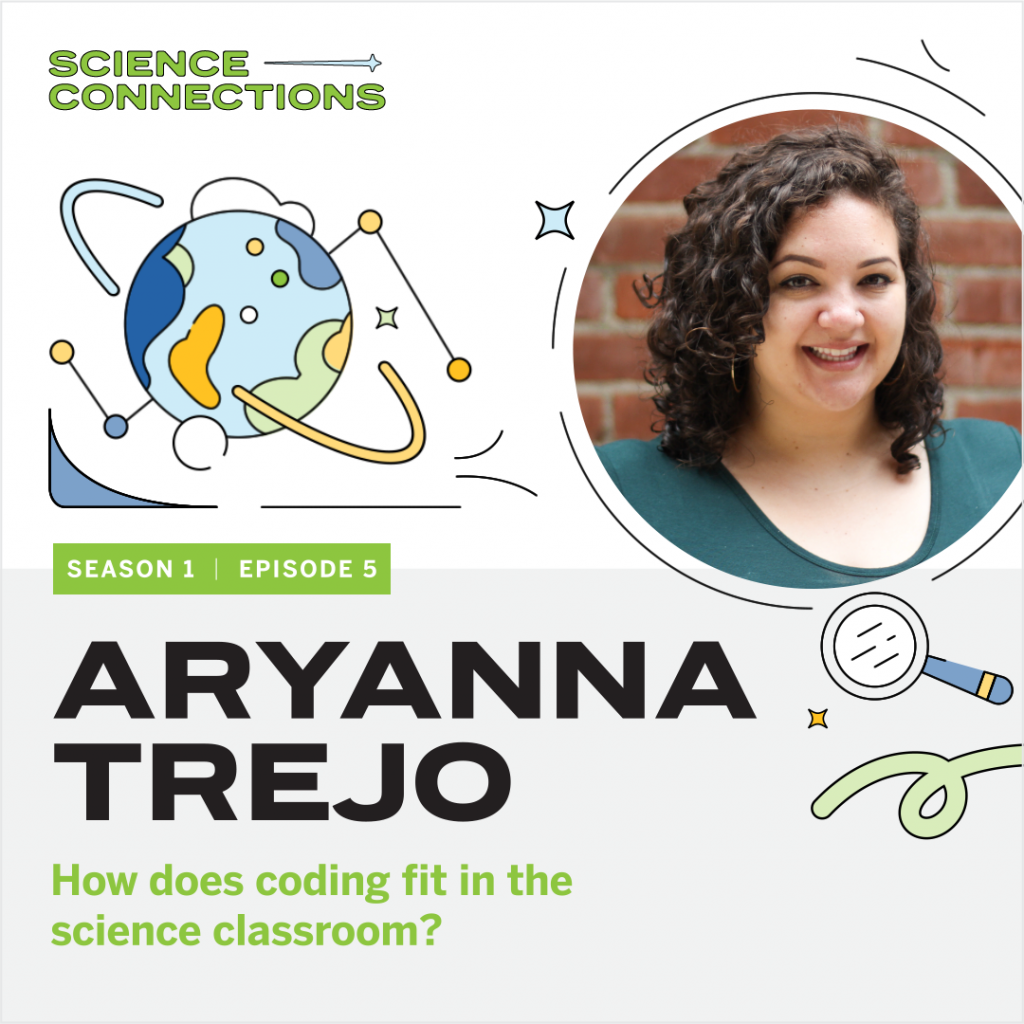
In this episode, Eric sits down with Aryanna Trejo, a professional learning specialist of Code.org. Aryanna shares her journey from working as an elementary teacher in New York City and Los Angeles to teaching other educators at Code.org. Eric and Aryanna chat about computer literacy within the science classroom, problem-solving skills, and ways to model productive struggle for students. Aryanna also shares ways to teach coding and computer literacy in schools, no matter the classroom’s technology level. Explore more from Science Connections by visiting our main page.
Aryanna Trejo (00:00):
I would hear teachers saying things like, “Well, I just can’t do coding; this is too hard for me; the time has passed.” And I would ask them, “Would you say that to your student about math or English?” And they would always sheepishly go, “No.” And I’d say, “Well, be as kind to yourself as you would be to your student.”
Eric Cross (00:19):
Welcome to Science Connections. I’m your host, Eric Cross. My guest today is Aryanna Trejo. Aryanna is a member of the professional learning team at Code.org. Before joining Code.org, Aryanna led computer science professional development for elementary school teachers, and served as an instructional coach for new educators. She also taught fourth and fifth grade in both New York City and in Los Angeles. In this episode, we discuss Aryanna’s journey to Code.org, where she helps educators connect coding to real life, how to use a rubber duck to solve problems, and how coding and computer science principles can be taught to students in areas without access to the internet…or even a computer. I hope you enjoy my conversation with Aryanna Trejo. So I was born and raised here, and I saw that you went to UC San Diego.
Aryanna Trejo (01:11):
I did, I did. I actually just put a deposit down on an apartment in University Heights, ’cause I’m moving back.
Eric Cross (01:16):
You’re coming back?
Aryanna Trejo (01:17):
I’m coming back. Yeah.
Eric Cross (01:19):
So if you need a classroom to visit….
Aryanna Trejo (01:21):
I would love to do more classroom observations!
Eric Cross (01:24):
Are we doing this? Let’s do—we’re making this happen.
Aryanna Trejo (01:26):
We are. Yeah. So I’ll be there. I’m moving there in April. I actually grew up in Orange County too, so I’m like a very diehard SoCal person.
Eric Cross (01:35):
So I feel like I know the answer to, hopefully—Tupac or Biggie? ‘Cause you’re on the East Coast, and you’re on the West Coast.
Aryanna Trejo (01:40):
Yeah. I like Tupac, but I have more Biggie songs committed to memory. Which is not a lot. I have “Juicy” and “Hypnotized” memorized.
Eric Cross (01:53):
All right. So you’re just memorizing, and you have the Biggie songs memorized, but not the Tupac ones.
Aryanna Trejo (01:58):
No, but I do love Tupac songs. You know, it’s like, Biggie has the flow, but Tupac has the lyrics. Nobody’s—they both have something really amazing about them.
Eric Cross (02:06):
You know, I can respect that you broke it down into both of their strengths.
Aryanna Trejo (02:11):
Thanks for buttering me up before this interview. And not….
Eric Cross (02:15):
<laugh> Oh, we already started.
Aryanna Trejo (02:16):
Huh? We already started?
Eric Cross (02:17):
We’re already started. Yeah. We’re already into this.
Aryanna Trejo (02:19):
We’re into it.
Eric Cross (02:21):
You were in the classroom, fourth and fifth grade, and you were doing TFA.
Aryanna Trejo (02:26):
I did. I did Teach For America. I was 2012, New York City Corps. Right after graduation. ‘Cause I graduated UC San Diego in 2012. So graduation was on June 17th, and I touched down at JFK on June 19th.
Eric Cross (02:40):
Even though I wasn’t in TFA, I know a lot of the fellows that are in it. And there’s just some phenomenal teachers in there. How long were you doing elementary school when you were teaching?
Aryanna Trejo (02:49):
Yeah, I taught for—well, I did, three years of teaching fourth grade. Then there happened to be an instructional coach opening in my fourth year. I took that, did some instructional coaching within the same network, and then I moved back to LA and I taught fifth grade for a year.
Eric Cross (03:11):
- And what was it like now? Did you go to Code.org right after the classroom?
Aryanna Trejo (03:17):
No, I didn’t. No. I transitioned after teaching fifth grade for a year in downtown Los Angeles, in the Pico-Union neighborhood. I ended up getting this email out of the blue from someone who had actually found me through the Teach for America job site. ‘Cause I was hitting the pavement; I was really looking to transition out of the classroom. And she invited me to interview with this company called 9 Dots. And they taught computer science to kids K–6 throughout Los Angeles and Compton. And I was like, “Sure, no problem. Let’s do it.” So I interviewed, I got the job, and yeah, that’s how I transitioned to 9 Dots. And then after almost four years there, I transitioned to Code.org, with the same person. Actually, she moved over to Code.org first, and then she helped me get this job.
Eric Cross (04:07):
Oh, that’s happened a lot—like, that relationship kinda carries over.
Aryanna Trejo (04:11):
Yeah. We’re meant to be coworkers.
Eric Cross (04:13):
Yeah. Are you still? Is she still there? Are you both still together?
Aryanna Trejo (04:17):
Yeah, we’re on the same team and it’s nice. I saw her last night for Happy Hour, with another coworker who’s in LA. So we’re tight. And she’s a wonderful, wonderful mentor to me.
Eric Cross (04:28):
That’s great. Did you have computer-science background, when you were doing elementary school teaching? Did you have—
Aryanna Trejo (04:34):
No. <laugh> Not at all. When I was teaching in New York City, I had like four desktop computers in my classroom, and we rarely used them. Which was such a shame. And then when I moved to Los Angeles and taught fifth grade there, we were a one-to-one school, and the joys of that are just amazing. It was just really wonderful to, you know, get the students used to typing on the computer, using different software to submit their assignments. Getting creative—as creative as you can get—with Google Slides. You know, to show off what they know. And stuff like that. That’s all I had, though. And you know, when I transitioned to 9 Dots I was like, “Sure, why not? Let’s give a shot.” And I learned a lot. It was really interesting, yeah.
Eric Cross (05:26):
And so now at Code.org you are…well, so my journey with Code.org, I’ve been in the classroom for eight years. Still in the classroom as of…an hour ago, I was there. <Laugh> And I use Code.org, and I feel like I’ve checked it periodically, and I feel like it’s evolved over the gaps. And I’ve seen it. It’s become more robust in the things that they offer, over the years I’ve been an educator. Just to kind of…could you give a thumbnail sketch? Like, what is Code.org? Who’s it for? Who’s the target audience? What resources are there?
Aryanna Trejo (06:00):
Yeah. So it’s for everyone. It is a nonprofit that provides curriculum and training and a platform for teachers and students. We provide curriculum for K through 12. It’s completely free. And it comes with lesson plans, slideshows, all that. We focus specifically on underrepresented groups. So we have targeted measures for Black students, for Native American students, for students who identify as female. That’s a huge part of our mission. But we’re really working to expand access to computer science to as many students as we can.
Eric Cross (06:41):
One of the things I’m hearing in your story is you were teaching in Compton; you were in Bronx, New York. One of the reasons why I got into the classroom is because of educators, and the impact they made on me in exposing me to science and technologies I’d never had access to. And that intentionality, that you’re going about it…are there…not just the code, but how you bring that across to different groups…are there strategies, or are there ways to connect this idea of coding to diverse groups and diverse audiences? Or is it kind of, the curriculum applies for everyone? ‘Cause in science, when I’m teaching, I’m always trying to make what I’m doing relevant to the backgrounds of my students.
Aryanna Trejo (07:28):
Sure.
Eric Cross (07:28):
So I’m teaching biology, and I’m trying to make this kind of connection. Sometimes it’s more organic; sometimes it feels kind of forced. Because it’s just not always a nice fit. But it sounds like Code.org is really about inclusion. And in the numbers that I’ve seen for representation, in especially computer science software engineers, the groups that you’re focusing on are not necessarily represented in the professional workforce. At least disproportionately.
Aryanna Trejo (07:54):
Yeah, absolutely. Yeah, that’s correct.
Eric Cross (07:57):
And so how do you go about being intentional about reaching groups that we don’t see in, you know, the Silicon Valley software engineers? How do you start that? Like, at a young age, do you look for specific schools in specific areas to say, “We are going to bring this to the school. We’re going out to these populations of the cities”? Because we’re just not seeing…you know, on the map, we’re not seeing anybody really doing anything with coding here. Or we’re not seeing the numbers come out of these areas, out of these cities, of students who are going into STEM or going into computer science fields.
Aryanna Trejo (08:41):
Yeah. I don’t necessarily work on the recruitment side of it, is the issue, in my position. But I do work on the professional learning, that is brought out to teachers. And we have a huge focus on equity throughout the workshops that we create from K–12. It’s something we’re really passionate about. We definitely aim to prepare teachers to teach computer science. That’s a huge part of it. Knowing the content, but also thinking through, “What does recruitment look like at your school to make sure that the demographics of your classroom match the demographics of your entire school?” Also, thinking through, “How can we make sure that female students feel included in your classroom? How can we make sure that we are, giving students creativity to think about, or we are setting students up to be creative and think about the problems that are in their community, and how they can use computer science to solve them, or at least work towards them?”
Eric Cross (09:39):
So solving real-world problems and that inclusion aspect…are there things like…you were saying “female or students who identify as female”…are there things that teachers can do to ensure that they’re being more inclusive? Or to recruit, or encourage more female students to take part? One of the things I was thinking of, that I’ve seen, is I’ve seen coding kind of camps.
Aryanna Trejo (10:06):
Sure.
Eric Cross (10:08):
That were specifically for a female audience. And that seemed to help with recruitment. Is that something that you see on your side?
Aryanna Trejo (10:16):
That’s not something that we set up, no. But the curriculum that I work with is CS Principles. And it’s offered as an Advanced Placement course, as well as an AP class. So that’s a curriculum that’s designed for students who are in grades 10 through 12. And so at that point, we can really talk to teachers and ask them what the recruitment strategy is. But in terms of strategies that teachers can use to recruit those students…I mean, I’ve heard over and over from lots of different teachers who identify as female that they didn’t think that computer science was for them, until they saw a role model in that position. And so just being a role model for those students is really wonderful.
Eric Cross (11:00):
And I see it too, with—like, we do “Draw a Scientist” activity, which is like a popular science thing—
Aryanna Trejo (11:05):
Sure, yeah, I’m familiar.
Eric Cross (11:05):
But it’s the same thing, right? Like, it fleshes out. My students don’t draw themselves as scientists. They draw what they perceive, based on what television says. I imagine with computer science, it’s probably really similar, when you think about “What’s a software engineer look like?” Do students tend to draw themselves? Or is it even a mystery? Because I don’t even know what a software engineer looks like.
Aryanna Trejo (11:28):
Yeah, absolutely. Well, one of the things we love to do with our professional learning workshops is talk about understanding yourself, your identities, how they show up in the classroom as biases. And, you know, things like stereotype threat. We see that as really important to understand, and think through, and consider, before you step into the classroom. So that you’re not, you know, coddling certain groups of students because you don’t believe that they are able to be successful in computer science. Holding all the students to the same expectations and believing that they can succeed. And computer science, I think a lot of the times people have this conception of it being this utopian, bias-less, technocratic field. When in reality, everything has bias. And people talk about algorithmic bias and facial recognition, but also the people who created computers and computer languages have their own bias that comes through. And I think it’s really important to show students that. So that they can, one, know what they’re working with, and two, make sure that they can create products that reduce that bias.
Eric Cross (12:50):
It’s like…it’s not objective, just because we’re creating software. Like, once it gets to a point of being so sophisticated…I think, like, AI software, right? With facial recognition? And we’re seeing more and more articles come out about, you know, predicting trends based on historical data.
Aryanna Trejo (13:12):
Sure.
Eric Cross (13:13):
But then, the trends and things that they’re seeing tend to target things that have happened in the past. But it also doesn’t take into consideration a lot of other factors that can lead to certain groups or populations being identified. And I’ve seen some articles lately about how your code is really just representation of what you put into it. And like you just said, your bias—if you have that, conscious or unconscious—you’re gonna put that into your code. And the input is gonna be an impact, is gonna impact the output.
Aryanna Trejo (13:44):
Yeah, absolutely. Or even just—and I’m ashamed to say this, ’cause this is an idea that came to me just recently, through an article that I read—but computers themselves have bias. The hardware assumes that you have vision, that you can see the screen, that you are able-bodied, that you can use your hands to work the keyboard, the mouse, et cetera, and that you don’t have to use assistive technology. You know, there are small things like that, where we think that technology, like I said, is this utopian, futuristic science…but there are biases throughout.
Eric Cross (14:19):
You’re absolutely right. I’ve never even—I’ve never even considered that. Even though I do use assistive tech, and figure it out, I’ve never thought from the ground up, the process is built for an able-bodied, sighted, hearing person.
Aryanna Trejo (14:31):
Exactly.
Eric Cross (14:32):
To be able to engage with the hardware. And then these other things, these tertiary things that we kind of add on, so that you can do this, but it’s not designed from the ground up for people who are, you know, different audiences, physically. So I’m glad you brought that up, though. Now I’ve seen—and I haven’t done this—but I know Hour of Code is a big thing. And this is something that’s ongoing. Can you talk a little bit about what Hour of Code is? I know it’s, it’s a big thing for the classroom teachers.
Aryanna Trejo (15:08):
Yeah. So Hour of Code is really exciting, and it’s just blossomed from something small to something tremendous. This year is gonna be the 10th Hour of Code. So what it is, is it happens during CS Education Week in December, during Grace Hopper’s—or to honor Grace Hopper’s birthday. She was a computer scientist and Navy Admiral. And basically the aim of it is to get as many students on the computer doing an hour of code, and demystify what coding is. You know, to do seed-planting. To show teachers that this is something that you can facilitate for your students. And also to show students like, “Hey, computer science is something you can absolutely do. Not just for an hour, but more if you want.” So, yeah. Now it’s worldwide, and it’s really exciting.
Eric Cross (15:58):
That’s awesome. And I think about teachers and I still hear the apologetic—when I’m helping teachers in the classroom with education technology—the self-deprecating “I’m a dinosaur; I’m not good with tech,” which is never true. Like, they’re better than they even realize. And I feel like sometimes there’s still a stigma, too. It’s like <laugh> The Simpsons’ Comic Book Store Guy. The condescending tech support person—
Aryanna Trejo (16:27):
Sure.
Eric Cross (16:28):
—who has that tone. And so I feel like some people have been so negatively impacted by that person. So I know when I’m helping people, I actually try to go full-spectrum the other side. But I’m thinking about teachers’ barrier to entry. Sometimes code is like, “Whoa.” And I don’t teach computer science. Do you see those barriers to entry, or at least the perception of them? And then, what’s the reality for like someone listening, and going, “I’m a fourth grade teacher,” or “I’m a humanities teacher in ninth grade.” What’s the perception that you see, versus reality, with the teachers that you train? Is it much more accessible than we think? Or is there a level of sophistication that you have to have coming into it?
Aryanna Trejo (17:10):
No, not at all. I know computer science, and that says a lot! <Laugh> You know, I know my own corner of computer science. And you know, that’s me being self-deprecating, too. But I think learning computer science has helped me in so many different ways that I wasn’t expecting. I recently took the GRE in hopes of, you know, getting back into grad school. And I think just the way that computer science teaches you to search for bugs in your code, or errors, and kind of tirelessly look at a problem from multiple different angles, I was able to carry that into the math that I was doing. And I noticed just a huge difference in the way that I approached it, and the way that I was open to it. But you asked a great question, in regards to the barriers to technology. In my position at 9 Dots, I was working directly with teachers to lead professional development with them. Sometimes it would be a full day; sometimes it would be an hour after school. And the one thing that I always had in my back pocket that was really useful is that I would hear teachers saying things like, “Well, I just can’t do coding; this is too hard for me; the time has passed.” And I would ask them, “Would you say that to your student about math or English?” And they would always sheepishly go, “No.” And I’d say, “Well, be as kind to yourself as you would be to your student.” You know, it takes some patience and nobody’s gonna get it perfect 100 percent of the time. Have I banged my head against the wall trying to solve one tiny little syntax error in my code? Absolutely! But it feels absolutely phenomenal to fix that. And I was an English major in undergrad, and I had never done computer science before. So it’s something that becomes really satisfying.
Eric Cross (19:07):
Yeah, I imagine. I had someone—a trainer or a presenter—one time bring up the fact that our students rarely get to see us learn in real time.
Aryanna Trejo (19:19):
Yeah.
Eric Cross (19:19):
So we don’t get to ever really model failure. I mean, unless we’re in a classroom situation <laughs> in our failures, with classroom management. Then they see it, they see it! But they don’t get to see us model learning failure. And I don’t mean like failure—and yes, I know, “first attempt is learning,” and “no such thing as failure”—that’s not what I’m talking about. But just when we’re not successful with our code, and then we experience real-time frustration.
Aryanna Trejo (19:42):
Yep.
Eric Cross (19:42):
And they said that is actually a great learning experience for your students to watch you go through productive struggle. And that was really liberating for me. Because now I’m in the classroom, and I’m trying to go through it with my students, and the beautiful thing was, they started helping me. We were all trying to solve the problem. And then we had this authentic problem-solving experience. I think it was like a Scratch program, where we were trying to solve, trying to embed it somewhere, or something. And then, in the background of the class: “Mr. Cross! I got it! I figured it out!” And it was this really neat bonding experience. And I felt that—your ears get red, and you get hot, ’cause you’re not—
Aryanna Trejo (20:19):
Oh yeah.
Eric Cross (20:20):
You don’t know it! And you’re in front of 36 kids! And I said, “OK, I need to tell them how I feel.”
Aryanna Trejo (20:25):
Yeah.
Eric Cross (20:26):
So I said, “Now I feel really frustrated.” Like, “I want to go through this, and here’s my thoughts.” ‘Cause I knew that it would be helpful if they saw and would hear my thoughts. So I just did a quick think-aloud and I said, “In my head, <laugh> I want to just quit,” I said, “But I realize that this is the part where my learning’s happening. So I just want you all to hear what’s going on in my brain.” And now I feel like when I’m doing coding with my students, and it’s just basic coding, I feel much more comfortable, like, not knowing. But I needed someone to release me from that “I have to be the expert in everything” to do it.
Aryanna Trejo (21:06):
And teachers are used to being the experts. Right? And they should be. And coding is just such a different landscape. But I think once you kind of give over to the power of tinkering, I think it’s really gratifying. I love being able to…you can revise a sentence, and then read your paragraph back to yourself in English, and say, “OK, I get it.” But there’s something so gratifying about changing a line of code or a block and then being able to hit play and watch your program come to life, and say, “Hmm, that’s not quite what I wanted. Let’s try something different.”
Eric Cross (21:39):
I love your connection to tinkering. ‘Cause—I had never thought about it—’cause I love tinkering with my hands. But I always think about physical things. But coding is exactly that. It’s tinkering.
Aryanna Trejo (21:47):
It’s exactly that.
Eric Cross (21:47):
That’s exactly what it is.
Aryanna Trejo (21:49):
And a lot of it is, for me, especially when I’m trying something new, it’s guess-and-check. It’s like, “OK, that didn’t work. What if I add a semicolon here? Will it finally work? Or what if I add a ‘for’ loop? Will this get me what I want?” And it’s wonderful because you have that with students as well. Like, you have that record of their thinking, and you can ask them to go step-by-step and tell you, you know, “First, I added this, because I wanted the program to do this,” and so on and so forth. And so you have that record, but you can always get rid of it. Students often wanna get completely get rid of it. That’s something that I’ve noticed a lot as I’ve taught computer science. But, once you can get them to target the specific parts of the program, tinker with that, and continue, that’s a really wonderful learning space. There was also something you said about modeling failure. I love the fact that in computer science you can model failure for your students. You said to your students, “I’m getting frustrated.” I love that, because I never got that in math. Nobody ever showed me what it was like to be frustrated with graphing a parabola. Right? Like, my math teachers were always like, “Doot, doot, doot, here you go, you’re done!” <Laugh> And I would get so frustrated, because it didn’t come that easily to me. And I think there’s two parts to that. So there’s modeling the learning and the thinking and the productive struggle, but also there’s the identity of being a computer scientist and modeling what that looks like. So for me, when I get really frustrated with a program, I walk away. I take five minutes. I take a deep breath. I say, “I’m not gonna think about it in these five minutes.” And I come back to it. And I think once you start teaching computer science, you can facilitate that for students. And there’s so many different strategies that they can pick up. They can pick up rubber ducking, which is where they pick up a rubber duck or a similar object, and they talk to it as if they were a partner and talk through their code. And oftentimes, as you’re rubber ducking, you’re gonna find that error, because you’re explaining it to someone who’s a stand-in for a novice. And rubber ducking is a well-known strategy for computer scientists who make it their career. You know, there’s pair programming. Some students love pair programming; some students hate it. But the students start to build this identity about how they problem-solve. And how they approach failure. And I just love that.
Eric Cross (24:31):
I’m writing this down. Because the rubber-ducking strategy, I love. I just imagine my seventh graders, a bunch of 13-year-olds with, like, rubber on the desk. And not necessarily in coding, but I was thinking in my science class. And they’re working through a challenge, and they’re all looking at this duck, and they’re talking to it. But I just love the the idea of externalizing your thought process and talking through it yourself so that you can hopefully arrive at a conclusion. But it’s such a great practice, and this is something that’s been around for a long time, apparently. So.
Aryanna Trejo (24:59):
Yeah. Yeah. It’s a real thing. And you know, you can go low-fi. It doesn’t have to be a rubber duck. You can have students talk to their pencils or their imaginary friends. That’s not the issue; the issue is, you know, talking to somebody.
Eric Cross (25:10):
I know you support teachers. But I just wanted to…I was just curious about your typical day, what that’s like. And then what you do, how you support ’em.
Aryanna Trejo (25:15):
So, at my previous job at 9 Dots, I was in there with the teachers in the classrooms. I was coaching our internal staff who went out to co-teach with teachers. And I loved that. And I had such a great impact on a local scale. But now at Code.org, I have a much broader impact. But I don’t get to interface with—that’s such a tech-y word!—I don’t get to interact with—
Eric Cross (25:42):
You work at Code.org! You get to—
Aryanna Trejo (25:42):
I know! But I’m a teacher at heart, forever, right? That’s my identity that I forged when I was 22 years old. And a typical day looks like opening up my computer, taking a look at my calendar. I often have meetings to talk about, different things that we’re doing to support our facilitators who go out to our teachers and lead their workshops for them. I recently worked on a product that was designed for CS principles, teachers, to onboard to the course if they weren’t able to get into an in-person workshop. And it’s completely self-paced, so it gives teachers an on-ramp into the course. And now I’m working on some in-person workshop agendas. So I feel really wonderful that my work is going out to thousands of teachers. But at the same time, I really, really miss talking to teachers. Because that’s something that energizes me so much.
Eric Cross (26:46):
When should students start learning computer science? I feel like we see it in this kind of narrow lane. Like, this is computer science if you make an app. Can it be more than that? As far as like the benefit of computer science? And—I guess two-part question—when should students, one, start being exposed to it? And then two, what are some of the benefits beyond just, “I wanna just make an app”?
Aryanna Trejo (27:08):
I taught coding to kindergartners. It can start as early as you as you want it to. And it doesn’t necessarily need to be on the computer. A lot of students that I worked with didn’t have computers at home, were interacting with computers for the first time. And that’s a huge barrier, of course, to a lot of teachers. But there are so many unplugged lessons that you can do to start to start to have students think about algorithms, which is just a series of steps to complete to solve a problem. As long as a student can use a computer, I think they can do computer science. There are products out there like codeSpark, where students—and Code.org has these products too—where students are moving an avatar around a board, kind of like a quadrant to…you know, they feed the directions to a computer and then the computer enacts it for them. And with that, they can learn algorithms. You know, that is computer science. And a lot of people don’t see it that way, but it really is. And it starts to set students up for more complex thinking as they move on.
Eric Cross (28:13):
One of the biggest underserved communities, geographically, are students in rural areas.
Aryanna Trejo (28:20):
Yep.
Eric Cross (28:21):
They can be reservations; they can be places just not an urban area. Is there a way to serve our communities of students and bring these skills in an unplugged way?
Aryanna Trejo (28:32):
Yeah. Yeah. If you typed in “unplugged computer science lessons” to Google, you’ll have a ton of hits. And there are so many students out there—not just in rural areas. But there’s incarcerated students. It hurts my heart to even say those words, but in urban areas too. Like in my classroom, where I only had four desktop computers. Access is a real struggle. And there’s things, like I said, instead of moving an avatar around a grid on the computer, I used to have an actual mat that I would take out to my kindergarten classrooms, lay it out, and it would have a grid on it. And we’d have one of the students act as the avatar and the rest of the students would give them directions to get to a different point on the grid. And there, you’re building an algorithm or just a series of steps. Like I said, it’s not some fancy term to solve a problem. And there’s multiple ways to solve that problem, too. And I think investigating that can be a really good way to stretch those lessons.
Eric Cross (29:32):
It almost sounds like an oxymoron, but this low-tech computer science strategy. Develop these skills and then transfer that once you have access to the tools.
Aryanna Trejo (29:39):
Yeah. Yeah. Absolutely. And I think it’s a good way for students who need kinesthetic means to start to understand something, or just different learning styles, to start transferring that over.
Eric Cross (29:53):
I probably have students in the classroom where those kinesthetic moving things would help be a great way—or WILL be a great way—for them to learn the principles and the fundamentals of coding. Instead of only giving the option to just do the computer, actually giving them some choice. Or giving them a way to be able to manipulate things. We’re still in the system of education that’s still very siloed. It’s been the same way for a hundred years. We got math and then we got science and we got English. I’m wondering, how can a teacher fit this into their daily lessons? And then, do you have any experiences or stories or things that you’ve seen, just really creative ways that you’ve seen teachers incorporate this? Outside the norm of, “This is a computer science class; we’re just gonna code.” But have you seen it branch out? In the trainings that you’ve done?
Aryanna Trejo (30:40):
I’ve seen examples of that. I’ve seen a teacher use Scratch to demonstrate different climates of California, and show the different climates. This past year for Hour of Code, my friend Amy—the one who helped me move to 9 Dots and at Code.org—she created this incredible tutorial called Poetry Bot. And it was a way to get students to match the mood of the poem to some of the elements that were happening in the stage. So they would have different backgrounds show up at different parts of the poem. When the words would show up, they would have different sprites show up. They would have, sometimes, sounds. Or the text would show up with different animations. So there are cross-curricular opportunities everywhere, if you can be creative enough to find them, or if you beg, borrow, steal from other educators who are doing this incredible work out there.
Eric Cross (31:36):
Yeah. I say this all the time, but I’m an educational DJ, not an MC.
Aryanna Trejo (31:44):
Oh yeah.
Eric Cross (31:45):
So MCs write their lyrics and DJs remix with things that other people have done.
Aryanna Trejo (31:48):
Absolutely.
Eric Cross (31:48):
I was like, I’m a DJ. I was like, all day. Sometimes I’ll write a lyric, once or twice, but most of the time I’m remixing things. So teachers, if you’ve been out there and you got an awesome interdisciplinary thing, or you’ve incorporated coding and it’s something that’s traditionally not seen, please send it to us. Share it with us.
Aryanna Trejo (32:03):
Yeah. And there are so many different places where you can find that. We have a forum for Code.org, but there’s also CSTA, the Computer Science Teachers Association. You can join your local chapter and get to know other computer science teachers out there.
Eric Cross (32:19):
I guess…to wrap up, I’ve been using Scratch programming, the MIT website. My students do the basic animated name, CS First, stuff. But over the years, I’ve noticed that my students are coming in with a higher level of sophistication in Scratch to where now the differentiation…some of my students are just doing very basic…and then I have other students who’ve created full-on video games with complex…like, you look at their Scratch page and it’s just an amazing amount of blocks and integrations and things that they have. Is there anything on Code.org that could be a next step? That takes them beyond, maybe like the visuals? And if so, what would be a good next step, to take students to advance them to another platform? There’s so many coding languages out there, I feel like. Or I might not even be thinking about that the right way.
Aryanna Trejo (33:20):
No, I think you are. You know, we have three different curricula out on our website right now. We have CS Fundamentals, which is probably more in line with what you’re talking about. We have a free CS Discoveries curriculum, and that is designed for, grades, I believe, 6 through 10. And that would be a really good entry point, for both teachers and for students.
Eric Cross (33:44):
There’s a lot of new stuff that I hadn’t seen yet, a few years ago.
Aryanna Trejo (33:49):
Yeah.
Eric Cross (33:49):
So I was really excited.
Aryanna Trejo (33:50):
One thing that I do know is that CS Discovery has just added an artificial intelligence slash machine-learning unit, that you can just pick up and give to your students. You don’t have to go in order with CS Discoveries, like you do with CS Principles. And I’ve gone through some of those lessons. They are really rad. And I would’ve loved to have learned that when I was in middle school or high school. So yeah, we’re constantly thinking of how we can make things one, relevant to our students, and two relevant to what’s going on in the world.
Eric Cross (34:20):
So would I be overselling it if I said, “If you go through this, you’ll be able to create an AI or a neural net to do all your homework”?
Aryanna Trejo (34:26):
You would be overselling it.
Eric Cross (34:27):
I would be? OK. So what I’ll do is, I’ll wait until the end of the school year, and then introduce it, and then by the time they’ve realized it’s not true, they’ll be eighth graders.
Aryanna Trejo (34:35):
There you go. Good old bait-and-switch.
Eric Cross (34:37):
You’re amazing. Thank you for serving teachers, and for being part of such a great organization that puts out great stuff. So much free curricula for teachers to be able to use. Especially nowadays we hunt and scour the internet for those types of things. And to be able to bring computer literacy into the classroom, and with your focus of serving communities of underrepresented groups, it feels good to know that not only is it high-quality material, but it’s also trying to raise everyone up. Because ultimately when we have more people trying to solve a common problem, we come up with better solutions. And I was talking to somebody who was a materials engineer somewhere in Europe, and he said one of the things about the U.S., As he was critiquing me on this flight, critiquing the U.S., He said, “One of the things about your country is that you have a heterogeneous group of people who, in a group, when you have multiple perspectives attacking a problem, you come up with more novel solutions.” He says, “That’s one of the great things, is that there’s not necessarily just a hive mind.” And I think that that’s one of the great things. We uplift different communities, and we uplift women, people of color, people who, have backgrounds that parents didn’t go to college but have these amazing qualities and strengths. And we put everybody focusing on the same issue. We come up with novel solutions that we wouldn’t have come up with if only select groups were trying to look at it and solve it. And so—.
Aryanna Trejo (36:22):
Yeah.
Eric Cross (36:23):
And we couldn’t do that without organizations like yours, that help empower teachers. So.
Aryanna Trejo (36:27):
Yeah! You really said it.
You’re coming to my classroom when you’re back in San Diego?
Aryanna Trejo (36:31):
Yeah! I totally will. Yeah. Let’s make it happen.
Eric Cross (36:34):
Last question. If you think back in your schooling, your own schooling, K through college, is there a person or a teacher that had a big impact on you? Or a learning experience that had an impact on you? And it could be, you know, positive or negative. But something that impacted you, even to this day, that stands out to you, that you remember?
Aryanna Trejo (36:56):
This is a big diversion from the topics that we’re talking about. But in grades 10 through 12, my drama teacher, Mr. Byler, who I still talk with, was such a huge impression on me. Really wonderful. And I couldn’t tell you the teaching moves that he did that were wonderful. I don’t know much about his management. But I can tell you that he gave me space to be confident, and grow into myself, through drama productions. They were high school productions, so they weren’t amazing. But I just really came into myself in high school, because I had the confidence to get on stage. And he was just such a wonderful mentor to all of us. So, props to Mr. Byler.
Eric Cross (37:39):
Shout out to Mr. Byler for creating space for Aryanna to fly! Thanks for making time, after your workday, to talk with us and to share Code.org with teachers.
Aryanna Trejo (37:54):
Of course. Happy to.
Eric Cross (37:59):
Thanks so much for joining me and Aryanna today. We want to hear more about you. If you have any great lessons or ways to keep student engagement high, please email us at stem@amplify.com. Make sure to click subscribe wherever you listen to podcasts. And join our brand new Facebook group, Science Connections: The Community for some extra content.
Stay connected!
Join our community and get new episodes every other Tuesday!
We’ll also share new and exciting free resources for your classroom every month.


Meet the guest
Aryanna is a member of the Code.org Professional Learning Team. Before joining Code.org, Aryanna led computer science professional development for K-6 teachers and served as an instructional coach for new educators. She also taught fourth and fifth grade in New York City and Los Angeles. In her spare time, Aryanna loves taking advantage of the California sunshine, creating wheel-thrown pottery, and hanging out with her dog Lola.

About Science Connections
Welcome to Science Connections! Science is changing before our eyes, now more than ever. So…how do we help kids figure that out? We will bring on educators, scientists, and more to discuss the importance of high-quality science instruction. In this episode, hear from our host Eric Cross about his work engaging students as a K-8 science teacher. Listen here!