Decorative image

Technology integrations

Amplify creates products that work well in classrooms and save educators time. To do that, we support interoperable data standards that help our products integrate with a variety of systems used by schools and districts.

Integration partners

Learn more about our integration partners for rostering, Single Sign-On (SSO), Learning Management Systems, and more.
Logo of Agilix Labs Buzz featuring the words "Agilix Labs" in pinkish-red and "Buzz" in orange, with a stylized text design.

Agilix Buzz

Teachers, students, and administrators can enjoy a more seamless experience through single sign-on by accessing Amplify directly through Agilix Buzz and by syncing grades from applicable Amplify products to Agilix Buzz.

A logo with a red circular design, next to the text "CANVAS" in red and "BY INSTRUCTURE" in blue.

Canvas

Amplify provides single sign-on for direct access to our products through Canvas and enables grade sync from Amplify to Canvas for applicable products.
Logo featuring a cloud with a figure inside, next to the word "ClassLink" in blue text.

Amplify programs work with ClassLink to provide rostering and single sign-on solutions.
The image shows the word "Clever" in bold blue text on a plain white background.

Clever

Amplify programs work with Clever to provide rostering and single sign-on solutions.
Text reading "D2L" with a green underline beneath the "2" on a white background.

D2L

Teachers, students, and administrators can enjoy a more seamless experience through single sign-on and by accessing Amplify directly through D2L.

The image shows the word "SchoolDay" with "School" in blue and "Day" in orange, partially enclosed by an orange circular line.

SchoolDay

Amplify programs work with SchoolDay to provide rostering and single sign-on solutions.
Google Classroom logo depicting a stylized chalkboard with three user icons.

Google

Amplify programs work with Google to provide rostering and single sign-on solutions. Additionally, our system integrations let teachers assign and share content from applicable Amplify programs to students in Google Classroom.

Logo displaying the words "SAFARI MONTAGE" in bold black and blue text.

Safari Montage

Teachers, students, and administrators can enjoy a more seamless experience through single sign-on and by accessing Amplify directly through Safari Montage.
Logo of PowerSchool with the text "Personalized Education for Every Journey" in blue on a white background.

Schoology

Teachers, students, and administrators can enjoy a more seamless experience through single sign-on, by accessing Amplify products directly through Schoology, and by syncing grades from applicable Amplify products to Schoology.

Amplify supports these integrations in alignment with our Data Privacy and Security Practices.

Certifications

Amplify is proud to help improve interoperability across the edtech community as a contributing member of the 1EdTech Consortium. We have earned a variety of certifications that enable Amplify products to adhere to interoperable standards.
A blue and orange shield badge labeled "1EdTech TrustEd Apps Certified Data Privacy.
1EdTech TrustEd Apps Certified logo featuring a circular arrow graphic above the certification text.
A teal badge displaying a unicorn icon, the text "Tier 4," and a ribbon labeled "DP Project Unicorn.

Are you an Amplify customer?

For access to interoperability information, contact the customer care and support team or +1 (800) 823-1969.

Want to learn more? Reach out to Sales.

CONNECT WITH A PRODUCT EXPERT.

Amplify integrations

To view this protected page, enter the password below:


Free, high-quality lessons without the scavenger hunt.

Discover more than a thousand free lessons bursting with interactivity—across K–12 math, literacy, and science.

Math: Grades K–5
A cartoon purple frog sits on a green hill with a purple bug on the left and a yellow crown on the right, all on a bright green background.
Math: Grades 9–12
A quadratic equation, ax² + bx + c, appears above a blue and purple table with an arrow pointing from the equation to the table.
Science: Grades 4–8
Two low-poly, fictional creatures face off: a green, bird-like animal with spikes and a red, bear-like beast with sharp teeth and orange markings—perfect for sparking imagination using free teaching resources.
Literacy: Grades K–5
A card with the letter u0022yu0022 labeled as in u0022mythu0022 next to a speech bubble card showing the phonetic symbol /e/.
Math: Desmos classics Grades 6–8
Three raccoons balance on one side of a seesaw, while a 21 lb weight balances the other side on a grassy surface.
Polypad manipulatives:
A square divided into seven colorful geometric shapes: two triangles, two parallelograms, one square, and two smaller triangles in green, red, purple, orange, teal, and magenta.

More than 300,000 teachers turn to Amplify Classroom for captivating lessons and virtual manipulatives.

Grade 1 Math

Leaping Lily Pads

Grade 6 Science

Behaviors and Structures Support Survival

Kindergarten Literacy

The Boy and the Violin

Grades K–12

Polypad manipulatives

Algebra 1

Shelley the Snail

Get your classroom buzzing with our powerful teaching tools.

Tailor lessons to fit your needs.

Share and celebrate student ideas.

Take snapshots of classwork to foster discussion and highlight student thinking.

Gain insights into student thinking.

Monitor your students’ ideas in real time so you can adapt instruction on the fly.

Control the flow of instruction.

Pace students to specific parts of the lesson, or pause to explore concepts more deeply.

What are people saying?

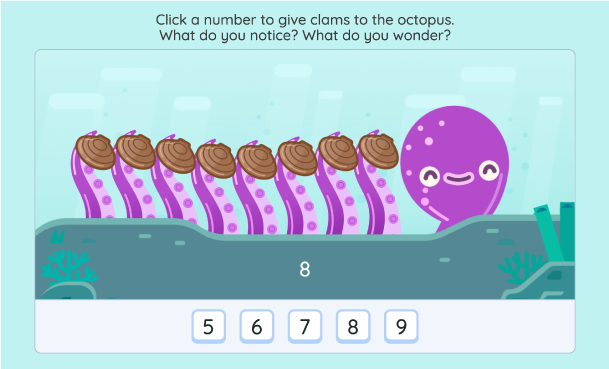
A purple octopus with eight tentacles, each holding a clam, is shown above a row of number buttons labeled 5, 6, 7, 8, and 9. The number 8 is highlighted.

Martin Joyce

@martinsean

Love this #AmplifyClassroom kindergarten activity! First the octopus checks sums of 8 then the sea urchin comes out. Great job. I’ve been wary about making my kids not hate math (no drill n kill) and they’re asking can we do math on the computer before bed. Yes! Cc @ddmeyer

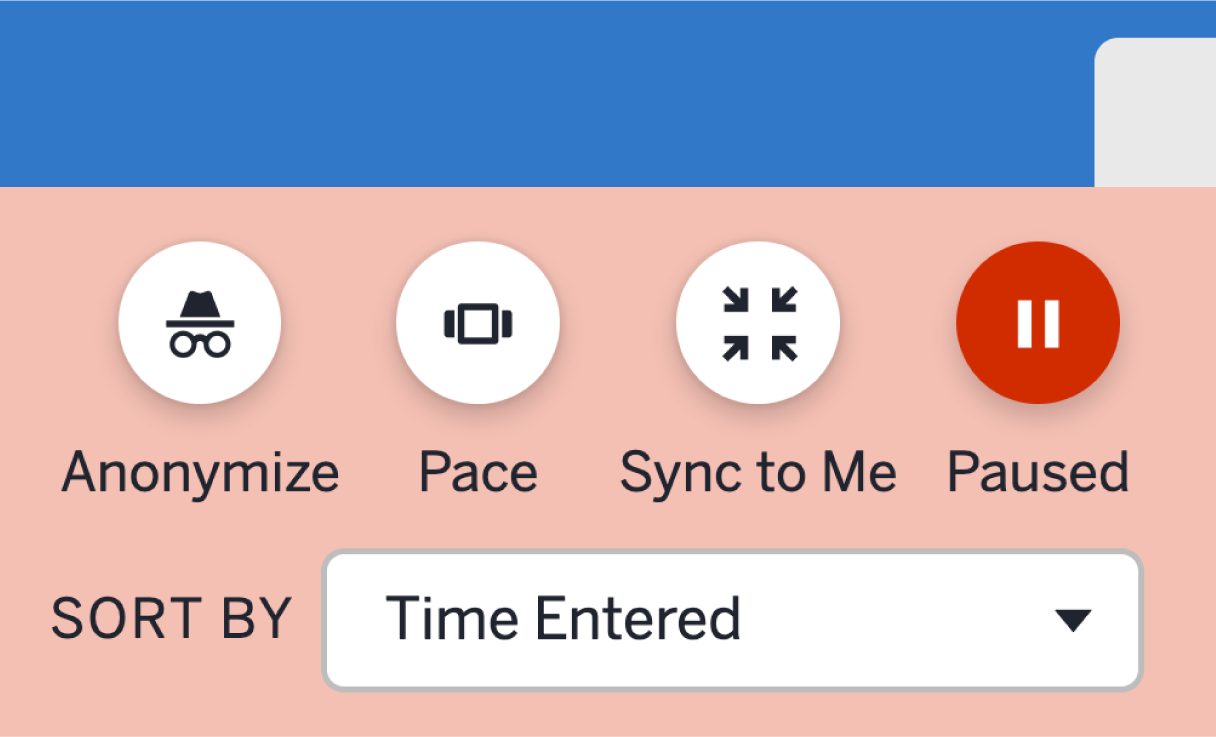
A user interface with four circular icons—Anonymize, Pace, Sync to Me, and Paused—above a dropdown menu labeled "Sort by Time Entered," designed as a free teaching platform for easy access to lesson plans.

Traci Jackson

@traciteacher

After an audible groan b/c the activity was paused, Ss made sense of ordered pairs through a purposeful #AmplifyClassroom experience! This S pair wrote without any prompting. Great collaboration and learning in 5th grade today!

Mark Labuda

@mrmlabuda

Hands down the best virtual manipulatives I’ve ever come across.

Screenshot of the Facebook group "Amplify Classroom Educators (formerly Desmos Educators)" with a join group button, highlighting educational images, group details, and access to free teaching resources.

Join our community

More than 30,000 educators share advice, lessons, wins, and more in our Amplify Classroom Educators Group. Be a part of the conversation!

Interested in learning about the benefits of being an Amplify customer?

Amplify Classroom FAQ

Amplify Classroom (formerly Desmos Classroom) is a free K–12 teaching platform that gives educators access to a library of high-quality, interactive lessons in math, literacy, and science. The platform is built with tools that promote student engagement and collaboration, while giving teachers real-time visibility into student thinking.

Amplify Classroom supports K–12 educators across math, science, and literacy. The platform offers more than 1,000 free interactive lessons, with content designed to build deeper understanding and student engagement at every grade level.

No. Teachers can create a free Amplify Classroom account and immediately access teaching tools and hundreds of lessons without a district license or subscription. Paid programs such as Amplify Desmos Math and Amplify Core Knowledge Language Arts (CKLA) also run on Amplify Classroom, and you can access that content through the same platform if your school or district subscribes to these programs.

Some schools and districts require that specific URLs be added to their allowlist before teachers can access Amplify Classroom. A full list of permitted domains can be found at amplify.com/allowlist. Teachers should share this information with their school or district IT team.

Amplify Classroom offers built-in tools that promote real-time teacher visibility and student engagement. Key features include:

  • Real-time student insights: See student responses and thinking as they happen, all in one easy-to-use teacher dashboard.
  • Teacher pacing controls: Pause a lesson or advance all student screens simultaneously.
  • Select and sequence student work: Highlight student ideas live by selecting and sharing student work during a discussion.
  • Anonymous student sharing: Display student work to the class without showing students’ real names.
  • Lesson customization: Copy and edit pre-built K–12 lessons or build your own from scratch using our drag-and-drop lesson builder.
  • Class management tools: Create and manage multiple classes, add co-teachers, and organize rosters.

Yes. Teachers can customize our K–12 lessons or even create lessons from scratch to meet their students’ unique needs. This includes adding things like pre-made screens, images, multiple-choice questions, graphs, and more with our drag-and-drop lesson builder.

Yes. Many teachers use Amplify Classroom to supplement their existing curriculum. The platform can be integrated into any part of a teacher’s day, with a wide library of lessons and tools for core or supplemental instruction.

For schools seeking a full core curriculum, Amplify also offers paid programs including Amplify Desmos Math and Amplify CKLA, both fully integrated into the platform.

Yes. Amplify Classroom supports signing in with Google. Teachers can import class rosters directly from Google Classroom to streamline setup. For Amplify customers, Clever integration is available for school and district rostering. You can learn more about our integrations here.

Amplify Classroom is built to facilitate compliance with applicable student data privacy laws, including FERPA, COPPA and other applicable laws related to the collection and use of student data. To provide Amplify Classroom to students, Amplify receives Student Data as a “school official” in accordance with Section 99.31 of FERPA and COPPA guidance, and operates at the direction of the school. You can read more about this in our Acceptable Use Policy and Customer Privacy Policy.