School year 2026–2027 requirements

iPad® 7+
Description: 1024 x 788 or higher, 32GB or higher
Operating system: iPadOS 18+
Browser: Safari 18+
PC
Description: 1.4 GHz dual core or greater, 1024 x 768 or higher, 4GB of RAM or higher
Operating system: Windows: 10+
Browser: Chrome (latest 2 versions)
Chromebook
Description: 1.4 GHz dual core or greater, 1024 x 768 or higher, 4GB of RAM or higher
Operating system: Chrome OS
Browser: Chrome (latest 2 versions)
Mac®
Description: 1.4 GHz dual core or greater, 1024 x 768 or higher, 4GB of RAM or higher
Operating system: macOS 15+
Browser: Safari 15+, Chrome (latest 2 versions)
iPadiPad Air® 4
iPad 8+
Chromebook™Acer Chromebook 314
Samsung Chromebook 4
Dell™ Chromebook 3120
HP Chromebook x360
MacMacBook Pro®
MacBook Air®
Interactive BoardA Google certified EDLA device, such as the SMART RX Series

The following devices are not supported due to known sub-optimal performance from older hardware or complicated settings:

MicrosoftSurface Tablet®

School year 2025–2026 requirements

iPad® 7+
Description: 1024 x 788 or higher, 32GB or higher
Operating system: iPadOS 17+
Browser: Safari 17+
PC
Description: 1.4 GHz dual core or greater, 1024 x 768 or higher, 4GB of RAM or higher
Operating system: Windows: 10+
Browser: Chrome (latest 2 versions)
Chromebook
Description: 1.4 GHz dual core or greater, 1024 x 768 or higher, 4GB of RAM or higher
Operating system: Chrome OS
Browser: Chrome (latest 2 versions)
Mac®
Description: 1.4 GHz dual core or greater, 1024 x 768 or higher, 4GB of RAM or higher
Operating system: macOS 14+
Browser: Safari 15+, Chrome (latest 2 versions)
iPadiPad Air® 4
iPad 8+
Chromebook™Acer Chromebook 314
Samsung Chromebook 4
Dell™ Chromebook 3120
HP Chromebook x360
MacMacBook Pro®
MacBook Air®
iMac®
Interactive BoardA Google certified EDLA device, such as the SMART RX Series

The following devices are not supported due to known sub-optimal performance from older hardware or complicated settings:

MicrosoftSurface Tablet®

We will provide active support of our applications on the following devices for the full school year listed below.

Device final support year

iPad 62024–2025
iPad Air 32025–2026
iPad 52022–2023
iPad Air 22021–2022
iPad 22018/2019
iPad 32018/2019
iPad 42018/2019

Network environment

MINIMUM

REQUIREMENTS
User devices:Connect to Amplify servers via ports 80 and 443.
Latency:No more than 165 ms during peak utilization.
Connection speed:2 mbps per device during peak usage (10 mbps recommended). Boost Reading requires a connection speed of 10 mbps per user for optimal performance.
URLs:For the complete list of URLs to allow, please visit https://amplify.com/allowlist/.

Requirements

mCLASS assessments are optimized for most touchscreen devices using Chrome™ or Safari® web browsers. The teacher-led, observational assessments are best conducted using touchscreen but will function using a laptop and mouse as well. Please check our device support lifecycles and purchase recommendations lists below prior to purchasing.

Boost Close Reading is currently not supported on iPads.

Due to its smaller screen, the iPad Mini is not supported.

Amplify curriculum applications require the ability to project from the teacher’s device.

Boost Reading Benchmark uses speech recognition software to analyze students’ oral reading. For the most accurate results, use a wired dual-ear headset with a boom microphone that extends in front of the student’s mouth. Avoid headsets with active noise cancellation (ANC) unless that feature can be disabled. Bluetooth headsets are currently incompatible with our speech recognition technology and should not be used.

iPhone 13 and later running iOS 17+ and Safari
Galaxy 11 and later running Android 15+ and Chrome

S2-04: Gamification in the K–8 classroom

Podcast episode graphic featuring guest Fabian Hofmann, titled "Gamification in the K–8 classroom," from Science Connections Season 2, Episode 4, with an illustration of a planet.

In this episode, Eric Cross sits down with his colleague and friend Fabian Hofmann to talk through gamification in the K–8 classroom. They discuss Fabian’s experience teaching outside of the United States, and the differences in classrooms outside of the country. Fabian explains the integration of game mechanisms in the classroom, standard-based grading, and shifting student thinking about learning by forming strong relationships. Fabian also shares how he created a new STEM course at his school revolving around his own passion for Star Wars. Explore more from Science Connections by visiting our main page.

DOWNLOAD TRANSCRIPT >

Fabian Hofmann (00:00):

In Mr. Hofmann’s class, I get to earn points and I get to be a Jedi. I can suspend my disbelief and I’m learning history, but at the same time, I’m traveling through the galaxy.

Eric Cross (00:13):

Welcome to Science Connections. I’m your host, Eric Cross. My guest today is Fabian Hofmann. Fabian is a middle school IB educator, currently teaching seventh grade multimedia design and history at Albert Einstein Academy’s middle school here in San Diego, California. He also hosts the podcast Rebel Teacher Alliance, a podcast dedicated to encouraging and supporting teachers to rethink student engagement. Fabian’s one of the most innovative teachers that I’ve ever met. His use of technology and gamification makes learning fun and accessible for our students. And I have firsthand experience with these students because we teach on the same team and have worked alongside each other during my entire career as a teacher. In this episode, we discuss gamification of the classroom, how he approaches grading from an innovator’s mindset, and his newest STEM class, Immersive Design, where his students are working with former Disney Imagineers to completely renovate their classroom into an interactive Star Wars-themed learning environment. And now, please enjoy my conversation with my good friend and colleague, Fabian Hofmann. We’ve worked together for how many years now? How many years have you been at Einstein?

Fabian Hofmann (01:23):

Well, I started when you started, like after you were student teaching, so 2014.

Eric Cross (01:28):

OK, so it’s been a while.

Fabian Hofmann (01:30):

Yeah. And then I took two years off and I went to Hawaii. I couldn’t handle the pressure. And then I came back. So we’ve worked together for six years but known each other for eight.

Eric Cross (01:39):

What’s your origin story? We’re gonna talk about your origin story. I told you.

Fabian Hofmann (01:42):

All right, cool. Right. So when I was a little boy…no. <Laugh>

Eric Cross (01:46):

This podcast is not that long!

Fabian Hofmann (01:49):

So no, I started out, teaching in 2009. I started student teaching in Germany and was teaching history and English. Did this two-year student-teaching program there. And then, when I was done, my wife and I, she’s American, we got married and we decided to move to the States. And then I started teaching at a German cultural center called the Goethe-Institut in San Francisco. We lived in the Bay Area. And from there, after a year we moved down to San Diego; I started subbing; I worked for a year at High Tech High. I taught humanities there. And then, after that year, I ended up at Einstein teaching German because that was what was available. I didn’t want to teach German. That wasn’t like, on the top of my list. But it made sense because I had taught German in San Francisco and it kind of was like, “Well, I can do that, I guess.” And then, yeah, and then I went back to—we went to Hawaii for a couple of years and then I came back here to start teaching history. So I’ve taught like a million things essentially.

Eric Cross (02:52):

And then during that time, what’s your evolution been like in the classroom? Kind of like your view of education? And how does that play out in your day-to-day with kids?

Fabian Hofmann (02:59):

So when I started teaching here in the States, I noticed that it’s very different. Technology was much further along here than it was in Germany. So when I got here and we had like an iPad cart; I helped setting up the iPad carts. And I worked with the Chromebooks and I was like, holy, holy crap, this is so cool. Like, kids can like actually do things with this technology. And then, I mean, I love technology. I’ve had an iPad when it came out and stuff like that. And so I was like, “Oh, so how about we use this in our classroom?” And so I always moved—I moved very quickly to having students create on the iPad. And at first it was like, “Oh, we use the Apple apps and stuff.” And then I went to an ed-tech teacher summit here in San Diego and my eyes were like opened to, “Oh my God, there’s so much more than just the Apple apps.” And ever since then I was like, “OK, we’re gonna use this; we’re gonna do that.” It’s just crazy stuff that I thought was cool and that students really seemed to enjoy, because it wasn’t like a typical language class; it was more like, “Well, what can we do to create, and how can we somehow still use the language but we are learning coding at the same time, or we are creating something in 3D at the same time?” Like, I was always trying to make it have two angles: the language angle, obviously, and then also the technology angle.

Eric Cross (04:25):

What was it that kept you kind of pushing? ‘Cause I remember the beginning in the Classcraft days to where you are now, I feel like you’re like light-years ahead of where you started.

Fabian Hofmann (04:37):

So you were actually the one who showed me Classcraft, which is like a gamification portal, kind of off-the-shelf thing that you can subscribe to. It has some free features and it’s like a gamification platform where students can create characters. And then these characters go on adventures. That’s like their avatar, and they get experience points in the classroom game and stuff happens. You can create, like, adventure paths for them. So if you have an assignment that you want students to do that has different steps, so, that could be an adventure path. That’s what I liked about Classcraft, is like this idea of like, “OK, we’re taking a game and applying it.” But it wasn’t enough for me. And so I started developing my own classroom game. I did some reading. I met online with John Meehan, worked with him. I read the book by Michael Matera, Explore Like a Pirate. And so it just broadened my whole world to, or just opened the world of gamification to me.

Eric Cross (05:38):

You present on gamification; you mentor other teachers on gamification. You host a podcast where you talk about it. But for those people who haven’t done it or gotten into it or maybe have a perception of it maybe that’s not quite accurate, can you talk a little bit about like what gamification is and what it’s not?

Fabian Hofmann (05:54):

  1. So the biggest difference…we all know game-based learning, because we all do it. We use Quizlet; we use quizzes; we use Gimkit, Blookit, Jeopardy, anything like that. Those are game based. That’s game-based learning. So using a game to facilitate learning. Which is great. I love game-based learning too. But the difference is with gamification, in the pure definition of gamification, is that you’re using game mechanics and elements and apply them to a non-game setting. A couple of smart educators were like, “Why don’t we just do that in our classroom?” And so we borrow these elements, these mechanics, these game mechanics, like getting experience points, and applying them to the classroom. So anything that students do, they earn points. So they turn in an assignment, that gets you a hundred points. They go and do something extra for the class, they get 50 points. Whatever it is, whatever your value is. That’s one aspect, like a leaderboard, virtual money, stuff like that that just in reality is not necessary, but you’re putting it somewhere where it doesn’t exist. And all of a sudden students have this weird shift in their view where it’s like, “Well, school is school, but in Mr. Hofmann’s class, I get to earn points and I get to be a Jedi and I can suspend my disbelief and I’m learning history, but at the same time I’m like traveling through the galaxy.” And it’s just amazing how that shift happens just because we’re changing the language a little bit.

Eric Cross (07:29):

Yeah. You seem to have like tapped into something that is already kind of in that zeitgeist culture thing. We’re gaming and it appeals to—I know it appeals to our students regardless of how they feel about even the subject that’s being taught, the fact that they’re immersed into this environment where they’re taking on this character role and they’re part of this bigger narrative. And you’ve so dynamically constructed this whole storyline and these experiences, and they’re learning experiences, like, they’re learning, but they’re enjoying it in a different way. But I wanted to ask you about something that I really admire that you do, and it’s how you grade. And I remember the first time you said this, we were in a parent-teacher conference and we’re all talking on Zoom with these parents and we’re all sharing our spiel. And you go, I don’t grade kids. They grade themselves. Can you talk a little bit about your conferencing with students? The rubric you use like that that, I’ve really been paying close attention to lately.

Fabian Hofmann (08:24):

Yeah. So, when I was working in Hawaii, I noticed I was teaching English, and grading papers in English is really not fun. Like, that is like my least favorite thing. Some teachers are like, “Yeah, it’s grading! Awesome! I can read stuff!” For me, it’s like, yes, I like to read stuff, but I—and it was the same in German class. I gave them feedback. Sometimes I would use oral feedback, I would, like, record stuff for them, and they would listen to it, and then they would work on it. And so I noticed when I’m giving them feedback and its oral feedback, they’re more inclined to actually work on the stuff that I was critiquing, versus when I sat down and I wrote something. They would never read it. Or some would, and most of them would not. And so I was like, this sucks. <Laughs> And I encountered this book called Hacking Assessment, because it’s such a waste of time, right? You spend so much time, because you wanna do the due diligence. And for those few kids who actually do care, that benefits them. But I want this to benefit everybody. And so I read this book called Hacking Assessment, by Starr Sackstein. And she talks about how she put the onus of grading into the student hands, essentially. And so she did standard-based grading and essentially said, “You know what? Here’s the thing. I am not going to grade you anymore. You are going to get a rubric that we are going to dissect and explain and make sure that you understand. And then you sit down and you give yourself a grade based on this rubric.” And I was like, “Wow, what? That is….I can do that? And the cool thing about this book is that she covers all the roadblocks that we as teachers have. And she explains, like, she gives examples on what we can do to convince parents, to convince admin, to convince the community, convince other teachers why what we’re doing is much, much better for a student than the previous system is. If you think about it, when a student comes into school, they start at a hundred, they start the year at a hundred, and all they’re doing is just lose points. And they’re just trying to keep up. Right? And it kind of flips this on its head, because not only with the gamification, I’m changing the name of the game, literally, but I’m also now with ungrading, I’m giving them the responsibility and the accountability to really look at their stuff and really be critical about how they’re doing. And I taught like normal in my first year in Hawaii when I was teaching English, by me grading everything and turning it and giving it to them. And I used peer grade and I did all that kind of stuff. But in the end, I was always the one responsible for the grade. But then I started to do the ungrading move and I just started to conference with kids and started giving them feedback, with the help of gamification, because there’s like a bunch of rubrics you can use to make it more fun. But all of a sudden, kids that in the year before would’ve failed my class in English, because they were English learners; they were just not into it; they didn’t care as much…all of a sudden that flipped completely. I did the exact same content again. We had to write an essay and all of a sudden, the essays were all like, up there, because we sat down, we talked about it, we went through this review process, gave them feedback. In the end, they could say, “Hey, I want this grade. And then I still have the last say. I would say, say, “Yep, sounds good.” Or “If you wanna get an A on this, or whatever it was, a 4, then here are the things you still need to do.” And because I did that, all of a sudden, the students are like, “Oh, that’s all I need to do?” And then they did it and turned it in, and all of a sudden, they got a 4. It’s, it’s amazing how that the conferencing with students, how that shifted their attitude. And I got to know my students way better than I ever had.

Eric Cross (12:20):

Yeah. That’s, that’s one of the things that I’ve noticed. And I watch you get so much more facetime with students having conferences than I do. I find myself grading…and, you know, at our school, it’s mastery-based instruction, so students can retake assessments, but you’re absolutely right: I give a grade; they get a score; and some of ’em score lower, but in their minds it’s like, OK, I’m done with that. And even though they can retake it, such a small percentage actually do. But the information that I give them in the feedback is often not read. But you’re sitting down and having a conversation and really listening and there’s so much more of a connection that you have. I just think it’s so rich. But the question I have now is how do you make the time for those conversations with those kids in your class?

Fabian Hofmann (13:01):

Yeah, it’s definitely a learning curve. Like the first year I did it, it was horrible. Like <laugh>, it cost so much time. Because kids came, because when it was time to grading, because I had not figured it out yet, I had not streamlined it. And I’m still learning. I’m still trying to figure this out and do it even better. But the idea is that you do something, you check in with me really quick. That doesn’t have to be like a full-on conference. It’s—I walk around or I call them up and say, “Hey, I saw you working on this. How did, how are you doing there? How many—” Like, let’s say I use a rubric that gives them crystals for different parts. They write the introduction; they write a bibliography; whatever, so I can bring them up and say, “Hey, how is the bibliography looking?” And they’re like, “Oh yeah, I’m missing…like, I only have like one or two sources.” And then we say, “OK, so right now you would get two crystals out of three because you have something. When you come back, you get all the crystals.” And so that’s a gamified aspect again, right? They’re coming back to get more crystals, not because they wanna do better necessarily. But because they’re like, “Hey, I wanna get those crystals because it gives me points in the game.” They are very good about like grading themselves and kind of like, they’re really hard on themselves sometimes too. And I have students who are like—

Eric Cross (14:08):

Yeah, they are.

Fabian Hofmann (14:09):

“Well, how can you make sure that people don’t just give themselves an eight?” And I’m like, “Because there’s a system in place that that does not happen. Like, there is a rubric, and if they cannot back up what they want, then it’s not gonna happen. They can write an eight all day long. I’m still the person entering it into the grade book!” <Laugh>

Eric Cross (14:27):

And let me premise this for listeners who don’t teach at IB schools, which is probably like most people.

Fabian Hofmann (14:31):

Yeah.

Eric Cross (14:32):

So IB, we teach zero through eight on a rubric system. And seven-eight is kind of like the A, kind of, quote-unquote. I know IB people are probably cringing when I say that, but <laugh>, you know, when you transfer it to like a high school? Seven, eight would be the highest score, you know. Four, five, six. So when we say eight, we’re talking about the highest score.

Fabian Hofmann (14:49):

Yeah. And so it’s really interesting because I can call them out on stuff, and it’s a one-on-one conversation, right? And if, especially if they turn something in that is not great, and they give themselves like a—I don’t know, like a C, let’s say, or a four, or whatever it is—and they’re like, “And you’re happy with that?” And then they’re standing there and they’re like, like, “No…?” <Laugh> And all of a sudden there’s a conversation. Where it’s like, and then I can be very intentionally like, “Hey man, I know you can do better. I would not—I’m not gonna accept this. I’m gonna push you to turn this in again.” And most of them actually sit down and do more. It’s a process. It takes a while. It’s not pretty in the beginning. But the payout is, so it’s incredible. Just like the amount of time that I get to spend with students, like specifically talking to them about things that they still need to work on, celebrating stuff they do, it’s incredible. Like the relationships are just so different than what I had years ago.

Eric Cross (15:50):

And you’ve also created a system where we preach—and schools always talk about this Dweck growth mindset and not having a fixed mindset, but I wonder how many opportunities or how systems are set up that are actually fixed, where it’s like one and done, OK, you did this exam and then that’s it, but there’s no opportunities to grow until the next exam! Which is gonna be….or whatever the assessment is, which is a whole different area of content or different topic or whatever. But here, you’re actually able to facilitate this growth mindset and push back if a student says, like, “Well that’s—I just got a four,” and you can actually pour into them and talk to them. And do you ever hear more about a student’s story as to why they were where they’re at, as you’re having these conferences?

Fabian Hofmann (16:29):

Oh, absolutely. Like for some kids who, who are just like not getting the work done or whatever, there’s always something where it’s not because they’re not smart or because they’re lazy. It’s like, sometimes, literally they tell you, well, ’cause I ask them, “Hey, can you work on this at home?” Or “Can you come in during lunch, after school, whatever? I’m always here.” And then they drop some bombs on you, like, “Hey, my parents, like, divorced. My mom lives in Mexico.” ‘Cause we live in San Diego. So some students live in Mexico and come to school here in San Diego and they get stuck at the border or, even though they have internet at home, they have to share. It’s like kind of what we experienced during the pandemic, where it’s like, there’s like three kids at home and one computer. Stuff like that. Right? And it’s these stories where you’re like, first of all, it’s very humbling ’cause they’re going through stuff that I never had to go through. I mean, my childhood was not amazing, but compared to what they’re going through, it’s like, “Oh yeah, that exists.” And it kind of like puts you in your place a little bit. It’s also because of the system that I use. There’s no late, really, in my class. Some of the students are like, “I need to subtract points from my grade because I turned it in late.” And I’m like, “No, no, no, no, no. The fact that you’re doing it is quote-unquote punishment enough ’cause you have to do it outside of class, you have to do it at home; you have to do it during lunch. Like, that is, that is not comfortable. You’re still doing it. So why would I punish you by taking a grade away? That doesn’t make sense. You got the work done. That’s all that matters.” I try to be that person that like is understanding. It’s still pushing them to do their best and reminding them and harping on them. And with the spark that I threw in there and fanning that flame of them becoming a better student because I’m supporting them. You’re supporting them. We’re all—our seventh-grade team is incredibly supportive. And then some people might push back, like “That’s not preparing them for the real world.” This is the real world.

Eric Cross (18:20):

There’s a lot of life skills that they’re gonna need…but like, they’re 12 right now! Or 11 or six, you know, whatever it is! Let’s—we can hold off on taxes and the crushing weight of adult reality later on. You got it done! Well-done! I do wanna talk about this thing that is your baby lately, this embryonic thing that you’ve been growing and I’ve been fortunate to be able to watch it since its inception. But you have this class that you created from scratch that’s essentially a STEM class. Two questions: Why did you create the class? And you’ve done some uncommon things. I’m gonna leave it wide open just for you to talk about it because it’s your baby and I’ve been fortunate to be able to watch it from the start. So can you talk about that?

Fabian Hofmann (19:01):

So yeah, so I’m obsessed with Star Wars. I think that’s putting it mildly. I love Star Wars. Always have. My classroom game is called Jedi Academy. And I’ve been playing around with this idea of creating a room that is more immersive. So I put a space, like a window to space, on my wall. I have the Millennium Falcon in my room. I have like a bunch of Resistance stuff or whatever. Anything Star Wars, you can find in my classroom. It’s not like overloaded, but I was very intentional in the things that I put in there, because I want my students to come in and feel like they are playing the game. And one of those things that I used was like smells; I used sounds to try to immerse them more. And then so one day I was like, wouldn’t it be cool to create a classroom that looks literally like a Star Wars set? Like you walked onto a set. Onto a spaceship, onto a rebel base, onto whatever it is. And how can I, how can I make that happen? And then we talked about it and you were like, “Yeah, how about you let the kids do it?” And that’s kind of how the course was born. And now I have students in my classroom who are in the process of designing a classroom based on Star Wars. And they’re gonna build everything. And we’re all learning at the same time. I’ve never done anything like this. I do like STEM, but I’ve never like actually made it a class. And so I contacted a bunch of people on LinkedIn ’cause I was like, it would be cool to talk to an Imagineer and to get like my foot in the door at Disney and then have an Imagineer come in and tell us about what they did. I have this book called The Art of Galaxy’s Edge, which is like the Star Wars land in Disneyland. And I just looked at the list and was like, “Who could be a good person to contact here?” And it said one of them was Eric Baker, and it said, “Executive Creative Director.” And I googled him or I looked for him on LinkedIn and I found him and I was like, “I’m just gonna send him a message. I’m just gonna tell him what I do in my class in history, gamification and all that, and they’re Jedi, and blah, blah, blah.” And he wrote back! Like, he was the only person that wrote back. I wrote a bunch of people and he was like, “Yeah, I’d be super-interested. I don’t know what you want me to do, but I’m down.” And so it created this relationship between me and Eric Baker who used to work for Imagineering, who are like the people at Disney who create the rides in the park and all that. And I talked to him and he gave me some feedback on the room. And then he was like, “Oh, so if you ever want me to talk to students, I’m down.” I was like, “Uh, yes!” And so we had him Zoom in. He talked about his life and how he became one of the people to look for when it comes to theme park design and to create immersive experiences. And I contacted other people on YouTube, like somebody who is like a Star Wars room builder. He’s willing to chat with us about this project. And then, I discovered that there is this thing called Imagination Campus at Disneyland, which they offer workshops on immersive storytelling. And I was like, “Oh, that’s what I want! I want my students to tell a story with my room!” And so I wrote up a proposal. Took a long time, but they signed—our admin signed it off. We kind of financed it. And then, about two weeks ago, you came along, another teacher, and we took 30something students to Disneyland and they did this workshop where they learned all about like how the Imagineers design story elements and put them in the parks. And then we took all of the kids to Galaxy’s Edge. And we took a bunch of photos. We went on the rides together. We had this collective experience. And it was life-changing for a lot of students. Because, I mean, we’re a Title One school; there’s like, we have about 60% free or reduced lunch. And a lot of them had never been to Disneyland. About half of them had never been. Some of them went when they were little. And so just watching their faces, going to Disneyland, watching them walk into Galaxy’s Edge, experiencing all these things, it was just, my mind was just blown. And I like literally, I don’t know if you noticed, but I was just smiling. Literally.

Eric Cross (23:19):

You were loving it.

Fabian Hofmann (23:20):

Yeah. Then we come back and we have these amazing conversations about design and what they noticed and how they created this immersive experience in their world. And we talk about how we can bring this back to our classroom. And parents are sending emails saying, “Oh my God, we’re so happy that you did this for our kids and you’re the coolest teacher.”

Eric Cross (23:39):

You touched on something that I wanted to ask you about. So you stay connected to people that inspire you, I feel like, or you have a pretty broad network of educators and professionals. Like, how much does that play into what you do in the classroom and the ideas that you have, as your network or your community of people?

Fabian Hofmann (23:57):

So the one network that helped me the most is Twitter. And I know people have opinions about Twitter, for good reason. But when I started to gamify, I just started to follow specific hashtags for areas that interested me. And that was gamification; eXPdup, which is like Explore like a Pirate—it’s an acronym. And it just opened up all these people, all these people, all these educators who are out there just like doing cool stuff and sharing it on Twitter. And I started connecting with them. And one of them is on my podcast. We met through Twitter; we started sharing stuff. We started talking about the things that we do. We both happened to have a gamified classroom. And so we connected over this thing Twitter, and now we’re like friends and we’re presenting together at Q and all those places. Teacher Twitter is incredibly supportive and people want to show you the stuff that they work on, just like I do. Like when I have stuff that I worked out, I shared it on there. And it’s so fun to hear back from teachers saying, “Hey, this looks awesome.” It’s just, it makes you feel good and it makes you feel like, “Oh, what I’m doing is not a total waste of time.” <Laugh>

Eric Cross (25:10):

<laugh> Those thoughts do creep in, right? Like, even though you’re doing something awesome and you might think so, we become our own worst critic sometimes, or we always see the things that we can improve and we overlook the things that we’re doing well. Fabian, where can people hear more about you, about gamification, about what you’re doing in the classroom, about how you’re innovating? I know you talk about this stuff with some—and you talk about it with some pretty legit people in the education industry. So can you tell some folks where they can hear more about it?

Fabian Hofmann (25:37):

So you can find me on Twitter at Hofmann edu—one F, two Ns—edu, and then I also host a podcast called Rebel Teacher Alliance. There’s three of us, where we talk all things gamification. But we also talk to teachers who don’t gamify at all. And we just, we just invite people who are interesting, who have stuff to share, who do cool stuff. You can find the podcast on the internet at Rebel Teacher Alliance dot com. Follow us there. If you wanna be a guest, just send a message and we’ll get you on.

Eric Cross (26:10):

Fabian, I’m gonna gush on you right now, but when you came back to Einstein, I was so happy because I knew that you sharpened me; you make me a better science teacher. Your innovation, your passion for kids, your sense of humor, your outside-the-box thinking, all of that. And when you got onto the seventh-grade team and you were here, I just knew that it was going to be awesome. And it has been. And so as a teaching colleague, as a friend, dude, you just rock, man. I’m super proud of you. And thank you for making me better.

Fabian Hofmann (26:40):

Aw, now I’m starting to cry. It’s like, don’t…

Eric Cross (26:43):

<laugh>. All true, dude. All true, my brother.

Fabian Hofmann (26:46):

Thank you.

Eric Cross (26:46):

All true. And thank you for letting me be part of the journey and I will definitely be walking down the hall asking you questions as I try to implement some of these great ideas that you’re doing with kids. Thanks so much for listening. And now we wanna hear more about you. Do you know any inspiring educators? Nominate them as a future guest on Science Connections by emailing STEM at amplifycom.wpengine.com. That’s S T E M at amplifycom.wpengine.com. Make sure to click subscribe wherever you listen to podcasts and join our Facebook group, Science Connections: The Community. Until next time.

Stay connected!

Join our community and get new episodes every other Wednesday!

We’ll also share new and exciting free resources for your classroom every month!

What Fabian Hofmann says about science

“I want my students to come in and feel like they are playing the game. I used smells. I used sounds to try to immerse them more. And then so one day I was like, wouldn’t it be cool to create a classroom that looks literally like a set?”

– Fabian Hofmann

Middle School Educator, Albert Einstein Academies Middle School

Meet the guest

Fabian Hofmann is a middle school International Baccalaureate teacher and host of the Podcast, Rebel Teacher Alliance. He is currently teaching 7th grade History and Multimedia Design just down the hall from Eric Cross at Albert Einstein Academies Middle School in San Diego. To engage students, he uses technology and gamification. Students embark on a year-long journey through a galaxy far, far away to learn the ways of the “Force” and some world history along the way. Follow him on Twitter and check out the Rebel Teacher Alliance podcast.

A man with short gray hair and a beard is smiling at the camera, photographed against a neutral background inside a circular frame with a small yellow sparkle accent, evoking the playful spirit of gamification.

About Science Connections

Welcome to Science Connections! Science is changing before our eyes, now more than ever. So…how do we help kids figure that out? We will bring on educators, scientists, and more to discuss the importance of high-quality science instruction. In this episode, hear from our host Eric Cross about his work engaging students as a K-8 science teacher.

Oregon ELA State Review for 6–8

To view this protected page, enter the password below:


Amplify Tutor Hiring

To view this protected page, enter the password below:


Program introduction

Professional learning

What will you find in the Professional Learning section?

Whether you’re launching into a new program or looking to strengthen your skills, Amplify’s professional learning sessions will support your needs.

  • Register now to join new and upcoming learning sessions.
  • On-demand sessions offer timely insights to support your mCLASS implementation.
  • Webinar recordings from 2020-2021 or 2021-2022 ensure you don’t miss a thing.

Amplify is working in partnership with the Kindergarten Assessment Support (KAS) Initiative to provide virtual professional development trainings to teacher, specialists, and campus/district leader users of mCLASS Texas Kindergarten across the state of Texas. These trainings are funded by the KAS Grant and will be provided at no charge to participants. Please note that all content will be focused on kindergarten only.

You will find a list of sessions below that you can register for. Sessions will be updated on an ongoing basis. To register, educators can enter the Session ID number into the Region 4 ESC search bar (https://www.escweb.net/tx_esc_04/) to sign up for the session(s) and to secure a spot or type ‘mclass’ into the search bar; all virtual sessions are capped at 30 participants.

For more information about the KAS Initiative, please visit https://tea.texas.gov/academics/early-childhood-education/data-driven-instruction-best-practices.

All mCLASS Texas Edition users will have access to free online modules. Contact your district for details about accessing these modules.

For those districts that want to support teachers in a more comprehensive approach we will work to ensure that the professional learning section supporting each mCLASS Texas Edition rollout meets each district’s unique needs. Here is a professional learning catalog to show the breadth and depth of what we offer.

Remote assessment

mCLASS Texas Edition can be administered in many ways, including remotely. This site will give guidance on the various ways to administer mCLASS Texas Edition to best support your students in any learning environment.

Watch the Remote Assessment Guidance Office Hours recording here.
Documents referenced during Office Hours are linked below.

Administrators, welcome to mCLASS Texas Edition!

Here you’ll find information about enrollment and licensing, technical requirements, professional learning resources, and more.

Onboarding: What to expect

Welcome to mCLASS Texas Edition! To help you know what’s coming next, we created the following visual that outlines the steps of the onboarding process. You can use it as a reference.

Illustration depicting a step-by-step process for professional learning and enrollment, featuring icons for requests, calls, enrollment, emails, online modules, and classroom applications.

Enrollment and licensing

Amplify provides services to fit the different types of enrollment needs for various times of year:

  •  Self-Service Enrollment (SSE) is a batch enrollment tool that you can use to import large amounts of student, staff, and class information into the Amplify system at the beginning of the school year or any time you need to update your enrollment data.
  • Auto Self-Service Enrollment (Auto SSE) is a service for automatically sending enrollment data from your computer to Amplify, which does not require intervention after you initiate the process, and which can be run at any time of year. You must have the ability to run scripts in order to use Auto SSE.
  • Amplify also offers the Manual Enrollment tools on the Amplify Administration page, which you can use at any time of year to add or update enrollment information by entering the information directly into Amplify, rather than uploading spreadsheets.

Preparing your materials

Click here to access a list of the print materials included in each mCLASS Texas Edition kit.

Image of a promotional flyer for mclass® texas, detailing educational materials for teaching literacy to students from kindergarten through 6th grade, with various text sections and an image of a child studying.

Technology requirements and guidelines

To ensure that your hardware and network meet the minimum technical requirements for optimal performance and support of your digital curriculum products, please see Amplify’s customer requirements page.

To ensure access to mCLASS, add the URLs on this page to your corresponding district or school-level filters.

Teachers, welcome to mCLASS Texas Edition!

Here you’ll learn about the program, how to set up your device, and how to get help when using mCLASS Texas Edition.

Onboarding: What to expect

A step-by-step guide for mCLASS preparation: review launch email, watch training module, log in to mCLASS, set up assessment device, prepare to teach mCLASS in the classroom.

Logging in to mCLASS Home

mCLASS Home is where you access mCLASS reporting, instruction, and other helpful resources. Follow these steps to log in:
1. Navigate to mclass.amplify.com.
2. You will need your Amplify user name and password to log in. If you forget your password, you can follow the instructions below to generate a new one.

  • Click “Forgot Password”
  • Enter your Amplify username and your district or school email address. Click Send. Then follow the instructions in the email you receive to reset your password.

If you have not received an Amplify username and password, please contact your
school or district administrator.

Setting up your assessment device

Assessments are administered using the mCLASS app. The mCLASS app is installed by creating a shortcut from Chrome™ (Safari for iPads) on your device’s desktop or home screen. Click the link for your device for installation instructions:
iPad
Chromebook
Windows device

Note that you need your Amplify username and password to install the mCLASS app. If you have not received it, please contact your school or district administrator.

Dyslexia screening

mCLASS® Texas DIBELS® 8 and IDEL assess the updated skills required for dyslexia screening. We’ve got you covered!

Click here to learn more about the Texas Dyslexia handbook updates.

Looking for help?

Our technical and pedagogical support teams are available from 7 a.m. to 7 p.m. ET, Monday through Friday.

For your most urgent questions

  • Use our live chat within your program
  • Call our toll-free number: (800) 823-1969

For less urgent questions, send us an email!

What’s new

The Tech User Manual has been updated for EOY.

About mCLASS in Louisiana

The Louisiana Department of Education is committed to providing literacy instruction for all by:

  • Aligning core curriculum, instruction, and assessments with the Science of Reading.
  • Providing appropriate literacy interventions to address difficulty with reading development.
  • Implementing practices based on the Science of Reading in every classroom, every day.
  • Offering aligned resources to parents, guardians, and family members.

Built on decades of research at the Center on Teaching and Learning at the University of Oregon (a national center for early childhood assessment and instruction), the mCLASS suite meets Louisiana’s early literacy goals for its students with a robust core curriculum and a suite of reporting, grouping, lesson, and caregiver support features.

DIBELS measures at each grade level 
Measure Grade K Grade 1 Grade 2 Grade 3
Letter naming fluency A large, light peach-colored checkmark on a transparent background. A large, light peach-colored checkmark on a transparent background.    
Phonemic segmentation fluency A large, light peach-colored checkmark on a transparent background. A large, light peach-colored checkmark on a transparent background.    
Nonsense word fluency A large, light peach-colored checkmark on a transparent background. A large, light peach-colored checkmark on a transparent background. A large, light peach-colored checkmark on a transparent background. A large, light peach-colored checkmark on a transparent background.
Word reading fluency A large, light peach-colored checkmark on a transparent background. A large, light peach-colored checkmark on a transparent background. A large, light peach-colored checkmark on a transparent background. A large, light peach-colored checkmark on a transparent background.
Oral reading fluency   A large, light peach-colored checkmark on a transparent background. A large, light peach-colored checkmark on a transparent background. A large, light peach-colored checkmark on a transparent background.
Maze (basic comprehension)     A large, light peach-colored checkmark on a transparent background. A large, light peach-colored checkmark on a transparent background.

Enrollment resources

EOY enrollment timeline: 

  • 3/3- 3/17: Admin Portal closed 
    • Students and staff are still able to log into mCLASS
    • Students are still able to assess Progress Monitoring
    • No EOY assessments taking place at this time 
    • Data Reporting (classroom and aggregate reports) is still available
  • 3/18: Admin Portal reopens 
  • 4/1: EOY begins

Student Transfers:

For instructions on transferring students into a district from a different district within the state, see the Transferring Students section of the Test Coordinator Manual: K–3 EOY.

To add students to your district who are transferring to your school from outside of LDOE, please follow the process in the Enrolling Students section of this article.

End of Year and G3 Summer window resources

  • Test Coordinator Manual (District and School Test Coordinators only): This manual provides instructions for administrative tasks for DTCs and STCs.
  • Test Administrator Manual for the Secure K–2 End of Year Literacy Assessment: This manual for Test Administrators provides instructions for administering the secure EOY assessment.
  • Test Administration Manual: Grade 3 End of Year Literacy Assessment:  This manual for Test Administrators provides instructions for administering EOY assessment to Grade 3 students.
  • Tech User Guide: This manual for District and School Technology Coordinators provides instructions for installing the safe browser (Windows/Mac) or kiosk mode applications (Chromebook) needed for secure EOY assessment.
  • Accessibility and Accommodations Manual: This manual includes information about the accessibility features offered for secure EOY assessment, as well as the standard DIBELS 8th Edition Accommodations.
  • For information about student demographics in the Admin Portal, see LDOE Admin Portal: Demographics.
  • New Troubleshooting for ChromeOS Kiosk Mode guide is available for Technology Coordinators supporting Test Administrators who encounter an error message when launching the Chrome kiosk mode applications.

How to: Install the Safe Exam Browser

This section provides instructions for installing the Safe Exam Browser (SEB), which is needed to assess K-2 students during EOY in Louisiana. Depending on your device type, download the SEB app from the Apple App Store or this site.

If you are using a Chromebook, you will use kiosk mode instead of the SEB. The Tech User Guide includes instructions for installing the applications needed to use kiosk mode, as well as instructions for installing the SEB and additional information to set up devices for secure End of Year (EOY) assessment.

Windows

Browser: Chrome (latest 2 versions)

iPad

  • Navigate to Safe Exam Browser in the App Store on your iPad.
  • Tap the Safe Exam Browser app icon to open the app page.
  • Tap Get to download and install the app.
  • For instructions on installing the SEB, see the Tech User Manual.

macOS

  • Download the DMG file.
  • Depending on your browser, a download page may open in a new tab, displaying the download progress. When the download is complete, close the tab. 
  • For instructions on installing the SEB, see the Tech User Manual.

Progress Monitoring

This guide provides instructions for administering progress monitoring (PM) assessments in Louisiana schools. 

Please note that the steps for accessing and administering PM assessments are different for schools with an mCLASS Intervention license than for schools that do not have an mCLASS Intervention license.

Amplify Tutoring: HDT driven by mCLASS data

An adult and child sit at a table, smiling and giving each other a high five. The child wears blue headphones and a laptop is on the table. The background is light blue.

Grounded in evidence-based practices and taught by caring, consistent tutors, our high-impact tutoring programs use high-quality instructional materials and data-driven mCLASS® products to empower students.

  • Data-driven, personalized instruction
  • Research-backed solutions tailored to support your MTSS framework
  • Customizable–before, during or after school year-long, semester-long and summer programming
  • Comprehensive program management and staffing support

Professional development

Amplify professional development (PD) provides learning experiences that intentionally develop the knowledge and skills you need for effective and self-sustaining implementation.

Go to the PD Library to access self-paced online courses, webinar recordings, videos, and more to help you learn how to administer and score the assessment and develop a deeper understanding of reporting and instruction.

If you are interested in purchasing additional PD for your school or district, please reach out to your account executive.

Additional mCLASS information

mCLASS gives you instant results and clear next steps for each student. Quick and actionable reports provide detailed insight into students’ reading development across foundational literacy skills for teachers, specialists, administrators, and caregivers.

View the EOY mCLASS Reporting Guide to learn more.

View the BOY/MOY mCLASS Reporting Guide to learn more.

Additional resources around mCLASS reporting can be found by navigating to the Programs & Apps section and then selecting PD Library

Graph showing emma ashley's progress in letter sounds from august to may, starting well below benchmark at 20, reaching 74 by december, and surpassing the benchmark with 90 in may.

To continue your own professional learning around the Science of Reading, join your colleagues who’ve subscribed to our podcasts and communities!

Science of Reading: The Podcast delivers the latest insights from researchers and practitioners in early reading. Further your professional development with each episode by subscribing and downloading now.

Science of Reading: The Community is built for those committed to fostering conversation around the Science of Reading and implementing best practices in the classroom (including the virtual classroom).

What does classroom instruction look like when it is based on Science of Reading practices? We’ve outlined a Science of Reading action plan to guide your evaluation in our new FREE ebook, Science of Reading: Making the shift.

A presentation slide titled "Science of Reading: Making the shift" with subtitle "Surveying classroom instruction" and colorful ribbon graphics.

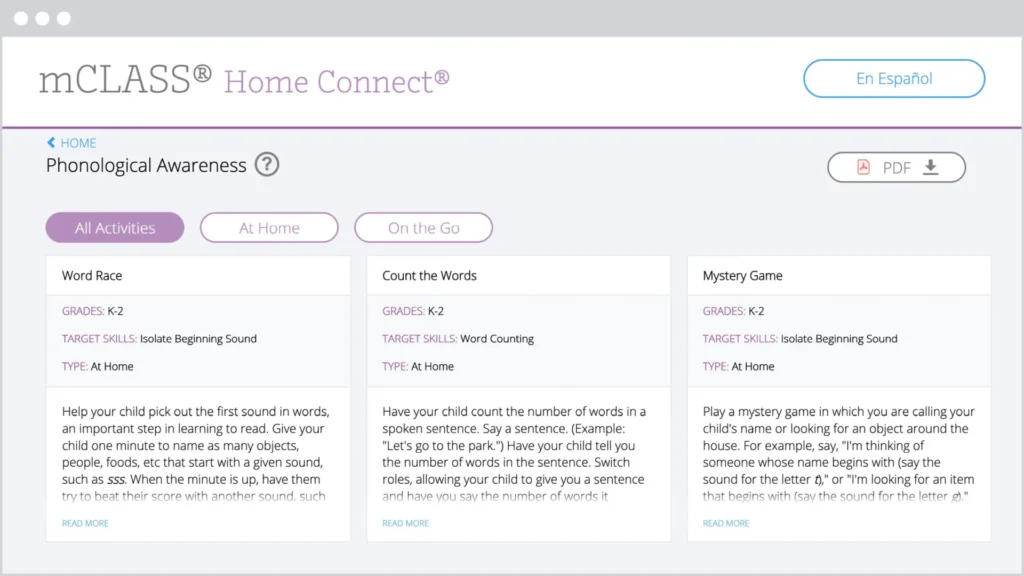
The mCLASS Home Connect website houses literacy resources for parents and caregivers, including at-home lessons organized by skill to help students at home during remote learning. Our mCLASS parent/caregiver letters in English and Spanish ensure that families know how to best support their students.

Screenshot of the mclass home connect website showing educational activities in three categories: word race, count the ways, and mystery game, with navigation options at the top.

mCLASS support

Our chat agents are standing by to assist you!
Simply log in at my.amplify.com/login/louisiana and select the orange button in the lower right corner to chat live with our support team.

Important note:
Our support hours are Monday through Friday, 7 a.m. to 6 p.m. CT.

Check out the DIBELS 8 LDOE Help Center for more help at any point during implementation.

A laptop screen displaying the AmplifyELA program with sections for different grade levels and core units, featuring colorful icons and a menu on the left side.

Additional Amplify products

Get in touch with us to learn more about bringing other high-quality Amplify programs to your school or district.

Oregon Enhanced ELA State Review for K–5

To view this protected page, enter the password below:


Students take on the role of a scientist or engineer every day.

Amplify Science is a blended curriculum developed to align with the New York City PK–8 Science Scope and Sequence that meets the New York State Science Learning Standards.

Amplify Science for grades K–8 has been rated all-green by EdReports.

Read the review on EdReports.

Check out the New York City Resource Site for supporting resources designed for the New York City Department of Education Amplify Science adoption for grades K–8.

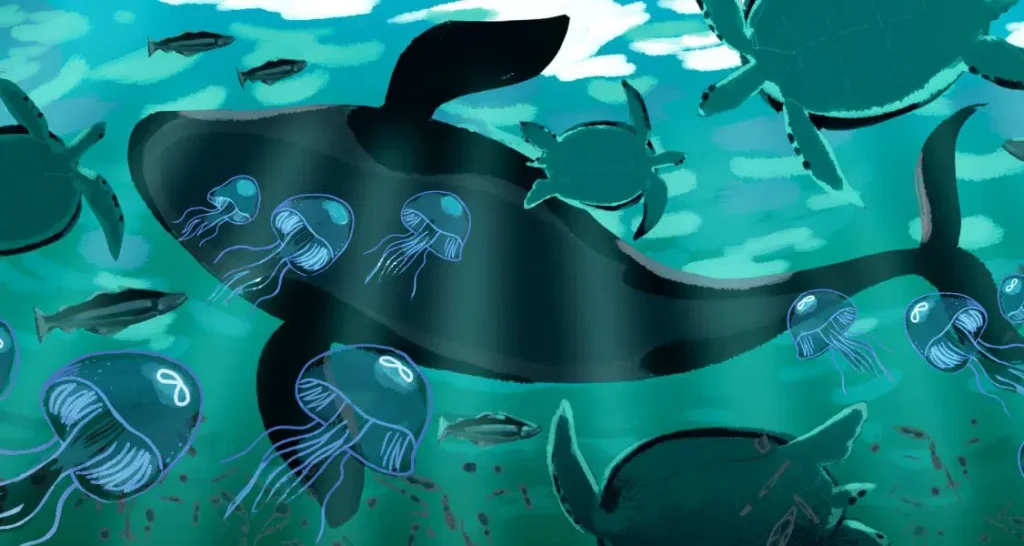
An illustration of a whale with jellyfish and turtles from Amplify Science

Begin your review

What sets Amplify Science apart?

  • Aligned to the New York City PK–8 Science Scope and Sequence, and meets New York State Science Learning Standards.
  • State-of-the-art, highly-engaging curriculum that invites students to take on the role of a scientist or engineer in every unit to solve relevant real-world problems.
  • Flexible, truly blended program that combines comprehensive print components and compelling online content with hands-on learning in every unit.
  • Robust teacher support for ease of use by a wide range of teachers in diverse classroom contexts, with carefully crafted lessons, standards alignment, differentiation strategies, and ELL supports throughout the program.
  • Embedded assessments throughout the program, including both formative and summative assessments for every grade level.
  • Authored by the industry-leading science curriculum team at U.C. Berkeley’s Lawrence Hall of Science, who have 50 years of experience in K–12 science education and who will continue to enhance and update the program for years to come. To learn more about how the Lawrence Hall of Science collected research, designed the curriculum, and field tested the program with teachers, download our research base document.

The Amplify Science approach

The scope and sequence of the program is designed to show that scientific concepts are interconnected and multifaceted. Each unit focuses on a specific learning goal in the form of an overarching unit question. Rather than following linear steps in an experiment, the program leaves room for students to make connections across concepts and make their own discoveries. In this way, Amplify Science replicates the realities and ambiguities of scientific research and thinking.

Each course in Amplify Science K–5 consists of 3–4 units, with each unit containing 22 lessons. Each lesson in grades K and 1 is written for a 45-minute session, while lessons in grades 2–5 are written for 60-minute sessions. Teachers can always expand or contract the timing to fit their needs.

Each course in Amplify Science 6–8 consists of 7-9 units, with each core unit containing 19 lessons, each launch unit containing 11 lessons, and each engineering internship containing 10 lessons. Each lesson in grades 6–8 is written for a 45-minute session. Teachers can always expand or contract the timing to fit their needs..

Download the K–5 unit sequence

Download the 6–8 unit sequence

Components overview

Amplify Science blends physical materials with a suite of digital tools, presenting students with the resources they need to investigate real-world problems, and empowering and supporting teachers as they lead instruction and gain insight into student growth and progress.

Grades K–5

  • Student Investigation Notebooks (K–2) for every unit allow students to interact with content while taking notes, answering questions, and conducting investigations. Review a sample from the Grade 2 Plant and Animal Relationships unit.
  • Student Books enhance science topics and allow students to practice reading within the science content area.
  • Instructional materials for teachers. The Amplify Science curriculum website hosts all lesson content, media, digital simulations, and more, and is the primary tool “open” for teachers during class time. Print Teacher’s Guides are included. You can view complete unit samples by accessing the curriculum at the bottom of this page.
  • Robust digital simulations and digital applications, developed exclusively for the Amplify Science program. Supported devices include: iPad 3+, Chromebook, Windows PC, and MacBook.
  • Unit Kits for each unit in the program including consumable and nonconsumable hands-on materials, printed classroom display materials, and the students books.
  • Embedded formative and summative assessments are meant to support and guide student instruction.
  • Pacing guides have been developed for teachers to support the implementation of the program.

Grades 6–8

  • New York City Student Editions enhance science topics and allow students to practice reading within the science content area.
  • Special “NYC Companion Lessons” directly target the additional standards in NYSSLS not found in the NGSS.
  • Instructional materials for teachers. The Amplify Science curriculum website hosts all lesson content, media, digital simulations, and more, and is the primary tool “open” for teachers during class time. Print Teacher’s Guides are included. You can view complete unit samples by accessing the curriculum at the bottom of this page.
  • Robust digital simulations and digital applications, developed exclusively for the Amplify Science program. Supported devices include: iPad 3+, Chromebook, Windows PC, and MacBook.
  • Unit Kits for each unit in the program including consumable and nonconsumable hands-on materials and printed classroom display materials for 5 uses of a class of 40 students.
  • Embedded formative and summative assessments are meant to support and guide student instruction.
  • Pacing guides have been developed for teachers to support the implementation of the program.

Review grades K–5

Amplify Science K-5 is an elementary science curriculum that provides teachers with the tools and practices necessary to meet the expectations of the NYSED P–12 Science Learning Standards. The program also aligns to the new NYCDOE PK–8 Science Scope and Sequence. Learn more about Amplify Science K-5 by reviewing the following::

Click the orange button below to access the digital Teacher’s Guide and begin your review.

Review grades 6–8

Amplify Science 6–8 New York City Edition is a new blended curriculum developed to align to 100 percent of the New York City PK–8 Science Scope and Sequence 2018 that meets 100 percent of the New York State Science Learning Standards. Learn more about Amplify Science 6-8 New York City Edition by reviewing the following:

Click the orange button below to access the digital Teacher’s Guide and begin your review.

Watch an overview

Watch curriculum experts walk through the Amplify Science K–5 and 6–8 programs and share information on how you can start to make the shifts to the NGSS with a literacy-rich approach to science instruction.

Ready to order?

When you are ready to place an order for Amplify Science, please reference the ordering checklist on the Core Curriculum Ordering Guide, and then head to:

Welcome, Iowa reviewers!

Designed from the ground up for the NGSS to teach students to think, read, write, and argue like real scientists and engineers, Amplify Science combines literacy-rich activities with hands-on learning and digital tools to engage students in exploring compelling phenomena in every unit.

A badge for EdReports Review Year 2023, two students at a computer, two students discussing with a tablet, and an educational diagram of a spider on a screen.

A powerful partnership

Amplify Science was developed by the science education experts at UC Berkeley’s Lawrence Hall of Science and the digital learning team at Amplify.

Learn more about the Lawrence Hall of Science.

Grades K–5 overview

Each unit focuses on a specific learning goal in the form of an overarching unit question. Rather than following linear steps in an experiment, the program leaves room for students to make connections across concepts and make their own discoveries. In this way, Amplify Science replicates the realities and ambiguities of scientific research and thinking.

Amplify Science blends physical materials with a suite of digital tools, presenting students with the resources they need to investigate real-world problems, and empowering and supporting teachers as they lead instruction and gain insight into student growth and progress.

Student Investigation Notebooks for every unit allow students to interact with content while taking notes, answering questions, and conducting investigations. Review a sample from the Grade 2 Plant and Animal Relationships unit.

Student Books enhance science topics and allow students to practice reading within the science content area.

Instructional materials for teachers. The Amplify Science curriculum website hosts all lesson content, media, digital simulations, and more, and is the primary tool “open” for teachers during class time. You can view complete unit samples by accessing the curriculum at the bottom of this page.

Robust digital simulations (grades 4–5) and digital applications, developed exclusively for the Amplify Science program. Supported devices include: iPad 3+, Chromebook, Windows PC, and MacBook.

Unit kits for each unit in the program including consumable and nonconsumable hands-on materials, printed classroom display materials, and the students books.

Embedded formative and summative assessments are meant to support and guide student instruction.

Grades 6–8 overview

Each unit focuses on a specific learning goal in the form of an overarching unit question. Rather than following linear steps in an experiment, the program leaves room for students to make connections across concepts and make their own discoveries. In this way, Amplify Science replicates the realities and ambiguities of scientific research and thinking.

Amplify Science blends physical materials with a suite of digital tools, presenting students with the resources they need to investigate real-world problems, and empowering and supporting teachers as they lead instruction and gain insight into student growth and progress.

Student Investigation Notebooks for every unit allow students to interact with content while taking notes, answering questions, and conducting investigations. Review a sample from Metabolism.

Instructional materials for teachers. The Amplify Science curriculum website hosts all lesson content, media, digital simulations, and more, and is the primary tool “open” for teachers during class time. You can view complete unit samples by accessing the curriculum at the bottom of this page.

Robust digital simulations and digital applications, developed exclusively for the Amplify Science program. Supported devices include: iPad 3+, Chromebook, Windows PC, and MacBook.

Unit kits for each unit in the program including consumable and non-consumable hands-on materials, and printed classroom display materials.

Embedded formative and summative assessments are meant to support and guide student instruction.

Ready to look inside Amplify Science?

Contact

Tammy Tvetene
District Manager

Email: ttvetene@amplify.com
Phone: (314) 619-8846

Amplify Science

Amplify Science is Chicago Public Schools’ recommended K–8 core science instructional material. Looking for support ordering? Contact ScienceCPS@amplify.com or (855) 559-5757.

A powerful partnership

Amplify Science was developed by the science education experts at UC Berkeley’s Lawrence Hall of Science and the digital learning team at Amplify.

Learn more about the Lawrence Hall of Science.

Looking for pricing or ordering support? Email scienceCPS@amplify.com or call (855) 559-5757.

What sets Amplify Science apart?

  • Authored by the industry-leading science curriculum team at U.C. Berkeley’s Lawrence Hall of Science, who have 50 years of experience in K–12 science education and who will continue to enhance and update the program for years to come
  • New curriculum built to meet 100% of the Next Generation Science Standards
  • State-of-the-art, highly engaging curriculum that invites students to take on the role of a scientist or engineer in every unit to solve relevant real-world problems
  • Flexible, truly blended program that combines comprehensive print components and compelling online content with hands-on learning in every unit
  • Robust teacher support for ease of use by a wide range of teachers in diverse classroom contexts, with carefully crafted lessons, standards alignment, differentiation strategies, and ELL supports throughout the program
  • Embedded assessments throughout the program, including both formative and summative assessments for every grade level

Grades K–5 overview

Each unit focuses on a specific learning goal in the form of an overarching unit question. Rather than following linear steps in an experiment, the program leaves room for students to make connections across concepts and make their own discoveries. In this way, Amplify Science replicates the realities and ambiguities of scientific research and thinking.

Learn more about the program structure
Download the K–5 unit sequence
NGSS correlations
Hear from K–5 teachers

Amplify Science blends physical materials with a suite of digital tools, presenting students with the resources they need to investigate real-world problems, and empowering and supporting teachers as they lead instruction and gain insight into student growth and progress.

  • Student Investigation Notebooks for every unit allow students to interact with content while taking notes, answering questions, and conducting investigations. Review a sample from the Grade 2 Plant and Animal Relationships unit.
  • Student Books enhance science topics and allow students to practice reading within the science content area.
  • Instructional materials for teachers. The Amplify Science curriculum website hosts all lesson content, media, digital simulations, and more, and is the primary tool “open” for teachers during class time. You can view complete unit samples by accessing the curriculum at the bottom of this page.
  • Robust digital simulations (grades 4–5) and digital applications, developed exclusively for the Amplify Science program. Supported devices include: iPad 3+, Chromebook, Windows PC, and MacBook.
  • Unit kits for each unit in the program including consumable and nonconsumable hands-on materials, printed classroom display materials, and the students books.
  • Embedded formative and summative assessments are meant to support and guide student instruction.

View an on-demand webinar.

Grades 6–8 overview

Each unit focuses on a specific learning goal in the form of an overarching unit question. Rather than following linear steps in an experiment, the program leaves room for students to make connections across concepts and make their own discoveries. In this way, Amplify Science replicates the realities and ambiguities of scientific research and thinking.

Beginning in school year 2018-19, Chicago Public Schools recommends that schools follow the integrated scope and sequence for middle school science. The decision to shift from discipline-specific to integrated science was informed by a group of 30 CPS middle school science teachers who served on an Advisory Team during school year 2017-18 as well as guidance from other state and national committees with expertise in implementing the Next Generation Science Standards. Amplify’s 6–8 curriculum and CPS’ 2018-19 REACH Performance Tasks align to the integrated scope and sequence.

Learn about the program structure
Download the 6–8 unit sequence
NGSS correlations
Learn about the flexible, blended program

Amplify Science blends physical materials with a suite of digital tools, presenting students with the resources they need to investigate real-world problems, and empowering and supporting teachers as they lead instruction and gain insight into student growth and progress.

  • Student Investigation Notebooks for every unit allow students to interact with content while taking notes, answering questions, and conducting investigations. Review a sample from Metabolism.
  • Instructional materials for teachers. The Amplify Science curriculum website hosts all lesson content, media, digital simulations, and more, and is the primary tool “open” for teachers during class time. You can view complete unit samples by accessing the curriculum at the bottom of this page.
  • Robust digital simulations and digital applications, developed exclusively for the Amplify Science program. Supported devices include: iPad 3+, Chromebook, Windows PC, and MacBook.
  • Unit kits for each unit in the program including consumable and nonconsumable hands-on materials, and printed classroom display materials.
  • Embedded formative and summative assessments are meant to support and guide student instruction.

View an on-demand webinar.

Science and literacy

The Amplify Science program capitalizes on the wealth of opportunities provided by science to learn about the world via reading and writing, and on the strong link between science and literacy practices. It is a core science program designed for three-dimensional learning and can also be considered a supplementary literacy program because it addresses the Common Core Standards for English Language Arts (ELA) related to disciplinary literacy.

Through its integration of literacy practices authentic to science, Amplify Science addresses the ELA Anchor Standards as well as the standards for Reading Informational Text, Writing, Listening/Speaking, and Language that are related to acquiring and using academic vocabulary. (Less discipline-specific reading standards, such as the “Reading: Foundational Skills” and “Reading: Literature,” fall outside the purview of the Amplify Science program. Please see each unit’s Overview of Standards and Goals for a list of which Common Core ELA standards are addressed in the program.)

The focus of literacy instruction in Amplify Science is on increasing students’ facility with reading informational text, engaging in scientific discussions, and writing scientific explanations and arguments. The program takes into account the specific needs of young students as they are learning to read, write, and discuss science concepts, but does not take full responsibility for teaching basic skills such as phonemic awareness, phonics, reading fluency, or writing mechanics.

Learn more

Access and equity

Diversity in the science and engineering classroom is an asset. It offers countless opportunities for creativity and innovation and opens the door to multiple perspectives and cross-cultural understanding. Historically, however, certain groups of students — including ethnically diverse students, English learners, standard English learners, students with disabilities, girls and young women, foster children and youth, and students experiencing poverty — have not had equitable opportunities for intellectually stimulating, language-rich, and culturally relevant science and engineering education. The vision of the new standards is “all standards, all students.” Amplify Science is designed to fulfill this vision by providing quality and supportive materials for teachers so that every student — regardless of their background, where they live, the language they speak at home, or their learning characteristics — has access to and benefits from deep and engaging science and engineering learning opportunities. Two overarching conceptual frameworks informed Amplify Science’s approach to ensuring access and equity for all students: Universal Design for Learning and Culturally and Linguistically Responsive Teaching.

Learn more

Start your review

Amplify Science is not a textbook. Each lesson in the program consists of a sequence of activities that engage students with a variety of materials, including scientific texts, hands-on materials, digital simulations, engaging media, formative and summative assessments, and so much more. Learn more about the grades K–8 program by reviewing the following pages:

Looking for support ordering?
ScienceCPS@amplify.com
(855) 559-5757

Winter Professional Learning Schedule for Chicago Public Schools

Ready to look inside Amplify Science?

Oregon Math State Review for 9–12

To view this protected page, enter the password below:


Oregon Math State Review for 6–8

To view this protected page, enter the password below:


Oregon ELA Review for Elementary (K–5)

To view this protected page, enter the password below:


Phonological awareness games

In Cut It Out, students isolate individual phonemes by listening to a beginning, middle, or ending sound and choosing a picture of the word containing the sound in that position.

Skills
Phonological awareness

  • Blending at the compound word, syllable, onset-rime, and phoneme level

Standards covered

  • CCSS.ELA-LITERACY.RF.1.2.C — Isolate and pronounce initial, medial vowel, and final sounds (phonemes) in spoken single-syllable words.
  • CCSS.ELA-LITERACY.RF.K.2.D — Isolate and pronounce the initial, medial vowel, and final sounds (phonemes) in three-phoneme (consonant-vowel-consonant, or CVC) words.1 (This does not include CVCs ending with /l/, /r/, or /x/.)

In Gem & Nye, students blend sounds into words, starting with compound words and syllables and then moving to beginning (onset) and ending (rime) sounds and finally individual phonemes, to identify the picture of the word the Soundbots say when blended together.

Skills
Phonological awareness

  • Blending at the compound word, syllable, onset-rime, and phoneme level

Standards covered

  • CCSS.ELA-LITERACY.RF.1.2.B — Orally produce single-syllable words by blending sounds (phonemes), including consonant blends.
  • CCSS.ELA-LITERACY.RF.K.2.B — Count, pronounce, blend, and segment syllables in spoken words.
  • CCSS.ELA-LITERACY.RF.K.2.C — Blend and segment onsets and rimes of single-syllable spoken words.

In Wordbots, students practice segmenting words into their onsets and rimes to determine which Startbots and Endbots form a stimulus word.

Skills
Phonological awareness

  • Segment at the compound-word and onset-rime level

Standards covered

  • CCSS.ELA-LITERACY.RF.K.2.C — Blend and segment onsets and rimes of single-syllable spoken words.
  • CCSS.ELA-LITERACY.RF.K.2.B — Count, pronounce, blend, and segment syllables in spoken words.

In Zoom Boom, students practice rhyming by listening to a word and identifying the picture of the word that rhymes with it.

Skills
Phonological awareness

  • Rhyming

Standards covered

  • CCSS.ELA-LITERACY.RF.K.2.A — Recognize and produce rhyming words.

Phonics Games in Amplify Reading: K–2

In Curioso Crossing, students practice accurate and automatic word recognition by identifying the correct spoken word to guide their Curioso safely throughout the land.

Skills
Phonics – Early Decoding; Advanced Decoding

  • Read high-frequency irregular words, regular words, words with inflected endings, two-syllable words, words with prefixes and suffixes, and multi-syllable words

Standards Covered

  • CCSS.ELA-LITERACY.RF.K.3.B — Associate the long and short sounds with the common spellings (graphemes) for the five major vowels.
  • CCSS.ELA-LITERACY.RF.1.3.B — Decode regularly spelled one-syllable words.
  • CCSS.ELA-LITERACY.RF.1.3.C — Know final -e and common vowel team conventions for representing long vowel sounds.
  • CCSS.ELA-LITERACY.RF.1.3.E — Decode two-syllable words following basic patterns by breaking the words into syllables.
  • CCSS.ELA-LITERACY.RF.1.3.F — Read words with inflectional endings.
  • CCSS.ELA-LITERACY.RF.2.3.A — Distinguish long and short vowels when reading regularly spelled one-syllable words.
  • CCSS.ELA-LITERACY.RF.2.3.C — Decode regularly spelled two-syllable words with long vowels.
  • CCSS.ELA-LITERACY.RF.2.3.D — Decode words with common prefixes and suffixes.
  • CCSS.ELA-LITERACY.RF.2.3.F — Recognize and read grade-appropriate irregularly spelled words.
  • CCSS.ELA-LITERACY.RF.K.3.C — Read common high-frequency words by sight (e.g., the, of, to, you, she, my, is, are, do, does).
  • CCSS.ELA-LITERACY.RF.1.3.G — Recognize and read grade-appropriate irregularly spelled words.

In Food Truck, students practice “chopping” blends, ending sounds (rimes), and whole words into beginning sounds (onsets), ending sounds, and individual letters to create orders for their hungry goblin customers. The difficulty of words and segmenting tasks increases with each level as customers order more sophisticated “dishes.”

Skills
Phonics – Early Decoding

  • Decode and spell words with common rime families

Standards Covered

  • CCSS.ELA-LITERACY.RF.K.3.A — Demonstrate basic knowledge of one-to-one letter-sound correspondences by producing the primary sound or many of the most frequent sounds for each consonant.
  • CCSS.ELA-LITERACY.RF.K.3.B — Associate the long and short sounds with the common spellings (graphemes) for the five major vowels.
  • CCSS.ELA-LITERACY.RF.K.3.D — Distinguish between similarly spelled words by identifying the sounds of the letters that differ.
  • CCSS.ELA-LITERACY.RF.K.2.E — Add or substitute individual sounds (phonemes) in simple, one-syllable words to make new words.
  • CCSS.ELA-LITERACY.RF.1.3.B — Decode regularly spelled one-syllable words.

In Grumpy Goblins, students learn sound-spelling correspondences for consonant digraphs and vowel teams by listening to a sound from a goblin and feeding it the piece of toast with the corresponding letter or combination.

Skills
Phonics – Letter Combinations

  • Sound-spelling correspondences for consonant digraphs and vowel teams

Standards Covered

  • CCSS.ELA-LITERACY.RF.K.3.B — Associate the long and short sounds with the common spellings (graphemes) for the five major vowels.
  • CCSS.ELA-LITERACY.RF.1.3.A — Know the spelling-sound correspondences for common consonant digraphs.
  • CCSS.ELA-LITERACY.RF.2.3.B — Know spelling-sound correspondences for additional common vowel teams.

In Hangry Goblins, students practice letter-sound combinations by feeding individual letter sounds, consonant digraphs, blends, and vowel teams to goblins that become more and more “hangry” until they are given the letters that match their demands.

Skills
Phonics – Letter Sound Correspondence

  • Sound-spelling correspondences for individual letters and letter combinations

Standards covered

  • CCSS.ELA-LITERACY.RF.K.3.A — Demonstrate basic knowledge of one-to-one letter-sound correspondences by producing the primary sound or many of the most frequent sounds for each consonant.
  • CCSS.ELA-LITERACY.RF.K.3.B — Associate the long and short sounds with the common spellings (graphemes) for the five major vowels.
  • CCSS.ELA-LITERACY.RF.1.3.A — Know the spelling-sound correspondences for common consonant digraphs.
  • CCSS.ELA-LITERACY.RF.2.3.B — Know spelling-sound correspondences for additional common vowel teams.

In Picky Goblins, students practice sound-spelling correspondences for individual letters by listening to a sound from a goblin and feeding it the piece of toast with the corresponding.

Skills
Phonics – Letter-Sound Correspondence

  • Sound-Spelling Correspondences for single letters

Standards Covered

  • CCSS.ELA-LITERACY.RF.K.3.A — Demonstrate basic knowledge of one-to-one letter-sound correspondences by producing the primary sound or many of the most frequent sounds for each consonant.
  • CCSS.ELA-LITERACY.RF.K.3.B — Associate the long and short sounds with the common spellings (graphemes) for the five major vowels.

In Read All About It, students practice reading sentences with words that include the sound-spelling correspondences, word features (e.g., prefixes/suffixes), and phonics rules (e.g., vowel consonant long e, syllable patterns) they learned and practiced in other games.

Skills
Phonics – Early Decoding; Advanced Decoding

  • Read grade level text accurately

Standards Covered

  • CCSS.ELA-LITERACY.RF.K.3 — Know and apply grade-level phonics and word analysis skills in decoding words.
  • CCSS.ELA-LITERACY.RF.K.4 — Read emergent-reader texts with purpose and understanding.
  • CCSS.ELA-LITERACY.RF.1.3 — Know and apply grade-level phonics and word analysis skills in decoding words.
  • CCSS.ELA-LITERACY.RF.1.4 — Read with sufficient accuracy and fluency to support comprehension.
  • CCSS.ELA-LITERACY.RF.2.3 — Know and apply grade-level phonics and word analysis skills in decoding words.
  • CCSS.ELA-LITERACY.RF.2.4 — Read with sufficient accuracy and fluency to support comprehension.

In Rhyme Time, students practice with different rime families (words that end with the same sounds and rhyme) and decode words in these families by swapping the first letter sounds of words while the ending sounds remain constant.

Skills
Phonics – Early Decoding

  • Decode words with common rime families

Standards Covered

  • CCSS.ELA-LITERACY.RF.K.3.A — Demonstrate basic knowledge of one-to-one letter-sound correspondences by producing the primary sound or many of the most frequent sounds for each consonant.
  • CCSS.ELA-LITERACY.RF.K.3.B — Associate the long and short sounds with the common spellings (graphemes) for the five major vowels.
  • CCSS.ELA-LITERACY.RF.K.3.D — Distinguish between similarly spelled words by identifying the sounds of the letters that differ.
  • CCSS.ELA-LITERACY.RF.K.2.E — Add or substitute individual sounds (phonemes) in simple, one-syllable words to make new words.
  • CCSS.ELA-LITERACY.RF.1.3.B — Decode regularly spelled one-syllable words.

In Tongue Twist, students practice with different rime families (words that end with the same sounds and rhyme) and build words by changing the ending sound (rime) while the beginning (onset) sounds, consonant blends, and consonant digraphs remain constant.

Skills
Phonics – Early Decoding

  • Decode words with common rime families

Standards covered

  • CCSS.ELA-LITERACY.RF.K.3.A — Demonstrate basic knowledge of one-to-one letter-sound correspondences by producing the primary sound or many of the most frequent sounds for each consonant.
  • CCSS.ELA-LITERACY.RF.K.3.B — Associate the long and short sounds with the common spellings (graphemes) for the five major vowels.
  • CCSS.ELA-LITERACY.RF.K.3.D — Distinguish between similarly spelled words by identifying the sounds of the letters that differ.
  • CCSS.ELA-LITERACY.RF.K.2.E — Add or substitute individual sounds (phonemes) in simple, one-syllable words to make new words.
  • CCSS.ELA-LITERACY.RF.1.3.B — Decode regularly spelled one-syllable words.

In Word City, students identify and manipulate beginning, middle, and ending letter sounds to assemble word chains that form buildings.

Skills
Phonics – Early Decoding

  • Letter-sound correspondence
  • Decoding and spelling regular words

Standards Covered

  • CCSS.ELA-LITERACYRF.K.3.A — Demonstrate basic knowledge of one-to-one letter-sound correspondences by producing the primary sound or many of the most frequent sounds for each consonant.
  • CCSS.ELA-LITERACYRF.1.3.A — Know the spelling-sound correspondences for common consonant digraphs.
  • CCSS.ELA-LITERACYRF.1.3.B — Decode regularly spelled one-syllable words.
  • CCSS.ELA-LITERACYRF.1.3.C — Know final -e and common vowel team conventions for representing long vowel sounds.
  • CCSS.ELA-LITERACYRF.2.3.B — Know spelling-sound correspondences for additional common vowel teams.

Microcomprehension Games in Amplify Reading: K–2

In Because This, That, students learn how common text structures give clues to meaning by rearranging sentences to identify cause and effect or problem and solution.

Skills
Microcomprehension

  • Text Structure: Organize sentences using sequence/chronological order

Standards covered

  • CCSS.ELA-LITERACY.RI.1.3 — Describe the connection between two individuals, events, ideas, or pieces of information in a text.
  • CCSS.ELA-LITERACY.RI.1.8 — Identify the reasons an author gives to support points in a text.
  • CCSS.ELA-LITERACY.RI.2.3 — Describe the connection between a series of historical events, scientific ideas or concepts, or steps in technical procedures in a text.
  • CCSS.ELA-LITERACY.RI.2.8 — Describe how reasons support specific points the author makes in a text.

In Connect It!, students practice using different types of conjunctions (temporal and causal, for example) to combine two clauses into a coherent sentence.

Skills
Microcomprehension

  • Syntactic awareness – connectives

Standards covered

  • CCSS.ELA-LITERACY.L.2.3 — Use knowledge of language and its conventions when writing, speaking, reading, or listening.

In Message in a Bottle, students build their awareness of syntax and the impact word order has on meaning by unscrambling scraps of lost messages to reconstruct sentences.

Skills
Microcomprehension

  • Syntactic awareness

Standards covered

  • CCSS.ELA-LITERACY.L.1.1 — Demonstrate command of the conventions of standard English grammar and usage when writing or speaking.
  • CCSS.ELA-LITERACY.L.2.1 — Demonstrate command of the conventions of standard English grammar and usage when writing or speaking.

In Mind the Gap, comprehension levels are assessed through a modified cloze exercise in which students make selections to fill in the blanks of a text where approximately every seventh word has been omitted.

Skills
Microcomprehension

  • Reading fluency
  • Syntactic awareness
  • Inference
  • Comprehension monitoring

Standards covered

  • CCSS.ELA-LITERACY.CCRA.R.1 — Read closely to determine what the text says explicitly and to make logical inferences from it; cite specific textual evidence when writing or speaking to support conclusions drawn from the text.
  • CCSS.ELA-LITERACY.CCRA.R.10 — Read and comprehend complex literary and informational texts independently and proficiently.

In Show Off, students learn how common text structures give clues to meaning, using cues from illustrations to rearrange sentences in the correct sequential or chronological order.
Skills
Microcomprehension

  • Text structure: Organize sentences using problem/solution and cause/effect

Standards covered

  • CCSS.ELA-LITERACY.RI.1.3 — Describe the connection between two individuals, events, ideas, or pieces of information in a text.
  • CCSS.ELA-LITERACY.RI.1.8 — Identify the reasons an author gives to support points in a text.
  • CCSS.ELA-LITERACY.RI.2.3 — Describe the connection between a series of historical events, scientific ideas or concepts, or steps in technical procedures in a text.
  • CCSS.ELA-LITERACY.RI.2.8 — Describe how reasons support specific points the author makes in a text.knowledge of one-to-one letter-sound correspondences by producing the primary sound or many of the most frequent sounds for each consonant.

In Sloppy Scrolls, students practice the art of comprehension monitoring, or ensuring that they continually build and check a mental model of what they read. In the game, students are introduced to a world of enchanted scrolls that have lost their magic: they contain inconsistencies, and no longer make sense. The students must attempt to identify the inconsistencies by tapping the sentences that don’t match the rest of the passage. To increase the challenge of the game, some of the passages are presented without errors.

Skills
Microcomprehension

  • Comprehension Monitoring

Standards Covered

  • CCSS.ELA-LITERACY.RL.2.10 — By the end of the year, read and comprehend literature, including stories and poetry, in the grades 2-3 text complexity band proficiently, with scaffolding as needed at the high end of the range.

In Storyboard, students practice making inferences by completing a storyboard that integrates relevant background knowledge missing from a given sentence.

Skills
Microcomprehension

  • Inference

Standards covered

  • CCSS.ELA-LITERACY.RL.K.1 — With prompting and support, ask and answer questions about key details in a text.
  • CCSS.ELA-LITERACY.RI.K.1 — With prompting and support, ask and answer questions about key details in a text.
  • CCSS.ELA-LITERACY.RL.1.1 — Ask and answer questions about key details in a text.
  • CCSS.ELA-LITERACY.RI.1.1 — Ask and answer questions about key details in a text.

In Super Match, students work on developing cognitive flexibility, or the ability to track multiple elements simultaneously, by completing interactive puzzles that associate pictures and words across multiple dimensions (e.g., color and category, or starting sounds and category).

Skills
Microcomprehension

  • Cognitive flexibility

Standards covered

  • CCSS.ELA-LITERACY.L.1.5.A — Sort words into categories (e.g., colors, clothing) to gain a sense of the concepts the categories represent.
  • CCSS.ELA-LITERACY.L.1.5.B — Define words by category and by one or more key attributes (e.g., a duck is a bird that swims; a tiger is a large cat with stripes).
  • CCSS.ELA-LITERACY.RF.1.3 — Know and apply grade-level phonics and word analysis skills in decoding words.

In Unmask That, students build their understanding of anaphora, a tool authors use to avoid repetition, by linking pronouns to their antecedents in text.

Skills
Microcomprehension

  • Syntactic awareness – anaphora

Standards covered

  • CCSS.ELA-LITERACY.L.1.1 — Demonstrate command of the conventions of standard English grammar and usage when writing or speaking.
  • CCSS.ELA-LITERACY.L.2.1 — Demonstrate command of the conventions of standard English grammar and usage when writing or speaking.

Comprehension Games in Amplify Reading: K–2

In Best Buddy, students examine character traits to determine which school club provides the best fit for their fictional friends.

Skills
Comprehension – Key Ideas and Details

  • Character Traits

Standards Covered

  • CCSS.ELA-LITERACY.RL.1.3 — Describe characters, settings, and major events in a story, using key details.
  • CCSS.ELA-LITERACY.RL.2.3 — Describe how characters in a story respond to major events and challenges.

In Book Club, students compare and contrast two books on the same topic or theme to determine which book best meets the needs of a character in the game.

Skills
Comprehension – Integration of Knowledge and Ideas

  • Compare and Contrast Texts

Standards covered

  • CCSS.ELA-LITERACY.RI.1.9 — Identify basic similarities in and differences between two texts on the same topic (e.g., in illustrations, descriptions, or procedures).
  • CCSS.ELA-LITERACY.Rl.2.9 — Compare and contrast the most important points presented by two texts on the same topic.
  • CCSS.ELA-LITERACY.RL.2.9 — Compare and contrast two or more versions of the same story (e.g., Cinderella stories) by different authors or from different cultures.

In Debate-a-Ball, students practice identifying the best evidence to support a claim. Students pick an animal avatar to compete with an automated opponent in debates on familiar topics. To win, students must put forward the best evidence to support each claim more frequently than their opponents. They are taught to identify evidence that is factual and strongly related to the claim.

Skills
Comprehension – Integration of Knowledge and Ideas

  • Evaluate evidence

Standards covered

  • CSS.ELA-LITERACY.RI.2.8 — Describe how reasons support specific points the author makes in a text.

In Picture This, students complete the illustrations for a story by identifying words that describe its setting, characters, problems, and solutions.

Skills
Comprehension – Key Ideas and Details

  • Story Elements/Plot

Standards covered

  • CCSS.ELA-LITERACY.RL.1.1 — Ask and answer questions about key details in a text.
  • CCSS.ELA-LITERACY.RL.1.3 — Describe characters, settings, and major events in a story, using key details.
  • CCSS.ELA-LITERACY.RL.2.1 — Ask and answer such questions as who, what, where, when, why, and how to demonstrate understanding of key details in a text.
  • CCSS.ELA-LITERACY.RL.2.3 — Describe how characters in a story respond to major events and challenges.

In Storybox, students choose settings, situations, and solutions to send characters on different adventures, using details and context to help them resolve problems and complete the story.

Skills
Comprehension – Key Ideas and Details

  • Story Elements/Plot

Standards covered

  • CCSS.ELA-LITERACY.RL.K.3 — With prompting and support, identify characters, settings, and major events in a story.

In Tube Tales, students learn the attributes of different genres and practice identifying them in brief texts.

Skills
Comprehension – Craft and Structure

  • Text schema

Standards covered

  • CCSS.ELA-LITERACY.RL.2.10 — By the end of the year, read and comprehend literature, including stories and poetry, in the grades 2-3 text complexity band proficiently, with scaffolding as needed at the high end of the range.
  • CCSS.ELA-LITERACY.RI.2.5 — Know and use various text features (e.g., captions, bold print, subheadings, glossaries, indexes, electronic menus, icons) to locate key facts or information in a text efficiently.
  • CCSS.ELA-LITERACY.RI.2.10 — By the end of year, read and comprehend informational texts, including history/social studies, science, and technical texts, in the grades 2-3 text complexity band proficiently, with scaffolding as needed at the high end of the range.

In What’s the Big Idea, students examine pictures, picture sequences, and short passages to practice differentiating the main idea from story details.

Skills
Comprehension – Key Ideas and Details

  • Main idea

Standards covered

  • CCSS.ELA-LITERACY.RI.K.2 — With prompting and support, identify the main topic and retell key details of a text.
  • CCSS.ELA-LITERACY.RI.1.2 — Identify the main topic and retell key details of a text.
  • CCSS.ELA-LITERACY.RI.2.2 — Identify the main topic of a multiparagraph text as well as the focus of specific paragraphs within the text.

Vocabulary Games in Amplify Reading: K–2

In Punchline!, students learn how words can have multiple meanings by channeling their inner comedian to crack homonym-based jokes.

Skills
Vocabulary

  • Multiple-meaning words

Standards covered

  • CCSS.ELA-LITERACY.L.2.4.A — Use sentence-level context as a clue to the meaning of a word or phrase.

In Shades of Meaning, students differentiate the nuances in similar words — first by ordering them from weakest to strongest, largest to smallest, or least to greatest; then by putting them into sentences that further clarify their meaning.

Skills
Vocabulary

  • Shades of meaning

Standards covered

  • CCSS.ELA-LITERACY.L.1.5.D — Distinguish shades of meaning among verbs differing in manner (e.g., look, peek, glance, stare, glare, scowl) and adjectives differing in intensity (e.g., large, gigantic) by defining or choosing them or by acting out the meanings.
  • CCSS.ELA-LITERACY.L.2.5.B — Distinguish shades of meaning among closely related verbs (e.g., toss, throw, hurl) and closely related adjectives (e.g., thin, slender, skinny, scrawny).

Amplify Reading: K–2’s Integrated eReader

eReader Overview

Amplify Reading: K–2 has a new library of over 25 fiction and non-fiction ebooks and an adaptive algorithm that unlocks each book at the exact right point in a reader’s development. Moreover, they contain familiar interactions from the games so that students move seamlessly from text-embedded-in-games to games-embedded-in-text, maximizing their sense of growing competency.

The eReader also provides optional supports for its readers. From the settings icon on the title page of each book, students can turn on sentence numbering, read aloud functionality, and reveal words, as well as adjust the text size.

Student Experience
When students are ready for a text, it will appear as one of their quest steps.

When readers first unlock a new book, they read through it without interruption (with read-aloud support if appropriate).

In the second read, students discover embedded activities that repeat the familiar iconography of a game they previously mastered.

At the end of the book, additional activities evaluate students’ comprehension.

Achievements in books are part of the same overall reward system: helping your Curioso grow, just like achievement in skill-building games. Mastery of the content is reflected in the teacher dashboard within the given skill.

How teachers are using Amplify Reading

Independent study/rotation stations
Amplify Reading is a personalized, differentiated program designed to keep students engaged and on task in independent study. The program is most effective when used for a minimum of 45 minutes per week.

Other common uses
We designed the program to be flexible enough to fit any classroom model. Amplify Reading is browser-based, so it works on Chromebooks, iPads, laptops, desktops, and even iPhones. It can also be used at home to extend learning beyond the classroom.

Georgia Teachers and Leaders

Get two years of mCLASS for the price of one! 

mCLASS® is an all-in-one system for Science of Reading-based universal screening, dyslexia screening, progress monitoring, and instruction for grades K–3.  mCLASS® is state-approved for literacy. Powered by DIBELS® 8th Edition, mCLASS helps you measure and strengthen the foundational skills that all students need to become confident readers.

Ready to learn more? Register below and learn more about our special offer for Georgia.

Ready to learn more?

This session will inform educators about how DIBELS 8th Edition measures and help them use this data to enhance their classroom instruction.

Two young boys sit at desks in a classroom, focused on writing in notebooks with pencils.

Introduction to mCLASS DIBELS 8th Edition

How the program works

mCLASS with DIBELS 8th Edition is an English universal screener and progress monitoring reading assessment tool. It measures foundational literacy skills, creates instant groups, and includes targeted teacher-led instructional plans.

Precise one-minute measures based on predictive data allow mCLASS to provide individualized instruction.

Universal and dyslexia screening in one validated assessment tool identifies your at-risk students at the earliest levels.

Intuitive reporting for teachers and administrators supports data-driven decisions to achieve student growth.

Receive the analytical tools and resources needed to deliver targeted, staff-led intervention to students.

Explore more programs

Unlock the power of our full literacy suite with programs designed to build robust foundational skills, enabling student growth at all reading levels. Learn more about our related programs here.

A woman and a young girl sit together at a table while the woman points at an iPad screen. They appear to be engaging in a learning activity.

mCLASS Intervention

Follows a research-based, targeted skills progression and uses mCLASS benchmark and progress monitoring data to create groups and daily lesson plans for 10-day cycles.

Learn more

Two boys sitting at desks in a classroom talk to each other, with a paper cutout of a light bulb placed between them on the desk.

Amplify CKLA

Built on the Science of Reading, Amplify CKLA features an explicit, systematic approach that leverages multisensory instruction and provides equitable instruction for all.

Learn more

Students learning Boost Reading lesson

Boost Reading

Delivers adaptive instruction, practice, and intervention support through highly engaging games and activities, freeing educators up to work with small groups.

Learn more

Search page of Amplify's help center with a search bar and orange header.

Amplify Help Library

When you have a question about Amplify curriculum, we suggest you check out our Help Library as your first stop. It’s packed with answers to FAQs and tips for navigating and using Amplify. The search tool there will help you find the answer you need quickly.

learn more

Students in a classroom focus on reading and writing tasks. An orange badge with the text "Built on the Science of Reading" is displayed.

Science of Reading

All students—from bilingual learners to middle schoolers to your most confident young readers—benefit from the research-based, proven literacy instruction indicated by the Science of Reading.

learn more

Hello, Alaska teachers and leaders!

The Alaska Department of Education and Early Development (DEED) has selected Amplify’s mCLASS® DIBELS® 8th Edition as the statewide literacy screener to help with the early identification of students with required additional reading support.  mCLASS is a foundational literacy assessment based on the Science of Reading.

As the approved screening tool for the AK Reads Act, mCLASS DIBELS 8th Edition should be administered three times each school year. Together, Amplify and DEED will strategically and confidently support teachers and families to help students improve their reading skills with mCLASS DIBELS 8th Edition.

Log in to access your mCLASS program and hundreds of resources at learning.amplify.com.

Want advice and answers from the Amplify team?

Three classroom scenes: A teacher watches as a young girl writes on a whiteboard; children sit at desks drawing and writing, with teachers assisting them.

Introduction to mCLASS DIBELS 8th Edition

mCLASS DIBELS 8th Edition is an English universal screener and progress monitoring reading assessment tool. It measures foundational literacy skills, creates instant groups, and includes targeted teacher-led instructional plans.

Precise one-minute measures based on predictive data allow mCLASS to provide individualized instruction.

Intuitive reporting for teachers and administrators supports data-driven decisions to achieve student growth.

Universal and dyslexia screening in one validated assessment tool identifies your at-risk students at the earliest levels.

Receive the analytical tools and resources needed to deliver targeted, staff-led intervention to students.

Don’t miss out!

What’s new:

  • Download the 2025-26 EOY checklist, and be prepared to administer the end-of-year benchmark assessments.
  • New mCLASS DIBELS 8th Edition professional development sessions are now available! Register below for available sessions.
  • Click here to learn more about the Alaska mCLASS DIBELS 8th Edition Calibration Module. Anyone administering mCLASS assessments must complete the Alaska mCLASS DIBELS 8th Edition Calibration Module with a passing score.
  • Each participating district will receive mCLASS DIBELS 8th Edition Assessment kits. One kit, per grade, K-3 will be shipped. Materials can also be downloaded for free. If you would like to purchase additional kits, please email Kristen Rockstrah or Alicia O’Neil.

Technical onboarding

Visit our Technical Onboarding hub for information and resources to help guide you through setting up digital access to your Amplify products.

Enrolling with multiple Amplify programs?

For additional support in enrolling when using multiple Amplify programs, contact support.

Professional learning

There are many exciting learning opportunities available for Alaska teachers and leaders. Access session recordings, training resources, and more.

For more information, please reach out to your Amplify PD representative:

Erin Replogle
Professional Development Strategist, Literacy
ereplogle@amplify.com

About mCLASS DIBELS 8th Edition initial training

Districts have been registering for district-specific initial training. If you’re unable to make your district’s scheduled session, you can register for another district’s training.  Seats are limited in these sessions, so please sign up early if you are interested in attending.

In addition, anyone administering mCLASS assessments must complete the Alaska mCLASS DIBELS 8th Edition Calibration Module with a passing score.

Initial training

Initial mCLASS DIBELS 8th Edition training

New to mCLASS DIBELS 8th Edition? This session will prepare educators to administer the mCLASS DIBELS 8th Edition measures and help them use this data to enhance their classroom instruction.

April 1st & April 8th: 1 pm – 4 pm
April 6th: 8:30 am – 3:30 pm
April 11th: 8:30 am – 3:30 pm
April 15th: 8:30 am – 3:30 pm

Assessing with fidelity for teachers—1 hour

Already trained in mCLASS DIBELS 8th Edition but want to brush up on your administration practices? Join us for this 1-hour session to review assessment administration information and practice assessing students on PSF or NWF.

New sessions coming soon!

Strengthening

Creating a data-driven classroom for teachers—3 hours

This three-hour training session is geared toward teachers who have completed at least one mCLASS DIBELS 8th Edition benchmark administration and are ready to begin analyzing student data to make instructional decisions.

New sessions coming soon!

Progress monitoring to drive student outcomes for teachers—1 hour

This one-hour training session is geared toward teachers who have completed at least one mCLASS DIBELS 8th Edition benchmark administration and are ready to implement mCLASS progress monitoring and MTSS best practices to track student progress and accelerate growth.

New sessions coming soon!

Data conversations

Understanding and communicating mCLASS DIBELS 8th Edition results with stakeholders—1 hour

This session is designed to extend educators’ understanding of norm-referenced and criterion-referenced assessments, how they apply to their student’s mCLASS DIBELS 8th Edition results, and how to facilitate and support parent communication.

New sessions coming soon!

Instructional leaders

mCLASS DIBELS 8th Edition data walkthrough for leaders—1 hour

Cultivate a school-wide culture of data-driven practices. Use mCLASS reports to drill into key school-level data and leave with a systems-level action plan to drive stronger student and teacher outcomes.

New sessions coming soon!

mCLASS DIBELS 8 Reporting Basics for Leaders – 1 hour

Examine your school-level mCLASS benchmark assessment data to identify key levers for improving student outcomes

New sessions coming soon!

Professional development opportunities are added frequently.

*Please note that sessions require a minimum number of participants. Sessions that do not have sufficient registration may be canceled. Please encourage your colleagues and administrators to promote sessions you believe would be helpful to fellow educators.

Coming soon!

Access help articles, videos, and tutorials to support your mCLASS onboarding and implementation.

Benchmark and reporting

Table showing which Alaska mCLASS reading measures are assessed at each grade level, from kindergarten to grade 5, with checkmarks indicating assessed skills per grade.

Beginning-of-year (BOY): August 18, 2025—September 26, 2025
Middle-of-year (MOY): December 1, 2025–January 26, 2026
End-of-year (EOY): April 30, 2026–May 15, 2026

If you need to change your benchmark window, please contact support.

We at Amplify and the team at the University of Oregon are here to provide continued guidance and support around collecting and using mCLASS data.

mCLASS can be administered in many ways, including remotely. This site will give guidance on the options to best support your students in any learning environment.

A student wearing headphones looks at a laptop screen and uses the touchpad while seated at a desk in a classroom.

mCLASS gives you detailed insight into your students’ reading development across foundational literacy skills, empowering educators with instructional recommendations specific to each student’s unique needs.

Access the mCLASS Reporting Guide to find a wealth of valuable reporting information that mCLASS provides for everyone, from classroom teachers and literacy specialists to principals and district leaders, as well as parents and guardians at home.

In addition to the Reporting Guide, please view the following help and tutorial resources.

A measure should be invalidated, or deleted, when an interruption or mistake occurs that undermines the validity of the score. Examples include the following:

  • The wrong student was assessed.
  • There were interruptions, such as from intercom announcements or fire drills.
  • There were scoring errors that cannot easily be corrected.
Screenshot of an mCLASS dashboard showing class reading summary data, with student performance categorized by color-coded benchmark levels.

Explore more programs.

A flowchart showing five steps: mCLASS Assessment, Amplify CKLA, Boost Reading, mCLASS Intervention, and Science of Reading professional development.

We are the gold standard in early literacy. Our proven early literacy suite of assessment, instruction, and intervention is more powerful than ever. Unlock the power of our full literacy suite with programs designed to enable every student to build robust foundational skills and grow at all reading levels. Learn more about our related programs.

A woman and a young girl sit together at a table while the woman points at an iPad screen. They appear to be engaging in a learning activity.

mCLASS Intervention

Follow a research-based, targeted skills progression and use mCLASS benchmark and progress monitoring data to create groups and daily lesson plans for 10-day cycles.

Learn more

Two boys sitting at desks in a classroom talk to each other, with a paper cutout of a light bulb placed between them on the desk.

Amplify CKLA

Built on the Science of Reading, Amplify CKLA features an explicit, systematic approach that leverages multisensory instruction and provides instruction for students from all walks of life.

Learn more

Students learning Boost Reading lesson

Boost Reading

Delivers adaptive instruction, practice, and intervention support through highly engaging games and activities, freeing educators up to work with small groups.

Learn more

Students in a classroom focus on reading and writing tasks. An orange badge with the text "Built on the Science of Reading" is displayed.

Science of Reading

Discover how the Science of Reading is for everyone! All students—from multilingual/English learners to middle schoolers to your most confident young readers—benefit from the research-based, proven literacy instruction indicated by the Science of Reading.

Learn more

Need more help?

Log in at learning.amplify.com, and click the gray chat button in the bottom right corner to chat live with our support team.

Our Help Center contains searchable articles and resources to answer many of your questions.

Contact us at (877)-810-4919 for dedicated account support.

If you need additional support, please contact our support team.

S3-04: Using AI and ChatGPT in the science classroom

A graphic with the text "Science Connections" and "Amplify" features colorful circles and curved lines on a dark gray background.

In the latest episode of the Science Connections podcast, we explore AI in education and its impact on students. Listen as I sit down with teachers Donnie Piercey and Jennifer Roberts to discuss ChatGPT and how we can use it to build science and literacy skills in K–12 classrooms while preparing students for the real world.

And don’t forget to grab your Science Connections study guide to track your learning and find additional resources!

We hope you enjoy this episode and explore more from Science Connections by visiting our main page!

DOWNLOAD TRANSCRIPT

Jennifer Roberts (00:00:00):

If a kid graduates from school without knowing that AI exists, they’re not gonna be prepared for what they face out in the world.

Eric Cross (00:00:07):

Welcome to Science Connections. I’m your host, Eric Cross.

Eric Cross (00:00:12):

This season of the podcast, we’re making the case for everyone’s favorite underdog, science. Recently we’ve been highlighting the magic that can come from integrating science and literacy. So if you haven’t checked out those recent episodes, definitely go back in your feed after you’re done with this one. This time around, we’re going to deep dive into what artificial intelligence means for literacy instruction, and how science can be a force for good, in responsibly exposing students to AI. To help me out, I’m joined by two extremely accomplished educators. Jen Roberts, a veteran high-school English teacher from San Diego, who among many things runs the website LitAndTech.com. And I’m also joined by fifth-grade teacher Donnie Piercey. In addition to being Kentucky’s 2021 Teacher of the Year, Donnie also has an upcoming book about bringing AI into the classroom. Whether you’ve never heard of ChatGPT or whether you’re already using it every day, I think you’ll find this a valuable discussion about the intersection of science, English, and technology. Here’s Jen and Donnie.

Eric Cross (00:01:17):

So first off, welcome to the show. It’s good to see you all. What I wanna do is kind of start off by introducing both of you. And so we’ll just go K–12. So <laugh>, Donnie.

Jennifer Roberts (00:01:30):

Donnie goes first.

Eric Cross (00:01:31):

Donnie’s gonna go first. Donnie out in Kentucky. Just a little background. What do you teach; how long you’ve been in the classroom; and what are you having fun with right now?

Donnie Piercey (00:01:38):

Yeah, so my name is Donnie Piercey. I’m a fifth-grade teacher from Kentucky. Live and teach right here in Lexington, Kentucky, right in the center of the state. I’m the 2021 Kentucky Teacher of the Year. But I’ve been teaching elementary school for the past … I think this is year 16 or 17. It’s long enough where I’ve lost count, and I can’t even count on fingers anymore. My friends like to joke that I’ve taught long enough where now I can count down. You know, it’s like, “All right, only so many more years left.” But yeah, teach all subjects. Science definitely is one of the subjects that I don’t just try to squeeze into my day, but make sure that … it’s not even a devoted subject, but one that I definitely try to — don’t just have that set time, but also try to do some cross-curricular stuff with it. So definitely the rise of AI in these past few months, which feels like years by this point, has definitely played quite the role, in not just changing the way that I’ve been teaching science, but really all my subjects. So, excited to chat with y’all about it.

Eric Cross (00:02:47):

Nice. I’m excited that you’re here. And Jen?

Jennifer Roberts (00:02:51):

Hi, I’m Jen Roberts. I teach ninth-grade English at Point Loma High School, and that’s where I usually stop when I introduce myself. But for your sake—

Eric Cross (00:03:00):

I will keep introducing you if you stop there. <laugh>

Jennifer Roberts (00:03:04):

I am nationally board-certified in English Language Arts for early adolescence. I am the co-author of a book called Power Up: Making the Shift to 1:1 Teaching and Learning, from Stenhouse, with my fabulous co-author Diana Neebe. Shout out to Diana. I blog at LitAndTech.com about teaching and technology and literacy and the intersection of those things. And I’m looking forward to talking about how AI is showing up in my classroom and the fun things I’m doing with it.

Donnie Piercey (00:03:31):

And one of us is actually secretly a robot, and you have to guess which one.

Jennifer Roberts (00:03:35):

Have to guess which one. Yes. <laugh>

Eric Cross (00:03:37):

That would be super-meta. And you were the CUE — Computer-Using Educator — outstanding teacher or educator? Whatever. Either one. Of the year.

Jennifer Roberts (00:03:45):

I was the CUE ’22 Outstanding Educator. Yes. And I’ve won a few other things as well.

Eric Cross (00:03:53):

The gaming backpack.

Jennifer Roberts (00:03:54):

I’ve won a gaming backpack recently! Yes. I once won an iPad in a Twitter chat.

Eric Cross (00:03:58):

What?

Donnie Piercey (00:03:58):

What’s a gaming backpack? Hold on. We need to talk about that.

Jennifer Roberts (00:04:01):

We will talk about that. <laugh> And then, I was once a finalist for county Teacher of the Year. That’s as close as I got to Donnie. Donnie was the Kentucky Teacher of the Year. He got to go to the White House and stuff. That was exciting.

Donnie Piercey (00:04:13):

<laugh> I mean, to be fair, there’s only three million people in Kentucky, and about what, 50 million people that live in California? <Laugh> So odds are definitely stacked in my favor, I think.

Jennifer Roberts (00:04:23):

So you’re saying we’re even there? Is that, is that what you’re going for?

Donnie Piercey (00:04:25):

Yeah, evens out. Evens out.

Eric Cross (00:04:27):

So I’ve been looking forward to talking to you both for a while now, and talking about artificial intelligence. It’s like the big thing. And both of you, at different ends of the spectrum and in my life, have contributed to this. Donnie, you’ve been sharing so much great information online about how you’re using AI in elementary. Jen, you are the reason I got into education technology years ago, right when I was becoming a teacher. And so being able to talk with you both about it excites me a lot. So first off, for the listeners who may not have any experience with it — and there’s still a lot of people out there who have not been exposed to it, haven’t got their feet wet with it yet — I’m hoping we could start off maybe with an explanation of … we could do AI, ChatGPT, I know that’s the big one. But simply explaining what it is, just for the new person. And whoever wants to start off can tell us about it. Or maybe we’ll start … we’ll, let’s actually, let’s do this: Let’s continue going like K–12? So Donnie, maybe you could … what’s your pitch to the new person of, “Hey, this is what it is”?

Donnie Piercey (00:05:31):

All right. So, AI, artificial intelligence, probably the way that most people are exposed to it, at least since November when it launched, is through ChatGPT. Where if you Google it, you know it’s made by a company called OpenAI. The best way to describe what it is … when you go there for the first time, make an account, it’s free. You have like a little search window, looks like a Google search bar. And instead of searching for information, you can ask it to create stuff for you. So for example, like on Google search, you might type in a question like, “Who was the 19th president of the United States?” Where on ChatGPT, instead of just searching for information, it creates stuff for you. So you could say, you could ask it to, “Hey, write a poem about the 19th president of the United States.” Or, “Write a short little essay comparing, I don’t know, Frederick Douglass to Martin Luther King Jr.” And it would do that for you. You know, that’s most people’s first exposure to AI, at least in these past few months. Instead of … you know, it’s artificial intelligence, but it’s not just chatbots. There’s lots of other AI that exist out there.

Jennifer Roberts (00:06:47):

And I think that’s the thing: that people don’t realize how much AI is already in their lives.

Donnie Piercey (00:06:51):

For sure. Yeah.

Jennifer Roberts (00:06:52):

You know, they just haven’t seen … the term that I see being used a lot now is “generative AI.” AI that can produce something. It can produce writing, it can produce art, it can produce a script, it can produce a character. But the AI that has been helping you pick what to watch next on Netflix and the AI that’s helping Google help you get where you wanna go on Google Maps faster, those are forms of artificial intelligence as well.

Donnie Piercey (00:07:21):

Yeah. I mean, even those, when you get that that message in Gmail, and instead of having to type out that response that says, “Yeah, that sounds great,” you can just click the little button that says, “Yeah, that sounds great.” I mean, that’s been in Gmail for years, but that’s artificial intelligence too.

Eric Cross (00:07:39):

Absolutely. So why is it important, do you think, for educators to, to be familiar with it? Like, why are we all so excited about it?

Jennifer Roberts (00:07:47):

So, educators need to know what kids are into, and kids are obviously into ChatGPT. And anyone who’s an educator right now has probably already had something cross their desk — or more likely their computer screen — that was written by AI and passed off as a student’s own work. And that is, of course, the great fear among teachers everywhere, that this is what kids are just gonna do these days and they won’t be able to catch it and children won’t be doing their own work and this and this. But I think the big reason teachers need to know what’s going on is because teachers need to be futurists. Our clientele will live in the future. We teach kids, kids will become adults, adults will live in the world. And so if we’re not thinking about and trying to predict on some level what’s gonna happen 5, 10, 15 years from now … we might be wrong, but what if we’re right?

Jennifer Roberts (00:08:38):

And if we’re not at least trying to think about what is their future world gonna look like, then we’re not serving our students well. I did a whole night talk on that. So I think ChatGPT is part of that. I teach seniors. I had this moment of realization I felt a few months ago. I’m like, “This is gonna be the world they graduate into. They need to know what this is before they leave me.” If I don’t teach them how to use this well, and not the way they’re using it — which is to copy and paste the teacher’s assignment and drop it into ChatGPT and take whatever it spits out and turning that in without even looking at it — if I don’t teach ’em how to use it critically, if I don’t teach them how to write effective prompts, if I don’t teach them how to use the AI as a tool, as a collaborator, then they’re gonna graduate into a world where they lose out to people who do know how to do that. And I think the advantage goes to kids who have access and knowledge of what’s in front of them and what’s available, and can use all of the tools at their disposal. Because when you’re writing in school and you write with a collaborator, that could be considered cheating. But when you do that out in the adult world, that’s considered doing a good job. <Laugh> Being a team player. <Laugh> You know, adults don’t work alone for the most part. And adults are expected to churn out beautiful, perfect content no matter how they got there. So if I’m not teaching my kids how to use this, they’re not being ready. They’re not gonna be ready to be the adults that I want them to be.

Donnie Piercey (00:10:07):

A hundred percent agree. And I also believe … as you know, I teach elementary school. I also don’t think anybody is saying that on the first day of kindergarten, you hand a kid a Chromebook and load up an AI chatbot or ChatGPT and say, Hey, this thing’s gonna do all your work for you for the next 12 years; just coast through life. You don’t have to think creatively. You don’t have to learn how to develop a paragraph or learn how to write a speech or develop an idea. Like, I don’t think anybody’s saying that, because as an elementary school teacher, there’s many days when I’m like, “Y’all, we’re just putting the Chromebooks away today and we’re just gonna go old-school. We’re just gonna maybe just jot down five quick ideas and stand up and present those ideas to the class.”

Donnie Piercey (00:10:54):

Because while AI definitely will, like you were saying, Jen, play a significant role in the lives of our students who are, not just graduating, but the 10- and 11-year-olds in my classroom this year. A significant role in their lives. It’s also really important to recognize that we’re not saying that this means that “Hey, kids don’t have to work anymore.” They still have to put forth that effort. There’s still — one of the ways that you become a good writer is by trial and error. And sometimes that trial and error comes through talking to a teacher or talking like you were saying to a peer or collaborating with a peer and saying to them, “Well, this sentence here, this paragraph here, really doesn’t make sense.” And I do believe one of the ways — especially as AI starts to become more fine-tuned and starts to be embedded more and more in tools like Google Docs and Microsoft Word — is it’s almost going to be a tutor to students.

Donnie Piercey (00:11:56):

Mm-hmm. <affirmative> Where I could very easily see in a few years, or maybe a few months, who knows what Google or any of these other big companies has rolling out, where a student could highlight a paragraph that they wrote simply, and then say, “Hey, proofread this for me,” or “Check for coherence.” Or even just ask a simple question: “Does this paragraph make sense?” Because you can already do that. You can copy a paragraph over into a chatbot and say, “Hey, does this make sense?” You know, “Rate my idea from one to 10,” and it’ll do that for ’em.

Jennifer Roberts (00:12:26):

We did that last week <laugh>.

Donnie Piercey (00:12:28):

Yeah. Right. I mean, that’s the thing. That technology exists now. It’s just not totally embedded yet. But based on what I’ve read and what I’ve seen, that’s gonna happen sooner rather than later. And it’s really, really important that we teach our students that, “No, you’re not just gonna use this, this tool to cheat, but you can use this tool to help you become a more creative student.”

Jennifer Roberts (00:12:50):

This is the use case in my classroom. Can I talk about that? You ready for that?

Eric Cross (00:12:53):

Please.

Jennifer Roberts (00:12:54):

OK.

Eric Cross (00:12:54):

Please.

Jennifer Roberts (00:12:55):

So my ninth graders are writing a comparative analysis essay, where I took them to the student art gallery and I made them pick two pieces of completely unknown student art and take notes on it, so they could go back and write this essay. And as soon as we got back to class, I said, can ChatGPT write this for you? And they all kind of froze ’cause I didn’t tell them what ChatGPT was. And they weren’t sure if they were allowed to know or not. And finally one of them kind of bravely raised his hand and said, “No.” And I said, “Why not?” And he said, “Well, the AI hasn’t seen the art. How can it write an essay about art when the art is completely original that we just went and looked at?” I said, “It’s almost like I planned it that way, isn’t it?” And they laughed nervously. And then I said, “Does that mean it can’t help us with this assignment?” And they said, “Well, no — of course it can’t help us, because it has not seen the art.” And I said, “Well. …” And I open ChatGPT, and I typed in what they were trying to do: “I need to write a comparative analysis essay comparing two pieces of student art on these reasons. And I need to choose which one did it better, basically. Can you help me with an outline?” and ChatGPT produced a lovely outline. And I looked at that with my students and we looked at it together and I said, “This is what it gave us. Would this be helpful to you?” And they’re like, “Yeah, that would be helpful to us.” So we — to be clear here, I was the only one using ChatGPT in the room. They were not actually using it. We were using it together. I copied and pasted the outline that it gave us and put it in their learning management system where they could access it so they could use the outline that the robot provided, and then they could use that to make their own writing better. So then I let them write for a little while, and, after they’d written for a little while, I said, “Does anybody wanna let me share your first paragraph with ChatGPT and see what it thinks of how you’re doing?” And a brave student raised his hand and we took his paragraph and we put it in ChatGPT, and it spit back advice. We said, “This is what I have so far for my first paragraph. Do you have any advice for me?” And we gave it the writing, and the first piece of advice it gave back was very generic, you know, “Add a hook,” you know, like kind of thing. But after that, it started to get more specific about things he was actually doing in his writing. And it started to give him some feedback. And we looked at that together as a class. And I said, “Does any of that feedback help you?” And he said, “Oh yeah, absolutely. I’m gonna go add some revisions to my paragraph.” And other students did too. They looked at the feedback he got and used that to improve their writing. And so everybody went and revised. And I said, “Look, if you take what the robot gives you and you copy and paste it, and you turn it in as your own work, it’s gonna get flagged for plagiarism. And that’s not gonna go well. But if it gives you writing advice the same way I would give you writing advice, and you decide that advice is good, and you take that advice and you incorporate it into your own writing yourself, then the robot’s making you better, but you’re still the one doing your own writing.” And the writing they turned in from that assignment was, was better. It wasn’t written by ChatGPT; it was still about the student art that they found in the gallery. But I showed them a path. Like, it can help you with an outline, it can help you with feedback. Right? These are fair ways to use it that’s gonna make you better. And they really liked that. They really liked — no one had shown them that before. The idea that you don’t just take the teacher’s prompt and give it to it … like, these are new uses to students and worked well.

Eric Cross (00:16:17):

So right now, you both just laid out these ways that you’re using it. And I do this with people that I’m trying to introduce to ChatGPT or AI. ‘Cause I get excited. Anyone could write a 500-word persuasive essay on the use of color in The Great Gatsby or The Outsiders, and they can get something back within seconds. But for a lot of educators, it might feel like the sky is falling.

Donnie Piercey (00:16:43):

Oh, understandably! Understandably. I mean, that totally makes sense.

Eric Cross (00:16:49):

What would you say to them? Donnie, go ahead.

Donnie Piercey (00:16:51):

Yeah. Well, I feel like every teacher kind of goes through the same experience when they see like a generative chatbot. I mean, all these major companies are gonna start incorporating AI, the generative AI piece. And a lot of times, when they see it for the first time, two things. First they’ll say “Oh, but I’ll know that that’s not my students’ writing.” Which, frankly, I think is a good thing, because that tells me that the teachers know their students’ writing. They’ve seen them write in person. They’ve conferenced with them one-on-one. And if a student were to turn something in to me, who I know might be a struggling writer, maybe it’s not their strength, and all of a sudden they’re turning in this10-page dissertation-worthy thesis written at a PhD level, I’m like, “All right, man, you’re nine. Can we talk about where this came from?” <laugh> But I also don’t think that at like the heart, I don’t feel like kids want to cheat. I really don’t. I feel like sometimes like kids are in a situation where they’re like, “OK, I’ve got nothing left. I gotta get this assignment done.” And when those kind of things happen, that’s when we as teachers, we have those one-on-one conversations. Even when I showed my students ChatGPT and even some of the AI image-generating stuff for the first time, and I talked to them about, “What do y’all think about this?” Because, you know, they’re under 13. In my district, ChatGPT is blocked for students. Staff, we have access to it. And that’s just because one, it’s so new, and at the same time, we need to figure out, “What’s the best way they can go about using this tool?” But when we were talking about it as a class, you know, I didn’t want to ignore the elephant in the room. So I asked them, I said, “Hey, do you feel like this is something that you all would use to. …” I mean, I used the word. I said “cheat.” And to be honest, the majority of the students in my class, they were taken aback. They’re like, “What? You think we just would cheat all the time?” Right? <Laugh> And I’m like, “Oh, well good. I’m glad to know that integrity is still alive and well.” But yeah, that’s definitely my thoughts on it, as far as not only the student integrity piece — I think that that’s the big thing that you need to just bring up with your students. Because again, I like to think that I’ve seen my students write enough that if they were going to turn something in that wasn’t their voice, or it didn’t sound like them, like I could have that conversation. And don’t be surprised, too, if in the next … I don’t know, one month to a year, there’s lots of AI detectors that exist. A lot of them are these like third-party things. You can go ahead, but I would not be surprised if in the next year or so, like you start to see those AI detectors be built into Google Docs, into Microsoft Word, into even Canva. And honestly, it’s almost like a fail-safe button for teachers, that we could say “All right, this is telling me that this is 99% probably written by AI.” So you can have that conversation with a student that way.

Jennifer Roberts (00:20:03):

I mean, if you’re worried about it, Formative, right now, will even tell you if something is copy-and-pasted into the boxes that they give you for students to write in. I find that kids who cheat are desperate, you know. Especially at the high school level. They’re panic mode. And, and usually their panic comes from, “I have no idea how to even start this assignment.” And so part of what I wanna use ChatGPT for is to lower that barrier for them. Like, you’ve got an assignment, you don’t know where to start. Tell the robot, tell ChatGPT, about the assignment and ask it for a list of steps. You know, ask it for an outline. Ask it for a time management plan. I see so much tremendous potential for this to help many of my students with IEPs who have executive functioning issues.

Donnie Piercey (00:20:49):

Oh, a hundred percent, right?

Jennifer Roberts (00:20:51):

Yes, a hundred percent. This can be their personal assistant who, you know, instead of me sitting with them one-on-one and saying, you know, “This is the task you need to do, let’s break it down into these six discrete chunks,” the artificial intelligence can do that for them. And it can do that for teachers too. <laugh>

Donnie Piercey (00:21:09):

Jen, I was just thinking about, how long until we see like the phrase artificial intelligence written onto a student’s IEP? I could see that happening very, very soon.

Jennifer Roberts (00:21:20):

Right? They should be able to use that. And then, also, of course, all of its amazing beneficials for teachers. I had to completely rewrite a unit of my curriculum. I knew what I wanted to do. I had some ideas of things I wanted to put in there. And I resorted to, I went to EducationCopilot.com and typed in my stuff that I had: You know, what standards I wanted to cover, what outcomes I was hoping for mm-hmm. <affirmative>. And it generated an eight-week unit for me. And I actually told it then to go back and do it as a 12-week unit so that I’d have more stuff in there to go and cherry-pick to decide what I really wanted to do. But it gave me ideas. It gave me places to start. It saved me an hour of just brainstorming. And I don’t think that was cheating. I still got to go in and decide which ideas were valid. And I still got to … you know, I mean, I’m a teacher. Can I get accused of cheating? I don’t think that’s a thing. It’s—

Eric Cross (00:22:18):

That’s collaborating! It’s collaborating!

Donnie Piercey (00:22:20):

Collaborating! It’s a feature! It’s a feature.

Jennifer Roberts (00:22:22):

It’s Tony Stark talking to Jarvis. You know, they’re figuring it out together.

Donnie Piercey (00:22:26):

Oh, when you use the AI, Jennifer, do you call yours Jarvis? In my class we call him Jeeves. ‘Cause remember Ask Jeeves?

Jennifer Roberts (00:22:33):

I think Eric calls it Jarvis.

Eric Cross (00:22:35):

Yeah. Jarvis is gonna be the AI’s name when, when I can get that fully functioning. There are some things that you had said, I just wanna circle back on. Donnie, Jen — so what I heard was like, best intentions. The part you said about integrity and students wanting to cheat … even the mindset that we go in assuming our students, what they would want to do and assuming best intentions, really kind of frames how you look at this kind of technology. And then Jen, you kind of brought up why students cheat, and realizing that either they don’t feel equipped, or maybe it’s time management, or something else. But most people — and I believe this as an educator — most students want to learn, and they want to be able to perform and achieve. And when they cheat, it’s because they didn’t feel like they could, for whatever reason. Whether it’s it’s outside factors, whether it’s something internal, motivation, whatever it is.

Jennifer Roberts (00:23:24):

Or they were very disconnected and just didn’t care.

Eric Cross (00:23:27):

Sure.

Jennifer Roberts (00:23:27):

This is just busy work the teacher’s giving me, so I’m gonna give it very little of my time and energy. But I think, yeah, it can be that. But if the kid cares about it, if they wanna learn, they wanna learn, you know?

Eric Cross (00:23:40):

Right.

Jennifer Roberts (00:23:40):

This is the day of the internet. Any kid can learn anything they really want to learn. And we see that all the time in our classes. The kid who has zero interest in what I’m teaching in English, but he is an expert coder, and that’s what he wants to spend his time learning. He’s like, “Can I read this C++ book as my independent reading book?” And I’m like, “You know, actually, you can. Go ahead.” <Laugh>

Eric Cross (00:24:01):

Yeah. And for both of you, saying that this makes content more accessible … and I think Donnie, or Jen, you said something about IEPs. I actually put in having it write an IEP to see what would happen. I gave it a prompt for a student’s ability level and I asked it to create a plan. And then I asked it to create a rationale. And it did! And it was good! I went through and vetted it. And right now … you know, a lot of it is funny, ’cause the conversation I’m having with different teachers is kind of like the Wikipedia one. Remember when Wikipedia first got out and everyone was like trying to discourage everybody from using it, because, well, it could be changed by anybody? And now everyone’s like, “Oh, check Wikipedia, and then steal the sources, ’cause they’re already done for you.” Like, the mindset has shifted since then. And I was talking to someone and they said, “Well. …” And I said, “We can use AI, it could be a tutor, these other things. …” And they said, “Yeah, but what happens?” And then insert apocalyptic scenario. Like, what happens if you don’t have access to wifi? And it reminded me of, for some reason, cooking classes. So in the 1700s you probably had to be able to farm to be able to generate your food. Right? Like, you had to get it from somewhere. But if you take a culinary class now, you just go to the grocery store. And someone might say, “Well, but you should know how to farm, ’cause what if there was this worldwide apocalypse and nobody could go to the grocery stores?” <Laugh> And you’re like, “Well, balance of probability though.” You know, it’s like we’ve been really been living in these iterations of life, and I think this next step for some folks … like, we don’t even realize, even like something like bank statements, right? So many folks are paperless. And there’s always a what-if scenario. What if you need it and the internet goes down. But we get so used to to to technology advancing and making our lives different. This kind of seems like that next iteration. And I wanna ask you this question: Are we looking at like the next calculator? The next internet, with this tech? Or do you think it’s too early to say?

Donnie Piercey (00:26:01):

Well, I’ve seen a lot of people compare ChatGPT to a calculator. I’ve seen that pop up on social media. There’s, “Oh well, no, this is like when the calculator was invented. Everyone was up in arms about how ‘that’s not what math students should do.’ Math should be pencil and paper, math should be this.’” However, you can give a kid a calculator and you can give ’em a word problem and they can punch in all the numbers, but they could do the wrong operation or they could put the decimal point in the wrong place, ’cause the student is still the one who’s controlling what’s on the calculator. Where with AI, all you gotta do is just copy it and then paste it into the bot and it’ll spit out whatever the question asked it for. Whether it was, you know, a 500-word rationale or proof for something in geometry, or if it’s analyzing data on a chart, it’ll do all that.

Jennifer Roberts (00:27:00):

Yes. But it’s not that magical. It’s back to what Eric did with the IEP. He put in a prompt and then he knew enough to ask for a rationale and then he knew enough about IEPs to critically read the results he got and make sure they actually worked for what he needed. He had to know all that. He was an expert using it to do an expert thing. My husband’s a computer scientist; he got ChatGPT to help him write an app, and it was a new programming language to him, and he could put in the data and he could ask for things that I would’ve never thought to ask for. But because he knows the language of computer science, he knew what to ask for. And when it gave him results that were bad, he could see that, and he could say, “Yes, but do it again, but without this,” or “make this part more efficient.” He, again, knew what to ask for. So I think the generative AI is, as a partner with humans, a powerful thing. But if the human doesn’t know what they’re doing, yeah. You’re still not gonna get great results.

Donnie Piercey (00:28:03):

<laugh> And I think that’s why I’m coming at this from the elementary school perspective, right? Because in K–5 students are still learning, like, “Hey, where does the decimal point go?” They’re still learning, you know, if you’re dividing by a two-digit number, where does the first digit go, if you go in the old long-division algorithm? And so they’re still acquiring that base-level knowledge that … I don’t know, maybe this is similar to in Jurassic Park when Jeff Goldblum says, “It didn’t take any knowledge to attain,” you know, “they stood on the shoulders of geniuses,” that whole thing. Like they had to acquire the knowledge for themselves, was his whole point. And so that’s why I don’t think it’s exactly the same as the calculator. It is definitely going to change things, in a similar way that the calculator did. But to me it’s just a whole new animal. And I don’t know if it’s going to be like the next internet, Eric — if you’re gonna get little devices that have AI built into it, like a Star Wars kind of thing, like a droid or something that follows you around — all that would be kind of cool, not gonna lie. But whether it’s something that you’ll access through the internet, something that’s built into your TV, that part I don’t know. But I do know that there’s a reason why all of these apps and all these companies are investing so much — not just energy, but time and money into it. Because they’re recognizing. “OK, this really has the potential to change things.” But if used well, and used safely, to change people’s lives for the better.

Eric Cross (00:29:41):

So I definitely hear that you both agree with the statement that if AI ChatGPT was used in the classroom, it could be a force for good. And literacy development. And I wanna shift gears a bit and then come back to the AI. So with that said — and we’re gonna get into some best practices in a minute — in Science Connections right now in this season, we’re making the case for how science can do more in classrooms and in schools. And so I’m I’m curious about what both of you think about the role in science fostering a better future when it comes to AI and education. And this season we’re really talking a lot about literacy. You know, in schools, so often it’s taught in a siloed way. And Donnie, you’re doing multi-subject. Jen, you’re single-subject: English. And we’ve really been trying to make this case for how science can actually support literacy, and these skills that students are trying to develop. So we’re going a little old-school, kind of diving into your content specialty, but maybe even pre-AI, or maybe AI has a component in this. But Don, maybe we’ll start with you. How has science been a way that has been helpful for your own literacy instruction? I know you do a lot of science, because I see your Google Earth stuff and the thing you did with the solar systems back in the day. And I think —.

Donnie Piercey (00:30:54):

Oh my gosh! You remember my <laugh> … wow.

Eric Cross (00:30:58):

That was amazing!

Donnie Piercey (00:31:00):

We haven’t done that since the pandemic. But I had my students go out, and using Google Earth, we built a scale model. Each of the students partnered up and they planned out on Google Earth a scale model of the solar system. They picked an object from around their house and we talked about like, “Don’t pick something bigger than a beach ball, or else, you know, your Neptune’s gonna end up like 10 miles away.” But you know, they just picked like a small ball, like a basketball, soccer ball, something like that. Or football, for international friends. And then we calculated the size of every other planet. And then on Google Earth, using their front lawn as where the sun was, then we went and we calculated where other planets would be, and then we actually drove to those locations and like held up the objects that would represent Neptune, Jupiter, Saturn, and all that. But it was a lot of fun.

Eric Cross (00:31:59):

And is that still accessible? ‘Cause I know you have some websites that you put resources out there.

Donnie Piercey (00:32:03):

Yeah. Yeah, I can … I wanna say on my Resources page — Resources.MrPiercey.com — I’ve got a link on there to a couple of student examples that I can share. And if not, when we get off this call, I’m gonna go on and put them on there <laugh> so people can find it. I’ll even throw on there just the assignment itself. So if you wanted to copy that and do that with your students, you could.

Eric Cross (00:32:27):

Donnie, the reason why I brought that up is because I saw that you had posted that or shared it a long time ago, and I just thought it was the coolest thing that you could totally do with middle-school students or high-school students. Jen, when I became a teacher, you said, “We’re all teachers of literacy.”

Jennifer Roberts (00:32:43):

<laugh> Yeah. I think we forgot to tell them that I was one of your professors.

Eric Cross (00:32:47):

Yes. <Jennifer laughs> One of the people who’ve definitely influenced and shaped my teaching. And that statement has never left my mind: that we’re all teachers of literacy. And I want to ask you, at the high-school level, how can science educators, or how can science — how have you seen it, or how does it, support literacy, when it’s done right?

Jennifer Roberts (00:33:09):

Like I said, I think we’re all teachers of literacy, but I think literacy is bigger than just reading and writing. I don’t think someone is literate if they can’t talk somewhat knowledgeably about what’s happening with climate change. I don’t think someone’s literate if they don’t know what’s going on in the world. And I think so much of what’s going on in the world has to do with science. We’re doing that all the time. If I could teach English just by giving kids articles about science, things to read, that would make my day. Right? We would never read another piece of fiction again. It would all be, you know, what’s happening to the ice sheet in Greenland. My students thrive on reading non-fiction. And then whenever that non-fiction touches on science is even more interesting. And whenever I can get them writing about data, particularly their own data that they collected, I think that’s building those science literacy skills as well. So I think science and English blend together very, very well. I think the literacy aspects of that are fantastic. There are more subject-specific vocabulary words, advanced vocabulary words, in science than any other discipline. And I don’t see why those shouldn’t come up in English as well. You know, my seniors will do a unit at the end of the year on the new space race. Unless I replace it with a unit about generative AI, which I’m seriously considering doing, ’cause I think they really need to learn about bias in AI algorithms and things like that. And I would like to have them read a whole bunch about that stuff. And I wanna give them the open letter that all those CEOs signed that said that AI research should slow down, and make them part of that live conversation about what’s happening in that field. So science comes into that. You know, when we read Into the Wild, we start talking about a whole bunch of scientific concepts. And when it rains in Southern California, we pull up weather maps and look at radar and talk about that and how that works.

Donnie Piercey (00:34:59):

That’s like once every 10 years, Jen? <Laugh>

Jennifer Roberts (00:35:02):

Well, actually, this year it rained a lot. It rained a lot in San Diego. Which is actually very high-interest for them. ‘Cause they wanna know, is it gonna be raining at lunchtime?

Eric Cross (00:35:12):

Jen, you said something … you have your students writing about data?

Jennifer Roberts (00:35:16):

Oh yeah.

Eric Cross (00:35:17):

Can you tell me more about that?

Jennifer Roberts (00:35:19):

So, this is something we’ve done with the ninth grade team for a long time now, is writing about their own data. So it started with a unit about stereotypes and stereotype threat. And they would collect data individually and then they would enter that data into a Google form and then we would give them the spreadsheet of the aggregate data from the whole ninth grade. And then we morphed that unit into one about academic honesty, and they filled out a survey at the beginning of the unit about their feelings about academic honesty and about experiences with academic honesty and cheating and homework and things like that. And then we would do the unit. We’d do all the readings in the unit. And they’d have these “aha” moments about things that were happening at other schools. And then at the end of the unit, we would give them back their own aggregate data and ask them to write about whether or not academic honesty was an issue at our school. And then to support that answer with evidence from their own dataset. So they had that spreadsheet to comb through and figure out, you know, where am I gonna stand on this? We give them the multiple-choice questions we gave them as the graphs, in Google Slides, so that they could write about them and talk about them, too. So yeah, getting kids to write about data. And the the sentence frames we gave them were sentence frames out of, They Say, I Say, from the chapter on writing about science. And <laugh> as they write this stuff, they’re like, “I feel so smart writing this way.” And I’m like, “I know, ’cause you’re writing about big important topics!” Right? And writing about their own data come to think of it is another great way to make an assignment both very personal to them, but also make it ChatGPT-proof, you know, if you’re looking for something that kids can’t just hand to the robot, the robot doesn’t have that data set.

Eric Cross (00:37:08):

Absolutely. And Donnie, at the elementary level, do you, do you make connections between science and literacy? In your class? You talked about with math, definitely with the solar system, but now, I’m curious, what are your newer projects? What have you been working on lately?

Jennifer Roberts (00:37:23):

What’s up now, Donnie?

Eric Cross (00:37:24):

Yeah, what are you doing?

Donnie Piercey (00:37:25):

Oh, man. Well, let me think. I’m just trying to think of some fun projects that we’ve done this year. Science that we can tie in Literacy and also some student creation. Just recently we had a … so I’ve wanted to expose my students to famous scientists that weren’t just white dudes from Europe. So for this year, what I did — and I actually used AI for this — I went into ChatGPT and I asked for 64 famous scientists and it listed them all off. And then I asked it, like, how many of these were white? And I think it said like 61 of them. You know, it had like Neil DeGrasse Tyson, and a couple of other … I didn’t know who they were. So I’m like, “All right, so we need to make this more diverse and make this more equitable.” ‘Cause you know, with the student population in my classroom, try to find equal representation to make sure they can see themselves in some of these scientists. So, eventually got it narrowed down to where I had about 64 scientists. Half are women, half are men from all continents except Antarctica. I assigned these scientists to my students. Some got two; some got three. And their assignment was to go and one, do some individual research on this person, find out what they were famous for, what they were most well-known for, turn it actually into a persuasive piece, where I said, “Hey, you’re gonna have one slide.” And I’ll tell you why I gave him one slide in a minute. On that one slide, you’ve gotta convince the person who sees it that this scientist is the most important scientist since the dawn of creation. I said, “You could use images, text — I don’t care if they were famous for something that you didn’t even understand what it was. It’s a persuasive piece. You’re 10. Go all out. Add gifs, do that whole thing.

Eric Cross (00:39:21):

This is awesome.

Jennifer Roberts (00:39:21):

I wanna do this project.

Donnie Piercey (00:39:23):

And if you picked up on the number 64, and I did this in March, so what we did was throughout the weeks of March Madness of the women’s and men’s NCAA tournament, whenever a game was going on, we had another round of voting. I just paired ’em up. I was gonna like seed them, like 1 to 64 — that’s just way too much work for me <laugh>. So I just kind of did random kind of thing. But all the students had to do — they just saw the slides side-by-side, and the only question they had was, “Based on what you see here, who is the most important scientist? This person or this person?” And it eventually came down to Carl Sagan going up against Marie Curie.

Eric Cross (00:40:04):

OK, that’s a good matchup.

Donnie Piercey (00:40:06):

Yeah, well, the Marie Curie slide, they just liked the radium piece. So they added like some green glowing gifs. And I said, “Guys, it doesn’t always grow glow green.” But whatever. Anyway, eventually Carl Sagan, in case you wanted to know, according to the 10-year-olds in my classroom, is the most important scientist in the history of the world. So I don’t know if I agree with that per se — I think maybe Newton or somebody else might have had something else to say about it — but fun assignment. It was a unique way to expose my students to a bunch of ideas. I remember the student that I assigned Newton, the only thing that that she knew about Isaac Newton was “Didn’t he get hit in the head with an apple?” And I said, “Well, not exactly, I think you might have read or maybe seen too many like old-school cartoons or whatever.” But she ended up doing some research. She’s like, “Oh, I’ve heard of that before! That equal and opposite reaction thing.” Didn’t know what it meant. I had another student that just got really … you know, if you’ve ever been on one of those YouTube kicks where it’s just, you go like nine levels deep onto like, “What does this theorem mean?” Student sits in back of my classroom, I walked by one day and he’s just watching something on like the fifth dimension and what it might be. And I said, “Oh, your scientist got you started on that.” So definitely was a lot of fun. Unique way to combine reading, writing, but also expose my students to some ideas. And we’re definitely gonna do it again. I’ve actually done this assignment before. I picked 64 random elements on the periodic table. But their only slide that they have to make is “What’s your element? What is it used for? And then, why is this the most important element since the dawn of creation?” <Laugh> And, you know, there’s always that student that gets hydrogen. They’re just like “Sweet!” Right? They get excited about that one. <laugh>

Eric Cross (00:41:59):

Explosions.

Donnie Piercey (00:42:00):

Yeah. But then, for that kid who likes a challenge, or that student with the “gifted” label, you give them, like, einsteinium or palladium. Some of the more challenging ones. And they go all out with this. I didn’t use AI for that one, but it was kind of fun, and I figured it’d be neat to share an idea that another teacher could try.

Eric Cross (00:42:20):

Well you probably have at least two teachers right now that are gonna go and try that. And we’re both looking at you. So.

Donnie Piercey (00:42:24):

Go for it.

Eric Cross (00:42:25):

Thanks for that idea. I’m imagining my students coming in with jerseys with “neon.”

Donnie Piercey (00:42:29):

Oh yeah. <laugh>

Eric Cross (00:42:30):

“Neon” on it. Just all ’80s out.

Donnie Piercey (00:42:33):

The game behind it, too, is you tell kids — again, this is just so the 10-year-olds in my class don’t get their feelings hurt — but I say, “Hey, and if your element gets knocked out, you just have to start cheering for whoever beats you in the tournament.” So by the end, you kind of got half the class cheering for one and half the class cheering for whatever.

Jennifer Roberts (00:42:53):

So the only thing I got outta that whole story that I’ve got for you is, as a child I met Carl Sagan. That’s all I got.

Donnie Piercey (00:43:02):

For real?

Jennifer Roberts (00:43:02):

For real.

Donnie Piercey (00:43:03):

So did he talk with that cadence and tone?

Jennifer Roberts (00:43:06):

Yes.

Donnie Piercey (00:43:06):

Like in real life? Wow.

Jennifer Roberts (00:43:07):

Yes. My father was one of the cinematographers on the original Cosmos. And I got to go to the set a few times.

Donnie Piercey (00:43:14):

That’s incredible!

Jennifer Roberts (00:43:15):

I did not appreciate what I was seeing as a child. But as an adult, I’m like, “That was cool. I was there.”

Donnie Piercey (00:43:20):

“You can see my shadow off in the distance.”

Jennifer Roberts (00:43:23):

I mean, maybe that’s part of why I’ve always had an interest in science. I’ve always had fantastic science teachers. Every science teacher I ever had was amazing.

Donnie Piercey (00:43:31):

I credit mine to Mr. Wizard. I don’t know if you ever watched Mr. Wizard and Beakman’s World?

Eric Cross (00:43:35):

I remember Mr. Wizard. Yep. Yep. I definitely remember Mr. Wizard, Beakman’s World, all those. That was on Nickelodeon back in the day. I had to get up early to watch that one. But there’s a YouTube video—

Donnie Piercey (00:43:44):

Six am!

Eric Cross (00:43:44):

<laugh> It was! It was super-early! But there was one, Don, I don’t know if you’ve seen this on YouTube, but it said “Mr. Wizard Is Mean,” and it’s just clips of when he’s—

Donnie Piercey (00:43:56):

Yelling at kids!

Eric Cross (00:43:56):

Chastising. Or being really direct. It’s just one after another.

Donnie Piercey (00:44:02):

He always asked ’em a question and if the kid, you know, didn’t answer it right, he’d be like, “Well, you’re not right, but you’re wrong.” You know, whatever. <Laugh>

Eric Cross (00:44:14):

I have to make sure I’m not subconsciously saying Mr. Wizard quotes when I’m talking in the classroom, when things are happening. But yeah, that video’s hilarious. So I just want to bring us back to AI, and ask this question: Do you think science has a special role to play when it comes to teaching kids about AI responsibly? Does science have a special role in that?

Jennifer Roberts (00:44:36):

I think the responsible piece of AI I wanna teach my students about is the part about the bias in the algorithms and the bias in the training. And I want them to understand how it works, well enough to make informed decisions about how it impacts their lives.

Donnie Piercey (00:44:56):

Hmm.

Jennifer Roberts (00:44:57):

Because I do have concerns about a tool that was trained on the internet. And the answers it gives you is the average of the internet. And do we trust the internet? And the answer from kids is always, “Well sorta, no.” <Laugh> So I want them to understand the social science behind that.

Donnie Piercey (00:45:18):

Yeah. And just along that same point, having the students recognize that just because, you know, you copy-and-paste a question in, the answer it spits out might not always be correct. So, teaching them that just like you would with a source that you find about a topic that you’re researching, you’ve gotta fact-check.

Jennifer Roberts (00:45:44):

It’s just like being a good scientist. A good scientist wouldn’t always accept a single result or the first result. You know, you would look at multiple angles. You would try things different ways. Last week I took the article my seniors were reading about victim compensation after 9-11, and in front of them, I gave ChatGPT, I said, “Are you familiar with this article by Amanda Ripley? And ChatGPT came back and said, “Oh yes, this was written in the Atlantic in 2020 and it’s about these things, blah, blah blah.” And my students looked at that and went, “That’s not the article we read.” And I said, “I know. It got it wrong. That’s amazing!” Yeah. And I was so happy that it got it wrong! ‘Cause I wanted them to see that happen.

Donnie Piercey (00:46:21):

And I guess one of the big science questions there, or one of the big science components there, is that idea of inquiry. Right? It’s almost like you have to teach students how to ask those deep questions about what AI spits out.

Eric Cross (00:46:35):

All of those tips are great. And it leads me to this last question I want to ask. New teachers that are out there — it actually doesn’t even matter; new teachers, experienced teachers, all of us are kind of new at different levels of this race. We’re all kind of starting it together. I mean, it hit mainstream. We’re all getting exposed to it. You all really dive into it. When tech comes out, I know you two really like, “OK, how can we use this to transform education and do awesome things for kids?”

Donnie Piercey (00:47:04):

Usually, when new tech comes out, “How can this make my life easier?” is usually the question. Yeah.

Jennifer Roberts (00:47:09):

“How can I save myself time with this?” Yes.

Donnie Piercey (00:47:11):

“How can this result in me watching more TV and you know, less grading,” sometimes.

Eric Cross (00:47:16):

And I start there like you, but then I end up more time that I fill with another project. And I need to learn how to stop doing that. I’m like, “Oh! I got more free time! … to go take on this other task.”

Jennifer Roberts (00:47:28):

Oh, all of my tech adoption is driven by “how can I work less?”

Eric Cross (00:47:32):

So you’re you’re talking to a new teacher, teacher’s getting exposed to this, they’re starting the school year or they’re just getting their feet wet with it. What advice would you give them about AI, incorporated into content or even just best practices? Where you’re at right now in your own journey, and someone’s asking you about it —what would you share with ’em? And Jen, I want to start with you.

Jennifer Roberts (00:47:53):

So, the first thing I did is I was in the middle of grading, you know, 62 essays from my seniors about Into the Wild, when ChatGPT became a thing last November. And I wanted to see what would happen. So the first thing I did was take the prompt that I had given my students and gave it to ChatGPT, ’cause I had just graded a whole bunch of those essays and my brain was very attuned to what my rubric was doing and what I was expecting as the outcome. So I could take what ChatGPT gave me as that quote unquote “essay” and evaluate it critically. And I was ready to do that. So my first advice is take something you’re already asking students to do and ask ChatGPT to do the same thing. So that as you look at the student results, you can compare that to what ChatGPTgives you. If what you’re finding is that ChatGPT can generate something that would earn a decent grade from you, you might need to change that assignment. And it doesn’t need to be a big change, but it might need a tweak or something, so that it, it does rely on the student voice, the students to do something more personal. I’m finding very helpful in my classroom is having my kids do projects where they are recording themselves on — I like Flip. So they’re writing a scene together and they’re having to record the scene together. And I’m emphasizing more of the speaking roles than the writing roles necessarily. So yes, first, take something you’re already doing, paste in to ChatGPT, see what the results are, see how that fits with what your students are doing, and then do that for every assignment you give and just sort of see what comes out of that, and see which assignments are failing and which assignments are working. ‘Cause that’s gonna give you a sense, when you do see one of those results from your students, you’ll be able to recognize it. But it’ll also help you tweak your assignments and decide, “How can I make this a little more original or a little bit more authentic for my students?” And if the robot, if the AI, can’t generate a response, what could the AI do that would be helpful to your students? Would be my next question. So can you use the AI to help them generate an outline? Can you use the AI to help them generate a list of steps to help them get started? And when you’re comfortable enough doing that by yourself, then don’t be afraid to open it in front of your class. If it’s not blocked at your school site, which I hope it’s not. Because I think the advantage goes to kids who have access to this in the long run, or at least see what it is and know what it is. Right? Because if a kid graduates from school without knowing that AI exists, they’re not gonna be prepared for what they face out in the world. So give them a chance to see you using it. Model effectively using it. I have a blog post about that. I just wrote it. LitAndTech.com. You can check that out. “Introducing 9th graders to ChatGPT.” How it went, right? There’s a chart there you can have. It’s my very first draft of this, but it seems to be very popular. So, you know, show students how it can be used as their mentor. If I can’t come read your paragraph because I have 36 kids in my classroom and I cannot stop and read everybody’s first paragraph, can you, if you want to, give your first paragraph to ChatGPT and ask for advice? And will that advice be helpful to you? So showing students how it can be used responsibly is, I think, something every teacher should be doing right now. And don’t hold back just because you’re afraid you’re gonna be teaching them what this is. They know what this is. Right?

Donnie Piercey (00:51:13):

They know what it is.

Jennifer Roberts (00:51:13):

Especially if you teach high school. They know what it is. I’ve had parents thank me for showing them how to use it responsibly. You know, this can actually be a really useful tool, but if you’re trying to make it do your work for you, it will probably fail you. If you’re trying to use it to help you do your work, it will probably be helpful. Sort of the way I’m breaking it down for them at this point. You want the great metaphor? The great metaphor is if you build a robot and send it to the top of a mountain, did you climb that mountain? No. If you build a robot and ask it to help you get to the top of the mountain, and you and the robot go together, did you climb that mountain? Yes.

Eric Cross (00:51:53):

I like that. I’m thinking through this. I’m processing that now.

Donnie Piercey (00:51:57):

Me too.

Eric Cross (00:51:59):

Yeah. I just imagine a robot holding my hand climbing Mount Everest and I’m like, “Yeah, I did it.”

Donnie Piercey (00:52:04):

If I got a robot though, like I would have to dress it like Arnold Schwarzenegger in Terminator 2. Like I would just have to.

Eric Cross (00:52:10):

Of course.

Donnie Piercey (00:52:10):

Of course.

Eric Cross (00:52:13):

Donnie, same question. Advice. Teachers getting immersed into it. Tips. What would you say?

Donnie Piercey (00:52:20):

So, I would definitely agree with everything that Jen said. Just, if anything else, to familiarize yourself with it. Almost like pretend like it’s a student in your classroom and it’s answering questions, just so that way you can see what it can do. And you’re kind of training yourself, like, “Oh, well, if I ever need examples, exemplars.” If you’re in a writing piece and you don’t wanna sit there and write out four different types of student responses — you know, advanced writer, beginning writer, whatever — great way to to do that is you just—

Jennifer Roberts (00:52:48):

Oh yeah. We did that.

Donnie Piercey (00:52:48):

—copy the prompt in and give a beautifully written piece that a fifth grader would be impressed with. Boom. It’ll do it for you. In my classroom, the way that I approach it is I kinda look at AI as almost like this butler that I don’t have to pay. That if I need it to do something for me, it’s just bookmarked. I can click it. And I mean, sometimes I just talk to it like it’s a person. And it’s almost like, in the chat window, I’m just rambling at it, what I’m trying to do. And it’s almost like I’m talking to a coworker, and I’m trying to hedge out some ideas for a lesson. Simple example: For a science lesson, if you’re trying to come up with … let’s say you’re a fifth-grade — or, sorry, I teach fifth grade. Say you’re a seventh-grade science teacher. And you’re trying to teach the students in your class about Newton’s third law of motion. You know, every action [has an ] equal and opposite reaction. Look around your room. See what you have. Maybe look around and you’re like, “All right, I got a whiteboard, microscope, I’ve got magnets, a cylinder. …” And you just copy all this stuff into ChatGPT. Say, like, “Hey, I have all of these items. Cotton balls, peanut butter, whatever.” And say, “I’m trying to teach students Newton’s third law of motion. Give me some ideas of some ways I could teach it using some of these materials.” And it’ll do it! It’ll give you like five to 10 ideas!

Jennifer Roberts (00:54:15):

And then tell it what your students are into. Like, my students are really into basketball. Can you work that into this lesson?

Donnie Piercey (00:54:21):

Yeah! They’re into the Avengers! Hey, find some way to tie Spider-Man into this. You know, that was a pun that didn’t go so well. But, you know <laugh> figure out some way that you could incorporate this and it’ll do it. And Eric, like you said, it won’t be perfect. Right? But if anything else, if you’re a starting teacher and you’re trying to brainstorm ideas — try it.

Eric Cross (00:54:44):

And Donnie, as you were saying that, I was thinking — first, I imagined Spider-Man shooting cotton balls with peanut butter all over them — and then my mind went to having students have these items, like you were saying. And then they create labs, working alongside AI. To do inquiry. To create a lab about something, and then going and performing and collecting data. OK, that’s — now I wanna go do that tomorrow!

Donnie Piercey (00:55:10):

Listen, it is so easy to do. If you have an extra computer in your classroom. … We were talking about Jarvis and Iron Man and Tony Stark earlier. Make a new chat in ChatGPT. Tell it, “I want you to pretend that you are Tony Stark. Only answer questions as if you are Tony Stark.” Or “Pretend you’re Jarvis.” Whatever. “Stay in character the whole time. I’m going to have sixth grade students come up to you and ask you questions about science or forces of nature, and only answer questions like you’re Iron Man.” And guess what? You keep that station in your classroom. Students are working on a project — you know, in elementary school, a lot of times we’ll have that, “ask three before me” — you’re supposed to ask three friends before you go and bug the teacher. Well, maybe one of those “three before me” can be that little computer station, where they go up and ask Tony Stark a question, and then it answers them as Jarvis or Iron Man. I mean, we’re really just scratching the surface with all this AI stuff. And as more and more companies and more and more creatives are gonna start to realize everything that it can do, we’re gonna start to see it more and more. And hopefully we as teachers can really figure out how to use this tool to, of course, help students, but also help them be creative and explore and learn on their own.

Eric Cross (00:56:35):

That’s amazing. And just both of you are just dropping gems right now. And I wanna wrap up by saying — and I’ve said this before on earlier podcasts I’ve done — but at this phase in my life, the people that I’m the biggest fans of are teachers. And it’s true. I don’t mean that in a cliche way. When I watch celebrities and things like that, when I watch professional sports, that doesn’t fill me the way it used to when I was a kid. At this point, as a professional, I get inspired by other educators who are just doing awesome things. And when I think about educators who are doing that, you two are on that list of people that make me better. And when I get better, I can do better things for my kids. And so, one, I want to thank you for staying in the classroom and continue to support students. They’re so lucky to have you both. The second thing I wanted to say is, Jen, I wanna start with you. Where can people — and I know we said at the beginning — but where can people find the stuff that you put out? You got blogs, your social, your book.

Jennifer Roberts (00:57:28):

I got lots of social. Twitter, I’m JenRoberts1 on Twitter. And then my blog is LitAndTech.com. And then I’m on lots of the new social too, the Mastodons, the Spoutables, the Posts — those kinds of things — as just Jen Roberts, because I got in early and I got my real name without a 1. And there was some other one I’m on recently that I’ve forgotten about. But there’s lots of ’em. They’re fun. And I’m Jen Roberts. You can find me there.

Donnie Piercey (00:57:56):

And I’m SergeantPepperD on AOL, if anyone’s interested.

Eric Cross (00:58:00):

If you wanna hit Donnie up on AIM. <Laugh>

Donnie Piercey (00:58:03):

SergeantPepperD.

Jennifer Roberts (00:58:04):

You know, speaking of rock stars and people who do amazing things, I did write a blog post about using ChatGPT in the classroom, but I hear Donnie wrote a whole book.

Eric Cross (00:58:13):

Oh yeah. So, Donnie! Donnie, that’s a great segue. Thanks Jen. Donnie, how do people find out more? And can you tell us about this book you wrote, that’s coming out in the summer?

Donnie Piercey (00:58:22):

Yeah, so the book I wrote is called 50 Strategies for Integrating AI Into the Classroom. It’s published by Teacher Created Materials. They reached out to me. They had seen some of the stuff that I was doing, not just with ChatGPT, but also some image-generating AI stuff. You know, I got featured on Good Morning America, which was kind of cool. And they saw that and they said, ‘Hey, that looks really neat.” Reached out to me and asked me to write a book. And the idea behind the book, that launches this summer, it’s just 50 ideas, 50 prompts, different things that, as a classroom teacher, that you can do. So, you know, I think there’s so many AI books that are out there now. A lot of them are big ideas, which I think are important. Definitely important discussions that need to be, have around, the ethics of AI. What’s the role that AI should play in the classroom. But I just wanted to write a book, kind of like the discussion that, that Jen and I were just having, which is like, “Can we just share a whole bunch of ideas, different things that we could try with our students?” So definitely check it out. And I appreciate you giving me a shout-out too. That was cool, Eric. Thank you.

Eric Cross (00:59:35):

Of course. Definitely. And Donnie, your Twitter is again. …

Donnie Piercey (00:59:39):

Oh, @MrPiercey, M R P I E R C E Y.

Eric Cross (00:59:44):

Follow Donnie. Follow Jen. Tons of stuff on there. Both of you, thank you so much. For your time, for talking about students and how we can take care of them, science, literacy, AI. I hope we can talk about this again. I feel like even if in just six months, we might be saying different things. In a year, the landscape might completely change. And that makes it really fun. But thank you both for being on the show.

Jennifer Roberts (01:00:04):

Thank you for having us, Eric.

Donnie Piercey (01:00:05):

Thank you so much, Eric. We appreciate it, bud.

Eric Cross (01:00:10):

Thanks so much for listening to my conversation with Jen Roberts and Donnie Piercey. Jen Roberts is a veteran English teacher at San Diego’s Point Loma High School and author of the book Power Up: Making the Shift to 1:1 Teaching and Learning. You can keep up with her at LitAndTech.com. And Donnie Piercey is a fifth-grade teacher from Lexington, Kentucky. He hosts the podcast Teachers Passing Notes. Stay up-to-date with him at Resources.MrPiercey.com. And let us know what you think of this episode in our Facebook discussion group, Science Connections: The Community. Make sure you don’t miss any new episodes of Science Connections by subscribing to the show, wherever you get podcasts. And as always, we’d really appreciate it if you can leave us a review. It’ll help more people and AI robots find the show. You can find more information on all of Amplify’s shows on our podcast hub, Amplify.com/hub. Thanks again for listening.

Stay connected!

Join our community and get new episodes every other Wednesday!

We’ll also share new and exciting free resources for your classroom every month!

What Jennifer Roberts says about science

“If I’m not teaching my students how to use this, then they’re not going to turn into the adults we need them to be… If we’re not at least trying to think about what our future world is going to look like, then we’re not serving our students well.”

– Jennifer Roberts

High School English Teacher

Meet the guests

Jen Roberts is a Nationally Board Certified high school English teacher with 25+ years of experience teaching Social Science and English Language Arts in grades 7-12. She has had 1:1 laptops for her students since 2008 and is the co-author of Power Up: Making the Shift to 1:1 Teaching and Learning. A Google for Education Certified Innovator since 2011, Jen was named the CUE Outstanding Educator in 2022. Her interests include literacy instruction, standards based grading, and leveraging Google tools to make her teaching more efficient and effective.

A woman with light skin and blond hair stands outdoors, framed by illustrated graphics including a blue flask and curved lines. Green foliage is visible in the background.

Donnie Piercey, the 2021 Kentucky Teacher of the Year, is a fifth-grade teacher in Lexington, Kentucky.  With a passion for utilizing technology to promote student inquiry, learning, and engagement, he has been teaching since 2007. In addition to being in the classroom, he runs a podcast, Teachers Passing Notes that is produced by the Peabody Award winning GZMShows, and holds several recognitions, including a National Geographic Fellowship to Antarctica in 2018. His most recent work in Artificial Intelligence has not gone unnoticed, earning him multiple appearances on Good Morning America, the Associated Press, and PBS. His upcoming book, “50 Strategies for Integrating AI in the Classroom” published by Teacher Created Materials, is written for educators looking for practical classroom approaches to using AI. All told, Donnie has been invited to keynote and present at schools in thirty-three states and on five continents.

A man with short brown hair and a beard smiles at the camera, wearing a red shirt, framed by a circular graphic with a blue flask icon.
A laptop screen displays the “Science Connections: The Community” private group page, with science-themed icons decorating the background and edges.

About Science Connections

Welcome to Science Connections! Science is changing before our eyes, now more than ever. So…how do we help kids figure that out? We will bring on educators, scientists, and more to discuss the importance of high-quality science instruction. In this episode, hear from our host Eric Cross about his work engaging students as a K-8 science teacher. 

S1-08: The importance of risk-taking in the science classroom, a conversation with Valeria Rodriguez

AS_Podcast-S1E08-Valeria-Rodriguez_Cover

In this episode, our host Eric Cross sits down with Miami-based educator Valeria Rodriguez. Valeria shares her journey of serving in the Peace Corps, working a corporate job, and eventually finding her passion as a middle-school science teacher. Listen in as Valeria explains how sketchnoting, a form of note-taking that utilizes illustrations, encourages student choice and creativity in her classroom. Eric and Valeria also discuss the importance of risk-taking within the science classroom, and how their own mistakes can be crucial in modeling resilience for students. Lastly, Valeria shares experiences she had with several teachers who inspired her throughout her career. Explore more from Science Connections by visiting our main page.

Download Transcript

Valeria Rodriguez (00:00):

There’s so many things that drawing to me makes an essential connection to. It tells me no matter what, I can continue placing lines on my paper and creating the image I want. Some people will say they messed up the drawing. You know what? They gave it character.

Eric Cross (00:19):

Welcome to Science Connections. I’m your host, Eric Cross. My guest today is Valeria Rodriguez. Valeria is a science educator, instructional technologist, and illustrator, who is currently part of a steam team where she teaches third through fifth graders in Miami, Florida. Valeria has presented and led workshops at education conferences like NSTA, ISTI, and SXSWEdu. In this episode, we discuss how she uses real-world projects to make lessons more meaningful, and why teaching students how to sketchnote increases their conceptual understanding in science. I hope you enjoy this pun-filled conversation with Valeria Rodriguez.

New Speaker (00:58):

Now you’re in Miami and you have a biology background. We’re like kindred spirits. Like we do the same thing. I teach biology here in San Diego at a middle school called Albert Einstein Academy. So I’m in a seventh grade classroom teaching life science.

Valeria Rodriguez (01:11):

That’s so cool. That’s how I started.

Eric Cross (01:13):

Is it?

Valeria Rodriguez (01:13):

Mm-Hmm <affirmative> I started teaching middle school science for seven years, doing life science in my biology background.

Eric Cross (01:20):

How’d you get started? Like where did you kind of begin?

Valeria Rodriguez (01:22):

Well, I went to UF for undergrad as a runner, and I thought I was gonna go to the Olympics, but you know, running in college is hard. And you quickly like realize a path as a full-time athlete is really hard. And one of the days that I was having one of those, like “come Jesus moments” of what am I gonna do with my life, I walked by a sign that said life is calling. And I’m like, okay, <laugh>

Eric Cross (01:52):

You literally had a sign.

Valeria Rodriguez (01:53):

There was a sign. So I was like, I’m reading the sign. I’m following the arrows. And it was for the Peace Corps. And so I went to this meeting and everything that I’ve ever done student government, athletics school education, my backgroundmy family’s from Columbia–everything in that meeting came together and they’re like, we need all these skills. And I’m like, I have those. Those are my skills. And they’re like every Peace Corps volunteer teaches. And so I went in as an agriculture volunteer to Panama because of my major and my background in biology. And while I was in the Peace Corps doing the work, I was teaching at the local school. And I realized that the most sustainable way to create any change is through education. When I came back, I was like, well, what do you do if your first job in the world is in the Peace Corps? Like my background was, you know, managing a machete in a field and teaching second through eighth grade in one classroom, on a chalkboard, you know, in English and in Spanish, while teaching the teacher and the students. So I found that going into teaching allowed me to put some of those skills, that wide array of skills that I had collected until that moment, into practice. And it allowed me to do the arts, do the running, do the science, do the connecting with the community in one place here in the states.

Eric Cross (03:34):

I don’t know if I’m just romanticizing, but you were in Panama and you were doing this amazing teaching. I don’t know. Do you compare it to teaching now in the classroom? Is there anything that ever like makes you wish that you were kind of in that environment again? Or are you kind of, do you like the more kind of technology side of things?

Valeria Rodriguez (03:48):

I tell my students all the time that I miss it, because when I was in Panama, I was in Licencia. They looked at me like this, all knowing being. If they couldn’t come to class because the kids literally had to work, they would bring me their assignment, like run it to me and then run back to their parents. Like, “I had to turn it in, but I have to go to work.” And I’m like, oh my gosh. And like here, sometimes I feel like, you know, I have to negotiate and convince my students to want to give me their work. And maybe it’s because we take a lot of things for granted. I mean, I didn’t have running water in my community. Here, you know, we have everything. I miss how we appreciated — like, my parents would send suitcases of materials for me to hand out to my students, like color and stuff, notebooks, things like that — and the kids would like, hold that notebook, like pristine and here sometimes my students aren’t as careful with materials. And I’m like, why are you breaking the crayon box? <Laugh>

Eric Cross (04:54):

I’m thinking about that. Just even just bringing pens and crayons and how that’s valued. And then a culture that’s built around esteeming teachers, and you’re this essential member of the community — and you feel that. It’s palpable.

Valeria Rodriguez (05:08):

Yeah. And here, sometimes I ask students like, what do you wanna be when you grow up? And you get all sorts of answers, but in my community, it’s gonna sound funny, but they were like, we wanna be a teacher. Like, that means that we would know a lot of stuff and they would put their hair up in a bun, ‘cause I always have it in a bun, and they would write stuff when they were playing and they would act me out <laugh> and I’m like, do I, do I do that? <Laugh> I genuinely got a very rich experience in the time that I was there. And what I learned the most was how to try to not do as much, it’s like a lesson that I’m still trying to learn because like I’m here with the U.S. Mentality of go, go, go.

Valeria Rodriguez (05:58):

And they’re like, but we already did, you know, two things like now we stop. And I’m like, but, but why? And they’re like, you can do that tomorrow. And I’m like, but no, like we’re gonna run out of time. For me. It was a lot of struggle of like slow down. And as a teacher, I feel like I’m always like on the treadmill at a thousand speed. And sometimes I have to tell myself like slow down, be in this moment, like a parent texted me today that her daughter was walking with her dad and said, daddy, let’s talk about the layers of the soil. And I was like, I need to stop right now and acknowledge that this happened. She’s in third grade and she’s asking her dad, you know, she could ask him about anything, and she’s asking him about soil. That’s essential for everything. And we don’t even think about soil here. Like my community had tons of erosion and every year there were less and less crops being able to be produced. We’re not talking about that here. And yet, my student asked her dad here in Miami, <laugh> about soil. And that conversation happened because of our class.

Eric Cross (07:03):

And you allowed yourself to be present and experience and feel that that communication came to you.

Valeria Rodriguez (07:09):

Yeah. We put so much stuff out there and we don’t know where it lands. If it lands on dirt or soil, <laugh>

Eric Cross (07:16):

There you go. I like it. Yeah. Bringing it back. But you’re, I think you’re what you’re saying. Resonates with a lot of educators that’ll be listening to this is that there’s so much that you do. And there’s even times when we do get the feedback, there might be a letter or a card or something, but like, to your point, like we look to the next thing instead of stopping, being present and allowing yourself to absorb it. I think I need to put that up on my, like on my wall, like this, just be present. Now you came back and then you went into the classroom here and you started off teaching science.

Valeria Rodriguez (07:46):

I didn’t go straight into the classroom. I knew that I wanted to continue teaching. But I wasn’t back here in Miami. When I moved back, I moved to Austin. And I ended up getting married and there, I started teaching Spanish as a second language like corporate classes. And I was kind of like tiptoeing around, like, do you dive into education? ‘Cause The idea of a teacher here is very different than the teacher idea that I had while in the peace Corps. So he, a lot of people were like, you can do so many things. Why would you teach? And I was like insulted <laugh>. I was like, wait, what do you mean? Like even to this day, I’ve started a blog post, maybe 20 times with that statement because people all the time are like, you’re so talented. Why do you teach? And it drives me crazy because it makes me feel like they’re looking down on my choice <laugh> but I came to terms with it that it’s just like a societal thing. Cause of that quote, like those who can’t do teach. And I was like, let me let this go.

Eric Cross (09:01):

I find though that educators who come in as a second career, come in with a, a, a variety of skill sets that I, I think you can only get when you’re outside of academia. I mean, you can, you can develop them, you know, going kind of K12 education college and then into the classroom. But those soft skills, the business skills, a lot of those things you really develop. And it’s funny ‘cause your, your story almost sounds like some of the people that I know that work in big tech firms, they have this eclectic story and then now they’re, you know, working for Google or Facebook or something, but that actually was a as set to them because they are able to see the world through multiple perspectives. And I’m hearing kind of a distinguish between art of teaching and the science of teaching. Like you had the, maybe the art connecting ideas, these things, and then the science, like the quote unquote like formal teaching. Okay. That had to get built on later. Like am I hearing that right?

Valeria Rodriguez (09:55):

Yeah. The that’s what rocks I’m teaching the rock cycle right now. So I’m, I’m under a lot of heat and pressure <laugh>

Eric Cross (10:02):

We got the funds, we got the funds rolling. All right. All right. So bringing in the, so the, the art side or the science side we have, and then we just have this amazing illustrator. Now you mentioned your website and we’re gonna post it somewhere, but just so we have it here to, and you say, what is your website where all your majors and sketch notes can be found,

Valeria Rodriguez (10:21):

Www dot Valia, sketches.com.

Eric Cross (10:23):

Okay. So folks that are listening, if you wanna check out the art, there’s some awesome stuff on there, as well as Twitter and Instagram. And we’ll make sure we have it handles in the, the bio of the podcast and the notes. Your art’s amazing. I looked, I checked it. I saw inauguration. I saw astronauts. I saw all kinds of different things. How do you use that in the classroom

Valeria Rodriguez (10:45):

To draw connections? The ones? So what I do is I airplay my iPad onto the board. And sometimes as I’m talking, I’ll draw things, draw things I’m saying, or assignments I’ll sketch out different ideas, or maybe like the schedule I’ll have an icon of some sort that represents things. I use it for everything and anything, because just the way that I tell my students that science is everywhere. I, we don’t realize how programmed we are to use images to for, for information they’re in the street. Bathroom signs, we see the zoom little link, like the image, the icon of zoom. And we know that it’s a call the apps. You know, our phone doesn’t have the words for everything that we’re opening. We just have a list of images that represent information. So we’re programs for this. And all I’m doing is showing my students how we’re programmed for it because we’re so used to seeing images, to represent things that we’re taking it for granted again.
Valeria Rodriguez (12:03):

And sometimes my students will like, I’ll write something and I ask them, make your own visual vocabulary. So I give them the word of the definition for every unit, the younger ones, I give them the definition they have to plug in the word and an image, the older ones, I give them the word they have to plug in the definition and an image. But I don’t tell them what to draw because they need to create an image that will help them to remember the definition. Not me. I tell them, I wrote the list. I know the words, you’re the one that needs to think of something that’s going to help you to remember this. You need to draw a connection to this information. Like I use it and I mess up all the time. And I, I scratch things out because I feel that my students or the student that I’ve had in general are risk averse.

Valeria Rodriguez (12:57):

They don’t want to make mistakes. And drawing is one of those things that it taught me that it’s okay to make mistakes. Like people won’t buy commit to buying houses or they won’t commit to things because they’re gonna make a, I’m like, you can sell the house. You can move again. I mean, I’ve lived in a lot of cities. I’ve been married, divorce, gone out with people. It’s worked out it hasn’t you know, there’s, there’s so many things that drawing to me makes an essential connection to <affirmative> that it tells me no matter what I can continue placing lines on my paper and creating the image I want. And if a line doesn’t necessarily go in the direction, I want it to, I can continue shaping it so that the overall image is in the direction I want. And I can look past those line here and there that some people will say they messed up the drawing. You know what? They gave it character. I, I cycle and I have scars everywhere. They give me character and I keep writing. The overall image in my head is I’m a cyclist, not I’m banged up. <Laugh>
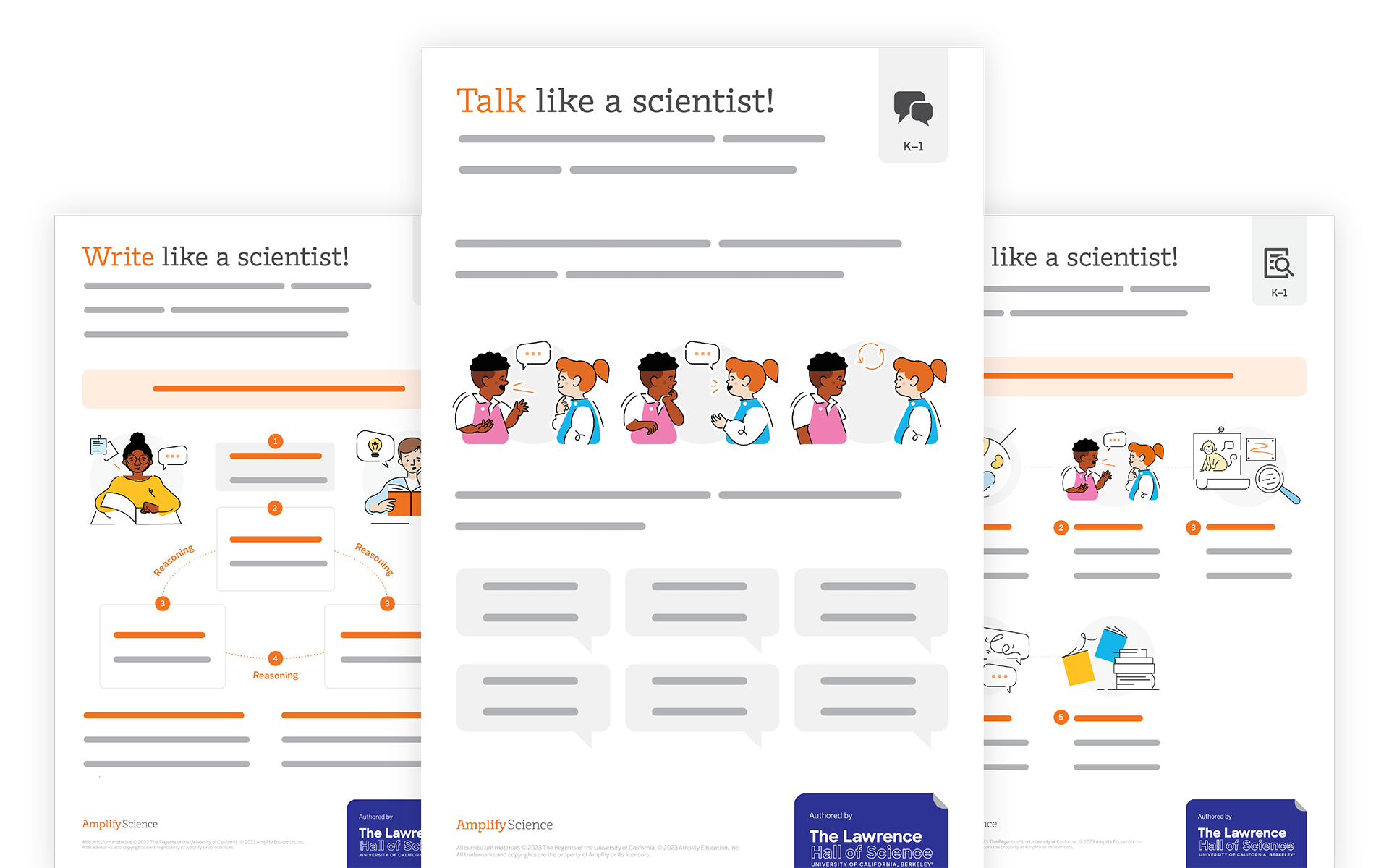
Eric Cross (14:14):

I feel like there’s so much to mind in what you just said. This was like a mini-Ted talk. And I couldn’t write fast enough because there were so many gems of the things that you said, but let me say something worse. And this is I’m gonna be surface with this because, and it’s your fault because you got me thinking in puns and you said, take it for granted. And I said, take it for granted because you’re talking about the rock cycle. So that’s what I heard way back. Anyways, you have your students creating what, but it’s low tech, which is really cool because a lot of times we think of creating content and it’s kind of high tech, but they’re creating something. And this is for us, like as biology folks, like you’re using kind of like this neuroscience that exists about students, creating an art to help them learn.

Eric Cross (14:55):

And this is something that I, I feel gets missed a lot in. When we talk about the quote unquote, the formal teacher training is the element of how creating an art can actually lead to improved learning in the classroom. It’s something you have to go to like a conference to kind of go and see or something, but it’s not as, it’s not as pervasive everywhere. And that thing about risk averse. I feel like I, you spoke to my own life. What I see ‘cause with my own seventh graders, I see the same fear or anxiety when I ask them to draw. As I do, when I ask them to give me a hypothesis about a phenomenon that I’m gonna teach and I say, it’s okay to be wrong, but I see them drift to the Chromebook and want to Google it. You know what you just said about just try it and you can always change and giving character, I feel like is just a great message for everybody to hear

Valeria Rodriguez (15:48):

Today. Students made fossil, right? ‘Cause They’re learning about rocks and we made using plaster, but then I put the green screen up and not only did they make it and they excavated them, but then we put it on the green screen. And they’re like all of a sudden at a dig site,

Eric Cross (16:04):

What I’m seeing right now for those of you who are listening is, is students who are on, is this on IMO?

Valeria Rodriguez (16:10):

This is on we video

Eric Cross (16:12):

Video and they’re holding up fossils that they made. But in the background, because there was a green screen, there’s an overlay of like a, a rock dig site. So the students legitimately look like they’re paleontologists or something somewhere.

Valeria Rodriguez (16:24):

Exactly. And so it’s, it’s not just creating lines, right? The sketching transfers to so much be because even the want, not wanting to make a mistake with their fossil. One of the kids today, when he took off the, the Plato, ‘cause we put the Plato at the base. Then we put in either a shell or some sort of artifact that they were going to fossilize. And then we put in the plaster when he took off the Plato, a piece broke off and everybody’s like, I can’t believe you broke your fossil. And I’m like, not the first. Okay. Do you know how many of these guys and girls have been out there? And all of a sudden they find a dinosaur bone and they’re walking and they fall. And this fossil that took billions of years is all of a sudden broken. I’m like this selfie, the original selfies, these animals died in commitment to their selfies.

Valeria Rodriguez (17:19):

And here you are dropping the bone. So they were all laughing, but it was to go away from the fact that, oh my God, you broke it. You made a mistake. You drew the wrong line. You asked the wrong question. Like no big deal. Keep digging, shout out to the teachers that try doing the projects that they have. They don’t feel completely comfortable with or you know, that they take risks doing. Because even though in theory, it’s like suggested and schools want that or communities want that when it comes down to it, people also expect us to do things at work. But part of our job is also taking risks. Like we did a tethered weather balloon launch the other day because we couldn’t get approval to release the weather balloon in the atmosphere since we’re near an airport. And it was too short of a time.

Valeria Rodriguez (18:14):

And I remember a parent said, oh, you’re not releasing the balloon. And I was like, well, this is a lot of work too. <Laugh> we, you know, we’re, we’re doing the tethered launch. This is a hard project. So the other day when I heard that comment, like I went back to my class and I was like, you know what? I took a risk to do this project. I could have played it safe with a handout of a weather balloon <laugh> or you know, a YouTube video. It’s it’s the, the fact that we’re continuing to push. And so I wanna like really thank the teachers that keep trying to do the hard things that aren’t like tried and tested because it’s scary. Yeah.

Eric Cross (18:57):

Yeah. There aren’t a lot of opportunities for them to have adults that they see in positions of authority or that they respect or admire model failure. And I don’t mean failure in the, like the negative pejorative sense, but like things just not working out and then seeing how you respond to it, ‘cause you’re modeling, taking a risk. But like with real stakes, it’s authentic. I had students swab the campus and we put it in auger dishes and Petri sealed it up and then let it grow room temperature, but we kept it you know, cool enough at 75 degrees. So it wouldn’t be able to survive any, anything pathogenic. And then students, you know, I took pictures of them and then showed them the results. So the students never interacted with it and some things grew and some things didn’t, it was mostly, you know, fungi and some bacteria, but I showed them like, how come mine didn’t grow? And I was like, well, you know, it could have been how we swabbed. It could have been some things don’t grow the temperature, we kept it at, but some of the experiments didn’t yield the cool results. And that was okay. But I front loaded the expectation so that if everything did go great, sweet, but managing expectation, I found really helps to mitigate the pressure.

Valeria Rodriguez (20:01):

Yeah. Well another project that we’ve participated in is growing beyond earth where we’re planting seeds that contribute to like a huge set of data for cultivars that are being considered for growth on the international space station. And my students are like, well, you know, we just have six little pots, like what is this? And I’m like, yeah, we have two little seeds in each of these pots. And we are one data set in like hundreds of data sets that they’re collecting. But we are contributing two research on the international space station. You don’t have to be the next bill gates or the next, you know, Steve jobs. Like everyone thinks they’re gonna be the next big thing. Like you can also be a seed. That’s part of a really big project and that is okay. Like everyone can’t be the next big thing

Eric Cross (20:48):

And the other. And the other thing, I think what Gladwell talks about this in outliers and there’s another book called bounce, but a lot of the people that we see is successful or famous, we don’t realize that their background and their exposure to things was one of the things that led them there, both jobs and gates had access, you know, gates had access at, at the university of Washington to like one of the first computers and then jobs at, at Hewlett Packard. The story go goes on and on, but we don’t see the lineage of some of these people and where they come from. We just see the end result. You just see LeBron James winning a championship or something. We just want the, the end result the, the glory, but not the sweat that it takes to get there. They don’t, we don’t really see that as much, which leads me to like the next thing I wanted to ask you is how do you, and I kind of saw it just now, but how do you engage your kids in the classroom?

Valeria Rodriguez (21:36):

Well, I think I’m funny. Some of them don’t do

Eric Cross (21:38):

They like the puns

Valeria Rodriguez (21:39):

<Laugh> some of them do. And some of them don’t get them. They get them later. And I see when they get it, I like to engage them by bringing in real people, real examples of things, real research when possible. Right. I can’t put them in a real dig site. So the green screen helps me do that. But one of my students yesterday, other day before was like, you have such cool friends because I’ll say, oh, one of my friends does blah, blah, blah. Or, or, oh, when we go to Kennedy space center, we’re gonna, you know, talk to one of my friends. Who’s doing research on, you know, chilies in space and they’re like, wow, your friends are so cool. And I took that moment to tell them, be mindful of the people that you collect as friends in your life, like make good choices, surround yourself with awesome people, people so that you can share ideas. Like you connect with friends who you inspire you to do more. I try to engage them by giving them examples of things that people around me are doing that connect to what we’re doing. Do

Eric Cross (22:43):

You, do you explicitly or intentionally teach soft skills or is it just something that you just kind of organically do natural or are you mindful about making sure that you’re doing that

Valeria Rodriguez (22:52):

A hundred percent? You have to be explicit about it with amplify? Actually, we, we did a poster for incorporating social, emotional skills and other soft skills into the classroom because sometimes we just like other things like writing and, and reading, you know, we silo all these things in education and the school counselor, can’t be the one to deal with everything. You know, you have to deal with things as they surface. And sometimes my kids ha are frustrated because I ask them to think I don’t have yes or no answers. I have, you know, we are gonna launch a high altitude weather balloon. We don’t know how high it’s gonna go. We don’t know what’s gonna happen. We don’t, we don’t know if we’re gonna find it when the <laugh>, when the balloon bursts and it lands in the ocean, are we gonna find it? Is the GPS tracker gonna work?

Valeria Rodriguez (23:47):

Are we gonna lose all that money? I don’t know, but we have to do all the steps and find out. But with kids, they don’t have the skills yet. And I can’t wait for the counselor to come in and talk about handle the frustration that they’re feeling over. Not knowing the correct question to ask, because by the time they go meet with her, the moments pass, I have to stop and say, Hey, like check in with, with what you’re doing. It’s okay to be frustrated. You can’t take it out on a classmate. You can’t take it out on me.

Eric Cross (24:14):

So you were, you, you were intentional about teaching these skills to your students and you had the relationship. So it makes sense that you were the one to bring it across ‘cause you see them more than anybody does. You know, we’ve, we’ve, we’ve imagined. Teaching is for a long time. It’s been okay, you’re the science content expert. You’re the English expert, but so much as teaching evolves, there are these skills or like EQ emotional intelligence that you kind of have to have kind of coming in. Because like those moments, like no having the presence of mind to stop and why a young person through identifying how they feel, why, where it came from. Those aren’t always covered in those aren’t really covered in your methods classes when you’re in college, getting your, your degree or something. Now when you’re you’re sketch noting and for teachers who are, or one, could you just maybe give like a brief explanation of sketch, noting for somebody who may not be familiar with it, like how I was sketch any different than just drawing a picture randomly or something.

Valeria Rodriguez (25:10):

Okay. So you’re creating visual summaries. You’re using text and images combined in different ways to take notes. And before you know how we had like these shorthand things that the squiggly meant an indent and something else meant something else. And we had these lists of things when they would edit our papers, that represented things. It’s kind of like that for your brain. So you’re making a list of maybe icons or small sketches that represent things for you. So as you’re taking notes, you hear things. And when people talk now and they, they say, you know, I’m on the fence about this. Like I literally see a fence. And when they’re talking, I write the note, it’s almost like a T toe with pointy tops and I put a stick figure on top of it. And so later when I look at it, I think, oh, that’s right. My friend is on the fence about that decision

Eric Cross (26:08):

For a new teacher or even a, a, a experienced teacher. That’s interested in sketch noting, where, where would you recommend? They start like the structurize? Like, do you give creative freedom? Are they doing this paper and pencil vocabulary words? Are they up? Like, what are some just kind of maybe three basic things to kind of get started for someone who was just curious about it.

Valeria Rodriguez (26:29):

So it has to be simple because if it requires a lot of energy to go in, then you’re gonna be more hesitant to do it. For example, I wouldn’t start summarizing a video because it’s moving really fast or a live presentation is really hard. So with students, I would start with here’s a paragraph, make a visual summary of it, or here’s a vocabulary list, make an image to represent each word. Then you would move into, well, you know, here’s a unit summarize the three main topics in unit. Then you can move onto like a little YouTube video. That’s like 10 minutes a Ted talk, make a visual summary of the Ted talk because they can pause it.

Eric Cross (27:11):

Mm. Okay.

Valeria Rodriguez (27:13):

The hardest thing is live presentations, ‘cause in conversations you can say, oh, can you say that again? Sketch, noting. You start seeing how people organize or don’t their thoughts when they speak. Because when you start writing things down and all the information is about one thing and then like two blue ORPS about something else. You’re like, wow, that was really unbalanced. So then when you start teaching, you tell them what you’re gonna tell them, you tell them and then you tell them what you told them. So they can check that they put the notes in the right places and you tell them what you’re gonna tell. So they can prep the pathway that they’re gonna set up their notes and I have to be explicit. And I have to say like, I’m gonna talk about the rock cycle. So if I were you, I would put, you know, these four boxes. Oh, but there’s three types of rocks. See? I’m like, yeah, but magma. So let’s put it in the cycle, you know? And, and then I’m like, if I were you, I would put an arrow from here to here because this is how, you know, after erosion and then, you know, heat and pressure. But then it connects like this. So the arrows are gonna help me to remember the directions

Eric Cross (28:13):

As we wind down. There’s there’s one question I wanna ask you there, you are bringing together this science, the, the art, the social, emotional learning, the relationships with your students outside content, like there’s so many different things that you bring in the classroom that is clearly gonna make you a memorable educator for your kids. It just, it’s just, I’m just listening to your learning environment. And it’s so rich who is one teacher that really expired you. So

Valeria Rodriguez (28:38):

There’s a few people that stand out overall. I had very encouraging teachers. I had that one teacher that didn’t like my drawing <laugh> she also stands out <laugh>

Eric Cross (28:49):

We have those too.

Valeria Rodriguez (28:49):

Yeah. So I have colleagues that stand out to me that inspire me every day to like keep trying. And then I had a teacher in high school who I actually work with her daughter now at the school that I work at. And I didn’t even know her mom would make us write almost the whole class. And it was world history. And I remember hearing her say when she was talking about the Roman empire that it fell because it reached more than it can grab. So it kept extending too far out. And I heard that, like I think about, yes, I can keep reaching for things in education and reaching for things in my classroom. But I have to come back to like, what can I hold? I don’t wanna reach further than what I can hold. And yes, I have to believe in myself. And I tell my students to believe in themselves,

Eric Cross (29:38):

I’m in this, I’m in this sketch noting mindset. Because when you said what Ms. Brown shared with you, I thought of a hand reaching out, but then things kind of slipping through it. And I another hand with like a fist right next to it. So even in our conversation here last hour, I I’m thinking in pictures now. And so I’m like, if I can do it, they can do it. Like if you know, ‘cause I am just not the person who spends a lot of time committing to draw. Because a lot of times when I was that student who tried to draw and we get frustrated and look around and now I feel like this is, I wanna try this again. I wanna share this with my students and encourage them. This is gonna be a lot of fun. I look forward to continuing to see the sketch notes that you do. And maybe I’ll, I’ll show you one of mine. Like eventually I don’t know if you can see that there that’s my stick figures. Those of you who are listening right now, I drew, I was drawing stick figures and taking notes while Blair was dropping all of this, these like gems and wisdom in here. So

Valeria Rodriguez (30:31):

Maybe we can do a challenge that once people hear this podcast, they can tag us somehow in the sketch note that they create I’m in. So we see what they a take from it. Because that’s the other thing about sketch noting, you think you’re emphasizing something and all of a sudden people are walking away with something else that resonated to them. And you’re like, wow. And here I was thinking that this was what we were talking about. And this is what really jumped out at them.

Eric Cross (30:57):

Your kids are lucky that you’re in front of them, not just because of how you teach, but how you access all of these different parts of their creativity and their thinking and apply, integrate all of these soft skills and social, emotional skills and just life skills and your experience connecting them to the outside world. They, and like you said, and how we started, you know, where you started in Panama, the students realized what you represent and what you meant to them. And I feel like your students, when they get older, they may not realize it in the time, but as they get older and reflect back, they’ll be telling stories about you. So yeah. Thanks for making time and thanks for being here.

Valeria Rodriguez (31:34):

Well thank you too, ‘cause I know you’re in the classroom and making time to do other things outside the classroom. Isn’t always easy, but it’s what keeps us going in different ways.

Eric Cross (31:49):

Thanks so much for joining me in Valer today. We wanna hear more about you. If you have any great lessons or ways to keep student engagement high, please email us@stemamplifycom.wpengine.com. That’s TM five.com. Make sure to click, subscribe wherever you listen to podcasts and join our brand new Facebook group science connections, the community for some extra content.

Stay connected!

Join our community and get new episodes every other Tuesday!

We’ll also share new and exciting free resources for your classroom every month.

What Valeria Rodriguez says about science

“I use [sketchnoting] and I mess up all the time…because I feel that my students don’t want to make mistakes, and drawing is one of those things that taught me that it’s okay to make mistakes.”

– Valeria Rodriguez

Educator, Instructional technologist, and Graphic facilitator

Meet the guest

Valeria is an educator, instructional technologist, graphic facilitator, and dreamer. She currently works as a Science teacher as part of a STEAM Team in Miami, Florida teaching third through fifth graders as a free-lance graphic facilitator. She loves to connect with passionate educators she meets around the country. Valeria has presented and led workshops at educational conferences like SXSWEdu, ISTE, NSTA, NSTA STEM Forum, SHIFTinEDU, FAST, FCIS, and SEEC. When she is not teaching or sketching, Valeria can be found adventuring with her family around the world, training for triathlons, and creating opportunities to empower kids in all kinds of communities. 

You can check Valeria’s work on her website and follow her on Twitter & Instagram.

Valeria-Rodriguez_Headshot-LP

About Science Connections

Welcome to Science Connections! Science is changing before our eyes, now more than ever. So…how do we help kids figure that out? We will bring on educators, scientists, and more to discuss the importance of high-quality science instruction. In this episode, hear from our host Eric Cross about his work engaging students as a K-8 science teacher. Listen here!

Program

Each grade includes six core text-based units, two to three immersive Learning Experiences called Quests, and a dedicated Story Writing unit, all of which account for 180 days of instruction.

Carefully selected for their adherence to the CCSS ELA/Literacy, the texts in the Amplify ELA curriculum balance literary and informational text, and include a rich representation of genres: novels, plays, poetry, memoirs, and other full-length texts. This English Language Arts resource will allow students to grow and develop their literacy skills.

Quests are not graded. These week-long narrative lesson plans build on the literacy skills students have been developing in traditional lessons. They also shake up classroom routines and allow students to take the lead—driving engagement and enabling students to explore new ideas.

In Amplify ELA, text selections have been carefully curated to engage students in the study of complex texts at each grade level. Lexile levels are included for each core text. The Amplify ELA program has sequenced core texts, creating a “staircase” of steadily increasing complexity as measured by quantitative measures, qualitative measures, and task consideration.

Amplify’s core middle school ELA lessons expose students to a diverse array of text types, genres, authors, and time periods. By representing a wide range of student interests and perspectives, these texts develop student curiosity while also building skills and content knowledge.

No. Access to all 650+ full length titles in the Amplify Library is included in the student license. Students can download the texts from the library onto their device and access them offline, as well.

Technology

Amplify ELA 2nd edition is a blended instructional model and can be used in classrooms with limited access to devices. Teachers can make strategic choices about when their students use devices without compromising learning, while still providing 100% standards coverage.

Our curriculum offers a hybrid approach to instruction. We have developed a robust digital platform and tools for students to interact with text in unique ways and for teachers to track and support student progress. When students are using our rich print materials, teachers can share those digital experiences through classroom projection.

Amplify ELA is a web-based, device-agnostic program, meaning that it works across any device. PCs, Chromebooks, Macs, and iPads are all compliant.