We’re pleased to share that mCLASS DIBELS 8th Edition and mCLASS Lectura are approved for the CDE’s READ Act assessment list in English and Spanish. We’re confident you’ll find this proven, valid, and reliable assessment system to be a powerful tool that makes your reading data work harder for your teachers and students.
With great respect for what you do,
Monty Lammers Senior Account Executive
Vanessa Scott Account Executive
mCLASS
mCLASS is a best-in-class assessment system with a suite of proven, research-based assessment measures and tools that can be flexibly combined to meet the unique literacy needs of both teachers and students in Colorado across grades K–3, including:
Universal screening
Progress monitoring
Diagnostic assessment
Dual language reporting
Dyslexia screening
Targeted teacher-led instruction
mCLASS® with DIBELS® 8th Edition for English assessment
mCLASS with DIBELS 8th Edition is a gold-standard English literacy assessment system fully based on the Science of Reading.
As an interim and diagnostic assessment system, it consists of screening and progress monitoring measures that efficiently gauge student progress toward reading proficiency and help identify students who may be at risk of future reading difficulties, including dyslexia. In fact, Amplify’s partner, the University of Oregon’s Center for Teaching and Learning, fully revamped Dynamic Indicators of Basic Early Literacy Skills (DIBELS 8th Edition) to deepen validation for both universal and dyslexia screening, and for improved and increased instructional utility.
Not only is mCLASS with DIBELS 8th Edition a universal and dyslexia screener, diagnostic assessment, and progress-monitoring reading assessment tool for grades K–3, it’s a powerful platform with granular insights and instant reporting that make it possible to turn student literacy data into immediate instructional action.
Ready to learn more?
Watch the video to the right to get a sneak peek at our mCLASS with DIBELS 8th Edition. Then click the button below to visit our review site.
mCLASS Lectura was co-developed in partnership with the University of Oregon’s Center for Teaching and Learning, and validated in partnership with Dr. Lillian Durán.
The mCLASS Lectura assessment was purposefully designed, developed, field tested, and evaluated to address the unique needs that educators of Spanish-speaking students have demanded, but had not yet seen, in high-quality assessments.
Built specifically to address literacy development in Spanish, our mCLASS Lectura measures make it possible to deliver authentic and equitable universal and dyslexia screening, diagnostics, progress-monitoring assessments, and targeted instruction in the K–3 classroom. When mCLASS Lectura and DIBELS 8th Edition are used together, mCLASS is a powerful dual language solution that provides teachers a unique, asset-based approach to supporting both English Language Learners and Dual Language Learners.
Ready to learn more?
Watch the video to the right to a sneak peek at our mCLASS Lectura. Then click the button below to visit our review site.
Looking to speak directly with your Colorado representative? Get in touch with a team member by emailing HelloColorado@amplify.com or by calling us directly.
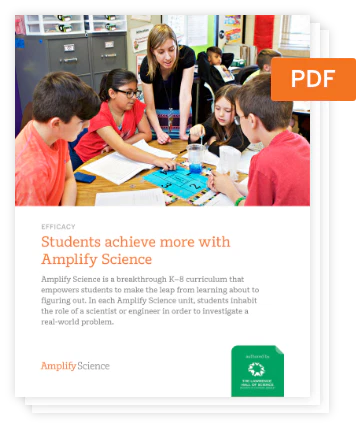
Denver Public Schools (DPS), check out what’s new from Amplify Science 6-8! The first part of this site will take you through the updates that have been made to Amplify Science. The second will be a refresher of Amplify Science for any new users in DPS. With Amplify Science, DPS students don’t just passively learn about science concepts. Instead, they take on the role of scientists and engineers to actively investigate and figure out real-world phenomena. With culturally sustaining pedagogy, Amplify Science strives to make sure every student feels included in the science classroom.
Update: The Digital Experience
The digital experience allows students to engage with digital lessons and provides teachers with everything they need in one place—ready-to-use slides-based lessons, seamlessly integrated teacher prompts and guidance, robust PD resources, and more. It’s now easier and more engaging than ever to plan lessons, present digital content, and review student work. To learn more, click here.
Update: The PD Library
All professional development (PD) content is consolidated into the PD Library, a one-stop hub for all your self-paced PD needs. As a result, the “Professional Learning Resources” tile will no longer be available on the main Amplify Science Program Hub page. The rest of the non-PD content in the Program Hub will remain as is, including the on-demand resources.
Update: Educator & Student Home expansion
Educator and Student Home landing pages will now be available for all Amplify Science users. This Home page provides a central location to access all Amplify programs in one place and a customized stream based on your activity.
Your Amplify Science grades 6–8 students will no longer access My Work for assignments, scores, and teacher feedback. Instead, they’ll find it all on Student Home, the page they already land on when logging in to Amplify Science.
Keep in mind: Amplify Science middle school teachers will continue to have access to Classwork.
Update: Caregiver Hub
Throughout the school year, teachers can share the Amplify Science Caregiver Hub with students’ families. This site provides curriculum details, an overview of what caregivers can expect throughout the school year, and resources they can use with students at home.
What is Amplify Science?
The Lawrence Hall of Science
Developed by the science education experts at UC Berkeley’s Lawrence Hall of Science and the digital learning team at Amplify, our program features:
A phenomena-based approach where students construct a complex understanding of each unit’s anchor phenomenon.
A blend of cohesive storylines, hands-on investigations, rich discussions, literacy-rich activities, and digital tools.
Carefully crafted units, chapters, lessons, and activities designed to deliver true three-dimensional learning.
An instructional design that supports all learners in accessing all standards.
The Amplify Science program is rooted in the proven, research-based pedagogy of Do, Talk, Read, Write, Visualize. Here’s how each element works:
Do
First-hand investigations are an important part of any science classroom, and Amplify Science has students getting hands-on in every unit—from building models of protein molecules to experimenting with electrical systems.
Talk
Student-to-student discourse and full-class discussions are an integral part of the program. Students are provided with numerous opportunities to engage in meaningful oral scientific argumentation, all while fostering a collaborative classroom environment.
Read
Students read scientific articles, focusing their reading activities on searching for evidence related to their investigation and, importantly, on asking and recording questions as they read through fascinating texts on 21st-century topics.
Write
Following real-world practices, students write scientific arguments based on evidence they’ve collected, making clear their reasoning about how a given piece of evidence connects to one of several claims.
Visualize
By manipulating digital simulations and using modeling tools to craft visualizations of their thinking— just as real scientists and engineers do—students take their learning far beyond the confines of what they can physically see in the classroom in an exciting and authentic way.
Program structure
Our cyclical lesson design ensures students receive multiple exposures to concepts through a variety of modalities. As they progress through the lessons within a unit, students build and deepen their understanding, increasing their ability to develop and refine complex explanations of the unit’s phenomenon.
It’s this proven program structure and lesson design that enables Amplify Science to address 100% of the Next Generation Science Standards (NGSS) and support students in mastering the Pennsylvania Science Standards.
Unit types
While every unit delivers three-dimensional learning experiences and engages students in gathering evidence from a rich collection of sources, each unit also serves a unique instructional purpose.
In grades 6–8:
One unit is a launch unit.
Three units are core units.
Two units are engineering internships.
Launch units are the first units taught in each year of Amplify Science. The goal of the Launch unit is to introduce students to norms, routines, and practices that will be built on throughout the year, including argumentation, active reading, and using the program’s technology. For example, rather than taking the time to explain the process of active reading in every unit in a given year, it is explained thoroughly in the Launch unit, thereby preparing students to read actively in all subsequent units.
Core units establish the context of the unit by introducing students to a real-world problem. As students move through lessons in a Core unit, they figure out the unit’s anchoring phenomenon, gain an understanding of the unit’s disciplinary core ideas and science and engineering practices, and make linkages across topics through the crosscutting concepts. Each Core unit culminates with a Science Seminar and final writing activity.
Engineering Internship units invite students to design solutions for real-world problems as interns for a fictional company called Futura. Students figure out how to help those in need, from tsunami victims in Sri Lanka to premature babies, through the application of engineering practices. In the process, they apply and deepen their learning from Core units.
DPS Scope and Sequence
Our lessons follow a structure that is grounded in regular routines while still being flexible enough to allow for a variety of learning experiences.
In fact, our multi-modal instruction offers more opportunities for students to construct meaning, and practice and apply concepts than any other program. What’s more, our modular design means our units can be flexibly arranged to support your instructional goals.
Program components
Available digitally and in print, our unit-specific reference guides are chock-full of helpful resources, including scientific background knowledge, planning information and resources, color-coded 3D Statements, detailed lesson plans, tips for delivering instruction, and differentiation strategies.
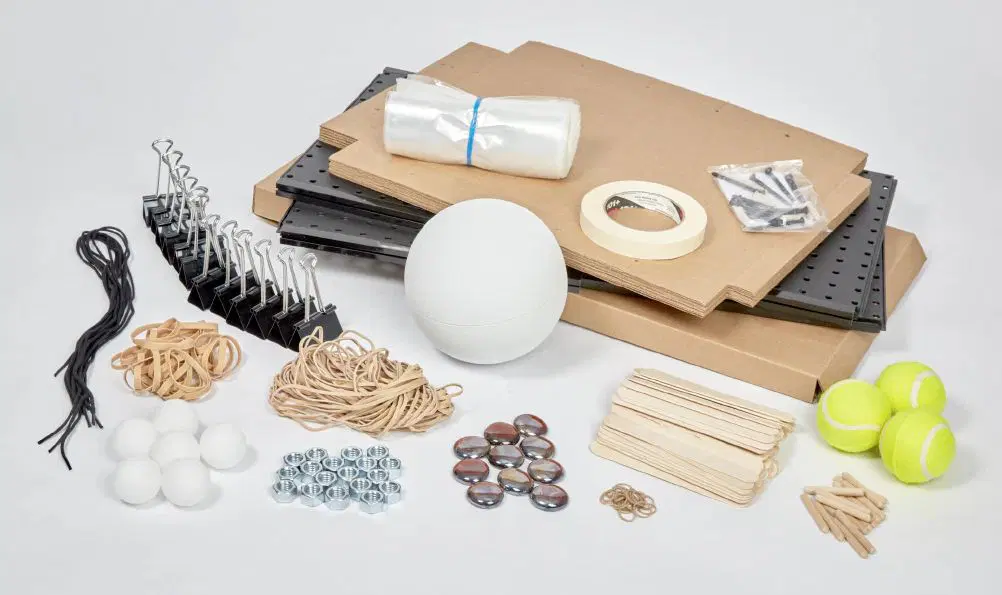
Hands-on learning is an essential part of Amplify Science, and is integrated into every unit. Students actively participate in science, playing the roles of scientists and engineers as they gather evidence, think critically, solve problems, and develop and defend claims about the world around them. Every unit includes hands-on investigations that are critical to achieving the unit’s learning goals.
More hands-on with Flextensions: Hands-on Flextensions are additional, optional investigations that are included at logical points in the learning progression and give students an opportunity to dig deeper if time permits. These activities offer teachers flexibility to choose to dedicate more time to hands-on learning. Materials referenced in Hands-on Flextension activities will either be included in the unit kit or are easily sourced. Supporting resources such as student worksheets will be included as downloadable PDF files.
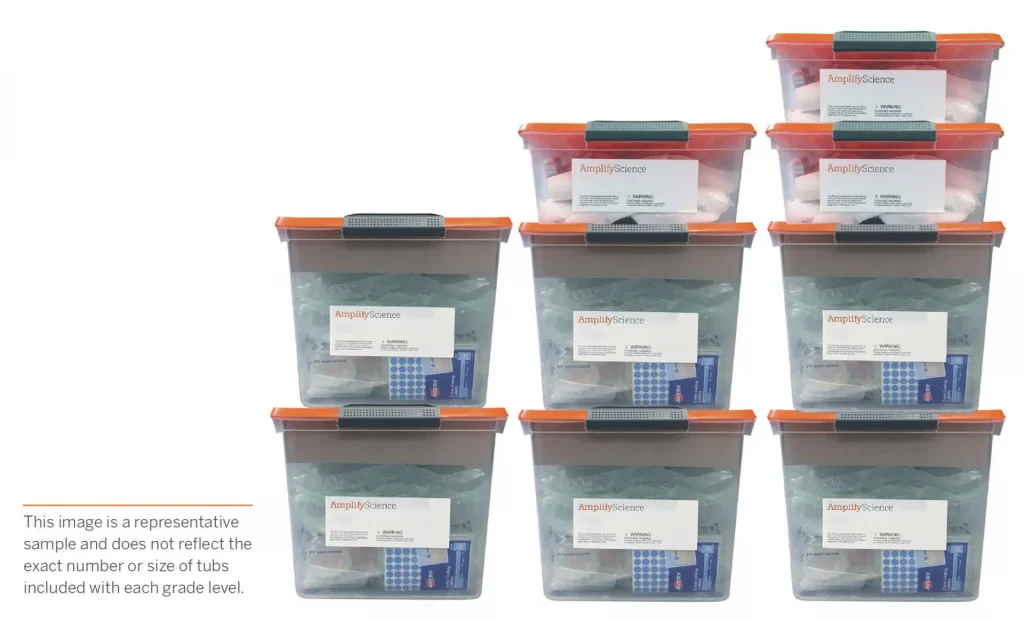
Our kits include enough materials to support 200 student uses. In other words, teachers can easily support all five periods and small groups of 4-5 students each. Plus, our unit-specific kits mean teachers just grab the tub they need and then put it all back with ease.
Our digital Simulations and Practice Tools are powerful resources for exploration, data collection, and student collaboration. They allow students the ability to explore scientific concepts that might otherwise be invisible or impossible to see with the naked eye.
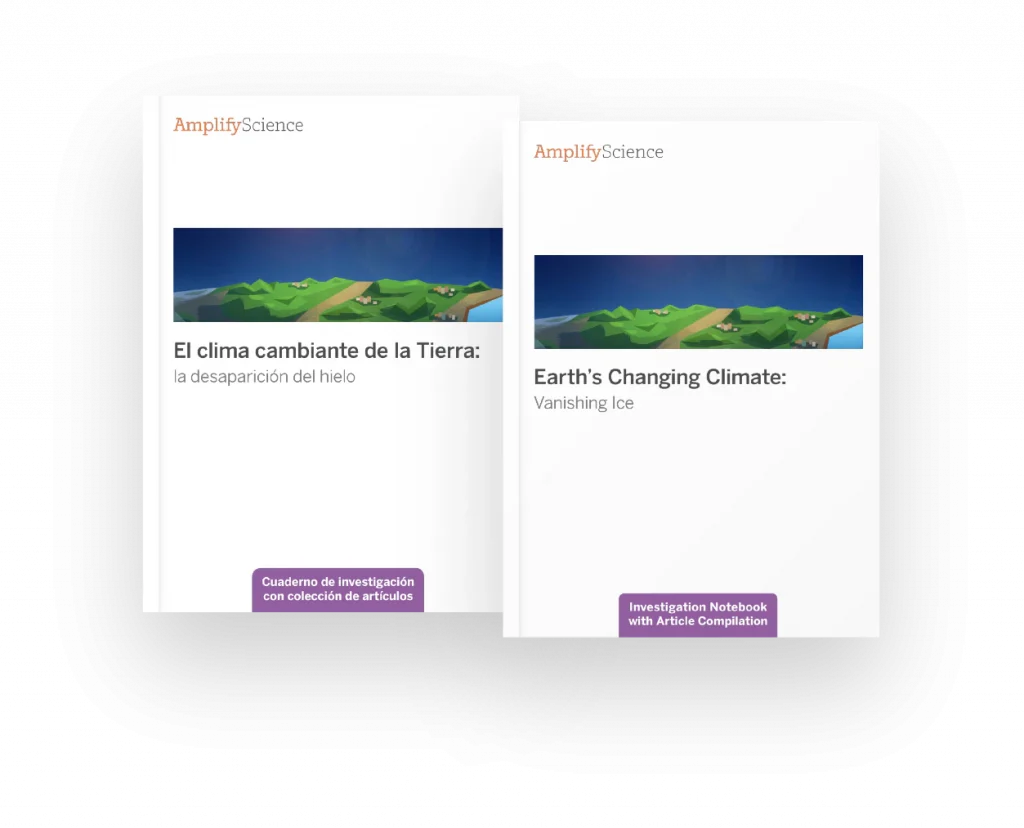
Available for every unit, our Student Investigation Notebooks contain instructions for activities and space for students to record data and observations, reflect on ideas from texts and investigations, and construct explanations and arguments.
In grades 6–8, one copy of the Student Investigation Notebook is included in each unit’s materials kit for use as a blackline master. Each notebook is also available as a downloadable PDF on the Unit Guide page of the digital Teacher’s Guide.
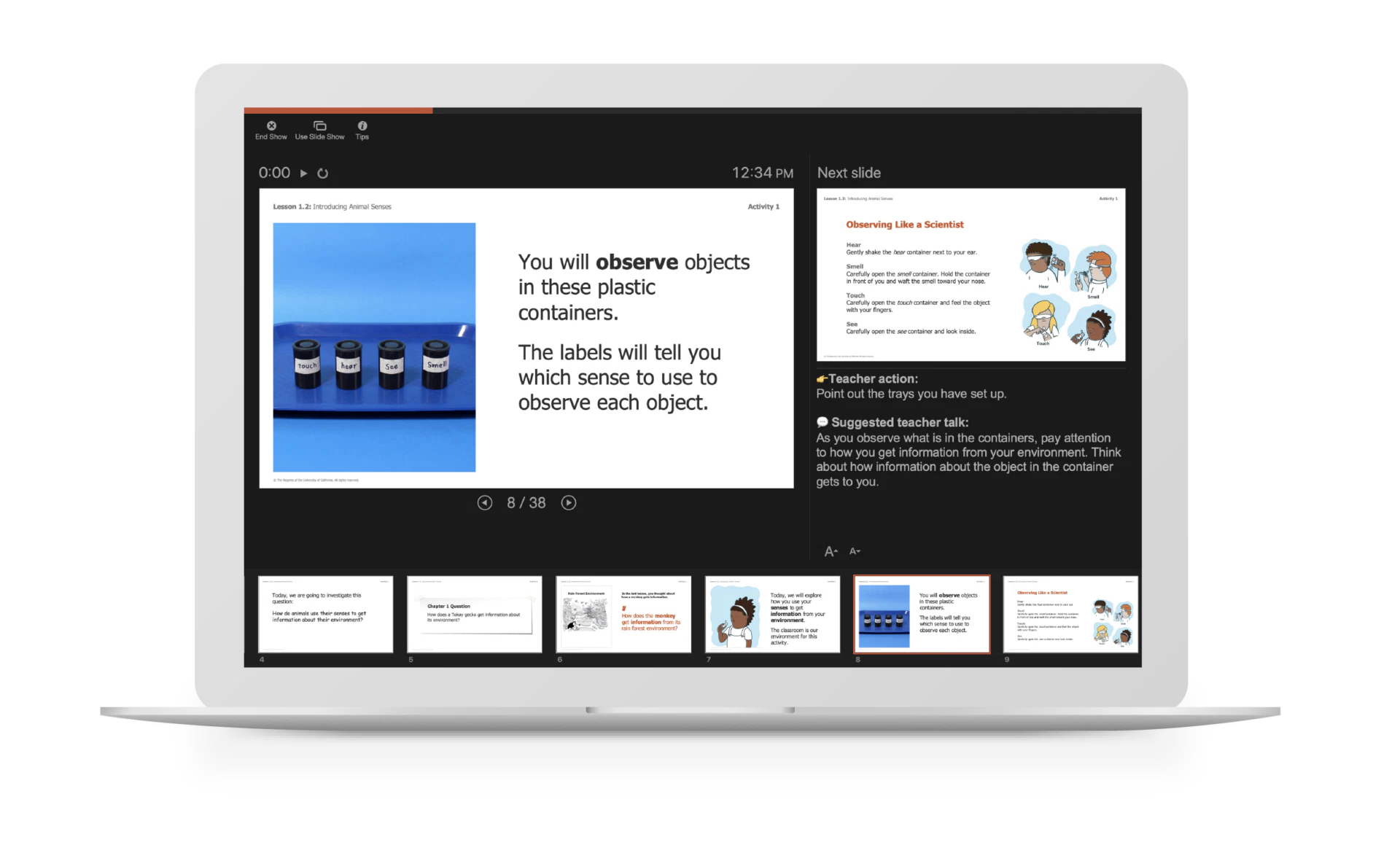
These customizable PowerPoints are available for every lesson of the program and make delivering instruction a snap with visual prompts, colorful activity instructions, investigation set-up videos and animations, and suggested teacher talk in the notes section of each slide.
Explore your print samples
With your Amplify Science print samples, you’ll find unit-specific Teacher’s References Guides, Student Investigation Notebooks, and sets of Student Books for each grade level.
A note about the Teacher Reference Guides:
It’s important that you see the full breadth and depth of our instruction. For that reason, we provide a copy of each of our unit-specific Teacher Reference Guides.
Rest assured that teachers do not use these robust reference guides for day-to-day teaching. For that, we have a hands-free Teacher’s Guide!
Teacher Reference Guide: Unlike a typical TG that requires a series of supplemental books to support it, our encyclopedic reference guide is chock-full of everything a teacher needs to fully implement our program and the NGSS.
Ready-to-Teach Lesson Slides: For daily instruction, teachers need their hands free. That’s why we created ready-to-teach lesson slides for every single lesson. What’s more, they are editable and include suggested teacher talk and point-of-use differentiation and other instructional tips. Click to learn more.
A note about the Materials Kits:
Hands-on learning is at the heart of Amplify Science, and is integrated into every unit. In order to make hands-on learning more manageable for busy teachers, Amplify Science materials are organized into unit-specific kits.
Our unit-specific kits:
Include more materials — We give teachers enough materials to support 200 student uses.
Are more manageable — Unlike other programs that require large groups of students to share limited sets of materials, our kits include enough to support small groups of 4–5 students.
Include supportive videos — Each hands-on activity provides clear instructions for the teacher, with more complex activities supported by video demonstrations and illustrations.
At your request, we did not include our materials kits with our submissions samples. However, we did provide grade-specific lists of all materials included in each kit, which you can also find with the links below.
To help familiarize yourself with navigating the digital platform, watch the below navigational video.
Spanish-language support
Amplify Science is committed to providing support to meet the needs of all learners, including multiple access points for Spanish-speaking students. Developed in conjunction with Spanish-language experts and classroom teachers, several components are available in Spanish across the Amplify Science curriculum.
Spanish-language materials include:
COMPONENT
TEACHER/STUDENT
Student Investigation Notebooks
Student
Science articles
Student
Video Transcripts
Student
Digital simulation translation keys
Student
Printed classroom materials Unit and chapter questions, key concepts, vocabulary cards, etc.
Teacher
Copymasters
Teacher
Assessments
Teacher
Digital student experience license This license gives students access to the student resources in Spanish, including instructional text, articles, and assessments. Teachers can control student access to Spanish-language content through the digital Teacher’s Guide.
Teacher
Spanish teacher support license This license includes teacher talk, projections, downloadable PDFs of all print resources, and video transcripts and closed captioning in Spanish.
If you have any further questions as your review Amplify Science, please contact:
Monty Lammers
Senior Account Executive
719-964-4501
mlammers@amplify.com
What is mCLASS?
mCLASS is a best-in-class assessment platform that houses a suite of proven, gold-standard assessment measures and tools that can be flexibly combined to meet the unique literacy needs of both teachers and students across grades K–6, including:
Universal screening
Diagnostic assessment
Dyslexia screening
Progress monitoring
Dual language reporting
Targeted teacher-led instruction
What is the Lectura assessment?
The Lectura assessment is a brand-new interim and diagnostic assessment that consists of measures based on the latest research of how Spanish literacy develops.
Co-developed with the Center on Teaching and Learning at the University of Oregon (UO CTL) and validated in partnership with Dr. Lillian Durán, the Lectura assessment was created to provide educators with a high-quality, evidence-based tool to support understanding of Spanish-speaking students’ biliteracy development, specifically foundational Spanish reading skills, which includes measures of phonological awareness, alphabetic understanding and decoding, reading fluency, and reading comprehension.
The measures in Lectura were written from the ground-up to assess students’ literacy development based on how Spanish literacy develops. Measures explicitly account for the syllabic and morphological structures of Spanish, and connected text was written and calibrated with respect to syntactical, lexical, and grammatical rules of Spanish. For example, phonological awareness is measured using syllable segmentation, and letter sounds and syllable reading are included in the decoding subtests for greater face-validity (in lieu of pseudowords). Word choice reflects the multisyllabic word complexity and variety of Spanish, driven by how decoding skills develop in Spanish. As such, Lectura provides instructionally actionable data for all students, including those scoring below the benchmark and those who meet or exceed the benchmark.
The Lectura assessment measures were purposefully designed, developed, field tested, and evaluated to address limitations that educators of Spanish speaking students have experienced in assessments. Specifically in these ways:
Assessment measures based on current research on how Spanish literacy is developed
Culturally responsive word choice and content reflecting the regional diversity of Spanish
Technical adequacy established through rigorous study
A sample size and geographic diversity reflecting the broad population of Spanish speakers across the U.S.
Complete parity with English solutions (instructional tools, skill coverage)
Please note that the videos below are intended for illustrative purposes only. Performance levels in mCLASS Lectura have yet to be finalized.
mCLASS Lectura measure: Fluidez en nombrar letras (FNL)
Students are asked to identify as many uppercase and lowercase letter names as they can in one minute.
mCLASS Lectura measure: Fluidez en los sonidos de letras (FSL)
Students are asked to identify the sounds of as many uppercase and lowercase letters as they can in one minute.
mCLASS Lectura measure: Fluidez en los sonidos de sílabas (LSS)
Students are presented with a page of printed orthographically regular Spanish syllables and asked to read as many syllables as they can in one minute.
mCLASS Lectura measure: Fluidez en la lectura oral (FLO)
Students are presented with an authentically written informational or narrative passage of Spanish connected text and asked to read as much of the passage as they can in one minute.
mCLASS Lectura measure: ¿Qué Queda? (QQ)
Students are presented with a word orally and then the examiner omits part of the word (i.e., compound word part, syllable, or phoneme). Students are asked to identify what word remains after the word part has been elided.
How is mCLASS Lectura different?
mCLASS Lectura combines the power of the mCLASS assessment platform and the effectiveness of the Lectura assessment measures. As a result – educators across the state are empowered with latest and greatest assessment tool.
More than a test, mCLASS Lectura is an integrated system that closes the knowing-doing gap by helping teachers take immediate instructional action that’s right for each and every student. What’s more, it addresses the classroom inequities Spanish-speaking students face along their early literacy journeys.
Spanish-speaking students have been underserved and misclassified for decades. With mCLASS Lectura, teachers of Spanish-speaking students finally have access to the same robust assessment tools that have been available to teachers of English-speaking students for years.
Plus! When mCLASS Lectura and DIBELS 8th Edition are used together, teachers are empowered with a more holistic view of their Spanish-speaking students abilities in both English and Spanish, making instructional next steps more targeted and effective.
How is mCLASS Lectura different?
It gives teachers access to authentic Spanish measures. Amplify is the only provider of the Lectura assessment. Rather than a direct translation of an English assessment, our solution is the only one to provide teachers a research-based, authentic Spanish assessment that is both valid and reliable.
It makes it faster and easier to understand where every student is in their early literacy journey. By combining 1:1 observational diagnostic assessments, dyslexia screening, progress monitoring, instant scoring, rigorous reporting, automatic student grouping, and targeted instruction all in one place, it reduces the instructional delays associated with manual scoring, manual data analysis, and manual lesson planning.
It brings more equity to the classroom. When used in conjunction with mCLASS DIBELS 8th Edition, teachers have access to Dual Language Reports that highlight a students strengths and weaknesses in both English and Spanish.
It makes every instructional minute count. In addition to one-minute measures that quickly gauge student progress toward reading proficiency, it leverages a teacher’s most powerful instructional tool — their own 1:1 observations.
It drives growth more efficiently. Rather than relying on broad composite scores alone, granular data and in-depth insights for every student help teachers pinpoint exact skill gaps and areas of unfinished learning, making whole-group, small-group, and 1:1 instruction more targeted and effective.
It saves teachers time. Instant reports, automatic student groups, and ready-to-teach lessons mean teachers spend less time cobbling together materials and more time working directly with students and responding to their needs.
Assessment systems must enable and compel educators to answer not just the “What?” questions, but also the “So What?” and “Now What?” questions. These are the questions that are essential in transforming classroom instruction, and the questions that mCLASS Lectura helps teachers answer with confidence.
How does mCLASS Lectura support screening for dyslexia risk?
mCLASS Lectura subtests have been specifically designed and validated to screen for dyslexia risks.
mCLASS Lectura was specifically developed to ensure the measure is able to meet state-level screening requirements for both dyslexia and universal reading screening. The research and development of Lectura was designed with this use in mind to accurately identify reading difficulties, including difficulties related to risk for dyslexia.
How does mCLASS Lectura turn data into instant action?
mCLASS Lectura gives you instant results and clear next steps for each student.
Quick and actionable reports provide detailed insight into students’ reading development across foundational literacy skills for teachers, specialists, administrators, and caregivers.
mCLASS Lectura analyzes individual student response data through a scoring algorithm which aligns to the Colorado Department of Education’s stated purpose of a diagnostic assessment.
Our innovative approach to diagnostic assessment leverages an item-level evaluation of individual student responses in order to provide deeper insights into specific student weaknesses and areas of improvement. mCLASS Lectura analyzes individual student response data through a scoring algorithm which aligns to the Colorado Department of Education’s stated purpose of a diagnostic: “… to pinpoint a student’s specific area(s) of weakness and provide in-depth information about students’ skills and instructional needs.”
Ready-to-teach instruction
Immediately following the analysis of individual student responses, mCLASS Lectura provides an in-depth diagnostic report complete with suggested next steps, also known as “mCLASS Instruction.”
mCLASS Instruction evaluates each student’s responses on each individual subtest and instantly:
Provides a list of specific needs by student, such as struggling with medial vowel sounds or difficulty reading words with consonant blends.
Groups students automatically based on similar discrete skill needs, not simply composite scores like other assessment tools.
Recommends a variety of ready-to-teach lessons that specifically target each individual student’s areas of need or common areas of need for small-group instruction.
Classroom skill and benchmark summary
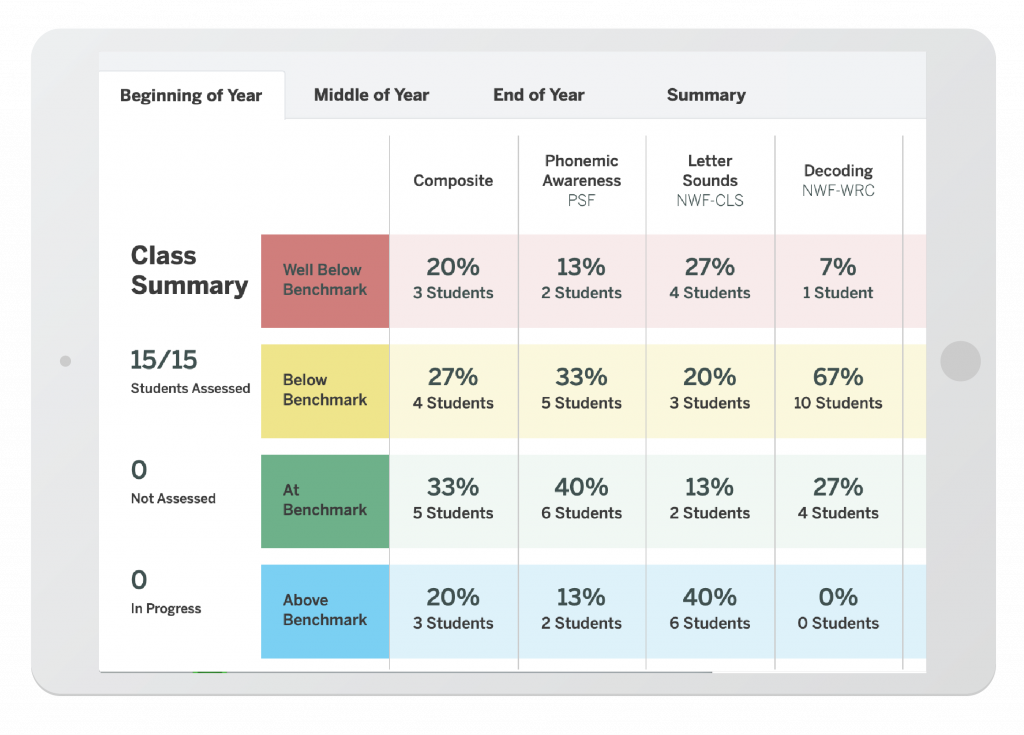
The Classroom Skill Summary report is a dashboard showing benchmark performance on each skill. Teachers can use it to determine which skill areas need instructional focus at a classroom level.
The Classroom Benchmark Summary report is a classroom-wide view of overall reading performance. Teachers can use this report to determine if composite scores improved, declined, or remained the same each semester.
Detailed benchmark performance
Teachers can see each student’s performance during the current school year, on each subtest as well as the overall composite. The benchmark goal displays below the subtest name when applicable. The ability to sort the columns in this report gives teachers more flexibility to analyze data the way they prefer.
Dual language reports
When mCLASS Lectura and mCLASS with DIBELS 8th Edition are used together, teachers will receive an asset-based picture of a student’s biliteracy and instructional guidance on how to leverage literacy skills in one language to support literacy skill development in the second language.
Side-by-side view of foundational literacy skills in English and Spanish
Explicit guidance to teachers to support asset-based instruction using cross-linguistic transfer strategies
Progress monitoring summary
See which subtests have been assessed since the most recent benchmark assessment, how students performed on the three most recent progress monitoring assessments for each measure, and which students have not been progress monitored since the benchmark assessment.
Colorado READ Plans
The Colorado READ Act places importance on considering students’ English proficiency and the impact it may have on assessment. Thus the READ Act provides an option for districts to assess Spanish-speaking students in their native language, who are not yet partially proficient in English.
Amplify recommends that a student who is categorized by the mCLASS Lectura composite score as “At High Risk” (denoted in all reports as “red”) be considered as potentially having a “Significant Reading Deficiency,” then further diagnosed using mCLASS’ Instruction diagnostics.
When devising a READ Plan, teachers and instructional staff should first consider students at high risk on mCLASS Lectura as potentially having a “Significant Reading Deficiency,” and eligible for a READ Plan. Students are then further diagnosed using mCLASS’ Instruction diagnostics. When devising a READ Plan, teachers can rely on the relevant mCLASS Instruction and Reports to comply with the READ Act.
Caregiver supports
The mCLASS Home Connect letter provides parent and caregivers information in English or Spanish about the student’s literacy and guidance on how to support their child at home.
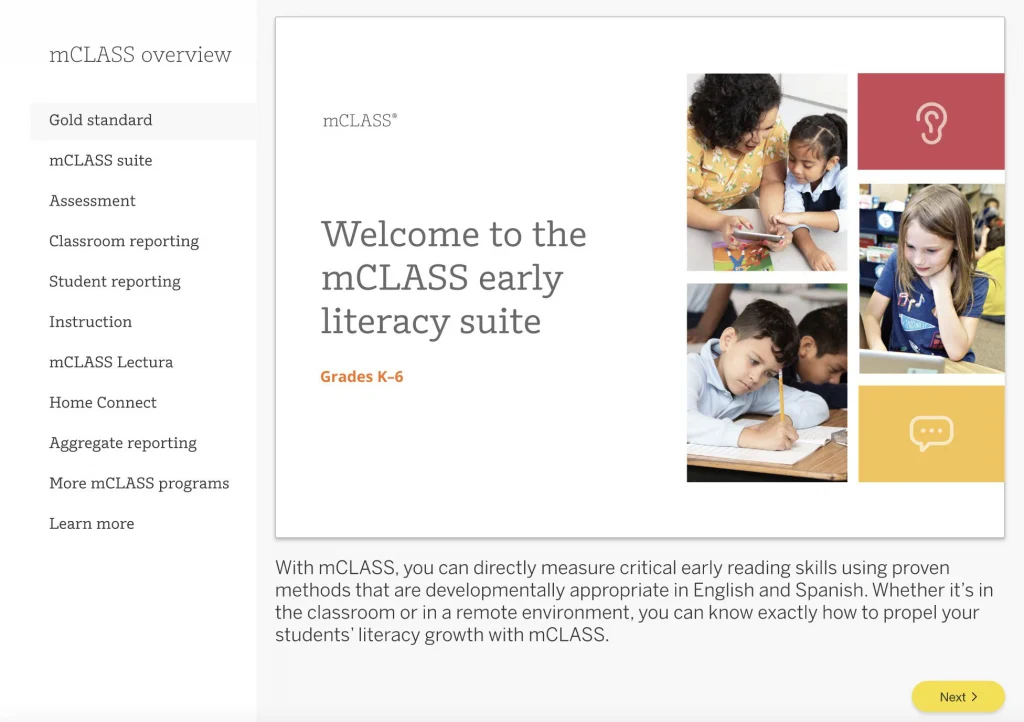
Explore our self-guided tour
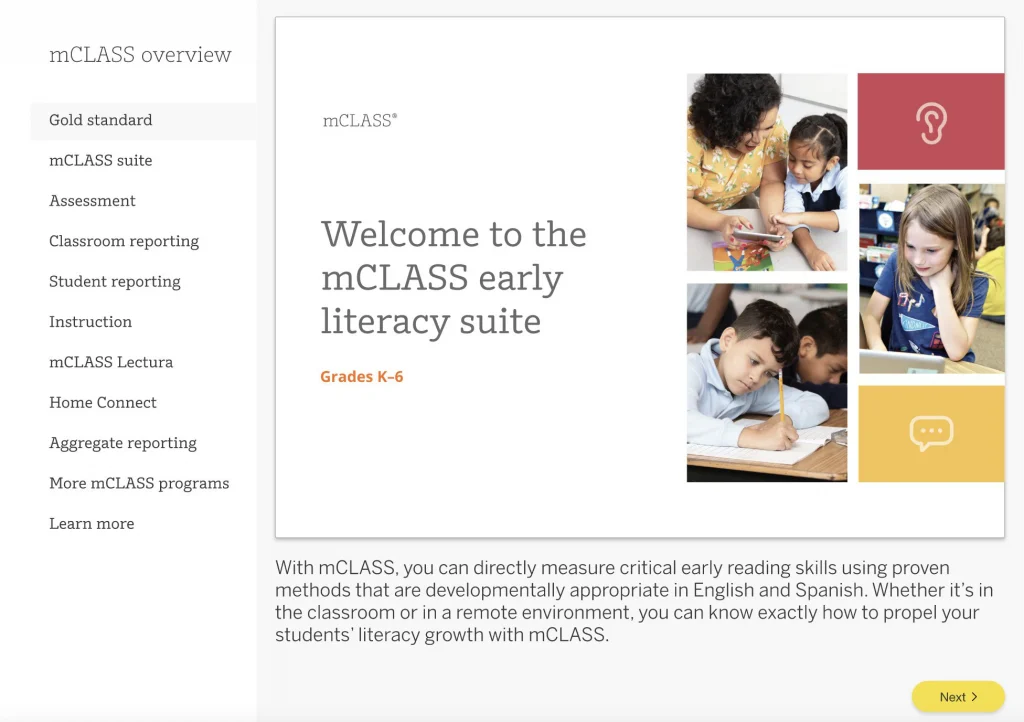
Our self-guided tour is a great way to orient yourself to the organization of our mCLASS platform. Click the button below to get started.
Looking to speak directly with your Colorado representative? Get in touch with a team member by emailing HelloColorado@amplify.com or by calling us directly.
mCLASS is a best-in-class assessment platform that houses a suite of proven, gold-standard assessment measures and tools that can be flexibly combined to meet the unique literacy needs of both teachers and students across grades K–6, including:
Universal screening
Diagnostic assessment
Dyslexia screening
Progress monitoring
Dual language reporting
Targeted teacher-led instruction
What is the DIBELS 8th Edition assessment?
Developed by the University of Oregon, the DIBELS 8th Edition is the latest version of the DIBELS® (Dynamic Indicators of Basic Early Literacy Skills) assessment.
With this latest version, the University of Oregon Center on Teaching and Learning (UO CTL) made significant efforts to ensure measures would meet state-level screening requirements for universal screening, diagnostic assessment, and dyslexia screening. To support this, measures were updated based on the latest research to meet increased standards of reliability and validity. In addition, adaptive procedures and discontinue rules focus on the assessment of priority skills and prevent over-testing.
Summary of changes:
Consistent measures within grades will provide improved growth measurement.
All subtests have been revised to be grade-specific and to increase in difficulty, covering a full progression of skills and minimizing floor and ceiling effects. This provides the opportunity for students to demonstrate what they know and further pinpoint what they don’t know.
Phoneme Segmentation Fluency replaces First Sound Fluency. The expanded coverage minimizes floor effect and provides information about difficulty in Phonemic Awareness skills without the additional First Sound Fluency measure.
A new subtest, Word Reading Fluency, helps identify students with poor sight word reading skills that other subtests miss.
For all measures, the basic scoring procedures remain the same. For Nonsense Word Fluency, credit is given for recording words as whole words even if the student misses in the first attempt.
Oral Reading Fluency is now only one passage, instead of three. Retell has been removed. Thus, Oral Reading Fluency assessment will take a third of the time.
mCLASS with DIBELS 8th Edition combines the power of the mCLASS assessment platform and the effectiveness of the DIBELS 8th Edition assessment measures. As a result – educators across the state are empowered with the latest and greatest assessment tool.
More than a test, mCLASS with DIBELS 8th Edition is an integrated system that closes the knowing-doing gap by helping teachers take immediate instructional action that’s right for each and every student.
Assessment systems must enable and compel educators to answer not just the “What” questions, but also the “So What” and “Now What” questions. These are the questions that are essential in transforming classroom instruction, and the questions that mCLASS with DIBELS 8th Edition helps teachers answer with confidence.
How is mCLASS with DIBELS 8th Edition different?
It gives teachers access to the latest digital version of the DIBELS assessment. Amplify is the only licensed provider of the digital DIBELS 8th Edition assessment. As such, our solution is the only one to enhance the DIBELS 8th Edition assessment with the power, reliability, and quickness of the mCLASS system.
It makes it faster and easier to understand where every student is in their early literacy journey. By combining 1:1 observational diagnostic assessments, dyslexia screening, progress monitoring, instant scoring, rigorous reporting, automatic student grouping, and targeted instruction all in one place, it reduces the instructional delays associated with manual scoring, manual data analysis, and manual lesson planning.
It brings more equity to the classroom. When used in conjunction with mCLASS Lectura, teachers have access to dual language reports that highlight a student’s strengths and weaknesses in both English and Spanish.
It makes every instructional minute count. In addition to one-minute measures that quickly gauge student progress toward reading proficiency, it leverages a teacher’s most powerful instructional tool — their own 1:1 observations.
It drives growth more efficiently. Rather than relying on broad composite scores alone, granular data and in-depth insights for every student help teachers pinpoint exact skill gaps and areas of unfinished learning, making whole-group, small-group, and 1:1 instruction more targeted and effective.
It saves teachers time. Instant reports, automatic student groups, and ready-to-teach lessons mean teachers spend less time cobbling together materials and more time working directly with students and responding to their needs.
How does mCLASS with DIBELS 8th Edition support screening for dyslexia risk?
DIBELS 8th Edition measures have been updated based on the latest research. They now offer stronger measures of processing speed, phonological awareness, and alphabetic principles for dyslexia screening purposes.
To support this, a new subtest in Word Reading Fluency was introduced and revisions were made to Letter Naming Fluency, Phonemic Segmentation Fluency, and Nonsense Fluency subtests to improve their ability to screen for deficits commonly associated with dyslexia risk, such as phonological awareness, rapid naming ability, and alphabetic principle. These measures provide early warning signs for neurological processing difficulties that contribute to risk for dyslexia (Wolf & Bowers, 1999; Denckla & Rudel, 1974).
Moreover, measures in Oral Language and Vocabulary are included to provide additional information to help evaluate additional risk areas associated with dyslexia risk.
How does mCLASS with DIBELS 8th Edition turn data into instant action?
mCLASS with DIBELS 8th Edition gives you instant results and clear next steps for each student.
Quick and actionable reports provide detailed insight into students’ reading development across foundational literacy skills for teachers, specialists, administrators, and caregivers.
mCLASS with DIBELS 8th Edition analyzes individual student response data through a scoring algorithm which aligns to the Colorado Department of Education’s stated purpose of a diagnostic assessment.
Our innovative approach to diagnostic assessment leverages an item-level evaluation of individual student responses in order to provide deeper insights into specific student weaknesses and areas of improvement. mCLASS with DIBELS 8th Edition analyzes individual student response data through a scoring algorithm which aligns to the Colorado Department of Education’s stated purpose of a diagnostic: “… to pinpoint a student’s specific area(s) of weakness and provide in-depth information about students’ skills and instructional needs.”
Ready-to-teach instruction
Immediately following the analysis of individual student responses, mCLASS with DIBELS 8th Edition provides an in-depth diagnostic report complete with suggested next steps, also known as “mCLASS Instruction.”
mCLASS Instruction evaluates each student’s responses on each individual subtest and instantly:
Provides a list of specific needs by student, such as struggling with medial vowel sounds or difficulty reading words with consonant blends.
Groups students automatically based on similar discrete skill needs, not simply composite scores like other assessment tools.
Recommends a variety of ready-to-teach lessons that specifically target each individual student’s areas of need or common areas of need for small-group instruction.
Classroom skill and benchmark summary
The Classroom Skill Summary report is a dashboard showing benchmark performance on each skill. Teachers can use it to determine which skill areas need instructional focus at a classroom level.
The Classroom Benchmark Summary report is a classroom-wide view of overall reading performance. Teachers can use this report to determine if composite scores improved, declined, or remained the same each semester.
Detailed benchmark performance
Teachers can see each student’s performance during the current school year, on each subtest as well as the overall composite. The benchmark goal displays below the subtest name when applicable. The ability to sort the columns in this report gives teachers more flexibility to analyze data the way they prefer.
Dyslexia screening
Identify students who are at risk for reading difficulties, including dyslexia, based on their results from foundational skills measures and additional measures as needed by local policies.
Progress monitoring summary
See which subtests have been assessed since the most recent benchmark assessment, how students performed on the three most recent progress monitoring assessments for each measure, and which students have not been progress monitored since the benchmark assessment.
Goal setting tool
The Zones of Growth (ZoG) analysis uses a rich set of national data to determine student goals for the next benchmark period. Teachers can use the Goal Setting Tool to view these recommended goals or modify the default goals for individual students as they see fit, if the default goal is too challenging or not challenging enough.
Growth outcomes
Teachers and interventionists can see each student’s actual growth achieved and how it compares to the goal that was set for the student.
Colorado READ Plans
Amplify recommends that a student who is categorized by the DIBELS 8th Edition composite score as “At High Risk” (denoted in all reports as “red”) be considered as potentially having a “Significant Reading Deficiency,” then further diagnosed using mCLASS’ Instruction diagnostics.
When devising a READ Plan, teachers and instructional staff should first consider students at high risk on DIBELS 8th Edition as potentially having a “Significant Reading Deficiency,” and eligible for a READ Plan. Students are then further diagnosed using mCLASS’ Instruction diagnostics. When devising a READ Plan, teachers can rely on the relevant mCLASS Instruction and Reports to comply with the READ Act.
Caregiver supports
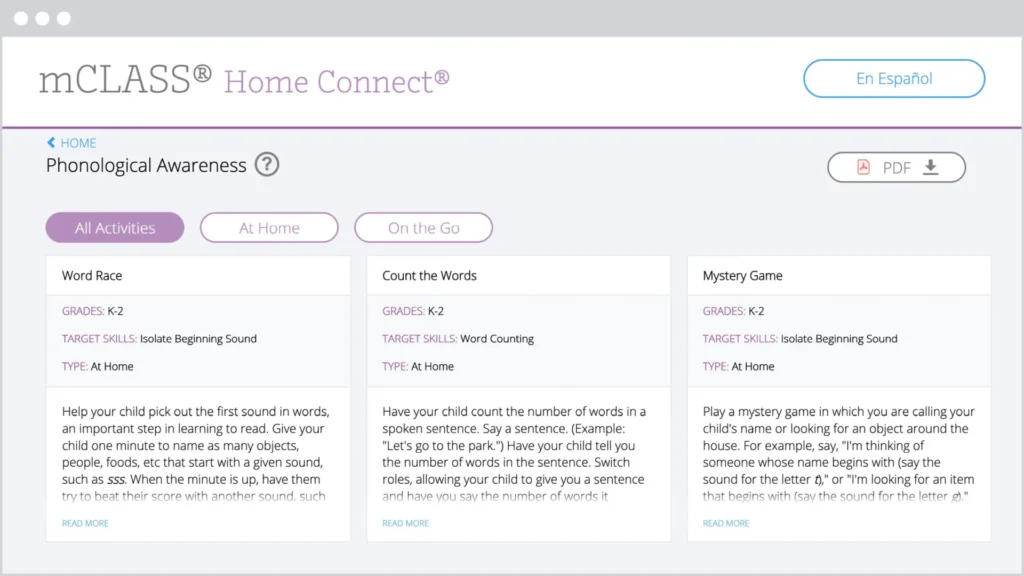
The mCLASS Home Connect websitehouses literacy resources for parents and caregivers, including at-home lessons organized by skill. Our mCLASS parent/caregiver letters in English and Spanish ensure that families know how to best support their child.
Explore our self-guided tour
Our self-guided tour is a great way to orient yourself to the organization of our mCLASS platform. Click the button below to get started.
Looking to speak directly with your Colorado representative? Get in touch with a team member by emailing HelloColorado@amplify.com or by calling us directly.
mCLASS is a best-in-class assessment platform that houses a suite of proven, gold-standard assessment measures and tools that can be flexibly combined to meet the unique literacy needs of both teachers and students across grades K–6, including:
Universal screening
Diagnostic assessment
Dyslexia screening
Progress monitoring
Dual language reporting
Targeted teacher-led instruction
What is the DIBELS 8th Edition assessment?
Developed by the University of Oregon, the DIBELS 8th Edition is the latest version of the DIBELS® (Dynamic Indicators of Basic Early Literacy Skills) assessment.
With this latest version, the University of Oregon Center on Teaching and Learning (UO CTL) made significant efforts to ensure measures would meet state-level screening requirements for universal screening, diagnostic assessment, and dyslexia screening. To support this, measures were updated based on the latest research to meet increased standards of reliability and validity. In addition, adaptive procedures and discontinue rules focus on the assessment of priority skills and prevent over-testing.
Summary of changes:
Consistent measures within grades will provide improved growth measurement.
All subtests have been revised to be grade-specific and to increase in difficulty, covering a full progression of skills and minimizing floor and ceiling effects. This provides the opportunity for students to demonstrate what they know and further pinpoint what they don’t know.
Phoneme Segmentation Fluency replaces First Sound Fluency. The expanded coverage minimizes floor effect and provides information about difficulty in Phonemic Awareness skills without the additional First Sound Fluency measure.
A new subtest, Word Reading Fluency, helps identify students with poor sight word reading skills that other subtests miss.
For all measures, the basic scoring procedures remain the same. For Nonsense Word Fluency, credit is given for recording words as whole words even if the student misses in the first attempt.
Oral Reading Fluency is now only one passage, instead of three. Retell has been removed. Thus, Oral Reading Fluency assessment will take a third of the time.
mCLASS with DIBELS 8th Edition combines the power of the mCLASS assessment platform and the effectiveness of the DIBELS 8th Edition assessment measures. As a result – educators across the state are empowered with the latest and greatest assessment tool.
More than a test, mCLASS with DIBELS 8th Edition is an integrated system that closes the knowing-doing gap by helping teachers take immediate instructional action that’s right for each and every student.
Assessment systems must enable and compel educators to answer not just the “What” questions, but also the “So What” and “Now What” questions. These are the questions that are essential in transforming classroom instruction, and the questions that mCLASS with DIBELS 8th Edition helps teachers answer with confidence.
How is mCLASS with DIBELS 8th Edition different?
It gives teachers access to the latest digital version of the DIBELS assessment. Amplify is the only licensed provider of the digital DIBELS 8th Edition assessment. As such, our solution is the only one to enhance the DIBELS 8th Edition assessment with the power, reliability, and quickness of the mCLASS system.
It makes it faster and easier to understand where every student is in their early literacy journey. By combining 1:1 observational diagnostic assessments, dyslexia screening, progress monitoring, instant scoring, rigorous reporting, automatic student grouping, and targeted instruction all in one place, it reduces the instructional delays associated with manual scoring, manual data analysis, and manual lesson planning.
It brings more equity to the classroom. When used in conjunction with mCLASS Lectura, teachers have access to dual language reports that highlight a student’s strengths and weaknesses in both English and Spanish.
It makes every instructional minute count. In addition to one-minute measures that quickly gauge student progress toward reading proficiency, it leverages a teacher’s most powerful instructional tool — their own 1:1 observations.
It drives growth more efficiently. Rather than relying on broad composite scores alone, granular data and in-depth insights for every student help teachers pinpoint exact skill gaps and areas of unfinished learning, making whole-group, small-group, and 1:1 instruction more targeted and effective.
It saves teachers time. Instant reports, automatic student groups, and ready-to-teach lessons mean teachers spend less time cobbling together materials and more time working directly with students and responding to their needs.
How does mCLASS with DIBELS 8th Edition support screening for dyslexia risk?
DIBELS 8th Edition measures have been updated based on the latest research. They now offer stronger measures of processing speed, phonological awareness, and alphabetic principles for dyslexia screening purposes.
To support this, a new subtest in Word Reading Fluency was introduced and revisions were made to Letter Naming Fluency, Phonemic Segmentation Fluency, and Nonsense Fluency subtests to improve their ability to screen for deficits commonly associated with dyslexia risk, such as phonological awareness, rapid naming ability, and alphabetic principle. These measures provide early warning signs for neurological processing difficulties that contribute to risk for dyslexia (Wolf & Bowers, 1999; Denckla & Rudel, 1974).
Moreover, measures in Oral Language and Vocabulary are included to provide additional information to help evaluate additional risk areas associated with dyslexia risk.
How does mCLASS with DIBELS 8th Edition turn data into instant action?
mCLASS with DIBELS 8th Edition gives you instant results and clear next steps for each student.
Quick and actionable reports provide detailed insight into students’ reading development across foundational literacy skills for teachers, specialists, administrators, and caregivers.
mCLASS with DIBELS 8th Edition analyzes individual student response data through a scoring algorithm which aligns to the Colorado Department of Education’s stated purpose of a diagnostic assessment.
Our innovative approach to diagnostic assessment leverages an item-level evaluation of individual student responses in order to provide deeper insights into specific student weaknesses and areas of improvement. mCLASS with DIBELS 8th Edition analyzes individual student response data through a scoring algorithm which aligns to the Colorado Department of Education’s stated purpose of a diagnostic: “… to pinpoint a student’s specific area(s) of weakness and provide in-depth information about students’ skills and instructional needs.”
For a full list of diagnostic observations, click the button below to download the Digital Assessment Materials navigation guide.
Immediately following the analysis of individual student responses, mCLASS with DIBELS 8th Edition provides an in-depth diagnostic report complete with suggested next steps, also known as “mCLASS Instruction.”
mCLASS Instruction evaluates each student’s responses on each individual subtest and instantly:
Provides a list of specific needs by student, such as struggling with medial vowel sounds or difficulty reading words with consonant blends.
Groups students automatically based on similar discrete skill needs, not simply composite scores like other assessment tools.
Recommends a variety of ready-to-teach lessons that specifically target each individual student’s areas of need or common areas of need for small-group instruction.
Classroom skill and benchmark summary
The Classroom Skill Summary report is a dashboard showing benchmark performance on each skill. Teachers can use it to determine which skill areas need instructional focus at a classroom level.
The Classroom Benchmark Summary report is a classroom-wide view of overall reading performance. Teachers can use this report to determine if composite scores improved, declined, or remained the same each semester.
Detailed benchmark performance
Teachers can see each student’s performance during the current school year, on each subtest as well as the overall composite. The benchmark goal displays below the subtest name when applicable. The ability to sort the columns in this report gives teachers more flexibility to analyze data the way they prefer.
Dyslexia screening
Identify students who are at risk for reading difficulties, including dyslexia, based on their results from foundational skills measures and additional measures as needed by local policies.
Progress monitoring summary
See which subtests have been assessed since the most recent benchmark assessment, how students performed on the three most recent progress monitoring assessments for each measure, and which students have not been progress monitored since the benchmark assessment.
Goal setting tool
The Zones of Growth (ZoG) analysis uses a rich set of national data to determine student goals for the next benchmark period. Teachers can use the Goal Setting Tool to view these recommended goals or modify the default goals for individual students as they see fit, if the default goal is too challenging or not challenging enough.
Growth outcomes
Teachers and interventionists can see each student’s actual growth achieved and how it compares to the goal that was set for the student.
Colorado READ Plans
Amplify recommends that a student who is categorized by the DIBELS 8th Edition composite score as “At High Risk” (denoted in all reports as “red”) be considered as potentially having a “Significant Reading Deficiency,” then further diagnosed using mCLASS’ Instruction diagnostics.
When devising a READ Plan, teachers and instructional staff should first consider students at high risk on DIBELS 8th Edition as potentially having a “Significant Reading Deficiency,” and eligible for a READ Plan. Students are then further diagnosed using mCLASS’ Instruction diagnostics. When devising a READ Plan, teachers can rely on the relevant mCLASS Instruction and Reports to comply with the READ Act.
Caregiver supports
The mCLASS Home Connect websitehouses literacy resources for parents and caregivers, including at-home lessons organized by skill. Our mCLASS parent/caregiver letters in English and Spanish ensure that families know how to best support their child.
Explore our self-guided tour
Our self-guided tour is a great way to orient yourself to the organization of our mCLASS platform. Click the button below to get started.
Looking to speak directly with your Colorado representative? Get in touch with a team member by emailing HelloColorado@amplify.com or by calling us directly.
Desmos Math 6–A1 delivers the instructional power of student-centered learning packaged in a lesson format that is teacher-friendly and manageable.
With easy-to-follow instructional supports, implementing a problem-based program becomes more effective and enjoyable for both you and your students. Delivered through the Desmos Classroom digital experience, math class becomes fun and dynamic, with plenty of opportunities for students to talk through their reasoning, work with their peers, and gain new understandings.
Powerful Desmos Classroom technology
Math lessons should be powerful in their ability to surface student thinking and spark interesting and productive discussions. The Desmos Classroom platform brings this vision to life. It even includes a complete library of interactive, collaborative lessons made by your math colleagues.
Engaging student experience
Relevant content and interactive math tools create an intuitive and engaging student experience. Plus, working together in real-time allows students to see that communicating their ideas and learning from each other are important parts of math class.
Visibility into student thinking
Imagine having more visibility into your students’ mathematical thinking. Now imagine students have access to this same information. With our collaborative lesson interface and teacher dashboard, students can’t hide. What’s more, they have visibility into the thinking of their peers—exposing them to a wider variety of approaches to solving the same problem.
Ready-to-teach lessons
Each grade-level includes 150 ready-to-teach lessons complete with slides, step-by-step teaching notes, suggested student and teacher responses, tips for incorporating instructional routines, support for developing mathematical language, and links to useful resources. Teachers can also control what slides students see, giving teachers the ability to control the pace of the lesson to suite the needs of the class.
A Lesson with Dr. Dan Meyer
Desmos Math has been extensively tested by math educators across the nation…including Dr. Dan Meyer.
In this 8-minute video, Dr. Dan Meyer puts a Desmos Math lessons to the test, and shares how the Desmos Math teacher tools empower all teacher to deliver engaging and interactive lessons.
Access demo
Ready to explore the program? Contact your local Amplify Account Executive to receive your login credentials. Please see their contact information below.
Contact us
Looking to speak directly with your local Account Executive? Get in touch with a Colorado team member to learn more about Desmos Math or to request a demo account.
Thank you for taking the time to review Amplify’s K–8 science programs for Jefferson County Public Schools. This site will allow your committees to easily access grade-level teacher and student resources digitally, and experience all that our high-quality instructional materials have to offer.
Hooray! We’re thrilled you’re considering giving Boost Reading a try! This site contains all the resources you’ll need to learn more about the program and get started with your pilot. We’re confident you’re going to love how Boost Reading puts your mCLASS data to work.
Resources to support your pilot
What is Boost Reading?
Boost Reading is a digital reading program that complements ELA programs with adaptive and targeted practice in foundational reading skills. While it can be used on its own,Boost Reading also integrates with mCLASS, which means that you get extra benefits like automatic rostering and placement in the program based on a student’s mCLASS composite score. From that point forward, the program takes every student on a personalized journey that addresses gaps and bolsters foundational skills at a pace that supports their individual development.
Good news! Boost Reading has already been enabled within your mCLASS account. To get started with the program, you’ve got only two steps left: adjusting your student login settings and setting up your student devices. The resource below will walk you through how to do both.
Note: Boost Reading works on most classroom devices, including Windows Devices with Windows 7+, Chromebooks with Chrome OS, and Mac devices with OS 10.11+ or iOS 11+.
What else can you tell me about Boost Reading?
As students engage in skill practice, their paths through the game world adapt to meet their unique learning needs. Boost Reading includes more than 40 standards-aligned games that build language, foundational skills, and comprehension skills, while also developing:
Phonological awareness
Phonics
Vocabulary
Text analysis
Comprehension
Microcomprehension (i.e., the smaller aspects of comprehension that make up the reader’s mental model of a text)
Some additional resources that you might find helpful: