Remote & hybrid learning

Rich, engaging content is at the center of Amplify CKLA instruction. Students build subject area knowledge in history, science, literature, and the arts by learning to read and write. We have built new resources to make our high-quality preK–5 program easy to use in remote or hybrid settings during the 2020–2021 school year.

Supporting back to school 2021–2022

As students return to school this fall, Amplify Core Knowledge Language Arts® (CKLA) will be offering resources to help you flexibly transition from the physical classroom to at-home learning as needed. This includes a new digital Hub for students to access videos, readers, and an interactive Vocab App from anywhere, and the Foundational Skills Boost to help students fill in gaps from spring 2020.

Amplify Core Knowledge Language Arts (CKLA) will be offering resources to help you flexibly transition from the physical classroom to at-home learning as needed. This includes a new digital Hub for students to access videos, readers, and an interactive Vocab App from anywhere, and the Foundational Skills Boost to help students fill in gaps from spring 2020.

Foundational Skills Boost website

To address foundational skills instruction missed during COVID-19 school closures, we are providing a free resource for educators and parents. This new website includes video-based instruction for students in Grades 1–3, covering the last nine weeks of the previous school year to give students the boost they need. The video-based, self-guided lessons pull from Amplify CKLA instructional resources and are designed for students to complete independently, either at home or in the classroom. Access it here!

The site features:

  • Video lessons targeting phonemic awareness and phonics
  • Decodable readers for practice
  • Optional teacher-led small group activities
  • Family resources for additional practice
  • planner for educators and caregivers to track students’ progress.

Scope and Sequences: These documents show the scope and sequence of the Foundational Skills Boost.

These documents show how Foundational Skills Boost aligns with the Amplify CKLA grade-level curriculum. If you’re using Amplify CKLA, download the PDFs below to use with Foundational Skills Boost.

Back-to-school instructional recommendations

  • Begin grade-level instruction with Unit 1 in every grade, utilizing recommended instructional minutes.
  • In grades 1–3, CKLA instruction begins with review from the previous year.
  • For grades 4–5, you may choose the optional novel guide unit to start the school year.
  • For grades 1–3, we recommend you schedule an additional 30-minute instructional block for unfinished foundational skills instruction from spring 2020. We will offer the Foundational Skills Boost for use during this block.

New back-to-school features for remote and hybrid learning

Recorded daily Read-Alouds

Teachers and students will have access to video recordings of all K–2 Knowledge Read-Alouds with pictures from the Flip Books.

Digital Hub for students and teachers

Students can now access materials that support K–5 instruction from anywhere, including student Readers in an audio-enabled eReader. Teachers will find multimedia resources on the Hub and digital versions of all instructional components on the Teacher Resource Site.

Parent access

Parents will now have access to important student resources via the digital Hub. We will have a parent login available and a letter in both English and Spanish that explains how to use the resources.

Skills at home

Grade-level foundational skills guidance for parents includes instructions and materials to teach and practice grade-level phonics at home. Resources include sound videos, Readers, and a how-to video with editable instructions that teachers can customize to meet individual classroom needs.

How to use Amplify CKLA during remote learning

We’ve developed a variety of resources to ensure you have the tools you need to support students in developing foundational skills and building background knowledge—no matter where learning is happening. On the following pages, you’ll find information on using Amplify CKLA for extended periods of remote learning, both in situations where students have access to technology and those where technology is limited.

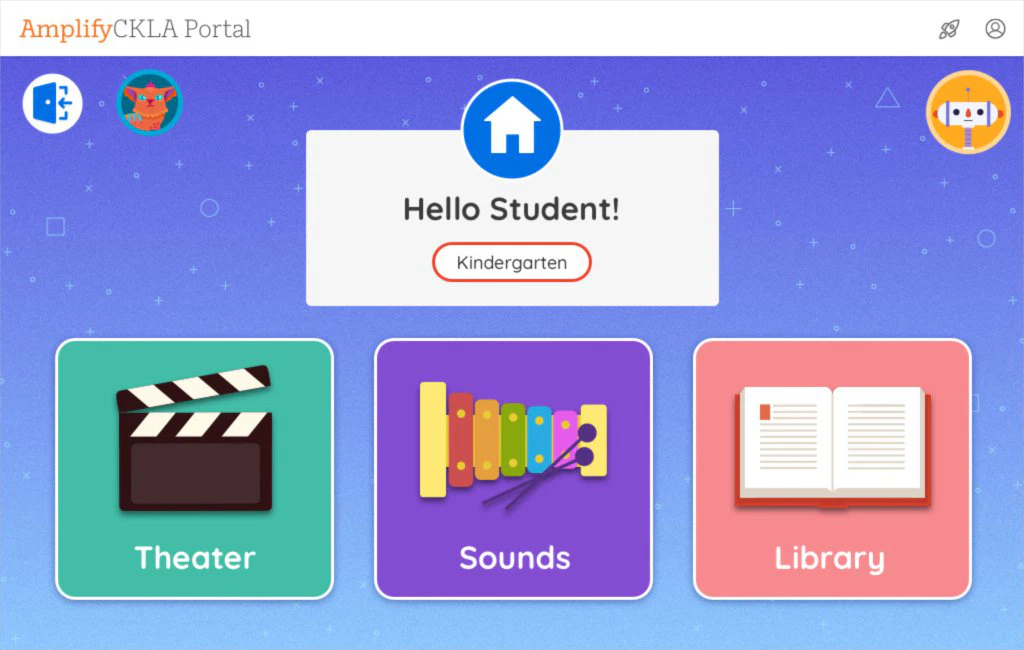
For remote learning with access to technology at home, we recommend teacher-led virtual lessons for daily Skills Strand lessons in K–2 and daily lessons in 3–5, while students access application activities, recorded Knowledge Strand Read-Alouds, and the Foundational Skills Boost online. In the Student Hub, students will have access to K–2 Skills Strand components such as student Readers and the Sound Library, K–2 Knowledge components like Knowledge Builders, and the 3–5 Vocab App.

Grade level Instructional resources
Kindergarten
  • Skills units: Teacher-led instruction, digital Hub (Sound Library and Readers starting in Unit 6)
  • Knowledge domains: digital Hub (Knowledge Builder video) and recorded daily Read-Alouds
  • Amplify Reading for independent, student-driven skill Practice
Grades 1–2
  • Foundational Skills Boost website for daily lessons
  • Skills units: Teacher-led instruction, Student Hub (Sound Library and student Reader), Activity Books
  • Knowledge domains: Student Hub (Knowledge Builder video), recorded daily Read-Alouds, Activity Books (Word documents)
  • Amplify Reading for independent, student-driven skill Practice
Grade 3
  • Foundational Skills Boost website for daily lessons
  • Units: Teacher-led instruction, Student Hub (Readers, Vocab App), Activity Books (Word documents)
  • Amplify Reading for independent, student-driven skill practice
Grades 4–5
  • Units: Teacher-led instruction, Student Hub (Readers, Vocab App), Activity Books (Word documents)
  • Novel guides: Optional
  • Amplify Reading for independent, student-driven skill practice

Amplify CKLA’s resources ensure students can continue learning at home. If students have limited access to technology, Activity Books and student Readers can be sent home with editable family letters. If students have access to a smartphone, K–2 Knowledge Strand recorded Read-Alouds are mobile friendly, as are Student Readers and other multimedia on the Hub.

Grades K–2 sample daily schedule

Foundational skills lesson

Teacher-led virtual Skills lesson on Zoom or a similar platform

Independent skills practice

Students use the Hub to practice sound-spellings in the eReader, using the audio as additional support. Then, they complete an activity page.

Independent Knowledge Read-Aloud

Students engage with the daily recorded Read-Aloud

Knowledge discussion and application

Teacher-led virtual knowledge discussion and application

Foundational Skills Boost

For students in grades 1–2, we recommend setting aside an additional 30 minutes for Foundational Skills Boost lessons covering unfinished instruction from the previous year. Foundational Skills Boost lessons are video modules that students can complete on their own at home.

laptop icon

Grades 3–5 sample daily schedule

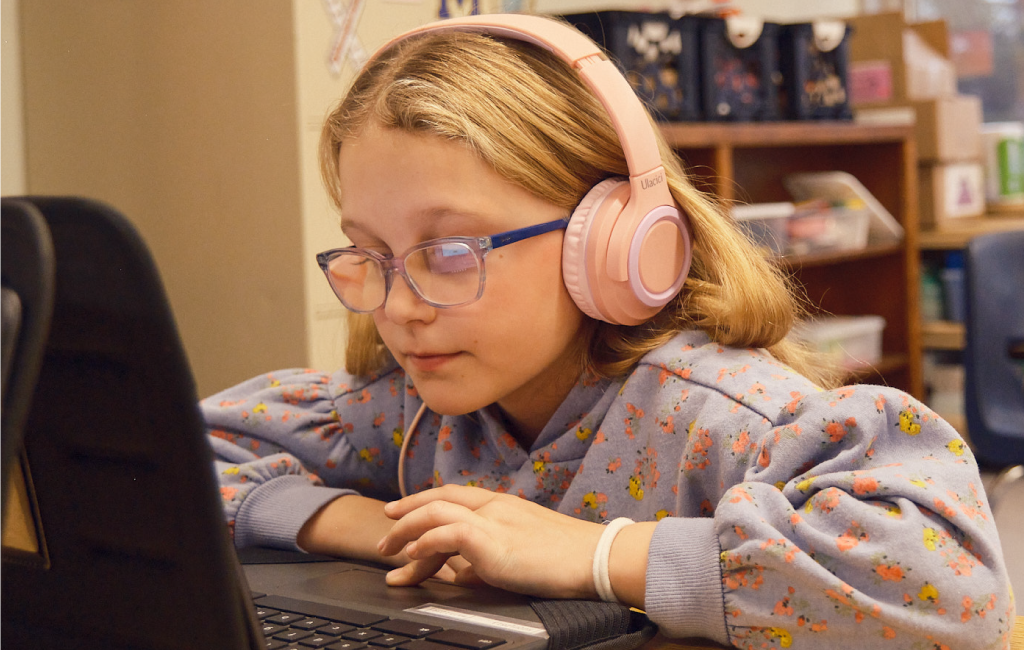
Young girl wearing glasses and pink headphones looks at a laptop screen while sitting at a desk in a classroom, participating in a Remote Learning Language Arts Program.

Teacher-led virtual lesson on Zoom or a similar platform

Students use the Hub to access the eReader, using the audio as additional support. Students complete daily application activities online.

Students work on vocabulary in the Vocab App on the Hub.

Teacher-led virtual discussion in conjunction with independent reading and writing

Foundational Skills Boost

For students in grade 3, we recommend setting aside an additional 30 minutes for Foundational Skills Boost lessons covering unfinished instruction from the previous year. Foundational Skills Boost lessons are video modules that students can complete on their own at home.

laptop icon

Resources for remote learning with limited student access to technology

Grade level Instructional resources
Kindergarten
  • Skills units: Activity Books that include home support for families
  • Knowledge domains: Mobile-friendly recorded daily Read-Alouds
Grades 1–2
  • Skills units: Student Readers, Activity Books that include home support for families
  • Knowledge domains: Mobile-friendly recorded daily Read-Alouds
  • Foundational Skills Boost: Take-home support
Grade 3
  • Student Readers, Activity Books for independent practice
  • Foundational Skills Boost: Take-home support
Grades 4–5
  • Student Readers, Activity Books for independent practice
  • Optional: Novel guides

How to use Amplify CKLA during hybrid learning

We know that back to school will look different for every district. You may be considering staggered schedules or alternating between remote and in-person days. Amplify CKLA’s resources for hybrid learning ensure that students continue to develop critical foundational skills both in the classroom and at home.

Resources for hybrid learning with student access to technology

Grade level Remote days In-person days
Kindergarten
  • Skills Strand in the Hub: Independent activities and practice with Student Readers (starting with Unit 6) and Sound Library
  • Knowledge Strand: Daily recorded Read-Aloud
  • Digital or print activity pages
  • Amplify Reading for independent, student-driven skill practice
  • Skills Strand units: Daily lessons
  • Knowledge Strand domains: Daily lessons
Grades 1–2
  • Foundational Skills Boost module
  • Skills Strand in the Hub: Independent activities and practice with student Readers (starting with Unit 6) and Sound Library
  • Knowledge Strand: Daily recorded Read-Aloud
  • Digital or print activity pages
  • Amplify Reading for independent, student-driven skill practice
  • Skills units: Daily lessons
  • Knowledge domains: Daily lessons
Grade 3
  • Foundational Skills Boost module
  • Student Hub: Student Reader, Vocab App
  • Digital or print activity pages
  • Amplify Reading for independent, student-driven skill practice
  • Units: Daily lessons
Grades 4–5
  • Student Hub: Student Reader, Vocab App
  • Digital or print activity pages
  • Novel guide independent reading and writing
  • Amplify Reading for independent, student-driven skill practice
  • Units: Daily lessons
  • Novel guide discussion

We understand that access to technology is a significant barrier for many of our students. Amplify CKLA’s resources ensure students are able to continue to develop their skills in any learning environment. Following is a plan for maximizing both in-person and remote days when students have limited access to technology.

Grade level Remote days In-person days
Kindergarten
  • Student Readers (starting in Unit 6)
  • Skills Activity Books with take-home support
  • Daily recorded Read-Aloud (mobile friendly)
  • Knowledge Activity Books
  • Skills units: Daily lessons
  • Knowledge domains: Daily lessons
Grades 1–2
  • Student Readers
  • Skills Activity Books with take-home support
  • Daily recorded Read-Aloud (mobile friendly)
  • Knowledge Activity Books
  • Skills units: Daily lessons
  • Knowledge domains: Daily lessons
Grade 3
  • Foundational Skills Boost: Take-home support
  • Student Readers
  • Activity Books
  • Foundational Skills Boost
    modules
  • Units: Daily lessons
Grades 4–5
  • Student Readers
  • Activity Books
  • Novel guide independent reading and writing
  • Units: Daily lessons
  • Novel guide discussion

Puyallup families, welcome to Amplify CKLA!

Welcome to the Amplify CKLA Caregiver Hub for Puyallup School District. This site is designed to help you learn about Amplify CKLA—a core English Language Arts curriculum.

We want to hear from you! Please share your thoughts by completing this district survey.

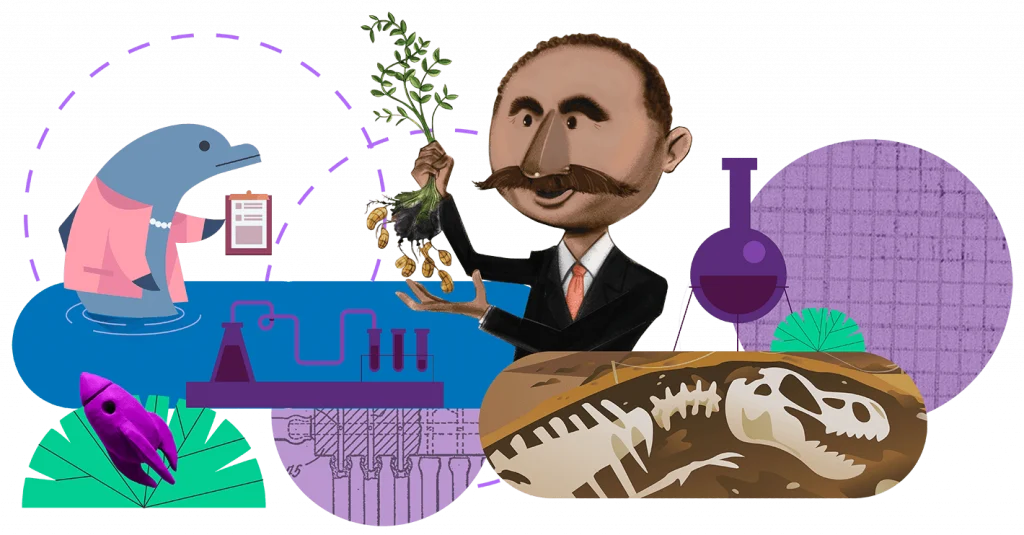
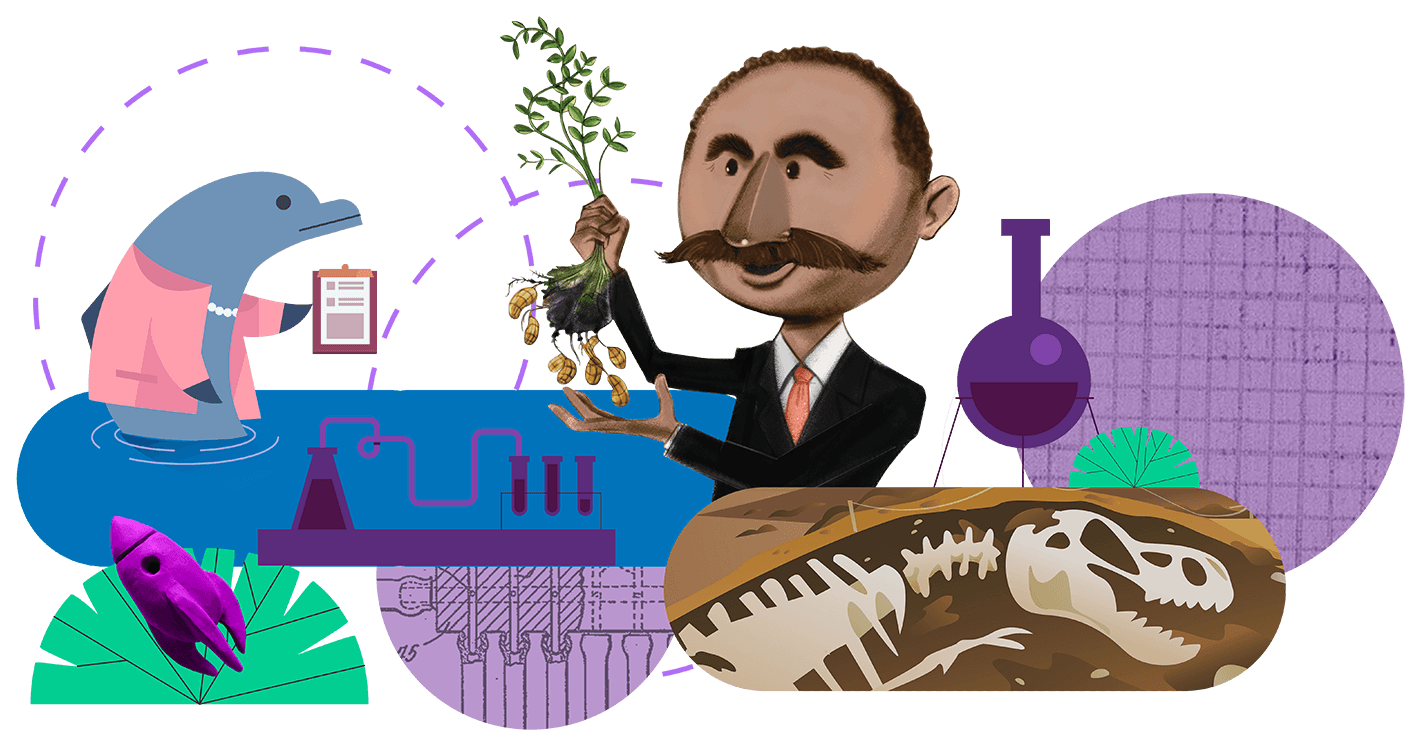
Illustration showing a man with a tree, colorful abstract shapes, and various scientific and nature-related icons including a laboratory setup, an animal skeleton, and marine life.

What is Amplify CKLA?

Amplify Core Knowledge Language Arts (CKLA) is a language arts program for Grades PreK-5 that combines a multi-sensory approach to phonics with rich texts carefully sequenced to build content knowledge—so that students learn to read and read to learn at the same time. 

Every day in Grades PreK–2, students complete one full lesson that builds foundational reading skills, as well as one full lesson that builds background knowledge. In Grades 3–5, students start to master the skills of reading, further opening up their worlds.

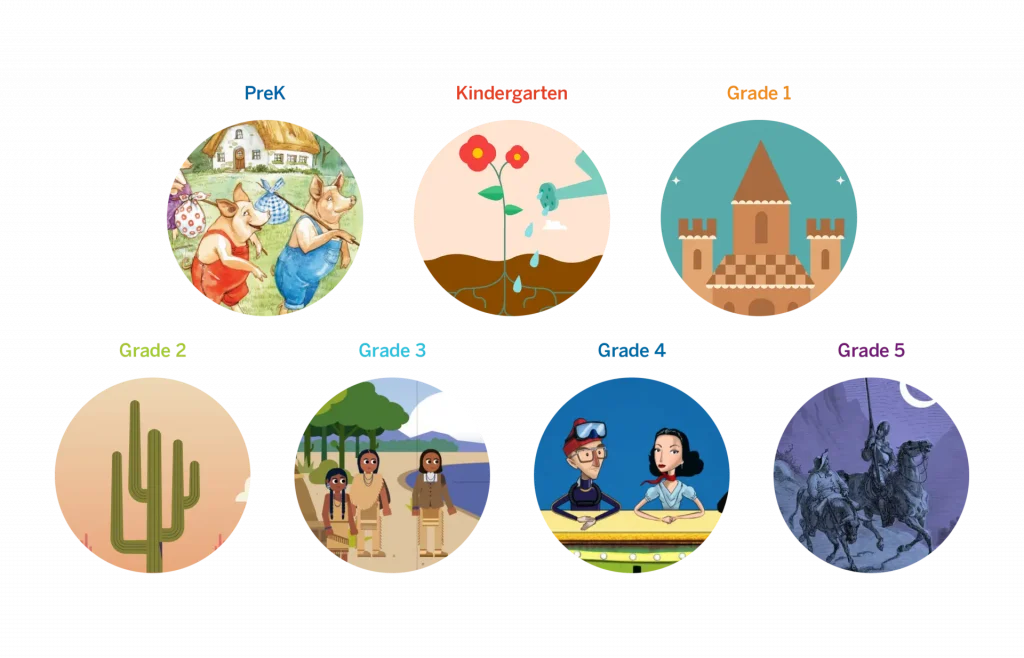
Illustrative circles depicting educational stages from prek to grade 5, each showing children engaged in age-appropriate activities or learning themes.

CKLA in Action

There’s no better way to understand the power of Amplify CKLA than seeing it in action. Watch Ms. Lehman’s second graders in the video below as they learn how to decode and spell words with the long /ā/ sound.

Unit Overviews

Below are quick overviews of the units your student will be working through in their grade throughout the year. Next to each unit are downloadable guides which provide a more in-depth look at the content covered and how you can help your student advance their understanding of the topics.

Materials overview

Amplify CKLA is a blended program, which means your student will be interacting with both print and digital materials.

Print materials

Student Readers

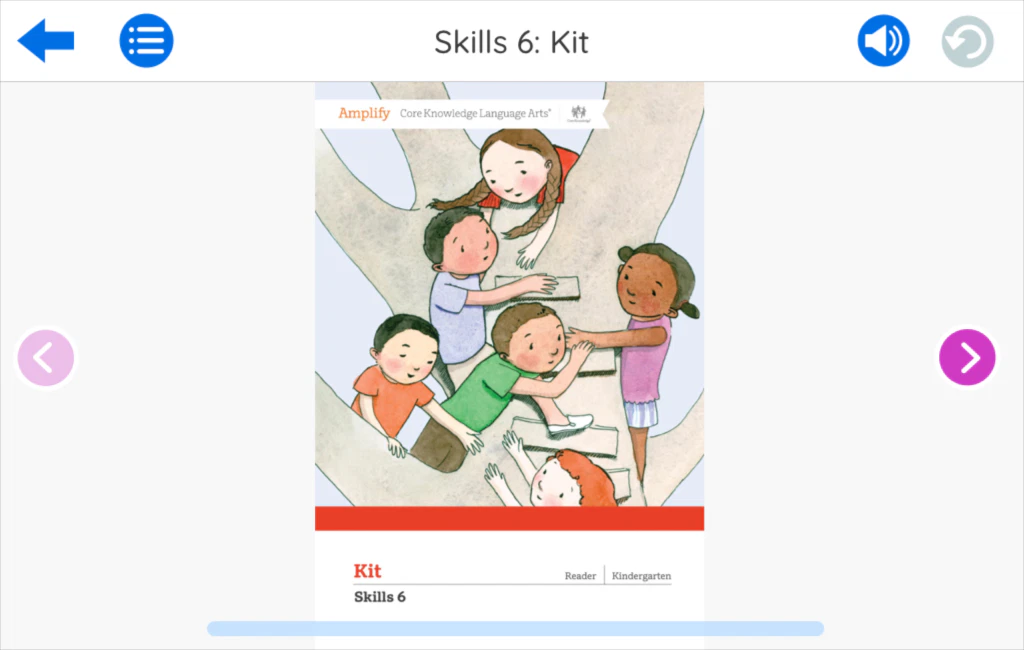
These readers are uniquely designed to provide intensive practice while reading simple but authentic stories. All readers are also available as ebooks and audiobooks on the teacher resource site, which caregivers can now access.

In grades K-2, these readers are chapter books that allow students to practice just-learned sound-spellings within an authentic reading experience that incorporates compelling plots and interesting characters.

In grades 3-5, readers develop close reading and other literacy skills through a selection of diverse, content-rich literary and informational texts.

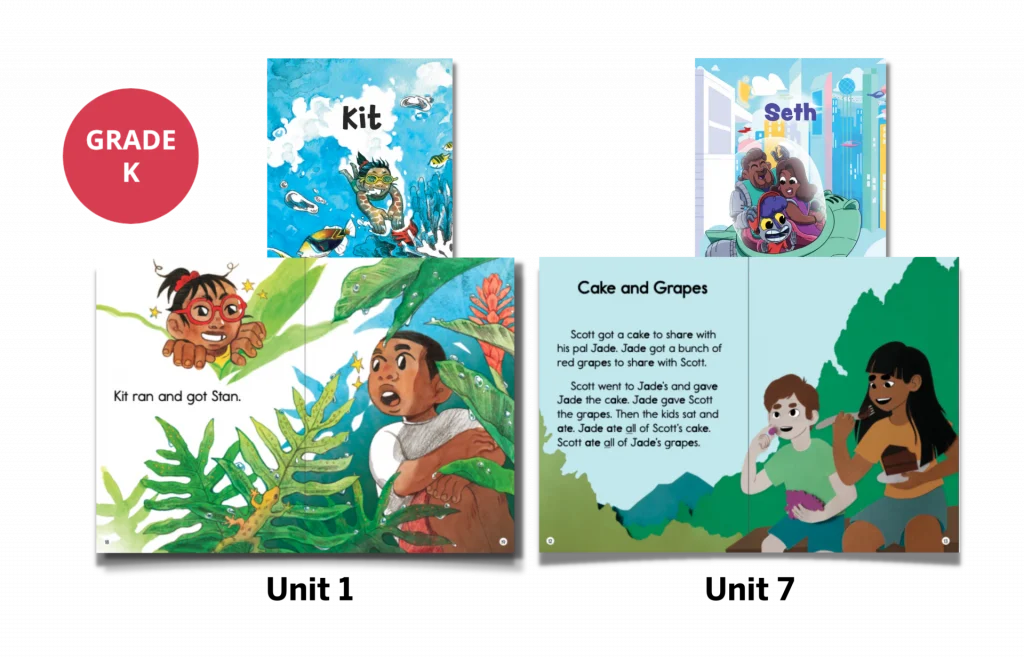
A collage of kindergarten-level reading books titled Kit and Seth, with illustrated pages showing children, plants, and scenes of reading and eating grapes and cake.
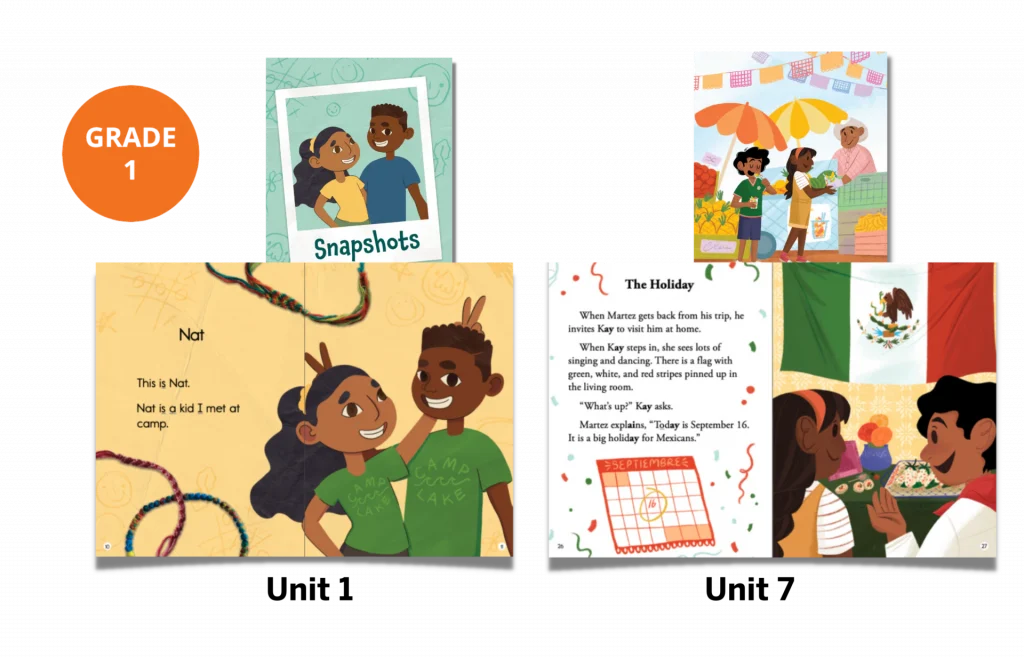
Grade 1 reading materials featuring illustrated children, a Snapshots cover, two open storybooks showing kids and activities, and a page about a holiday with text and drawings.
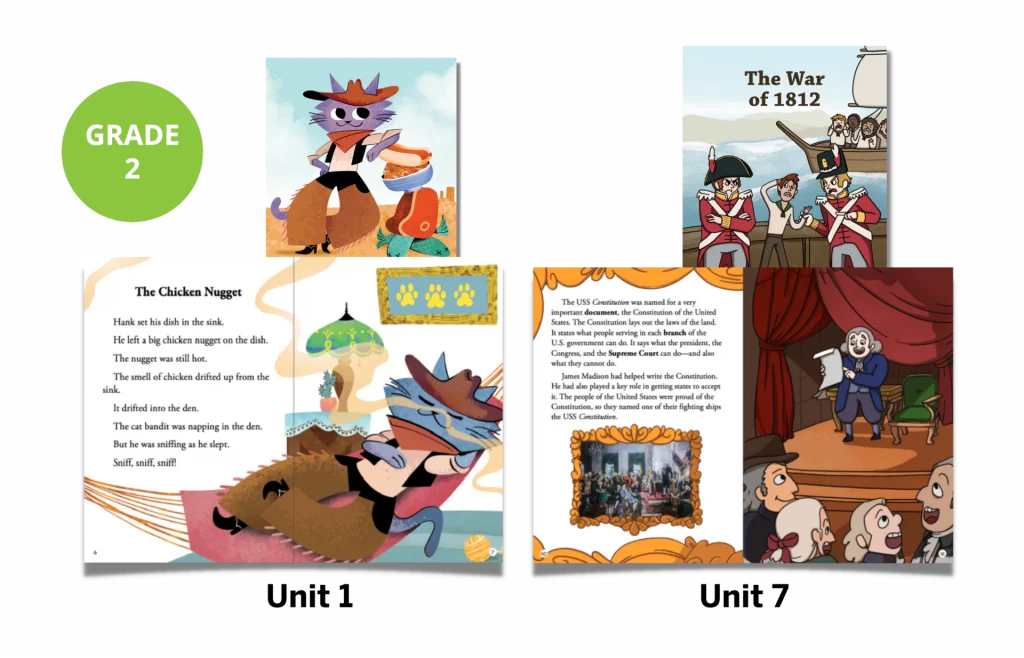
Open educational book for grade 2, showing illustrations and text about a chicken nugget story and the war of 1812.

Student Activity Books

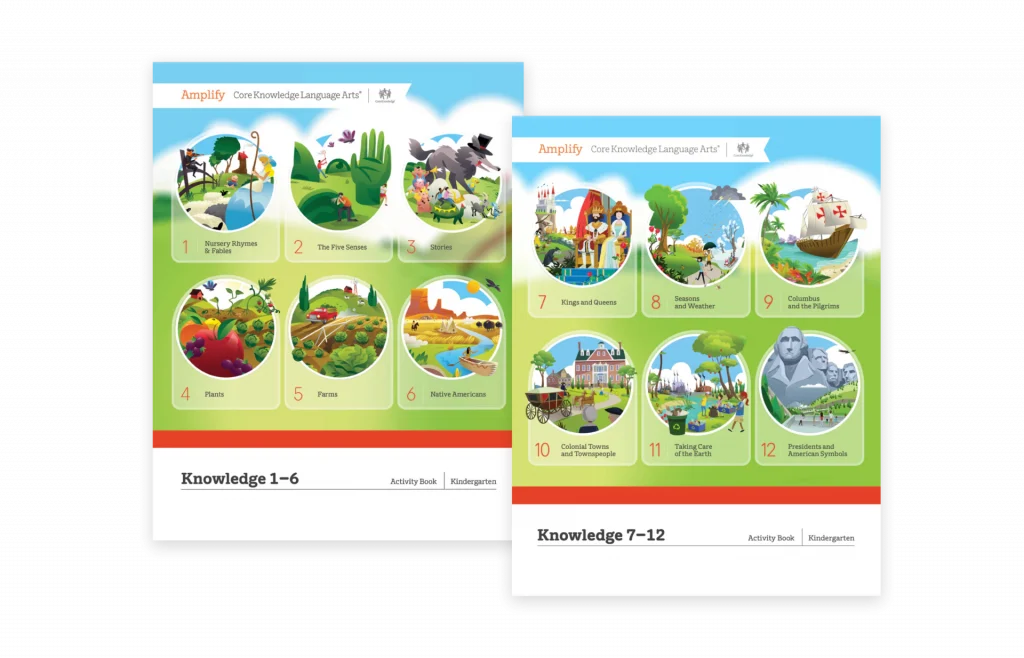
Part of the daily lessons, these activity pages ask students to respond to the text they’ve read and apply skills and knowledge. They also include assessments that track students’ skills development, to which teachers have access.

Two illustrated pages titled Knowledge 1-6 and Knowledge 7-12, each showing colorful scenes representing different educational topics in numbered circles.

Digital materials

CKLA Hub for grades K–5

We are excited to announce that students will be able to access multimedia resources and engage in a new digital experience on the CKLA Hub. Unlike ever before, students can access digital resources independently from anywhere, taking full advantage of the instructional multimedia experiences that Amplify CKLA has to offer. Students can access the Hub at home, in the classroom, and on the go, making it ideal for remote learning. It’s compatible with laptops, Chromebooks, tablets, and desktops—we’ve also optimized it for mobile devices.

Knowledge Builder videos for grades K–2


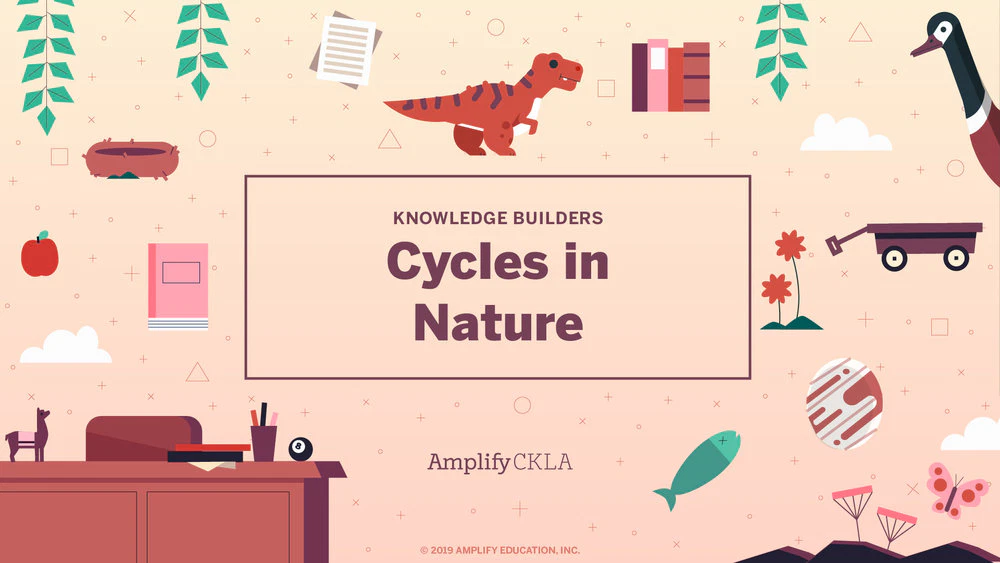
Each Knowledge Domain starts with a Knowledge Builder video: a short, fun, animated story that enriches the lesson and motivates students with new characters, places, and concepts.

A cartoon scientist stands next to a sparking robot in a laboratory, displayed on a laptop screen with purple-themed laboratory equipment in the background.

Recorded daily read-alouds for grades K–2

Teachers and students will have access to video recordings of all K–2 Knowledge Read-Alouds with pictures from the Flip Books.

Cover image for Cycles in Nature by Amplify CKLA. Features illustrations of a dinosaur, plant, wagon, book, fish, cat on desk, and various nature-related items against a pink background.

Sound Library for grades K-2

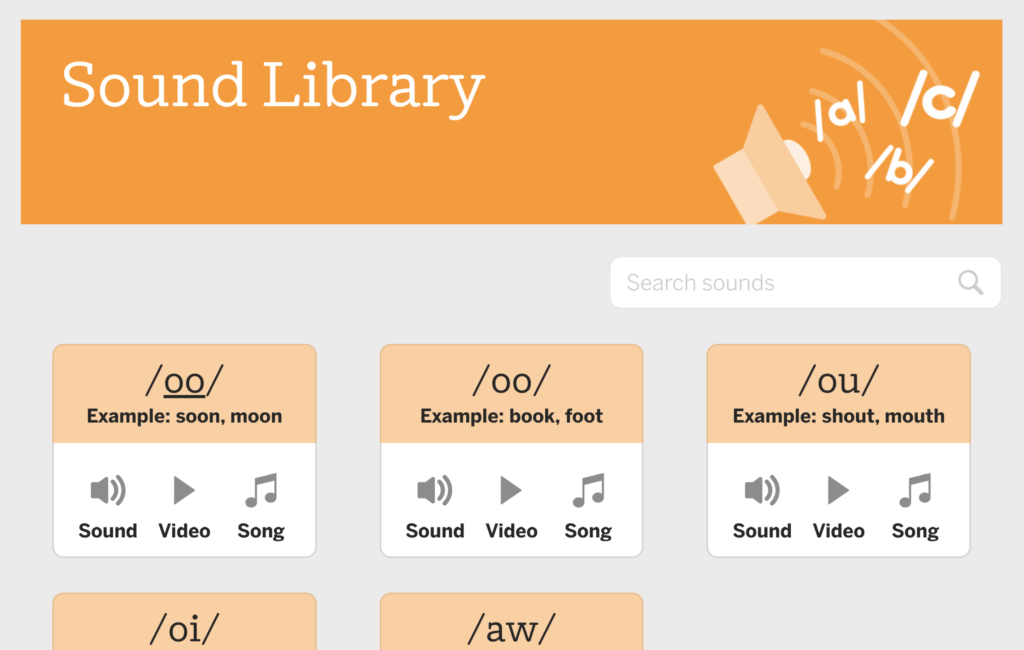
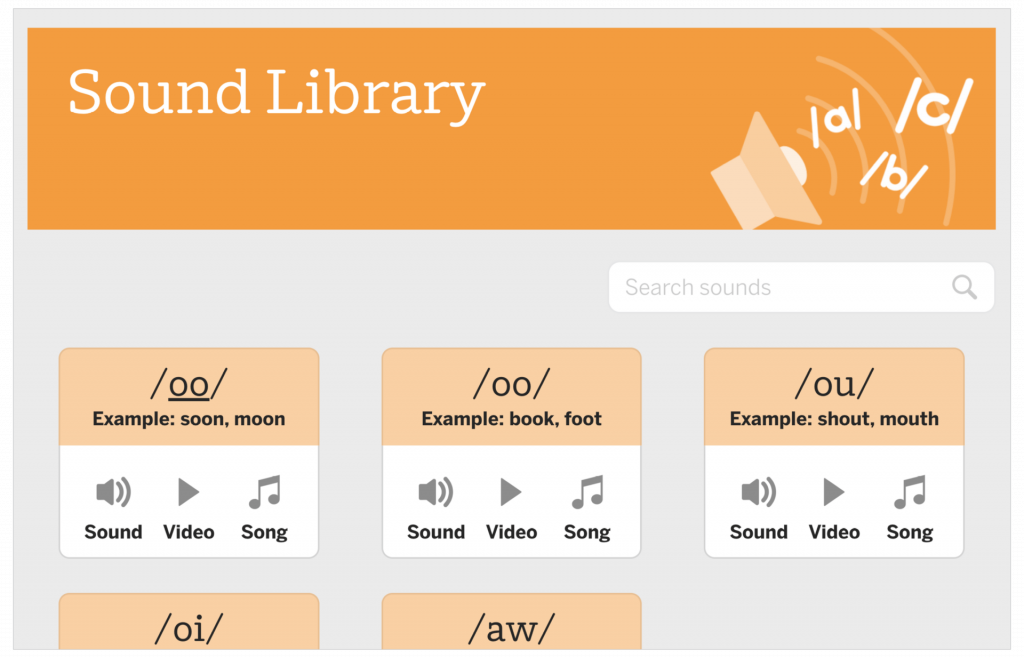
The Sound Library uses audio sounds, catchy songs, and animated articulation videos to help students learn and master sounds.

A webpage titled Sound Library displays search bar and sound cards for different phonemes, each with example words and buttons for sound, video, and song.

Foundational Skills Boost for grades 1–3

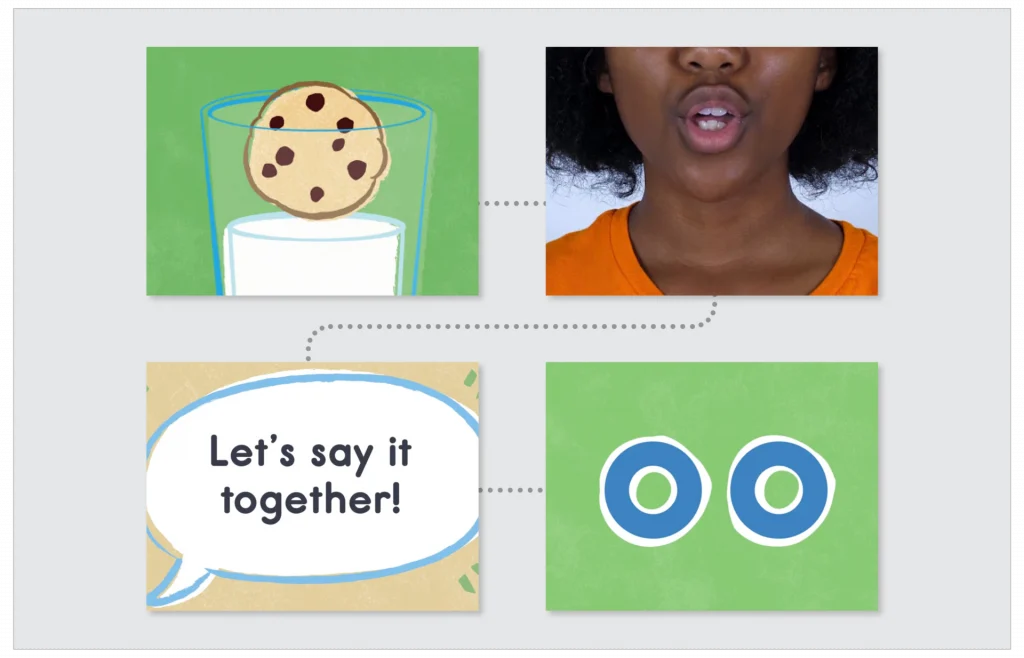
Designed for grades 1–3, these video-based, self-guided lessons target critical foundational skills from the previous year’s instruction in order to fill in any gaps. They offer approximately nine weeks of instruction organized as daily lessons, with additional teacher-led small-group activities and family resources.

A chocolate chip cookie in a glass of milk, a person speaking, a speech bubble saying Let's say it together!, and two illustrated eyes on a green background.

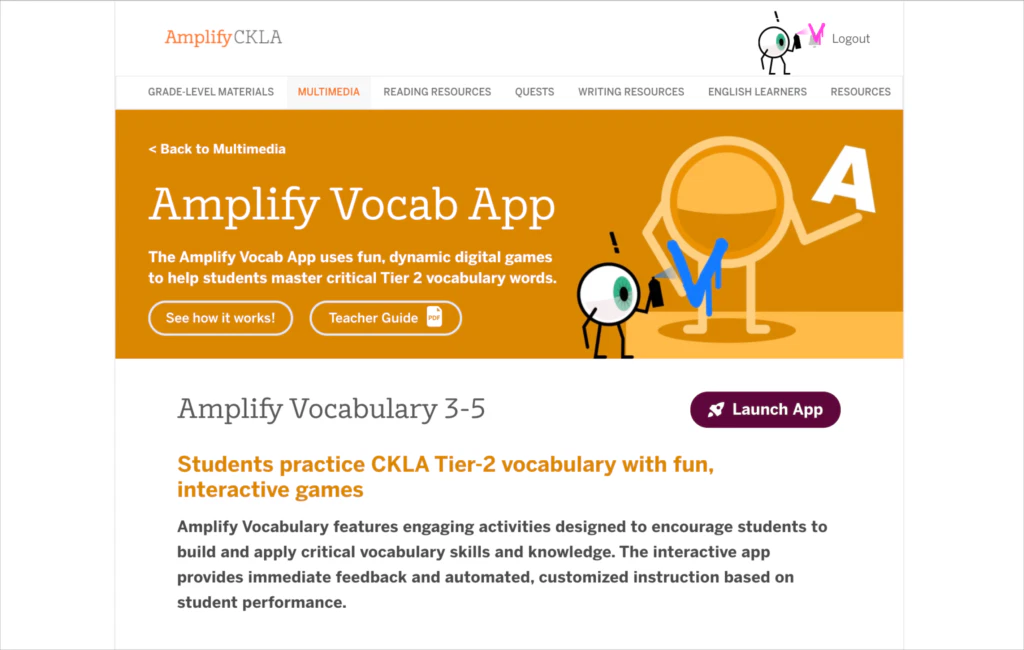
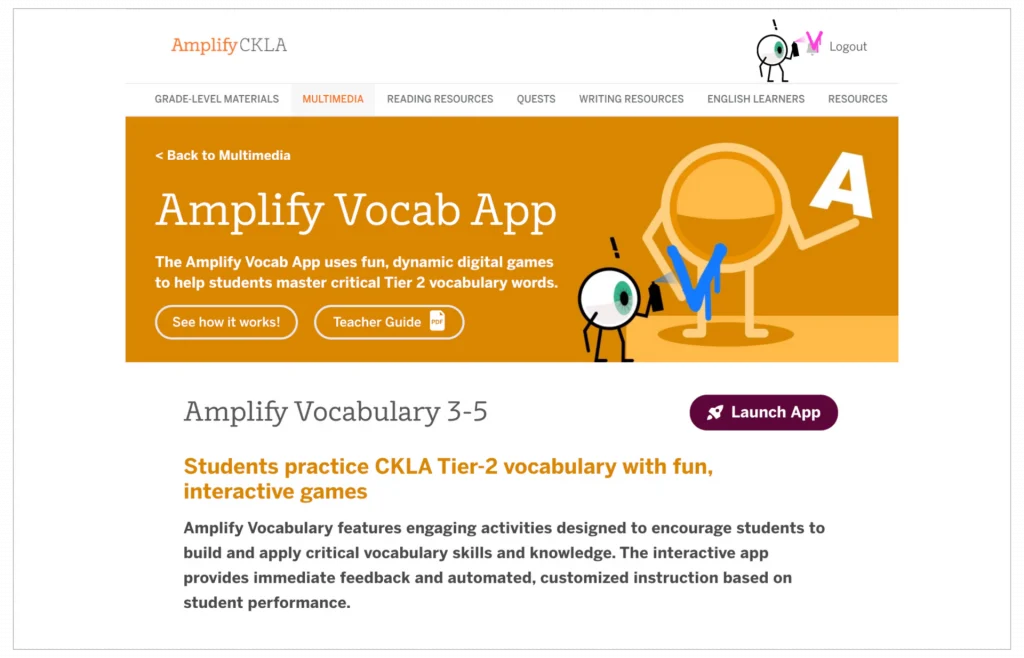
Vocab App for grades 3-5

The Vocabulary App is designed for independent practice with vocabulary. Students can use the Vocabulary App for game-like activities that challenge them.

Screenshot of the Amplify Vocab App webpage, showing interactive vocabulary tools for students in grades 3-5, with a Launch App button and navigation menu at the top.

Quests for grades 3–5

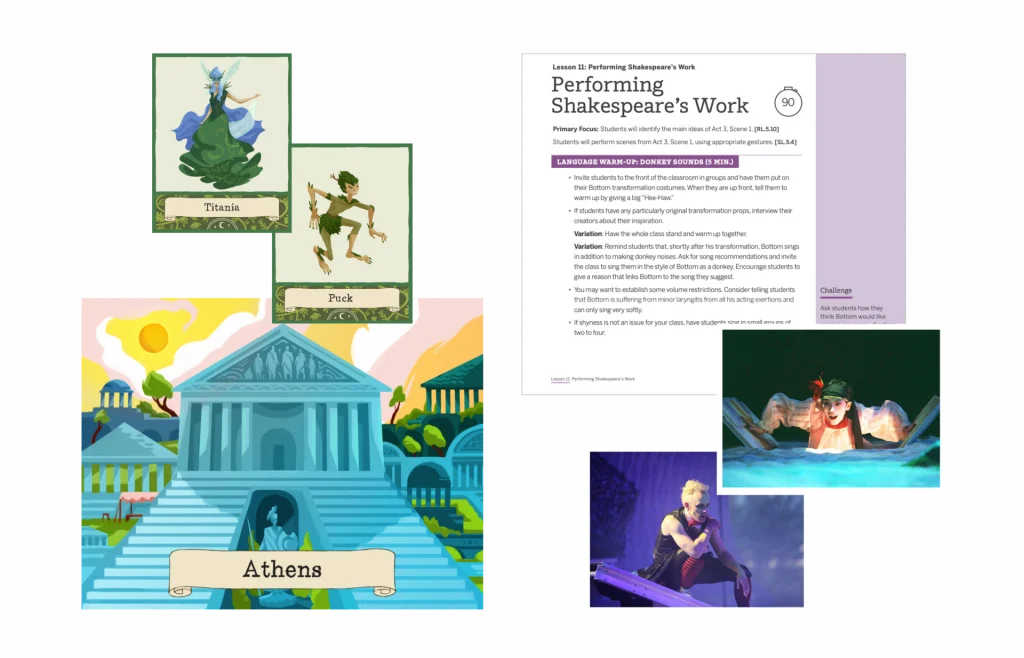
Each of the grade levels in 3–5 contains a Core Quest. In these special units, all the normal rules of the classroom change, and students engage with language in surprising new ways. For example, in grade 5, they learn to love the dense Shakespearian language of A Midsummer Night’s Dream through imagery, close reading, and performance.

A collage showing illustrated cards of Titania, Puck, and Athens, a lesson on performing Shakespeare, and two photos of actors performing on stage.

Support your child at home

Read and talk at home

  • If possible, read with your child daily; even 15 minutes of reading together each day can make a huge impact. 
  • You can read sections of the text aloud together. If your child struggles, you might try reading the text to them with expression, and then have them read it aloud back to you. 
  • For additional practice, watch the recorded read-alouds with your K-2 student or have your grade 3-5 student use the Vocabulary App. 
  • Find moments to discuss what they are reading and discovering. Examples of questions you could ask: What stood out to you from what you read today? Were any sentences or words confusing? What was most surprising? What do you think the writer was trying to communicate? Do you agree with the writer’s ideas or descriptions? What connections can you make between what you are reading and your own life or other issues?
  • Listen to your child read their written responses or have them share with a friend over video chat. 
  • We recommend reviewing this Protecting Kids Online article by the Federal Trade Commission addressing digital safety.

Skills practice at home

We’ve developed a set of resources for caregivers to use with their students that includes instructions and materials to teach and practice grade-level phonics at home. Resources include sound videos, Readers, and a how-to video with editable instructions that caregivers can customize to meet individual student needs.

Parent and child at home working on sofa

Where to go for help

Whether you have questions about your technology or want to know more about the program, Amplify’s Support Team is here to help!

Contact Support via telephone at (833) 97-Care-8 (833-972-2738) or caregiver@amplify.com.

Our support hours are Monday – Friday, 7 am – 9 PM ET, and Sunday, 10 – 6 ET.

Welcome, Amplify ELA families!

We’re excited to welcome you and your student to the Amplify ELA program for the new school year, and to provide you with exceptional learning opportunities through ELA. We’ve assembled the following resources and guides to help you support your student and enable them to have the most productive experience with our platform throughout the year.

Para la versión en español, haga clic aquí.

Illustrated collage with people playing sports, riding bikes, and a thoughtful person’s portrait, framed by natural elements and a rocket launching, next to an "EdReports Review Year 2020" badge.

What is Amplify ELA?

Amplify ELA helps students in grades 6–8 read and understand complex texts that encourage them to grapple with interesting ideas and find relevance for themselves. Amplify ELA is a blended program that includes both digital and print materials, but can also be used as a print-only version. Students using Amplify ELA read text passages closely, interpret what they find, discuss their thinking with peers, and develop their ideas in writing. The lesson structure is easy to follow, but flexible enough to allow for a variety of learning experiences and varied enough to keep students engaged. 

Features include:

  • Functionality that allows individual students to work at their own level while also being challenged appropriately.
  • Built-in tools that allow teachers to track and respond to student work.
  • The digital Amplify Library, which contains more than 700 downloadable, full-length fiction and nonfiction books.
  • The Vocab App, which uses game-like activities to help students master keywords from the program’s texts. (Students using print materials will see keywords highlighted.)
  • Independent writing assignments called Solos, available on mobile devices.
  • Interactive projects called Quests that accompany certain units to provide additional practice with analytical reading, writing, speaking, and listening skills.

Getting started

How you can support the child in your care:

  • If possible, read with your student daily; even 15 minutes of reading together each day can make a huge impact. You can read aloud sections of the text together—many middle grade students enjoy performing sections of dialogue by taking on the role of a character in a play, or adding some dramatic flair to a poem with which they are working. If your student struggles with reading aloud, you might try reading the text to them with expression, then having them read it back to you. For additional practice, there are an array of fluency activities in the program’s Flex Days. Ask your student to help you find these activities.
  • Find moments to discuss what they are reading and discovering. Examples of questions you could ask: What stood out to you from what you read today? Were any sentences or words confusing? What was most surprising? What do you think the writer was trying to communicate? Do you agree with the writer’s ideas or descriptions? What connections can you make between what you are reading and your own life, or other issues you’ve heard about?
  • Listen to your student read their written responses or have them share with a friend over the phone or video chat. 
  • Browse the Amplify Library with your student to find books they’ll enjoy and be able to read fluently and independently.
  • Review this Protecting Kids Online website by the Federal Trade Commission addressing digital safety.

Accessing texts in the Amplify Library

We encourage students to utilize the core texts from the Amplify Library while at home! Please follow these steps to download a text for offline reading:

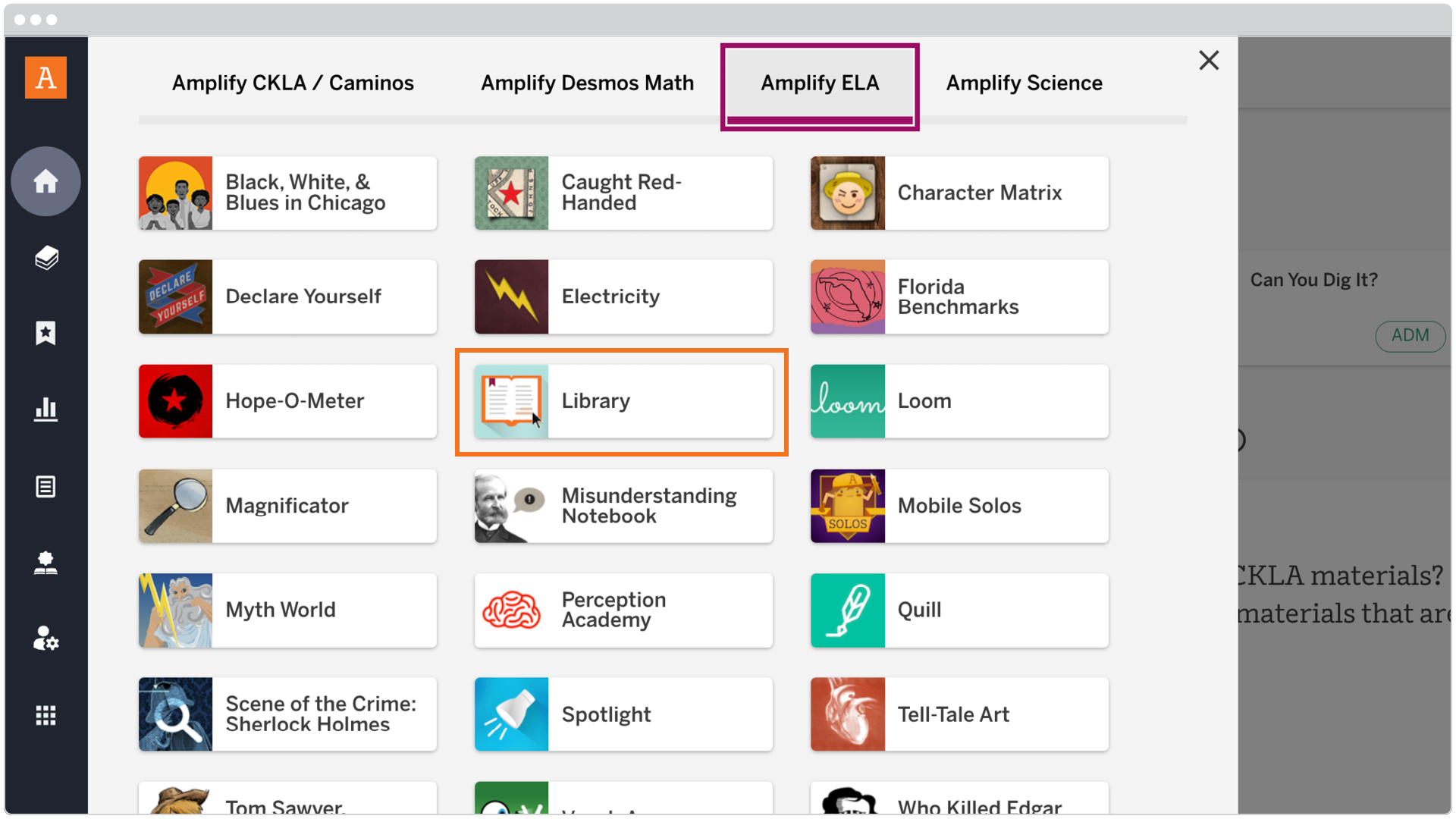
1. Navigate to the Program & Apps menu at the top of your screen and scroll through to find the Amplify Library icon. When you select it, the Amplify Library will open in a new tab.

A digital menu displays various educational tools and resources, with "Amplify ELA" highlighted at the top and the "Library" option outlined in orange.

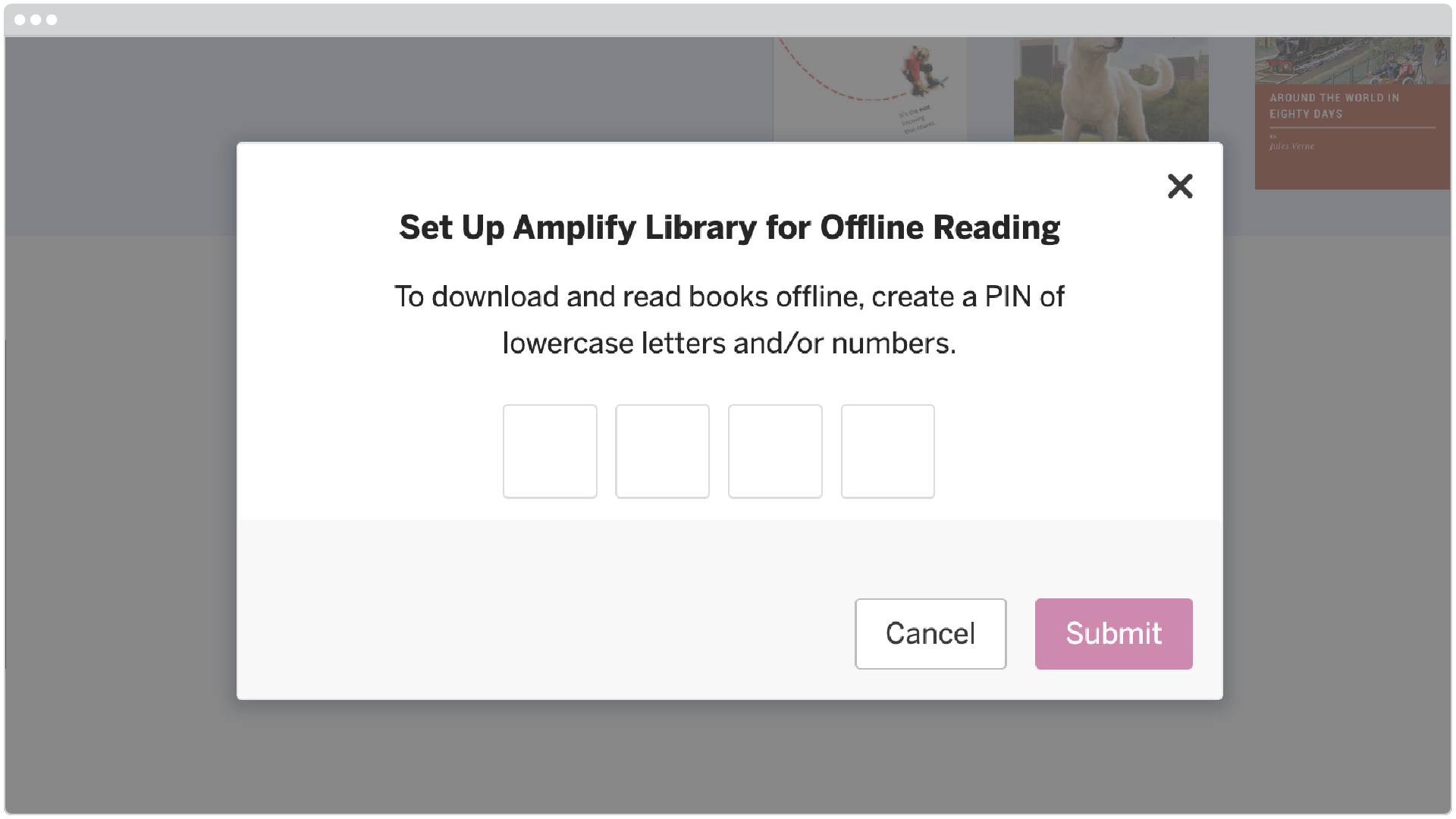
2. If prompted, follow the directions to set up a pin for the Amplify Library; otherwise, proceed to the next step.

A pop-up window prompts the user to create a four-character PIN of lowercase letters and/or numbers for offline reading, with Cancel and Submit buttons.

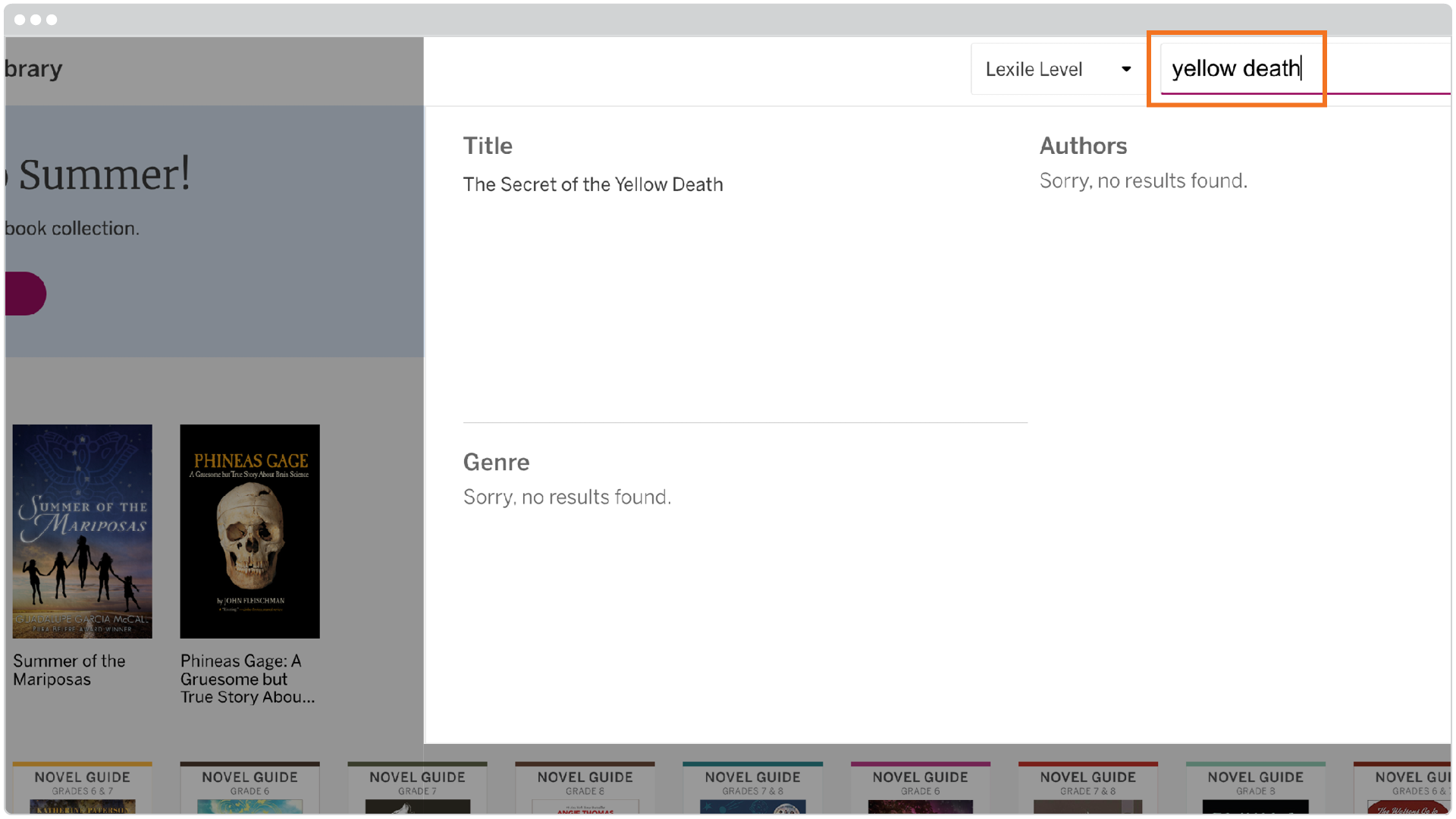
3. In the upper right corner of your screen, search for the book you would like to download. Example: The Secret of the Yellow Death: A True Story of Medical Sleuthing.

A digital library search page displays "yellow death" in the search bar with no results found for title, authors, or genre. Book covers are visible in the left sidebar.

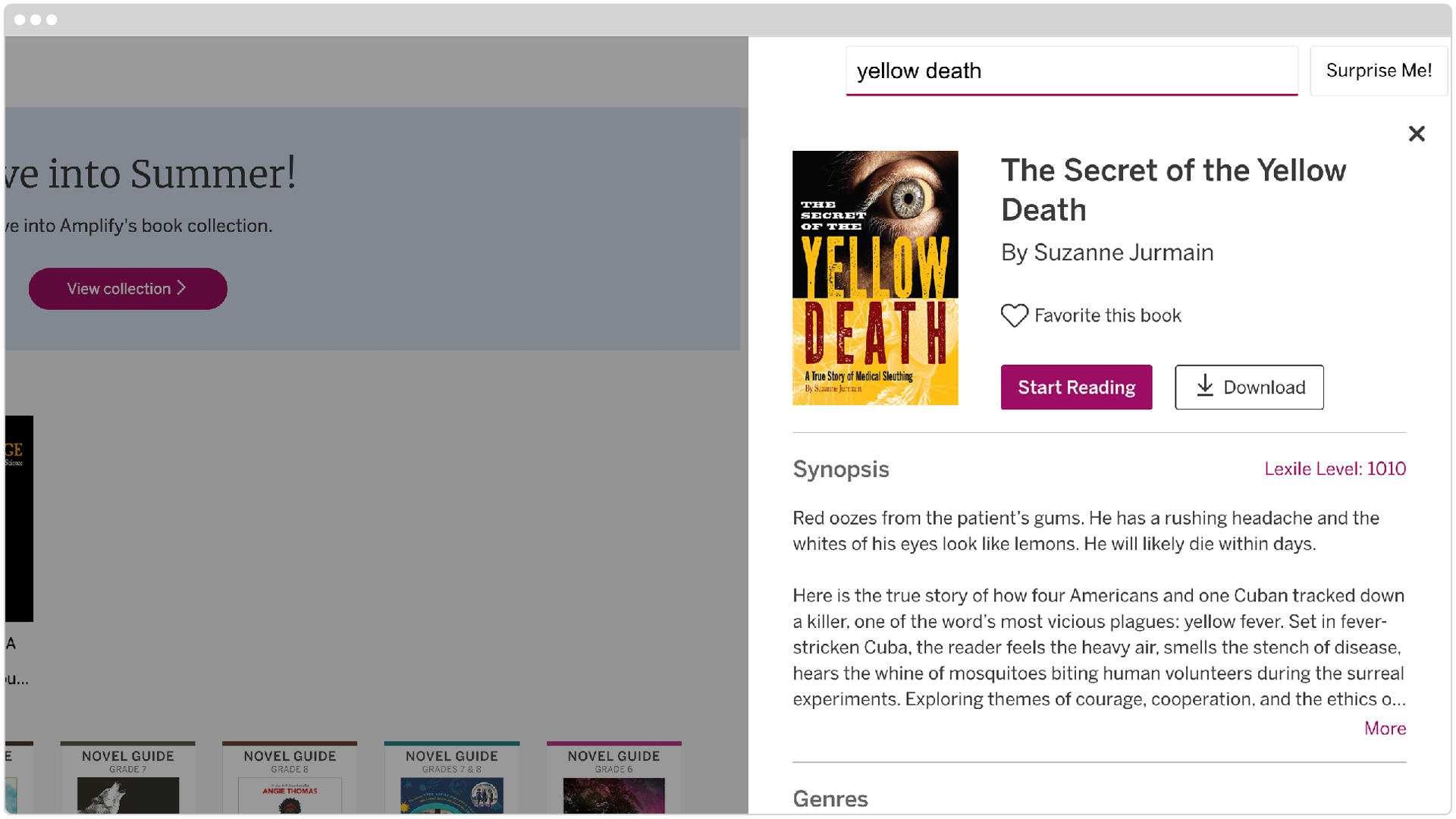
4. Select the Download button.

A digital library interface displays the book "The Secret of the Yellow Death" by Suzanne Jurmain, showing its cover, synopsis, and options to read or download.

5.  If you lose connection while still in the Amplify Library, you can continue to access and read the downloaded book(s). If the page refreshes without internet access, or you try to login on another device without internet access, you will lose access to the downloaded book(s) until the internet connection is restored. 

To retrieve your downloaded texts: 

  1.  In the Amplify Library app, open the My Library drop-down menu in the upper left corner.
  2. Select Downloaded. 
  3. Choose the text you wish to read from all of your pre-downloaded texts.
A dropdown menu under "My Library" shows options: Recently Read, Favorites, Downloaded (highlighted), and All Books. Below, a Recently Read section displays three book covers.

Materials overview

Not every school will operate the same way, but students attending schools that have both the print and digital editions of the program will likely have the following print materials at home:

  • Student Edition: This includes all of the readings and activities necessary for instruction throughout the year. Students can read the selections both digitally and in print, annotating in either format. The lessons in the print Student Edition reflect each digital lesson, but have been modified to work effectively in print. 
  • Writing Journals: This provides space for students to respond to Writing Prompts and complete other written assignments. 

In the case that students are without access to devices or the internet, they can continue to complete key reading and writing assignments using the print Student Editions and student Writing Journals.

Teachers can also access, print, and mail student Novel Guides for up to 12 commonly taught novels. Six of these novels are available in the Amplify Library, and most should be available in a public library.

Unit overviews

Below are quick overviews of each unit your student will be working through in their grade throughout the year. Included along with each unit is a downloadable guide that provides a more in-depth look at what content is covered and how you can help your student advance their understanding of the topics.

  • Unit 6A: Dahl & Narrative  
    • Students begin with narrative writing to quickly boost their writing production, learn the foundational skill of focus, and become comfortable with key classroom habits and routines they will use all year. Students then apply their new observational focus to some lively readings from Roald Dahl’s memoir Boy and learn how to work closely with textual evidence.
  • Unit 6B: Mysteries & Investigations
    • Students read like an investigator to embark on a multi-genre study of the mesmerizing world of scientific and investigative sleuthing. At the end of the unit, students write an essay explaining which trait is most useful to problem-solving investigators.
  • Unit 6C: The Chocolate Collection
    • The Aztecs used it as currency. Robert Falcon Scott took it to the Antarctic. The Nazis made it into a bomb designed to kill Churchill. The 3,700-year-long history of chocolate is full of twists and turns, making it a rich and rewarding research topic. In this unit, students explore primary source documents and conduct independent research to better understand the strange and wonderful range of roles that chocolate has played for centuries around the world.
  • Unit 6D: The Greeks
    • Greek myths help us understand not only ancient Greek culture but also the world around us and our role in it. Drawing on the routines and skills established in previous units, these lessons ask students to move from considering the state of a single person—themselves or a character—to contemplating broader questions concerning the role people play in the world and the communities they inhabit within it.
  • Unit 6E: Summer of Mariposas
    • The borderlands between the United States and Mexico are the place of legends, both true and fictional. Summer of the Mariposas, by Guadalupe Garcia McCall, plants a retelling of the Odyssey into this setting, launching five sisters on an adventure into a world of heroes and evildoers derived from Aztec myths and Latinx legends. On the journey, the sisters reconcile the dissolution of their parent’s marriage and find new strength in their identity and connection to Aztec lineage. Students consider how McCall uses the structure of the hero’s journey to celebrate women, heritage, and a broad definition of family. Students also have the opportunity to compare these characters’ fictional journey into Mexico to a description of one boy’s true journey into the United States.
  • Unit 6F: The Titanic Collection 
    • In this research unit, students learn to tell the difference between primary, secondary, and tertiary sources; determine if a given source is reliable; and understand the ethical uses of information. Students then construct their own research questions and explore the internet for answers. They also take on the role of a passenger from the Titanic’s manifest to consider gender and class issues as they research and write narrative accounts from the point of view of their passenger.  
  • Unit 6G: Beginning Story Writing
    • In this unit, students get to practice their creative writing skills and learn the elements of storytelling and character development, as well as the importance of vivid language. Students gain a sense of ownership over their writing as they experiment with the impact of their authorial choices on sentences, language, character traits, and plot twists.
  • Grade 6: Grammar
    • In this unit, students complete self-guided grammar instruction and practice that teachers assign to them throughout the year. Sub-units are organized by key grammar topics, so teachers can assign the content that best meets their student’s needs while making sure students work with the key grammar topics for their grades.
  • Unit 7A: Red Scarf Girl & Narrative
    • In this study of a highly engaging memoir of a young woman growing up in China during the Cultural Revolution, students quickly learn the history and politics of this tumultuous period by focusing on the story of someone living through the upheaval. As students follow her journey through a world turned upside down, they will track the changes in her feelings and motivations over time.
  • Unit 7B: Character & Conflict
    • By reading the play A Raisin in the Sun and the short story “Sucker,” students explore how people facing hardships can inflict unintentional harm on the people around them. The two narratives work together to provide opportunities for students to analyze characters’ responses to conflict and the author’s development of ideas over the course of a piece of fiction.
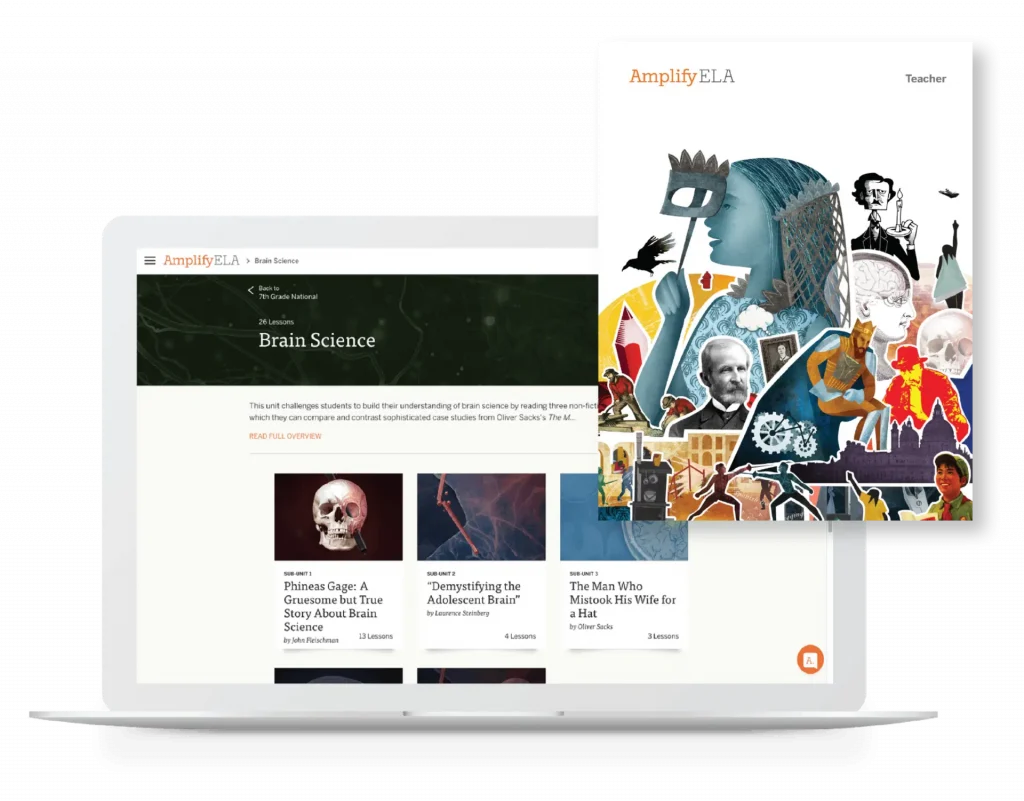
  • Unit 7C: Brain Science
    • Could you survive an iron rod through your skull? Phineas Gage did, and his gruesome-but-true story allows students to build background information and analyze other informational texts, including the contemporary The Man Who Mistook His Wife For A Hat and the relevant Demystifying the Adolescent Brain.
  • Unit 7D: Poetry & Poe
    • Poe’s texts always offer so much to notice, decipher, talk about—and creep us out. Since things are not always what they seem, students must use close reading skills to question whether they should believe what Poe’s narrator is telling them … or not.
  • Unit 7E: The Frida & Diego Collection
    • Mexico’s most famous and provocative artists, Diego Rivera and Frida Kahlo, were an extraordinary couple who lived in extraordinary times. They were both soul mates and complete opposites. Their multifaceted lives and work offer students rich and fascinating subjects to study as they examine primary source documents and conduct independent research.
  • Unit 7F: The Gold Rush Collection
    • In this research unit, students choose from a large collection of primary and secondary sources to learn about the wide range of people who took part in the California Gold Rush. They also take on the role of someone who lived during the gold rush and write journal entries from their perspective.
  • Unit 7G: Intermediate Story Writing
    • In this unit, students get to practice their creative writing skills and learn the elements of storytelling and character development, as well as the importance of vivid language. Students gain a sense of ownership over their writing as they experiment with the impact of their authorial choices on sentences, language, character traits, and plot twists.
  • Grade 7: Grammar
    • In this unit, students complete self-guided grammar instruction and practice that teachers assign to them throughout the year. Sub-units are organized by key grammar topics, so teachers can assign the content that best meets their student’s needs while making sure students work with the key grammar topics for their grades.
  • Unit 8A: Perspectives & Narrative
    • This unit aims to teach students to read like writersThey practice paying attention to the craft of writing and to the moves a good writer makes to shape the way we see a scene or feel about a character—to stir us up, surprise us, or leave us wondering what will happen next. Students closely read examples of rich, layered narrative nonfiction, analyze the techniques each author uses to make their writing resonate, and practice applying these techniques to their own narrative writing.
  • Unit 8B: Liberty & Equality
    • In this unit, students look at the words of a range of creators—from poet Walt Whitman to abolitionist Frederick Douglass to President Abraham Lincoln—to see how their writing contributed to an extreme shift in social organization: a whole new concept of what it means for people to be considered “equal.” They also study multiple perspectives on the Civil War, including the memoir of a girl who was enslaved, a confederate girl’s diary, and a nonfiction account of the young boys who served as soldiers during the war. 
  • Unit 8C: Science & Science Fiction
    • Students read Gris Grimly’s Frankenstein, a graphic novel that adds captivating illustrations to an abridgment of the 1818 edition of Mary Shelley’s book. Paired with Shelley’s text, Grimly’s haunting—and, at times, horrific—representations of Frankenstein’s creature push students to wrestle with some of the text’s central themes: the source of humanity and the root of evil. Students then write an essay in which, after arguing both sides of the question, they determine whether or not Frankenstein’s creature should ultimately be considered human.
  • Unit 8D: Shakespeare’s Romeo & Juliet
    • Romeo and Juliet combines romance with action, offering a wide range of themes and scenes for students to read about and act out. Your middle schoolers are at the right age to identify with the lovers’ strong feelings—and also old enough to think critically about the choices Romeo and Juliet make.
  • Unit 8E: Holocaust: Memory & Meaning
    • This unit uses a range of primary source articles, images, and videos, as well as literary nonfiction and graphic nonfiction, to study what made the atrocities of the Holocaust possible. Students investigate how propaganda was generated and employed to create a political environment that ultimately corrupted a society. The Olympics are seen through the lens of an international propaganda campaign, providing cover for Nazis to begin eliminating non-Aryans from their culture. The final sub-unit examines the outcomes of Nazi doctrine and the impact on Jewish victims and survivors.
  • Unit 8F: The Space Race Collection
    • In this unit, students to put their research and close-reading skills to the test to distinguish between reliable  and unreliable sources, explore primary documents, and conduct independent research to better understand the space race that took place between two of the world’s superpowers. This dramatic story offers students a rich research topic to explore as they build information literacy skills, learn how to construct their own research questions, and explore the internet for answers.
  • Grade 8: Grammar
    • In this unit, students complete self-guided grammar instruction and practice that teachers assign to them throughout the year. Sub-units are organized by key grammar topics, so teachers can assign the content that best meets their student’s needs while making sure students work with the key grammar topics for their grades.
  • Unit 8G: Advanced Story Writing
    • In this unit, students get to practice their creative writing skills. They’ll learn the elements of storytelling and character development, and the power of vivid language to grab readers and pull them into a story.

Additional activities

Quests: 

You may notice your student working with peers on the same interactive project over several days, trying to solve a mystery or explain a historical event. That’s what happens when a teacher assigns a Quest: an in-depth week-long exploration that requires collaboration and deepens engagement with texts and topics.

Vocab App:

The Vocab App helps students master vocabulary words through game-like activities that challenge them to think through morphology, analogy, and synonyms/antonyms, and to decipher meaning through context.

Have a question about Amplify ELA?

Visit our help library to search for articles with answers to your program questions. 

For additional curriculum support, please contact your student’s teacher.

Get to know Amplify ELA

Start by taking a look at the Amplify ELA Program Guide, where you’ll find:

  • Grade-level overviews for grades 6–8 (pages 11–31)
  • Amplify ELA pedagogy (page 10)
  • Sample lesson routine (page 38)
  • Amplify ELA foundations (pp 70-80)

Want to go deeper or look at Amplify ELA’s approach to writing, vocabulary, grammar, and differentiation? Check out the Table of Contents for all this and much more! 

Navigating the curriculum

Amplify ELA is a truly blended curriculum, designed specifically for grades 6–8. The program includes instructional guidance and student materials for a year of instruction, with lessons and activities that keep students engaged every day. Materials can be accessed either digitally or through print materials, depending on what your class needs.

Navigating in print

  1. Watch this video exploring the print resources available for students and teachers in Amplify ELA.
  2. Follow this link to open an ebook version of the print materials for your grade level and explore Unit A (the first unit).

Navigating digital

  1. Watch this video exploring the digital curriculum platform and the many resources available for teachers and students.
  2. Log in to the curriculum at learning.amplify.com using the demo account and password provided by your Sales rep.
  3. Once you have finished the tour, try out the scavenger hunt below!

Amplify ELA Scavenger Hunt

Inside a lesson

1. Overview & planning

Screenshot of an educational webpage for "Lesson 2: Your Movie Crew" on Amplify ELA, showing lesson navigation, overview, and a stylized illustration of a masked figure.

The Lesson Brief equips teachers with the tools they need to plan instruction. It begins with an Overview, which describes the big ideas students will grapple with and summarizes the lesson’s sequence of activities. Next, there is a Preparation section, which points out key moments and materials to prepare. The Preparation section also describes the location and content of the lesson’s Exit Ticket.

The Lesson Brief also includes: the Lesson Objective, which details the reading, writing, and/or speaking and listening objectives; Words to Use, which points out key vocabulary from the reading; Skills & Standards, which lists the focus and coverage standards; and Differentiation, which describes differentiated supports and provides additional suggestions for modifying activities.

2. Vocab App

The Vocab App helps students master vocabulary words through game-like activities based on morphology, analogy, synonyms/ antonyms, and deciphering meaning. These activities help students develop dictionary skills by focusing on parts of speech, etymology, and multiple meanings. There are also activities for ELL-appropriate words from the unit’s texts, asking students to match an English definition, Spanish translation, context sentence, audio pronunciation, and visual definition. These activities also align to vocabulary standards.

Vocab App (Teacher View)

3. Work Visually

Visualization activities are an essential part of Amplify ELA, as they open the door to more comprehensive understanding of complex texts. In these learning experiences, students break apart the text in visual ways or use visual cues to “see” key details as they construct meaning.

In this early lesson from grade 7, students unpack propaganda images and short videos from the Chinese Cultural Revolution to build their understanding of the setting before beginning the memoir Red Scarf Girl.

Other units include visualization activities such as using an app to “see” the evidence for and against scientific theories, making storyboards and planning visual adaptations of texts to “read like a movie director,” and comparing and contrasting illustrations with key textual moments.

4. Author Videos & Dramatic Readings

Students benefit from using listening comprehension skills as they build fluency with complex texts. In these close reading experiences, students listen to the text, perform the text out loud, or watch a dramatic reading of the text.

In this lesson, students listen and watch as author Ji-Li Jiang reads the opening prologue of her memoir, Red Scarf Girl. Her facial expressions, tone of voice, and emphasis help students develop early ideas about what matters to this narrator.

Additional author videos and dramatic readings are embedded in other units. In Unit 8D: Shakespeare’s Romeo & Juliet, students watch WordPlay Shakespeare videos where actors perform each selected scene next to the text of that excerpt. In Unit 8B: Liberty & Equality, two members of the Marvel cinematic universe—Chadwick Boseman and Elizabeth Olsen—offer masterful performances of Narrative of the Life of Frederick Douglass, an American Slave and A Confederate Girl’s Diary.

5. Reading/eReader

Reading standards establish high expectations for all students, even as they enter the middle grades at a variety of reading levels. In Amplify ELA lessons, students access universal supports embedded in the eReader (and built into the print versions of the text) to help them participate fully in grade-level activities.

Point-of-use vocab in print: The print Student Edition places key vocabulary words and their relevant definitions in the text margin to support students and keep them reading.

Reveal: By clicking on these pre-selected words, students access short contextual definitions for key and challenging vocabulary.

Highlight, Bookmark, and Notes: The digital highlighting, bookmarking, and annotation tools allow students to save and review any text notes from any lesson.

Text size and line spacing: Students can adjust text size and line spacing to find what works best for them

6. Writing

Two or three times a week, students complete their reading work by developing a piece of writing to refine their reading analysis. They write for 10–15 minutes, focusing on one claim in response to a prompt, and using evidence from the text in support of their claim.

In this lesson, students build on their discussion of the setting and their analysis of the passage to determine the author’s point of view at the start of her memoir.

Differentiated supports: Five levels of differentiated supports can be assigned in the moment or in advance to help every student work productively. Levels can be assigned ahead of time (by simply dragging and dropping students into groups) and students remain in their assigned levels until they’re changed by the teacher. For more information on differentiation in Amplify ELA, click here.

Automated Writing Evaluation: The Automated Writing Evaluation (AWE) tool has been developed in conjunction with Amplify’s regular writing activities, which ask students to use textual evidence to develop one focused idea or claim about the text and communicate that idea clearly and effectively to an audience. AWE is a tool designed to help teachers understand, track, and support student skill progress with these key foundational skills, which are a strong indicator of a student’s analytic writing proficiency. AWE provides auto scores for Focus and Conventions, allowing teachers to prioritize their assessment of a student’s progress with Use of Evidence, a skill that is relatively new for many middle-grade students.

7. Share

Establishing a supportive writing community in the classroom helps students develop their voices as writers. Each writing activity is coupled with a sharing session, where clear routines and student-facing feedback protocols support students as they share and respond to each other’s writing. Here, students try out their writing with an audience of their peers to figure out how to express their ideas in a clear and convincing way. In addition, these sharing sessions allow students to learn from the range of perspectives in the classroom.

Clear and consistent Response Starters ensure that students provide feedback that targets key skills and focuses on where a student is using a skill effectively, fostering an effective and supportive feedback environment.

8. Solos

Solos are an important part of the ELA curriculum, and are designed to be completed as homework—but not every student has a computer at home. However, most students DO have access to a mobile device. The new Mobile Solos give every student access to this part of the curriculum, protecting valuable classroom time for lessons and group activities.

Navigating the first unit

Dig into Unit A

It’s time to continue your journey by exploring the first unit!

  1. Choose a 6th-, 7th-, or 8th-grade Unit A.
  2. Find the Print Materials for your grade level’s Unit A and review the unit overview. (password: middle678school)
  3. Log in to the curriculum and navigate to your chosen unit.
  • Scroll down to the unit guide. Open each section and read it.
  • Read the background and context document in the Materials section.
  • Go to Sub-unit 3 and read the Sub-unit Overview.
  • Choose two lessons to explore further.
  • Open the first lesson and read the Lesson Overview. Be sure to open and read each section in the Lesson Overview.
    • Open each activity tab and read the teacher Instructional Guide. Familiarize yourself with the entire lesson and note where students are building reading and writing skills
    • Repeat with the second lesson.

Diving Deeper

Check out Amplify ELA’s professional learning website, featuring self-guided training modules and videos to help you with planning and pacing, navigation, and learning key curriculum features. 

You can log in using your Amplify credentials or the demo account and password provided by your sales rep.  

Additional support

As you continue to explore the curriculum, you may also want to take a look at the Amplify ELA Resources Website, which is full of additional information on the program. If you have any questions, please contact us through the Amplify Help section.

And you’ll find even more information by watching this session from our Literacy Symposium, in which Sarah Kitzmiller from the Niswonger Foundation and Teddy Redding from Amplify discuss some of the challenges of the 2020–21 school year. 

Amplify’s Literacy Symposium session: Focusing on the Fundamentals to Start the Year Right

You may choose to view other sessions from the Literacy Symposium as well, all accessible from the schedule menu in the top left corner. 

This webinar also offers valuable insight, with Baltimore City middle school ELA teacher Lucas Drerup describing his experiences with Amplify ELA and discussing how he brings middle school ELA to life, even in a remote teaching setting. 

How to bring middle school ELA to life: A teacher’s perspective

Support

Amplify CKLA Community Review Site

Welcome to the Amplify CKLA community review site for Idaho Falls School District. This site is designed to help you learn about Amplify CKLA—a core English Language Arts curriculum for Grades K–5.

Your district leaders want to hear from you! Please share your thoughts by completing this district survey.

Looking for 6th grade material? Click here.

What is Amplify CKLA?

Amplify Core Knowledge Language Arts (CKLA) is a core English language arts program for Grades K-5 that combines phonics with rich texts designed to build content knowledge—so that students learn to read and read to learn at the same time. It is also a blended program, which means your student will be interacting with both print and digital materials.

  • In Grades K–2, students complete one full lesson each day that builds foundational reading skills, as well as one full lesson that builds background knowledge.
  • In Grades 3–5, foundational reading skills and background knowledge are taught together through one integrated lesson each day.

Looking for 6th grade material? Click here.

There’s no better way to understand the power of Amplify CKLA than seeing it in action. Watch Ms. Lehman’s second-graders in the video below as they learn how to decode and spell words with the long /ā/ sound.

What do students learn?

Amplify CKLA is an evidence-based program built on research about how students learn to read. This collection of research is often referred to as the Science of Reading or The Simple View of Reading. It tells us that:

  • Students learn to read best when they are taught foundational reading skills (like phonics) and comprehension skills (like vocabulary and background knowledge) at the same time. That’s why Amplify includes a combination of skills and concepts in every unit.
  • The more students know about a particular topic, the better they are able to comprehend what they read. That’s why Amplify CKLA incorporates rich stories, texts, and articles about a variety of topics throughout the program.

Because students learn so much with Amplify CKLA, it can be hard to review it all at once. To make it easier for you to review the program, we’ve provided links to a variety of resources below, including unit overviews and text lists by grade.

Important note:
Amplify believes in empowering teachers to make the best instructional decisions for their students. For that reason, we include a variety of optional materials for teachers to use at their own discretion. For example: Trade Books are an optional tool that teachers can choose to use to extend a lesson. These books do not come with the program and only serve as a suggestion to assist teachers in finding additional material that ties to the unit topic.

Print materials

Student Readers

These readers are uniquely designed to provide intensive practice while reading simple but authentic stories. All readers are also available as ebooks and audiobooks on the teacher resource site.

In grades K-2, these readers are chapter books that allow students to practice just-learned sound-spellings within an authentic reading experience that incorporates compelling plots and interesting characters.

In grades 3-5, readers develop close reading and other literacy skills through a selection of diverse, content-rich literary and informational texts.

Student Activity Books

Part of the daily lessons, these activity pages ask students to respond to the text they’ve read and apply skills and knowledge. They also include assessments that track students’ skills development, to which teachers have access.

Digital materials

We are excited to announce that students will be able to access multimedia resources and engage in a new digital experience on the CKLA Hub. Unlike ever before, students can access digital resources independently from anywhere, taking full advantage of the instructional multimedia experiences that Amplify CKLA has to offer. Students can access the Hub at home, in the classroom, and on the go, making it ideal for remote learning. It’s compatible with laptops, Chromebooks, tablets, and desktops—we’ve also optimized it for mobile devices.

Knowledge Builder videos for grades K–2

Each Knowledge Domain starts with a Knowledge Builder video: a short, fun, animated story that enriches the lesson and motivates students with new characters, places, and concepts.

Recorded daily read-alouds for grades K–2

Teachers and students will have access to video recordings of all K–2 Knowledge Read-Alouds with pictures from the Flip Books.

Sound Library for grades K-2

The Sound Library uses audio sounds, catchy songs, and animated articulation videos to help students learn and master sounds.

Foundational Skills Boost for grades 1–3

Designed for grades 1–3, these video-based, self-guided lessons target critical foundational skills from the previous year’s instruction in order to fill in any gaps. They offer approximately nine weeks of instruction organized as daily lessons, with additional teacher-led small-group activities and family resources.

Vocab App for grades 3-5

The Vocabulary App is designed for independent practice with vocabulary. Students can use the Vocabulary App for game-like activities that challenge them.

Quests for grades 3–5

Each of the grade levels in 3–5 contains a Core Quest. In these special units, all the normal rules of the classroom change, and students engage with language in surprising new ways. For example, in grade 5, they learn to love the dense Shakespearian language of A Midsummer Night’s Dream through imagery, close reading, and performance.

Support your child at home

Read and talk at home

  • If possible, read with your child daily; even 15 minutes of reading together each day can make a huge impact. 
  • You can read sections of the text aloud together. If your child struggles, you might try reading the text to them with expression, and then have them read it aloud back to you. 
  • For additional practice, watch the recorded read-alouds with your K-2 student or have your grade 3-5 student use the Vocabulary App. 
  • Find moments to discuss what they are reading and discovering. Examples of questions you could ask: What stood out to you from what you read today? Were any sentences or words confusing? What was most surprising? What do you think the writer was trying to communicate? Do you agree with the writer’s ideas or descriptions? What connections can you make between what you are reading and your own life or other issues?
  • Listen to your child read their written responses or have them share with a friend over video chat. 
  • We recommend reviewing this Protecting Kids Online article by the Federal Trade Commission addressing digital safety.

Skills practice at home

We’ve developed a set of resources for families to use with their students that includes instructions and materials to teach and practice grade-level phonics at home. Resources include sound videos, Readers, and a how-to video with editable instructions that family members can customize to meet individual student needs.

Program access

Before accessing the program, watch the below video to learn even more about Amplify CKLA! Then scroll down and follow the login instructions provided.

Take a closer look at the program with the Idaho Falls Community demo account! Follow these simple instructions to access our program digitally.

  • Click the CKLA Teacher Resource Site button.
  • Select Log in with Amplify.
  • Enter this username: t1.ifckla@demo.tryamplify.net
  • Enter this password: Amplify1-ifckla
  • Select the desired grade level.

Where to go for help

Whether you have questions about your technology or want to know more about the program, Amplify’s Support Team is here to help!

Contact Support via telephone at (833) 97-Care-8 (833-972-2738) or caregiver@amplify.com.

Our support hours are Monday – Friday, 7 am – 9 PM ET, and Sunday, 10 – 6 ET.

Northshore families, welcome to Amplify CKLA!

Welcome to the Amplify CKLA Caregiver hub for Northshore School District. We are here to support you and your child with all things Amplify!

CKLA in Action

There’s no better way to understand the power of Amplify CKLA than seeing it in action. Watch Ms. Lehman’s second graders in the video below as they learn how to decode and spell words with the long /ā/ sound.

What is Amplify CKLA?

Amplify Core Knowledge Language Arts (CKLA) is a language arts program for Grades PreK-5 that combines a multi-sensory approach to phonics with rich texts carefully sequenced to build content knowledge—so that students learn to read and read to learn at the same time. 

Every day in Grades PreK–2, students complete one full lesson that builds foundational reading skills, as well as one full lesson that builds background knowledge. In Grades 3–5, students start to master the skills of reading, further opening up their worlds.

Equitable Spanish instruction

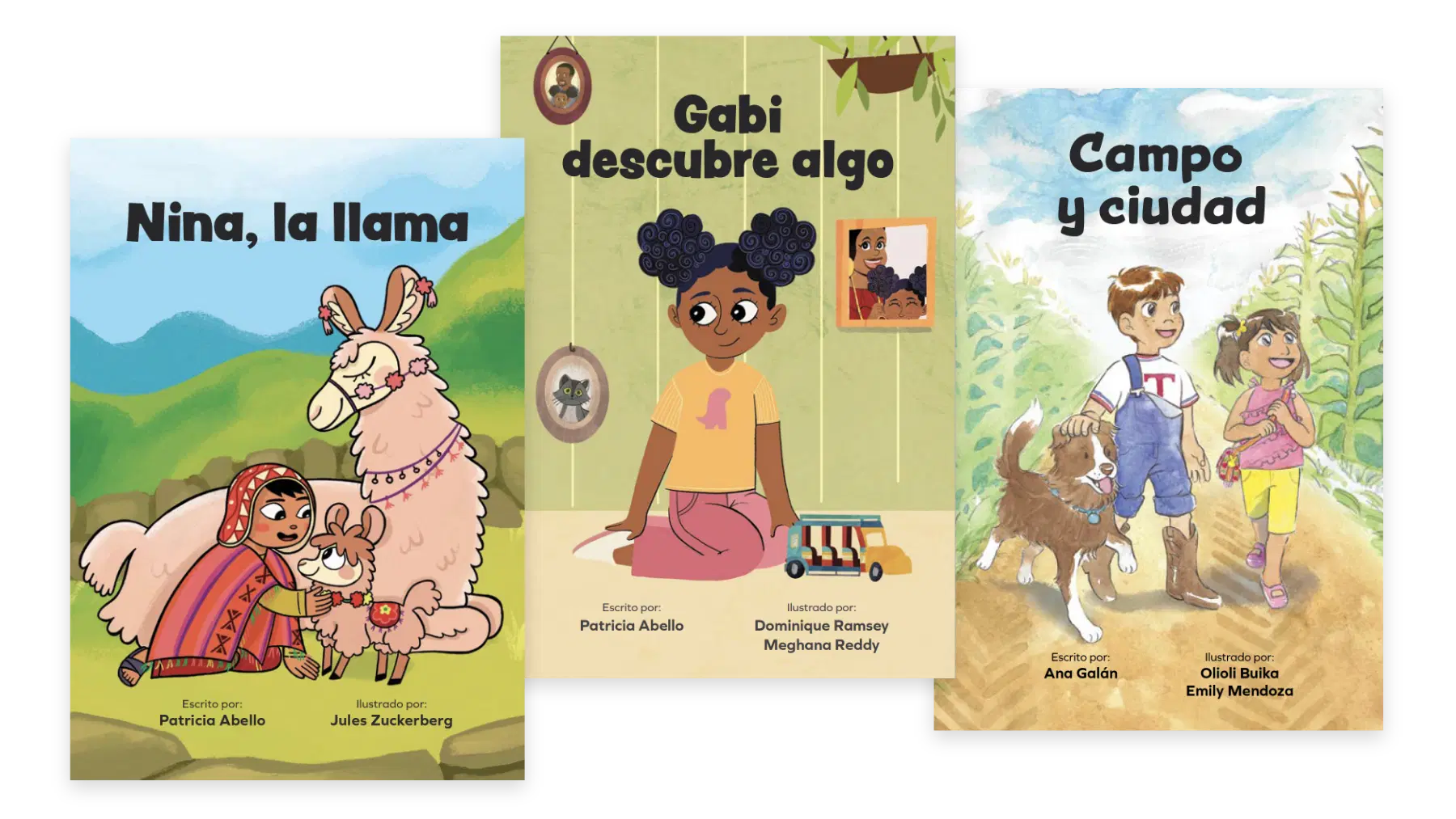
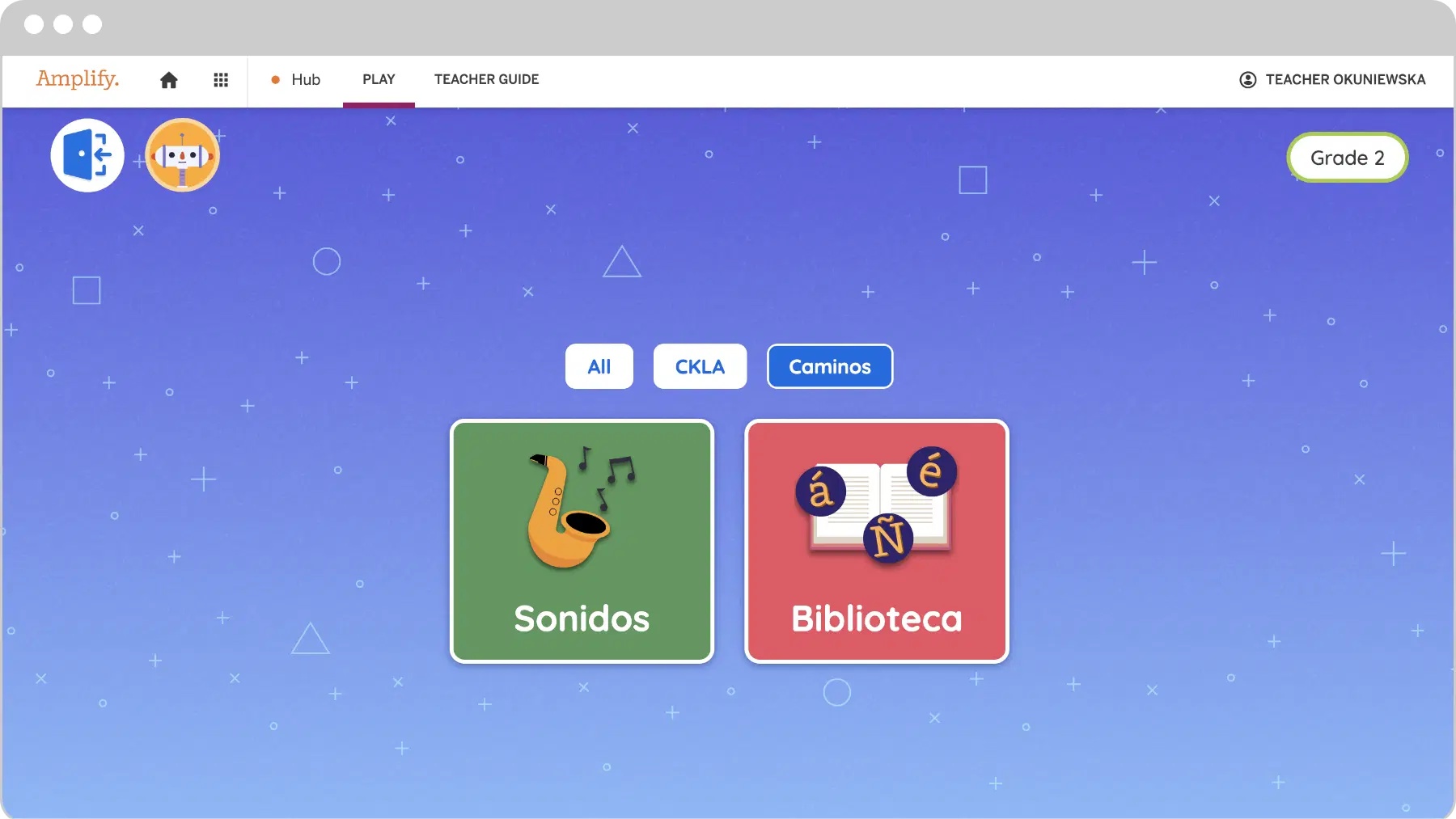
Our equivalent Spanish language arts program, Amplify Caminos, ensures our native Spanish-speaking students are equally inspired to become confident readers, writers, and thinkers.

Like Amplify CKLA, Amplify Caminos is designed to spark curiosity through content-rich instruction. Amplify Caminos features complex interactive Read-Alouds and authentic Spanish literature to develop reading and writing skills and build bridges across Spanish and English.

Most importantly, Amplify Caminos is more than just a translation. It includes transadaptations and authentic texts written by Latin American and Spanish authors across a diversity of topics and genres.

Unit Overviews

Below are quick overviews of the units your student will be working through in their grade throughout the year. Next to each unit are downloadable guides which provide a more in-depth look at the content covered and how you can help your student advance their understanding of the topics.

Materials overview

Amplify CKLA is a blended program, which means your student will be interacting with both print and digital materials.

Print materials

Student Readers

These readers are uniquely designed to provide intensive practice while reading simple but authentic stories. All readers are also available as ebooks and audiobooks on the teacher resource site, which caregivers can now access.

In grades K-2, these readers are chapter books that allow students to practice just-learned sound-spellings within an authentic reading experience that incorporates compelling plots and interesting characters.

In grades 3-5, readers develop close reading and other literacy skills through a selection of diverse, content-rich literary and informational texts.

Student Activity Books

Part of the daily lessons, these activity pages ask students to respond to the text they’ve read and apply skills and knowledge. They also include assessments that track students’ skills development, to which teachers have access.

Digital materials

CKLA Hub for grades K–5

We are excited to announce that students will be able to access multimedia resources and engage in a new digital experience on the CKLA Hub. Unlike ever before, students can access digital resources independently from anywhere, taking full advantage of the instructional multimedia experiences that Amplify CKLA has to offer. Students can access the Hub at home, in the classroom, and on the go, making it ideal for remote learning. It’s compatible with laptops, Chromebooks, tablets, and desktops—we’ve also optimized it for mobile devices.

Knowledge Builder videos for grades K–2

Each Knowledge Domain starts with a Knowledge Builder video: a short, fun, animated story that enriches the lesson and motivates students with new characters, places, and concepts.

Recorded daily read-alouds for grades K–2

Teachers and students will have access to video recordings of all K–2 Knowledge Read-Alouds with pictures from the Flip Books.

Sound Library for grades K-2

The Sound Library uses audio sounds, catchy songs, and animated articulation videos to help students learn and master sounds.

Foundational Skills Boost for grades 1–3

Designed for grades 1–3, these video-based, self-guided lessons target critical foundational skills from the previous year’s instruction in order to fill in any gaps. They offer approximately nine weeks of instruction organized as daily lessons, with additional teacher-led small-group activities and family resources.

Vocab App for grades 3-5

The Vocabulary App is designed for independent practice with vocabulary. Students can use the Vocabulary App for game-like activities that challenge them.

Quests for grades 3–5

Each of the grade levels in 3–5 contains a Core Quest. In these special units, all the normal rules of the classroom change, and students engage with language in surprising new ways. For example, in grade 5, they learn to love the dense Shakespearian language of A Midsummer Night’s Dream through imagery, close reading, and performance.

Support your child at home

Read and talk at home

  • If possible, read with your child daily; even 15 minutes of reading together each day can make a huge impact. 
  • You can read sections of the text aloud together. If your child struggles, you might try reading the text to them with expression, and then have them read it aloud back to you. 
  • For additional practice, watch the recorded read-alouds with your K-2 student or have your grade 3-5 student use the Vocabulary App. 
  • Find moments to discuss what they are reading and discovering. Examples of questions you could ask: What stood out to you from what you read today? Were any sentences or words confusing? What was most surprising? What do you think the writer was trying to communicate? Do you agree with the writer’s ideas or descriptions? What connections can you make between what you are reading and your own life or other issues?
  • Listen to your child read their written responses or have them share with a friend over video chat. 
  • We recommend reviewing this Protecting Kids Online article by the Federal Trade Commission addressing digital safety.

Skills practice at home

We’ve developed a set of resources for caregivers to use with their students that includes instructions and materials to teach and practice grade-level phonics at home. Resources include sound videos, Readers, and a how-to video with editable instructions that caregivers can customize to meet individual student needs.

Explore the program

Watch the below video to learn even more about Amplify CKLA!

Take a closer look at the program with our demo account! Follow these simple instructions to access our program digitally.

  • Click the CKLA Teacher Resource Site button.
  • Select Log in with Amplify.
  • Enter this username: t1.northshoreckla@demo.tryamplify.net
  • Enter this password: Amplify1-northshoreckla
  • Select the desired grade level.

Where to go for help

Whether you have questions about your technology or want to know more about the program, Amplify’s Support Team is here to help!

Contact Support via telephone at (833) 97-Care-8 (833-972-2738) or caregiver@amplify.com.

Our support hours are Monday – Friday, 7 am – 9 PM ET, and Sunday, 10 – 6 ET.

Open book with abstract shapes, arrows, and icons like a brain, rocket, and lightbulb emerging from its pages, symbolizing ideas and creativity.

Finding a Path for Equitable Mathematical Student Discourse

Read the research findings

Profound things happen when one human being lets another know that their voice matters. For students, the more they feel their voice is heard, the greater their opportunity to learn.

These sentiments were the driving force for the project team that created the prototype for the 5 Practices Pathfinder, a teacher-facing app designed to support the implementation of the 5 Practices for Orchestrating Productive Mathematics Discussions (Smith & Stein, 2011).

Through a partnership between Amplify and the Bill & Melinda Gates Foundation, this project aimed to create a prototype for a digital tool to support teachers in operationalizing the pedagogical model of the 5 Practices.

Researchers and authors
Sean Nank, Ph.D.
Kathleen Sheehy, M.A.T.
Claire Chang, Ph.D.

Two mobile screens displaying the pathfinder app interface, one showing a chat on mathematical discourse and the other highlighting app features for monitoring math progress.

Amplify ELA Community Review Site

Welcome to the Amplify ELA community review site for Idaho Falls School District. This site is designed to help you learn about Amplify ELA—a core English Language Arts curriculum for Grade 6.

Your district leaders want to hear from you! Please share your thoughts by completing this district survey.

Looking for Grades K–5 materials? Click here.

What is Amplify ELA?

Amplify ELA helps kids in grades 6–8 read and understand complex texts that encourage them to grapple with interesting ideas and find relevance for themselves. Amplify ELA is a blended program that includes both digital and print materials, as well as a print-only version. Students using Amplify ELA read text passages closely, interpret what they find, discuss their thinking with peers, and develop their ideas in writing. The lesson structure is easy to follow, but flexible enough to allow for a variety of learning experiences and varied enough to keep students engaged. 

Features include:

  • Functionality that allows individual students to work at their own level while also being challenged appropriately.
  • Built-in tools that allow teachers to track and respond to student work.
  • The digital Amplify Library, which contains more than 700 downloadable full-length fiction and nonfiction books.
  • The Vocab App, which uses game-like activities to help students master keywords from the program’s texts. (Students using print materials will see keywords highlighted).
  • Independent writing assignments called Solos, available on mobile devices.

Unit Overviews

Students begin with narrative writing to quickly boost their writing production, learn the foundational skill of focus, and become comfortable with key classroom habits and routines they will use all year. Students then apply their new observational focus to some lively readings from Roald Dahl’s memoir Boy and learn how to work closely with textual evidence.

Unit 6A: Dahl & Narrative Caregiver Letter

Students read like an investigator to embark on a multi-genre study of the mesmerizing world of scientific and investigative sleuthing. At the end of the unit, students write an essay explaining which trait is most useful to problem-solving investigators.

Unit 6B: Mysteries & Investigations Caregiver Letter

The Aztecs used it as currency. Robert Falcon Scott took it to the Antarctic. The Nazis made it into a bomb designed to kill Churchill. The 3,700-year-long history of chocolate is full of twists and turns, making it a rich and rewarding research topic. In this unit, students explore primary source documents and conduct independent research to better understand the strange and wonderful range of roles that chocolate has played for centuries around the world.

Unit 6C: The Chocolate Collection Caregiver Letter

Greek myths help us understand not only ancient Greek culture, but also the world around us and our role in it. Drawing on the routines and skills established in previous units, these lessons ask students to move from considering the state of a single person—themselves or a character—to contemplating broader questions concerning the role people play in the world and the communities they inhabit within it.

Unit 6D: The Greeks Caregiver Letter

The borderlands between the United States and Mexico are the place of legends, both true and fictional. Summer of the Mariposas, by Guadalupe Garcia McCall, plants a retelling of the Odyssey into this setting, launching five sisters on an adventure into a world of heroes and evildoers derived from Aztec myths and Latinx legends. On the journey, the sisters reconcile the dissolution of their parent’s marriage and find new strength in their identity and connection to Aztec lineage. Students consider how McCall uses the structure of the hero’s journey to celebrate women, heritage, and a broad definition of family. Students also have the opportunity to compare these characters’ fictional journey into Mexico to a description of one boy’s true journey into the United States.

Unit 6E: Summer of the Mariposas Caregiver Letter

In this research unit, students learn to tell the difference between primary, secondary, and tertiary sources; determine if a given source is reliable; and understand the ethical uses of information. Students then construct their own research questions and explore the internet for answers. They also take on the role of a passenger from the Titanic‘s manifest to consider gender and class issues as they research and write narrative accounts from the point of view of their passenger.

Unit 6F: The Titanic Collection Caregiver Letter

In this unit, students get to practice their creative writing skills and learn the elements of storytelling and character development, as well as the importance of vivid language. Students gain a sense of ownership over their writing as they experiment with the impact of their authorial choices on sentences, language, character traits, and plot twists.

Unit 6G: Beginning Story Writing Caregiver Letter

In this unit, students complete self-guided grammar instruction and practice that teachers assign to them throughout the year. Sub-units are organized by key grammar topics, so teachers can assign the content that best meets their student’s needs while making sure students work with the key grammar topics for their grades.

Grade 6: Grammar Caregiver Letter

Materials overview

Amplify ELA is a blended program, which means your student will be interacting with both print and digital materials.

Print materials

Student Edition

Includes all of the readings and activities necessary for instruction throughout the year. Students can read the selections both digitally and in print throughout the year, annotating in either format. The lessons in the print Student Edition reflect each digital lesson, but have been modified to work effectively in print.

Writing Journals

Where students respond to Writing Prompts and complete other written assignments.

Novel Guides

Teachers can also access, print, and mail student Novel Guides for up to 12 commonly taught novels. Six of these novels are available in the Amplify Library, and most should be available in a public library.

Digital materials

Quests

You may notice your student working with peers on the same interactive project over several days, trying to solve a mystery or explain a historical event. That’s what happens when a teacher assigns a Quest: an in-depth week-long exploration that requires collaboration and deepens engagement with texts and topics.

Vocab App

The Vocab App helps students master vocabulary words through game-like activities that challenge them to think through morphology, analogy, and synonyms/antonyms, and to decipher meaning through context.

Support your child at home

How you can support the child in your care

  • If possible, read with your student daily; even 15 minutes of reading together each day can make a huge impact. You can read aloud sections of the text together—many middle grade students enjoy performing sections of dialogue by taking on the role of a character in a play, or adding some dramatic flair to a poem with which they are working. If your student struggles with reading aloud, you might try reading the text to them with expression, then having them read it back to you. For additional practice, there are an array of fluency activities in the program’s Flex Days. Ask your student to help you find this activity.
  • Find moments to discuss what they are reading and discovering. Examples of questions you could ask: What stood out to you from what you read today? Were any sentences or words confusing? What was most surprising? What do you think the writer was trying to communicate? Do you agree with the writer’s ideas or descriptions? What connections can you make between what you are reading and your own life or other issues?
  • Listen to your student read their written responses or have them share with a friend over the phone or video chat. 
  • Browse the Amplify Library with your student to find books they’ll enjoy and be able to read fluently and independently.
  • Review this Protecting Kids Online article by the Federal Trade Commission addressing digital safety.

Program access

Before accessing the program, watch the below video to learn even more about Amplify ELA! Then scroll down and follow the login instructions provided.

Take a closer look at the program with the Idaho Falls Community demo account! Follow these simple instructions to access our program digitally.

  • Click the ELA Digital Platform button.
  • Select Log in with Amplify.
  • Enter this username: t1.ifela6@demo.tryamplify.net
  • Enter this password: Amplify1-ifela6
  • Select any unit to explore.

Where to go for help

Whether you have questions about your technology or want to know more about the program, Amplify’s Support Team is here to help!

Contact Support via telephone at (833) 97-Care-8 (833-972-2738) or caregiver@amplify.com.

Our support hours are Monday – Friday, 7 am – 9 PM ET, and Sunday, 10 – 6 ET.

Oregon ELA State Review for 6–8

To view this protected page, enter the password below:


Website Privacy Policy

Last Modified:  February 2026

Update: February 2, 2026: This Privacy Policy has been updated to address additional rights for individuals in the European Union/UK.

Below is the Website Privacy Policy for the amplify.com site (“Privacy Policy”). For purposes of clarity and as further outlined below, this Privacy Policy does not apply to student data. You can visit this page to read about the principles and policy governing student data collected and maintained on behalf of our school customers.

We advise you to read this Privacy Policy in its entirety, including the jurisdiction-specific provisions in the appendix. Our Notice at Collection for California Residents is available in the Notice for our California Customers.

Who We Are / What This Privacy Policy Covers

Amplify Education, Inc. (“Amplify”) recognizes the importance of protecting the privacy and security of your personal information. This Privacy Policy describes our practices in connection with information that we may collect through your use of this website (the “Site”).

This Privacy Policy does not apply to Amplify’s handling of:

  • student data or other information collected from users of Amplify’s products that support classroom instruction and learning, which are governed by our Customer Privacy Policy.
  • staff or applicant data that we process in accordance with our staff or applicant privacy notice, respectively.

If you have any question as to what legal agreement or privacy policy controls the collection and use of your information, please contact us using information below in the Contact Us section.

This Privacy Policy is incorporated into and is subject to our Website Terms of Use, which governs your use of the Site.

Our Role: We are the controller of all personal information (as defined below) that we receive through our Site and can be reached by email at privacy@amplify.com or by mail at Amplify Education, Inc., 55 Washington St.#800, Brooklyn, NY, 11201.

1. What personal information do we collect?

When you visit and / or interact with our Site, we may collect the following information about you that, alone or in combination, could be used to identify you or your device (“personal information”):

  • Contact Information, such as name, district / school name, professional affiliation, title / role, email address, shipping address, address and phone number.
  • Account Information, such as customer user login and password. 
  • Demographic Information, such as age and gender.
  • Information You Submit, such as information voluntarily provided on message boards, feedback sections, and other public areas of the Site.
  • Site Activity Information, which is collected when you access and interact with the Site, we and our Service Providers (as defined below) may collect certain information about those visits. For example, we or our Service Providers may receive and record information about your computer and browser, including your IP address, browser type, and other software or hardware information. If you access the Site from a mobile or other device, we may collect a unique device identifier assigned to that device, or other characteristics of the device hardware, operating system and configurations for that device. On certain pages of the Site, we may use third party tools to help us look at mouse movements, clicks, keystrokes, data or text entered, and the pages you visit.
  • Location Information, such as state, country and / or zip code, which we use to help us customize your experience, as well as to help us facilitate your privacy rights.
  • Audio, electronic, visual, or similar information: such as customer service interactions, call recordings, chat transcripts, files you attach, and email, text, or other correspondence.

If you make a purchase through our online store, you may provide payment and other information directly to our third party e-commerce platform to complete your purchase.

We ask that you not send us, and you not disclose, any government identifiers (such as social security numbers) or information related to racial or ethnic origin, health, or criminal background on or through the Site or otherwise.

2. Where/How do we collect personal information?

Amplify may collect personal information directly from you at various points, including the following:

  • Product Information and Newsletters. When you submit a request to obtain information about our products, services or other informational material or subscribe to one of our newsletters, you may be asked to submit information such as name, professional affiliation, email address, company name, address and phone and details on your query or interests in our products and services. This information is collected to help us process your request.
  • Customer Support. When you submit a form to contact our customer service, you may be asked to submit information such as name, e-mail, district, customer user login and password and details on your query. In addition, some features of our Site, such as our customer live chat functionality or other customer service systems may allow you to voluntarily provide personal information to us. This information is collected to help us process your request. Please only provide what is needed to facilitate the support request.
  • Product Orders. If you use e-commerce areas of our Site to order our products, we request information from you on our order form. To purchase products through the Site, you must provide contact information (such as name and shipping address) and financial information (such as credit card number). This information is used for billing purposes and to fill your orders. We will also use this information to contact you to confirm your order or to inform you of any issues or delays.
  • Registration. You may be asked to submit information to use certain parts of the Site (such as posting comments on certain areas of the Site), register for an event or webinar, or view restricted content that may be available on the Site. For instance, you may be asked to provide your name, email address and event or webinar-related preferences to help us process your registration or content request.
  • Public Areas and Discussion Forums. Any information you share in public areas, such as message boards or feedback sections, becomes public. Please be careful about what you disclose and do not post any personal information that you expect to keep private.
  • Contests and Sweepstakes. When we run a contest or sweepstakes relating to the Site or Amplify, it will be accompanied by a set of rules. The rules for each contest/sweepstakes will specify how the information gathered from you for your entry will be used and disclosed.

As you visit or use our Site, we may collect Site activity information through cookies and similar technologies.

  • Cookies, Pixels, and Other Tracking Technologies. Cookies and other tracking technologies (such as pixels, beacons, and Adobe Flash technology) are small data files that are placed on your computer or mobile device when you visit a website. They allow the website or mobile app to remember your actions and preferences over a period of time. We use the following types of cookies:
    • Strictly necessary cookies – These are cookies that are required for the operation of our Site. They include, for example, cookies that enable you to log into secure areas of our Site. These cookies are not generally stored beyond the browser session and are less likely to include personal information. This category of cookies cannot be disabled.
    • Functionality Cookies – We use these cookies so that we recognize you on our Site and remember your previously selected preferences. These cookies are stored on your device between browsing sessions but expire after a pre-defined period. These cookies enable our Site to “recognize” you when you use our Site, including your preferences such as your preferred language , time, and location. A mix of first party (placed by us) and third-party cookies (placed by third parties) are used.
    • Analytics Cookies – These cookies help us and our Service Providers compile statistics and analytics about users of the Site, including Site Activity Information. For example, we use Google Analytics to help us understand how users interact with the Platform. Google Analytics uses cookies to track your interactions with the Site, then collects that information and reports it to us. This information helps us improve the Site so that we can better serve you. To learn more about Google Analytics, visit https://support.google.com/analytics/answer/6004245?hl=en. If you wish, you can opt-out of Google Analytics by installing the Google Analytics Opt-out Browser Add-on, available on https://tools.google.com/dlpage/gaoptout.
    • Advertising Cookies – We use these cookies to collect information about your visit to our Site, the content you viewed, the links you followed and information about your browser, device, and your IP address. We sometimes share some limited aspects of this data with third parties for advertising purposes. We may also share Site Activity Information collected through cookies with our advertising partners. This means that when you visit another website, you may be shown advertising based on your browsing patterns on our Site.

For information on how to opt-out of these technologies, please see What Choices Do You Have? below.

  • Social Plugins. Certain areas of our Site permit you to utilize social media functionality, such as the Facebook “Like” or Google “+1” buttons (“Social Plugins”). To use a Social Plugin, you must authorize the third-party provider of that Social Plugin, e.g. Facebook or Google, to access, collect, and/or disclose your information related to your use of that Social Plugin, subject to that company’s privacy policies, which may differ from this Privacy Policy. In addition, such providers may be able to collect information about you, including your activity on the Site, and they may notify your connections on their social networking platform about your use of the Site. Such services may also employ unique identifiers that allow your activity to be monitored across multiple websites for purposes of delivering more targeted advertising to you.

Amplify also receives information from other sources.

  • Information from Other Sources. We may supplement any information we collect via this Site with information from publicly or commercially available sources.

3. How do we use personal information?

We may use any personal information and other information we collect from and about you for the following purposes and as described elsewhere in this Privacy Policy:

  • To provide and manage the Site. We use the personal information we collect from and about you to provide the Site and features to you, including to measure and improve its services and features, to personalize your experience by delivering relevant content, to deliver marketing messages, to allow you to comment on content, to provide you with customer support, and to respond to inquiries. We may also use and disclose aggregate or anonymous data about your use of and activity on the Site to assist us in this regard and for any other purpose.
  • To contact you. Amplify may periodically send promotional materials (e.g., newsletters) or notifications related to the Site and to Amplify’s business to the contact information you provided to us at registration.
  • To improve our products and services. We may use your personal information for our business purposes, such as data analysis, audits, developing new products and services, enhancing the Site, improving our services, identifying usage trends, and determining the effectiveness of our promotional campaigns.
  • For marketing and advertising. We may use your personal information to help us market our products to you or your school district.

4. To whom do we disclose personal information?

We may disclose any personal information and other information we collect from and about you for the following purposes and as described elsewhere in this Privacy Policy:

  • To share with our affiliated education companies. Amplify may share your personal information with Amplify’s affiliated education companies for the purposes described in this Privacy Policy.
  • To allow service providers to assist us. We may engage third party service providers, agents and partners (“Service Providers”) to perform functions on our behalf, such as analytics, credit card processing, shipping or stocking orders and providing customer service. We may disclose your personal information to such Service Providers to enable them to assist us in these efforts.
  • To allow our marketing and advertising partners to assist us. We may engage marketing and advertising partners to help us market and advertise our products and services, including via digital ads sent in connection with your visit to the Site. We may disclose Site Activity information, as well as contact information and other aggregate insights to such partners to enable them to assist us in these efforts.
  • To protect the rights of Amplify and our users. There may be instances when Amplify may disclose your personal information, in situations where Amplify has a good faith belief that such disclosure is necessary or appropriate in order to: (i) protect, enforce, or defend the legal rights, privacy, safety, operations, or property of Amplify, our parents, subsidiaries or affiliates or our or their employees, agents and contractors (including enforcement of our agreements, including our terms of use); (ii) protect the rights, safety, privacy, security or property of users of the Site or others; (iii) protect against fraud or for risk management purposes; (iv) comply with the law or legal process, including laws outside your country of residence; (v) respond to requests from public and government authorities, including those outside your country of residence; or (vi) allow us to pursue available remedies or limit the damages that we may sustain.
  • To complete a merger or sale of assets. If Amplify sells all or part of its business or makes a sale or transfer of its assets or is otherwise involved in a merger, transfer or other disposition of all or part of its business, assets or stock (including in connection with any bankruptcy or similar proceedings), Amplify may transfer your personal information to the party or parties involved in the transaction.

5. What rights and choices do you have?

Opt-out of Marketing Communications. If you want to stop receiving promotional materials from Amplify, you can follow the unsubscribe instructions at the bottom of each email. There are certain service notification emails that you may not opt-out of, such as notifications of changes to the Site or policies. If you have additional questions, please contact us using information below in the Contact Us section.

Opt-of Cookies and Similar Tracking Technologies. There are a few ways to opt out or delete cookies.

  • On Your Browser. Most browsers are initially set to accept cookies, but your browser may permit you to change your settings to notify you of a cookie being set or updated, or to block cookies altogether. Please consult the “Help” section of your browser for more information. Please note that by blocking any or all cookies you may not have access to certain features, content or personalization that may be available through the Site. Please also note that you must opt out separately on each device (including each web browser on each device) that you use to access our Site if you wish to opt out, and if you clear your cookies or if you use a different browser or device, you will need to renew your opt-out preferences.
  • Interest-Based Advertising. Some advertisers and marketing companies participate in the self-regulatory programs of the Digital Advertising Alliance (“DAA”) and European Interactive Digital Advertising Alliance (“eDAA”) in connection with online interest-based advertising. DAA and eDAA provide consumers with the ability to opt out of receiving interest-based advertising from their program participants at the following links:

What Rights Do You Have?

6. Security

Amplify uses commercially reasonable administrative, technical, personnel and physical measures to safeguard personal information in its possession against loss, theft and unauthorized use, disclosure or modification.

7. Data retention / Deletion

We will retain your personal information for the period necessary to fulfill the purposes outlined in this Privacy Policy unless a longer retention period is required or allowed by law. Even after we have deleted your personal information from our systems, copies of some information from your account may remain viewable in some circumstances – where, for example, you have shared information with social media platforms and other unaffiliated services. We may also retain backup information related to your account on our servers for some time after cancellation for fraud detection or to comply with applicable law or our internal security policies. Because of the nature of caching technology, your account may not be instantly inaccessible to others, and there may be a delay in the removal of the content from elsewhere on the Internet and from search engines.

8. Data Storage and Transfers

We are a United States Company, and our servers are hosted, managed, and controlled by us in the United States. If you are outside of the United States, we use industry standards to protect your data when it leaves your country of residence and your data will always be protected in accordance with this Privacy Policy, Applicable Laws and our Agreement regardless of the storage location.

Additionally, where we transfer your personal information to service providers outside of the United Kingdom (UK), European Economic Area (EEA), or other region that offers similar protections, we use specific appropriate safeguards to contractually obligate such service providers to protect personal information in accordance with Amplify’s commitment to privacy and security and applicable data protection laws.

If you have questions or wish to obtain more information about the international transfer of your personal information or the implemented safeguards, please contact us using the contact information below.

9. External third-party services

The Site may be linked to sites operated by unaffiliated companies, and may carry advertisements or offer content, functionality, games, newsletters, contests or sweepstakes, or applications developed and maintained by unaffiliated companies. Amplify is not responsible for the privacy practices of unaffiliated companies, and once you leave the Site via a link or enable an unaffiliated service, you are subject to the applicable privacy policy of the unaffiliated service.

10. Updates to this policy

Amplify may modify this Privacy Policy. Please look at the Last Revised Date at the top of this Privacy Policy to see when this Privacy Policy was last revised. Any changes to this Privacy Policy will become effective when we post the revised Privacy Policy on the Site. If you do not wish to be bound by the terms of the revised Privacy Policy, you must discontinue your use of the Site.

11. Contact us

If you have questions about this Privacy Policy, please contact us at:

Email: privacy@amplify.com
Mail: Amplify Education, Inc.
55 Washington St.#800
Brooklyn, NY, 11201
Phone: (800) 823-1969
Attn: General Counsel

Appendix – Supplemental Disclosures

1. Notice for our California Customers

We retain your personal information for as long as you are an active user of our Site or continue to have an account with us, and in accordance with our legal obligations (which may require us to hold information to provide financial and other reporting and to defend against potential claims). If you are a California resident, please see below for information about your rights pursuant to California law.

Personal Information We Collect
How We Use Personal Information
Contact Information
  • To provide you with customer support and respond to inquiries.
  • To contact you with promotional emails (e.g. newsletters) or notifications related to the Site
  • To help us verify the identity of our user
  • As otherwise required or permitted by law, or as we may notify you at the time of collection
Account Information
  • To provide and manage the Site
  • To improve our products and services
  • As otherwise required or permitted by law, or as we may notify you at the time of collection
Payment Information
  • To complete your payment of purchases made through the Site
  • For internal operations (e.g. to improve and update our products)
  • For security and fraud prevention
  • As otherwise required or permitted by law, or as we may notify you at the time of collection
Information You Submit
  • To provide the Site and features to you, including to allow you to comment
  • To improve our products and services
  • As otherwise required or permitted by law, or as we may notify you at the time of collection.
Site Activity Information
  • We sell or share information about your Site activity with third parties for targeted advertisements on and off of Amplify. We also use this information to:
    • To provide and manage the Site
    • To improve our products and services
    • For internal operations (e.g. to improve and update our products)
    • For security, safety, and due diligence purposes
    • As otherwise required or permitted by law, or as we may notify you at the time of collection
Location Information
  • We use location information , such as state, country and / or zip code, which we use to help us customize your experience, as well as to help us facilitate your privacy rights.
Inferences
  • We may make inferences about your interests and personal preferences (such as the content you like to consume). We also use this information to:
    • To personalize your experience on the Site
    • For internal operations (e.g. to improve and update our products)
    • As otherwise required or permitted by law, or as we may notify you at the time of collection

Some of the information described above may be considered “sensitive” under the laws of certain jurisdictions (including payment information and account login credentials (“Sensitive Information”). Whether information is Sensitive Information will depend on the laws of your jurisdiction. We only use Sensitive Information, such as payment information and account credentials for necessary or reasonably expected purposes – specifically, to provide you with our Services (i.e., fulfill purchases and to allow account logins).

Shine the Light

California’s Shine the Light law (Civil Code § 1798.83) permits California residents to request certain information regarding our disclosure of certain categories of personal information to third parties for their own direct marketing purposes in the preceding calendar year. We do not share personal information, as defined by California’s Shine the Light law, with third parties for their own direct marketing purposes.

Notice of Financial Incentive 

 As part of our services, there may be opportunities for you to complete surveys and questionnaires. As an incentive for completing the survey or questionnaire, you can voluntarily provide your personal information, which in turn enters you into a raffle drawing or enables us to provide you with other benefits, discounts, offers, or deals that may constitute a financial incentive under California law (“Financial Incentive”). The categories of personal information required for us to provide the Financial Incentives include: contact information and any other information that you choose to provide when you complete the survey.

Participation is voluntary and you can opt out at any time before your survey is complete.

The value of the personal information we collect in connection with our Financial Incentives is equivalent to the value of the benefit offered.

2. Additional U.S. State Privacy Law Rights

Residents of certain U.S. states have the following rights, regarding your personal information (each of which are subject to various exceptions and limitations):

  • Access. You have the right to request, up to two times every 12 months, that we disclose to you the categories of personal information collected about you, the categories of sources from which the personal information is collected, the categories of personal information sold or shared, the business or commercial purpose for collecting, selling, or sharing the personal information, the categories of third parties with whom personal information was shared, and the specific pieces of personal information collected about you.
  • Correct. You have the right to request that we correct inaccurate personal information collected from you. 
  • Deletion. You can request that we delete your personal information that we maintain about you.
  • Opt-out (Do Not Sell or Share My Personal Information). Under several U.S. state privacy laws, consumers have the right to opt-out of the “sale” of their personal information (defined very broadly to include situations where we provide personal information to partners who provide advertising services to us) and the “sharing” of personal information in connection with the display of targeted advertising across third party websites. While we do not sell your personal information, we do share it in connection with our advertising efforts. Please also note that we do not knowingly sell or share the Personal Information of minors under 16 years of age.

We also honor the Global Privacy Control, a browser-based opt-out signal. We do not respond to other browser-based signals that do not meet applicable state law requirements, which may include older Do Not Track signals.

  • No Discrimination. You have the right not to be discriminated against for exercising these rights.
  • Appeals. You have a right to appeal decisions concerning your ability to exercise your consumer rights. 
  • Submission of Requests. You may exercise the above rights by emailing us at privacy@amplify.com. Note that we may deny certain requests, or fulfill a request only in part, based on our legal rights and obligations. For example, we may retain personal information as permitted by law, such as for tax or other record keeping purposes, to maintain an active account, and to process transactions and facilitate customer requests.
  • Authorized Agent. You may designate an authorized agent to make a request on your behalf. When submitting the request, please ensure the authorized agent identifies himself/herself/itself as an authorized agent and can show written permission from you to represent you. We may contact you directly to confirm that you have authorized the agent to act on your behalf or confirm your identity.
  • Verification. Whether you submit a request directly on your own behalf, or through an authorized agent, we will take reasonable steps to verify your identity prior to responding to your requests. The verification steps will vary depending on the sensitivity of the personal information and whether you have an account with us.
3. Notice for European Economic Area and United Kingdom Customers

As detailed at the beginning of our Privacy Policy (under the section titled “Our Role”), Amplify acts as a controller with respect to personal information collected as you interact with our Site.

Lawful Basis for Processing

We rely on the following lawful bases for our processing activities:

  • Consent;
    • We obtain your consent to collect and process device and usage data via cookies on our Site to understand how individuals use our Site and to help us measure the effectiveness of our advertising and marketing campaigns.
  • Pursuant to a contract with the user of our Site;
    • We process all categories of personal information that we collect to provide and manage our Site, including payment processing, where this is required in order for us to perform our obligations under our contract with you.
  • To comply with our legal obligations;
    • We process all categories of personal information that we collect to ensure the safety and security of our Site where we are complying with security requirements under data protection and cyber and information security law.
    • We process all categories of personal information that we collect to comply with our legal obligations which includes, for example, to access, retain or share certain personal information where we receive a valid request from a government body, law enforcement body, judicial body regulator or similar, to deal with legal claims and prospective legal claims, and to ensure we are complying with applicable laws.
  • When we have a legitimate interest in doing so, which is not outweighed by the risks to the individual. We rely on our legitimate interest to process all categories of personal information:
    • to provide, manage, and improve the Site where such activities are not strictly required under our contract, including personalizing your experience on the Site.
    • to ensure the safety and security of our Site where this is important but not required under the data protection law or cyber and information security laws.
    • to respond to queries or otherwise communicate with you in relation to our Site and the operation of our business where this is not strictly required under a contract with you.
    • internal research and certain marketing purposes (e.g. to periodically send newsletters and other promotional materials), which will not be based on Student Data or directed to K–12 students.

Your Data Subject Rights

If you are located in the EEA/UK, you have the following rights, subject to certain exceptions:

  • Right of access: You have the right to ask us for confirmation on whether we are processing your personal information and access to that personal information.
  • Right to correction: You have the right to have your personal information corrected.
  • Right to erasure: You have the right to ask us to delete your personal information.
  • Right to withdraw consent: You have the right to withdraw consent that you have provided.
  • Right to lodge a complaint with a supervisory authority: You have the right to lodge a complaint with a supervisory authority.
  • Right to restriction of processing: You have the right to request the limiting of our processing under limited circumstances.
  • Right to data portability: You have the right to receive the personal information that you have provided to us, in a structured, commonly used, and machine-readable format, and you have the right to transmit that information to another controller, including to have it transmitted directly, where technically feasible.
  • Right to object: You have the right to object to our processing of your personal information

To exercise any of these rights, contact us as set forth in the section entitled “Contact Us” above and specify which European privacy right you intend to exercise. We may require additional information from you to allow us to confirm your identity. Please note that we store information as necessary to fulfill the purposes for which it was collected, and may continue to retain and use the information even after a data subject request for purposes of our legitimate interests, including to comply with our legal obligations, resolve disputes, prevent fraud, and enforce our agreements.

Complaints

If you have any issues with our compliance, you have the right to lodge a complaint with an EEA or UK supervisory authority. We would, however, appreciate the opportunity to address your concerns before you approach a data protection regulator, and would welcome you directing an inquiry first to us. To do so, please contact us by email at privacy@amplify.com or by mail at Amplify Education, Inc., 55 Washington St.#800, Brooklyn, NY, 11201.

Amplify Classroom and Polypad free and commercial use guidelines

If you’d like to use Amplify’s tools or content in your work, please review these guidelines to determine if your specific use is allowed and whether you need to submit a request for approval.

Overview

Amplify Classroom offers free prebuilt interactive and print-based lessons, interactive lesson-building tools, and Polypad virtual manipulatives. See amplify.com/classroom and polypad.amplify.com for more information.

Amplify Classroom features:

  • Activity Builder (labeled “Custom Activities” in the platform): This content-creating and publishing tool enables educators to create their own interactive lessons and edit existing lessons.
  • Polypad virtual manipulatives: These virtual manipulatives allow teachers and students to explore concepts, express their creativity, and visualize their thinking. Polypad virtual manipulatives can be embedded directly into lessons via Activity Builder or used as a stand-alone, dynamic workspace.
  • Computation Layer: This feature enables educators to further customize lessons created with Activity Builder. Computation Layer is the code that allows components within the lessons to “talk” to one another, enabling users to connect representations; customize content; and provide dynamic, interpretive feedback. Computation Layer is accessible through Activity Builder.

Amplify Classroom includes activities and lessons across many subjects, created by the thousands of educators on our platform. Content created by Amplify is tagged “By Amplify,” “By Amplify Classroom,” or “By Desmos Classroom.”

Amplify also publishes paid core curriculum programs, including Amplify Desmos MathAmplify ScienceAmplify CKLAAmplify Caminos, and Amplify ELA. These products can be reviewed and purchased by schools or districts interested in comprehensive resources aligned to standards and designed to motivate students. Some of the lessons that are free to use on Amplify Classroom (labeled Try It! lessons) are also part of these paid products. Learn more about our products and request a sample.

Amplify Classroom tools and content (other than paid products) are free for personal, educational, and non-commercial use, subject to our Acceptable Use Policy and Usage Guidelines. These guidelines also permit certain commercial uses. You generally don’t need to submit a request to use our free tools and resources for the permitted purposes covered in these guidelines. As long as you are following our Acceptable Use Policy and Usage Guidelines, as well as making appropriate Attributions and Disclaimers, you are permitted to move forward with your project. To make sure your use is permitted, please read these guidelines thoroughly and in their entirety. If you would like to explore a license for a use not permitted here, please submit this form.

Amplify does not own but partners with Desmos Studio, the maker of a suite of free math tools, including a graphing calculator used by over 75 million people around the world. (See desmos.com for more information.) Please contact Desmos Studio for information on using their content or tools.

Usage guidelines

Please adhere to the following guidelines for using Amplify Classroom tools and content in each of the scenarios set out below. You are required to follow our General Guidelines and Attribution requirements below when making permitted uses. You are responsible for clearing any third party marks and content you use in your applications or publications.

Uses labeled “PERMITTED USES” do not require permission, and you do not need to tell us about them—but we do appreciate hearing from you! Feel free to fill out this form to tell us about how you are using our tools and materials, and the ways in which you are finding them useful.

Uses labeled “CONTACT US” do require permission. If you are interested in such use, please submit this form, and someone from our team will endeavor to follow up with you as soon as possible.

Teaching and education services

This section provides guidelines on using Amplify Classroom for teaching and education services.

PERMITTED USES A green checkmark symbol on a light background. Educators creating, modifying (where permitted), and using Amplify Classroom content for classroom teaching in a school
  A green checkmark symbol on a light background. Public school districts, charter schools, and networks creating, modifying (where permitted) and using Amplify Classroom content for classroom teaching
  A green checkmark symbol on a light background. Private tutors creating or using Amplify Classroom content in 1:1 or small-group tutoring sessions
CONTACT US A large red "X" symbol on a light gray background. For-profit school or network of schools implementing Amplify Classroom for the school or network
  A large red "X" symbol on a light gray background. Education publishers and EdTech organizations (whether for profit or non-profit) using or linking to Amplify Classroom content and tools
  A large red "X" symbol on a light gray background. Any organizations or individuals embedding the teaching and learning experience from the Amplify Classroom lessons in their websites or applications (except API/iFrames Polypad integrations permitted below)
  A large red "X" symbol on a light gray background. Educators or other individuals authoring lessons for commercial purposes (e.g., to sell on Teachers Pay Teachers and similar websites)
  A large red "X" symbol on a light gray background. School districts, states, education publishers or technology providers, educators or any other individual or organization (whether for profit or non-profit) using Amplify Classroom content or platform to create paid curricula, educational courses, assessments, or any materials or curricula for submission for a state adoption list; or for offering, marketing, or sale to any schools or educational agencies or organizations, in or outside of the U.S.
  A large red "X" symbol on a light gray background. Instructional/tutoring organizations (whether for profit or non-profit), seeking to use Amplify Classroom for its tutors or instructors

Print and presentations

This section provides guidelines on including content from Amplify Classroom, such as portions of free lessons or images generated using our tools, in printed materials or presentations.

PERMITTED USES A green checkmark symbol on a light background. Books, including textbooks, up to two thousand copies
  A green checkmark symbol on a light background. Periodicals (newspapers, magazines, journals, etc.)
  A green checkmark symbol on a light background. Business documents such as company reports, proposals, presentations, etc.
  A green checkmark symbol on a light background. Academic publications, research papers, Ph.D. theses, and portfolios
  A green checkmark symbol on a light background. Conferences, presentations and accompanying slides
CONTACT US A large red "X" symbol on a light gray background. Books, more than two thousand copies, or as cover art for a book
  A large red "X" symbol on a light gray background. As content within platforms, mobile and tablet applications, PDFs, ebooks, multimedia materials, or other digital resources or products
  A large red "X" symbol on a light gray background. Consumer and retail goods or packaging (e.g., shirts, beach towels, shower curtains, mugs, posters, stationery)

Web and apps

This section provides guidelines for embedding Amplify Classroom tools into your platform.

PERMITTED USESA green checkmark symbol on a light background.Individuals and schools embedding Polypad in their materials for instructional use are permitted to do so; for integration options, see below.
 A green checkmark symbol on a light background.Organizations (whether for profit or non-profit) offering paid services embedding Polypad with <10k requests per year
CONTACT USA large red "X" symbol on a light gray background.Organizations (whether for profit or non-profit) offering paid services embedding Polypad with >10k requests per year
 A large red "X" symbol on a light gray background.Individuals or organizations looking to embed Activity Builder/Computation Layer in their applications
 A large red "X" symbol on a light gray background.Individuals or organizations looking to embed Amplify Classroom tools in larger applications, more complex integrations, white-labeling, or hosting Amplify’s JS files on their own infrastructure
 A large red "X" symbol on a light gray background.Polypad links, screenshots, iFrames, or API uses behind a paywall

Polypad integration options

There are two integration options for using Polypad within your own applications, including:

  • Using iFrames hosted by Amplify.
  • As a white-labeled JavaScript API that can be self-hosted and embedded in other websites or apps.

Developers can customize the features and behavior through numerous options and event listeners, and interact with the canvas programmatically to build custom functionality.

Visit the Polypad API page to learn more about Polypad API license terms and to generate API Key.

General guidelines

Copyright fair use

Your use of our content may be acceptable under principles of fair use (or other similar concepts in other countries). Under the fair use doctrine of the U.S. Copyright Act of 1976, it is permissible to use limited portions of a work for purposes such as commentary, criticism, news reporting, research, and scholarly reports.

Whether a particular use qualifies as fair use depends on a number of factors. For more information see resources from the U.S. Copyright Office, Circular 21Reproductions of Copyrighted Works by Educators and Librarians, and Fair Use Index. Amplify can’t tell you if your use of this content would be fair use, so you may wish to obtain your own legal advice.

Use of trademarks

Our trademarks are valuable assets of Amplify and its licensors, and we want to ensure our users and partners use them correctly. These trademarks include the Amplify word mark and logo, Polypad word mark, Core Knowledge Foundation word mark and logo, the Lawrence Hall of Science word mark and logo, and the Desmos and Amplify Classroom word marks and logos.

Logos

Our logos can only be used if you have an existing partnership, and you’ve reached out to your Amplify contact to secure formal approval from Amplify’s brand team.

Logos must never be used in a way that implies an endorsement or affiliation with Amplify where such a relationship does not exist.

Please contact media@amplify.com if you need to use an Amplify or Amplify Classroom logo.

Please contact Desmos Studio for Desmos Studio branding guidelines and licensing.

Use of product names and features

If making a use permitted under these guidelines or approved by Amplify, you may use the Amplify name or one of our product names or features in plain text to indicate that your product or service integrates with, or relates to, an Amplify product or service.

However, all references must be honest and accurate, and you can’t incorporate these names into your own name or imply an endorsement by Amplify or any of its licensors.

REQUIREDA green checkmark symbol on a light background.Use the complete name “Amplify Classroom” when referencing the platform.
 A green checkmark symbol on a light background.Use “Amplify Classroom lessons” when talking about specific lessons authored in the Amplify Classroom platform.
 A green checkmark symbol on a light background.Use “Teacher-created Amplify Classroom lessons” or “[Company name]-authored Amplify Classroom lessons” when talking about a lesson that has been authored by anyone other than Amplify personnel.
 A green checkmark symbol on a light background.Include required attribution and disclaimers.
PROHIBITEDA large red "X" symbol on a light gray background.Do not imply an endorsement or affiliation with Amplify where such a relationship does not exist.

Attribution and disclaimers

You are required to include a link to the homepage of Amplify Classroom (amplify.com/classroom) and a prominent disclaimer of affiliation when making permissible uses described above in at least one place in your materials, preferably the cover page or landing page.

Visit Amplify Classroom for free lessons, lesson-building tools, and Polypad virtual manipulatives at amplify.com/classroom. This content is not affiliated with, sponsored by, or endorsed by Amplify or any of its licensors. Amplify®, Amplify Classroom, and related trademarks are the property of Amplify Education, Inc.

If your current attribution language refers to Desmos Classroom, please update the attribution to “Amplify Classroom” instead of “Desmos Classroom.”

Contact us

Amplify Classroom and Polypad usage inquiry form for uses labeled “Contact Us”

Thank you for your interest in using Amplify Classroom and/or Polypad. If your intended use falls into one of the categories labeled “Contact us,” please fill out this form, so we can determine the appropriate permissions or licenses:

Country(Required)
Agreement and Next Steps(Required)

Amplify Classroom and Polypad usage inquiry form for uses labeled “Permitted”

Thank you for your interest in using Amplify Classroom and/or Polypad. If your intended use falls under the “Permitted” categories outlined in our use guidelines, please let us know by filling out the form below. This helps us understand how our tools are being used.

Note: If your intended use falls under one of the “CONTACT US” categories outlined in our use guidelines, please fill out this form.

Amplify Classroom and Polypad Permitted Use Form

Utah – USBE Data Analysis for K-3 Reading Assessment Program – New

To view this protected page, enter the password below:


Customer Privacy Policy

Last Modified: January 23, 2026 | Update History

Most recent update: This Privacy Policy has been updated to address additional rights for individuals in the European Union/UK.

We advise you to read this Privacy Policy in its entirety, including the jurisdiction-specific provisions in the appendix. Click here to review Our U.S. Notice At Collection.

Customer Privacy Policy: K–12 Schools

Who We Are

Amplify Education, Inc. (“Amplify”) is leading the way in next-generation curriculum and assessment. Amplify’s programs provide teachers with powerful tools that help them understand and respond to the needs of each student and use data in a way that is safe, secure, and effective.

Our Products and Services

Amplify’s products support classroom instruction and learning and include Amplify CKLA, Amplify ELA, Amplify Caminos, Amplify Science, Amplify Desmos Math, Boost Reading, Boost Math, mCLASS, Mathigon, associated professional development and tutoring services, and services at classroom.amplify.com (for creating and assigning activities) and student.amplify.com (for use of the activities or curricula as directed by an instructor), and any other product or service that links to this Privacy Policy (together, the “Products”).

Our Approach to Student Data Privacy 

In the course of providing the Products to Schools and their Authorized School Users, Amplify collects, receives, generates, or has access to Student Data (defined below). We consider Student Data to be confidential and we collect and use Student Data solely for educational purposes in connection with providing our Products to, or on behalf of the School as described in this Privacy Policy and our Agreements (defined below). We work to maintain the security and confidentiality of Student Data that we collect or store, and we enable Schools to control the use, access, sharing, and retention of Student Data.

Our Products are geared towards K–12 students (“Students”), and the educators, agents and staff members who use the Products as authorized by their School (“Educators”). Information that directly relates to an identifiable Student (“Student Data”) is owned and controlled by the School, and Amplify receives Student Data as a “school official” under Section 99.31 of the Family Educational Rights and Privacy Act of 1974 (“FERPA”) for the purpose of providing the Products hereunder. In addition, we rely on the School acknowledging that it is acting as the parent’s agent and consenting on the parent’s behalf to process personal information of Students under the age of 13 (“Child Users”) in accordance with the Children’s Online Privacy Protection Act (“COPPA”).

Our collection and use of Student Data is governed by our Agreements with Schools, including this Privacy Policy (“Privacy Policy”), and applicable laws which may include FERPA, COPPA, the Protection of Pupil Rights Amendment (“PPRA”), as well as other applicable federal, state, and local privacy laws and regulations (“Applicable Laws”). As noted above, with respect to FERPA, Amplify receives Student Data as a “school official” under Section 99.31 of FERPA for the purpose of providing its Products, and such Student Data is owned and controlled by the School.

Schools may provide authorization in two ways:

  1. by the School agreeing to our Customer Terms and Conditions located at amplify.com/customer-terms or another written agreement between Amplify and the School, as applicable; or
  2. by an Educator agreeing to the Acceptable Use Policy located at amplify.com/acceptable-use-policy/ (“AUP”) on behalf of the School as outlined in the AUP.

In each case, we collect Student Data and provide these Products solely for the use and benefit of the School and for no other commercial purpose. We require all Schools to review this Privacy Policy, available at amplify.com/customer-privacy, and to make a copy of the Privacy Policy available to the parents or guardians of Child Users.

We also provide limited opportunities for individual users to sign up for an account for use of our Products at-home or otherwise outside of the authorization of a School (“Home Users”). See the Appendix–Supplemental Disclosures for additional information that applies to our Home Users.

What This Privacy Policy Covers 

This Customer Privacy Policy (“Privacy Policy”) describes how Amplify collects, uses, and discloses personal information through the provision of Products.

For purposes of this Privacy Policy, “you” and “your” means Authorized Users (defined below).

This Privacy Policy does not apply to Amplify’s handling of:

  • information collected from users of Amplify’s company website, which is governed by our Website Privacy Policy.
  • job applicant data that we process in accordance with our applicant privacy notice.

There may be different contractual terms or privacy policies in place with some Schools. Such other terms or policies supersede this Privacy Policy for information collected or released under those terms. If you have any questions as to which legal agreement or privacy policy controls the collection and use of your personal information, please contact us using the information provided below. Unless expressly superseded, this Privacy Policy is incorporated into and is subject to the Agreement that governs your use of the Products.

Our Role

Amplify as a processor/service provider: Our School customers are the controllers of Student Data (as well as certain other Educator personal information to the extent required by law or Amplify’s agreement with the School) (together “School Data”).

Amplify acts as a processor/service provider for our School customers with respect to School Data, which means when we use School Data, we do so solely on the instruction of the School. School Data is subject to the School’s privacy policies; therefore, you will need to contact the School directly if you have any questions or would like to exercise your rights with respect to School Data.

Amplify as a controller: We are the controller of all other personal information we collect from non-Student Authorized Users (“Amplify Data”) and can be reached by email at privacy@amplify.com or by mail at Amplify Education, Inc., 55 Washington St.#800, Brooklyn, NY, 11201.

Policy

1. Definitions

Capitalized terms not defined in this section or elsewhere in this Privacy Policy will have the meaning set forth by Applicable Laws.

Agreement” means the underlying contractual agreement between Amplify and the School.

Authorized Users” means all users of our Products, including Authorized School Users, parents and legal guardians, and Home Users.

Authorized School Users” means Students and Educators.

Local Education Authority” means a local education agency or authority, school district, school network, independent school, or other regional education system.

Non-Student Data” means information that is linked or linkable to Authorized Users who are not Students.

School” means the Local Education Authority or State Agency.

State Agency” means the educational agency primarily responsible for the supervision of public elementary and secondary schools in any of the 50 states, the Commonwealth of Puerto Rico, the District of Columbia, or other territories and possessions of the United States, as well as a national or regional ministry or department of education in other countries, as applicable.

2. What personal information do we collect?

When you access or use our Products, you may choose to provide us with personal information, including Student Data. This information may be provided to us directly (e.g. when an account is created or through communications with us) or through your interactions with our Products.

Student Data. Below is a list of the categories of Student Data that may be collected by Amplify or its Products, either directly or through the Authorized School User’s use of the various features and configurations of the Products:

  • Identifier and Enrollment Data, such as name, email, school / state ID number, username and password, grade level, homeroom, courses, teacher names.
    • Why? Most of Amplify’s Products require some basic information about who is in a classroom and who teaches the class—Student or teacher Identifier and Enrollment data. This information is provided to Amplify by the School, either directly from the School’s student information system or via a third party with whom the School contracts to provide that information.
  • Demographic Data, such as date of birth, socioeconomic status, race, national origin, and preferred or primary language.
    • Why? To support school instructional and reporting requirements, Amplify’s Products allow Schools to view reports and analyze data using Demographic Data. Generally, Demographic Data is provided on a voluntary basis by the School. For example, a School may wish to analyze Student literacy assessment results based on English Language Learner status to better tailor classroom instruction, and in that case, the School may provide Demographic Data to enable that reporting.
  • School Records, such as grades, attendance, assessment results, and whether an Individualized Education Plan (IEP or local equivalent) is in place.
    • Why? Some of our Products support grading assignments and administering formative, diagnostic, and curriculum-based assessments. Teachers use that information to support Students’ progress in the program or help with instructional decisions. We do not collect specific details from an IEP, nor do we collect protected health information or other sensitive information.
  • Schoolwork and Student Generated Content, which includes any information contained in Student assignments and assessments, including information in response to instructional activities and participation in collaborative or interactive features of our Products, such as Student responses to academic questions and Student-written essays, as well as images, video, and audio recordings.
    • Why? As part of the digital learning experience, some of our Products may enable Students to write text and create and upload images, video, and audio recordings. For example, in Amplify ELA, students may write essays or submit short-form responses in our platform as part of a lesson on literature. As another example, in Boost Reading, student interactions with reading skills games are recorded to keep track of the student’s progress to level up in the program and to provide visibility to teachers on how students are mastering the skills.
  • Teacher Comments and Feedback, such as scores, written comments, or other feedback that Educators may provide about Student responses or student course performance.
    • Why? To enable teachers to track the performance and provide feedback to their students.
  • Non-Student Data. We may collect the following types of personal information from all other Authorized Users:
    • Contact Information, such as name and email address, as well as grade level taught, school name and school location, whether you are an Educator or Home User that creates an account or uses our Products or communicates with us.
    • Account Information, such as user login and password, for account creation and access purposes.
    • Survey Responses, which you provide in response to surveys or questionnaires.
  • Device and Usage Data. Depending on the Product, we may collect certain information about the device used to connect to our Product, such as device type and model, browser configurations, and persistent identifiers, such as IP addresses and unique device identifiers. We may collect device diagnostic information, such as battery level, usage logs, and error logs, as well as usage, viewing, and technical information (e.g., email open rates), such as the number of requests a device makes, to ensure proper system capacity for all Authorized Users. We may collect IP addresses and use that information to approximate device location to support operation of the Product. To the extent that we collect this information, this data is solely used to support operation of the Product and is not linked to Student Data. For purposes of clarity, Amplify does not use Student Data for marketing or advertising purposes (see section 6 of this Privacy Policy for more information about our commitments regarding Student Data).
    • Why? We use this information to remember returning users and facilitate ease of login, to customize the function and appearance of the Products, and to improve the learning experience. This information also helps us track product usage for various purposes, including website optimization, to ensure proper system capacity, troubleshoot and fix errors, provide technical assistance and customer support, provide and monitor the effectiveness of our Products, monitor and address security concerns, and compile analytics for product improvement and other internal purposes.
    • How? Cookies and Similar Technologies. We collect device and usage data through “cookies,” Web beacons, HTML5 local storage, and other similar technologies, which are used in some of our Products solely to support operation of the Products as described above. While we may use third party cookies and similar technologies for advertising and marketing purposes on our website (in accordance with our Website Privacy Policy), we do not permit such tracking technologies to be present on Student-facing portions of the Products. In particular, we only use the following types of cookies in our Products:
      • Strictly necessary cookies – These are cookies that are required for the operation of our websites and applications that host our Products. They include, for example, cookies that enable you to log into secure areas of our Products. These cookies are not generally stored beyond the browser session and are less likely to include personal information. This category of cookies cannot be disabled.
      • Functionality Cookies – We use these cookies so that we recognize you on the websites and apps that host our Products and remember your previously selected preferences. These cookies are stored on your device between browsing sessions but expire after a pre-defined period. These cookies enable us to “recognize” you when you use our Products, including your preferences such as your preferred language, time, and location. A mix of first party (placed by us) and third-party cookies (placed by third parties) are used.
      • Performance Cookies – These cookies help us and service providers acting on our behalf compile statistics and analytics about users of our Products that are accessed via websites and apps, including Device and Usage Information.
    • Learn how to opt out of cookies and similar technologies by reading the “What Rights and Choices Do You Have?” section of this Privacy Policy below.

3. How do we use personal information?

Student Data. Amplify uses Student Data for educational purposes, to provide the Products, and to ensure secure and effective operation of our Products, including:

  • to provide and improve our educational Products;
  • to support School and Authorized School Users’ activities;
  • to ensure secure and effective operation of our Products;
  • for purposes requested or authorized by the School or Authorized School User or as otherwise permitted by Applicable Laws;
  • for customer support purposes, to respond to the inquiries and fulfill the requests of the School and their Authorized School Users;
  • to enforce Product access and security controls; and
  • to conduct system audits and improve protections against the misuse of our Products, or to detect and prevent fraud and other harmful activities.
  • to enable the adaptive and personalized learning features of the Products.

Non-Student Data. Amplify may use Non-Student Data for the purposes for which Student Data is used as set forth above. In addition, Amplify may use Non-Student Data to provide customized content, advertising and marketing in limited circumstances (e.g. to periodically send newsletters and other promotional materials) directed to Educators and Home Users. For sake of clarity, we do not use Student Data for marketing purposes and we do not direct marketing to Students. Amplify may also use Non-Student Data for internal research and analytics, including generating insights on the use of our Products by Educators in certain Schools so that we can better serve those communities. We will also use Non-Student Data as otherwise required or permitted by law, or as we may notify you at the time of collection. Learn how to opt out of these communications by reading the “What Rights and Choices Do You Have?” section of this Privacy Policy below.

Amplify may use aggregate or de-identified data as described in the Aggregate/De-identified Data section below.

4. To whom do we disclose personal information?

Student Data. We disclose Student Data to third parties only as needed to provide the Products under the Agreement, as directed or permitted by the School or Authorized School User, and as required by law. Such disclosures may include but are not limited to the following:

  • to other Authorized School Users of the School entitled to access such data in connection with the Products;
  • to our service providers, subprocessors, or vendors who have a legitimate need to access such data in order to assist us in providing or supporting our Products, such as platform, infrastructure, and application software. We contractually bind such parties to protect Student Data in a manner consistent with those practices set forth in this Privacy Policy and in accordance with Applicable Laws. A list of Amplify subprocessors is available at https://www.amplify.com/subprocessors;
  • to comply with the law, respond to requests in legal or government enforcement proceedings (such as complying with a subpoena), protect our rights in a legal dispute, or seek assistance of law enforcement in the event of a threat to our rights, security, or property or that of our affiliates, customers, Authorized Users, or others;
  • in the event Amplify or all or part of its assets are acquired or transferred to another party, including in connection with any bankruptcy or similar proceedings, provided that successor entity will be required to comply with the privacy protections in this Privacy Policy with respect to information collected under this Privacy Policy, or we will provide the School with notice and an opportunity to opt out of the transfer of such data prior to the transfer; and
  • except as restricted by Applicable Laws or contracts with the School, we may also share Student Data with Amplify’s affiliated education companies, provided that such disclosure is solely for the purposes of providing Products and at all times is subject to this Policy.

Non-Student Data. Amplify discloses Non-Student Data for the purposes for which Student Data is used as set forth above. Amplify may also disclose Non-Student Data as otherwise required or permitted, or as disclosed at the time of collection. Please note that we do not share mobile information or opt-in consent with third parties / affiliates for their own marketing or promotional purposes.

5. Aggregate/De-identified data

Amplify may use de-identified or aggregate data for purposes allowed under FERPA and other Applicable Laws, to research, develop, and improve educational sites, services, and applications and to demonstrate the effectiveness of the Amplify Products. Amplify will not attempt to re-identify de-identified data. We may use aggregate information (which is information that has been collected in summary form such that the data cannot be associated with any individual) for analytics and reports. For example, our promotional materials may note the total number of students served by our programs in the prior year, but that information cannot be used to identify any one student. We may also share de-identified or aggregate data with research partners to help us analyze the information for product improvement and development purposes.

Records and information are de-identified when all personal information has been removed or obscured, such that the remaining information does not reasonably identify a specific individual. We de-identify Student Data in compliance with Applicable Laws and in accordance with the guidelines of NIST SP 800-122. Amplify has implemented internal procedures and controls to protect against the re-identification of de-identified Student Data. Amplify does not disclose de-identified data to its research partners unless that party has agreed in writing not to attempt to re-identify such data.

6. Data prohibitions, Advertising, Advertising limitations

Amplify will not:

  • sell Student Data to third parties;
  • use or disclose Student Data to inform, influence, or enable targeted advertising to a Student based on Student Data or information or data inferred over time from the Student’s usage of the Products;
  • use Student Data to develop a profile of a Student for any purpose other than providing the Products to a School or Authorized School User, or as authorized by a parent or legal guardian;
  • use Student Data for any commercial purpose other than to provide the Products to the School or Authorized School User, or as permitted by Applicable Laws.

7. External third-party services

This Privacy Policy applies solely to Amplify’s Products and practices. Schools and other Authorized Users may choose to connect or use our Products in conjunction with third-party services and Products. Additionally, our sites and Products may contain links to third-party websites or services . This Privacy Policy does not address, and Amplify is not responsible for, the privacy, information, or other practices of such third parties. Schools should carefully consider which third-party applications to include among the Products and services they provide to Students and vet the privacy and data security standards of those providers.

Authorized Users may be able to log in to our Products using third-party sign-in services such as Clever, ClassLink or Google. These services authenticate your identity and provide you with the option to share certain personal information with us, including your name and email address, to pre-populate our account sign-up form. If you choose to enable a third party to share your third-party account credentials with Amplify, we may obtain personal information via that mechanism. You may configure your accounts on these third-party platform services to control what information they share.

8. Security

Amplify maintains a comprehensive information security program and uses industry standard administrative, technical, operational, and physical measures to safeguard Student Data in its possession against loss, theft and unauthorized use, disclosure, or modification. Amplify performs periodic risk assessments of its information security program and prioritizes the remediation of identified security vulnerabilities. Please see https://amplify.com/security for a detailed description of Amplify’s security program.

In the event Amplify discovers or is notified that Student Data within our possession or control was disclosed to, or acquired by, an unauthorized party, we will investigate the incident, take steps to mitigate the potential impact, and notify the School in accordance with Applicable Laws.

Non-Student Data

Outside of Student Data, Amplify uses commercially reasonable administrative, technical, personnel, and physical measures to safeguard personal information in its possession against loss, theft, and unauthorized use, disclosure or modification.

9. Data Storage and Transfers

We are a United States Company, and our servers are hosted, managed, and controlled by us in the United States. If you are outside of the United States, we use industry standards to protect your data when it leaves your country of residence and your data will always be protected in accordance with this Privacy Policy, Applicable Laws and our Agreement regardless of the storage location.

Additionally, where we transfer your personal information to service providers outside of the United Kingdom (UK), European Economic Area (EEA), or other region that offers similar protections, we use specific appropriate safeguards to contractually obligate such service providers to protect personal information in accordance with Amplify’s commitment to privacy and security and applicable data protection laws.

If you have questions or wish to obtain more information about the international transfer of your personal information or the implemented safeguards, please contact us using the contact information below.

10. Data Retention / Deletion

Student Data

Upon request, we provide the School the opportunity to review and delete the personal information collected from Students. We will retain Student Data for the period necessary to fulfill the purposes outlined in this Privacy Policy and our Agreement with the School. We do not knowingly retain Student Data beyond the time period required to support the School or Authorized School User’s educational purpose, unless authorized by the School or Authorized School User. Upon request, Amplify will return, delete, or destroy Student Data stored by Amplify in accordance with applicable law and customer requirements. We may not be able to delete all data in all circumstances, such as information retained in technical support records, customer service records, back-ups, and similar business records. All such information will be protected in accordance with this Privacy Policy and our Agreement until it has been permanently deleted. Unless otherwise notified by the School, we will delete or de-identify Student Data after termination of our Agreement with the School.

Non-Student Data

Outside of Student Data, we keep personal information as long as it is necessary or relevant for the practices described in this Privacy Policy or as otherwise required by our Agreement with the School, if applicable. We determine the appropriate retention period for personal information on the basis of the amount, nature and sensitivity of the personal information being processed, the potential risk of harm from unauthorized use or disclosure of the personal information, whether we can achieve the purposes of the processing through other means, and on the basis of applicable legal requirements (such as applicable statutes of limitations).

11. What rights and choices do you have?

What Choices Do You Have?

Marketing/Advertising

As noted above, we do not use Student Data for marketing purposes and we do not direct marketing to Students. Amplify does not use third party cookies and similar technologies for advertising and marketing purposes on Student-facing portions of the Products. The choices below apply to Non-Student Authorized Users.

Opt-out of Marketing Communications. If you want to stop receiving promotional materials from Amplify, you can follow the unsubscribe instructions at the bottom of each email or email us at privacy@amplify.com. Amplify does not send marketing communications to Students.

Opt-out of Cookies and Similar Tracking Technologies. With respect to cookies, you may be able to reject cookies through your browser or device controls. Note that you have to opt-out of cookies on each browser or device that you use. If you replace, change, or upgrade your browser or device, or delete your cookies, you may need to use these opt-out tools again. Please be aware that disabling cookies may negatively impact your experience as some features may not work properly. To learn more about browser cookies, including how to manage or delete them, check the “Help,” “Tools,” or similar section of your browser.

What Rights Do You Have?

Individuals in the U.S.

  • What Rights Do You Have With Respect to Student Data?
    • Review and Correction. FERPA requires schools to provide parents with access to their children’s education records, and parents may request that the school correct records that they believe to be inaccurate or misleading.
    • If you are a parent or guardian and would like to review, correct, or update your child’s data stored in our Products, contact your School. Amplify will work with your School to enable your access to and, if applicable, correction of your child’s education records.
    • If you have any questions about whom to contact or other questions about your child’s data, you may contact us using the information provided below.
    • Other Privacy Rights? Please see section 3 of our supplemental disclosures: “Additional U.S. State Privacy Law Rights” for more information about your U.S. privacy rights

Individuals in the EU/UK

Please see section 4 of our supplemental disclosures: “Notice for European Economic Area and United Kingdom Customers” for more information about your EU/UK privacy rights.

12. COPPA

We do not knowingly collect personal information from a Child User unless and until a School or Educator, with the permission of the School, has authorized us to collect such information to provide the Products. Amplify relies on the School acknowledging that it is acting as the parent’s agent and consenting on the parent’s behalf to process personal information of Child Users in accordance with all applicable provisions of COPPA. To the extent COPPA applies to the information we collect, we process such information for educational purposes only, and no other commercial purpose, at the direction of the School and on the basis of the School’s authorization. If you are a parent or guardian and have questions about your child’s use of the Products and any personal information collected, please direct these questions to your child’s school.

Please refer to the Appendix–Supplemental Disclosures if you are a Home User.

13. Updates to this Privacy Policy

We may change this Privacy Policy in the future. For example, we may update it to comply with new laws or regulations, to conform to industry best practices, or to reflect changes in our product offerings. When these changes do not reflect material changes in our practices with respect to use and/or disclosure of Authorized Users’ personal information, including Student Data, such changes to the Privacy Policy will become effective when we post the revised Privacy Policy on our website. In the event there are material changes in our practices that would result in Authorized Users’ personal information being used in a materially different manner than was disclosed when the information was collected, with respect to Student Data, we will notify the School, and with respect to other information, we will notify you via email and provide an opportunity to opt out before such changes take effect.

14. Contact us

If you have questions about this Privacy Policy, please contact us at:

Email: privacy@amplify.com
Mail: Amplify Education, Inc.
55 Washington St.#800
Brooklyn, NY, 11201
Phone: (800) 823-1969
Attn: General Counsel

To report a security vulnerability, visit https://amplify.com/report-a-vulnerability/.

Appendix – Supplemental Disclosures

1. Mathigon and Amplify Classroom accounts

While our Products are geared towards Schools we do provide a limited opportunity for Home Users to use the Products at home—outside of the school context. We do not allow persons under the age of 13 (or those under the age of consent in any applicable jurisdiction) to register for an account with us outside the school context.

If you are a Home User, you are prohibited from collecting or providing any personal information from students or minors. You are permitted to access the platform for instructional purposes, but you may not enroll or roster minors, create accounts for minors, or input any personal information of minors into the Product.

Please note that most parts of Mathigon can be used without creating an account or providing any personal information that directly identifies you.

What Rights Do You Have? If you are a Child User who is 13 or older with a legacy Mathigon account (or the parent or guardian of a Child User with a legacy Mathigon account), you may request that we provide for your review, delete from our records, or cease collecting any Child User personal information. To the extent that you are unable to exercise these rights through self-service features within your account with us, please contact us by sending an email to: help@amplify.com and we will provide assistance.

2. U.S. Notice at Collection

Personal Information We Collect How We Use Personal Information

Student Data, which includes:

  • Roster Information
  • Demographic Data, such as race and national origin
  • School Records
  • Account Information
  • Schoolwork and Student Generated Content
  • Teacher Comments and Feedback
  • Device and Usage Data
  • To provide and improve our educational Products;
  • To support Schools’ and Authorized School Users’ activities;
  • To ensure secure and effective operation of our Products;
  • For purposes requested or authorized by the School or Authorized School Users, or as otherwise permitted by Applicable Laws;
  • For adaptive or personalized learning features of the Products; provided that Student Data is not disclosed;
  • For customer support purposes, to respond to the inquiries and fulfill the requests of the School and their Authorized School Users;
  • To enforce product access and security controls; and
  • To conduct system audits and improve protections against the misuse of our Products, or to detect and prevent fraud and other harmful activities.

Authorized Users, which includes:

  • Contact Information
  • Account Information
  • Survey Responses
  • Device and Usage Data
  • For the purposes for which Student Data is used as set forth above;
  • For marketing purposes in limited circumstances (e.g. to periodically send newsletters and other promotional materials), which will not be based on Student Data or directed to K–12 students;
  • For internal research and analytics; and
  • As otherwise required or permitted, or as we may notify you at the time of collection.

Some of the information described above may be considered “sensitive” under the laws of certain jurisdictions (i.e., account credentials and race/national origin) (“Sensitive Information”). We use Sensitive Information for necessary or reasonably expected purposes – specifically, to provide you with our Services (i.e., account credentials are used to allow account logins and race/national origin are used for the School’s reporting purposes when voluntarily provided by the School).

We do not sell or share your personal information, as described in California law.

We retain your personal information for as long as reasonably necessary for the purposes disclosed in the chart above. Additional information about our retention of Student Data and personal information from other Authorized Users can be found in Section 10 of this Privacy Policy.

Please see the Additional U.S. State Privacy Law Rights section of this appendix for information about your privacy rights pursuant to applicable U.S. law.

Notice of Financial Incentive

From time to time, to support our services, we offer opportunities to complete surveys and questionnaires. As an incentive for completing the survey or questionnaire, you can voluntarily provide personal information as an entry into a raffle drawing or to obtain other benefits, discounts, offers, or deals that may constitute a financial incentive under California law (“Financial Incentive”). The categories of personal information required for us to provide the Financial Incentives include: contact information and any other information that you choose to provide when you complete the survey.

Participation is voluntary and you can opt out at any time before the survey is complete. We do not allow students to participate in our surveys.

The value of the personal information we collect in connection with our Financial Incentives is equivalent to the value of the benefit offered.

3. Additional U.S. State Privacy Law Rights

Note for Requests Relating to Student Data: Because Amplify provides the Products to Schools as a “School Official,” we collect, retain, use, and disclose Student Data only for or on behalf of the School for educational purposes, including the purpose of providing the Products specified in our Agreement with the School and for no other commercial purpose. Accordingly, we act as a “service provider” for the School with respect to School Data. We work with the School to support and assist them in addressing privacy requests relating to School Data. Please reach out to your School directly if you wish to exercise any privacy rights that may be available to you.

For all other requests: With respect to Amplify Data, individuals residing in certain U.S. states have the following rights, regarding your personal information (each of which is subject to various exceptions and limitations):

  • Access. You have the right to request, up to two times every 12 months, that we disclose to you the categories of personal information collected about you; the categories of sources from which the personal information is collected; the categories of personal information sold or shared; the business or commercial purpose for collecting, selling, or sharing the personal information; the categories of third parties with whom personal information was shared; and the specific pieces of personal information collected about you.
  • Correction. You have the right to request that we correct inaccurate personal information collected from you.
  • Deletion. You have the right to request that we delete the personal information that we maintain about you. Even after the deletion of your account, some personal information may remain on our servers, such as in technical support logs, server caches, data backups, or email conversations. These will be automatically deleted after a reasonable amount of time, unless we are legally required to retain information for longer, or unless there is a legitimate business reason (e.g. security and fraud prevention or financial record-keeping). We are not required to delete any information which has been aggregated or de-identified in accordance with Section 5.
  • No Discrimination. You have the right not to be discriminated against for exercising these rights.
  • Appeals. You have a right to appeal decisions concerning your ability to exercise your consumer rights.

See Submitting Requests section below for details on submitting a request to exercise these rights.

4. Notice for European Economic Area (EEA) and United Kingdom (UK) Customers

As detailed at the beginning of our Privacy Policy (under the section titled “Our Role”), Amplify operates primarily as a processor that collects personal information on behalf of the School, and we act as a controller in limited circumstances where we offer Products outside the school context.

If you represent a School in the EEA or the UK, please note that we process personal information in accordance with this Privacy Policy, our Acceptable Use Policy, and our standard Data Protection Agreement, which sets out our responsibilities when it comes to our processing activities. Schools must send an email to privacy@amplify.com to enter into that DPA.

Lawful Basis for Processing

We rely on the following lawful bases for our processing activities:

  • Consent;
    • We obtain your consent to use cookies to collect and process device and usage data to understand how individuals use our Products.
  • Pursuant to a contract for use of our Products;
    • We process School Data to provide our Products (e.g., to create, authenticate and manage your account, to verify your identity, to manage our Products) pursuant to the Agreement between us and the School, as required in order for us to perform our obligations.
  • To comply with our legal obligations;
    • We process all categories of personal information that we collect to ensure the safety and security of our Products where we are complying with security requirements under data protection and cyber and information security law.
    • We process all categories of personal information that we collect to comply with our legal obligations which includes, for example, to access, retain or share certain personal information where we receive a valid request from a government body, law enforcement body, judicial body regulator or similar, to deal with legal claims and prospective legal claims, and to ensure we are complying with applicable laws.
  • When we have a legitimate interest in doing so, which is not outweighed by the risks to the individual.
    • We process all categories of personal information that we collect to support the provision, effective management, and improvement of our Products where such activities are not strictly required under our contract. This is in our legitimate interests to ensure that we are providing the best possible service.
    • We process all categories of personal information that we collect to ensure the safety and security of our services where this is important but not required under the data protection law or cyber and information security laws. This is in our legitimate interests to ensure the security of our services and systems, to prevent threats, abuse or fraudulent or unlawful activity, to promote safety and security and to ensure our Products are used in accordance with our terms and conditions.
    • We process the contact information of Non-Student Authorized Users to manage our relationship, including to respond to queries or otherwise communicate with you in relation to our Products and the operation of our business where this is not strictly required under a contract with you. This is in our legitimate interests to communicate with and resolve queries from users of our Products and to ensure that we are providing the best possible service.

We process the contact information and survey data of Non-Student Authorized Users for internal research and marketing purposes in limited circumstances (e.g. to periodically send newsletters and other promotional materials), which will not be based on Student Data or directed to Students. This is in our legitimate interests to understand our customers and prospective customers, understand how our products and services are perceived in the market, to promote our products, and to grow and develop our business.

Your Data Subject Rights

Note for Requests Relating to School Data: Amplify acts as processor to its School customers with respect to all School Data. We work with our School customers to support and assist them in addressing privacy requests relating to School Data. Please reach out to your School directly if you wish to exercise any privacy rights that may be available to you.

For all other Requests With respect to Amplify Data, you have the following rights if you are in the EEA or UK, subject to certain exceptions:

  • Right of access: You have the right to ask us for confirmation on whether we are processing your personal information and access to that personal information.
  • Right to correction: You have the right to have your personal information corrected.
  • Right to erasure: You have the right to ask us to delete your personal information.
  • Right to withdraw consent: You have the right to withdraw consent that you have provided.
  • Right to lodge a complaint with a supervisory authority: You have the right to lodge a complaint with a supervisory authority.
  • Right to restriction of processing: You have the right to request the limiting of our processing under limited circumstances.
  • Right to data portability: You have the right to receive the personal information that you have provided to us, in a structured, commonly used, and machine-readable format, and you have the right to transmit that information to another controller, including to have it transmitted directly, where technically feasible.
  • Right to object: You have the right to object to our processing of your personal information

See Submitting Requests section below for details on submitting a request to exercise these rights.

5. Submitting Requests

To exercise any of the rights described in sections 2 and 3 of this appendix, email us at privacy@amplify.com and specify which privacy right you intend to exercise. We may require additional information from you to allow us to confirm your identity. The verification steps will vary depending on the sensitivity of the personal information and whether you have an account with us. Please note that your rights may not apply in all cases. For example, we may need to retain your personal information to comply with our legal obligations, resolve disputes, prevent fraud and enforce our agreements. We will inform you if we are not able to fully respond to your requests. You may designate an authorized agent to make a request on your behalf. When submitting the request, please ensure the authorized agent identifies himself/herself/itself as an authorized agent and can show written permission from you to represent you. We may contact you directly to confirm that you have authorized the agent to act on your behalf or confirm your identity.

Complaints

If you have any issues, you have the right to lodge a complaint with an EEA or UK supervisory authority. We would, however, appreciate the opportunity to address your concerns before you approach a data protection regulator and would welcome you directing an inquiry first to us. To do so, please contact us by email at privacy@amplify.com or by mail at Amplify Education, Inc., 55 Washington St.#800, Brooklyn, NY, 11201.

6. Google APIs

Amplify uses Google’s Application Programming Interface (API) Services to enable Authorized Users to log in to Amplify, import classes and rosters from Google Classroom, create assignments in Google Classroom, and copy, edit, and publish Amplify content using Google Slides. Amplify will use and transfer information received from Google’s API in accordance with Google API Service User Data Policy, including the Limited Use requirements.

Update History:

Update: 6/13/2025: This Policy has been updated to align with product updates and to provide additional context for authorized educational use of Amplify’s Products.

Update 6/27/2024: The Policy has been updated to include an explanation regarding Google APIs in the Appendix — Supplemental Disclosures section.

Update 6/30/2023: This Privacy Policy has been updated to address new state law data privacy requirements.

Welcome, New York City families!

We’re excited to welcome you and your student to the Amplify Caminos Lectoescritura program for the new school year, and to provide your student with exceptional learning opportunities through our program. We’ve assembled the following resources and guides to help you support your student and enable them to have the most productive experience with our platform throughout the year.

Para la versión en español, haga clic aquí.

What is Amplify Caminos Lectoescritura?

Amplify Caminos Lectoescritura is a comprehensive K–2 foundational skills program that empowers young learners to become confident, fluent readers.

Rooted in the Science of Reading, the program is built from the ground up to honor the authentic structures and nuances of the language. Rather than simply translating English phonics rules, Amplify Caminos Lectoescritura provides a culturally authentic, research-based progression designed to set early learners on the path to lifelong reading success.

Getting started

There are a few ways you can support the student in your care:

  • If possible, read with them daily; even 15 minutes of reading together each day can create a huge impact.
  • Read sections of the text aloud together. If your student struggles, you might try reading the text to them with expression, and then have them read it aloud back to you.
  • Find moments to discuss what they are reading and discovering in class. Examples of questions you could ask: What stood out to you from what you read today? Were any sentences or words confusing? What was your takeaway from the author’s passage? What do you think the writer was trying to communicate? Do you agree with the writer’s ideas or descriptions? What connections can you make between what you are reading and your own life or other issues you’ve heard about?
  • Listen to your student read their written responses or have them share with a friend over video chat.
  • Review this Protecting Kids Online article by the Federal Trade Commission addressing digital safety.

Logging in

Grade K–2 students

K–2 students will be able to log in with Shared Credentials created and provided by the teacher.

On each student device, go to learning.amplify.com.

Select “Log in,” then enter shared login credentials or select “Scan QR code” for QR code login. Students will be directed to Student Home, where they’ll be able to change their avatar and click on a mood emoji of the day! At Student Home, there will be an easy redirect link to the Student Hub.

Note: Shared student logins provide K–2 students using the Amplify Caminos Hub and students who aren’t yet enrolled by their school or district a way to access Amplify’s digital programs.

Materials overview

Some of Amplify Caminos Lectoescritura’s digital curriculum may be accessible to your student at home, if internet access is available. Contact your student’s teacher for login information.

Student Readers

Amplify Caminos is a Spanish Language Arts (SLA) program, so the student readers are in Spanish and align to the Spanish code that is taught in Amplify Caminos Lectoescritura. Those readers would only be available to teachers and students who are implementing Caminos Lectoescritura in their SLA or Dual Language classroom.

Student Readers are uniquely designed to provide students with intensive practice while they read simple but authentic stories.

Student Readers are chapter books designed for kindergarten to second grade students to practice the sounds and spelling patterns they’ve just learned, along with commonly used Spanish words. This helps them understand what they read while enjoying engaging stories with interesting characters.

alt="Three book covers in Spanish, featuring colorful illustrations of children with animals in varied settings: a llama, a dog, and both rural and urban backgrounds, ideal for the Core Knowledge Language Arts curriculum."

Student Activity Books

As part of the daily lessons, these activity pages ask students to respond to the text they’ve read and apply skills and knowledge. They also include assessments (to which teachers have access) that track students’ skills development.

Illustration of a llama and desert elements on an orange background in the Amplify CKLA educational material, adjacent to a page teaching letter formation and number writing.

Caminos Hub for students

Students access multimedia resources and engage in a new digital experience on the Caminos Hub. They can access the Hub at home, in the classroom, and on the go, making it ideal for remote learning. It’s also compatible with laptops, Chromebooks, tablets, and desktops—we’ve even optimized it for mobile devices.

A digital educational interface shows two options: "sonidos" with a saxophone icon and "biblioteca" an open book icon, under the label "caminos" for grade 2.

Sonidos for Grades K–2

The Sonidos Library contains audio recordings of phonemes. Teachers can incorporate the Sonidos Library materials at any point into existing activities, at the start of skills lessons, or as a review to bring a sense of fun into the classroom.
The sounds in the library are organized by unit, and you can find the sounds for each unit by going through the tabs at the top of the screen. Each tab contains cards for each sound, on which you can play a recording of the sound by selecting the speaker icon.

Screenshot of an Amplify CKLA language learning app displaying vowel sounds with corresponding images: tree, ring, and sheep, labeled in Spanish, with a

Biblioteca

The Hub eReader is an easy way for kids to connect to the entire Caminos Lectoescritura library of readers. A simple table of contents makes it easy to navigate longer books. Amplify Caminos Lectoescritura e-books include the full set of Grade K–2 Student Readers.

Grid of eight illustrated book covers titled "caminos biblioteca de 2º grado," each depicting children in various settings, with "leer" buttons below each cover, part of the Core

Have a question about Amplify Caminos Lectoescritura? 

Visit our help library to search for articles with answers to your program questions. 

For additional curriculum support, please contact your student’s teacher.

USBE Data Analysis for K-3 Reading Assessment Program

Introduction

mCLASS Assessment: Acadience™ Reading

How it works: Quickly identify the needs of each student and inform next steps with instant analysis, reports, and instructional planning tools included in the only licensed mobile version of the research-based Acadience Reading assessment.

  • Use short, 1-minute fluency measures for foundational reading skills.
  • Replace manual calculations with instant results and recommended activities.
  • Compare student progress with predictive, research-based benchmark goals.
  • Track progress and target instruction to individual student needs.
  • Support decision-making at every level using aggregate reports.
  • Translate class- and student-level reports into individualized instruction using the Now What?Tools.
  • Get a more complete view of early literacy skills with the new mCLASS:Early Literacy Measures (ELM).
Enrollment for mClass

Please review the Utah Enrollment for mCLASS document for important information about the rostering process for LEAs in Utah.

Benchmark Windows

The USBE has required that each Acadience Reading testing benchmark window occur within the below dates:

BOY — the first benchmark before October 14
MOY — the second benchmark between December 1 and February 5
EOY — the third benchmark between the middle of April and June 15

Benchmark windows for LEAs are set to the state benchmark window dates in mCLASS. Each LEA is to have 2-4 week benchmark period that is within the state benchmark window dates and LEA leaders are to share those dates with staff. The benchmark windows in mCLASS are set to the state benchmark window dates; not the LEA benchmark window dates and this can not be changed in mCLASS. If a student moves into your LEA and your benchmark window is closed, but the state benchmark period is still open, the student must be benchmarked. Should your LEA need an extension of a benchmark window beyond the close of the state benchmark windows, that must be approved by the USBE Assessment Department. Once the benchmark window closes, do not give the benchmark to a student, instead, educators can progress monitor the student on the measures they would have received a benchmark in order to get the students current instructional levels.

If you have questions regarding your current benchmark window dates, feel free to reach out to Amplify Customer Services at help@amplify.com.

Acadience Reading Benchmark Invalidations

Before you invalidate a benchmark probe, review the USBE’s list of acceptable reasons for invalidating on the Frequently Asked Questions: Acadience Reading Invalidations document. If a district/charter has a significant percentage of invalidations, contact and further action will be deployed. If you believe an invalidation is required, please contact your District/Charter Literacy Director. If they need support, they can contact Sara Wiebke, sara.wiebke@schools.utah.gov, to request an invalidation.

Progress Monitoring

The impact of progress monitoring

Progress monitoring is the most powerful tool we offer with regards to student achievement.

“Scores for Daze increase more slowly than they do for other Acadience Reading measures, so more frequent monitoring may not be as informative. For students who need to be monitored on Daze, we recommend monitoring once per month.”
Progress Monitoring with Acadience Reading 
© Acadience Learning
October 2012

The Acadience Reading authors recommend progress monitoring students in the Well Below Benchmark category once every 7-10 days (and once every 10-12 days for students in the Below Benchmark category).

Progress monitoring is the practice of testing students briefly but frequently on the skill areas in which they are receiving instruction, to ensure that they are making adequate progress. When students are identified as at risk for reading difficulties, they can receive progress monitoring testing more frequently to ensure that the instruction they are receiving is helping them make progress. (Acadience Learning/October 2012, Progress Monitoring Guide)

The purposes of progress monitoring are:

  • to provide ongoing feedback about the effectiveness of instruction,
  • to determine students’ progress toward important and meaningful goals, and
  • to make timely decisions about changes to instruction so that students will meet those goals.

How to progress monitor?

  • Select students for progress monitoring
  • Select Acadience Reading materials for progress monitoring
  • Set progress monitoring goals
  • Determine the frequency of progress monitoring
  • Conduct progress monitoring assessment
  • Access data through class and student reports
  • Evaluate progress and modify instruction.

The key to progress monitoring: Instruction should link to progress monitoring and progress monitoring should link to instruction. They should run parallel and merge as one to confirm student growth in reading.

Check your progress monitoring fidelity report in mCLASS to ensure you are on track with these students. For more information regarding progress monitoring guidelines, visit the official progress monitoring guidelines.

Support Team

Amplify Customer Services

(800) 823-1969
Monday to Friday, 5 a.m. to 5 p.m. MT
help@amplify.com

Educational Support Team

Pedagogical Questions
(800) 823-1969
Monday to Friday, 5 a.m. to 5 p.m. MT
edsupport@amplify.com

For more information, please contact:

Sarah McCarty
Associate Director, Educational Partnership
(812) 593-5776
smccarty@amplify.com

Donna Bright
Educational Partnership Manager
(303) 960-3772
dbright@amplify.com

Robert McCarty
Regional Director of Educational Partnership
(435) 655-1731
rmccarty@amplify.com

Cydnee Carter
Assessment Development Coordinator
(801) 538-7654
cydnee.carter@schools.utah.gov

Liz Williams
Elementary ELA Assessment Specialist
(801) 538-7542
Liz.williams@schools.utah.gov

Sara Wiebke
Literacy Coordinator
(801) 538-7935
sara.wiebke@schools.utah.gov

Krista Hotelling
K-3 Literacy Specialist
(801) 538-7794
krista.hotelling@schools.utah.gov

Christine Elegante
K-3 Literacy Specialist
(801) 538-7551
christine.elegante@schools.utah.gov

Julie Clark
K-3 Literacy Specialist
801-499-2515
julie.clark@schools.utah.gov

Melissa Preziosi
Assessment Data Specialist
(801) 538-7949
melissa.preziosi@schools.utah.gov

Resources

Helpful tips and guides
mCLASS:Acadience Reading tutorials
Technical resources

Amplify Enrollment This guide walks you through the necessary steps to complete enrollment using the manual enrollment tools on Amplify Home. It shows you how to manage staff, student, and class assignment information, and maintain the accuracy of your staff, student, and class assignments.
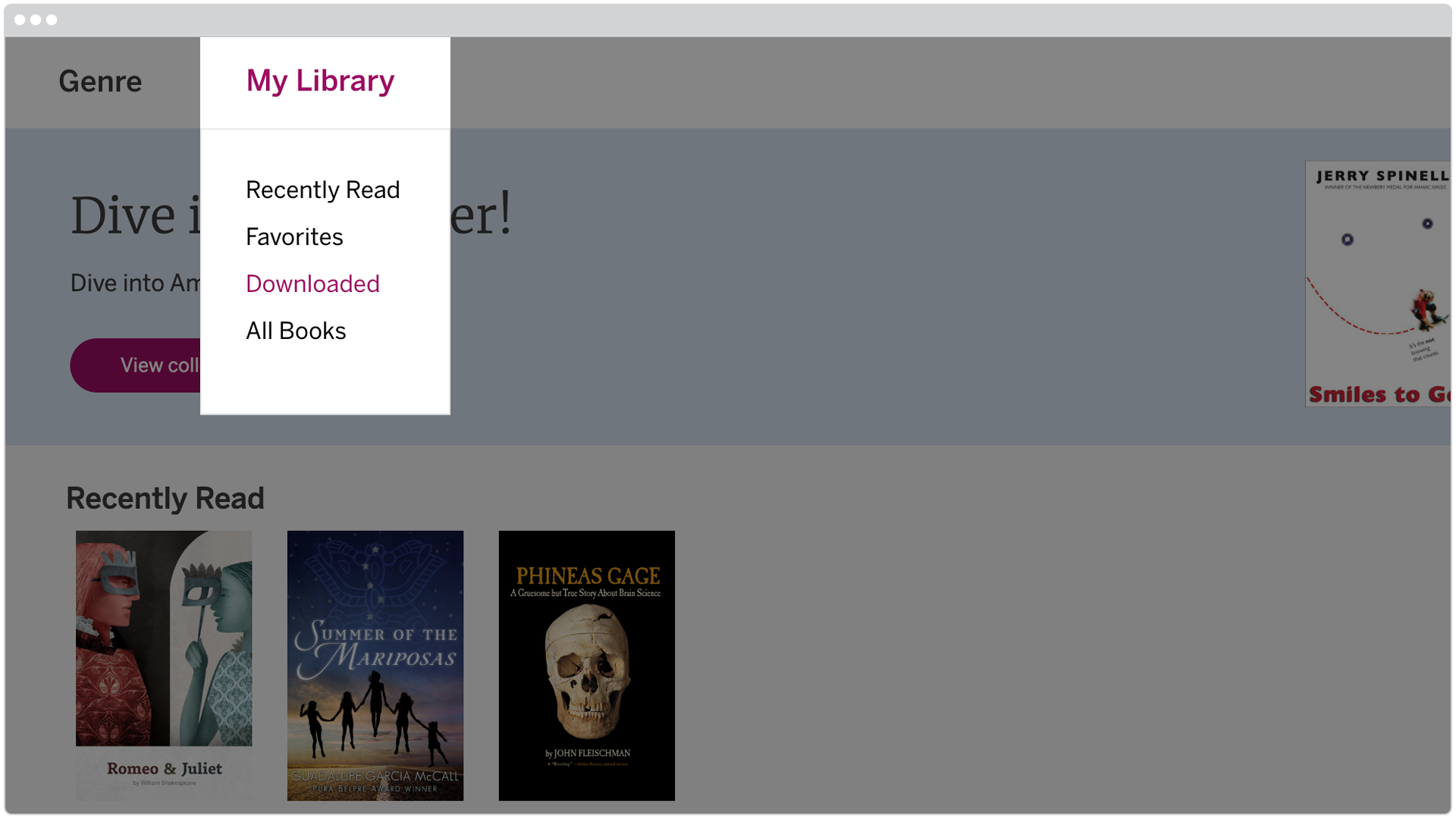
Devices & Requirements Ensure mCLASS is compatible with your devices and systems for optimal performance and support.

Remote Assessing

Videos:

Remote Assessment Guidance from the Acadience Team:  
mCLASS®: Acadience® Reading (formerly known as DIBELS Next)

Key Points:

Before you assess:

1. Determine how you will show student materials and score in mCLASS at the same time. 

  Description

Description

Recommended set up

  • One computer for video conferencing and sharing student materials.
  • One touchscreen device for scoring in mCLASS.
Modified set up
  • One computer.

Note: mCLASS app is optimized for touchscreen; scoring with a mouse may need more practice.

2. Familiarize yourself with the digital copies of student materials.

3. Schedule virtual meetings with students. To communicate with English-speaking caregivers, consider sending this email or video. To communicate with Spanish-speaking caregivers, consider sending this email or video.

4. Determine how you will handle scenarios where there’s a lag:

  Description
Record the meeting
  • Before the assessment begins, press the recording button on your video conferencing tool.
  • After the virtual meeting, listen to recording and rescore in mCLASS if needed.
  • Pick a decision rule for how to score ambiguous items and be consistent. For example, if you decide that you will give a student the benefit of the doubt and mark ambiguous similar sounding items correct when you can’t quite hear their answer, do this for all students you assess.
Use a phone
  • Before the assessment begins, call caregiver’s phone using your phone (type *67 before your number if you want your number to be hidden).
  • Ask the caregiver to press the speaker button. 
  • Mute yourself and your student on the virtual learning platform.

While you assess: 

1. Take the opportunity to connect individually with your students as they experience so much change. Don’t make the session solely about testing, and remind caregivers and students that the assessment is a way to see how you can best tailor instruction.

2. Make student materials visible to your student.

For Maze, choose the model that works best for you:

Enter results into the mCLASS web reports

  • Students complete online Maze during a video conference
    • Put a link to the student assessment site (mclass.amplify.com/student) and the student’s credentials into the chat box (learn how to generate student credentials in this video)
    • Ask your student to complete Maze.
  • Students complete online Maze outside of a video conference (caregiver support is needed with log-in)
    • To provide student credentials and instructions to English-speaking caregivers, consider sending this email and video. To provide student credentials and instructions to Spanish-speaking caregivers, consider sending this email and video.
  • Students complete Maze on paper
    • Locate the benchmark Maze Acadience Learning’s site.
    • Print a copy of the form you need (e.g. BOY) for each student in your class.
    • Send the form home in a sealed envelope with students, mail the form to caregivers, or have caregivers get forms via school-based pick-up. Provide instructions not to open the envelope until the student is ready to take the assessment.
    • Provide parents with instructions on how to proctor the assessment for their child. They need to:
      • Give the form to their child
      • Sit with their child and read the instructions and practice items
      • Tell their child to stop when 3 minutes has elapsed
      • Send screenshots of their child’s work via email or text, or return the completed form to the school in a sealed envelope provided by the school.
  Guidance
Acadience:Reading 

Use the share screen feature to display student materials on your screen.

Optional next step for measures that have student materials:

Zoom users: grant your student control of your screen so you can see their cursor as they read:

  • Click “Remote Control” and select your student’s name in the dropdown.
  • Ask your student to use their cursor to point to words as they read.

Note: For Mac OSX, you will need to give Zoom access in the Accessibility tab in the Privacy and Security preferences of your Mac. For more information on giving Zoom access in Security and Privacy, click here.

3. Score in mCLASS.

Student materials

  Benchmark Progress monitoring
Acadience Reading (formerly known as DIBELS Next) Available for free download on the Acadience Learning website

Welcome, Amplify Caminos families!

We’re excited to welcome you and your student to the Amplify Caminos program for the new school year, and to provide your student with exceptional learning opportunities through our program. We’ve assembled the following resources and guides to help you support your student and enable them to have the most productive experience with our platform throughout the year.

Para la versión en español, haga clic aquí.

What is Amplify Caminos?

Amplify Caminos is an authentic elementary Spanish language arts program for Grades K–5, grounded in the Science of Reading and built from the ground up for the Spanish language.

We’ve designed Amplify Caminos around topics that interest kids, from science to world history to great literature and art. Students connect what they learn across units and grades, deepening their understanding and engagement each year.

Getting started

There are a few ways you can support the student in your care:

  • If possible, read with them daily; even 15 minutes of reading together each day can create a huge impact.
  • Read sections of the text aloud together. If your student struggles, you might try reading the text to them with expression, and then have them read it aloud back to you.
  • Find moments to discuss what they are reading and discovering in class. Examples of questions you could ask: What stood out to you from what you read today? Were any sentences or words confusing? What was your takeaway from the author’s passage? What do you think the writer was trying to communicate? Do you agree with the writer’s ideas or descriptions? What connections can you make between what you are reading and your own life or other issues you’ve heard about?
  • Listen to your student read their written responses or have them share with a friend over video chat.
  • Review this Protecting Kids Online article by the Federal Trade Commission addressing digital safety.

Logging in

Grade K–2 students

K–2 students will be able to log in with Shared Credentials created and provided by the teacher.

On each student device, go to learning.amplify.com.

Select “Log in,” then enter shared login credentials or select “Scan QR code” for QR code login. Students will be directed to Student Home, where they’ll be able to change their avatar and click on a mood emoji of the day! At Student Home, there will be an easy redirect link to the Student Hub.

Note: Shared student logins provide K–2 students using the Amplify Caminos Hub and students who aren’t yet enrolled by their school or district a way to access Amplify’s digital programs.

Grade 3–5 students

Go to learning.amplify.com.

Select “Log in,” then enter shared login credentials or select “Scan QR code” for QR code login. Students will be directed to Student Home, where they’ll be able to change their avatar and click on a mood emoji of the day! At Student Home, there will be an easy redirect link to the Student Hub.

Note: Students in this grade band must be enrolled and have an appropriate license to access Student Home. Contact your student’s teacher for login information.

Materials overview

Some of Amplify Caminos’ digital curriculum may be accessible to your student at home, if internet access is available. Contact your student’s teacher for login information.

Student Readers

Amplify Caminos is a Spanish Language Arts (SLA) program, so the student readers are in Spanish and align to the Spanish code that is taught in Amplify Caminos. Those readers would only be available to teachers and students who are implementing Caminos in their SLA or Dual Language classroom.

Student Readers are uniquely designed to provide students with intensive practice while they read simple but authentic stories.

Student Readers are chapter books designed for kindergarten to second grade students to practice the sounds and spelling patterns they’ve just learned, along with commonly used Spanish words. This helps them understand what they read while enjoying engaging stories with interesting characters. For students in Grades 3–5, the Student Readers help improve close reading and other literacy skills by offering a range of content-rich stories and informative texts.

alt="Three book covers in Spanish, featuring colorful illustrations of children with animals in varied settings: a llama, a dog, and both rural and urban backgrounds, ideal for the Core Knowledge Language Arts curriculum."

Student Activity Books

As part of the daily lessons, these activity pages ask students to respond to the text they’ve read and apply skills and knowledge. They also include assessments (to which teachers have access) that track students’ skills development.

Illustration of a llama and desert elements on an orange background in the Amplify CKLA educational material, adjacent to a page teaching letter formation and number writing.

Caminos Hub for students

Students access multimedia resources and engage in a new digital experience on the Caminos Hub. They can access the Hub at home, in the classroom, and on the go, making it ideal for remote learning. It’s also compatible with laptops, Chromebooks, tablets, and desktops—we’ve even optimized it for mobile devices.

A digital educational interface shows two options: "sonidos" with a saxophone icon and "biblioteca" an open book icon, under the label "caminos" for grade 2.

Sonidos for Grades K–2

The Sonidos Library contains audio recordings of phonemes. Teachers can incorporate the Sonidos Library materials at any point into existing activities, at the start of skills lessons, or as a review to bring a sense of fun into the classroom.
The sounds in the library are organized by unit, and you can find the sounds for each unit by going through the tabs at the top of the screen. Each tab contains cards for each sound, on which you can play a recording of the sound by selecting the speaker icon.

Screenshot of an Amplify CKLA language learning app displaying vowel sounds with corresponding images: tree, ring, and sheep, labeled in Spanish, with a

Biblioteca

The Hub eReader is an easy way for kids to connect to the entire Caminos library of readers. A simple table of contents makes it easy to navigate longer books. Amplify Caminos e-books include the full set of Grade K–5 Student Readers.

Grid of eight illustrated book covers titled "caminos biblioteca de 2º grado," each depicting children in various settings, with "leer" buttons below each cover, part of the Core

Quests

In Grades 3–5, each grade contains a Core Quest. In these special units, all the normal rules of the classroom change, and students engage with language in surprising new ways. For example, in Grade 5, they learn to love the dense Shakespearian language of “A Midsummer Night’s Dream” through imagery, close reading, and performance.

Have a question about Amplify Caminos? 

Visit our help library to search for articles with answers to your program questions. 

For additional curriculum support, please contact your student’s teacher.